Windhawk 1.7: Faster Mod Installs with Pre compiled Mods and YAML Settings

  • Thread Author
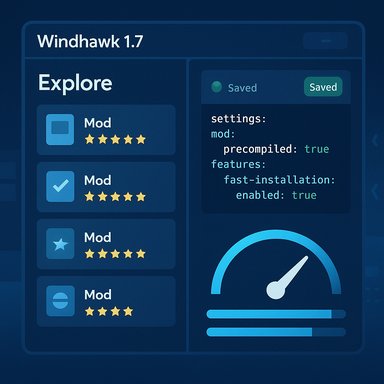
Windhawk 1.7 UI: left panel lists mods, right panel shows saved settings.
Windhawk’s new 1.7 release tightens the screws on usability and performance while smoothing several long-standing rough edges in the modding workflow that power users and casual customizers alike have been asking for—most notably by shipping pre-compiled mods by default, adding a YAML text mode for settings, and giving the Explore and installed-mods views substantial UX upgrades.

Background / Overview​

Windhawk is a lightweight, modular customization platform for Windows that lets users install small, reversible modifications—“mods”—to parts of the operating system and desktop applications (Start menu, File Explorer, taskbar, tray, etc.. It’s designed to be a community-driven “marketplace” of open-source tweaks where each mod is delivered as code you can inspect and enable or disable without rewriting system files. The project’s official site and mod catalog emphasize transparency and minimal runtime impact, and the ecosystem has grown quickly because mods are focused, composable, and reversible. The 1.7 release is a feature-and-stability update that addresses three broad targets:
  • Faster and more reliable mod installations and updates.
  • A more approachable UI for browsing, configuring, and managing installed mods.
  • A series of engine-level fixes to improve compatibility with a wide range of third-party software and Windows configurations.
Those changes are documented in Windhawk’s official release notes on GitHub, which show the full changelog for v1.7 and list the engine and UI items introduced in this version. Independent coverage from European and German Windows sites confirms the same highlights and reproduces the release notes.

What’s new in Windhawk 1.7 — the essentials​

Pre-compiled mods by default (speed wins)​

  • Windhawk now downloads pre-compiled mods by default instead of compiling mod source locally, which significantly accelerates both initial installs and updates.
  • The feature is user-configurable and can be disabled in settings if you prefer local compilation for transparency, debugging, or developer workflows.
This change reduces the CPU and time cost of getting a mod running and avoids local build toolchain issues on end-user systems. The release notes explicitly list this as the headline improvement in v1.7.

Install previous mod versions​

  • The UI now supports viewing and installing older mod versions from the Explore/catalog views.
  • This is particularly useful when a recent mod update introduces regressions or temporarily breaks compatibility with a specific Windows build.

Settings editor upgrades (YAML + keyboard save)​

  • A textual mode was added to the settings editor so advanced users can edit mod settings in YAML format.
  • Settings can now be saved with Enter or Ctrl+S, and the UI warns the user when closing the settings tab with unsaved changes.
  • These improvements bring faster editing workflows and reduce accidental loss of changes.

Major UI and navigation improvements​

  • Search, filtering, and a list view were added for installed mods, making discovery and management far easier.
  • Explore view got additional filters; mod cards now show more metadata and a rating breakdown on hover.
  • Back/forward navigation (Alt+← / Alt+→ and mouse back/forward buttons) and zoom controls (Ctrl + / Ctrl - / Ctrl 0) were introduced.
  • Target process tooltips now reveal custom process inclusion/exclusion lists—helpful for understanding where a mod will run.

One-click update from About tab (gated)​

  • The About tab includes a clickable update control so Windhawk can be updated from the UI; the release note states this will become active in the following update cycle, which suggests the control is present but may be activated server-side or on the next patch.

Mod developer metadata additions​

  • Support for @license and @donateUrl fields was added to the mod metadata schema, making license information and author support links more visible in the UI.

New translations​

  • Windhawk gained translations for Arabic, Hindi, and Thai in this release—broadening accessibility for non‑Latin-script users.

Engine-level and compatibility improvements​

  1. SlimDetours for hooking
    • Windhawk switched to the SlimDetours library for function hooking, a change intended to improve compatibility with certain programs (the release notes specifically call out a fix for a MacType-related BSOD). This is a significant engineering change because hooking libraries determine how safe and compatible runtime injections are.
  2. Better handling of protected processes
    • Loading/unloading mods in protected processes is now managed more conservatively: the list of loaded mods is kept unchanged until the target process restarts, and changes to enabled/disabled states take effect after restart. This avoids crashes and instability when interacting with protected or hardened processes.
  3. Improved debug-symbol and network resilience
    • Windhawk retries symbol downloads more robustly (useful during slow startups or flaky network conditions), and improved error handling reduces noisy repeated retries.
  4. Multi-user support (limited)
    • There is limited support for multiple concurrent users: separate portable instances can be run by different users on the same machine, provided none run as Administrator. This is a pragmatic, sandbox-friendly change for multi-account workstations.
  5. Fixes for specific app incompatibilities
    • The release addresses several real-world incompatibilities, including programs that failed to launch while Windhawk ran (SideFX Houdini, Autodesk MotionBuilder, Movavi Screen Recorder, etc. and processes that failed to shut down. These fixes are compiled from issue reports and are intended to reduce friction for pro/creative users.
Deskmodder and Tweakers independently summarized these fixes and contextualized them for German- and Dutch-speaking audiences, mirroring the GitHub notes.

Why these changes matter — practical impact​

  • Faster installs and updates: Pre-compiled mods move the heavy lifting off the user’s machine. For users on lower-end CPUs or on ARM devices, this reduces wait times and avoids toolchain problems.
  • Easier rollback: Being able to view and install older mod versions means you can recover quickly from a bad mod update without having to uninstall the current version and reconfigure everything manually.
  • Better discoverability and management: Search and filtering in both Explore and installed-mods lists reduce cognitive load for heavy mod users and make Windhawk more approachable for newcomers who want to experiment safely.
  • Power-user features: YAML editing, keyboard shortcuts, and zoom support speed up repetitive or advanced workflows for modders and tinkerers.
  • Compatibility improvements: SlimDetours and the protected-process handling decrease the chance that Windhawk will interfere with creative or technical software, which is crucial for professional users.
These changes collectively push Windhawk from a hobbyist tool to a more polished utility suitable for a broader audience—provided users follow best practices.

Risks, caveats, and compatibility considerations​

Windhawk’s architecture—runtime injection and hooking into other processes—is powerful but inherently sensitive. Use it responsibly.
  • Runtime injection is not risk-free. Any tool that injects code into other processes can create stability or security issues if a mod is buggy or malicious. Even though Windhawk’s mods are open-source, the injection technique still means a poorly written mod can crash a process or cause undefined behavior. Users should prefer mods with community trust and inspect source when possible.
  • Anti-cheat and DRM risks. Some games and anti-cheat systems consider code injection suspicious. Users who game with titles that use strict anti-cheat systems should deactivate Windhawk and test compatibility before playing. This is a shared constraint across all injection-based mod systems.
  • Third-party software compatibility. While v1.7 addresses many incompatibilities, users should still test their core workflows (DAWs, 3D applications, virtualization, security tools) after updating. The release specifically calls out fixes for several professional apps, which indicates these conflicts were real and have been addressed, but not exhaustively.
  • Security hygiene. Download mods only from trusted repositories and review the mod source if you don’t know the author. Even with added metadata fields like @license and @donateUrl, the presence of metadata is not a guarantee of safety—human review matters.
  • Backups and restore points. Although Windhawk aims to be reversible and lightweight, any system-level changes merit a conservative approach: create a system restore point or back up important data before enabling broad or invasive mods.
Where claims are hard to verify independently (for example, fine-grained performance impacts on particular CPUs or rare application combinations), treat them cautiously: the release notes report intended improvements, but real-world effects will vary by system configuration and installed software.

How to upgrade or install safely (recommended steps)​

  1. Create a restore point or a full backup of critical data.
  2. Close applications that you rely on (games, DAWs, virtualization) and note their behavior.
  3. Download Windhawk from the official project page or GitHub releases page; confirm the tag is v1.7 before running the installer.
  4. If you depend on a mod that you suspect might have changed, install Windhawk first and use the new “view older versions” feature in Explore to select a prior mod version if necessary.
  5. If you’re a developer or contributor who needs to debug or recompile mods, consider re-enabling local compilation in settings; otherwise, leave pre-compiled mods enabled for speed.
  6. After installing, test a representative set of applications and workflows to ensure no regressions.
  7. When encountering issues, consult Windhawk’s troubleshooting wiki or raise an issue on GitHub; the developer is actively maintaining the project and many fixes are triaged from issue reports.

Tips for advanced users and mod authors​

  • Use the YAML textual mode for rapid copy/paste of configuration templates or for bulk edits across multiple machines.
  • Leverage the @license and @donateUrl fields when publishing mods to make licensing and author support visible and reduce friction for adoption.
  • If you maintain mods that require compilation tweaks, add clear compatibility notes and build instructions to minimize user confusion when Windhawk switches between pre-built and local-compiled modes.
  • For debugging elaborate mods, re-enable local compilation and attach a debugger; v1.7’s improved symbol handling should make symbol downloads and debug workflows more reliable.

Strengths and notable design choices​

  • Modularity: Windhawk’s modular approach minimizes risk—users install only what they need, reducing the attack surface and runtime overhead.
  • Open-source transparency: Because many mods include source code, experienced users can audit behavior before enabling a mod—this is a major trust advantage over closed customization tools.
  • Active, responsive maintenance: The v1.7 release shows concrete responsiveness to user-reported compatibility bugs (specific apps and MacType BSODs cited in change log), which indicates active triage and remediation.
  • Usability-first UI improvements: Search, filtering, list view, and YAML text mode all lower the barrier-to-entry for newcomers and speed up workflows for power users.

Where Windhawk still needs attention​

  • Trust signals for mods. v1.7 added metadata fields and rating breakdowns, but Windhawk would benefit from clearer trust signals—signed mod binaries, moderated curated collections, or an opt-in verification pipeline would help enterprise and cautious users.
  • One-click update activation ambiguity. The About-tab update control is present, but the release note indicates it becomes active “starting with the next update,” which creates a small UX question for users expecting immediate auto-update behavior. Users should continue to check GitHub releases for the latest installer until the UI update flow is confirmed live.
  • Anti-cheat guidance. Explicit, prominent guidance about anti-cheat/DRM interactions within the app would reduce inadvertent issues among gamers.

Final assessment — who should (and shouldn’t) use Windhawk 1.7​

Windhawk 1.7 is a strong iterative update that reduces friction for everyday users while advancing compatibility and stability. It is especially well-suited for:
  • Windows power users who want to tailor the Start menu, taskbar, or File Explorer without deep system hacks.
  • Creatives and professionals who previously avoided Windhawk because of conflicts—v1.7 went after several real-world compatibility issues.
  • Mod authors and tinkerers who will appreciate the YAML editor, metadata fields, and faster iteration via pre-compiled mods.
Windhawk is not recommended for:
  • Users who cannot tolerate any risk of process instability (e.g., managed corporate machines without IT approval).
  • Gamers who rely on strict anti-cheat environments—test before playing.
  • Users who prefer only vendor-signed modifications; Windhawk remains a community-run, open-source ecosystem with variable levels of curation.

Conclusion​

Windhawk 1.7 is an important credibility-building release: pre-compiled mods accelerate installs and updates, the settings and UI improvements make day-to-day mod management easier, and the engine compatibility fixes address a number of concrete pain points reported by users. For Windows power users who value customization, 1.7 makes Windhawk a more reliable and approachable tool.
The caveat remains that any injection-based customization system carries intrinsic risks, so prudent users should back up data, test critical apps, and prefer well-known mods. The Windhawk team’s active response to compatibility issues and the project’s transparent codebase are tremendous strengths that mitigate many of those risks—v1.7 demonstrates continued maturity in this direction.

Source: Neowin One of the best Windows customization tools gets big update
 

Windhawk’s latest update pushes Windows 11 customization from hobbyist tinkering toward a smoother, safer, and faster modding experience — the app now defaults to downloading precompiled mods, adds version rollbacks and a YAML settings editor, and tightens the UI for discovery and management so users can shape the Start menu, taskbar, and Explorer without waiting for local builds.

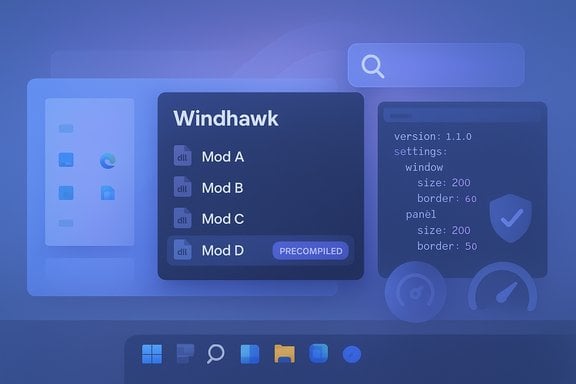
Blue UI mockup of Windhawk showing Mod A–D with a Precompiled tag.Background / Overview​

Windows 11 shipped with a cleaner, more modern UI than Windows 10, but many users have complained about limited personalization options for the taskbar, Start menu, and File Explorer. That gap created a thriving third‑party tooling space — paid utilities like Start11 and StartAllBack on one side, and free/open‑source projects such as Windhawk on the other. Windhawk positions itself as a lightweight, community-driven mod marketplace for Windows programs: an engine that loads small, single-purpose mods (often a single C++ file compiled into a DLL) to adjust or replace parts of the OS and apps. The project is open-source under the GPL‑3.0 license and maintained on GitHub. What landed in the Windhawk 1.7 series is a practical, user-first set of improvements: much faster installs via precompiled mods by default, the ability to view and install older mod versions, a textual (YAML) settings editor, and better search, filters and list views in the UI. Those changes noticeably reduce friction for people who just want to tweak their desktop without spending time compiling source. The author and project also publish release notes and a short blog post outlining the same highlights.

What’s new in Windhawk 1.7 (clear, verified summary)​

The 1.7 release series brings several headline features and quality‑of‑life upgrades:
  • Precompiled mods by default — Windhawk now downloads prebuilt binaries for mods instead of fetching C++ source and compiling locally, dramatically speeding initial installs and updates. This option is user‑configurable and can be turned off if you prefer local compilation.
  • Install older mod versions — the UI allows browsing past releases of a mod and installing a previous version when a new update introduces regressions or breaks on certain Windows builds.
  • Textual settings editor (YAML) — advanced users can now edit mod settings in YAML, improving bulk edits, copy/paste backups, and rapid keyboard saves (Enter / Ctrl+S). The settings UI also warns about unsaved changes.
  • Search, filters and list view — improved discovery and management UI for installed mods and the catalog (Explore view) — including metadata, ratings, and better navigation controls.
  • One‑click update control in About — the About panel includes an update control so Windhawk can be updated from inside the app rather than forcing users to visit GitHub manually. (Release notes indicate this control can be gated or made active progressively.
  • Developer & metadata improvements — mod metadata now supports license and donation URLs, and the toolchain used to compile mods has been modernized so mods can target newer Windows APIs.
These are not hypothetical changes: the official releases page shows v1.7.x as the active release track and the project blog and release notes echo the same feature list.

Why the precompiled‑mods change matters (and what to watch)​

One of the most practical changes is the move to precompiled mods by default. That matters because:
  • It reduces the time and CPU cost of getting a mod running. Instead of downloading C++ and invoking a local build toolchain for each mod, Windhawk can download an already-built DLL and register it with the engine — updates and initial installs that previously took minutes can now finish in seconds. The maintainers explicitly state this speed win and that the feature is optional.
  • It reduces dependency friction: users no longer need compilers or dev toolchains on their machines to use community mods, which lowers the barrier for non‑developer users.
Risks and mitigations:
  • Trust tradeoff. Precompiled binaries shift trust onto the distributor (the project’s build pipeline or mod author) rather than the user’s local compiler. For security‑conscious users, Windhawk preserves the option to disable precompiled downloads and compile locally. Users who care about reproducibility should either keep local compilation enabled or inspect the underlying mod source in the official mod repo.
  • Supply chain vigilance. As with any ecosystem that distributes binaries, the integrity of the build pipeline and signing practices matter. The project already publishes source on GitHub and the mods repo is public, which helps — but users should still prefer mods with active maintainers and transparent change logs.

Safety, signing, and the UAC episode: what happened and why it’s important​

Third‑party mod loaders that inject code into system processes naturally attract scrutiny from Windows security systems. Windhawk itself is open source and hosted on GitHub under the GPL‑3.0 license, but the project encountered a UAC/signing issue in recent versions that caused installers to be blocked for some users. The maintainer addressed the problem by acquiring a different digital signature vendor and reissuing signed builds in the 1.7 line. The move is intended to avoid UAC blocks caused by trust revocations and to restore a smoother install experience. What that means for users:
  • If you install Windhawk from the official releases, you should see builds signed with the current certificate (the release notes and project pages document the re‑signing). Still, always verify the release tag on GitHub and prefer official assets.
  • Keep an eye on whether your antivirus or Defender flags new mods. Community reports show Windhawk itself typically behaves as a lightweight background tool with low CPU use, but occasional vendor false positives occur (as is common with low‑level injection tools). Community testing and VirusTotal scans are helpful but not infallible.

How Windhawk works (short technical primer)​

Windhawk uses a global injection/hooking approach to load small, per‑process DLLs (mods). Each mod is typically a single C++ file that Windhawk compiles into a dynamic library. The engine loads mods in target processes and provides helper APIs so mods can hook functions or alter UI behavior safely. In other words, Windhawk operates like a lightweight, modular runtime that applies targeted patches rather than replacing system files. The architecture and docs (including a wiki for creating mods) are published on the project’s repositories. Key practical points:
  • Mods can target specific processes (e.g., explorer.exe) and Windhawk exposes include/exclude lists so mods only run where intended.
  • The UI exposes mod settings; with 1.7 you can edit those settings in YAML for advanced workflows.
  • If a mod misbehaves you can disable or uninstall it from Windhawk’s UI and, if necessary, revert to a previous mod version.

A practical walkthrough: install, discover, tweak (step‑by‑step)​

  • Download Windhawk from the official releases page on GitHub or the project website and run the installer (online and offline installers are available). Confirm the release tag and checksum if you’re cautious.
  • Launch Windhawk and open the Explore tab. Browse mods and use the new search and filters to find relevant tweaks (Start menu, taskbar, File Explorer, etc..
  • Install a mod — with v1.7 the catalog will supply a precompiled mod binary by default, so installation is usually immediate. If you prefer, toggle the setting to compile locally to build from source.
  • Configure mod settings — either with the visual editor or switch to textual YAML mode for bulk edits, keyboard saves, and easier backups.
  • If an update causes problems, use the mod’s version selector in the catalog to roll back to a previous release.
  • Keep Windhawk itself updated via the About tab’s update control or by checking the GitHub releases page.

The standout mods (what community users install first)​

Windhawk’s catalog includes dozens of small, focused mods. The community and forum discussions show users gravitating to these categories:
  • Start menu tweaks — remove the “Recommended” block, restore Windows 10 style layout, or apply alternative stylers.
  • Taskbar styling and behavior — transparency, macOS‑style dock transformations, restoring drag‑and‑drop, increasing icon sizes, ungrouping, and volume‑by‑scroll. The “Windows 11 Taskbar Styler” family is especially popular.
  • Explorer and UI fixes — show folder sizes in Details view, return classic context menus, and fix inconsistent dark mode elements.
  • Productivity micro‑tweaks — mouse wheel to switch browser tabs, middle‑click to close apps, and taskbar thumbnail reordering.
The official windhawk‑mods repo and forum threads are a good place to preview examples and read community feedback.

Strengths: why Windhawk should be on your shortlist for Windows 11 customization​

  • Zero cost, open source — it’s free to use and auditable by anyone on GitHub, which builds trust and transparency.
  • Modularity — you only install what you need; that reduces bloat and the chance of broad system conflicts.
  • Lightweight runtime — community testing reports low RAM and CPU overhead, and many users say the Start menu felt snappier after some mods. That matches multiple community reports that Windhawk runs with minimal impact.
  • Faster iteration with precompiled mods — 1.7’s default behavior significantly shortens install/update times for everyday users.
  • Reversibility and versioning — the ability to install older mod versions and disable mods quickly reduces the risk of long‑lasting breakages.
  • Developer friendliness — the toolchain improvements and public wiki make contributing mods straightforward, which keeps the ecosystem lively.

Risks, tradeoffs, and practical mitigations (be realistic)​

Windhawk is powerful because it injects code into running processes — that power carries responsibilities.
  • Security and supply chain risk. Precompiled binaries accelerate installs but require trust in the build pipeline and mod maintainers. Mitigation: prefer mods with source in the official repo, or disable precompiled downloads and compile locally. Keep a backup and create a system restore point before large mod sets are applied.
  • Compatibility with Windows updates. Low‑level hooks can break when Microsoft changes internal behavior. The community and maintainer‑driven updates mitigate this, but expect occasional breakage after major Windows patches. Mitigation: install selectively and test mods one by one.
  • AV false positives and UAC problems. Tools that hook processes can trigger security controls. Windhawk’s recent re‑signing addresses some installer issues, but users should remain cautious and prefer official assets. If an AV flags a file, check the project’s issue tracker and the community before whitelisting.
  • Stability tradeoffs from third‑party mods. Community threads show occasional crashes tied to specific mods; these are typically solvable by uninstalling the offending mod or rolling back to a prior mod release. Use the new rollback feature if a mod update misbehaves.

How Windhawk compares to paid alternatives​

Windhawk sits in a different spot on the spectrum than paid, opinionated UI replacements:
  • Start11 / StartAllBack — polished, narrow‑focus paid tools for restoring classic Start and taskbar behaviors. They are commercial, supported, and lower‑risk for enterprise deployments. Windhawk offers broader community options and more experimental tweaks for free. Community comparisons note Windhawk’s modularity and zero price tag as key advantages.
  • ExplorerPatcher — similar free tool that restores many Windows 10 behaviors; ExplorerPatcher is more narrowly focused on Explorer and taskbar restoration; Windhawk’s advantage is a wider, easily browsable mod catalog and faster experimentation.
For enthusiasts who want a varied, evolving toolkit and who don’t mind community‑maintained mods, Windhawk is compelling. For enterprise or support‑sensitive environments, paid tools with formal support contracts remain the safest choice.

Recommended best practices (short checklist)​

  • Always download Windhawk and mods from the official GitHub releases and the official mods repository. Verify tags/checksums when possible.
  • Create a system restore point before installing multiple mods. Test changes one mod at a time and reboot between installs to observe stability.
  • If security is a priority, disable precompiled downloads and compile locally, or only enable precompiled mods for mods published by trusted authors.
  • Keep Windhawk itself up to date (the About tab update control and GitHub releases make this easy). Use the rollback feature if a mod causes problems.

Critical analysis — strengths, blind spots, and the path forward​

Windhawk’s 1.7 changes are practical and user-focused. Moving to precompiled mods removes a real barrier for non‑developer users, while adding rollback and YAML editing significantly improves both safety and productivity for power users. The UI improvements (search, filters, list view) transform Windhawk from a tinkerer’s tool into a discoverable catalog that new users can comfortably browse. These are the sorts of upgrades that raise Windhawk from a niche utility into a mainstream customization platform. However, a few blind spots remain:
  • Supply chain trust is now a first‑class issue. Precompiled mods improve UX but make pipeline integrity more important. The project’s transparency helps, but the community should push for reproducible builds and signed mod artifacts as a long‑term mitigation.
  • Windows evolution risk. The core pattern Windhawk uses — runtime injection and hooking — will always be susceptible to Windows internals changes. The project’s active maintainer and community are strong defenses, but users should expect occasional disruptions after major Windows updates.
  • Enterprise suitability. While Windhawk is excellent for enthusiasts, companies should weigh support, compliance, and security policies before deploying it widely. For home users and tinkerers, the benefits usually outweigh the risks; for managed fleets, each organization must evaluate tradeoffs carefully.

Final verdict and practical recommendation​

Windhawk 1.7 is a meaningful step forward: it makes Windows 11 customization faster, easier, and more resilient — without abandoning the transparency that comes from being open source. The new precompiled mods model is smartly implemented (user‑optional), and the added rollback and YAML editing show the team is balancing convenience with power.
For Windows 11 enthusiasts who want to reclaim control of the Start menu, taskbar, and Explorer, Windhawk is now easier to recommend than ever. Install it from the official GitHub releases, start with just one or two trusted mods, and keep the rollback and safety tips in mind as you experiment. The combination of a thriving mod catalog and the speed improvements in 1.7 make Windhawk a practical, no‑cost way to make Windows 11 yours — if you respect the usual cautions about third‑party code and signing.
Official release notes and the maintainer blog document the changes in 1.7; the project’s GitHub page and the windhawk‑mods repository contain the source, mod catalog and contributor guides. Community threads and initial user reports show low resource usage and wide interest in taskbar and Start menu mods, though as always, users should proceed with backups and selective testing before applying extensive customizations.
(If you’re ready to test Windhawk: download the official release, review the mod descriptions in the Explore tab, and use the new list/search tools to install one mod at a time — you’ll likely be surprised how quickly those small changes transform your daily Windows 11 experience.

Source: Pocket-lint My favorite free Windows 11 customization app just got even better
 

Back
Top