

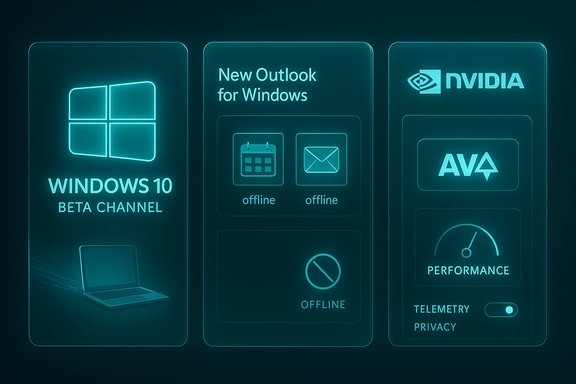
Microsoft’s weekly roundup of noteworthy Windows apps and platform moves landed with two headline items this week: Microsoft reopened the Windows 10 Beta Channel for Insiders and the “new Outlook for Windows” gained offline mail and compose support — while NVIDIA pushed a major update to its desktop software that adds AV1 recording and one‑click GPU tuning. These developments matter for two distinct but overlapping audiences: everyday Windows users who will notice improved offline reliability and richer system utilities, and IT / power users who must weigh device storage, security, and platform-hosted telemetry when new features roll out. The short version: the Beta Channel reopening signals Microsoft is temporarily treating Windows 10 as a living platform again; Outlook’s offline features restore long‑expected mail client behavior; and NVIDIA’s new app continues the consolidation of GPU tooling — but each change brings operational tradeoffs that deserve careful testing before wide deployment.
BetaNews’s roundup of the week’s new and notable Windows apps called out three pieces of platform-level news in addition to a shopping list of app discounts: (1) Microsoft reopened the Windows 10 Beta Channel after a long pause, (2) the new Outlook for Windows added offline sync and compose capabilities, and (3) the NVIDIA app added AV1 recording and simplified performance tuning in its latest release. The BetaNews summary captured the headlines cleanly and flagged each as an item readers should watch, especially those who manage mixed Windows 10 / Windows 11 fleets. These are not isolated product bumps. Each item reflects a larger strategic direction:
For organizations migrating from the legacy Mail & Calendar apps to the new Outlook, offline support matters for:
Microsoft and major hardware vendors are evolving the Windows desktop incrementally rather than in single sweeping releases. This week’s signals — Beta Channel testing on Windows 10, Outlook offline parity, and NVIDIA’s closer integration of capture and tuning — all point toward a more flexible, user‑focused desktop. That’s good news for users and administrators alike, so long as the necessary safeguards (encryption, testing, and policy controls) stay in place while new client behaviors are validated and adopted. (betanews.com
Source: BetaNews Best Windows apps this week
 Background / Overview
BetaNews’s roundup of the week’s new and notable Windows apps called out three pieces of platform-level news in addition to a shopping list of app discounts: (1) Microsoft reopened the Windows 10 Beta Channel after a long pause, (2) the new Outlook for Windows added offline sync and compose capabilities, and (3) the NVIDIA app added AV1 recording and simplified performance tuning in its latest release. The BetaNews summary captured the headlines cleanly and flagged each as an item readers should watch, especially those who manage mixed Windows 10 / Windows 11 fleets. These are not isolated product bumps. Each item reflects a larger strategic direction:- Microsoft temporarily re‑enabled active feature testing for Windows 10 via the Beta Channel to let Insiders try new features for 22H2 builds. The Windows Insider team’s announcement explains how Beta will be used for controlled rollouts and cautions Insiders about channel behavior and upgrade paths.
- Outlook’s offline work was delivered as a staged, Microsoft 365 rollout: mail, calendar events, and contacts can be cached locally and basic mail actions (flag, move, delete, compose) will work while offline — behavior long expected from a modern desktop client. Microsoft documented the rollout and timing in its product notes and Message Center entries.
- NVIDIA’s new app is the successor to two decades of separate desktop tooling (NVIDIA Control Panel and GeForce Experience). Its recent updates added support for AV1 recording and a Performance panel that offers automated one‑click tuning; NVIDIA states the app will become the primary desktop interface for consumer GPU features. Independent reporting confirmed the consolidation and feature set.
Reopening the Windows 10 Beta Channel — what actually happened
What Microsoft announced
On June 4, 2024, the Windows Insider Program published an announcement opening the Beta Channel for Windows 10 Insiders again. The stated goal was to provide a place to try new feature work targeted at Windows 10 (22H2) before those features land broadly. Microsoft made two operational points clear:- The Beta Channel will receive controlled feature rollouts, using targeted feature‑flighting to a subset of Insiders.
- For Windows 10 devices that qualify for Windows 11, the Beta Channel will not automatically upgrade those devices to Windows 11 — upgrades remain optional.
How the reopening fits the timeline (and why “nearly three years” was invoked)
BetaNews described the reopening as occurring “after nearly three years of inactivity.” The Windows Insider announcement confirms a June 4, 2024 reopening; the “nearly three years” characterization appears to be a journalistic shorthand comparing the Beta Channel’s active rollout cadence from earlier years to the relative lull that preceded 2024. Readers should treat that phrasing as interpretive rather than an exact engineering timeline — Microsoft’s Insider channel definitions and distribution patterns have shifted repeatedly since Windows 10 entered its servicing phase, and channel usage differs across devices and timeframes. The core factual point — Microsoft re‑opened Beta for Windows 10 testing — is confirmed by Microsoft’s own blog posts.Practical implications
- For enthusiasts and testers: the reopening gives Windows 10 users a controlled way to preview features without upgrading to Windows 11. The Beta Channel is appropriate for users comfortable with early‑stage features who can troubleshoot regressions.
- For IT administrators: treat Beta Channel flights as experimental. Microsoft explicitly warns features rolled to Beta may never ship. Don’t use Beta Channel builds for production endpoints; instead, establish test groups and pilot rings to evaluate any candidate features that could impact security, imaging, or app compatibility.
Caveats and lifecycle note
Microsoft later signaled that the Beta Channel would be closed for Windows 10 distribution after some last flights — illustrating how short‑lived channel changes can be as platform priorities shift. That churn is a reminder to always pin dates to specific Microsoft posts when planning rollout windows. Where BetaNews reported the reopening, cross‑checks to the Windows Insider blog provide authoritative dates and operational guidance.New Outlook for Windows — offline mail actions and compose
What shipped and when
Microsoft rolled out the first set of offline capabilities for the new Outlook for Windows in mid‑2024. Key elements of the feature set:- Local caching of mail, calendar events, contacts and settings so those items are viewable without an Internet connection.
- Offline mail actions such as flag, move, delete.
- Compose while offline — new messages can be created, saved, and queued to send when connectivity returns.
- Offline search folders and expansion of default mail sync windows followed in subsequent updates.
Why this matters
Offline mail and compose are not glamorous, but they are foundational to a trustworthy mail client. Without local caching, short outages or flaky networks make email experience brittle — especially for mobile workers, road warriors, or shared/remote sites with constrained connectivity.For organizations migrating from the legacy Mail & Calendar apps to the new Outlook, offline support matters for:
- Continuity of business communication during network outages.
- Field worker workflows that require composing messages offline (e.g., while on an airplane).
- Shared mailboxes and delegate scenarios where local caching can reduce latency.
Implementation details administrators should verify
- Disk usage and retention: Offline caching stores mail and attachments on the device. Confirm default sync windows (Microsoft expanded the default to 30 days in later releases) and set acceptable retention policies for managed devices.
- Encryption and data protection: Ensure device‑level encryption (BitLocker) and Windows Hello / credential guard policies are in place for devices that cache corporate mail. Offline data can be a target if devices are lost.
- Admin policy controls: Microsoft exposes admin controls for offline behavior via Microsoft 365 and Exchange Online policies. Where device compliance is mandatory, require encrypted storage and managed devices.
- Delegated mailboxes & attachments: Some offline behaviors (shared/delegated mailbox edits, OneDrive/SharePoint inline attachment access) may still require online connectivity; test these workflows before decommissioning legacy clients.
Risks and mitigations
- Risk: Data leakage from cached attachments. Mitigation: enforce BitLocker + Intune app protection policies and limit sync window size for unmanaged devices.
- Risk: Inconsistent sync states after prolonged offline use. Mitigation: provide user guidance for resync and rely on server-side conflict resolution for mailbox changes.
- Risk: Policy gaps in third‑party clients. Mitigation: standardize on supported builds of Outlook and maintain update policies.
NVIDIA app: AV1 recording, one‑click automatic tuning, and software consolidation
What NVIDIA shipped
NVIDIA’s new desktop app has been under development as the successor to GeForce Experience and the legacy Control Panel. Recent release notes and coverage confirm:- AV1 recording support in ShadowPlay/Record/Instant Replay/Highlights, bringing improved compression efficiency over H.264 and enabling higher fidelity captures at the same bitrates.
- One‑click automatic GPU tuning in a Performance panel that scans the GPU and proposes optimized overclock/voltage/power/fan targets. The tuning process runs for 10–20 minutes and can be adjusted by advanced users.
- A redesigned in‑game overlay and the roadmap to migrate Control Panel functionality into the new app. NVIDIA has said the app will become the central desktop experience for NVIDIA features and will replace older tooling over time.
Why AV1 recording matters
AV1 is a modern codec that provides higher compression efficiency than H.264 and even HEVC in many cases. For gamers and creators this means:- Smaller recorded file sizes for the same perceptual quality.
- Better preservation of detail and fewer artifacts during high motion scenes.
- Potential downstream benefits for streaming platforms that embrace AV1 decoding.
Strengths for end users and creators
- Quality and efficiency: AV1 improves recorded footage fidelity at equivalent bitrates.
- Integrated tuning: One‑click tuning democratizes basic GPU optimization for users who don’t want to manually overclock.
- Consolidation: A single app simplifies driver‑tooling management and reduces fragmentation between performance, display, and recording controls.
Risks and operational cautions
- Overclocking and automated tuning can introduce instability or shorten hardware lifespan if cooling is insufficient. NVIDIA’s tools attempt conservative adjustments, but administrators and users must test in controlled environments. Tech outlets emphasize the usual caveats: automatic tuning can destabilize some systems and some games may react poorly to aggressive profiles.
- Driver/tooling migration risk: Replacing the long‑standing NVIDIA Control Panel with a consolidated app means settings, scripts, or enterprise automation that relied on legacy tools may need updates. IT teams should test the new app’s ability to expose legacy features they depend on (custom resolutions, surround modes, color calibration) before mass migration. Independent reporting indicates NVIDIA is migrating features gradually; not every legacy function appears immediately.
- Privacy and telemetry: Consolidated telemetry in a single app increases the surface for device‑level reporting. Review and manage privacy settings, and where corporate policies require, control the app via Group Policies or configuration management to limit data sharing.
Other notable items called out in the roundup
BetaNews also flagged a handful of apps that added support for Windows 11 version 24H2 (for example, Lively and Winpilot). Those notes are typical of the weekly roundup’s utility: small compatibility updates and convenience apps that matter for users who customize their desktops. For readers relying on specific features or enterprise packaging, the weekly list is a discovery aid — but the Store pages, vendor release notes, and GitHub repositories should be the sources of truth for compatibility and packaging decisions.Practical advice — how to approach these changes this week
- For hobbyists and enthusiasts:
- Join the Windows 10 Beta Channel only on test machines or secondary devices; expect instability. Back up images or use VM snapshots.
- Try Outlook’s offline mode on a sample mailbox and measure local disk use and encryption behavior. Confirm how attachment downloads are handled when offline.
- Use NVIDIA’s automatic tuning cautiously: run benchmarks and temperature logs during the 10–20 minute scan window and revert if artefacts or crashes appear.
- For IT administrators:
- Create a canary group of devices for Beta Channel testing with clear rollback steps.
- Update Intune/MDM policies to require BitLocker and restrict offline cache windows as needed.
- Inventory any reliance on legacy NVIDIA Control Panel settings and prepare to validate the new app’s feature parity before upgrading drivers at scale.
- Review Microsoft 365 Message Center and update management plans to account for Outlook offline rollout timelines and administrative controls.
- For creators and gamers:
- If you record gameplay, test AV1 captures on representative content to confirm your post‑processing and editors support the codec and hardware acceleration on your playback targets. If editors or streaming platforms don’t support AV1 workflows your pipeline may need adjustments.
Strengths, weaknesses, and key risks — a critical read
- Strengths:
- Practical user benefits: Offline Outlook restores essential productivity behavior and is broadly beneficial for mobile and intermittent connectivity scenarios.
- Modernized GPU tooling: NVIDIA’s consolidation simplifies management for most consumer users and brings modern codecs and tuning options into an integrated experience.
- Targeted feature testing: Reopening the Beta Channel for Windows 10 allowed Microsoft to evaluate change impact on real devices without forcing Windows 11 upgrades. That capability is useful for organizations that cannot move to Windows 11 immediately.
- Weaknesses:
- Ephemeral channels and inconsistent messaging: Microsoft’s Insider channel behavior has changed multiple times; the Beta Channel reopened then was later slated to close again. That churn complicates long‑term planning.
- Fragmentation of support: Small Store apps and hobby projects can appear, disappear, or change feature sets quickly. Weekly roundups surface leads but cannot replace hands‑on verification.
- Key risks:
- Security of locally cached data: Offline caching increases the attack surface if device encryption and access controls are not enforced. Encrypted storage, strong device authentication, and remote wipe capabilities are musts.
- Hardware stability from tuning: Automated GPU tuning can destabilize systems or cause subtle graphical artifacts; organizations that manage visual computing should vet profiles on representative hardware.
- Compatibility of new codecs and workflows: AV1 recording is technically compelling, but cross‑toolchain support must be confirmed for editors, streaming platforms and sharing workflows.
Final verdict and recommended next steps
The week’s headlines show a pragmatic mix of incremental platform stewardship and feature delivery:- Microsoft’s Beta Channel reopening was a pragmatic tool to validate Windows 10 feature work and provided a temporary, controlled preview path for affected users; however, the channel’s lifecycle has been fluid, and teams should pin every decision to Microsoft’s official blog posts and Message Center advisories.
- The new Outlook for Windows’ offline features are a long‑overdue and well‑implemented capability that restores expectations for a desktop mail client — but it requires attention to device encryption, retention settings, and admin policy coverage before broad adoption.
- NVIDIA’s app represents a sensible consolidation and brings meaningful technical gains (AV1, automatic tuning); test carefully, document the migration path from older Control Panel workflows, and treat automated overclocking profiles as experimental until validated in your target hardware fleet.
- Assign a small pilot group for Beta Channel testing and document rollback procedures.
- For devices that will use Outlook offline, require disk encryption and define acceptable offline sync windows in policy.
- Validate NVIDIA app features and automatic tuning on a sample of representative devices before rolling it out as a default driver package.
Microsoft and major hardware vendors are evolving the Windows desktop incrementally rather than in single sweeping releases. This week’s signals — Beta Channel testing on Windows 10, Outlook offline parity, and NVIDIA’s closer integration of capture and tuning — all point toward a more flexible, user‑focused desktop. That’s good news for users and administrators alike, so long as the necessary safeguards (encryption, testing, and policy controls) stay in place while new client behaviors are validated and adopted. (betanews.com
Source: BetaNews Best Windows apps this week
