

If you’re still clinging to Windows 10 and think swapping in a new third‑party antivirus will buy you time, that shortcut is a trap: antivirus updates matter, but they do not replace missing operating‑system patches, and Microsoft’s official guidance makes that plain — Defender will keep getting detection and intelligence updates, but OS‑level security fixes stop without Extended Security Updates (ESU) or a move to Windows 11.
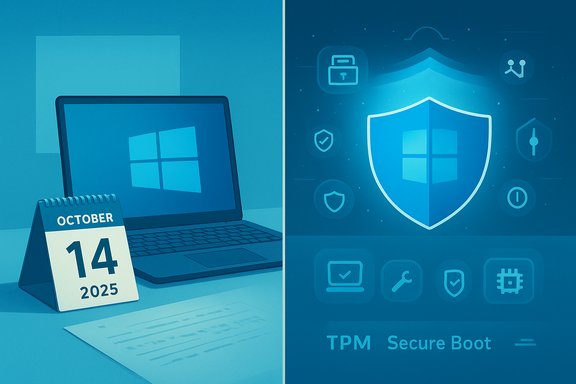
Microsoft set a firm date for Windows 10’s end of support: October 14, 2025. After that date Microsoft will no longer deliver regular security or feature updates to Windows 10 devices unless they are enrolled in an ESU program or are migrated to a supported platform. That end‑of‑support deadline is the core fact that changes the risk calculus for every Windows 10 PC. To soften the immediate impact, Microsoft offered a consumer Extended Security Updates program that provides security‑only updates for eligible Windows 10 systems through a limited period; consumer ESU enrollment options include free enrollment via Windows Backup/settings sync, redeeming Microsoft Rewards points, or a one‑time purchase. The consumer ESU window runs through October 13, 2026; enterprise customers can purchase multi‑year ESU coverage that extends patching farther—effectively providing up to three years of security updates for certain environments, with dates stretching into 2028 in Microsoft’s lifecycle documentation. At the same time, Microsoft has been explicit about Defender: Microsoft Defender Antivirus will continue to receive security intelligence and detection updates on Windows 10 “to the extent possible.” That language means defenders will keep supplying signature and cloud‑delivered intelligence, but Microsoft warned that feature backports and platform‑dependent mitigations are not guaranteed on an unsupported OS. In short: Defender will keep working, but it is not a substitute for OS security servicing.
Operating system security updates, however, patch vulnerabilities in the kernel, system services, drivers, and platform APIs. Those are the entry points for remote or privilege‑escalation exploits that can bypass or neutralize antivirus protections entirely. An attacker who finds an unpatched kernel bug can often elevate privileges or execute code in a way that security intelligence cannot reliably detect or block. Because of that architectural separation, signatures and heuristics cannot repair missing OS patches.
Source: XDA If you're still on Windows 10, switching to a new antivirus won't be enough
 Background / Overview
Microsoft set a firm date for Windows 10’s end of support: October 14, 2025. After that date Microsoft will no longer deliver regular security or feature updates to Windows 10 devices unless they are enrolled in an ESU program or are migrated to a supported platform. That end‑of‑support deadline is the core fact that changes the risk calculus for every Windows 10 PC. To soften the immediate impact, Microsoft offered a consumer Extended Security Updates program that provides security‑only updates for eligible Windows 10 systems through a limited period; consumer ESU enrollment options include free enrollment via Windows Backup/settings sync, redeeming Microsoft Rewards points, or a one‑time purchase. The consumer ESU window runs through October 13, 2026; enterprise customers can purchase multi‑year ESU coverage that extends patching farther—effectively providing up to three years of security updates for certain environments, with dates stretching into 2028 in Microsoft’s lifecycle documentation. At the same time, Microsoft has been explicit about Defender: Microsoft Defender Antivirus will continue to receive security intelligence and detection updates on Windows 10 “to the extent possible.” That language means defenders will keep supplying signature and cloud‑delivered intelligence, but Microsoft warned that feature backports and platform‑dependent mitigations are not guaranteed on an unsupported OS. In short: Defender will keep working, but it is not a substitute for OS security servicing. Why “antivirus alone is not enough” — the technical reality
The two layers: antivirus vs. OS updates
Antivirus products, including Microsoft Defender Antivirus, address a specific class of threats by identifying and blocking known malware, suspicious behaviors, and malicious indicators. They protect against commodity threats, attachments, and many forms of ransomware or trojans — and they do this effectively when definitions and cloud models are kept current.Operating system security updates, however, patch vulnerabilities in the kernel, system services, drivers, and platform APIs. Those are the entry points for remote or privilege‑escalation exploits that can bypass or neutralize antivirus protections entirely. An attacker who finds an unpatched kernel bug can often elevate privileges or execute code in a way that security intelligence cannot reliably detect or block. Because of that architectural separation, signatures and heuristics cannot repair missing OS patches.
“To the extent possible”: what Microsoft actually promised
Microsoft’s public messaging uses careful language. The company said Defender will “continue to provide detection and protection capabilities to the extent possible on Windows 10,” while also noting that certain Defender features depend on OS APIs present only in newer Windows versions. That creates two practical limits:- Some modern mitigations (Virtualization‑Based Security, HVCI, platform‑tied features) are more deeply integrated into Windows 11 and will not be fully available or enabled by default on Windows 10.
- New Defender features that require kernel or platform hooks may never be backported, so Windows 10 devices may miss future capability improvements even if signature updates continue.
Real‑world consequence: the attack surface widens over time
The immediate effect after EOL is manageable for cautious users. But over months and years, newly discovered OS vulnerabilities pile up; attackers weaponize them; and unsupported platforms become a lucrative target set. The combination of unpatched kernels, increasingly sophisticated supply‑chain malware, and attackers focusing on the largest pools of vulnerable endpoints raises the probability of successful, large‑scale compromises. Antivirus buys you defense in depth, but without OS patches the defense has glaring, structural blind spots.What Microsoft actually offers and the timeline you need to know
Key dates and what they mean
- October 14, 2025 — Windows 10 end of support: regular security and feature updates stop for standard Windows 10 installations. Machines continue to boot and function but will no longer receive routine patching.
- Consumer ESU enrollment window / coverage — through October 13, 2026: eligible consumer devices running Windows 10 version 22H2 can enroll and receive Critical and Important security updates through this one‑year window. Enrollment paths include signing in with a Microsoft account and syncing settings, redeeming Microsoft Rewards points, or paying a one‑time fee.
- Extended/multi‑year ESU for commercial customers — up to October 2028 depending on year‑by‑year renewals and licensing arrangements; Microsoft lifecycle documentation lists Windows 10 ESU year caps that extend into 2028 for organizations that purchase the multi‑year ESU. Note that consumer and enterprise ESU mechanics and costs differ.
Defender intelligence timeline
Microsoft confirmed that security intelligence updates for Microsoft Defender Antivirus will continue for years following the OS EOL — messaging and Microsoft’s internal notices show commitments stretching the availability of Defender’s detection updates through a multi‑year window (references in Microsoft’s message center and public blog posts indicate Defender will keep receiving detection/intelligence updates while ESU coverage or other support paths are in place). However, Microsoft explicitly warns these updates do not replace OS servicing.Practical options for Windows 10 holdouts
1) Upgrade to Windows 11 — the recommended, long‑term solution
Upgrading restores your machine to Microsoft’s supported servicing cadence and enables newer platform hardening features such as TPM‑based protections, Secure Boot, and virtualization‑based security that are more fully integrated on Windows 11. For eligible devices, the in‑place upgrade is typically free; Microsoft’s guidance and the PC Health Check tool are the first stops to confirm compatibility. For many users, this is the simplest path to regain full OS‑level patching and new mitigation technologies. Benefits:- Ongoing monthly security and quality updates.
- Access to newer hardware‑backed mitigations (HVCI, VBS).
- No recurring ESU costs or account entanglements.
- Windows 11 has stricter hardware requirements; older devices may need BIOS/UEFI changes or may not qualify without workarounds (which are unsupported by Microsoft). Use the official compatibility tooling where possible.
2) Enroll in Extended Security Updates (ESU) — a time‑boxed bandage
ESU buys time. For consumers, Microsoft created an enrollment path that runs through October 13, 2026; for enterprises, purchases can extend coverage into subsequent years up to 2028. ESU only provides security‑critical and important updates — not new features, non‑security fixes, or full support — and it should be treated as a tactical bridge, not a permanent plan. When to choose ESU:- You have legacy hardware/software that cannot be migrated immediately.
- You need a controlled migration window to validate critical apps.
- You are an organization where replatforming requires time and testing.
- For long‑term security posture: ESU simply delays the migration and increases operational complexity (account ties, licensing overhead, driver and vendor lifecycle issues).
3) Move off Windows — Linux, ChromeOS Flex, or cloud desktops
For machines that fail Windows 11 requirements or for users willing to leave the Windows ecosystem, modern Linux distributions (Linux Mint, Fedora, Pop!_OS) and ChromeOS Flex provide supported, secure platforms that can revive older hardware and remove the Windows‑patching problem entirely. Cloud PC options like Windows 365 shift the support burden to cloud providers and keep endpoints simple. These are valid long‑term alternatives depending on use case and application compatibility.4) Do nothing — but harden aggressively if you insist
If you absolutely cannot upgrade or enroll in ESU, do not rely only on Defender or a third‑party antivirus. Harden the device and the environment:- Use strict least‑privilege (non‑admin daily accounts).
- Keep all third‑party applications (browsers, Office, PDF readers) fully patched.
- Enable tamper protection and cloud‑delivered protection in Defender if you keep it.
- Deploy strong network defenses (DNS filtering, router hardening) and multi‑factor authentication everywhere.
- Use immutable or versioned offline backups to reduce ransomware risk.
The common misconceptions and the facts
- Myth: “Antivirus updates keep me safe forever.”
Fact: Antivirus protects against many threats, but cannot patch OS kernel or driver vulnerabilities. Relying solely on antivirus leaves you exposed to exploitation vectors that only OS patches can fix. - Myth: “Microsoft Defender updates mean feature parity with Windows 11.”
Fact: Defender may receive signature and cloud intelligence updates, but feature parity is not guaranteed — many Defender advances rely on newer OS APIs and hardware features. - Myth: “ESU equals full support.”
Fact: ESU is security‑only and time‑limited; it does not include non‑security fixes, new features, or normal support services. Use ESU as a bridge while you migrate.
How to prioritize your upgrade or mitigation plan (for home users and admins)
- Inventory devices: record OS build, CPU model, TPM status, UEFI vs legacy BIOS, and application dependencies.
- Sort by risk: internet‑facing machines, remote workers, and devices storing sensitive data go first.
- Test Windows 11 upgrade on a pilot device (use PC Health Check). Back up data first.
- If migration is blocked, enroll eligible devices in consumer ESU (if you qualify) or purchase ESU for enterprise fleets, and harden endpoints.
- For legacy apps that cannot be replatformed, consider isolation (virtual machines, segmented networks) and additional EDR/monitoring.
Strengths, weaknesses, and the risk calculus
Strengths of Microsoft’s approach
- Predictable lifecycle and clear deadlines give organizations a deterministic planning horizon.
- Consumer ESU options (including free enrollment via settings sync or Rewards) lower the barrier to short‑term protection for households.
- Continued Defender intelligence updates reduce exposure to commodity malware and provide a baseline of detection while migrations occur.
Weaknesses and open risks
- The key weakness is timing: a large, global installed base of Windows 10 machines makes the platform a lucrative target once routine patching ends.
- Microsoft’s wording (“to the extent possible”) is intentionally conservative; it does not guarantee Defender will backport all future protections.
- ESU is temporary and introduces account/management complexity; third‑party driver and vendor support for Windows 10 will taper, causing compatibility drift.
Areas that deserve skepticism
- Any headline that implies Defender SIUs make staying on Windows 10 “safe” is misleading. Microsoft framed Defender updates as mitigating risk, not eliminating it. Treat ambiguous press claims about “Defender will protect you until 2028” as conditional on enrollment, platform constraints, and scope limitations. Where press repeat “through 2028” they are generally summarizing Microsoft’s multi‑year ESU and Defender intelligence commitments, but the precise protections differ by program and scenario. Exercise caution and read the enrollment and lifecycle terms carefully.
Practical guidance — checklist for users who will act now
- Backup first: create full image backups and verify restore procedures.
- Run PC Health Check to determine Windows 11 eligibility.
- If eligible: schedule an in‑place upgrade during non‑peak hours; validate drivers and essential apps in a pilot.
- If ineligible and you need time: enroll in consumer ESU (if your device meets prerequisites) or prepare to migrate workloads to cloud or Linux.
- If you remain on Windows 10 without ESU: enable Defender cloud protection, Tamper Protection, Controlled Folder Access; use non‑admin accounts; keep all third‑party apps patched; enforce MFA for accounts.
Conclusion — what to do next
The short version: switching antivirus vendors alone is not a long‑term security strategy for Windows 10 after October 14, 2025. Microsoft will continue to provide Defender detection and intelligence updates “to the extent possible,” and consumer ESU options buy short windows of protection, but the only path that restores full OS‑level patching and the latest platform mitigations is migration to a supported OS (Windows 11) or a supported alternative (Linux, ChromeOS Flex, cloud desktop). For any Windows 10 holdouts: prioritize inventory and migration planning today. Treat ESU as a tactical bridge when necessary, but not a refuge. Keep antivirus and Defender enabled and up to date — they remain valuable — but do not let that comfort lull you into delaying an OS migration that materially reduces your exposure to escalating threats.Source: XDA If you're still on Windows 10, switching to a new antivirus won't be enough
