

Microsoft’s product calendar and corporate housekeeping are colliding with real-world IT and consumer decisions this winter: Windows 10 has passed its official end-of-support date and remains in a narrow, time-boxed safety net for enrolled devices; Microsoft is reorganizing employee learning resources and trimming subscriptions; students are being offered a generous, but limited, Microsoft 365 and LinkedIn package; and the company is pushing agentic AI into retail—each development tightens the timeline and choices for home users, IT teams, schools, and retailers in 2026.
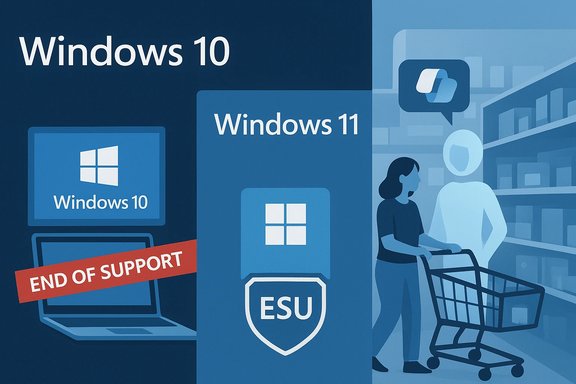
Windows 10’s lifecycle reached a firm vendor milestone on October 14, 2025: Microsoft stopped routine security, feature, and support servicing for mainstream Windows 10 editions. To reduce shock and give organizations and consumers breathing room, Microsoft created a consumer Extended Security Updates (ESU) program that delivers security‑only updates for eligible Windows 10, version 22H2 devices through October 13, 2026. That bridge is explicitly temporary and conditional. At the same time, Microsoft’s internal cost and workplace learning strategies are shifting. The company has begun winding down a physical and subscription-heavy employee library program in favor of an AI-centered learning platform and reduced third‑party subscriptions—a move covered in recent reporting and discussed inside Microsoft as both a modernization and cost-control action. On the product and marketing front, Microsoft is simultaneously rolling out consumer- and education-facing incentives and industry-facing AI tools. A limited-time campus offer provides eligible college students with 12 months of Microsoft 365 Premium plus LinkedIn Premium Career access, while Microsoft’s retail stack now includes agentic AI templates and Copilot-powered checkout experiences intended to let merchants run personalized, conversational shopping agents. These initiatives show Microsoft juggling retention, acquisition, and platform modernization simultaneously. This article synthesizes the technical facts, explains practical implications for everyday Windows users and IT teams, evaluates corporate moves that affect employee and public-facing services, and presents a pragmatic migration and mitigation plan for 2026.
For readers who manage systems, buy or maintain PCs, or run small e-commerce sites, the immediate priorities are unambiguous:
Microsoft’s ecosystem changes in 2025–2026 are not random news bites; they form a coherent push toward a Copilot-centered, agentic future and a Windows 11-first platform. That transition offers productivity and commerce opportunities, but it raises real questions about security, vendor lock-in, environmental costs, and the human oversight needed to manage AI-driven experiences. The technical and policy decisions you make in 2026—about ESU, upgrades, device replacement, and AI adoption—will determine whether your systems remain secure, compliant, and cost-effective as the platform landscape shifts.
Source: thewincentral.com https://thewincentral.com/windows-1...ions-for-enhanced-shopping-honeywell-launche]
 Background / Overview
Windows 10’s lifecycle reached a firm vendor milestone on October 14, 2025: Microsoft stopped routine security, feature, and support servicing for mainstream Windows 10 editions. To reduce shock and give organizations and consumers breathing room, Microsoft created a consumer Extended Security Updates (ESU) program that delivers security‑only updates for eligible Windows 10, version 22H2 devices through October 13, 2026. That bridge is explicitly temporary and conditional. At the same time, Microsoft’s internal cost and workplace learning strategies are shifting. The company has begun winding down a physical and subscription-heavy employee library program in favor of an AI-centered learning platform and reduced third‑party subscriptions—a move covered in recent reporting and discussed inside Microsoft as both a modernization and cost-control action. On the product and marketing front, Microsoft is simultaneously rolling out consumer- and education-facing incentives and industry-facing AI tools. A limited-time campus offer provides eligible college students with 12 months of Microsoft 365 Premium plus LinkedIn Premium Career access, while Microsoft’s retail stack now includes agentic AI templates and Copilot-powered checkout experiences intended to let merchants run personalized, conversational shopping agents. These initiatives show Microsoft juggling retention, acquisition, and platform modernization simultaneously. This article synthesizes the technical facts, explains practical implications for everyday Windows users and IT teams, evaluates corporate moves that affect employee and public-facing services, and presents a pragmatic migration and mitigation plan for 2026.Windows 10 in 2026: What’s changed, exactly?
The firm dates and the narrow safety net
- End of mainstream support: October 14, 2025 is the vendor-declared end-of-support date for Windows 10. After this date, Microsoft stopped issuing routine OS-level security updates, feature updates, and general technical support for the mainstream Windows 10 servicing stream.
- Consumer Extended Security Updates (ESU): Eligible Windows 10, version 22H2 devices can receive security-only updates through October 13, 2026 if enrolled in the ESU program. ESU does not provide feature updates, general bug fixes, or regular technical support beyond assistance with ESU activation.
Who qualifies for ESU, and how you enroll
Microsoft set concrete prerequisites and three consumer enrollment paths:- Your device must be running Windows 10, version 22H2 (the final feature update).
- Enrollment options for consumer ESU include:
- No additional cash cost if you sign in to the device and sync Windows settings with a Microsoft account (OneDrive-backed settings sync).
- Redeem 1,000 Microsoft Rewards points.
- A one-time purchase of approximately $30 USD (local equivalent and tax may apply) that can cover up to 10 devices tied to the same Microsoft Account.
What ESU does—and what it doesn’t
- ESU delivers Critical and Important security fixes chosen by Microsoft Security Response Center. It does not deliver feature updates, non-security reliability rollups, or general Microsoft product support. It is explicitly a short-term, security-only bridge.
- Some Microsoft services (for example, Microsoft Defender definition updates and certain Microsoft 365 app protections) may receive separate servicing timelines, but these are app‑level continuations and do not substitute for kernel/driver/OS patches that ESU supplies. Running unpatched OS kernels on internet-facing systems remains a material risk.
Practical implications and immediate risks
For home users and students
Running Windows 10 on a day-to-day machine after October 14, 2025 without ESU is increasingly risky—malware and targeted exploit authors specifically search for out-of-support platforms. ESU is a practical stopgap for one year, but it’s not a long-term security strategy. For many home users the most sensible options are:- Upgrade eligible hardware to Windows 11 via Windows Update or vendor tools.
- Enroll in consumer ESU if you need time to plan and execute an upgrade.
- Consider switching older hardware to ChromeOS Flex or a modern Linux distribution if Windows 11 compatibility is impossible and you want to retain a supported, patched system for web and productivity tasks.
For small businesses and IT teams
The business calculus is different: enterprises can buy multi‑year ESU through volume licensing, but costs escalate each year and ESU is often the more expensive path in aggregate than hardware refresh or application replatforming. Absent ESU, unsupported Windows 10 endpoints create compliance, audit, and insurance problems; many regulators and insurers treat end-of-life software as a material deficiency unless compensating controls are documented.E-waste and environmental considerations
The hardware gating for Windows 11—TPM 2.0, UEFI Secure Boot, and a constrained CPU compatibility list—means many otherwise functional PCs can’t accept a Microsoft-supported in-place upgrade without hardware changes. That drives procurement pressure and potential e‑waste. Responsible procurement programs—refurbish, trade‑in, donate, or repurpose with ChromeOS/Linux—reduce environmental externalities and often cut total cost of ownership for non-critical endpoints.Fragmentation and long-tail compatibility
Maintaining a mixed environment (Windows 10 + Windows 11) increases support complexity. Legacy drivers and niche applications may become brittle if vendors stop testing on Windows 10, and helpdesk load typically rises during and after lifecycle cutoffs as users encounter compatibility issues. Treat ESU as a planning bridge, not a permanent fix.Migration and mitigation playbook (practical checklist)
This is a prioritized, pragmatic plan for individuals, IT admins, and small organizations facing Windows 10 in 2026.- Inventory and triage
- Identify devices running Windows 10 and note whether each is version 22H2.
- Classify endpoints by business criticality and internet exposure.
- Verify Windows 11 compatibility
- Run Microsoft’s PC Health Check or vendor diagnostic tools to test TPM, Secure Boot, processor, RAM, and storage requirements. If TPM is available but disabled, enable firmware TPM (fTPM / PTT / iTPM) in UEFI where possible.
- Immediate containment (if you must stay on Windows 10)
- Enroll eligible devices in consumer ESU (free paths exist) to receive security updates through October 13, 2026. Confirm your enrollment and ensure Microsoft Account sign-in persistence if you chose that path.
- Harden endpoints: restrict internet exposure for unsupported machines, apply application whitelisting, use EDR/next‑gen AV, and isolate legacy systems on segmented VLANs.
- Patching and pilot upgrades
- Apply all remaining cumulative updates for Windows 10 prior to migration.
- Pilot Windows 11 upgrades on representative hardware and mission-critical applications; allow a rollback window and test driver compatibility.
- Longer-term options
- Hardware refresh for non-upgradeable devices (consider trade‑in and refurbishment pipelines).
- For low‑risk endpoints, explore ChromeOS Flex or mainstream Linux distros as low-cost alternatives.
- Governance
- Document ESU purchases or enrollment for auditors and insurers.
- Create a timeline with checkpoints: enrollment, pilot, staged upgrade, and full migration before ESU expiration (October 13, 2026).
Microsoft’s corporate housekeeping: employee library closure and subscription cuts
Microsoft’s decision to close a long‑standing physical employee library and reduce subscription budgets for titles such as The Information and specific journal subscriptions signals how large companies shift investment from legacy benefits toward centralized, AI-first learning platforms.- The Verge reported that Microsoft began transitioning staff access to an “AI-powered learning experience” and scaled back longstanding publisher relationships and physical library resources. Coverage suggests the move is a mix of cost-savings and a push to modernize learning via proprietary platforms.
- Internally, these changes reflect a broader industry pattern: staff learning budgets are being reallocated into AI systems that promise personalization and scale, while physical and subscription-based resources are trimmed to contain recurring costs. That reduces recurring vendor spend but raises content‑quality and vendor‑diversity concerns—some publishers and staff lament losing curated human curation and specialist analysis.
Student incentives: 12 months of Microsoft 365 Premium + LinkedIn Premium Career
Microsoft has introduced a limited-time promotion that gives eligible college students 12 months of Microsoft 365 Premium plus LinkedIn Premium Career access, aimed at equipping students with AI-powered productivity tools and career resources. The offer is intended to support campus users with tools such as Researcher and Analyst agents, Copilot-enabled apps, and increased AI usage limits. What this means:- For students, the package is a strong value proposition—AI-enhanced productivity apps coupled with career networking tools reduces the friction of moving from academic projects into internships and early-career roles.
- The promotion is time‑limited and may require identity verification through academic email or other eligibility checks; students should check Microsoft’s enrollment pages and campus programs to confirm availability and activation steps.
- The integration of Copilot and other AI tools into everyday productivity raises data‑use and privacy questions. Institutions and students should verify data handling, retention, and opt‑out options for AI telemetry where privacy-sensitive work is involved.
- The offer is an incentive that nudges campus users into Microsoft’s ecosystem—useful for productivity, but it reinforces vendor lock-in around Microsoft 365 and LinkedIn services over time.
Agentic AI and retail: the new front line
Microsoft’s agentic AI rollout for retail is strategic and far-reaching. The company published a retail-focused set of agent templates—Brand Agents, Personalized Shopping Agent, Catalog Enrichment Agent, and Store Operations Agent—and enabled Copilot Checkout to let consumers buy inside Copilot without being redirected to external checkouts. These solutions are being positioned as a new operating layer for retail value chains, enabling automation and real-time, context-aware assistance across merchandising, inventory, and store operations. Key features and implications:- Conversational shopping experiences: Retailers can deploy conversational agents on web and mobile channels, allowing shoppers to describe needs in natural language and receive tailored recommendations—a shift away from static category pages toward dialog-driven discovery.
- Copilot Checkout: By enabling checkout within Copilot, Microsoft reduces friction and keeps the shopping journey inside the Copilot UI—this has conversion benefits but also centralizes transaction data and control. Integration partners include PayPal, Stripe, Shopify, and selected merchants in initial rollouts.
- Operational agents: Store Operations and Catalog Enrichment agents aim to automate labor-intensive tasks—onboarding catalog data, classifying products from images, and creating staffing recommendations—potentially improving unit economics for retailers.
- Accuracy and trust: Agent output quality depends heavily on training data, connectors, and guardrails. Poorly tuned agents can recommend wrong products, mishandle inventory status, or surface biased content that harms conversion and brand reputation.
- Privacy and data governance: Putting payments and customer intent into a centralized Copilot experience creates new data flows; retailers must ensure compliance with regional privacy laws and payment security standards.
- Vendor lock and platform dependency: Using Microsoft’s agentic templates increases dependency on Microsoft’s AI stack; retailers should evaluate portability, export controls, and exit strategies when adopting these capabilities.
Strengths, opportunities, and the key risks to watch
Notable strengths
- Clear vendor timelines and limited bridges: Microsoft’s explicit dates and well-defined ESU mechanics make for predictable planning horizons—this is valuable for IT teams to create budgets and migration projects.
- Student offer lowers barriers: The student promotion accelerates adoption of Copilot-enabled workflows among future professionals, strengthening Microsoft’s long-term ecosystem presence and helping students access advanced productivity tools.
- Agentic AI moves to production: Microsoft is delivering modular, template-based agentic solutions that reduce engineering lift for retailers seeking AI-driven discovery, operations, and conversational commerce. For digitally savvy retailers, these tools can increase conversion and reduce returns via better product discovery.
Major risks and hazards
- Security and support cliff for unmanaged Windows 10 endpoints: Organizations that delay migration or do not enroll eligible devices in ESU will face growing exposure from unpatched OS vulnerabilities—particularly for internet-facing services and those handling sensitive data.
- E‑waste and cost externalities: Hardware gating for Windows 11 induces replacement cycles that may be economically and environmentally costly unless planning includes refurbishment and reuse programs.
- Consolidation of corporate learning and content: Closing physical and subscription-based employee libraries reduces content diversity and independent vendor relationships; relying on centralized AI-based learning raises questions about content provenance, vendor bias, and loss of specialist curated knowledge.
- Agentic AI governance gaps: Rapid rollout of agentic commerce introduces new compliance, payment, and algorithmic‑bias risks for retailers; governance models and human-in-the-loop controls are essential to avoid customer harm and reputational damage.
Flagged claims and cautionary language
- Any claim that ESU will be “free for everyone” is inaccurate or incomplete: Microsoft’s consumer ESU is available via specific enrollment routes (sync to a Microsoft account, Rewards redemption, or a paid one-time purchase) and requires version and activation prerequisites; it’s a conditional free path, not an unconditional giveaway. Readers should verify enrollment status on their devices and confirm whether their devices meet the prerequisites.
- Reports that Microsoft’s employee library shutdown is solely a cost-cutting action can’t be fully verified from public reporting alone—some internal documents and vendor communications may not be public. The Verge’s reporting signals both cost containment and a platform modernization rationale, but the full internal rationale may be broader. Treat reporting as indicative rather than exhaustive.
- Agentic AI promises are powerful but contingent: conversion gains, ROI, and accuracy depend heavily on integration breadth, data quality, and human oversight; early adopters should pilot, measure, and require explainability and fail-safe rollbacks.
Final assessment and clear next steps
Windows 10’s end-of-support and Microsoft’s parallel moves—consumer ESU mechanics, student offers, employee library changes, and agentic AI rollout—are interconnected pieces of a single strategic shift. Microsoft is consolidating platform control (Copilot, account-centered services), encouraging hardware refresh cycles (Windows 11), and pushing AI-enabled commerce and productivity to the foreground.For readers who manage systems, buy or maintain PCs, or run small e-commerce sites, the immediate priorities are unambiguous:
- Verify your Windows 10 version and ESU eligibility now; enroll eligible devices if you need the time to migrate.
- For critical systems, plan a staged migration to Windows 11 or an alternative supported platform before ESU expires (October 13, 2026).
- For students and educators, evaluate the Microsoft student promotion for short-term productivity gains, but also review privacy and data-retention terms.
- For retailers and developers, pilot Microsoft’s agentic templates in low-risk flows, instrument outcomes, and implement human-in-the-loop controls and privacy compliance measures.
Microsoft’s ecosystem changes in 2025–2026 are not random news bites; they form a coherent push toward a Copilot-centered, agentic future and a Windows 11-first platform. That transition offers productivity and commerce opportunities, but it raises real questions about security, vendor lock-in, environmental costs, and the human oversight needed to manage AI-driven experiences. The technical and policy decisions you make in 2026—about ESU, upgrades, device replacement, and AI adoption—will determine whether your systems remain secure, compliant, and cost-effective as the platform landscape shifts.
Source: thewincentral.com https://thewincentral.com/windows-1...ions-for-enhanced-shopping-honeywell-launche]
