

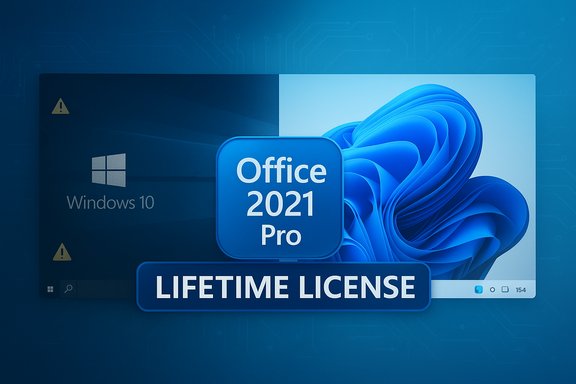
Microsoft has quietly moved the goalposts: Windows 10 has reached end of support, and a heavily discounted bundle that pairs a Windows 11 Pro upgrade with a perpetual Microsoft Office Professional 2021 license is being promoted as an urgent, one‑time fix for users still on the old platform.
Microsoft’s official lifecycle calendar makes the situation unambiguous: support for Windows 10 ended on October 14, 2025 — after that date Microsoft stopped delivering regular security and feature updates for the operating system. Systems left on Windows 10 will continue to run, but they will no longer receive the patches that protect against new vulnerabilities. That reality has created a market for “upgrade now” messaging and bargain software bundles that promise a fast path off the unsupported platform. The bundle described in recent promotional coverage promises two things that appeal immediately to home users and small-business owners: a one‑time upgrade to Windows 11 Pro, and a perpetual (lifetime) license for Microsoft Office Professional 2021 — all sold together at a deep discount. The promotional copy frames the offer as a security- and productivity-first move: modern OS protections, AI help via Copilot, and a classic Office suite without recurring Microsoft 365 fees.
If your PC is eligible for Microsoft’s free upgrade, use that route. If you must buy a key, treat bargain bundles with scrutiny: confirm the SKU type (retail vs OEM vs volume), verify the seller’s refund and support policy, and make a full backup before you touch your main machine. Finally, treat “Copilot included” as accurate at a high level — but expect possible limitations unless you also subscribe to the relevant Microsoft 365 tier or have the newest Copilot+ hardware.
Being pragmatic: a properly sourced retail key + a verified Office perpetual licence can deliver long use and peace of mind. A suspiciously cheap “lifetime” key from a third party can work — often it does — but when it fails the pain is real: de‑activation, lost updates, or a scramble to buy another licence. Buy carefully, upgrade cautiously, and back up everything first.
Source: Mashable Windows 10 is gone — get Windows 11 Pro and Microsoft Office at a steep discount
 Background
Microsoft’s official lifecycle calendar makes the situation unambiguous: support for Windows 10 ended on October 14, 2025 — after that date Microsoft stopped delivering regular security and feature updates for the operating system. Systems left on Windows 10 will continue to run, but they will no longer receive the patches that protect against new vulnerabilities. That reality has created a market for “upgrade now” messaging and bargain software bundles that promise a fast path off the unsupported platform. The bundle described in recent promotional coverage promises two things that appeal immediately to home users and small-business owners: a one‑time upgrade to Windows 11 Pro, and a perpetual (lifetime) license for Microsoft Office Professional 2021 — all sold together at a deep discount. The promotional copy frames the offer as a security- and productivity-first move: modern OS protections, AI help via Copilot, and a classic Office suite without recurring Microsoft 365 fees.What the bundle claims to include — and what that actually means
The advertised package (marketing version)
- Lifetime Microsoft Office Professional 2021: Word, Excel, PowerPoint, Outlook, Access, Publisher, OneNote, Teams (as listed in the promo).
- Windows 11 Pro upgrade: described as “secure, sleek, and AI-ready” with BitLocker encryption, snap layouts, and Copilot.
- One-time payment model: pay once and “use forever.”
The verifiable technical facts
- Office 2021 is a perpetual, one‑time‑purchase edition offered by Microsoft (editions vary: Home & Student, Home & Business, Professional, Professional Plus). Perpetual Office licences are typically tied to a single device and are not the same as Microsoft 365 subscriptions. Microsoft documentation and licensing guidance make clear that perpetual Office installations are installed and activated against a Microsoft account or product key and are limited in the number of devices allowed.
- Windows 11 Pro contains the enterprise and power-user features listed in the marketing — BitLocker, Hyper‑V (Client Hyper‑V) and Windows Sandbox are features available in Pro and Enterprise editions. Snap layouts and a redesigned UI are part of Windows 11, and Microsoft has integrated Copilot into the Windows experience. However, the level of Copilot functionality available to a user depends on the particular Copilot tier and subscriptions; Microsoft offers a free Copilot experience alongside paid Copilot/365 tiers that deliver higher usage and deeper integrations.
- Windows 11 has stricter hardware requirements than Windows 10 (TPM 2.0, UEFI with Secure Boot, 64‑bit CPU, minimum 4 GB RAM and 64 GB storage), so not every Windows 10 PC is eligible for a supported upgrade to Windows 11. Microsoft’s hardware requirements are authoritative and should be checked with the PC Health Check tool before purchase.
Security context: why the timing matters
Microsoft’s decision to end support for Windows 10 means two practical outcomes for users who don’t upgrade:- No new security fixes for newly discovered vulnerabilities; available mitigations will dry up, increasing exposure to malware and exploit campaigns. Microsoft recommends migrating to Windows 11 or using the (paid) Extended Security Updates (ESU) program if users need more time.
- Some Microsoft apps and services will also shift support in ways that can reduce reliability on older OSes. Microsoft has warned that certain Microsoft 365 and Office support boundaries change as Windows 10 reaches end of support.
Tighten the lens: Copilot and AI claims
Copilot is a core marketing point for Windows 11 bundles because Microsoft has made AI a visible part of the Windows roadmap. Important clarifications:- Microsoft provides a tiered Copilot experience. There is a free Copilot presence (Copilot in Windows/Edge and the Copilot app) and paid Copilot integrations inside Microsoft 365 plans that provide higher usage limits and additional features. Some advanced Copilot capabilities, or higher quotas, are behind paid Microsoft 365 tiers like Microsoft 365 Personal, Family, Premium, or business plans. If a deal claims “Copilot built in” it’s accurate as a high-level statement — but not every AI capability shown in ads will be available without a Microsoft account or without an extra subscription in certain scenarios.
- Microsoft is actively evolving where on‑device AI runs and what is cloud‑assisted. Some recent Windows 11 features move AI to the local device (on‑device models) for performance and privacy benefits — but those on‑device features (and "Copilot+" offerings like accelerated local models) may require particular hardware (Neural Processing Unit on Copilot‑capable PCs) or a Copilot+ device SKU to reach full functionality. In short: Copilot is real, it’s built into Windows 11, but the full “AI copilot” experience people see in demo videos may depend on subscriptions or modern hardware.
The licensing and legitimacy question: buyer beware
The promotional copy you saw positions the Windows 11 Pro + Office 2021 bundle as a one‑time, lifetime purchase — but there’s a practical, legal and risk dimension buyers must understand.- Microsoft sells Windows 11 and Office through multiple license channels: retail, OEM (ties to hardware), volume licensing and subscription (Microsoft 365). The rights and transferability of keys differ between these channels. A “lifetime” claim is plausible for retail perpetual licences (they don’t expire), but many discount bundles are distributed by third parties and rely on wholesale/volume/OEM allocations or surplus keys; those keys sometimes carry restrictions or can be revoked if they were misallocated. Microsoft explicitly warns that product keys offered standalone on auction sites or in questionable marketplaces can be stolen or counterfeit. Community experience shows activation often works at first, but there have been exceptions where keys were later blocked.
- Reseller risk: well-known deal merchants sometimes legitimately re‑sell authentic surplus license keys, and many buyers never have a problem. But the “too good to be true” price should trigger diligence: check the reseller’s refund policy, whether they’re an authorized Microsoft reseller, and whether the product description specifies retail vs OEM vs volume license. Independent postings on tech forums and deal communities repeatedly caution that cheap license keys can carry long‑term activation risk.
- Office 2021 specifics: Perpetual Office editions are sold as single‑device installs and—depending on SKU—may include desktop versions of Word, Excel, PowerPoint, Outlook and additional business apps. Microsoft’s licensing guidance and Q&A confirm that perpetual licenses are tied to a single device and may require a Microsoft account to manage. If you buy a third‑party key, check whether the vendor is delivering a proper retail SKU with clear transfer rules.
Compatibility checklist: will your PC actually upgrade?
Before buying an upgrade bundle, confirm these five things on your Windows 10 machine:- CPU compatibility and firmware: the device must be running a supported 64‑bit processor and have UEFI firmware (not legacy BIOS). TPM 2.0 must be present and enabled. Microsoft’s Windows 11 requirements are the definitive reference.
- Free upgrade eligibility: eligible Windows 10 PCs (meeting the above requirements) may receive the upgrade through Windows Update without buying a new license. Verify your device in Settings > Windows Update or run the PC Health Check tool.
- Storage and RAM: a minimum of 64 GB storage and 4 GB RAM are required; many modern workflows will run more smoothly with 8 GB or 16 GB.
- Firmware/driver support: older OEM devices may not have driver support for Windows 11 features and can cause performance or compatibility issues. Check the manufacturer’s support pages.
- Software workflows: confirm your critical applications (line‑of‑business apps, drivers, older Office macros) run under Windows 11 or have vendor support; some advanced Office or plug‑in behaviors can behave differently after migrating. Test in a VM or on a secondary machine where possible.
Step‑by‑step: how to buy safely and upgrade sensibly
- Verify your PC meets Windows 11 requirements using Microsoft’s PC Health Check or the official system requirements page.
- If your device is eligible for Microsoft’s free upgrade path, consider using that route rather than buying a third‑party license. Microsoft allows many qualifying Windows 10 devices to upgrade to Windows 11 for free.
- If you still want to buy a bundle:
- Confirm the seller’s refund and replacement policy for non‑working keys.
- Verify whether the key is a Retail, OEM, or Volume license—retail is the safest if you plan to transfer later.
- Avoid sellers that offer only a product key with no official download or that require non‑standard installers (insist on Microsoft ISOs or direct links).
- Prefer vendors who identify themselves as authorized Microsoft resellers. If in doubt, ask the seller to clarify the origin of keys.
- Before switching, back up everything (file-level backup plus a system image if you can) so you can restore quickly if the activation or upgrade fails. Use Microsoft’s Windows Backup, OneDrive or third‑party tools for redundancy.
- After upgrade, sign into a Microsoft Account and confirm activation status in Settings > System > Activation. If Office is included, activate Office with the account details or key provided by the seller and verify the product shows as licensed in account.microsoft.com.
Practical pros and cons — what you gain, what you risk
Strengths and benefits
- Security and support: Moving to Windows 11 from an unsupported Windows 10 reduces exposure to newly discovered exploits (as long as the new installation remains correctly licensed and updated).
- Modern productivity features: Windows 11’s UI, Snap Layouts, virtual desktops and Pro features like BitLocker and Hyper‑V help both power users and SMBs improve workflows. Office 2021 gives a classic, offline Office experience without subscription costs.
- Lower immediate cost (if the deal is legitimate): A single, small payment can feel attractive versus ongoing Microsoft 365 fees.
Risks and limitations
- License provenance: Deep discounts often mean third‑party resellers and bulk keys — which can carry transferability limits or rare revocation risk. Microsoft explicitly warns about standalone key sales on shady marketplaces. If a key turns out invalid later, recovery can be difficult.
- Hardware incompatibility: Many Windows 10 systems lack TPM 2.0 or compatible CPUs; those devices cannot be upgraded to a supported Windows 11 installation without hardware changes. Unsupported installs are possible but unsupported by Microsoft and may break future update compatibility or warranty conditions.
- Copilot confusion: Expect mixed Copilot behavior. Some Copilot features are free; others are subject to Microsoft 365 subscription tiers, regional rollouts, or hardware requirements. The “AI built in” pitch is true in spirit but not a single‑line guarantee of unlimited AI features.
Quick checklist for readers considering the advertised deal
- Confirm the ad’s exact expiry date and final price on the vendor page (promotions change frequently).
- Check whether your PC is eligible for Microsoft’s free upgrade before buying.
- Ask the seller whether keys are retail or OEM/volume; insist on a money‑back guarantee if activation fails.
- If your work depends on specific enterprise features (Azure AD joining, BitLocker policies), validate post‑upgrade behavior with a test machine.
Conclusion — practical recommendation
The headline is accurate in intent: Windows 10 is officially unsupported, and using an unsupported OS is an avoidable security risk. Upgrading to Windows 11 and keeping Office up to date are sensible moves for most users. The promotional bundle you’ve seen packages the right conceptual ingredients — Windows 11 Pro and a perpetual Office suite — but the commercial details matter more than the marketing copy.If your PC is eligible for Microsoft’s free upgrade, use that route. If you must buy a key, treat bargain bundles with scrutiny: confirm the SKU type (retail vs OEM vs volume), verify the seller’s refund and support policy, and make a full backup before you touch your main machine. Finally, treat “Copilot included” as accurate at a high level — but expect possible limitations unless you also subscribe to the relevant Microsoft 365 tier or have the newest Copilot+ hardware.
Being pragmatic: a properly sourced retail key + a verified Office perpetual licence can deliver long use and peace of mind. A suspiciously cheap “lifetime” key from a third party can work — often it does — but when it fails the pain is real: de‑activation, lost updates, or a scramble to buy another licence. Buy carefully, upgrade cautiously, and back up everything first.
Source: Mashable Windows 10 is gone — get Windows 11 Pro and Microsoft Office at a steep discount
