

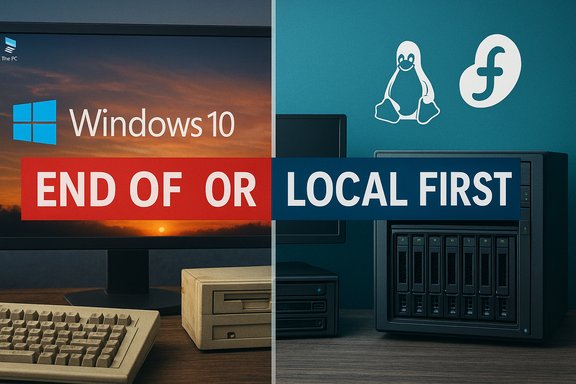
With Windows 10 now officially past its support lifecycle and a string of unsettling update and cloud incidents making headlines, many everyday users and IT pros are asking whether the safe, familiar path forward is still Windows — or if it makes sense to move to Linux, buy new hardware, or rethink how and where we store our data. The radio engineer who wrote “When I Get Stressed, I Just Repeat ‘Linux’ to Myself” captures that anxiety and points to concrete recent events that justify a careful, practical response from anyone who manages or depends on PCs. This piece summarizes those arguments, verifies the headline facts, and offers a clear, actionable playbook for Windows 10 holdouts and organizations weighing alternatives like Linux, ChromeOS Flex, or extended support options.
Microsoft ended mainstream support for Windows 10 on October 14, 2025. That milestone means Microsoft no longer issues routine security and feature updates for the platform, and the company is encouraging upgrades to Windows 11 or enrollment in limited Extended Security Update (ESU) programs. This is a hard scheduling fact and an inflection point for the PC ecosystem. What followed was a mixed, fragmented response in the market: Windows 11 adoption accelerated, but a very large installed base still runs Windows 10 months after the cutoff. Pageview-weighted trackers reported Windows 10 remains a large slice of active Windows devices — StatCounter data places Windows 10 at roughly the low‑40s percentage range several months around the cutover. That partial migration helps explain the surge in curiosity about Linux and other alternatives that pundits and communities have observed. At the same time, high‑profile cloud outages and surprising update behaviors on Windows machines are nudging more people to question the tradeoffs of cloud‑centric consumer experiences and “OS-as-service” models. The October 2025 Amazon Web Services (AWS) disruption — a cascade that involved a DNS management bug and kept major services offline for roughly 15 hours — is a stark example of how concentration in cloud infrastructure creates systemic risk. That outage illustrated why some organizations and individuals want more local control over critical services and backups.
Source: radioworld.com When I Get Stressed, I Just Repeat “Linux” to Myself - Radio World
 Background / Overview
Microsoft ended mainstream support for Windows 10 on October 14, 2025. That milestone means Microsoft no longer issues routine security and feature updates for the platform, and the company is encouraging upgrades to Windows 11 or enrollment in limited Extended Security Update (ESU) programs. This is a hard scheduling fact and an inflection point for the PC ecosystem. What followed was a mixed, fragmented response in the market: Windows 11 adoption accelerated, but a very large installed base still runs Windows 10 months after the cutoff. Pageview-weighted trackers reported Windows 10 remains a large slice of active Windows devices — StatCounter data places Windows 10 at roughly the low‑40s percentage range several months around the cutover. That partial migration helps explain the surge in curiosity about Linux and other alternatives that pundits and communities have observed. At the same time, high‑profile cloud outages and surprising update behaviors on Windows machines are nudging more people to question the tradeoffs of cloud‑centric consumer experiences and “OS-as-service” models. The October 2025 Amazon Web Services (AWS) disruption — a cascade that involved a DNS management bug and kept major services offline for roughly 15 hours — is a stark example of how concentration in cloud infrastructure creates systemic risk. That outage illustrated why some organizations and individuals want more local control over critical services and backups. What the Radioworld piece said — a clear summary
- The author (an Alabama chief engineer for Crawford Broadcasting) frames the Windows 10 end‑of‑support moment as a practical nudge: roughly 40% of PCs still run Windows 10 and those systems will need a new plan to remain secure. That “40%” figure is directionally accurate — trackers put Windows 10 market share in the low‑to‑mid 40% range around the transition window, though the exact number varies by dataset and measurement method.
- The author argues Microsoft has shifted Windows toward an account‑and‑cloud‑first model (OOBE, Microsoft Account sign‑in, telemetry and cloud services), making truly offline, local account installs harder during Windows 11 setup. He cites the increasing friction to create local admin accounts during OOBE and describes command‑line workarounds and forced offline installs. This reflects real changes Microsoft has made to the consumer OOBE experience in 2024–2025.
- Practical pain points are highlighted: after updates, user settings have sometimes changed (for example keyboard repeat/delay settings altered by an update), and updates can return or reinstall Microsoft apps (Xbox, Skype, Teams, etc. that users tried to remove. These are common consumer complaints backed up by forums and support threads.
- The author notes the falling cost of raw storage (example: large-capacity HDD pricing) and contrasts that with rising cloud storage costs, arguing businesses and hobbyists should rethink how much of their stack they keep in the cloud. Market prices for 28 TB drives and seasonal discounts make high-capacity local storage more accessible than in previous years.
- The conclusion is advocacy for Linux: the author’s personal vote goes to Fedora and Linux as a platform that “just works” for older hardware, NAS use, and local control — and as an antidote to the stress of Windows updates and cloud dependencies. This is an opinion informed by long experience but it is also consistent with the measurable rise in Linux interest around the Windows 10 lifecycle change.
Verifying the largest claims — what’s solid and what needs caution
Below are the article’s most load‑bearing factual claims and the independent checks to either confirm them or flag limitations.- Claim: "Windows 10 end of support is over." Verified. Microsoft formally ended support on October 14, 2025 — official Microsoft documentation spells out the date and the practical consequences (no more security updates, recommendations to upgrade or use ESU). This is indisputable.
- Claim: "Roughly 40% of PCs still run Windows 10." Directionally accurate but depends on measurement method. StatCounter’s desktop Windows version series reported Windows 10 in the low‑40% range around the upgrade window; other trackers and subsets (for example Steam users) show different values. “40%” is a reasonable headline‑level figure but it’s not a single canonical installed‑base measurement — data sources differ by methodology (pageviews vs. telemetry vs. vendor inventories). Reporters should avoid implying absolute precision without noting the source.
- Claim: "Microsoft forces or strongly nudges Microsoft Account during Windows 11 OOBE so local accounts are difficult to create." Robustly supported. Microsoft’s consumer OOBE in recent Insider and stable flights has emphasized Microsoft Account sign‑ins and has removed or neutralized some community workarounds. Enterprise provisioning still provides local/domain/Azure AD options, but retail consumer flows are designed account‑first. The practical effect is that some retail users find local offline installs harder than before.
- Claim: "Windows updates sometimes change user settings or reinstall apps." Well‑documented in support threads, community forums, and Microsoft responses. While not a universal effect, repeated examples and emergency fixes (hotpatches) confirm that Windows updates can and do occasionally change settings and cause app reinstall loops — a legitimate user frustration.
- Claim: "Cloud outages (AWS 15‑hour outage) show risk of centralization." Confirmed: the October 2025 AWS incident lasted many hours and propagated across services because of a DNS/DynamoDB management bug; reporting shows a long outage window and massive collateral impact. That event is a clear data point supporting the author’s point about cloud dependency risk.
- Claim: "HDD per‑terabyte prices have dropped; 28 TB drives are available for a few hundred dollars." Verified: major retailers and review sites show 28 TB IronWolf/Exos drives at promotional prices ranging mid‑$400s down to the high‑$300s in several sales events; list prices vary by model and vendor. The general claim — raw high‑capacity local storage has become significantly cheaper per‑TB — is accurate. Watch model, warranty and enterprise vs. NAS class differences when comparing prices.
- Claim: "Apple saw a 14% YOY increase in sales." Needs context: which sales? Apple’s services revenue reported a 14% year‑over‑year increase in recent quarterly results, while product categories vary. The article’s shorthand claim is true when applied to Apple Services revenue for a given quarter, but using “sales” without specifying the segment invites misinterpretation. Flagging the need for context is necessary.
- Claim: "The Windows EULA means you don’t 'own' the software." Technically correct in legal form: Microsoft’s license terms and the broader Microsoft Services Agreement describe Windows and many Microsoft products as licensed not sold, reserving rights and conditions to Microsoft. That’s standard modern software legal language and explains some vendor control over servicing and updates. It’s a legal posture, not an existential conspiracy — but it does have practical consequences for update behavior and remote management.
Strengths of the argument — what the author gets right
- The article connects several concrete dots — EOL timing, update behavior, cloud fragility, and falling local storage cost — that together make a credible case for re‑evaluating default choices about operating systems and data locality.
- It highlights practical pain points that users actually experience: settings changed by updates, the friction of removing preinstalled apps, and the difficulty of creating local accounts during first setup. Those are not abstract grievances; they influence daily productivity and trust.
- The article gives sensible, low‑risk recommendations for many readers: test Linux on an older machine, put NAS/backups on local hardware, and treat cloud services with realistic assumptions about availability and cost.
- The personal tone (an experienced engineer) gives the advice credibility while acknowledging that definite answers are context‑dependent: enterprises and casual users must take different paths.
Risks, trade‑offs, and blind spots
- Compatibility and support: Linux is vastly improved for desktop use, but it’s not a seamless drop‑in replacement for all Windows workloads. Specialized Windows-only applications, some bank/government portals with legacy requirements, and certain professional tools still require Windows (or reliable Windows virtualization). Dual‑booting, virtualization (VMs), or a separate Windows machine remain valid choices for those cases. Community experience shows both wins and friction points when moving off Windows.
- Usability for nontechnical users: while modern distros (Ubuntu, Mint, Zorin, Fedora) aim for “it just works,” there remains a learning curve for non‑technical users — and fewer turnkey commercial support options than for Windows or macOS. This matters if you’re supporting older relatives or a staff of non‑technical people.
- Enterprise management and compliance: large organizations rely on centralized update control, imaging, group policy, MDM, and vendor support. Linux can be managed at scale, but the tooling and processes differ and may require retraining and new investments. The business case isn’t one‑size‑fits‑all.
- False sense of invulnerability: moving to Linux reduces exposure to Windows‑specific malware but does not make your systems immune. Linux servers and desktops can still be misconfigured, exploited, or targeted by attackers — security is people‑and‑process work, not a single OS choice.
- Long‑term maintenance: opting out of vendor ecosystems (Microsoft cloud, Microsoft 365, etc. can reduce vendor lock‑in but increases responsibility for patching, backups, and disaster recovery. That extra operational load is trivial for some hobbyists and intolerable for others.
A practical decision checklist — what to do next (ranked, actionable)
- Inventory your devices and applications.
- List PCs, model numbers, critical apps, and which apps are Windows‑only.
- Identify any machines that must run Windows for hardware or software compatibility.
- Determine Windows 11 compatibility.
- Run Microsoft’s PC Health Check or vendor tools to see which Windows 10 machines can upgrade to Windows 11 without hardware purchases.
- If your device meets requirements, test Windows 11 in a non‑production environment before mass upgrading.
- If your device cannot run Windows 11, decide among:
- Enroll in Extended Security Updates (ESU) for a temporary bridge.
- Replace the device (new Windows 11 machine).
- Migrate to Linux or ChromeOS Flex for non‑Windows workloads.
- For Linux migration pilots:
- Create a Live USB of Ubuntu, Fedora, Linux Mint or Zorin and test on an older machine (no install required).
- Try common user tasks (web browsing, email, office docs, printing, VPN, bank/gov sites).
- Test critical Windows apps with Wine, Proton, or a lightweight Windows VM (VirtualBox, KVM/QEMU, VMware Workstation/Player).
- For backup and storage rebalancing:
- Evaluate local NAS options (TrueNAS SCALE, OpenMediaVault, Unraid, or a simple Linux server). TrueNAS uses FreeBSD, while alternatives are Linux‑based; pick a stack that matches your admin skills and hardware. (Note: the best choice depends on desired features, ZFS needs, and hardware.
- Use local backups + offsite sync for resilience; avoid “single cloud provider” risk.
- For enterprise scale:
- Build a migration plan with application compatibility testing, imaging, and management tooling.
- Consider hybrid models: keep Windows for business‑critical apps; run Linux for developer workstations and NAS.
- Document and automate:
- Use configuration management (Ansible, Puppet, Salt) and infrastructure as code to ensure reproducible, auditable setups.
Quick distro and NAS recommendations (for readers who want a starting point)
- Desktop Linux (beginner‑friendly and broadly supported):
- Ubuntu LTS — reliable, broad community support, lots of vendor docs.
- Linux Mint or Zorin OS — Windows‑like desktop feel for non‑technical users.
- Fedora — cutting edge, good for users who like frequent updates (the article author favors Fedora).
- For older hardware:
- Lubuntu, Xubuntu, or lightweight spins (XFCE, LXQt), plus specialized lightweight distros like Puppy or antiX.
- NAS / Local storage:
- TrueNAS CORE / SCALE — enterprise features, ZFS support (TrueNAS is FreeBSD‑based for CORE; SCALE is Linux‑based).
- OpenMediaVault — Debian‑based, easy to install and manage.
- Unraid — a popular, user‑friendly paid option with a plugin ecosystem (Linux‑based).
Two real‑world migration patterns that work
- The “dual‑boot + test” path (low risk).
- Keep Windows for essential apps, install Linux alongside, and gradually move daily tasks to Linux.
- Use a Linux VM for occasional Windows‑only tools, or a portable Windows device for exceptions.
- The “NAS + Linux thin client” path (localize data).
- Move large archives and backups to a local NAS (ZFS for integrity if you need it).
- Use inexpensive client PCs running Linux for day‑to‑day work and keep sensitive data on the LAN.
Final analysis: what this all means for Windows users and the Windows ecosystem
- The transition away from Windows 10 is complex, slow, and uneven. Microsoft’s end‑of‑support date is a hard fact that changes urgency for upgrades and planning, but it doesn’t instantly make Windows 10 machines stop working. Enterprises and cautious users will use ESU, deferred upgrades, or hybrid strategies.
- The author’s emotional shorthand — repeating “Linux” to calm down — captures a valid point: choice matters. Linux offers a clear set of tradeoffs: more local control and fewer forced telemetries at the cost of migration work, occasional compatibility friction, and a steeper support model for mainstream users. The practical advice to try Linux on older hardware or to use local NAS storage is solid and realistic.
- The cloud economy and vendor licensing models are legitimate factors shaping user decisions. Rising cloud costs, recurring outages at large providers, and product licensing changes (software as subscription or licensed not sold) are real pressures that will encourage some users and organizations to diversify their architecture. But the tradeoff is increased responsibility for local ops and security.
- For most readers: this is not an all‑or‑nothing moment. Practical, low‑risk steps — inventory, pilot Linux on a spare machine, build a NAS for backups, and make a migration plan — deliver significant resilience and clarity. For organizations, a staged migration with clear rollback plans and user training is the right approach.
Closing takeaways (concise)
- Windows 10 support ended on October 14, 2025 — plan accordingly.
- Windows 10 still represents a large share of active Windows PCs (around the low‑40% range by major trackers), so migration is a major operational project for many.
- Microsoft’s shift to account‑first OOBE and cloud‑centric features raises legitimate privacy and usability questions for some users; community workarounds have become fragile.
- Cloud concentration has real risks (the AWS 15‑hour outage is an illustrative example); local storage and hybrid architectures are reasonable mitigations.
- Linux is a practical alternative for many workloads — especially for reuse of older hardware and for those who want local control — but it requires careful compatibility testing and support planning.
Source: radioworld.com When I Get Stressed, I Just Repeat “Linux” to Myself - Radio World
