

Microsoft’s hard deadline for Windows 10 support has done more than close a chapter—it has created a practical fulcrum for CIOs deciding whether to treat the PC refresh cycle as a routine capital project or as the moment to reshape the endpoint as an AI-first productivity platform. Organizations that simply replace old hardware with Windows‑11‑capable replicas risk missing a deeper shift: the rise of AI PCs—devices built around on‑device neural processing units (NPUs), tuned to run local inference, accelerate Copilot experiences, and reduce privacy, latency, and cloud‑cost exposure. The implications reach beyond security patches: they touch workflow design, regulatory compliance, total cost of ownership, and the future shape of frontline productivity.
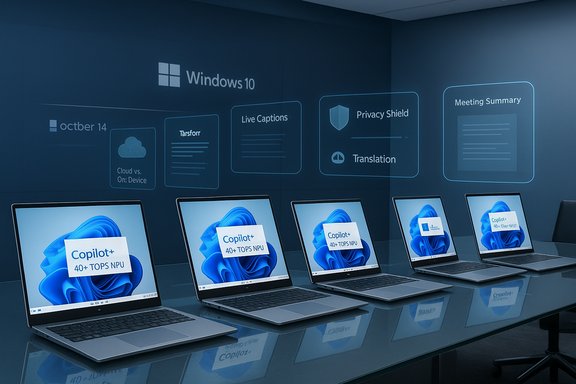
Windows 10’s official end of support on October 14, 2025 is the event that forces action: after that date Microsoft no longer issues standard security updates, feature updates, or technical assistance for Windows 10 devices. This is a concrete compliance and risk inflection for enterprises, and it converts what used to be a multi‑year procurement cadence into a time‑boxed migration program. At the same time, Microsoft and silicon partners have reframed the upgrade conversation around a new device class—Copilot+ PCs (often shortened to “AI PCs”)—which are Windows 11 systems that include high‑performance NPUs rated at 40+ TOPS (trillions of operations per second) and baseline system resources (commonly 16 GB RAM, 256 GB SSD) to support a first wave of local AI features. The Copilot+ definition is explicit: the 40+ TOPS NPU baseline is the gating metric Microsoft uses to ensure consistent on‑device experiences such as Live Captions with translation, Windows Studio Effects, Cocreator tools, and Recall previews. That hardware requirement means many existing corporate devices cannot deliver the new AI experiences even if they can run Windows 11. Meanwhile, industry analysts forecast rapid adoption of AI‑capable PCs: Canalys projects AI‑capable machines will make up roughly 60% of PC shipments by 2027, a signal that AI acceleration in endpoint silicon is expected to move from niche to mainstream in a short window. That combination—an enforced OS lifecycle boundary plus an OEM/silicon‑led product cycle—creates a real procurement pivot for CIOs.
Strengths of the vendor approach:
Practical guidance: audit before you buy, pilot before you scale, and measure before you standardize. Treat vendor claims and regional statistics as directional—verify with internal inventory and representative workload testing. For many enterprises, the right answer will be hybrid: target Copilot+ devices where they deliver clear value, keep lower‑cost devices where they meet role needs, and shift repetitive, sensitive inference to the device while reserving cloud models for heavyweight tasks.
The AI‑capable endpoint is not a fad; it’s an architectural choice about where inferencing happens, how private data is handled, and how the organization scales routine automation. The Windows 10 end‑of‑support calendar has simply made that choice unavoidable for CIOs who want to control both risk and the next wave of workplace productivity.
Adopting an AI‑powered workforce does not begin with software alone; it begins at the endpoint. The right hardware—paired with measured pilots, robust governance, and clear KPIs—lets organizations capture productivity gains while containing privacy, cost, and operational risk. The choice now is whether to treat the Windows 10 deadline as a routine OS patch event or as the starting point for a strategic endpoint transformation.
Source: cio.com An AI-powered workforce should start with AI-powered PCs
 Background: the calendar and the capability moment
Windows 10’s official end of support on October 14, 2025 is the event that forces action: after that date Microsoft no longer issues standard security updates, feature updates, or technical assistance for Windows 10 devices. This is a concrete compliance and risk inflection for enterprises, and it converts what used to be a multi‑year procurement cadence into a time‑boxed migration program. At the same time, Microsoft and silicon partners have reframed the upgrade conversation around a new device class—Copilot+ PCs (often shortened to “AI PCs”)—which are Windows 11 systems that include high‑performance NPUs rated at 40+ TOPS (trillions of operations per second) and baseline system resources (commonly 16 GB RAM, 256 GB SSD) to support a first wave of local AI features. The Copilot+ definition is explicit: the 40+ TOPS NPU baseline is the gating metric Microsoft uses to ensure consistent on‑device experiences such as Live Captions with translation, Windows Studio Effects, Cocreator tools, and Recall previews. That hardware requirement means many existing corporate devices cannot deliver the new AI experiences even if they can run Windows 11. Meanwhile, industry analysts forecast rapid adoption of AI‑capable PCs: Canalys projects AI‑capable machines will make up roughly 60% of PC shipments by 2027, a signal that AI acceleration in endpoint silicon is expected to move from niche to mainstream in a short window. That combination—an enforced OS lifecycle boundary plus an OEM/silicon‑led product cycle—creates a real procurement pivot for CIOs. Why the Windows 10 deadline is not just a patching problem
Security, compliance and operational risk
Unsupported endpoints are high‑risk. No security updates means increasing exposure to both commodity and targeted threats; for regulated sectors the lack of patching can create direct compliance violations. Extended Security Update (ESU) programs exist, but they are a costly, short‑term bridge and do not deliver new capability. The rational choice isn’t only to reduce breach risk—it’s to avoid a technology posture that slows innovation and increases operational friction.The productivity gap: small losses compound
On older hardware and Windows 10, employees continue working—but they often lose time to slow app launches, poor collaboration experiences, lower‑quality video/voice calls, and missing AI automation that streamlines repetitive tasks (meeting recaps, first drafts, translations). These are small, distributed losses that compound across thousands of frontline workers. Replacing a laptop with a like‑for‑like Windows‑11‑capable model without NPUs fixes the security problem but does little to close the emerging productivity differential.Procurement economics and timing
History shows delayed fleet refreshes create higher IT support costs, longer migration projects, and less predictable supply pricing. The Windows 10 deadline compresses procurement windows, intensifies demand for specific Copilot+ SKUs, and increases the chance that short‑term buying decisions will lock organizations into a suboptimal endpoint baseline for years.What makes an AI PC different: the tech at a glance
- Dedicated NPUs: silicon blocks tuned for inference workloads, often measured in TOPS. Copilot+ PCs target 40+ TOPS to support Microsoft’s Wave 1 on‑device experiences.
- Integrated AI software stack: Windows 11, Microsoft Copilot experiences, and device drivers that offload models to the NPU via runtimes such as ONNX/DirectML.
- System minimums aligned to AI workloads: typical Copilot+ marketing calls for 16 GB RAM and 256 GB SSD as practical minima to keep background models and caches local without swapping.
- Real‑time media and collaboration acceleration: NPUs enable background noise removal, eye‑contact correction, automatic framing, and live translation without constant cloud round‑trips.
- Power/performance balance: NPUs deliver inference efficiency that can be energy‑cheaper than CPU/GPU inference, extending battery life for always‑on AI features.
The cloud‑first trap: why cloud AI alone isn’t the answer
Relying exclusively on cloud AI services remains attractive for centralized management, model updates, and scale. But for many organizations—especially those in regulated industries or with strict data sovereignty needs—cloud‑only models carry measurable downsides:- Data movement and sovereignty: every call to a cloud model can transmit sensitive client data offshore; corporate, legal, and regulatory teams often resist broad adoption for this reason.
- Latency and availability: real‑time tasks (live captions, agentic automation) suffer from network variability and can be unusable on poor or intermittent links.
- Usage costs: high‑frequency, low‑value calls (e.g., background summarization, meeting recaps across thousands of employees) can create substantial and recurring cloud bills.
- Vendor lock‑in and governance complexity: instrumentation, audit trails, and agent orchestration get harder when models and data are fragmented across multiple cloud endpoints.
Lenovo’s positioning: Aura Edition Copilot+ PCs and a device‑to‑workplace play
Lenovo markets its Aura Edition Copilot+ portfolio—built around Intel Core Ultra (Series 2) processors that integrate NPUs and Intel Arc graphics—as an example of how OEMs are repackaging hardware, software, and management services for the AI refresh. The Aura Editions emphasize personalization (Smart Modes), predictive device care (Smart Care), and Copilot+ experiences enabled by Intel’s integrated NPU implementations. Lenovo frames these machines as a platform for long‑term capability building rather than a one‑off replacement. Lenovo’s pitch is pragmatic: when a device quietly drafts notes, summarizes meetings, or tidies data in the background, it frees humans for higher‑order decisions. For IT, the vendor bundles device reliability features, lifecycle analytics, and management hooks to reduce support overhead during large‑scale deployments.Strengths of the vendor approach:
- Device + services bundling reduces procurement friction for large fleets.
- Predictive analytics for hardware failures can materially reduce unplanned downtime.
- Customization features help accelerate user acceptance of AI features by making them discoverable and opt‑in.
- Vendor ROI claims are often optimistic and assume perfect adoption rates and workload profiles.
- Integration with existing EDR, identity, and patch processes still requires testing and change management.
- Some Copilot+ features depend on region and licensing (some experiences rollout in waves and may be gated by Microsoft licensing).
What CIOs should validate before committing to an AI PC program
- Inventory accuracy and compatibility
- Identify devices that cannot be upgraded to Windows 11, and quantify the business functions they support. Vendor and industry claims about “millions” of incompatible devices should be validated against an internal asset inventory. External reporting has highlighted region‑level numbers—such as Microsoft/CIO commentary that over three million commercial Windows Pro devices in Australia/New Zealand (ANZ) are incompatible—but fleet reality varies by organization and must be audited. Treat published regional figures as a directional urgency signal, not a substitute for your CMDB.
- Role‑based prioritization
- Not every employee needs a Copilot+ device. Begin with roles where low‑latency AI drives clear outcomes (customer service, legal review, translation teams, knowledge workers with heavy summarization needs), then expand once ROI is proven.
- Pilot and measure
- Run a controlled pilot measuring time savings, ticket reductions, and user satisfaction. Vendors will present attractive macro ROI numbers; validate them using your baseline telemetry and representative workloads.
- Data governance and privacy mapping
- Decide which inference actions can run locally, which must be logged and auditable, and when cloud calls are permitted. This is essential for regulated sectors.
- Management and security integration
- Verify device management (Autopilot, Intune), EDR, and BIOS/firmware update workflows. Copilot+ devices add a new silicon and driver surface that must be included in existing security operations playbooks.
The economics: CapEx, OpEx and the hidden costs of delay
A like‑for‑like refresh that targets only Windows 11 compatibility treats the problem as a single binary decision: upgrade OS or pay ESU. But a longer view includes:- Ongoing cloud AI costs for high‑frequency tasks versus the one‑time premium for AI silicon.
- The operational cost of maintaining mixed fleets (older devices require more support time, create fragmentation for software deployment, and complicate experience parity).
- Procurement timing premiums when demand spikes (compressed windows increase prices and extend lead times).
- The intangible cost of missed productivity gains—small per‑user time savings that compound into measurable business impact.
Practical rollout patterns that work
- Phase 1: Inventory, triage, and ESU bridge. Use ESU selectively to buy time for business‑critical legacy endpoints while building a prioritized migration plan.
- Phase 2: Role‑based pilots. Target 250–1,000 devices in roles with highest expected ROI (customer support, knowledge workers, compliance teams). Measure real outcomes for 90 days.
- Phase 3: Bulk procurement and managed deployment. Use device lifecycle services to bundle procurement, imaging, Autopilot/Intune configuration, and warranty/repair SLAs.
- Phase 4: Expand to frontline and hybrid workforce. Add Copilot+ devices where background AI saves repetitive time and improves customer interactions.
- Ongoing: Monitor real‑world usage, control cloud calls, and iterate policies to shift more workloads on‑device as models and silicon evolve.
Risks and limitations: what AI PCs don’t magically solve
- Not a universal panacea: Many enterprise apps (legacy ERP, custom Windows‑only binaries) have compatibility requirements that go beyond hardware; moving to Copilot+ hardware does not automatically modernize those apps.
- Software and driver maturity: Early silicon runs can suffer from driver issues and performance quirks; pilot testing on representative workloads is essential.
- Security surface: New silicon layers (NPU subsystems, drivers) introduce additional firmware and driver update needs which must be integrated into existing patching processes.
- Human factors: Adoption depends on well‑designed UX, observability, and training; without clear job‑task alignment the AI features will be unused.
- Environmental and sustainability concerns: A wholesale fleet replacement increases e‑waste unless offset by recycling/trade‑in programs and lifecycle contracting.
How to measure success: recommended KPIs
- Time saved per employee per week from AI features (meetings summarized, email drafting time reduced).
- Reduction in helpdesk tickets tied to audio/video/collaboration issues.
- Percentage of sensitive inference traffic kept on‑device versus cloud (compliance metric).
- Total cost of ownership (three‑year) including device, deployment, cloud AI usage, and support.
- User satisfaction and adoption rates for Copilot features.
Vendor and ecosystem checklist
- Hardware: confirm NPU TOPS rating, thermal headroom, and memory/storage minimums match workloads.
- Software: verify which Copilot+ features are available in target markets and licensing tiers.
- Management: ensure Autopatch/Autopilot/Intune, EDR, and BIOS update workflows support the devices chosen.
- Services: negotiate warranty, on‑site break/fix, and lifecycle analytics as part of the purchase.
- Sustainability: secure trade‑in and certified e‑recycling commitments to manage end‑of‑life responsibly.
Verdict: a hardware‑led accelerant—not a coercive upgrade
The end of Windows 10 support is the immediate forcing event; the longer strategic opportunity is the alignment of hardware, OS, and local AI to materially change the shape of knowledge work. For organizations that treat device refresh as a compliance checkbox, the migration will pass uneventfully but leave them exposed to incremental productivity loss and rising cloud AI costs. For organizations that use this cycle to target specific workflows and pair Copilot+ devices with governance controls, the refresh becomes a platform investment that reduces privacy exposure, cuts latency, and unlocks measurable time savings for frontline employees.Practical guidance: audit before you buy, pilot before you scale, and measure before you standardize. Treat vendor claims and regional statistics as directional—verify with internal inventory and representative workload testing. For many enterprises, the right answer will be hybrid: target Copilot+ devices where they deliver clear value, keep lower‑cost devices where they meet role needs, and shift repetitive, sensitive inference to the device while reserving cloud models for heavyweight tasks.
The AI‑capable endpoint is not a fad; it’s an architectural choice about where inferencing happens, how private data is handled, and how the organization scales routine automation. The Windows 10 end‑of‑support calendar has simply made that choice unavoidable for CIOs who want to control both risk and the next wave of workplace productivity.
Quick executive checklist (for publication in vendor RFPs)
- Confirm Windows 11 compatibility and Copilot+ eligibility (NPU ≥ 40 TOPS).
- Inventory affected devices and quantify roles impacted.
- Run 90‑day pilots in two or more business units with measurable KPIs.
- Map inference data flows and apply data‑locality or logging policies.
- Bundle procurement with lifecycle services and responsible recycling.
Adopting an AI‑powered workforce does not begin with software alone; it begins at the endpoint. The right hardware—paired with measured pilots, robust governance, and clear KPIs—lets organizations capture productivity gains while containing privacy, cost, and operational risk. The choice now is whether to treat the Windows 10 deadline as a routine OS patch event or as the starting point for a strategic endpoint transformation.
Source: cio.com An AI-powered workforce should start with AI-powered PCs
