

Microsoft pushed an emergency, out‑of‑band fix on November 11 to restore a broken Windows 10 enrollment wizard that was preventing eligible consumer PCs from signing up for Extended Security Updates (ESU) — a failure that, until the patch was applied, could stop security updates entirely for affected devices.
Windows 10 reached its official end of mainstream support on October 14, 2025. Microsoft positioned a limited, consumer‑facing Extended Security Updates (ESU) program as the bridge for devices that could not immediately upgrade to Windows 11; enrollment was handled through a simple in‑OS wizard. The ESU pathway includes several consumer enrollment options: syncing settings to a Microsoft Account (free in many cases), redeeming 1,000 Microsoft Rewards points, or making a one‑time paid purchase (roughly $30 USD) where applicable. In some regions (notably the European Economic Area) Microsoft later adjusted the terms and offered additional concessions. The enrollment wizard is a small UI surface in Settings → Update & Security → Windows Update, but in practice it was the gatekeeper for whether consumer devices could continue to receive post‑EOL security patches. When that wizard began failing for a subset of users, Microsoft escalated and released KB5071959 as an out‑of‑band (OOB) cumulative update to repair the enrollment path and make sure affected machines could again receive ESU rollups.
Microsoft’s engineering response was appropriate in the short term: repair the pathway, make the fix reliably installable, and limit the update to affected devices. Yet the episode illuminates the tradeoffs of a modern lifecycle approach that blends local UI with cloud entitlement checks and account dependencies.
For organizations and responsible home users, the durable answers remain unchanged: timely patching, robust backups, and forward migration planning are the only long‑term defenses. ESU provides a temporary safety net — but it is only effective if the enrollment and distribution mechanics are rock solid. The repair restores function; what remains is restoring confidence in the underlying delivery systems.
At the same time, the incident exposes persistent operational fragility: when enrollment and entitlement logic are embedded in the client, a single regression can compromise the delivery of life‑critical security updates. For consumers and IT teams still on Windows 10, the immediate action is clear: check Windows Update, install KB5071959 if offered, reboot, and complete ESU enrollment — then use the ESU period to migrate off Windows 10 before the program ends. Precise numbers about how many devices were affected remain unpublished by Microsoft, so any population estimates should be treated as speculative until official telemetry is released. Stay patched, back up, and treat the ESU year as a controlled migration window rather than a permanent refuge.
Source: The Register Microsoft rushes out a fix for Windows 10 orphans
 Background / Overview
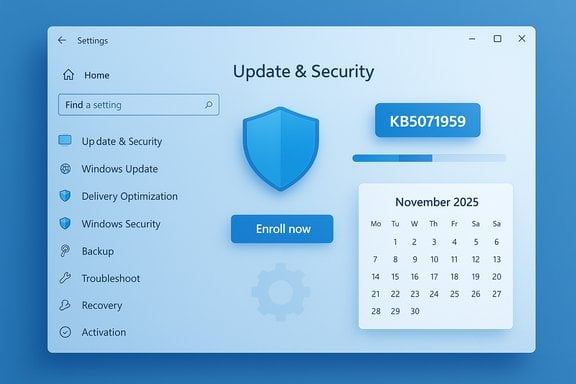
Windows 10 reached its official end of mainstream support on October 14, 2025. Microsoft positioned a limited, consumer‑facing Extended Security Updates (ESU) program as the bridge for devices that could not immediately upgrade to Windows 11; enrollment was handled through a simple in‑OS wizard. The ESU pathway includes several consumer enrollment options: syncing settings to a Microsoft Account (free in many cases), redeeming 1,000 Microsoft Rewards points, or making a one‑time paid purchase (roughly $30 USD) where applicable. In some regions (notably the European Economic Area) Microsoft later adjusted the terms and offered additional concessions. The enrollment wizard is a small UI surface in Settings → Update & Security → Windows Update, but in practice it was the gatekeeper for whether consumer devices could continue to receive post‑EOL security patches. When that wizard began failing for a subset of users, Microsoft escalated and released KB5071959 as an out‑of‑band (OOB) cumulative update to repair the enrollment path and make sure affected machines could again receive ESU rollups. What Microsoft shipped: KB5071959 and related updates
The emergency package: KB5071959 (what it is)
- KB5071959 is an out‑of‑band cumulative update published on November 11, 2025, targeted at consumer Windows 10, version 22H2 devices that were not enrolled in the consumer ESU program.
- The update advances Windows 10, version 22H2 to OS Build 19045.6466 and explicitly “addresses an issue in the Windows 10 Consumer Extended Security Update (ESU) enrollment process, where the enrollment wizard may fail during enrollment.”
Servicing‑stack and cumulative context
Microsoft bundled or sequenced a servicing‑stack update (SSU), KB5071982 (OS Build 19045.6465), alongside the OOB to improve installation reliability. SSUs are an essential part of the update pipeline — an outdated servicing stack is a common cause of update failures — so pairing the SSU with the LCU (latest cumulative update) reduces installation fragility. The October cumulative (KB5066791) had already shipped on October 14, and Microsoft’s OOB explicitly includes those fixes so that systems patched via KB5071959 don’t miss prior security updates.Who sees the update
KB5071959 is not a general release for every Windows 10 device. Microsoft’s delivery logic offers the OOB only to consumer 22H2 devices that are not already enrolled and that are identified by the update pipeline as being affected by the enrollment failure. For systems that never surfaced the Enroll option — or that produced vague "Something went wrong" messages — Windows Update should now offer KB5071959. Manual download via the Microsoft Update Catalog is available for cases where automatic delivery does not appear.Why the enrollment failure was serious
At first glance the enrollment wizard is a tiny UX flow. In reality, it is the gate that ties an eligible device to a consumer ESU entitlement. If that gate breaks:- Eligible devices cannot be enrolled, which means they will not receive subsequent ESU security updates.
- Those machines are left exposed to newly disclosed and actively exploited vulnerabilities that arrive on Patch Tuesday cycles.
- The failure is operationally critical because it severs the intended delivery channel for security fixes rather than merely producing a misleading warning.
How to remediate: step‑by‑step for affected users
- Confirm the OS: Run winver or go to Settings → System → About and verify you are on Windows 10, version 22H2. Only 22H2 devices qualify for the consumer ESU enrollment path.
- Check Windows Update: Settings → Update & Security → Windows Update → Check for updates. If applicable, KB5071959 should be offered.
- Install and reboot: Apply the OOB and reboot to complete the SSU and LCU installations.
- Re‑run the enrollment wizard: After reboot, return to Settings → Windows Update and use Enroll now to complete ESU signup (Microsoft Account sign‑in, rewards or paid option).
- Verify: Once enrolled, check Windows Update for the next ESU rollup (e.g., the November ESU cumulative). If the update isn’t offered automatically, obtain the packages from the Microsoft Update Catalog and install the SSU first, then the cumulative.
Strengths in Microsoft’s response — pragmatic fixes, reduced blast radius
There are several notable positives in Microsoft’s remediation approach:- Speed and prioritization. Microsoft shipped an OOB repair on the first Patch Tuesday after Windows 10’s end of support — a decisive move that minimized the time vulnerable consumer devices could remain unprotected.
- Bundled reliability work. Including or sequencing the SSU alongside the cumulative reduces installation failure modes caused by an outdated servicing stack, which is a practical improvement for real‑world installs.
- Targeted delivery. The update is only offered to devices that need it, which keeps unaffected systems from unnecessary churn and lowers the risk of broad regressions.
Risks, trade‑offs and unanswered questions
While the OOB repair was necessary, the incident surfaces several programmatic and operational concerns.Fragile enrollment-as-infrastructure
Embedding entitlement logic and enrollment flows directly inside a client’s OS makes those mechanisms part of the security infrastructure. When enrollment breaks, the consequences are not cosmetic: entire populations can be cut off from future security updates. That fragility is hard to test comprehensively in the wild and it raises the risk profile of any post‑EOL support strategy.Dependence on Microsoft Account and cloud signals
Consumer ESU enrollment requires account linkage (Microsoft Account), which is a contentious point for users who avoid cloud ties. This requirement also increases surface area for failures — account sign‑in problems, region mismatches, or account artifacts from work/school associations can all block enrollment. Reports indicated Microsoft offered alternative redemption methods (Microsoft Rewards) or free enrollment in certain regions, but the account requirement remains a policy trade‑off.Potential for edge‑case regressions after OOB installs
At release Microsoft listed no known issues for KB5071959, but historically cumulative and SSU installs can interact with unusual OEM drivers, third‑party security suites, or BitLocker states — sometimes triggering recovery prompts or boot anomalies. Administrators and power users should pilot the update in representative rings and ensure backups and BitLocker keys are readily accessible. The lack of published telemetry about how many users were affected means the scale of impact is unverifiable from outside Microsoft’s internal data. Claims about user percentages should be treated as speculative until Microsoft publishes numbers.Policy questions: pricing, concessions, and fairness
Microsoft initially set a modest consumer price for ESU (about $30), while also offering alternatives like redeeming 1,000 Rewards points or enabling settings backup. After consumer pressure and regulatory attention, Microsoft made concessions in regions such as the EEA, offering a free extra year for qualifying users. Those policy shifts show the company’s responsiveness, but also underscore the political and compliance pressures that shape post‑EOL strategies. The long‑term fairness of tying security updates to account sign‑ins, paid options or regionally variable concessions will continue to be debated.Practical guidance for IT pros and savvy home users
- Prioritize pilot rings. Test KB5071959 and the SSU on a small representative set of devices before wide deployment. Monitor update histories, CBS logs and reboot profiles to detect regressions quickly.
- Back up before you patch. Ensure full system backups and BitLocker recovery keys are accessible. If something goes wrong during SSU/LCU sequencing, clean recovery will save time and data.
- Use the ESU year as migration time. ESU is a stopgap, not a long‑term alternative. Use the breathing room to plan hardware refreshes or upgrades to Windows 11-compatible devices.
- If enrollment still fails: collect system logs (CBS, WindowsUpdate), verify core services (wlidsvc, VaultSvc, LicenseManager), check account and regional configuration, and contact Microsoft Support for assistance. Manual installs from the Update Catalog are possible but require careful SSU-first sequencing.
Bigger picture: what this episode teaches us about OS lifecycles
The KB5071959 incident is small in scope but large in signal. It demonstrates how the mechanics of post‑support update delivery — wizards, entitlement validation, servicing stacks — are themselves critical infrastructure for security. When those mechanisms fail, even well‑intentioned transition programs can leave users exposed.Microsoft’s engineering response was appropriate in the short term: repair the pathway, make the fix reliably installable, and limit the update to affected devices. Yet the episode illuminates the tradeoffs of a modern lifecycle approach that blends local UI with cloud entitlement checks and account dependencies.
For organizations and responsible home users, the durable answers remain unchanged: timely patching, robust backups, and forward migration planning are the only long‑term defenses. ESU provides a temporary safety net — but it is only effective if the enrollment and distribution mechanics are rock solid. The repair restores function; what remains is restoring confidence in the underlying delivery systems.
Conclusion
Microsoft’s out‑of‑band KB5071959 repair for the Windows 10 consumer ESU enrollment wizard was the right emergency move to remedy a critical blocker that could have left eligible systems unpatched. The company paired the fix with a servicing‑stack update to reduce installation issues and made the update available to only the devices that needed it. That targeted, pragmatic approach limited collateral impact while prioritizing security.At the same time, the incident exposes persistent operational fragility: when enrollment and entitlement logic are embedded in the client, a single regression can compromise the delivery of life‑critical security updates. For consumers and IT teams still on Windows 10, the immediate action is clear: check Windows Update, install KB5071959 if offered, reboot, and complete ESU enrollment — then use the ESU period to migrate off Windows 10 before the program ends. Precise numbers about how many devices were affected remain unpublished by Microsoft, so any population estimates should be treated as speculative until official telemetry is released. Stay patched, back up, and treat the ESU year as a controlled migration window rather than a permanent refuge.
Source: The Register Microsoft rushes out a fix for Windows 10 orphans
