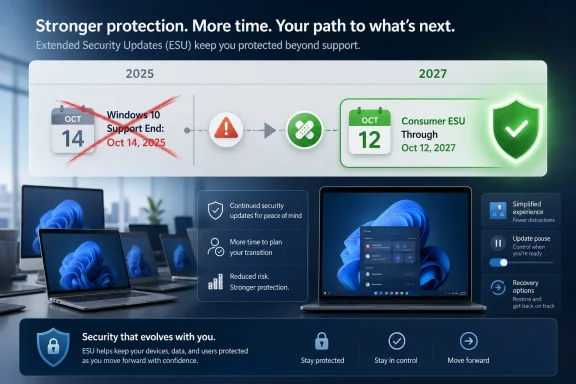
Microsoft quietly changed its Windows 10 Extended Security Updates timeline in late June 2026, extending enrolled consumer PCs’ security coverage through October 12, 2027, nearly two years after Windows 10’s official October 14, 2025 end of support. That is not a resurrection of Windows 10 as a living platform. It is something more revealing: an admission that Microsoft’s Windows 11 migration strategy has collided with hardware reality, user resistance, and the security risk of leaving too many machines behind.
The old Windows playbook assumed gravity would do the work. End support, warn loudly, point users at the new version, and eventually the fleet moves. Windows 11 has not obeyed that script.
The problem was never simply that users disliked a centered taskbar or resented a redesigned Start menu. Windows 11 drew a hard hardware line with TPM 2.0, supported CPU lists, Secure Boot expectations, and a more explicit security baseline. Microsoft could argue, credibly, that those requirements improved the platform’s defenses. But the same requirements also turned millions of otherwise serviceable PCs into stranded assets.
That is why this extension matters. Microsoft did not announce a new Windows 10 feature wave, and it did not pretend that Windows 10 is back on the roadmap. It extended security updates, the least glamorous and most consequential part of operating system stewardship.
Security patches are not a marketing feature. They are a public-health measure for the PC ecosystem. Once a widely used Windows version stops getting them, the risk is not limited to the owner of an aging laptop in a spare bedroom. It extends to home networks, small businesses, schools, charities, and unmanaged devices that become useful infrastructure for attackers.
The new consumer extension changes the politics of that bridge. It says that the cliff edge Microsoft drew in 2025 was negotiable, and that the company knows the Windows 10 population remains too large to treat as a rounding error.
This is not unprecedented. Microsoft has patched unsupported Windows versions in emergencies before, most famously after WannaCry exposed how dangerous unpatched legacy Windows machines could become at internet scale. The lesson from that episode was not that old operating systems deserve eternal support. It was that Microsoft cannot fully externalize the risk of its installed base.
Windows 10 is different from Windows XP in one important respect: it is not a museum piece. Many Windows 10 PCs are still fast enough for browsing, Office, video calls, light development, point-of-sale work, and everyday administration. Their disqualification from Windows 11 is often a policy boundary, not a performance boundary.
That distinction makes the forced-upgrade argument harder to sell. A user with a twelve-year-old machine running a visibly obsolete OS is more likely to accept replacement as inevitable. A user with a perfectly adequate Windows 10 desktop that fails only a CPU-generation check sees something else: artificial obsolescence.
But consumer Windows is not a clean-room enterprise environment. It is a messy global installed base full of hand-me-down PCs, regional price shocks, machines bought for children during the pandemic, small-business desktops that “just run the label printer,” and gaming rigs whose owners know exactly how much life remains in their hardware.
The Windows 11 line was clean on paper and dirty in practice. It gave Microsoft a stronger security story for the future, but it also created a large class of devices that could neither move forward officially nor be safely abandoned. That is the tension the new ESU extension exposes.
The result is a compromise with no one entirely satisfied. Windows 10 users get another year of patches, but not a promise of long-term reprieve. Windows 11 gets more time to mature, but not a clean migration victory. Microsoft gets to reduce botnet risk, but at the cost of admitting that the Windows 11 transition has not persuaded enough people quickly enough.
For others, especially enthusiasts who deliberately run local accounts, it will feel like a familiar nudge dressed as a security program. Microsoft has spent years making the Microsoft account more central to the Windows out-of-box experience, OneDrive integration, recovery options, Store access, and device continuity. ESU gives the company another point of leverage.
That does not make the extension bad policy. It does mean the policy serves several goals at once. It keeps old PCs patched, reduces ecosystem risk, and pulls more consumer devices into Microsoft’s cloud-connected management model.
This is the modern Windows bargain in miniature. Microsoft increasingly treats the operating system not as a standalone product but as a gateway into identity, backup, subscriptions, telemetry, security services, and AI features. Windows 10 users who thought they were avoiding that future may find that even the reprieve comes with strings.
Memory prices, component costs, and general replacement fatigue all matter. So does the fact that many households and small organizations already stretched hardware budgets during the pandemic years. The idea that users should replace capable PCs mainly to satisfy Windows 11 eligibility lands differently in 2026 than it might have in a period of cheap components and obvious performance gains.
This is especially true because the everyday benefit of Windows 11 remains uneven. For new PCs, Windows 11 is simply the default. For enthusiasts and IT pros, it has improved since launch. But for a large share of ordinary users, Windows 11 does not feel like a transformational upgrade. It feels like a changed interface, more cloud prompts, more AI branding, and a few missing or slowly restored affordances.
That perception matters because Microsoft’s migration problem is partly emotional. Windows 10 arrived after the Windows 8 backlash and restored a sense that Microsoft had listened. Windows 11, by contrast, often feels like a system that is still negotiating with its own users over how much control they should have.
The reported July 14, 2026 Patch Tuesday update is expected to bring several quality-of-life changes that have been in preview, including more flexible Windows Update controls, a cleaner Widgets experience, File Explorer performance improvements, and a new recovery feature called Point-in-time restore. None of these is a moonshot. That is precisely why they matter.
Windows 11 does not need another headline feature as badly as it needs fewer paper cuts. The system has spent too much of its life asking users to accept regressions in the name of modernization. Restoring control over updates, reducing unwanted feed content, and making File Explorer faster are not glamorous changes. They are the sort of changes that make an operating system feel like it belongs to the person using it.
The update cadence also tells a story. Microsoft is no longer waiting for a single annual feature update to deliver meaningful fixes. It is pushing improvements through monthly servicing and controlled rollouts. That makes Windows more responsive, but also more ambiguous; two users on the “same” version of Windows 11 may not see the same features at the same time.
For IT departments, that ambiguity is both blessing and headache. Faster fixes are welcome. Gradual rollout behavior, feature flags, and staggered availability complicate testing, documentation, and help-desk expectations.
Classic System Restore has long occupied an awkward place in Windows. Power users knew about it, support technicians sometimes reached for it, and ordinary users mostly encountered it only after something had already gone wrong. It could help with drivers, system files, and configuration problems, but it was never a full answer to the question users actually ask in a crisis: “Can I get my computer back to how it was yesterday?”
Point-in-time restore is Microsoft’s attempt to answer that question more directly. If it works as advertised, it could become one of the more practical resilience features in Windows 11, especially for machines hit by bad drivers, failed updates, malware damage, or configuration chaos.
The timing is not accidental. The 2024 CrowdStrike outage made recovery a boardroom issue. Millions of systems rendered unbootable by a faulty security update reminded the industry that resilience is not just about preventing compromise. It is also about getting back to a usable state quickly when something trusted breaks the machine.
That lesson applies beyond enterprises. Home users also suffer from bad updates, broken drivers, failed cleanup tools, and malware. A recovery feature that appears from the Windows Recovery Environment when the system cannot boot is the kind of tool users discover at the exact moment they need it.
But secure systems that users cannot repair, understand, or tolerate eventually create their own risks. People disable protections. They avoid updates. They cling to older versions. They follow dubious registry hacks from forums because the official path feels hostile or expensive.
That is why the combination of Windows 10 ESU extension and Windows 11 recovery improvements is more coherent than it first appears. Microsoft is buying time on one side while trying to rebuild trust on the other. It is saying, in effect, “We still want you on Windows 11, but we know the path there has to feel safer.”
Point-in-time restore also fits a broader industry shift. Modern platforms increasingly assume that failure is inevitable. The question is no longer whether a system can be made perfectly stable. It is whether the system can fail in a way that is observable, reversible, and survivable.
Windows has historically been strong on compatibility and weak on elegance in recovery. If Microsoft can make rollback fast, understandable, and reliable, it will have done more for ordinary confidence than another AI sidebar ever could.
If Windows 10 still holds a substantial desktop share in mid-2027, the same dilemma returns. Does Microsoft cut off security updates for a large consumer population, knowing many devices cannot officially upgrade? Or does it extend again and risk weakening the urgency of the Windows 11 migration?
The answer will depend on adoption, hardware pricing, threat activity, and Microsoft’s appetite for reputational risk. A severe malware campaign targeting unsupported Windows 10 machines would change the calculus quickly. So would continued resistance from consumers and regulators over e-waste, account requirements, or perceived forced obsolescence.
For businesses, the situation is more structured. Commercial ESU is a known cost, and many organizations have spent years planning Windows 11 migrations through Intune, Autopatch, hardware refresh cycles, and application compatibility testing. The consumer market is far less orderly.
That is the part Microsoft cannot fully manage through lifecycle charts. Home users do not run migration programs. They run a PC until it breaks, becomes too slow, or refuses to do something essential. Windows 10’s durability has made that habit harder to disrupt.
Inertia is powerful because Windows 10 still works. It runs the apps people know. It supports their printers, games, utilities, accessibility tools, VPN clients, and weird little vendor programs. It has years of muscle memory behind it.
That makes the Windows 11 value proposition harder. Microsoft is not asking users to leave a broken thing for a working thing. It is asking many of them to leave a working thing for a different working thing, sometimes requiring new hardware, a Microsoft account, and tolerance for more cloud integration.
The best answer to inertia is not nagging. It is obvious improvement. Windows 11 needs to become plainly better in daily use: faster where users notice, calmer where they feel harassed, more reliable when updates land, and more respectful when people customize their workflow.
The July improvements point in that direction. They do not settle the argument. But they suggest Microsoft understands that polish is not decorative. It is migration strategy.
Inside managed environments, the lesson is more direct: do not treat Microsoft’s flexibility as permission to drift. ESU buys time, and time is useful only if it is spent reducing risk. Organizations still need hardware inventories, application testing, driver validation, procurement plans, and user communications.
The Windows 11 migration has also exposed a cultural split in IT. Security teams often welcome stricter baselines. Desktop teams inherit the consequences when a critical workstation, lab machine, kiosk, or industrial PC cannot make the jump. Finance teams then ask why a machine that “still works” needs replacing.
That tension is not going away. Microsoft’s extension may ease the immediate deadline pressure, but it also encourages more scrutiny of lifecycle planning. If the company can move consumer dates quietly, businesses will ask whether other deadlines are equally firm. Microsoft will need to communicate more clearly if it wants enterprise customers to keep treating lifecycle dates as operational facts rather than opening bids.
For a compatible PC, the decision remains mostly about preference and risk tolerance. Windows 11 is the supported future, and its rough edges are being sanded down. For an incompatible PC, the decision is more material: keep Windows 10 enrolled in ESU, replace the machine, move to another operating system, or accept rising risk after the patch window closes.
The key is to avoid confusing “still patched” with “fully supported.” ESU does not mean new features, broad technical support, or a revived Windows 10 roadmap. It means critical and important security updates for enrolled systems. That is valuable, but narrow.
It also means users should pay attention to enrollment mechanics. A Windows 10 PC that is merely turned on after end of support is not necessarily protected. It must meet the program’s requirements, be enrolled, and continue receiving updates successfully.
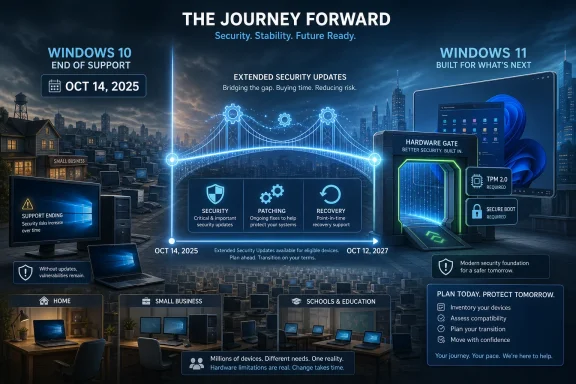 Microsoft Blinks Before the Installed Base Does
The old Windows playbook assumed gravity would do the work. End support, warn loudly, point users at the new version, and eventually the fleet moves. Windows 11 has not obeyed that script.The problem was never simply that users disliked a centered taskbar or resented a redesigned Start menu. Windows 11 drew a hard hardware line with TPM 2.0, supported CPU lists, Secure Boot expectations, and a more explicit security baseline. Microsoft could argue, credibly, that those requirements improved the platform’s defenses. But the same requirements also turned millions of otherwise serviceable PCs into stranded assets.
That is why this extension matters. Microsoft did not announce a new Windows 10 feature wave, and it did not pretend that Windows 10 is back on the roadmap. It extended security updates, the least glamorous and most consequential part of operating system stewardship.
Security patches are not a marketing feature. They are a public-health measure for the PC ecosystem. Once a widely used Windows version stops getting them, the risk is not limited to the owner of an aging laptop in a spare bedroom. It extends to home networks, small businesses, schools, charities, and unmanaged devices that become useful infrastructure for attackers.
The Support Date Was Always More Political Than Technical
Windows 10’s official support ended on October 14, 2025. The consumer ESU program was originally framed as a temporary bridge, giving holdouts more time while keeping pressure on upgrades. Commercial and education customers had a longer, paid runway, with ESU availability stretching through October 2028.The new consumer extension changes the politics of that bridge. It says that the cliff edge Microsoft drew in 2025 was negotiable, and that the company knows the Windows 10 population remains too large to treat as a rounding error.
This is not unprecedented. Microsoft has patched unsupported Windows versions in emergencies before, most famously after WannaCry exposed how dangerous unpatched legacy Windows machines could become at internet scale. The lesson from that episode was not that old operating systems deserve eternal support. It was that Microsoft cannot fully externalize the risk of its installed base.
Windows 10 is different from Windows XP in one important respect: it is not a museum piece. Many Windows 10 PCs are still fast enough for browsing, Office, video calls, light development, point-of-sale work, and everyday administration. Their disqualification from Windows 11 is often a policy boundary, not a performance boundary.
That distinction makes the forced-upgrade argument harder to sell. A user with a twelve-year-old machine running a visibly obsolete OS is more likely to accept replacement as inevitable. A user with a perfectly adequate Windows 10 desktop that fails only a CPU-generation check sees something else: artificial obsolescence.
Windows 11’s Hardware Line Is a Security Policy With a Consumer Cost
Microsoft’s defense of Windows 11’s requirements has always rested on security. TPM-backed features, virtualization-based security, memory integrity, and a modern hardware root of trust are not imaginary benefits. Enterprise security teams have spent years trying to move fleets toward precisely those assumptions.But consumer Windows is not a clean-room enterprise environment. It is a messy global installed base full of hand-me-down PCs, regional price shocks, machines bought for children during the pandemic, small-business desktops that “just run the label printer,” and gaming rigs whose owners know exactly how much life remains in their hardware.
The Windows 11 line was clean on paper and dirty in practice. It gave Microsoft a stronger security story for the future, but it also created a large class of devices that could neither move forward officially nor be safely abandoned. That is the tension the new ESU extension exposes.
The result is a compromise with no one entirely satisfied. Windows 10 users get another year of patches, but not a promise of long-term reprieve. Windows 11 gets more time to mature, but not a clean migration victory. Microsoft gets to reduce botnet risk, but at the cost of admitting that the Windows 11 transition has not persuaded enough people quickly enough.
The Free Extension Is Also an Account Strategy
The consumer ESU offer is not pure charity. Microsoft has attached enrollment to its preferred modern Windows identity model, especially Microsoft account sign-in and related backup or sync flows. For some users, that will be a reasonable trade: sign in, enroll, keep getting patches.For others, especially enthusiasts who deliberately run local accounts, it will feel like a familiar nudge dressed as a security program. Microsoft has spent years making the Microsoft account more central to the Windows out-of-box experience, OneDrive integration, recovery options, Store access, and device continuity. ESU gives the company another point of leverage.
That does not make the extension bad policy. It does mean the policy serves several goals at once. It keeps old PCs patched, reduces ecosystem risk, and pulls more consumer devices into Microsoft’s cloud-connected management model.
This is the modern Windows bargain in miniature. Microsoft increasingly treats the operating system not as a standalone product but as a gateway into identity, backup, subscriptions, telemetry, security services, and AI features. Windows 10 users who thought they were avoiding that future may find that even the reprieve comes with strings.
The Price of PCs Has Become Part of the Windows Roadmap
Operating systems do not exist outside the hardware market. Microsoft can publish any lifecycle date it wants, but users upgrade when the cost, benefit, and pain curve makes sense. Right now, that curve is unfavorable for a lot of people.Memory prices, component costs, and general replacement fatigue all matter. So does the fact that many households and small organizations already stretched hardware budgets during the pandemic years. The idea that users should replace capable PCs mainly to satisfy Windows 11 eligibility lands differently in 2026 than it might have in a period of cheap components and obvious performance gains.
This is especially true because the everyday benefit of Windows 11 remains uneven. For new PCs, Windows 11 is simply the default. For enthusiasts and IT pros, it has improved since launch. But for a large share of ordinary users, Windows 11 does not feel like a transformational upgrade. It feels like a changed interface, more cloud prompts, more AI branding, and a few missing or slowly restored affordances.
That perception matters because Microsoft’s migration problem is partly emotional. Windows 10 arrived after the Windows 8 backlash and restored a sense that Microsoft had listened. Windows 11, by contrast, often feels like a system that is still negotiating with its own users over how much control they should have.
The July Windows 11 Update Is Microsoft Trying to Lower the Temperature
The other half of the story is that Microsoft is not merely extending Windows 10. It is trying to make Windows 11 feel less irritating before the next big annual release arrives.The reported July 14, 2026 Patch Tuesday update is expected to bring several quality-of-life changes that have been in preview, including more flexible Windows Update controls, a cleaner Widgets experience, File Explorer performance improvements, and a new recovery feature called Point-in-time restore. None of these is a moonshot. That is precisely why they matter.
Windows 11 does not need another headline feature as badly as it needs fewer paper cuts. The system has spent too much of its life asking users to accept regressions in the name of modernization. Restoring control over updates, reducing unwanted feed content, and making File Explorer faster are not glamorous changes. They are the sort of changes that make an operating system feel like it belongs to the person using it.
The update cadence also tells a story. Microsoft is no longer waiting for a single annual feature update to deliver meaningful fixes. It is pushing improvements through monthly servicing and controlled rollouts. That makes Windows more responsive, but also more ambiguous; two users on the “same” version of Windows 11 may not see the same features at the same time.
For IT departments, that ambiguity is both blessing and headache. Faster fixes are welcome. Gradual rollout behavior, feature flags, and staggered availability complicate testing, documentation, and help-desk expectations.
Point-in-Time Restore Is the Rare Windows Feature That Understands Panic
The most interesting Windows 11 addition may be Point-in-time restore, a modern recovery tool designed to return a PC to an earlier working state in minutes. Microsoft describes it as broader than classic System Restore, with recovery points captured regularly and retained briefly to avoid runaway disk usage.Classic System Restore has long occupied an awkward place in Windows. Power users knew about it, support technicians sometimes reached for it, and ordinary users mostly encountered it only after something had already gone wrong. It could help with drivers, system files, and configuration problems, but it was never a full answer to the question users actually ask in a crisis: “Can I get my computer back to how it was yesterday?”
Point-in-time restore is Microsoft’s attempt to answer that question more directly. If it works as advertised, it could become one of the more practical resilience features in Windows 11, especially for machines hit by bad drivers, failed updates, malware damage, or configuration chaos.
The timing is not accidental. The 2024 CrowdStrike outage made recovery a boardroom issue. Millions of systems rendered unbootable by a faulty security update reminded the industry that resilience is not just about preventing compromise. It is also about getting back to a usable state quickly when something trusted breaks the machine.
That lesson applies beyond enterprises. Home users also suffer from bad updates, broken drivers, failed cleanup tools, and malware. A recovery feature that appears from the Windows Recovery Environment when the system cannot boot is the kind of tool users discover at the exact moment they need it.
Microsoft Is Learning That “Secure by Default” Must Also Mean Recoverable by Default
The Windows 11 era has been defined by security posture. Microsoft wants a baseline where hardware roots of trust, virtualization, credential protections, and cloud-assisted defenses are ordinary rather than optional. That is defensible. The threat landscape has become too hostile for nostalgia-driven platform policy.But secure systems that users cannot repair, understand, or tolerate eventually create their own risks. People disable protections. They avoid updates. They cling to older versions. They follow dubious registry hacks from forums because the official path feels hostile or expensive.
That is why the combination of Windows 10 ESU extension and Windows 11 recovery improvements is more coherent than it first appears. Microsoft is buying time on one side while trying to rebuild trust on the other. It is saying, in effect, “We still want you on Windows 11, but we know the path there has to feel safer.”
Point-in-time restore also fits a broader industry shift. Modern platforms increasingly assume that failure is inevitable. The question is no longer whether a system can be made perfectly stable. It is whether the system can fail in a way that is observable, reversible, and survivable.
Windows has historically been strong on compatibility and weak on elegance in recovery. If Microsoft can make rollback fast, understandable, and reliable, it will have done more for ordinary confidence than another AI sidebar ever could.
The 2028 Shadow Hangs Over Every Windows 10 Decision
The PCMag UK column speculates that Microsoft may extend free consumer Windows 10 security updates again, potentially aligning consumers more closely with the three-year commercial ESU horizon that ends in October 2028. That is not guaranteed, and Microsoft has not promised it. But the logic is not fanciful.If Windows 10 still holds a substantial desktop share in mid-2027, the same dilemma returns. Does Microsoft cut off security updates for a large consumer population, knowing many devices cannot officially upgrade? Or does it extend again and risk weakening the urgency of the Windows 11 migration?
The answer will depend on adoption, hardware pricing, threat activity, and Microsoft’s appetite for reputational risk. A severe malware campaign targeting unsupported Windows 10 machines would change the calculus quickly. So would continued resistance from consumers and regulators over e-waste, account requirements, or perceived forced obsolescence.
For businesses, the situation is more structured. Commercial ESU is a known cost, and many organizations have spent years planning Windows 11 migrations through Intune, Autopatch, hardware refresh cycles, and application compatibility testing. The consumer market is far less orderly.
That is the part Microsoft cannot fully manage through lifecycle charts. Home users do not run migration programs. They run a PC until it breaks, becomes too slow, or refuses to do something essential. Windows 10’s durability has made that habit harder to disrupt.
The Real Upgrade Competition Is Not Linux, It Is Inertia
Every Windows end-of-life cycle produces a familiar wave of “switch to Linux” advice. Some users will. A smaller number will move to macOS. Others will try ChromeOS Flex or repurpose old hardware. But the largest competitor to Windows 11 is not another operating system. It is doing nothing.Inertia is powerful because Windows 10 still works. It runs the apps people know. It supports their printers, games, utilities, accessibility tools, VPN clients, and weird little vendor programs. It has years of muscle memory behind it.
That makes the Windows 11 value proposition harder. Microsoft is not asking users to leave a broken thing for a working thing. It is asking many of them to leave a working thing for a different working thing, sometimes requiring new hardware, a Microsoft account, and tolerance for more cloud integration.
The best answer to inertia is not nagging. It is obvious improvement. Windows 11 needs to become plainly better in daily use: faster where users notice, calmer where they feel harassed, more reliable when updates land, and more respectful when people customize their workflow.
The July improvements point in that direction. They do not settle the argument. But they suggest Microsoft understands that polish is not decorative. It is migration strategy.
Enterprise IT Gets a Reprieve, Not a Retirement Plan
For sysadmins, the consumer ESU extension may feel like background noise compared with commercial licensing and hardware refresh timelines. But it still matters because home and small-office Windows machines are part of the same threat environment. A poorly patched consumer base can become infrastructure for phishing, credential theft, lateral attacks, and botnets that eventually affect organizations.Inside managed environments, the lesson is more direct: do not treat Microsoft’s flexibility as permission to drift. ESU buys time, and time is useful only if it is spent reducing risk. Organizations still need hardware inventories, application testing, driver validation, procurement plans, and user communications.
The Windows 11 migration has also exposed a cultural split in IT. Security teams often welcome stricter baselines. Desktop teams inherit the consequences when a critical workstation, lab machine, kiosk, or industrial PC cannot make the jump. Finance teams then ask why a machine that “still works” needs replacing.
That tension is not going away. Microsoft’s extension may ease the immediate deadline pressure, but it also encourages more scrutiny of lifecycle planning. If the company can move consumer dates quietly, businesses will ask whether other deadlines are equally firm. Microsoft will need to communicate more clearly if it wants enterprise customers to keep treating lifecycle dates as operational facts rather than opening bids.
The Windows 10 Holdouts Just Got a More Honest Clock
The practical message for users is simple but not comforting: Windows 10 is safer to keep using than it looked a week ago, but it is not immortal. The extension reduces urgency; it does not eliminate the need for a plan.For a compatible PC, the decision remains mostly about preference and risk tolerance. Windows 11 is the supported future, and its rough edges are being sanded down. For an incompatible PC, the decision is more material: keep Windows 10 enrolled in ESU, replace the machine, move to another operating system, or accept rising risk after the patch window closes.
The key is to avoid confusing “still patched” with “fully supported.” ESU does not mean new features, broad technical support, or a revived Windows 10 roadmap. It means critical and important security updates for enrolled systems. That is valuable, but narrow.
It also means users should pay attention to enrollment mechanics. A Windows 10 PC that is merely turned on after end of support is not necessarily protected. It must meet the program’s requirements, be enrolled, and continue receiving updates successfully.
The Fine Print Is Now the Strategy
Microsoft’s quiet extension says more than a keynote would have. The Windows business is trying to balance security, environmental reality, hardware economics, user patience, and its own desire to move the ecosystem toward Windows 11 and cloud-connected services.- Windows 10’s official support ended on October 14, 2025, but enrolled consumer devices now have security update coverage through October 12, 2027.
- The extension is a security reprieve, not a return to normal Windows 10 development or a promise of new consumer features.
- Windows 11’s strict hardware requirements remain the central reason many capable PCs are stuck outside the official upgrade path.
- Microsoft’s upcoming Windows 11 fixes show that the company knows adoption depends on polish, reliability, and user control as much as security architecture.
- Point-in-time restore could become one of Windows 11’s most important practical features if it makes serious failures easier to reverse.
- A further extension into 2028 is plausible if Windows 10 usage remains high, but users and administrators should not plan around an unannounced reprieve.
References
- Primary source: PCMag UK
Published: Wed, 01 Jul 2026 15:00:00 GMT
Microsoft Won't Let Windows 10 Die Just Yet
Microsoft quietly extended free security updates for Windows 10 through 2027, giving millions of aging PCs another lease on life—and possibly setting the stage for an even longer reprieve.uk.pcmag.com - Related coverage: windowscentral.com
Microsoft quietly extends Windows 10's extra security updates program for free: Users can now stay on Windows 10 until October 2027 securely | Windows Central
Windows 10's ESU program has been quietly extended by an extra year, now ending on October 12, 2027 instead of October 2026.www.windowscentral.com - Related coverage: techradar.com
Microsoft extends Windows 10 support out of the blue — consumers now get updates for another year to October 2027 | TechRadar
Windows 10 stays alive for another year with an extension for extended supportwww.techradar.com - Related coverage: pcgamer.com
Windows 10 gets yet another year of life as Microsoft extends security updates into 2027 | PC Gamer
Vive la Windows 10!www.pcgamer.com - Related coverage: tomshardware.com
Microsoft extends free Windows 10 security updates for a second year — program now ends on October 12, 2027 | Tom's Hardware
Just as the memory shortage pushes PC prices even higher.www.tomshardware.com - Related coverage: techspot.com
Windows 10's free security updates now extend to October 2027 | TechSpot
Microsoft's support page explaining how to continue receiving security updates on Windows 10 now states that the company will continue providing patches through October 12, 2027 –...www.techspot.com
- Official source: support.microsoft.com
Windows 10 notification: "You're not receiving security updates" | Microsoft Support
Windows 10 notification: "You're not receiving security updates"support.microsoft.com - Official source: microsoft.com
End of support for Windows 10, Windows 8.1 and Windows 7 | Microsoft Windows
Make a smooth transition to Windows 11 from your unsupported operating system with help from Microsoft. Enjoy the benefits of upgrading to a Windows 11 PC.www.microsoft.com - Official source: learn.microsoft.com
Product Lifecycle FAQ - Extended Security Updates | Microsoft Learn
Lifecycle FAQs around the Extended Security Update program.learn.microsoft.com - Related coverage: thurrott.com
Microsoft Quietly Extends Windows 10 ESU For One More Year - Thurrott.com
Microsoft will extend the Windows 10 Extended Security Updates (ESU) for one more year, it appears.www.thurrott.com - Related coverage: windowslatest.com
First look at "Stay on Windows 10 for free" ESU tool after October 14
Windows 10 support is set to end on October 14, 2025, but most of you won't lose support after the deadline. www.windowslatest.com
- Related coverage: berrall.com
Windows 10 support quietly extended until Oct 2027, as users reject Windows 11 - Peer Networks UK
Wales & West leading provider of PC repairs & IT support for home & business. Peer Networks delivers prompt, no fuss, PC repair services to customers.www.berrall.com
- Related coverage: radar.offseq.com
Microsoft quietly extends free Windows 10 ESU support to October 2027 - Live Threat Intelligence - Threat Radar | OffSeq.com
Detailed information about Microsoft quietly extends free Windows 10 ESU support to October 2027. Get real-time updates, technical details, and mitigation stratradar.offseq.com - Related coverage: windowsforum.com
Windows 10 ESU Extended to 2027: Microsoft Quietly Extends Security Updates | Windows Forum
Microsoft has updated its Windows 10 consumer Extended Security Updates language to say enrolled PCs can keep receiving security-only updates until October...windowsforum.com - Related coverage: tomsguide.com
Windows 10 support officially ends — are you upgrading to Windows 11? | Tom's Guide
Windows 10 has reached its end of life, but millions of PCs are still using Microsoft's older OS. Tell us if you're upgrading to Windows 11 or keeping your Windows 10 PC!www.tomsguide.com - Related coverage: euroconsumers.org