

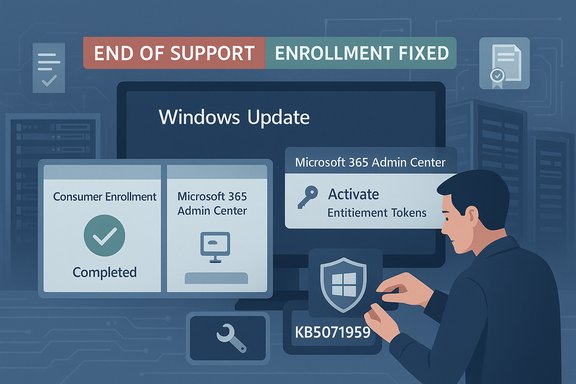
Microsoft's November Patch Tuesday for Windows 10 stumbled when the first Extended Security Update (ESU) cumulative — KB5068781 — began rolling out on November 11, 2025 and some commercial, subscription-activated devices failed to install it, rolling back with error 0x800f0922; Microsoft quickly acknowledged the problem, issued an out‑of‑band enrollment repair for consumer devices (KB5071959) and pushed servicing updates, while investigations into the subscription-activation failure path continued.
Windows 10 reached the end of mainstream support in mid‑October 2025, and Microsoft opened a time‑boxed Extended Security Updates (ESU) path so eligible devices could receive security‑only fixes for a defined period. The first formal ESU cumulative for consumer and ESU‑entitled devices, KB5068781, shipped on November 11, 2025 and advances applicable 22H2/21H2 builds to OS Builds 19045.6575 and 19044.6575. The release bundled servicing stack improvements and fixes a misleading “Your version of Windows has reached the end of support” banner introduced after the October cumulative. At the same time Microsoft released an out‑of‑band repair, KB5071959, addressed specifically to consumer devices that could not complete the in‑OS ESU enrollment wizard. That OOB update restores the enrollment flow and bundles prior fixes so blocked consumer machines would not miss critical patches. This two‑track response — a formal ESU cumulative plus a targeted out‑of‑band enrollment repair — reflects the narrow, operational focus Microsoft set for ESU: security and servicing fixes, not feature updates.
For administrators, the takeaways are operational and strategic: validate SSU sequencing, keep device activation records clean, pilot aggressively, and avoid relying on a single delivery channel for critical updates. For Microsoft, ensuring that entitlement gating does not turn into a systemic blocker for security rollouts should be a priority — especially where an update fixes actively exploited vulnerabilities included in the same rollup.
Source: Computerworld Microsoft fixes Windows 10 update flaw
 Background
Windows 10 reached the end of mainstream support in mid‑October 2025, and Microsoft opened a time‑boxed Extended Security Updates (ESU) path so eligible devices could receive security‑only fixes for a defined period. The first formal ESU cumulative for consumer and ESU‑entitled devices, KB5068781, shipped on November 11, 2025 and advances applicable 22H2/21H2 builds to OS Builds 19045.6575 and 19044.6575. The release bundled servicing stack improvements and fixes a misleading “Your version of Windows has reached the end of support” banner introduced after the October cumulative. At the same time Microsoft released an out‑of‑band repair, KB5071959, addressed specifically to consumer devices that could not complete the in‑OS ESU enrollment wizard. That OOB update restores the enrollment flow and bundles prior fixes so blocked consumer machines would not miss critical patches. This two‑track response — a formal ESU cumulative plus a targeted out‑of‑band enrollment repair — reflects the narrow, operational focus Microsoft set for ESU: security and servicing fixes, not feature updates. What happened — the failure, symptoms and scope
Timeline, symptoms and Microsoft’s acknowledgement
- October 14, 2025 — Windows 10 mainstream support ends; ESU pathways are defined.
- November 11, 2025 — Microsoft publishes KB5068781 (ESU cumulative) and KB5071959 (out‑of‑band fix for consumer enrollment).
- After deployment began, administrators reported that on some machines KB5068781 would appear to download and install but then rollback after a required reboot with error 0x800f0922 (CBS_E_INSTALLERS_FAILED). Affected devices were primarily those activated via Windows subscription activation through the Microsoft 365 Admin Center (company / subscription activation paths), rather than the consumer enrollment path. Microsoft confirmed an investigation and narrowed the issue to subscription activation via the Microsoft 365 Admin Center.
- Update shows as installed or in progress, but the system reboots and rolls back to the previous build.
- Logs and Windows Update UI report error 0x800f0922 or CBS_E_INSTALLERS_FAILED.
- In some managed environments not all devices showed the update as needed, despite being licensed to receive it.
Who was affected
This was a narrowly scoped rollout problem, not a universal break:- Consumer devices that failed to enroll because the ESU wizard crashed or threw vague errors were directly impacted by the enrollment blocker; Microsoft released KB5071959 to repair that path. Once KB5071959 is installed and the device re‑enrolls, KB5068781 should be delivered normally.
- Commercial devices activated via Windows subscription activation in the Microsoft 365 Admin Center (company/subscription activation) were the primary cohort reporting the KB5068781 apply/rollback failure with 0x800f0922. Microsoft said the issue is “isolated to devices activated via Windows subscription activation through the Microsoft 365 Admin Center.”
Deep dive: technical causes and likely failure modes
The public evidence and Microsoft’s guidance point at a few intersecting technical themes that commonly cause cumulative update failures — and explain why this particular ESU rollup failed on subscription‑activated corporate devices.1) Servicing stack and prerequisite sequencing
Servicing Stack Updates (SSUs) are foundational: an outdated SSU or missing prerequisite cumulative updates make later LCUs (latest cumulative updates) fail to apply. Microsoft explicitly bundles or sequences SSUs with cumulative updates to avoid these failures, and offline or WSUS deployments that miss the SSU prerequisites are at higher risk of rollbacks. Administrators are strongly advised to ensure the latest SSU is present before applying KB5068781.2) Activation and entitlement handshake for subscription activation
Microsoft confirmed the error is isolated to devices activated via Windows subscription activation (Microsoft 365 Admin Center subscription activation), which suggests the update’s installer checks entitlement/activation state during apply and aborts on a failed validation. Entitlement checks are a gating predicate for ESU delivery; if the activation surface returns an unexpected response (token mismatch, server‑side flag, certificate chain validation for hosted devices, or regional gating), the update may rollback to avoid applying to unauthorized machines. Community logs and Microsoft’s statement converge on this activation handshake as the root trigger.3) Residual device classification artifacts (Azure AD / work account remnants)
Devices with leftover Azure AD / work‑school account artifacts or inconsistent enrollment states may be misclassified and routed to the wrong ESU delivery pathway. Systems that at some point were joined to Azure AD, had work account tokens cached, or retained residual enrollment metadata can be diverted into subscription activation logic even when they should follow the consumer enrollment path — or vice versa. The result can be entitlement confusion and failed updates. Community troubleshooting often points to these residual artifacts as a practical cause.4) Disabled or misconfigured Windows services and local policies
Services required for enrollment and licensing — Microsoft Account Sign‑in Assistant (wlidsvc), Credential Manager (VaultSvc), LicenseManager and related components — if disabled or blocked by policy, will break the enrollment/activation flow. On locked‑down corporate images some of these services are intentionally managed, which can block entitlement checks and lead to rollback failures. Microsoft’s guidance and community fixes often include verifying these services are enabled.5) Certificate chain / Azure-hosted validation
The KB5068781 servicing stack notes reference improved logic to verify whether a device is hosted on Azure and an updated certificate chain for validation. If certificate downloads or revocation lists are blocked or inaccessible (for example, in air‑gapped networks or strict proxy environments), install logic that validates hosting status or certificates can fail and trigger a rollback. This is especially relevant for cloud‑hosted appliances and VMs that rely on certificate verification to confirm entitlement. Taken together, these factors create a fragile pathway for ESU delivery: entitlement checks, prerequisite SSUs, device classification, and network/certificate access are all prerequisites for a successful cumulative apply. A failure in any of those can produce the 0x800f0922 install‑rollback behavior observed in the field.How Microsoft responded
Microsoft’s reaction combined rapid mitigation with formal fixes:- A server‑side/cloud configuration correction was pushed to quickly clear the erroneous “end of support” banner for many devices that accept dynamic updates. This minimized immediate panic and compliance noise.
- For consumer devices that could not complete ESU enrollment, Microsoft released an out‑of‑band cumulative, KB5071959, which repairs the in‑OS ESU enrollment wizard, includes prior cumulative fixes, and bundles or sequences the relevant SSU to reduce future install fragility. Microsoft’s KB page for KB5071959 explicitly instructs affected consumer users to install that OOB package and then re‑run the enrollment wizard.
- Microsoft acknowledged the KB5068781 apply/rollback issue and publicly stated it was investigating; the company identified the problem cohort (devices activated via subscription activation through Microsoft 365 Admin Center) and communicated that the issue was isolated to that activation path, though an immediate universal workaround was not provided at the time of acknowledgement. Multiple industry trackers and outlets reproduced Microsoft’s statement.
Step‑by‑step remediation and troubleshooting (practical guide)
For administrators and advanced home users, the recommended remediation flow depends on whether a device is consumer‑enrolled or subscription‑activated:- Verify the OS and build
- Run winver or open Settings → System → About. Confirm the device is Windows 10 Version 22H2 (or applicable LTSC builds) and note the current OS build. KB5068781 targets OS Builds 19045.6575 and 19044.6575.
- For consumer devices that cannot enroll
- Check Windows Update for KB5071959 (out‑of‑band). If offered, install and reboot.
- If Windows Update does not show the OOB package, manually download KB5071959 from the Microsoft Update Catalog and install the SSU first if it is separate. Reboot and re‑run Settings → Windows Update → Enroll now.
- For subscription‑activated / enterprise devices
- Verify entitlement pathway: confirm whether the device uses Windows subscription activation via the Microsoft 365 Admin Center or a different volume licensing path. If subscription activation is in use, check the Microsoft 365 Admin Center for the device’s activation status and entitlement tokens.
- Ensure the latest Servicing Stack Update (SSU) is installed. Install SSUs ahead of the cumulative if staging offline. Microsoft’s KB articles emphasize SSU prerequisites.
- Confirm required services (wlidsvc, VaultSvc, LicenseManager) are enabled and not blocked by Group Policy or local lockdown profiles.
- Check for residual Azure AD/work account artifacts that might misclassify the device. Clean up leftover work/school account tokens, sign‑out of MSA/Work accounts where appropriate, or re‑enroll via the intended pathway.
- If the update continues to rollback, collect logs (CBS.log, WindowsUpdate.log) and open a support case with Microsoft. Provide device activation trace, entitlement tokens if available, and SSU + LCU install sequence details.
- For managed offline/WSUS deployments
- Stage the combined SSU+LCU packages from the Microsoft Update Catalog, verify checksums, and pilot on representative hardware before broad deployment. Sequence SSUs before LCUs as Microsoft recommends for offline servicing.
- Verification after install
- After successful installation, confirm the Settings → Windows Update banner no longer shows the erroneous “end of support” message and validate OS build numbers. Reconcile compliance and asset management dashboards to ensure they read authoritative entitlement data (not only local Settings banners).
Strengths in Microsoft’s response — what worked
- Rapid triage and targeted fixes: Microsoft pushed a server‑side correction for the false “end of support” banner and immediately published KB5071959 as an out‑of‑band fix for consumer enrollments. That rapid, targeted approach reduced the window of exposure for consumer devices that were blocked.
- Bundled servicing stack logic: Combining or sequencing SSUs with LCUs reduces common failure modes when administrators follow Microsoft guidance — a practical step that lowers friction for subsequent updates when applied correctly.
- Clear scope communication: Microsoft narrowed the problematic cohort to subscription activation via the Microsoft 365 Admin Center, which focused diagnostics and public expectations. That precision prevented broader panic and helped administrators prioritize troubleshooting actions.
Risks, criticisms and unanswered questions
Despite the practical fixes, the incident exposes several weaknesses and risks for enterprises and consumers alike.- Fragility of entitlement‑gated delivery. ESU delivery depends on an activation/entitlement handshake and prerequisite servicing components. While gating delivery by entitlement is necessary, the operational surface area (SSUs, certificate validation, hosting checks, activation tokens) increases the chances of deployment failures in heterogeneous fleets. The dependency chain creates a brittle patching pathway for organizations with complex activation histories.
- Inadequate early detection for enterprise activation flows. The bug primarily affected subscription‑activated enterprise devices — a scenario that should be common in modern fleets. The lack of a pre‑flight entitlement validation report or clear admin‑center telemetry for early detection delayed triage. Enterprises expect robust preflight checks in update pipelines.
- Communication and tooling frictions. False “end of support” banners and inconsistent WSUS/management console indicators produced unnecessary compliance churn. Asset management tools that rely on Settings → Windows Update flags can generate false positives; administrators must retrain tooling to consult authoritative licensing records where available.
- No universal, immediate workaround for subscription‑activated devices at time of acknowledgement. Microsoft initially had no one‑size‑fits‑all workaround for the 0x800f0922 rollbacks on subscription‑activated devices beyond “we’re investigating,” leaving admins to rely on SSU sequencing, activation verification and support cases. This gap is operationally painful during a security‑critical patch cycle.
- Uncertainty about scope and prevalence. Public reporting varies on how widespread the failure was; firm counts of affected machines were not published by Microsoft. Any claim about the percentage of devices impacted should be treated cautiously until Microsoft publishes telemetry or update‑health statistics. This is an unverifiable point in the public record and should be treated as such. Proceed with caution: precise scope attribution remains unconfirmed.
Practical recommendations for IT leaders and admins
- Prioritize ESU‑entitled systems: identify which machines are enrolled via consumer ESU wizard and which use subscription activation through Microsoft 365 Admin Center. That split determines remediation steps.
- Build a rapid pilot ring for KB5068781 and related SSUs: test on representative hardware, including Azure‑hosted VMs, domain‑joined devices, Intune‑managed endpoints and WSUS‑only machines. Validate tenant activation flows for subscription‑activated devices.
- Stage SSUs before LCUs in offline or managed deployments: follow Microsoft’s published prerequisites and sequence to avoid common installation failures. Include checksums and catalog downloads in deployment SOPs.
- Harden logging and telemetry: collect CBS.log and WindowsUpdate.log during pilot installs and be prepared to escalate to Microsoft with detailed activation traces and servicing stack info. This reduces time to root cause during support interactions.
- Clean inconsistent device states: remove stale work/school account artifacts, confirm device presence in the intended enrollment path (consumer vs. subscription), and enable required services for enrollment/activation. Consider a scripted cleanup for large fleets.
- Treat ESU as a bridge, not a destination: accelerate migration plans to Windows 11 where feasible. ESU is explicitly time‑boxed and meant for risk‑managed migration, not indefinite reliance. Budget for compatibility testing and hardware refresh where necessary.
Final analysis — what this episode tells us about patching at scale
The KB5068781 episode illustrates a broader truth about modern patching: shipping security fixes to billions of endpoints is not just a code problem — it is a complex choreography of entitlement checks, servicing stack hygiene, device state, cloud telemetry and admin tooling. Microsoft’s quick deployment of KB5071959 and server‑side corrections demonstrates effective triage, but the subscription‑activation rollback shows that entitlement logic and enterprise activation paths need stronger preflight validation and better admin telemetry.For administrators, the takeaways are operational and strategic: validate SSU sequencing, keep device activation records clean, pilot aggressively, and avoid relying on a single delivery channel for critical updates. For Microsoft, ensuring that entitlement gating does not turn into a systemic blocker for security rollouts should be a priority — especially where an update fixes actively exploited vulnerabilities included in the same rollup.
Conclusion
Microsoft’s November 11 ESU rollout delivered essential security coverage for Windows 10 devices that must remain on the platform, and the company moved quickly to repair the worst immediate problems: a false “end of support” banner and a broken consumer ESU enrollment wizard via KB5071959. However, the install rollbacks of KB5068781 with error 0x800f0922 on devices activated by subscription through the Microsoft 365 Admin Center exposed fragile entitlement and servicing‑stack dependencies in enterprise update pipelines. Administrators should follow the remediation steps outlined here — verify builds, stage SSUs, install the OOB for consumers, clean device activation artifacts and build pilot rings — while treating ESU as a temporary migration runway, not a long‑term support model. Microsoft’s fixes restored the critical enrollment and messaging flows for most users, but the incident is a reminder that in patching at scale, entitlement plumbing and servicing hygiene are just as important as the security code inside the cumulative itself.Source: Computerworld Microsoft fixes Windows 10 update flaw
