Windows 10 Setup and Safe OS Dynamic Updates (Nov 11 2025) Explained

  • Thread Author
Microsoft pushed a focused batch of Windows 10 Setup and Safe OS (WinRE) dynamic updates on November 11, 2025 — including KB5069340, KB5068795, KB5068790, KB5068794 and KB5068789 — alongside an urgent out‑of‑band ESU enrollment fix (KB5071959), refreshing recovery and setup binaries that imaging teams and administrators should verify and, in many cases, inject into deployment media immediately.

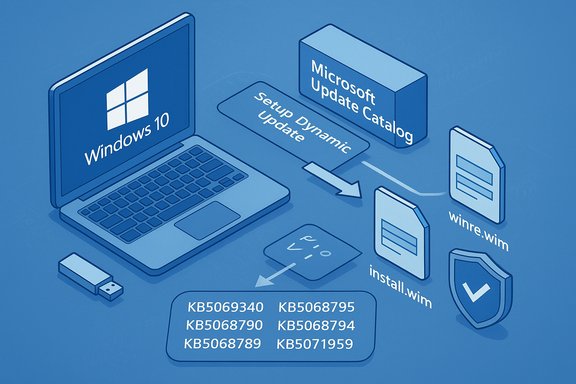
Windows 10 deployment using Dynamic Update from Microsoft Update Catalog (install.wim and winre.wim).Background: what are Setup and Safe OS (WinRE) dynamic updates?​

Dynamic Updates are surgical servicing packages Microsoft uses to refresh the small set of files that Windows Setup and the Windows Recovery Environment (WinRE, often called Safe OS) rely on during in‑place upgrades, media installs, reset flows and automatic repair. These updates are deliberately narrow: they replace a handful of binaries, updated drivers, and orchestration libraries inside install.wim and winre.wim so that frozen images behave like newly-built media without a full image rebuild.
  • Setup Dynamic Updates refresh the Setup binaries (e.g., Setup.exe, Appraiser, SetupPlatform) used during feature updates and ISO-based installation.
  • Safe OS / WinRE Dynamic Updates update winre.wim and the small pre‑boot runtime used for Reset this PC, Automatic Repair, cloud-reinstall and other recovery flows.
These packages are normally delivered automatically via Windows Update and WSUS, but they are also published to the Microsoft Update Catalog for manual download and injection into images when administrators manage offline media or custom deployment pipelines.

What Microsoft released on November 11, 2025 — the essential list​

Microsoft’s public KB pages summarize each package succinctly. The critical items released for Windows 10 on November 11, 2025 are:
  • KB5069340 — Safe OS Dynamic Update for Windows 10, versions 21H2 and 22H2. This package updates WinRE on supported Windows 10 branches; after installation WinRE should report version 10.0.19041.6566.
  • KB5068795 — Setup Dynamic Update for Windows 10, version 1809 and Windows Server 2019. Refreshes setup binaries used for feature updates and media installs; file manifests (for example acmigration.dll and Appraiser artifacts) are listed in the KB.
  • KB5068790 — Safe OS Dynamic Update for Windows 10, version 1809 and Windows Server 2019. Updates the WinRE payload and includes refreshed USB and storage drivers used in pre‑boot. The KB includes exact file versions for files such as winload and USB drivers.
  • KB5068794 — Setup Dynamic Update for Windows 10, version 1607 and Windows Server 2016. Refreshes the setup binaries for the 1607 servicing family and replaces earlier dynamic updates.
  • KB5068789 — Safe OS Dynamic Update for Windows 10, version 1607 and Windows Server 2016. Refreshes the WinRE payload for the 1607 branch; available via Windows Update and the Update Catalog.
  • KB5071959 — Out‑of‑band update for Windows 10 (22H2) to fix ESU enrollment problems. This emergency patch addresses an enrollment wizard failure that was preventing some consumer devices from enrolling in the Extended Security Updates (ESU) program. It makes affected consumer devices capable of completing ESU enrollment and receiving subsequent ESU rollups.
Community reporting and deployment guidance that accompanied the release stressed the operational importance of these packages — particularly for teams that maintain golden images or manage fleets that still depend on Windows 10 ESU.

Why these updates matter: operational and security context​

Dynamic updates frequently fly under the radar for everyday users, but their operational impact is outsized for deployments and recovery. Here’s why these November packages deserve attention:
  • WinRE is the last line of defense. Reset, Automatic Repair and cloud reinstall depend on a small set of pre‑boot drivers and orchestration logic. If WinRE lacks the drivers or the correct binary versions that match the installed OS, recovery flows can fail, trigger BitLocker recovery prompts, or leave technicians unable to input recovery keys. Refreshing WinRE reduces that risk.
  • Setup vs. running OS mismatch is a common upgrade failure mode. When frozen installation media or old setup binaries are used during feature updates, compatibility checks and appraiser components can cause upgrades to abort. Injecting Setup Dynamic Updates into install.wim reduces in-place upgrade friction at scale.
  • ESU enrollment is operationally critical for Windows 10 fleets. Windows 10 entered end‑of‑mainstream support in October 2025 for most consumer SKUs; eligible devices depend on Extended Security Updates to receive security patches. The KB5071959 out‑of‑band fix restores enrollment paths so eligible devices can continue to receive security rollups.
  • Small packages, big consequences. Some Safe OS dynamic updates cannot be removed once injected into an image; that permanence raises the bar for testing and verification before a wide rollout.

Technical verification — what the official KBs say (and what to check in your environment)​

Microsoft’s KB pages include file manifests and verification steps; administrators should treat these as the authoritative checklist. Key verification points surfaced in the public documentation:
  • WinRE target version after KB5069340: After installation, WinRE on affected devices should report 10.0.19041.6566. Microsoft documents command-line and PowerShell verification techniques (GetWinReVersion.ps1, reagentc /info and DISM queries).
  • KB5068790 manifest: The Safe OS update for 1809 explicitly lists updated pre‑boot drivers (for example usbccgp.sys, USBHUB3.SYS, usbd.sys, winload.efi) and their file versions in the KB; administrators should compare these file versions against their on‑device WinRE images after applying the update.
  • Replacement information: Several of the November packages replace earlier dynamic updates (for example KB5069340 replaces KB5067017). That means the most recent DU is the one administrators should target for image hygiene. The KB entries call out replacement IDs and the fact that some updates cannot be removed once applied.
Practical verification steps (recommended):
  • Run reagentc /info on a test machine to confirm the active WinRE location and status.
  • Use the supplied PowerShell helper (GetWinReVersion.ps1) to report the WinRE image version before and after applying a DU.
  • Mount your offline install.wim/winre.wim with DISM and confirm file version numbers match the KB manifest.
  • If you use WSUS or SCCM, ensure the new DU CABs/MSUs are synchronized and distributed correctly before approving wide deployments.

Deployment guidance: how to treat these dynamic updates in real operations​

Dynamic updates are both helpful and delicate. Follow a disciplined procedure:
  • For imaging teams and enterprises:
  • Inject the Setup and Safe OS DUs into your golden install.wim and winre.wim images in an isolated lab.
  • Run full recovery scenarios using the updated winre.wim: Reset this PC, cloud reinstall, Automatic Repair and BitLocker recovery flows.
  • Validate on representative hardware groups (old and new, NVMe and SATA controllers, manufacturer driver variants).
  • Stage the update in deployment rings (pilot → broader pilot → production).
  • For device owners and small IT shops:
  • Allow Windows Update to apply these packages automatically; manually downloading from the Update Catalog is only necessary if you maintain offline media.
  • Maintain an external recovery USB built from a known-good ISO and keep BitLocker recovery keys backed up to a secure location.
Numbered rollout checklist for imaging teams:
  • Download the correct DU CAB/MSU from the Microsoft Update Catalog for your target servicing branch.
  • Mount the target WIM and apply the DU with DISM.
  • Export the updated WIM, recapture any golden images as appropriate.
  • Run recovery and upgrade tests on hardware representative of production.
  • Approve the packages in WSUS/SCCM only after validation.

Known risks and observed regressions — what to watch for​

These updates are intended to reduce upgrade and recovery risk, but they introduce unique hazards:
  • Irreversible image changes: Some Safe OS DUs — once injected into a winre.wim image — cannot be removed. That permanence means a bad DU may ship into recovery media that cannot easily be undone. The KBs explicitly warn of this behavior.
  • WinRE input regressions have happened recently. Community reporting earlier in the fall documented a Windows 11 WinRE regression that disabled USB input in the recovery environment after a servicing wave — an issue Microsoft acknowledged and worked to mitigate. That incident underlines how fragile pre‑boot components can be and why testing on representative hardware is essential.
  • BitLocker/Device Encryption surface area. Updates to pre‑boot components can change platform measurements and sometimes trigger BitLocker recovery. Keep BitLocker recovery keys accessible and validate that updated WinRE handles TPM and encryption unlock scenarios on your hardware.
  • WSUS/Distribution pitfalls. WSUS synchronization or catalog issues can block distribution of DU CABs to downstream distribution points; coordinate with vendor channels and monitor update distribution health before starting wide rollouts.
Flagged caveat: at the time of the release Microsoft had not published root‑cause post‑mortems for all recent WinRE regressions; any third‑party theories about a specific driver being the cause should be treated as speculative until Microsoft provides an official analysis. This remains an operational unknown administrators should account for.

Cross-checking the record: independent confirmation and editorial assessment​

To ensure accuracy, the KB details above were verified against Microsoft’s official support pages for the packages listed (the KB pages include file manifests and verification instructions). Independent reporting from mainstream outlets and community trackers corroborated the practical implications: news outlets noted the ESU enrollment fix (KB5071959) and explained why it was issued out‑of‑band, while community and enterprise commentary stressed that dynamic updates are operationally important for imaging and recovery hygiene. Those observations match the technical reality documented in Microsoft’s KBs and in the community guidance on staging dynamic updates. Editorial assessment — strengths and weaknesses:
  • Strengths:
  • Microsoft’s approach keeps frozen images functional without frequent rebuilds; these DUs are targeted and small.
  • The out‑of‑band ESU enrollment fix demonstrates responsiveness to a customer-impacting enrollment regression.
  • KB manifests and verification tools give administrators the means to validate results exactly.
  • Weaknesses / risks:
  • The non‑removable nature of some Safe OS DUs increases deployment risk.
  • Pre‑boot regressions (like the prior WinRE USB input issue) are possible and disruptive.
  • The diversity of hardware in the field makes a single DU brittle unless validated across representative device classes.

Practical recommendations — conservative, test-driven deployment​

Given the balance of value and risk, the recommended posture for administrators is conservative and test-driven:
  • Treat Safe OS DUs as image-hardening tasks, not routine patching. Apply to offline images in a lab first.
  • Maintain golden copies of winre.wim and store pre‑DU images to enable recovery if needed.
  • Use the KB verification methods to confirm WinRE versions and file manifests after DU injection.
  • Keep a small pilot ring that mirrors production hardware before approving WSUS or SCCM deployments.
  • For consumer devices that were unable to enroll in ESU, apply KB5071959 before expecting subsequent ESU rollups to appear.
Short checklist for home users and small IT:
  • Let Windows Update install these DUs automatically unless you maintain your own installation media.
  • Keep an external recovery USB and ensure BitLocker recovery keys are safely backed up in your Microsoft account or an enterprise escrowing method.

What to watch next: signals and telemetry to monitor​

After deploying these DUs, track the following signals:
  • WinRE version via reagentc /info or GetWinReVersion.ps1 to confirm DU applied successfully.
  • Field reports of failed recovery scenarios (BitLocker prompts that previously did not appear, inability to use USB input inside WinRE).
  • WSUS/SCCM distribution errors and missing catalog entries that would block DU distribution.
  • Microsoft Release Health updates for any emerging known issues or rollbacks.
Community channels and enterprise forums often surface real‑world hardware interactions before vendor post‑mortems appear; use those signals prudently but validate against KB manifests before taking corrective action.

Conclusion​

The November 11, 2025 set of Setup and Safe OS dynamic updates for Windows 10 (KB5069340, KB5068795, KB5068790, KB5068794 and KB5068789) and the out‑of‑band ESU enrollment fix (KB5071959) are small in download size but large in operational significance. They refresh the pre‑boot environment and setup binaries that determine whether recovery tools work and whether in‑place upgrades succeed. Administrators and imaging teams should treat these packages as mandatory hygiene for deployment media — but they must also respect the inherent risk: some changes are permanent and pre‑boot regressions can lock out recovery paths if not validated.
Apply these updates in a staged, test-driven manner: verify WinRE versions and file manifests, maintain golden backups of pre‑DU images, and pilot across representative hardware before broad rollouts. For consumer devices blocked from ESU enrollment, KB5071959 restores the enrollment flow so eligible machines can receive ongoing security coverage. The technical details and file manifests on Microsoft’s KB pages provide the definitive verification steps administrators need to deploy these updates safely.
Source: Neowin Microsoft released Windows 10 KB5069340 KB5068795 KB5068790 and more Setup, Recovery updates
 

Microsoft pushed a compact but operationally important batch of Windows 10 Setup and Safe OS (WinRE) dynamic updates on November 11, 2025 — including KB5069340, KB5068795, KB5068790, KB5068794, KB5068789, and an urgent out‑of‑band ESU enrollment fix KB5071959 — updates that are small in bytes but large in consequences for imaging, recovery, and upgrade reliability.

Neon Windows repair scene: a hand wrenches a circuit board as recovery files load.Background / Overview​

Dynamic Updates are Microsoft’s targeted mechanism to refresh the tiny set of binaries and drivers that Windows Setup and the Windows Recovery Environment (WinRE) rely on during installation, feature updates, reset flows, and automatic repair. They come in two flavors:
  • Setup Dynamic Updates — refresh Setup.exe and related setup runtime files used during in-place feature upgrades and ISO-based installations.
  • Safe OS (WinRE) Dynamic Updates — update the pre‑boot recovery payload (winre.wim) and the drivers the recovery environment needs to function.
These packages are intended to be applied to existing Windows images prior to deployment or injected into run‑time WinRE partitions. For most consumer and many business devices they are delivered and installed automatically via Windows Update, but imaging teams and administrators commonly download the CAB/MSU packages from the Microsoft Update Catalog and integrate them into their golden images using DISM.

What Microsoft released (November 11, 2025)​

The essential KBs pushed on November 11, 2025 fall into Setup and Safe OS categories and cover multiple legacy servicing branches of Windows 10:
  • KB5069340: Safe OS Dynamic Update for Windows 10, versions 21H2 and 22H2 — improves the Windows Recovery Environment (WinRE).
  • KB5068795: Setup Dynamic Update for Windows 10, version 1809 and Windows Server 2019 — refreshes Setup binaries and files Setup uses for feature updates.
  • KB5068790: Safe OS Dynamic Update for Windows 10, version 1809 and Windows Server 2019 — updates WinRE payloads and pre‑boot drivers.
  • KB5068794: Setup Dynamic Update for Windows 10, version 1607 and Windows Server 2016 — refreshes older Setup artifacts.
  • KB5068789: Safe OS Dynamic Update for Windows 10, version 1607 and Windows Server 2016 — refreshes WinRE for the 1607 servicing family.
Microsoft also released an out‑of‑band fix, KB5071959, to address Extended Security Updates (ESU) enrollment problems impacting some consumer devices — a critical operational patch for fleets that must remain on Windows 10 under ESU.
These packages are published to Windows Update and the Microsoft Update Catalog and will be pulled automatically by Windows Update on managed and unmanaged devices where applicable. Administrators can manually download them for offline image servicing.

Why these updates matter: operational impact​

Dynamic Updates are intentionally narrow, but their role is outsized for several reasons:
  • WinRE is the last line of defense. Reset, Automatic Repair, cloud reinstall, and BitLocker recovery flows depend on a small pre‑boot environment and a limited set of drivers. If WinRE lacks an appropriate driver or the correct binary versions, recovery can fail, leave systems unusable, or trigger unnecessary BitLocker recovery prompts. Refreshing WinRE narrows that risk.
  • Setup/Setup.exe mismatches are a common upgrade failure mode. Frozen installation media or old setup binaries in install.wim can cause feature updates to abort during compatibility checks or appraiser phases. Applying Setup Dynamic Updates to install media reduces in-place upgrade friction at scale.
  • ESU enrollment support is operationally critical. For organizations and devices that must remain on Windows 10 under ESU, the KB5071959 fix restores enrollment functionality so subsequent ESU rollups can be received. This is vital for security hygiene on eligible devices.
In short: these DUs are not flashy feature changes, but they materially improve the reliability of installation and recovery paths — precisely the scenarios that keep IT teams awake at night.

Technical highlights and verification points​

The public KB entries and accompanying Update Catalog manifests include precise file manifests and verification guidance administrators should use before and after injecting DUs.
Key technical points to verify:
  • After applying KB5069340 to the WinRE image on affected devices, WinRE should report version 10.0.19041.6566. Use reagentc /info and the supplied PowerShell helper (GetWinReVersion.ps1) to confirm.
  • The Safe OS update for 1809 (KB5068790) explicitly lists updated pre‑boot drivers such as usbccgp.sys, USBHUB3.SYS, usbd.sys, and winload.efi with file versions provided in the KB. Compare these file versions against your mounted winre.wim after applying the DU.
  • Several November packages replace earlier dynamic updates (for example, KB5069340 replaces KB5067017 in the October wave). The replacement information in the KB means you should target the most recent DU for image hygiene.
Verification commands and methods administrators should use:
  • Run reagentc /info on a test machine to confirm the active WinRE location and status.
  • Use the Microsoft-supplied PowerShell helper (GetWinReVersion.ps1) to report WinRE image version before and after applying the DU.
  • Mount offline install.wim/winre.wim with DISM and compare file version numbers documented in the KB manifest.
  • For Setup DUs, inspect Appraiser.dll, SetupPlatform and related binaries inside the mounted install.wim to ensure the expected file versions are present.
These steps are the authoritative checklist imaging teams will use to confirm a DU applied correctly and to detect mismatches that could break upgrades or recovery.

Risks and known regressions — what to watch for​

Dynamic Updates are powerful but come with specific hazards you must respect:
  • Irreversible image changes. Some Safe OS DUs, once injected into a winre.wim image, cannot be removed. That permanence means a faulty DU could be embedded in recovery media and become difficult to undo. The KBs explicitly warn about this behavior.
  • Pre‑boot regressions are disruptive. There have been recent incidents (during prior servicing waves) where WinRE input handling regressed on Windows 11 — a bug that rendered USB mice and keyboards unusable inside WinRE. That event demonstrates how fragile pre‑boot components can be and how impactful a regression becomes when it blocks basic recovery actions. Use pilot testing to detect such regressions early.
  • WSUS/SCCM distribution pitfalls. Missing catalog entries, WSUS sync errors, or distribution problems can prevent DUs from reaching devices. Validate catalog synchronization and approve only after testing.
  • Hardware diversity increases brittleness. The variety of controllers, NVMe vs SATA implementations, vendor USB stacks and OEM firmware behaviors means a DU that works on one model may break WinRE functionality on another. Test across representative hardware groups.
Because of these risks, dynamic updates should be treated as image‑hardening tasks with an elevated testing bar, not routine monthly patches applied without validation.

Practical deployment guidance — a conservative, test-driven approach​

For administrators and imaging teams managing deployment media, follow this disciplined process:
  • Download the correct DU CAB/MSU from the Microsoft Update Catalog for your target servicing branch.
  • Mount the target install.wim or winre.wim with DISM in an isolated lab.
  • Apply the DU to the mounted WIM using DISM (the Update Catalog package includes the exact DISM commands in its manifest).
  • Export the updated WIM and recapture any golden images if required.
  • Run end‑to‑end recovery scenarios: Reset this PC, cloud reinstall, Automatic Repair and BitLocker recovery flows on representative hardware (old and new).
  • Stage releases in deployment rings: pilot → broader pilot → production. Approve the package in WSUS/SCCM only after validation.
For smaller shops and consumers:
  • Let Windows Update download and apply these DUs automatically unless you maintain custom offline media.
  • Maintain an external recovery USB built from a verified ISO and keep BitLocker recovery keys backed up in a secure location (Microsoft account or enterprise escrowing method).
Numbered checklist for imaging teams (concise):
  • Identify target WIM (install.wim / winre.wim) and servicing branch.
  • Download DU CAB/MSU from Update Catalog.
  • Mount WIM, apply DU via DISM, confirm file versions.
  • Test recovery flows and upgrades on representative hardware.
  • Publish to WSUS/SCCM and stage rollout.

How to verify WinRE and Setup after DU injection (commands & checks)​

Administrators should run the following checks during validation:
  • reagentc /info — confirms WinRE status and location on a live system.
  • GetWinReVersion.ps1 — Microsoft-supplied PowerShell helper to report WinRE image version before/after DUs.
  • DISM /Get-WimInfo and DISM /Mount-Wim /ImageFile:<path> — mount the offline WIM and inspect file versions. Compare the file versions found in the mounted WIM against the KB manifest (e.g., winload.efi, usbccgp.sys).
  • Inspect Setup/Appraiser artifacts in install.wim to ensure Setup Dynamic Updates updated Appraiser.dll and SetupPlatform resources where applicable.
If any mismatches appear, preserve the pre-DU WIM for rollback and escalate the discrepancy to vendor/OEM channels if hardware-specific drivers are implicated.

Recommendations for enterprise risk management​

Dynamic Updates are a powerful tool in the imaging toolbox, but they demand a change in workflow and elevated governance:
  • Maintain golden copies of pre‑DU install.wim and winre.wim images so you can revert if a DU causes regressions.
  • Expand test coverage to include recovery flows (not just OS boot and application smoke tests). Recovery scenarios are the primary users of WinRE and must be validated end‑to‑end.
  • Coordinate with OEM firmware and driver teams for devices with unusual storage controllers, NVMe implementations, or vendor‑specific USB stacks. Firmware signatures, Secure Boot certificates, and OEM drivers can interact unpredictably with pre‑boot components.
  • Monitor field telemetry and community channels for early indicators of regressions, but always validate community signals against the KB manifests and your own lab results.
Implementing these controls reduces the chance that a DU intended to improve recovery will instead complicate it.

Consumer implications and small‑IT guidance​

For home users and small IT shops, the practical guidance is straightforward:
  • Allow Windows Update to automatically install these packages. The vast majority of consumer devices will receive them and be better off for it.
  • If you maintain your own installation media or creation ISOs, download the DU from the Update Catalog and inject it into your ISO before creating recovery media. This step prevents using old frozen media during future upgrades.
  • Keep an external recovery USB and ensure BitLocker recovery keys are accessible — these remain the most important user-side protections if something goes wrong.
Small shops that rely on manual image refresh cycles should adopt the same staging model as enterprises: test, pilot, then broadly deploy.

What to watch next (signals that require action)​

After applying these dynamic updates, administrators should monitor several signals closely:
  • WinRE version via reagentc /info and GetWinReVersion.ps1 to confirm DU application.
  • Recovery scenario failures reported by helpdesk or telemetry (e.g., unexpected BitLocker prompts, inability to enter recovery environment).
  • Input regressions inside WinRE (USB keyboard/mouse issues) — these have happened in prior cycles and are highly disruptive.
  • WSUS/SCCM distribution errors or missing catalog items preventing DU distribution.
  • Vendor/OEM advisories and firmware updates that might be required to preserve compatibility with refreshed pre‑boot drivers.
If any of these signals appear, revert to your pre‑DU golden image on test hardware, isolate the issue with file version comparisons against the KB manifest, and engage OEMs or Microsoft support when hardware-specific interactions are suspected.

Final assessment — value, caution, and best practice​

The November 11, 2025 wave of Windows 10 Setup and Safe OS dynamic updates delivers targeted improvements that materially reduce upgrade and recovery risk when applied correctly. They are small, surgical packages designed to refresh the exact binaries and drivers that matter in pre‑boot and setup scenarios. For imaging teams and enterprises, they should be treated as mandatory image‑hygiene work — but with higher-than-usual discipline around testing, rollback planning, and staged rollout.
Key takeaways to internalize:
  • Value: These DUs improve the reliability of recovery and upgrade flows and restore ESU enrollment paths where applicable.
  • Caution: Some Safe OS DUs can be irreversible once injected; pre‑boot regressions (e.g., USB input issues) have occurred previously and are highly disruptive. Test broadly and stage releases.
  • Best practice: Maintain golden pre‑DU images, perform representative hardware testing of recovery scenarios, use reagentc /info and the supplied PowerShell utilities to verify versions, and deploy in pilot rings before full production rollout.
If applied with careful governance and a robust testing discipline, these updates tighten the last line of defense for Windows 10 fleets and reduce the friction that causes upgrades to fail. If rushed into production without validation, they risk embedding difficult‑to‑reverse changes into recovery media. Treat dynamic updates as an essential but high‑risk part of your image maintenance lifecycle and plan accordingly.

Conclusion
The November 11 dynamic update family (KB5069340, KB5068795, KB5068790, KB5068794, KB5068789) together with the ESU enrollment fix (KB5071959) are maintenance releases with outsized operational importance. For imaging teams, enterprise IT and anyone maintaining offline install or recovery media, the correct posture is measured urgency: download the packages, inject them into your images in lab, verify file manifests and WinRE versions, exercise full recovery scenarios on representative hardware, then roll out in stages. This approach preserves the benefits of refreshed setup and recovery tooling while minimizing the risk of a pre‑boot regression that could turn a helpful update into a support crisis.

Source: Neowin Microsoft released Windows 10 KB5069340 KB5068795 KB5068790 and more Setup, Recovery updates
 

Microsoft pushed a focused set of Windows 10 dynamic updates on November 11, 2025 — KB5069340, KB5068795, KB5068790, KB5068794 and KB5068789 — that refresh Windows Setup and the Windows Recovery Environment (WinRE) across multiple servicing branches, and it also issued an out‑of‑band fix (KB5071959) to restore Extended Security Updates (ESU) enrollment for affected consumer devices.

Blue tech illustration of WinRE shield, USB drive, and a dynamic setup update UI.Background / Overview​

Dynamic Updates are Microsoft’s targeted, surgical packages used to update a very small set of binaries and drivers that Windows Setup and WinRE rely on during feature upgrades, media-based installation, Reset flows and automatic repair. They are not cumulative feature updates or security rollups; instead, they refresh the pre‑boot and setup runtime elements so older, frozen images behave more like newly-built media without rebuilding the entire image.
There are two practical classes of dynamic updates in this wave:
  • Setup Dynamic Updates — replace or refresh Setup.exe, Appraiser, SetupPlatform and related setup artifacts used during in-place feature updates and ISO installs.
  • Safe OS (WinRE) Dynamic Updates — update the winre.wim payload and pre‑boot drivers that the recovery environment needs to function correctly during reset, Automatic Repair, cloud reinstall and BitLocker recovery flows.
Administrators should treat these packages as image‑hardening tasks: small in download size but potentially large in operational consequence if not validated across representative hardware.

What Microsoft released (the November 11, 2025 DU family)​

Microsoft published servicing pages and Update Catalog entries for each package. The essentials are:
  • KB5069340 — Safe OS Dynamic Update for Windows 10, versions 21H2 and 22H2
    Summary: improves the Windows Recovery Environment (WinRE). After successful application the active WinRE should report version 10.0.19041.6566. This update replaces a prior October DU and cannot be removed once applied to an image.
  • KB5068795 — Setup Dynamic Update for Windows 10, version 1809 and Windows Server 2019
    Summary: refreshes Setup binaries and files used during feature updates (file manifests available on the KB page; examples include updated acmigration.dll and Appraiser artifacts). This DU replaces earlier Setup DUs for 1809 and is delivered via Windows Update and the Update Catalog.
  • KB5068790 — Safe OS Dynamic Update for Windows 10, version 1809 and Windows Server 2019
    Summary: refreshes WinRE for the 1809 servicing family, including updated pre‑boot USB and storage drivers listed in the KB manifest.
  • KB5068794 — Setup Dynamic Update for Windows 10, version 1607 and Windows Server 2016
    Summary: refreshes older Setup artifacts used by the 1607 servicing branch; administrators can download the CAB/MSU from the Update Catalog and inject into install.wim images.
  • KB5068789 — Safe OS Dynamic Update for Windows 10, version 1607 and Windows Server 2016
    Summary: refreshes the WinRE payload for 1607; the KB includes explicit pre‑boot driver file lists (USB stack, winload, bootmgr variants).
Microsoft also shipped KB5071959 as an out‑of‑band update to fix a problem that prevented some consumer devices from enrolling in the Windows 10 Extended Security Updates (ESU) program; that patch restores the ESU enrollment wizard for affected consumers. News reporting and Microsoft’s own KB note the patch was necessary because enrollment failures would prevent eligible devices from receiving subsequent ESU rollups.

Why these updates matter — the operational case​

Dynamic updates are deliberately narrow, but they protect the last line of defense and the upgrade path:
  • WinRE is critical. Reset this PC, Automatic Repair, cloud reinstall, and BitLocker recovery all depend on a tiny pre‑boot environment and a small set of drivers. If WinRE lacks the correct USB/storage drivers or matching boot components, recovery flows can fail or require manual intervention. Refreshing WinRE reduces that risk.
  • Setup mismatch drives upgrade failures. Upgrading from an installed OS to a new feature update uses Setup.exe and appraiser components. If the install media or setup runtime is out of sync with the latest expectations (drivers, appraiser rules, platform DLLs), upgrades can abort. Injecting Setup DUs into install.wim eases in‑place upgrade friction at scale.
  • ESU enrollment is operationally time‑sensitive. Organizations and consumers relying on ESU to continue receiving security patches must be able to enroll successfully. The out‑of‑band KB5071959 was published specifically because failed enrollment would block delivery of future security rollups to eligible devices. Independent reporting confirmed the impact and Microsoft’s fix.
These are not glamorous feature releases; they are reliability and recovery hygiene updates that reduce large support surface areas when images are deployed globally.

Technical verification — what to check after applying DUs​

Every DU KB page includes file manifests and suggested verification methods. Administrators should verify both the DU applied and the runtime behavior of pre‑boot and setup components.
Key verification points and commands:
  • Confirm WinRE version after a Safe OS DU:
  • Run reagentc /info to locate active WinRE.
  • Use the Microsoft PowerShell helper GetWinReVersion.ps1 (supplied by Microsoft in the KB) to read the WinRE version; after KB5069340 you should see 10.0.19041.6566 on 21H2/22H2 devices.
  • For offline images:
  • Mount winre.wim/install.wim using DISM and inspect file version numbers for files listed in the KB manifest (e.g., usbccgp.sys, USBHUB3.SYS, winload.efi). Compare against the KB’s file table.
  • For Setup DUs:
  • Mount install.wim and inspect Setup binaries (Appraiser.dll, SetupPlatform, acmigration.dll) and confirm file versions match the Update Catalog manifest for KB5068795/KB5068794.
  • Exercise full recovery scenarios:
  • Create a test device with BitLocker enabled, then simulate recovery scenarios (Reset, Automatic Repair, cloud reinstall) and confirm input (USB keyboard/mouse) works inside WinRE and that drives mount as expected.
These checks let you confirm both the DU presence and real-world behavior, which is essential because some DUs that alter pre‑boot behavior are irreversible once embedded into an image.

Deployment guidance — staged, test‑driven rollouts​

Dynamic updates are safe when handled with a strong process. The recommended operational posture:
  • Pilot first. Apply the DU to representative hardware in a lab ring. Test imaging, upgrade, and all recovery flows (including BitLocker key entry). Do not push to production until pilot success.
  • Maintain golden pre‑DU images. Keep archived copies of original winre.wim/install.wim so you can revert if a DU embedded in an image causes unexpected regressions. Some Safe OS DUs cannot be removed once injected.
  • Use the Update Catalog for offline servicing. Download the CAB or MSU for the specific servicing branch and inject them into install.wim/winre.wim using DISM. This is standard practice for imaging teams that manage offline deployment media.
  • Monitor distribution plumbing. Validate WSUS/SCCM/Intune catalog synchronization and approvals. Missing catalog entries or distribution errors can leave devices unpatched or inconsistently patched.
  • Slow ring rollouts for diverse hardware. Because pre‑boot drivers are highly dependent on hardware and OEM firmware, expand the pilot ring gradually across device classes (laptops, desktops, docking stations, legacy USB controllers) before broad rollout.
Practical checklist (short):
  • Download DU CAB/MSU from Microsoft Update Catalog.
  • Inject into offline image using DISM (mount → apply update → commit).
  • Run reagentc /info and GetWinReVersion.ps1 to confirm WinRE version.
  • Test BitLocker and recovery flows on representative hardware.
  • Roll out via staged rings (Pilot → Broad → Production).

Known risks and historical regressions — what to watch for​

Dynamic Updates are inherently low-risk when validated, but carry a few noteworthy hazards:
  • Irreversibility of some Safe OS DUs. Microsoft explicitly states some Safe OS DUs cannot be removed once applied to a Windows image. That permanence elevates the need for strong testing and image backups.
  • Pre‑boot regressions are disruptive. Prior servicing waves have produced regressions where WinRE lost USB input (keyboard/mouse), rendering recovery operations workersome until a fix was issued. Such a regression can block recovery at scale. Test for input and driver compatibility across devices.
  • Hardware diversity increases brittleness. NVMe vs SATA controllers, vendor USB stacks, docking station firmware and vendor BIOS/UEFI quirks can make a DU behave differently across models. Representative hardware testing is essential.
  • Distribution and catalog pitfalls. WSUS or SCCM synchronization errors can delay DU visibility to devices, causing inconsistent deployments. Confirm Update Catalog metadata and WSUS import success before wide deployment.
Where Microsoft’s KB includes replacement information (for example KB5069340 replacing KB5067017), prioritize the latest DU for your image hygiene; older DUs are intentionally superseded.

The ESU enrollment fix (KB5071959) — what changed and why it matters​

Microsoft issued KB5071959 as an out‑of‑band update to address consumer devices that were unable to enroll in Windows 10’s Extended Security Updates (ESU) program because the enrollment wizard failed. The fix restores the enrollment flow so eligible consumer devices can receive ESU rollups going forward. Independent outlets and Microsoft’s KB call this an urgent operational patch for eligible devices that otherwise would not receive security coverage. Key points:
  • This OOB update targets consumer devices blocked from ESU enrollment; most enterprise ESU enrollments were not affected in the same way.
  • After installing KB5071959, affected devices should be able to complete the ESU enrollment wizard and begin receiving ESU updates via Windows Update.
  • Install this OOB only for devices experiencing the enrollment failure; users already enrolled will receive subsequent ESU rollups without this patch. Independent reporting emphasized the narrow scope of who needs the fix.

Recommendations — for enterprises, IT teams, and home users​

For enterprise imaging teams and system builders:
  • Treat these DU releases as part of your image maintenance lifecycle. Schedule a dedicated image update window, inject the DU, and run full recovery tests. Maintain golden backups and document the verification results for compliance and rollback plans.
For SCCM/WSUS/Intune administrators:
  • Validate Update Catalog synchronization and approve the correct DU packages for the target servicing branch. Use pilot rings and phased deployments. Monitor feedback channels for field reports (USB input issues, BitLocker prompts).
For small IT shops and home users:
  • Let Windows Update install these DUs automatically in most cases. If you maintain your own installation media, download the DU from the Microsoft Update Catalog and inject it into your install/winre image in a test environment before using it for mass installs. Back up BitLocker recovery keys and keep an external recovery USB handy.
For anyone relying on ESU:
  • If you were unable to enroll in ESU due to the enrollment wizard failure, apply KB5071959 and re-run enrollment. If you’re already enrolled, confirm you are receiving the regular ESU rollups and only apply KB5071959 if you experienced enrollment errors.

Quick technical how‑to (concise steps)​

  • Download the correct CAB/MSU from Microsoft Update Catalog for your servicing branch.
  • Mount online/offline image:
  • Offline (preferred for images): dism /Mount-Wim /WimFile:C:\images\install.wim /index:1 /MountDir:C:\mount
  • Apply DU: dism /Image:C:\mount /Add-Package /PackagePath:DU-package.cab
  • Commit: dism /Unmount-Wim /MountDir:C:\mount /Commit
  • Verify WinRE: reagentc /info and run GetWinReVersion.ps1 to confirm the WinRE version matches the KB manifest (e.g., 10.0.19041.6566 for KB5069340).
  • Test recovery flows and BitLocker: reboot into WinRE, confirm keyboard/mouse input, and perform Reset / Automatic Repair scenarios on test hardware.

Editorial assessment — strengths and caveats​

Strengths:
  • Targeted fixes that materially improve reliability. Refreshing the tiny set of pre‑boot and setup binaries prevents a disproportionate number of upgrade and recovery failures without forcing full image rebuilds. This is efficient and practical for large fleets.
  • Microsoft provided verification artifacts. The KB pages include file manifests and helper scripts to make verification repeatable and auditable.
  • Rapid out‑of‑band response for ESU enrollment. KB5071959 demonstrates responsiveness to operationally critical enrollment failures for eligible consumers. Independent reporting corroborated the urgency.
Caveats and risks:
  • Potential for irreversible regressions. When a DU is injected into a recovery image that cannot be reversed, a regression in pre‑boot behavior can be very costly to recover from. The permanence of some Safe OS DUs raises the bar for testing.
  • Hardware variability. The broad diversity of endpoints in modern fleets means a DU that passes on one model might break another; controlled pilot rings and representative hardware sampling are non-negotiable.
  • Operational overhead. Proper image servicing, distribution validation, and testing add operational cost — but they are far cheaper than troubleshooting mass recovery failures in production.
Where claims could not be independently validated:
  • Precise behavioral differences on specific OEM models (for example, whether a particular docking station firmware will break WinRE after a DU) cannot be predicted in general; those are hardware-specific and must be validated in your lab. Treat such statements as environment dependent rather than absolute.

Conclusion​

The November 11, 2025 dynamic update family for Windows 10 — KB5069340, KB5068795, KB5068790, KB5068794 and KB5068789 — plus the out‑of‑band ESU enrollment fix KB5071959, are maintenance releases with outsized operational importance. They refresh the small but mission‑critical Setup and WinRE binaries that determine whether installations succeed and whether recovery paths work when things go wrong. Administrators and imaging teams should adopt a measured, test‑driven approach: download the DU packages from the Microsoft Update Catalog, inject and verify them in lab images, confirm WinRE versions with reagentc/GetWinReVersion.ps1, and pilot broadly representative hardware before broad rollouts. For consumers who were unable to enroll in ESU, apply KB5071959 to restore the enrollment flow and resume receiving ESU security rollups. The benefits of these dynamic updates are clear — improved upgrade and recovery reliability — but they come with a permanent‑change risk that demands disciplined validation and conservative deployment.
Source: Windows Report Windows 10 Gets Setup, Recovery Improvements under KB5069340, KB5068795, KB5068790, KB5068794 & KB5068789
 

Back
Top