
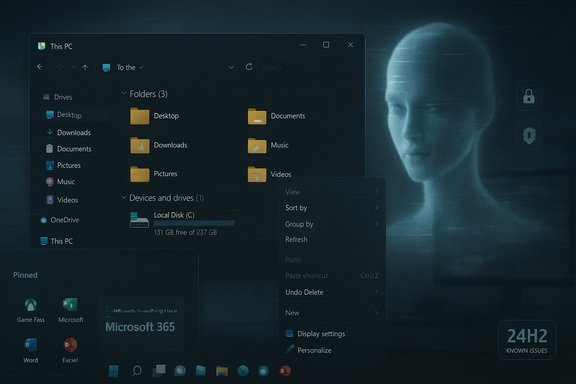
Four years into its lifecycle, Windows 11 is facing a forceful reality check: mainstream commentary and community evidence identify persistent performance regressions, a rocky 24H2 rollout that reintroduced fundamental breakages, an aggressive and unpopular AI/ Copilot push, and what many users call an excess of promotional clutter — problems that together explain why many people are still reluctant to leave Windows 10. Tech journalism has distilled these grievances into five headline complaints — sluggish UI and File Explorer latency, gaming regressions, a broken QA/update approach revealed by 24H2, intrusive AI features, and excessive in-OS advertising — and community logs show those issues have been widespread enough to push Microsoft into repeated patch cycles.
Background
Windows 11 arrived promising a cleaner UX and an AI-ready future, but adoption lagged early on because of stricter hardware requirements and conservative enterprise migration timelines. Adoption accelerated later, and by mid-2025 some analytics firms reported Windows 11 as the most-used Windows version, yet the upgrade dynamic remains lopsided: a substantial share of PCs stayed on Windows 10 for years, and many users still compare Windows 11 unfavorably to the previous generation on raw responsiveness and predictability. That context matters: when a next-generation OS is expected to "feel better," perception of regressions becomes a huge reputational liability. Microsoft’s servicing model — monthly cumulative updates plus larger semi‑annual feature drops (24H2, 25H2, etc. — speeds feature delivery but raises the bar for exhaustive platform-wide testing. The 24H2 release in particular exposed the tension between fast feature velocity and cross-hardware quality; an unusually long list of known and community-reported issues forced Microsoft into a succession of rollbacks and targeted fixes. Microsoft’s own release-health pages and a trove of community logs show both the official acknowledgements and the breadth of the problems.1. The performance problem: everyday sluggishness and File Explorer woes
What users are experiencing
A dominant complaint is perceived sluggishness: slow File Explorer launches, delayed right‑click/context-menu appearance, sluggish Windows Search, and occasional UI stutters that make routine interactions feel less responsive than Windows 10 did. These are not isolated niche bugs — they recur across consumer reports, forum threads, and multiple news outlets. Tech commentary singled out File Explorer and search latency as the most visible regressions bothering everyday users. Microsoft has rolled out fixes that target specific File Explorer paths (context menu consolidation, dark‑mode consistency, and some performance patches), but the fact that these fundamental pathways required multiple rounds of reactive fixes highlights a deeper engineering trade-off: new features and cloud integrations (OneDrive, AI actions) have added complexity to hot UI paths. Some of the improvements are bundled into optional updates and targeted feature flags, meaning not every device immediately benefits.Why this matters
Perceived responsiveness is a primary quality metric for desktop OSes. When a new OS feels slower in routine tasks, it erodes user trust faster than almost any other failure mode. For enterprise admins and power users the result is risk-aversion: postpone upgrades, standardize on older images, or lock feature updates until Microsoft publishes measurable service-level objectives and telemetry schemas.2. Gaming regressions and DirectStorage’s unrealized promise
Gaming performance has been uneven
Windows 11 shipped with gamer-focused features — Auto HDR and DirectStorage among them — but gamers reported a mixture of wins and regressions. In many cases the 24H2 servicing cycle introduced driver and compatibility problems that manifested as stutters, crashes, or reduced frame stability in high‑demand titles. Industry commentary and community threads link a notable portion of this pain to driver interactions and changes in how Windows schedules and prioritizes I/O and foreground GPU tasks. DirectStorage's ecosystem adoption is another factor. The API promises faster asset streaming from NVMe devices, but the gains are most visible when games are reworked to use the new pipeline; many titles still fall back to legacy approaches, and some saw regressions when OS updates changed I/O characteristics. That makes DirectStorage an uneven win in practice: a promising technology that's still constrained by software ecosystem momentum.Practical impact for players
- Lower‑end or older systems can see disproportionate regressions because driver stacks and OEM firmware cover a wide range of quality.
- Anti‑cheat and kernel‑interacting components (Easy Anti‑Cheat, kernel-mode drivers) were implicated in several severe stability complaints after major updates.
3. The 24H2 rollout: a case study in update risk and QA strategy
The symptoms
Windows 11 version 24H2’s rollout spawned an array of problems: installer failures, blue screens on certain configurations, File Explorer misbehavior (menus out of bounds, vanishing cursors), misreported drive space, broken clipboard history, and other regressions affecting printing, audio, and networking. Community logs compiled across forums recorded these recurring issues in thread after thread, and Microsoft’s release-health documentation reflected multiple "known issues" and subsequent resolved‑issue notices.Why the QA/servicing model is being questioned
The pattern that drew the most criticism was not a single catastrophic bug but the volume and novelty of regressions affecting core utilities — File Explorer, Task Manager, printing, and driver compatibility. Journalists and community maintainers asked a reasonable question: how do so many basic regressions pass into a general release? Theories include:- A change in QA culture and tooling several years prior that reduced end-to-end testing across legacy device fleets.
- The complexity added by cloud features, AI agents, and controlled feature rollouts that create a matrix of states difficult to validate exhaustively.
- Pressure to ship features at a higher cadence.
4. AI, Copilot, and the backlash: an uphill communications problem
The Copilot paradox
Microsoft’s deep push to weave AI (Copilot) into Windows 11 is strategic — it positions Windows for an "agentic" desktop future — but the operational reality is fractured adoption and vocal resentment among many users. Tech coverage points out that Copilot’s active usage metrics are modest relative to the installed base, and many users consider it intrusive when surfaced ubiquitously (File Explorer AI actions, taskbar integration, Search enhancements). Some reporting quotes adoption figures for Copilot in the low tens of millions against a Windows install base in the high hundreds of millions; those figures are cited in journalism but vary by source and are best treated as indicative rather than definitive. Caveat: Copilot adoption numbers quoted in the press come from secondary industry reports and internal disclosures and should be treated as estimates.Privacy, telemetry, and agentic features
Features such as Recall and on-device agents — designed to automate workflows — surfaced new privacy questions (what is recorded, where data goes, how long it is retained). Security researchers and some privacy advocates flagged these as legitimate concerns because the feature set blurs lines between local helpers and cloud-synchronized functionality. Microsoft has iterated on privacy controls, but the optics of aggressive AI marketing inside an already controversial update cycle amplified frustration.5. Ads, promotions and perceived bloat: the UX cost
“Remember, this is a paid operating system”
One repeated consumer complaint — and one that mainstream outlets highlighted — is the prevalence of promotional prompts inside Windows 11: Game Pass nudges, Microsoft 365 upsells, and recommended app suggestions baked into Start and File Explorer. For users who expect a first‑party OS to be free of in-product marketing beyond optional suggestions, the volume and placement of promotions are a genuine annoyance. Tech commentary explicitly called out this “advertising creep” as a usability regression and a value problem given Windows is a paid product in many enterprise scenarios.The practical fallout
Excess recommendations and marketing prompts increase cognitive load and make the OS feel commoditized. For privacy-conscious users and organizations, they’re another reason to lock down deployments or to prefer minimal distributions and third‑party tooling that strip promotional elements.Adoption and market context: why many users still won’t upgrade
- Hardware gating (TPM 2.0, Secure Boot) left many older but functional PCs out of the Windows 11 upgrade path early on.
- Enterprises have long upgrade cycles and conservative testing regimens that delay mass migration.
- Perceived instability and regressions (24H2-era headlines) gave many users the excuse to postpone.
Market analytics from multiple outlets show Windows 11 overtaking Windows 10 in global share by mid‑2025 in some datasets, but the transition was long and uneven; a vocal minority of holdouts remained influential in shaping the narrative. In short: adoption grew, but the upgrade decision remains friction-prone and anchored by the perception that Windows 10 offered a safer, more predictable experience for critical workloads.
Risks and enterprise implications
- Security risk from delayed patching: users who defer updates to avoid regressions risk missing security fixes; enterprises must balance stability against exposure.
- Compatibility risk: mission‑critical apps and bespoke drivers might behave differently on 24H2; testing matrices must expand to include AI-enabled features if apps interact with new APIs.
- Reputational risk for Microsoft: continued high-profile regressions can accelerate migration to alternatives in specific verticals (custom Linux distributions for kiosk or thin-client deployments, macOS in creative industries, or Valve’s SteamOS for gaming ecosystems).
Practical guidance for users and IT admins
- Pause and plan:
- For production machines, use Group Policy or MDM to defer feature updates and apply cumulative/security patches selectively.
- Backup first:
- Create system images and set restore points before any semi‑annual feature update.
- Telemetry-aware troubleshooting:
- When filing Feedback Hub reports, include repro steps and attach performance traces if comfortable; targeted telemetry helps engineers triage regressions.
- Mitigate File Explorer lag:
- Temporarily disable heavy shell extensions, audit OneDrive sync settings, and consider switching to a performance profile (reduce animations, disable nonessential visual effects).
- Gaming hygiene:
- Keep GPU drivers from OEMs up to date, monitor anti‑cheat vendor advisories, and test major titles in a staging image before rolling 24H2 widely.
- Opt out of promotions:
- Use Start menu settings and the personalization controls to minimize recommendations; enterprise images can be sanitized at imaging time.
What Microsoft should (and arguably must) do next
- Publish concrete, measurable performance SLOs for UI interactions (e.g., context menu latency, File Explorer open times) and report progress publicly.
- Rebalance cadence: consider fewer feature drops with deeper integration testing across OEM hardware and major ISVs, or provide a “stability-first” servicing ring for consumers.
- Make AI opt-in by default for core desktop interactions and provide a clear, discoverable global toggle that truly disables agentic features.
- Reduce in-product promotions or, at minimum, make them non-default for consumers who signed in with organizational or privacy-preserving accounts.
- Recommit to transparent telemetry schemas and a public bug-triage dashboard so organizations can plan migrations with confidence. Several community roadmaps and aggregated forum summaries have already laid out tactical milestones Microsoft could adopt.
Balanced assessment: strengths, progress, and lingering risks
Windows 11’s strengths are still substantial: modernized UX, forward-looking AI integration that will be valuable when matured, and deep OS-level capabilities for productivity and gaming when the plumbing works right. Microsoft has shown the ability to iterate quickly and to patch critical regressions. Official resolve to roll back problematic changes and the Known Issue Rollbacks are evidence the company can respond.But risks remain. Recurrent regressions in core user paths undermine trust. The AI-first narrative collides with a user base that, in large numbers, simply wants a faster, less intrusive, and more stable desktop. Advertising and aggressive upsells erode perceived value, especially among paying customers. Enterprise and consumer audiences require different trade-offs, and Microsoft’s challenge is to provide both without making either feel like collateral damage.
Conclusion
The diagnosis the press and the community delivered is straightforward and actionable: Windows 11 must stop promising future miracles and start reliably delivering the fundamentals. Fixing UI responsiveness, stabilizing gaming and driver interactions, rethinking QA and rollout strategies, making AI less intrusive and truly opt‑in, and reducing promotional cruft would close the gap between aspiration and delivery. Microsoft’s path forward is clear in principle — prioritize stability, publish measurable progress, and let advanced AI features be additive rather than compulsory — but executing that plan across an enormous installed base and sprawling hardware ecosystem is the hard part. The next year will be decisive: Microsoft can either demonstrate that it learned the right lessons from 24H2, or it will face prolonged skepticism that slows future migrations and invites alternatives.Source: Inbox.lv The Main Problems of Windows 11 Have Been Named
