Microsoft’s engineering teams have acknowledged a troubling chain of failures: a July servicing change in Windows 11 has introduced a provisioning-time regression that can leave Start, Taskbar, Explorer, and Settings broken, while cascading outages and emergency vendor fixes have amplified customer frustration and raised fresh questions about Microsoft’s servicing model and the long-term health of the Windows ecosystem.
Windows’s monthly servicing cadence — the Patch Tuesday model — is meant to deliver security and quality fixes without disrupting enterprise operations. That model is now under scrutiny after a July 2025 cumulative update introduced a timing-dependent defect in how updatable XAML-packaged UI components register during provisioning and first sign-in. The defect is documented formally by Microsoft in a support advisory (KB5072911) and has been widely corroborated by technical reporters and community telemetry. At roughly the same time, third-party ecosystem partners and cloud services have shown fragility under load and in the wake of recent changes. NVIDIA released an emergency GeForce hotfix to mitigate gaming slowdowns linked to a mandatory October cumulative update; Microsoft 365 experienced a platform incident that disabled Copilot-driven file actions for many tenants; and Microsoft’s October 14, 2025 end-of-support milestone for Windows 10 has added urgency to migrations and integer risk for organizations that cannot immediately upgrade.
The next months will be decisive. Microsoft must both produce a robust permanent fix for the Windows 11 shell regressions and demonstrate concrete changes in validation, cross-vendor collaboration and cloud resilience. Enterprises and power users must accelerate inventory-based decisions, harden provisioning practice, and treat available ESU options as temporary breathing room rather than a permanent shelter.
In the meantime, the industry will watch whether these incidents become an inflection point that prompts deeper changes in how system updates are validated and coordinated — or whether they become the latest headline in a familiar cycle of fixes and mitigations. Either way, the lesson for IT teams is immediate and practical: assume that platform updates can introduce cross-stack regressions, test accordingly, and plan for resilient fallbacks that keep users productive when the unexpected happens.
Source: Diamond Fields Advertiser Microsoft faces mounting challenges: Windows 11 core functions ‘broken’
 Background
Windows’s monthly servicing cadence — the Patch Tuesday model — is meant to deliver security and quality fixes without disrupting enterprise operations. That model is now under scrutiny after a July 2025 cumulative update introduced a timing-dependent defect in how updatable XAML-packaged UI components register during provisioning and first sign-in. The defect is documented formally by Microsoft in a support advisory (KB5072911) and has been widely corroborated by technical reporters and community telemetry. At roughly the same time, third-party ecosystem partners and cloud services have shown fragility under load and in the wake of recent changes. NVIDIA released an emergency GeForce hotfix to mitigate gaming slowdowns linked to a mandatory October cumulative update; Microsoft 365 experienced a platform incident that disabled Copilot-driven file actions for many tenants; and Microsoft’s October 14, 2025 end-of-support milestone for Windows 10 has added urgency to migrations and integer risk for organizations that cannot immediately upgrade. What Microsoft has admitted — the technical anatomy
The provisioning regression: a race condition in XAML package registration
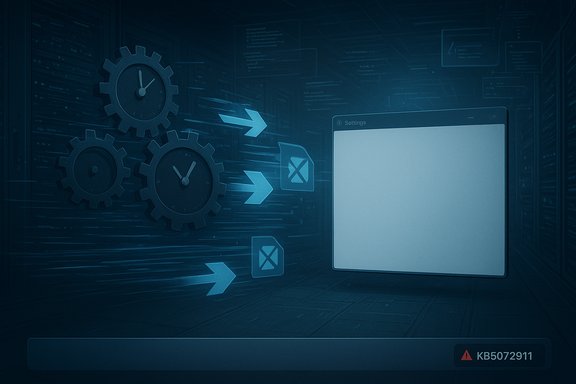
Microsoft’s advisory explains the root cause in compact terms: certain UI components of Windows are distributed as updatable XAML/AppX packages. When cumulative servicing replaces or updates those packages, they must be registered and available to the interactive session before shell processes (Explorer, StartMenuExperienceHost, ShellHost) initialize. In some provisioning or first-logon scenarios — including virtual desktop environments where user sessions are provisioned on demand — registration lags behind process startup, producing a registration race that manifests as critical errors, blank taskbars, and silent Settings failures. Symptoms reported across forums and telemetry include:- Start menu crashes or “critical error” dialogs that prevent launch.
- Explorer.exe running with a missing or non-functional taskbar.
- System Settings failing to open, returning blank or no UI.
- XAML-island views (app-embedded UI components) that never initialize, causing app crashes or blank panes.
Why provisioning scenarios are fragile
Provisioning and first-sign-in scenarios are time-sensitive: they assume packages and services are in-place before a user session becomes interactive. Modern Windows components increasingly rely on package-based delivery and live servicing, which can make registration order and speed critical. When servicing scripts or installation logic do not guarantee eventual registration before launch, race conditions become plausible. This is especially acute in non-persistent VDI, instant-clone environments, and cloud-provisioned thin clients, where an endpoint’s initial session is the canonical “first sign-in” event for many users.The ecosystem ripple: emergency fixes and cloud incidents
NVIDIA: hotfix to rescue gaming performance
Within weeks of the October cumulative update reaching broad distribution, players and reviewers reported significant drops in frame rates, degraded frame pacing, and increased stuttering in some games on systems using NVIDIA GPUs. NVIDIA issued a narrowly scoped GeForce Hotfix Display Driver (581.94) that explicitly cites the Windows cumulative update (KB5066835 from October) as the triggering factor for reduced game performance. The company positioned the hotfix as a rapid mitigation built on a recent Game Ready base driver, and independent bench tests reproduced substantial recovery in some titles. The practical consequence: GPU vendors are now issuing out-of-band hotfixes to undo the performance impact of Windows servicing changes. That pattern increases fragmentation (multiple driver releases with differing QA levels) and undermines the predictability enterprises expect from platform updates.Microsoft 365 Copilot file-action outage
In mid-November 2025 an incident (tracked under identifier CP1188020) degraded Microsoft 365 Copilot’s file operations for many tenants, leaving file actions unusable inside Copilot-driven workflows for a period. The outage followed a large Cloudflare network disruption and raised alarms about cascading dependency failures that can ripple from third-party CDN or networking incidents into SaaS productivity surfaces. Microsoft acknowledged the incident and advised administrators to monitor the Microsoft 365 Admin Center while engineers investigated. This outage is emblematic of a broader problem: as Microsoft shifts core functionality into cloud-delivered, AI-augmented experiences, availability of remote services becomes central to everyday productivity. When those services fail, end-user impact is immediate and visible — and for many customers it erodes trust.The numbers: installed base, market share, and migration reality
Microsoft formally ended free mainstream support for Windows 10 on October 14, 2025 — a fixed calendar milestone that forces reckoning for millions of endpoints. Microsoft’s lifecycle pages and public guidance make the cutoff explicit and describe extended security update (ESU) options for those who cannot migrate immediately. Estimates of how many devices remain on Windows 10 vary by method and vendor telemetry. Major outlets and telemetry aggregators reported hundreds of millions of active Windows 10 endpoints in the months before end-of-support; some consumer-focused analyses put the figure at over 500 million devices globally. These numbers are consistent with web-traffic and vendor telemetry snapshots showing a substantial Windows 10 footprint through 2025. Treat these as large-scale estimates rather than precise device censuses; methodology differences (web panels, vendor telemetry, enterprise inventory) produce different totals. Market share snapshots for desktop operating systems show Windows maintaining dominance but with a gradual shift in some regions toward macOS. StatCounter and other trackers reported that Windows held roughly 71–72% of global desktop share in early 2025 while macOS hovered in the mid-teens — a gap that remains large, but whose trajectory varies regionally and month-to-month. In short: Windows still dominates, but momentum indicators and user sentiment are not uniformly positive.Why this matters: practical and strategic implications
For end users and enterprises
- Security cliff risk: devices that remain on Windows 10 after October 14, 2025 will no longer receive routine security patches unless enrolled in ESU. That increases attack surface risk for organizations and households. Microsoft’s ESU offerings provide a time-limited bridge, but they are not a substitute for long-term migration planning.
- Operational impact: the Windows shell is not merely cosmetic. Start, Explorer, Taskbar and Settings are entry points to daily workflows; when they fail, user productivity collapses and helpdesk load spikes. The provisioning regression therefore translates directly into support costs and user downtime.
- Application compatibility and reliability: third-party vendors (GPU drivers, security agents, virtualization tools) are now forced into unplanned mitigations that can introduce further instability or inconsistent behaviour across fleets. The NVIDIA hotfix example underscores how an OS servicing change can cascade into the driver stack and end-user experience.
For Microsoft’s product strategy and reputation
- Trust erosion: frequent high-impact regressions, coupled with visible cloud outages, erode the implicit trust enterprise IT maintains in Microsoft’s servicing model. When mission-critical UIs and cloud features fail, customers reassess the risk calculus of platform upgrades, vendor lock-in, and contingency planning.
- Quality-control signal: the combination of a timing-sensitive XAML registration bug and associated side-effects suggests gaps in regression coverage for provisioning-first scenarios and non-persistent VDI environments. These are not obscure edge cases — they represent mainstream enterprise deployment patterns and should be part of release validation.
- Competitive pressure: while macOS remains a minority platform globally, sustained reliability problems on Windows provide fuel for migration narratives and procurement reconsiderations. The desktop OS landscape is sticky, but repeated high-visibility failures can increase churn in verticals where Apple has strategic traction (creative industries, some engineering groups, and executive fleets).
Strengths and mitigations in Microsoft’s response
Microsoft’s response has included:- A public support advisory (KB5072911) that acknowledges the defect and explains the technical mechanism.
- Guidance and temporary workarounds for administrators, including package re-registration steps and staged remediation recipes.
- Ongoing investigation and commitment to a long-term fix.
Risks and unresolved questions
- Patch telemetry and rollout model: Microsoft’s monthly servicing model means problematic changes can reach millions of devices quickly. The risk is not only the presence of bugs but also their wide distribution before cross-vendor compatibility testing catches regressions. How will Microsoft adjust validation and telemetry gating to reduce future risk?
- Cloud service interdependencies: the Copilot file-action incident shows how third-party infrastructure issues (CDN outages, network disruptions) can propagate into SaaS experiences. Where are the architectural boundaries and fallback modes that limit user impact?
- Vendor coordination: NVIDIA’s hotfix addresses OS-triggered regressions in the driver stack — but cross-vendor fixes are reactive. Can Microsoft, NVIDIA, AMD, and others create stronger pre-release compatibility corridors for critical subsystems (graphics, virtualization, security agents) to minimize out-of-band emergency patches?
- Migration inertia: significant portions of the device base still run Windows 10. With Windows 10 end-of-support a fixed calendar reality, organizations that cannot upgrade face hard decisions: pay for ESU, migrate to unsupported configurations, move to alternate OSes, or accept growing security risk. The long-term strategic and procurement implications of those choices remain complex.
Practical guidance: what administrators and power users should do now
- Inventory and prioritize: build an accurate device inventory that captures Windows versions, hardware compatibility with Windows 11, and critical application dependencies.
- Enroll critical systems in ESU if migration cannot be completed before the support cutoff; treat ESU as a short-term bridge rather than a long-term strategy.
- Harden provisioning pipelines: for non-persistent VDI and automated provisioning systems, test cumulative updates in an environment that mirrors first-logon behaviors. Apply Microsoft workarounds where required and validate XAML package registration as part of golden image builds.
- Coordinate with vendors: engage GPU, virtualization, and security vendors to understand known issues and recommended driver/agent versions. Where vendors issue hotfix drivers, assess QA risk before fleet-wide deployment.
- Monitor service health and build fallbacks: for Copilot and other cloud-dependent workflows, ensure users can access native apps and offline workflows when cloud features are degraded. Build runbooks for rapid switchovers and communications in the event of service incidents.
How this episode should shape Microsoft’s priorities
- Broader regression coverage: inject provisioning and first-logon test cases into release validation, including simulated VDI pools and instant-clone scenarios where package registration timing is critical.
- Enhanced cross-vendor certification paths: create more formalized interoperability testing with GPU and driver vendors for servicing updates that affect graphics or kernel interaction points.
- Transparency and cadence: publish clearer timelines for fixes and provide richer telemetry-based advisories so enterprise admins can triage risks faster.
- Resilience posture for cloud services: ensure that Copilot and primary Microsoft 365 surfaces degrade gracefully when underlying network or CDN components fail.
Conclusion
Microsoft’s recent admissions and the surrounding cascade of incidents — from a provisioning-time XAML registration regression in Windows 11 to third-party hotfixes for gaming performance and a Microsoft 365 Copilot outage — illuminate a systemic tension between rapid feature delivery and the engineering discipline needed for resilient, cross-vendor platforms. The vendor’s public acknowledgment and published mitigations are necessary first steps. They do not, however, eliminate the strategic and operational aftershocks: large numbers of devices still running Windows 10, a complex migration landscape, and the fragility of cloud-dependent productivity experiences all compound the challenge.The next months will be decisive. Microsoft must both produce a robust permanent fix for the Windows 11 shell regressions and demonstrate concrete changes in validation, cross-vendor collaboration and cloud resilience. Enterprises and power users must accelerate inventory-based decisions, harden provisioning practice, and treat available ESU options as temporary breathing room rather than a permanent shelter.
In the meantime, the industry will watch whether these incidents become an inflection point that prompts deeper changes in how system updates are validated and coordinated — or whether they become the latest headline in a familiar cycle of fixes and mitigations. Either way, the lesson for IT teams is immediate and practical: assume that platform updates can introduce cross-stack regressions, test accordingly, and plan for resilient fallbacks that keep users productive when the unexpected happens.
Source: Diamond Fields Advertiser Microsoft faces mounting challenges: Windows 11 core functions ‘broken’