

Microsoft has published an official advisory (KB5072911) admitting a provisioning-time regression in Windows 11, version 24H2 that can leave core shell elements — Start, Taskbar, File Explorer, Settings and other XAML-hosted views — failing to initialize after applying monthly cumulative updates released on or after the July 2025 rollup (community tracking: KB5062553).
Microsoft’s support entry describes a timing-dependent failure that occurs when updated in‑box XAML/AppX packages are replaced during servicing but are not registering into the interactive user session before shell processes start. The result is a classic race condition: shell components attempt XAML activation before their dependencies are available, producing crashes, “critical error” dialogs, or a blank/missing taskbar. This behavior is most reliably triggered in two scenarios:
If registration lags or fails during the narrow window between update completion and the first interactive session, shell processes can start and immediately attempt to instantiate XAML views that the session doesn’t yet have access to. The resulting exceptions and failed activations are exactly what KB5072911 describes. This is fundamentally an ordering and timing problem introduced by modular servicing. Key technical points:
Source: Microsoft Support KB5072911: Explorer, the Start menu, and other XAML-dependent apps might not start or close unexpectedly on some enterprise devices - Microsoft Support
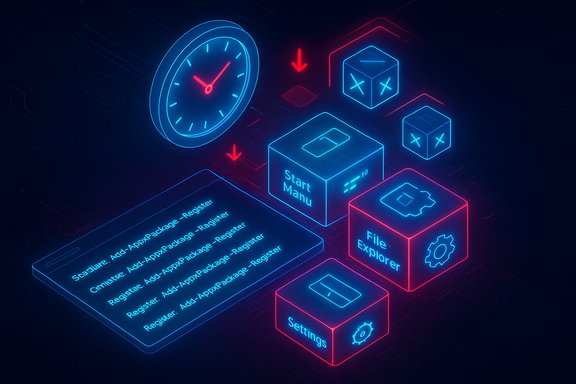 Background / Overview
Microsoft’s support entry describes a timing-dependent failure that occurs when updated in‑box XAML/AppX packages are replaced during servicing but are not registering into the interactive user session before shell processes start. The result is a classic race condition: shell components attempt XAML activation before their dependencies are available, producing crashes, “critical error” dialogs, or a blank/missing taskbar. This behavior is most reliably triggered in two scenarios:- First interactive user sign‑in immediately after a cumulative update is applied during provisioning; and
- Every logon in non‑persistent OS installations (pooled VDI, instant‑clone desktops, Windows 365 Cloud PCs) where AppX packages are installed/registered per logon.
What breaks — symptoms and failure signatures
When the registration race occurs, systems can show one or more of the following symptoms:- Start menu fails to open or displays a “critical error” message.
- Taskbar is missing or blank even though Explorer.exe is running.
- File Explorer crashes, hangs or refuses to render folder contents.
- Settings (System) silently fails to open — Start → Settings → System produces no UI.
- ShellHost.exe / StartMenuExperienceHost crashes while initializing XAML views.
- Other apps that embed XAML islands may crash or fail to render UI.
Technical anatomy — why modular shell updates can fail spectacularly
Over the last several Windows releases Microsoft has moved many UI surfaces into modular, updatable AppX / MSIX packages that render via XAML. That modular approach brings obvious advantages — smaller updates and the ability to fix UI components without full feature upgrades — but it also inserts a mandatory lifecycle step during servicing: after files are replaced on disk, the servicing stack must (re)register the packages so COM/XAML activation succeeds in the current user session.If registration lags or fails during the narrow window between update completion and the first interactive session, shell processes can start and immediately attempt to instantiate XAML views that the session doesn’t yet have access to. The resulting exceptions and failed activations are exactly what KB5072911 describes. This is fundamentally an ordering and timing problem introduced by modular servicing. Key technical points:
- Registration is distinct from replacing files on disk; both must complete for user sessions to call into XAML types.
- Provisioning workflows often leave no slack for asynchronous registration to finish before shell processes launch — making the first logon a fragile moment.
- Non‑persistent VDI compounds the problem because packages are frequently installed or re‑registered at every sign‑in, so the failure can reproduce for every user session.
Timeline and public acknowledgment
- July 8, 2025 — community tracking identifies the July monthly cumulative update (KB5062553) as the initiating servicing wave.
- July–October 2025 — administrators and imaging teams report Start/Taskbar/Explorer regressions tied to provisioning and VDI scenarios; ad‑hoc mitigations circulate.
- November 20, 2025 — Microsoft publishes support article KB5072911 acknowledging the provisioning‑time regression and publishing temporary mitigations while engineering works on a permanent servicing fix.
Immediate operational mitigations (what Microsoft published)
Microsoft’s advisory provides two practical mitigations intended for administrators and help‑desk staff:- Manual re‑registration for interactive remediation (useful for single devices or when a helpdesk agent is working with an affected user). The KB shows PowerShell registration commands that must be run inside the affected user session, for example:
- Add-AppxPackage -Register -Path 'C:\Windows\SystemApps\MicrosoftWindows.Client.CBS_cw5n1h2txyewy\appxmanifest.xml' -DisableDevelopmentMode
- Add-AppxPackage -Register -Path 'C:\Windows\SystemApps\Microsoft.UI.Xaml.CBS_8wekyb3d8bbwe\appxmanifest.xml' -DisableDevelopmentMode
- Add-AppxPackage -Register -Path 'C:\Windows\SystemApps\MicrosoftWindows.Client.Core_cw5n1h2txyewy\appxmanifest.xml' -DisableDevelopmentMode
After running these commands, a restart of Shell infrastructure (or sign‑out/in) is typically required. - Synchronous registration wrapper for non‑persistent environments (VDI): Microsoft supplies a sample batch wrapper that executes the same Add‑AppxPackage commands synchronously at logon before allowing Explorer to start. The wrapper blocks shell startup until the registration completes, thereby preventing the race. Administrators are instructed to test the script in a lab and run it as a logon script for pooled images.
- The mitigation scripts typically run PowerShell/Add‑AppxPackage with ExecutionPolicy Bypass and require appropriate privileges to register system apps in the user context. Test carefully.
- These are stopgap measures; Microsoft states engineers are “working on a resolution” but did not publish an ETA with the KB entry.
Step‑by‑step: applying the manual recovery commands (concise guide)
- Sign in to the affected user session (local console or remote session that can display shell UI).
- Open an elevated PowerShell window if required by your environment.
- Run the three Add‑AppxPackage registration commands shown above, replacing paths if your image stores SystemApps in a different path.
- Restart the Shell Infrastructure Host (SiHost) or sign out and back in, or reboot the machine. Confirm Start/taskbar/UI surfaces recover.
Enterprise impact and risk profile
The practical scope of impact is skewed toward environments that rely on image orchestration and per‑logon provisioning:- Large enterprises and education deployments that stage devices and hand them to users immediately after update jobs are highly exposed.
- VDI and Cloud PC providers risk affecting entire pools because the issue reproduces at each logon in non‑persistent setups.
- Single, persistent consumer devices are much less likely to hit the failure in everyday scenarios — Microsoft’s guidance emphasizes this is primarily an enterprise/managed‑image problem.
Monitoring, detection and validation suggestions
To detect and mitigate the issue proactively, IT teams should add these simple checks to post‑update smoke tests:- Confirm Start and Taskbar render correctly in a fresh user session immediately after image servicing.
- Validate that StartMenuExperienceHost, ShellHost, and Explorer.exe are running without repeated crashes in the first 30–60 seconds of logon.
- Run an automated script that attempts to open Settings → System and query for visible UI; treat a silent failure as a regression flag.
Analysis — strengths, trade‑offs and the larger servicing debate
The incident illustrates a known trade‑off in modern OS design:- The modular AppX/XAML approach is a clear strength for agility: smaller, targeted fixes and the ability to service UI components outside major feature updates. That reduces the time to fix bugs in a single UI area.
- But modularization increases lifecycle complexity: updates must now include correct registration ordering across servicing, OS components, and user session initialization. A timing regression in registration is a subtle, low‑probability fault that can yield high‑impact results in precisely the places enterprises are least tolerant of risk (provisioning and VDI).
- Monthly cumulative servicing encourages frequent change, which is good for security and agility, but it demands rigorous validation against enterprise provisioning flows. The four‑month window between the first observed incidents and Microsoft’s public advisory raises questions about coverage of telemetry and the scope of pre‑release validation for image/VDI scenarios. Independent commentary and industry reporting flagged that lag when the KB appeared.
- Short term: elevated HelpDesk load and remediation costs for affected organizations; potential for blocked update rings.
- Medium term: increased adoption of staging and smoke testing for provisioning pipelines; use of Microsoft’s synchronous registration script until a servicing fix ships.
- Long term: architecture and testing changes may be needed to avoid registration‑ordering regressions in future modular servicing waves.
Practical recommendations for IT teams
- Prioritize testing of provisioning flows in a lab immediately: perform update → provisioning → first logon checks and validate Start/Taskbar/Settings in the first 2 minutes of sign‑in.
- If you operate non‑persistent VDI or instant‑clone pools, implement the synchronous registration wrapper Microsoft provides as a stopgap and test rollback paths. Avoid running experimental scripts in production without validation.
- Stage cumulative updates slowly across rings; add automatic fail‑open checks that halt further deployment if the shell fails in fresh sessions.
- Make the manual re‑registration commands part of your helpdesk runbook for rapid remediation, with explicit instructions about privileges and restart requirements.
- Track Microsoft’s KB for patch updates and subscribe to vendor advisories; exercise caution before broadly applying July‑onwards cumulative updates to fresh images until the servicing fix ships.
What Microsoft has committed and what remains uncertain
Microsoft’s KB5072911 documents the defect, explains the technical cause (registration timing), and supplies temporary mitigations, but it does not include an ETA for a permanent servicing fix nor does it publish device‑level telemetry about exposure percentages. That absence leaves organizations to estimate fleet impact from community reports and their own validation work rather than from vendor telemetry. Independent outlets noted this ambiguity when the advisory was posted. Flagged, unverifiable points:- Any broad claim about what percentage of devices are impacted is currently unverifiable from public data; Microsoft has not published exposure metrics with the KB. Treat community reproduction counts as indicative but not statistically representative.
Timeline recap and operational checklist
- Confirm whether your images were updated with any cumulative released on or after July 8, 2025 (KB5062553). If yes, treat freshly provisioned devices and non‑persistent pools as high‑priority test targets.
- Run the Microsoft‑provided smoke tests in your staging environment, and, for VDI, execute hundreds of automated sign‑ins.
- If you see symptoms, apply the manual Add‑AppxPackage re‑registration sequence in a controlled session and validate recovery steps.
- If you manage pooled VDI, implement the synchronous registration script as a temporary guardrail until Microsoft ships the permanent servicing update.
Conclusion
KB5072911 is a clear, actionable admission by Microsoft that modular servicing introduced a registration‑ordering vulnerability visible during provisioning and non‑persistent logons. The issue underlines the trade‑offs inherent in a modular shell: faster servicing versus increased lifecycle complexity. Microsoft’s published mitigations — manual re‑registration and a synchronous logon wrapper — are practical and effective short‑term remedies, but they are not substitutes for a permanent servicing fix from engineering. Enterprises and VDI operators should prioritize staged deployments, add focused smoke tests for first‑logon flows, incorporate the documented recovery runbooks into helpdesk playbooks, and treat Microsoft’s advisory as a critical operational signal until a formal patch removes the underlying race condition.Source: Microsoft Support KB5072911: Explorer, the Start menu, and other XAML-dependent apps might not start or close unexpectedly on some enterprise devices - Microsoft Support
