

Nvidia has confirmed that a recent round of Windows 11 cumulative updates — starting with the October 2025 Patch Tuesday rollup (KB5066835) and continuing through later builds — can cause lower gaming performance on affected systems, and the company has issued a display driver update it says addresses the regression; users running Windows 11 25H2 or 24H2 and seeing stuttering, FPS drops, or hard crashes should treat this as an urgent stability item and follow cautious remediation steps.
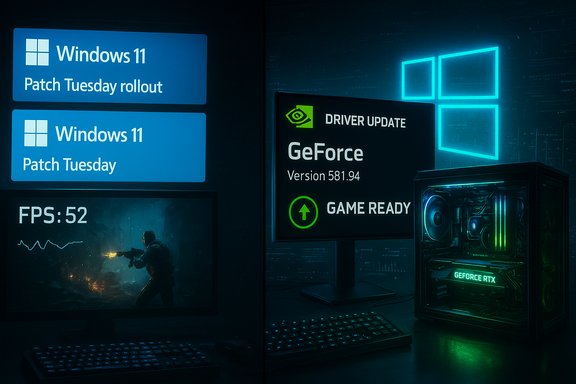
Windows 11’s October 14, 2025 cumulative (KB5066835) and November 11, 2025 cumulative (KB5068861) are distributed to devices on the same servicing branch for 24H2 and 25H2. Microsoft’s published KB notes for those releases list a mix of security and functional fixes — and several known issues that became visible soon after rollout, including developer-facing regressions (localhost/HTTP.sys), Recovery Environment input failures, and gaming-related anomalies. Independent testing and community telemetry flagged a subset of systems where GPU-bound workloads and interactive games showed measurable FPS declines or frame‑pacing degradation once the October cumulative landed; early community reports traced symptoms across different drivers and anti‑cheat stacks, producing a mixed picture that quickly became a multi‑vendor troubleshooting problem. Nvidia’s acknowledgement — reported by outlets covering the gaming and driver ecosystem — is significant because hardware vendors normally respond to this class of problem either with a driver hotfix or with guidance to roll back to a prior driver until the root cause is corrected. In this episode, Nvidia told users it is “aware of” an issue where “some games” could observe lower performance after the Windows updates and released a new GeForce display driver that it says resolves the regressions.
For users, the pragmatic path is simple: confirm your Windows build, verify the latest Nvidia driver on Nvidia’s official site, perform a clean driver install if offered, and, if necessary, roll back or pause updates on critical machines until both Microsoft and GPU vendors publish mutually consistent fixes. For IT teams and content creators, the incident underscores the need to treat major cumulative rollouts as operational events requiring pilot testing, recovery planning, and rapid telemetry collection to spot regressions before they impact production or live events.
Source: Windows Latest Nvidia confirms Windows 11 25H2, 24H2 update is hurting gaming performance, releases a new driver
 Background / Overview
Windows 11’s October 14, 2025 cumulative (KB5066835) and November 11, 2025 cumulative (KB5068861) are distributed to devices on the same servicing branch for 24H2 and 25H2. Microsoft’s published KB notes for those releases list a mix of security and functional fixes — and several known issues that became visible soon after rollout, including developer-facing regressions (localhost/HTTP.sys), Recovery Environment input failures, and gaming-related anomalies. Independent testing and community telemetry flagged a subset of systems where GPU-bound workloads and interactive games showed measurable FPS declines or frame‑pacing degradation once the October cumulative landed; early community reports traced symptoms across different drivers and anti‑cheat stacks, producing a mixed picture that quickly became a multi‑vendor troubleshooting problem. Nvidia’s acknowledgement — reported by outlets covering the gaming and driver ecosystem — is significant because hardware vendors normally respond to this class of problem either with a driver hotfix or with guidance to roll back to a prior driver until the root cause is corrected. In this episode, Nvidia told users it is “aware of” an issue where “some games” could observe lower performance after the Windows updates and released a new GeForce display driver that it says resolves the regressions. What changed in the October / November cumulatives (technical overview)
The updates and affected builds
- KB5066835 (October 14, 2025) shipped as OS builds 26200.6899 (25H2) and 26100.6899 (24H2). Microsoft’s release notes list fixes across browser printing, gamepad sign‑in input handling, PowerShell remoting, and other areas. The same cumulative later had emergency follow-ups to address high‑impact regressions.
- KB5068861 (November 11, 2025) followed with incremental fixes and quality improvements — the OS builds moved forward (26200.7171 and 26100.7171 for 25H2 / 24H2 in retail channels), and Microsoft documented additional gaming‑handheld and Task Manager fixes.
Symptoms reported by users and testers
- Lower frame rates (FPS) and worse frame pacing in a subset of titles after installing the October cumulative. Some testers also reported severe failure modes — black screens, hangs, and in rare cases system crashes that only manifested under gaming loads. The reported behavior was not uniform across all hardware and driver combinations, which complicated rapid root‑cause identification.
- Additional collateral issues were observed in developer workflows (localhost / IIS / HTTP.sys regressions) and the Windows Recovery Environment (WinRE) input problem that left USB keyboard/mouse input disabled in recovery mode on some machines, prompting emergency patches from Microsoft. These non‑gaming failures demonstrate that the October cumulative had side effects reaching beyond a single subsystem.
How Nvidia responded (what they said and did)
Nvidia publicly acknowledged that some games could run with “lower performance” after the Windows cumulatives were applied and published a driver update to mitigate performance regressions. The consumer-facing reporting names a GeForce display driver build (reported as version 581.94) as the corrective release that users should install to recover expected performance. However, while the story is repeated in industry coverage, the specific driver version and its release details were not immediately visible on Nvidia’s index pages at time of reporting — users should verify the driver package on Nvidia’s official download center before installing. Nvidia has historically pushed both Game Ready and Hotfix drivers when Windows changes cause broad or game‑specific regressions, and the company’s support guidance tends to recommend either installing the fixed driver or — when broader OS changes are at fault — coordinating with Microsoft on a combined fix. Nvidia also maintains support articles for prior Windows‑related performance regressions, indicating this is a recurring area where driver updates and host‑OS changes intersect.How to tell whether your PC is affected
- Check your Windows build: open Settings > System > About. If the OS Build is 26200.6899 or newer (25H2), or 26100.6899 or newer (24H2), your device has the October cumulative or newer and may be affected by the regression described in community tests.
- Observe gameplay: record FPS averages and frame‑time graphs (use tools like the in‑game overlay, FRAPS, CapFrameX, or a performance overlay). If you see a consistent drop relative to pre‑update baselines, stuttering or progressive FPS decay during long sessions, that is consistent with reports tied to the cumulative.
- Cross‑check drivers and overlays: confirm your Nvidia driver version and whether you run Nvidia overlay tools or the Nvidia App / GeForce Experience (overlay/Instant Replay/Audio capture can sometimes add overhead). Some prior regressions were linked to companion software rather than the driver core. If you can reproduce the problem on multiple driver versions, keep those logs — they help vendors triage.
Immediate remediation options (practical steps)
- Update the driver from Nvidia only after verifying the package on nvidia.com or via the Nvidia App. If the driver named in industry reports (581.94) is offered on Nvidia’s official Drivers page, install it and validate whether the game performance returns to normal. Always download drivers directly from Nvidia or your OEM to avoid tampered packages.
- If a fresh driver doesn’t resolve the issue, or if the reported corrective driver cannot be found, perform a clean driver install:
- Download the desired GeForce driver package from Nvidia.
- Use Display Driver Uninstaller (DDU) in Safe Mode to remove the existing driver cleanly.
- Reboot and install the downloaded package with a Custom > Clean Install option.
- Reboot again and re‑test the affected games.
- If you need a rapid rollback because gaming is mission‑critical (e.g., competitive play), revert to the last known‑good driver series (many affected users have reported temporary relief on older 570–577 branches in past incidents) — but be aware rollback removes any fixes or security updates in newer drivers. Maintain a system image or restore point before major changes.
- For systems that exhibit additional symptoms beyond gaming (WinRE input failure, localhost/HTTP.sys breaks), follow Microsoft’s guidance: apply any out‑of‑band emergency patches and avoid entering WinRE until patches are installed. Microsoft released emergency fixes to address WinRE USB input failures after KB5066835; check Windows Update for KB5070773 or equivalent rollups if you observed that problem.
Technical analysis — what likely went wrong
The available public information suggests multiple, overlapping causes rather than a single monolithic bug:- Kernel / subsystem regressions: some developer reports and tests linked the October cumulative to a regression in the HTTP.sys kernel listener and other low‑level subsystems, which created both developer‑workflow failures (localhost) and potential side effects for networking and runtime paths that games or anti‑cheat components touch. That type of regression can also produce unexpected timing or IO behaviors that ripple to higher layers.
- Driver/overlay interaction: Nvidia’s own history shows that companion software and overlay hooks (GeForce Experience / Nvidia App) sometimes cause measurable overhead in rendering loops or introduce debugging flags that throttle performance. When a Windows update changes context‑switching, scheduler behavior, or driver dispatch pathways, overlays can expose or magnify regressions. Past issues of this character were resolved by updated drivers or by disabling overlay components.
- Heterogeneous platform effects: the same cumulative reached a wide variety of hardware configs — discrete Nvidia GPUs, Intel/AMD CPUs, handheld SoCs, and vendor‑custom drivers in laptops and console‑like PCs. This heterogeneity increases the chance that the update interacts unpredictably with platform firmware, OEM drivers, or anti‑cheat kernel modules, producing inconsistent symptom sets across the installed base.
Strengths and notable positives in the response
- Vendor coordination: Microsoft shipped emergency fixes for high‑impact regressions (notably WinRE input), and Nvidia issued a driver update promptly after community evidence accumulated. The rapid issuance of targeted fixes demonstrates a working incident response chain between OS vendor and GPU manufacturer.
- Clear diagnostic indicators: Microsoft’s KB pages and build numbers provide deterministic checks (OS build 26200.6899 / 26100.6899), enabling users and admins to quickly triage which systems likely received the changes. That clarity helps staging and rollback decisions.
- Community‑led validation: independent tests and benchmarking by community labs and outlets accelerated detection and forced faster vendor responses. Those external experiments — while sometimes anecdotal — were essential in bringing high‑visibility pressure to bear.
Risks, residual concerns, and what to watch for
- Fragmented fixes: when the fix path involves both an OS rollup and a GPU driver, users must apply the right combination of patches. Incomplete or out‑of‑order installs can leave systems in a compromised state that’s hard to debug remotely. That complexity increases support overhead for OEMs and IT admins.
- Unverified driver metadata: at the time of industry reporting, the specific corrected driver (581.94 as cited by some outlets) was not clearly discoverable on Nvidia’s primary driver index for all locales. Any discrepancy between press reports and the official Nvidia driver catalog creates uncertainty — users should not install third‑party driver packages and should confirm version and checksum on Nvidia’s official download pages before proceeding. Treat any single‑site claim as provisional until confirmed on the vendor site.
- Secondary regressions: previous Windows updates showed that fixes can sometimes introduce new problems (e.g., Auto HDR issues, WinRE and localhost regressions). Each emergency correction should be validated against a broad set of user scenarios (gaming, DevOps, recovery, and handheld devices) to avoid cycles of regressions and emergency fixes.
- Anti‑cheat and multiplayer risk: performance drops that touch anti‑cheat or kernel‑mode drivers can have asymmetric effects in multiplayer titles (server‑side checks, perceived input lag). Admins for competitive gaming environments and streaming operators should exercise caution before blanket‑upgrading fleets without pilot validation.
Recommended guidance for gamers, enthusiasts, and IT staff
- Home users / gamers:
- Confirm your Windows build (Settings → About) and your current Nvidia driver version.
- If you have noticed degraded gaming performance since the October update, check Nvidia’s official Drivers page for the latest Game Ready or Hotfix drivers and install the version that explicitly mentions performance fixes for Windows 11 cumulatives.
- If no vendor driver is available, disable Nvidia overlay features (Instant Replay, in‑game overlay) and test whether that recovers performance while waiting for the official fix.
- Keep a system backup or a restore point before making driver or OS changes.
- Power users / streamers / competitive players:
- Create a small pilot group and validate the Windows + driver combination against your most important titles.
- Use a metrics tool (CapFrameX, OCAT) to log frame times and CPU/GPU utilization pre‑ and post‑install.
- If a driver rollback is required, perform a clean uninstall (DDU) and restore the prior driver; maintain an image for quick rollback.
- IT administrators:
- Pilot KB5068861/KB5066835 + candidate GPU driver on representative hardware.
- Use WSUS / Windows Update for Business to stage the rollouts and apply safeguard hold configurations where needed.
- Monitor the Windows Release Health and Nvidia enterprise channels for driver WHQL and security advisories.
- Prepare an image‑level rollback plan if you must restore thousands of endpoints quickly.
What vendors should learn (strategic recommendations)
- Expand cross‑vendor preflight testing for major cumulatives with large gaming audiences, including leading GPU driver builds and anti‑cheat vendors.
- Improve telemetry and rollback granularity (Known Issue Rollback and server‑side gating) to remove only the problematic code paths rather than entire cumulatives where possible.
- Publish clearer, machine‑readable manifests for compatibility holds so enterprise teams can automate detection and exemptions for at‑risk workloads.
- Vendors should publish exact driver checksums and detailed release notes for hotfixes to cut down on misinformation and the proliferation of untrusted binaries.
What we verified and what remains provisional
Verified:- Microsoft shipped KB5066835 and KB5068861 and documented build numbers and a set of fixes/known issues for Windows 11 24H2/25H2.
- The October cumulative produced high‑visibility problems (WinRE input, localhost/HTTP.sys regressions) that triggered emergency updates from Microsoft.
- Independent community testing and news outlets observed gaming performance regressions after the October cumulative, leading to vendor engagement.
- The specific Nvidia driver version cited in press reports (581.94) as the universal fix for the gaming regression was reported by some outlets but was not immediately verifiable on Nvidia’s public driver index at the time of reporting; users should confirm the driver version and checksums on Nvidia’s official download center before installation. Treat single‑site driver version claims with caution until Nvidia’s Driver Results or GeForce News pages list and document the package.
Conclusion
This episode is a concrete reminder that large, security‑forward cumulatives can have unforeseen interactions with complex, layered PC subsystems — from kernel networking (HTTP.sys) to recovery tools (WinRE) to GPU drivers and overlays. The joint vendor response — Microsoft’s emergency rollups and Nvidia’s driver updates — shows the ecosystem can react quickly, but the fragmentation of hardware, OEM firmware, and software stacks will increasingly require staged deployments, thorough pilot testing, and clear public release notes.For users, the pragmatic path is simple: confirm your Windows build, verify the latest Nvidia driver on Nvidia’s official site, perform a clean driver install if offered, and, if necessary, roll back or pause updates on critical machines until both Microsoft and GPU vendors publish mutually consistent fixes. For IT teams and content creators, the incident underscores the need to treat major cumulative rollouts as operational events requiring pilot testing, recovery planning, and rapid telemetry collection to spot regressions before they impact production or live events.
Source: Windows Latest Nvidia confirms Windows 11 25H2, 24H2 update is hurting gaming performance, releases a new driver
