

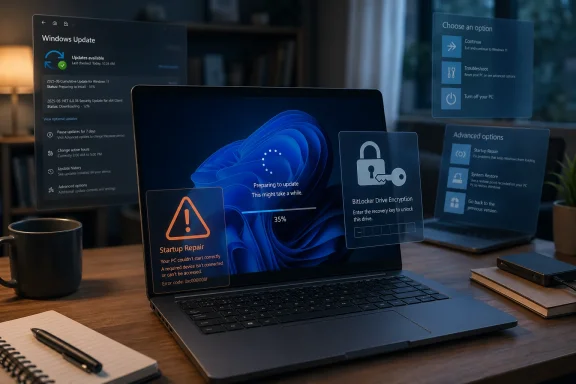
Microsoft’s Windows 11 servicing machine is entering a tense phase: unmanaged Windows 11 24H2 Home and Pro PCs are being moved toward Windows 11 25H2 automatically, just as reports continue to surface that the April cumulative update, KB5083769, is leaving some systems in serious boot trouble. On paper, the move to 25H2 is one of Microsoft’s least disruptive feature updates because it is delivered as a small enablement package that unlocks code already present on many 24H2 machines. In practice, the timing is awkward, because users who are already fighting recovery loops, BitLocker prompts, or failed startup repairs may see another Windows Update milestone as less of a safety net and more of a loss of control.
Windows 11 has now settled into a rhythm that is familiar to administrators but still confusing for many home users: each version gets a defined servicing window, and when that window nears its end, Microsoft begins nudging or automatically moving eligible machines to a newer release. For Windows 11 24H2 Home and Pro, that clock runs out on October 13, 2026, after which the version no longer receives regular security updates, bug fixes, or time zone updates.
That deadline explains why Microsoft is widening the automatic 25H2 rollout for unmanaged PCs. These are typically consumer devices or small-business systems not controlled through enterprise tools such as Microsoft Intune, Windows Update for Business policies, or Configuration Manager. If a PC is eligible, not under a safeguard hold, and considered ready by Microsoft’s rollout telemetry, the 25H2 update can arrive with limited user intervention.
The controversy is not simply that Microsoft is upgrading machines. The issue is that the push is arriving during a patch cycle where KB5083769, the April 14, 2026 cumulative update for Windows 11 24H2 and 25H2, is reportedly causing severe startup failures on some HP and Dell systems. Microsoft’s own documentation has acknowledged a specific BitLocker recovery scenario tied to certain Secure Boot and TPM validation configurations, while broader boot-loop reports remain more dependent on user accounts and third-party coverage.
That distinction matters. A documented BitLocker recovery prompt is not necessarily the same as an unrecoverable BSOD loop with corrupted-looking graphics, but to the person staring at a failed boot screen, the difference feels academic. WindowsForum readers should see this moment for what it is: a collision between Microsoft’s rational servicing policy and the messy reality of PC hardware diversity.
For Microsoft, an unmanaged PC is both a customer device and a potential weak point in the Windows ecosystem. A machine that stops receiving security patches can become part of a broader threat landscape, particularly if it remains online and used daily. The company’s servicing strategy therefore treats feature updates not only as product upgrades but also as security maintenance.
The automatic upgrade does not mean every 24H2 device installs 25H2 on the same day. Microsoft stages these rollouts using telemetry, compatibility data, and machine learning models that evaluate whether a system resembles other devices that upgraded successfully. In theory, this reduces the risk of a bad wave hitting unsupported hardware.
The practical reasons for the 25H2 push are straightforward:
This is why the update can be tiny compared with historic Windows feature upgrades. Many files required for 25H2 have already arrived through cumulative updates, sitting inactive until the enablement package changes the OS state. For well-maintained systems, that makes the upgrade closer to a controlled unlock than a full replacement of Windows.
The enablement-package model has several advantages:
That is the uncomfortable reality behind this rollout. Microsoft can accurately say 25H2 is technically low-impact, while users can accurately say they do not want any additional update pressure until KB5083769 concerns are fully resolved. Both positions can be true at the same time.
Microsoft’s official documentation identifies a narrower known issue involving BitLocker recovery on systems with very specific TPM, Secure Boot, and PCR7 validation conditions. That scenario is important because it shows how subtle firmware and encryption policy interactions can surface after a servicing change. It also shows why Windows Update failures are often less about one single file and more about the chain of trust that starts before Windows fully loads.
That nuance should not minimize the disruption. A user who cannot boot is facing a critical failure whether the issue is a BitLocker prompt, a bad display driver interaction, a Secure Boot transition, or a corrupted update state. The difference matters for engineering, but the immediate need is recovery.
The known and reported problem space includes:
If the system can still boot, users should pause updates temporarily and make a current backup before attempting additional servicing. If the system cannot boot, the safest first steps are recovery tools that preserve files and system state. A full reset should remain the last resort, not the opening move.
A reasonable order of operations is:
Users should also resist repeatedly forcing power cycles without a plan. Modern Windows recovery can handle failed starts, but repeated interruption during repair can worsen filesystem or update-state corruption. If the PC displays BitLocker recovery, guessing blindly is also a mistake; recovery keys should be retrieved through official account or enterprise channels.
Home users have limited options to defer feature updates indefinitely. Windows Update offers pause controls, restart scheduling, active hours, and some notification settings, but it does not provide the long-term deferral controls available to managed enterprise devices. That means a Home or Pro machine outside IT management will eventually follow Microsoft’s servicing track.
Consumers should take several practical steps before 25H2 lands:
That gap creates mistrust. A user who is told “no action is required” may reasonably ask why the same system later requires recovery media, a BitLocker key, or a reset. Microsoft’s challenge is not only engineering safer updates but also explaining risk in a way ordinary users can act on.
For IT teams, 25H2 should be a manageable transition because the enablement package model simplifies deployment from 24H2. The real work is not the version jump itself; it is validating the cumulative update baseline, firmware state, encryption policy, VPN stack, endpoint security agents, and recovery readiness. That is where hidden risk lives.
A disciplined enterprise approach includes:
For managed environments, the risk is not simply that a device fails. The risk is that a whole class of devices fails because a policy, firmware setting, or OEM image was replicated across a fleet. Consumer pain is measured one PC at a time; enterprise pain can arrive by the hundreds.
The end of support for 24H2 Home and Pro is therefore not a bureaucratic footnote. After October 13, 2026, those editions fall off the regular security-update train. A PC that remains on 24H2 may still turn on and run applications, but it becomes progressively less safe as newly patched vulnerabilities in supported versions reveal clues about what attackers can target.
Security-conscious users should remember:
This is where new recovery work in Windows becomes important. Better rollback, cloud-assisted recovery, more reliable WinRE input support, and clearer BitLocker workflows can turn a catastrophic-feeling failure into a recoverable incident. The future of Windows servicing depends as much on graceful failure as on successful installation.
Modern boot is especially complex. Before Windows reaches the desktop, the system passes through UEFI firmware, Secure Boot validation, boot manager handoff, BitLocker checks, kernel initialization, and driver loading. A disruption at any of those stages can look to the user like “Windows broke,” even when the trigger is a firmware-policy interaction.
This is why safeguard holds are useful but imperfect. Microsoft can block a feature update when it identifies a known compatibility pattern, such as a problematic driver version or application conflict. But if failures depend on a narrow combination of firmware state and policy settings, detection becomes harder.
Key technical variables include:
The industry needs tighter feedback loops between Microsoft’s rollout telemetry and OEM support channels. If a model-specific failure pattern appears, users should not have to piece together answers from forum posts, support threads, and scattered media reports. The Windows ecosystem is too large for silence to be an acceptable diagnostic strategy.
For many buyers, especially professionals and small businesses, update trust affects hardware loyalty. A Dell or HP laptop that fails after Patch Tuesday may damage the reputation of the OEM as much as Microsoft. Likewise, a smooth 25H2 transition can reinforce confidence that Windows 11 has matured beyond the rocky edges of earlier releases.
But scale also means edge cases are inevitable. A problem affecting a tiny percentage of Windows PCs can still represent thousands of frustrated users. In media terms, the rare catastrophic failure often travels farther than the common successful update.
The competitive stakes include:
The market will not abandon Windows over one problematic update cycle. But trust erodes cumulatively. Every forced upgrade that works silently helps Microsoft; every machine that falls into recovery at the wrong moment strengthens the argument that users need more control.
Microsoft has improved transparency compared with the early Windows 10 era. Known Issue Rollback, safeguard holds, release health documentation, and admin-center messaging all represent progress. Still, the user-facing Windows Update interface often lacks the contextual detail needed during risky periods.
Better communication could include:
For IT professionals, Microsoft should continue expanding machine-readable release health data and Windows Update for Business reporting. For consumers, the company needs simpler messages at the moment of decision. Trust is built when users feel warned rather than surprised.
For WindowsForum readers, the best posture is cautious preparation rather than alarm. A healthy 24H2 machine with current backups, accessible BitLocker keys, and updated firmware is a strong candidate for a quiet 25H2 transition. A machine already showing update failures, recovery prompts, or boot instability should be stabilized before accepting further changes.
The lesson from this episode is not that Windows 11 25H2 is inherently dangerous. The lesson is that even a small enablement package lands inside a sprawling ecosystem of firmware, encryption, drivers, and user expectations. Microsoft’s challenge is to keep PCs secure without making users feel trapped by the update process, and the success of this rollout will depend as much on recovery, transparency, and timing as on the code inside 25H2 itself.
Source: Notebookcheck Microsoft is pushing Windows 11 24H2 users to 25H2 while April update is breaking machines
 Overview
Windows 11 has now settled into a rhythm that is familiar to administrators but still confusing for many home users: each version gets a defined servicing window, and when that window nears its end, Microsoft begins nudging or automatically moving eligible machines to a newer release. For Windows 11 24H2 Home and Pro, that clock runs out on October 13, 2026, after which the version no longer receives regular security updates, bug fixes, or time zone updates.That deadline explains why Microsoft is widening the automatic 25H2 rollout for unmanaged PCs. These are typically consumer devices or small-business systems not controlled through enterprise tools such as Microsoft Intune, Windows Update for Business policies, or Configuration Manager. If a PC is eligible, not under a safeguard hold, and considered ready by Microsoft’s rollout telemetry, the 25H2 update can arrive with limited user intervention.
The controversy is not simply that Microsoft is upgrading machines. The issue is that the push is arriving during a patch cycle where KB5083769, the April 14, 2026 cumulative update for Windows 11 24H2 and 25H2, is reportedly causing severe startup failures on some HP and Dell systems. Microsoft’s own documentation has acknowledged a specific BitLocker recovery scenario tied to certain Secure Boot and TPM validation configurations, while broader boot-loop reports remain more dependent on user accounts and third-party coverage.
That distinction matters. A documented BitLocker recovery prompt is not necessarily the same as an unrecoverable BSOD loop with corrupted-looking graphics, but to the person staring at a failed boot screen, the difference feels academic. WindowsForum readers should see this moment for what it is: a collision between Microsoft’s rational servicing policy and the messy reality of PC hardware diversity.
Why Microsoft Is Moving 24H2 Users Now
The automatic push to Windows 11 25H2 is rooted in Microsoft’s lifecycle model. Home and Pro releases do not receive updates indefinitely, and Microsoft has become more assertive about moving consumer devices before a version reaches end of servicing. That approach reduces the number of unsupported PCs exposed to newly discovered vulnerabilities.For Microsoft, an unmanaged PC is both a customer device and a potential weak point in the Windows ecosystem. A machine that stops receiving security patches can become part of a broader threat landscape, particularly if it remains online and used daily. The company’s servicing strategy therefore treats feature updates not only as product upgrades but also as security maintenance.
The Support Clock Is the Real Driver
The key date is October 13, 2026, when Windows 11 24H2 Home and Pro editions reach end of support. Enterprise and Education editions have a longer runway, but consumer editions follow a shorter cadence. That difference reflects Microsoft’s assumption that enterprises need more validation time, while consumers benefit from automatic servicing.The automatic upgrade does not mean every 24H2 device installs 25H2 on the same day. Microsoft stages these rollouts using telemetry, compatibility data, and machine learning models that evaluate whether a system resembles other devices that upgraded successfully. In theory, this reduces the risk of a bad wave hitting unsupported hardware.
The practical reasons for the 25H2 push are straightforward:
- 24H2 Home and Pro support ends on October 13, 2026
- 25H2 extends the support window to October 2027 for Home and Pro
- Unmanaged devices receive fewer administrative controls
- Microsoft can reduce unsupported consumer installations
- Security patch continuity improves when more devices move together
The 25H2 Enablement Package Explained
The technical argument in Microsoft’s favor is strong because Windows 11 25H2 is not a traditional full operating-system migration for devices already running 24H2. Microsoft built 25H2 on the same servicing branch as 24H2, which means the two versions share a common codebase. The enablement package simply flips the switch on version identity and selected dormant features.This is why the update can be tiny compared with historic Windows feature upgrades. Many files required for 25H2 have already arrived through cumulative updates, sitting inactive until the enablement package changes the OS state. For well-maintained systems, that makes the upgrade closer to a controlled unlock than a full replacement of Windows.
Small Package, Big Trust Requirement
The fact that the package is small does not eliminate risk. Even a lightweight upgrade changes version targeting, servicing metadata, and support status. It also lands through the same Windows Update experience that users associate with driver changes, firmware interactions, and restarts.The enablement-package model has several advantages:
- Smaller download footprint
- Faster installation on eligible 24H2 systems
- Lower risk than a full in-place OS upgrade
- Shared cumulative update servicing between 24H2 and 25H2
- Less disruption for users with healthy installations
That is the uncomfortable reality behind this rollout. Microsoft can accurately say 25H2 is technically low-impact, while users can accurately say they do not want any additional update pressure until KB5083769 concerns are fully resolved. Both positions can be true at the same time.
KB5083769 and the April Patch Problem
The April 14, 2026 cumulative update, KB5083769, applies to both Windows 11 24H2 and 25H2, with different OS build numbers for each branch identity. It includes security fixes and quality improvements, as expected for Patch Tuesday. It also appears to be associated with a wave of user reports involving boot failures, BSOD behavior, graphical corruption at startup, and recovery loops.Microsoft’s official documentation identifies a narrower known issue involving BitLocker recovery on systems with very specific TPM, Secure Boot, and PCR7 validation conditions. That scenario is important because it shows how subtle firmware and encryption policy interactions can surface after a servicing change. It also shows why Windows Update failures are often less about one single file and more about the chain of trust that starts before Windows fully loads.
Reports Versus Confirmed Root Cause
Notebookcheck and other outlets have described affected HP and Dell systems falling into severe boot loops after KB5083769. Those reports should be treated seriously, but also carefully. As of this writing, the broader “death loop” pattern has not been publicly reduced to one universal Microsoft-confirmed root cause affecting all HP and Dell machines.That nuance should not minimize the disruption. A user who cannot boot is facing a critical failure whether the issue is a BitLocker prompt, a bad display driver interaction, a Secure Boot transition, or a corrupted update state. The difference matters for engineering, but the immediate need is recovery.
The known and reported problem space includes:
- BitLocker recovery prompts after reboot
- Startup Repair loops that fail to resolve the issue
- BSOD behavior reported after installing KB5083769
- Pixelated or corrupted-looking graphics before failure
- Reports involving some HP and Dell configurations
- Unclear boundaries between confirmed issues and user-reported patterns
What Affected Users Should Do First
For users already caught in a boot failure, the priority is not 25H2. The priority is to stabilize the machine, preserve data, and avoid actions that make recovery harder. That means taking a methodical approach through the Windows Recovery Environment rather than immediately choosing the most destructive reset option.If the system can still boot, users should pause updates temporarily and make a current backup before attempting additional servicing. If the system cannot boot, the safest first steps are recovery tools that preserve files and system state. A full reset should remain the last resort, not the opening move.
A Practical Recovery Order
The most sensible sequence is conservative. Users should start with options that reverse recent changes or repair boot configuration before escalating to reinstall-like procedures. BitLocker users should also ensure they have recovery keys available through their Microsoft account, organization, or saved backup location.A reasonable order of operations is:
- Enter Windows Recovery Environment after repeated failed boots or through advanced startup.
- Try System Restore if a restore point exists from before KB5083769.
- Use Startup Repair to address boot configuration and startup damage.
- If available, uninstall the latest quality update from recovery options.
- Retrieve and enter the BitLocker recovery key if Windows requests it.
- Back up user data from recovery media if normal startup remains impossible.
- Consider Reset this PC only after less destructive options fail.
Users should also resist repeatedly forcing power cycles without a plan. Modern Windows recovery can handle failed starts, but repeated interruption during repair can worsen filesystem or update-state corruption. If the PC displays BitLocker recovery, guessing blindly is also a mistake; recovery keys should be retrieved through official account or enterprise channels.
Consumer Impact: Control, Confidence, and Confusion
For consumers, the 24H2-to-25H2 push is another example of the tension built into modern Windows. Microsoft wants to keep machines secure and current, while users want predictable control over their own hardware. The automatic-update model works best when updates are boring; it becomes controversial when even a small number of machines fail dramatically.Home users have limited options to defer feature updates indefinitely. Windows Update offers pause controls, restart scheduling, active hours, and some notification settings, but it does not provide the long-term deferral controls available to managed enterprise devices. That means a Home or Pro machine outside IT management will eventually follow Microsoft’s servicing track.
Why the Timing Feels Worse Than the Technology
The timing is the core issue. A tiny enablement package should be easy to accept, but users do not evaluate it in isolation. They evaluate it after years of stories about problematic cumulative updates, driver conflicts, printer regressions, gaming performance issues, and occasional recovery disasters.Consumers should take several practical steps before 25H2 lands:
- Back up important files to external or cloud storage
- Confirm BitLocker recovery keys are accessible
- Install OEM firmware and driver updates carefully
- Pause updates briefly if a known issue is affecting the machine
- Avoid forcing restarts during update installation
- Check whether Windows Update shows pending failures
That gap creates mistrust. A user who is told “no action is required” may reasonably ask why the same system later requires recovery media, a BitLocker key, or a reset. Microsoft’s challenge is not only engineering safer updates but also explaining risk in a way ordinary users can act on.
Enterprise Impact: More Time, More Responsibility
Enterprise and Education devices are not the main target of this automatic consumer rollout, but IT departments should still pay close attention. The same update payloads, servicing branches, and hardware interactions can affect managed fleets. The difference is that enterprise administrators generally have more control over timing, rings, reporting, and rollback.For IT teams, 25H2 should be a manageable transition because the enablement package model simplifies deployment from 24H2. The real work is not the version jump itself; it is validating the cumulative update baseline, firmware state, encryption policy, VPN stack, endpoint security agents, and recovery readiness. That is where hidden risk lives.
Managed Devices Need Better Rings, Not Panic
Administrators should avoid reacting to consumer reports with blanket paralysis. Security updates still matter, and deferring everything indefinitely creates exposure. The better response is staged deployment with telemetry-backed checkpoints.A disciplined enterprise approach includes:
- Pilot rings with representative HP, Dell, Lenovo, and custom hardware
- Separate validation for BitLocker and Secure Boot policy combinations
- Recovery-key escrow verification before broad deployment
- Monitoring for update rollback, boot failures, and help desk spikes
- Clear pause criteria when specific failure patterns emerge
- Documented recovery playbooks for service desk teams
For managed environments, the risk is not simply that a device fails. The risk is that a whole class of devices fails because a policy, firmware setting, or OEM image was replicated across a fleet. Consumer pain is measured one PC at a time; enterprise pain can arrive by the hundreds.
Security Servicing Still Matters
It is tempting to respond to a bad patch story by declaring that Windows updates should be avoided. That is understandable emotionally, but dangerous technically. Unsupported Windows versions do not stand still; vulnerabilities continue to be discovered, attackers continue to automate exploitation, and unpatched endpoints become easier targets over time.The end of support for 24H2 Home and Pro is therefore not a bureaucratic footnote. After October 13, 2026, those editions fall off the regular security-update train. A PC that remains on 24H2 may still turn on and run applications, but it becomes progressively less safe as newly patched vulnerabilities in supported versions reveal clues about what attackers can target.
The Patch Reliability Paradox
The paradox is that users need updates most when trust in updates is weakest. A broken update can make deferral feel rational, but indefinite deferral creates its own risk. The correct strategy is not “never update”; it is “update with backups, recovery keys, and awareness of known issues.”Security-conscious users should remember:
- Patch Tuesday fixes real vulnerabilities
- Feature updates reset the servicing lifecycle
- Deferral is a temporary tactic, not a security strategy
- Backups reduce the consequences of update failure
- Unsupported Windows builds become riskier every month
This is where new recovery work in Windows becomes important. Better rollback, cloud-assisted recovery, more reliable WinRE input support, and clearer BitLocker workflows can turn a catastrophic-feeling failure into a recoverable incident. The future of Windows servicing depends as much on graceful failure as on successful installation.
OEM Hardware, Drivers, and the Hidden Complexity
The reported concentration around some HP and Dell machines highlights an old Windows truth: the operating system is only one layer of the PC stack. Firmware, Secure Boot databases, storage controllers, graphics drivers, endpoint security filters, encryption policies, and OEM utilities all participate in whether an update succeeds. A cumulative update can expose weaknesses that were already present but dormant.Modern boot is especially complex. Before Windows reaches the desktop, the system passes through UEFI firmware, Secure Boot validation, boot manager handoff, BitLocker checks, kernel initialization, and driver loading. A disruption at any of those stages can look to the user like “Windows broke,” even when the trigger is a firmware-policy interaction.
Why Some Machines Fail and Others Do Not
Two PCs can both run Windows 11 24H2 and receive KB5083769, yet behave differently after reboot. One may have a newer BIOS, different Secure Boot certificate state, another TPM profile, a distinct display adapter, or a vendor-specific storage driver. Those differences are often invisible until a servicing event touches the relevant subsystem.This is why safeguard holds are useful but imperfect. Microsoft can block a feature update when it identifies a known compatibility pattern, such as a problematic driver version or application conflict. But if failures depend on a narrow combination of firmware state and policy settings, detection becomes harder.
Key technical variables include:
- UEFI firmware version and Secure Boot database state
- BitLocker configuration and TPM validation profile
- Graphics driver behavior during early boot
- OEM recovery partition health
- Storage controller firmware and driver stack
- Whether WinRE itself is functional and up to date
The industry needs tighter feedback loops between Microsoft’s rollout telemetry and OEM support channels. If a model-specific failure pattern appears, users should not have to piece together answers from forum posts, support threads, and scattered media reports. The Windows ecosystem is too large for silence to be an acceptable diagnostic strategy.
Competitive and Market Implications
Windows remains the dominant desktop operating system, but update reliability has become part of the competitive conversation. Apple controls a narrower hardware range, ChromeOS emphasizes seamless background updates, and Linux distributions vary widely but often give power users more explicit control. Microsoft has the hardest compatibility problem, yet users judge the outcome, not the difficulty.For many buyers, especially professionals and small businesses, update trust affects hardware loyalty. A Dell or HP laptop that fails after Patch Tuesday may damage the reputation of the OEM as much as Microsoft. Likewise, a smooth 25H2 transition can reinforce confidence that Windows 11 has matured beyond the rocky edges of earlier releases.
Windows’ Scale Is Its Advantage and Burden
Microsoft’s scale gives it unmatched telemetry. The company can observe update success across enormous device populations and adjust rollouts accordingly. That is a major advantage over smaller platforms.But scale also means edge cases are inevitable. A problem affecting a tiny percentage of Windows PCs can still represent thousands of frustrated users. In media terms, the rare catastrophic failure often travels farther than the common successful update.
The competitive stakes include:
- Consumer confidence in automatic Windows Update
- OEM reputation for firmware and driver quality
- Enterprise willingness to accelerate Windows 11 adoption
- Pressure from ChromeOS-style low-touch servicing models
- Comparisons with Apple’s tighter hardware-software integration
- Demand for clearer rollback and recovery guarantees
The market will not abandon Windows over one problematic update cycle. But trust erodes cumulatively. Every forced upgrade that works silently helps Microsoft; every machine that falls into recovery at the wrong moment strengthens the argument that users need more control.
Communication Is Now Part of the Product
The 25H2 rollout is technically defensible, but Microsoft’s communication challenge is substantial. Release health pages, support articles, and lifecycle tables are accurate resources, yet they are not always accessible to the users most affected. The person with a boot loop may never have seen a known-issues dashboard before the failure.Microsoft has improved transparency compared with the early Windows 10 era. Known Issue Rollback, safeguard holds, release health documentation, and admin-center messaging all represent progress. Still, the user-facing Windows Update interface often lacks the contextual detail needed during risky periods.
What Microsoft Should Say More Clearly
When a feature update is an enablement package, Windows Update should explain that plainly. When a known issue affects only certain configurations, it should help users understand whether their PC resembles those configurations. When BitLocker recovery is possible, users should be reminded proactively where to find keys before the reboot.Better communication could include:
- Plain-language notices for lifecycle-driven upgrades
- Pre-restart warnings when BitLocker recovery risk is known
- Clearer distinction between feature updates and cumulative updates
- Device-specific health checks for firmware and recovery readiness
- More visible links to recovery options inside Settings
- Stronger OEM-specific advisories when patterns emerge
For IT professionals, Microsoft should continue expanding machine-readable release health data and Windows Update for Business reporting. For consumers, the company needs simpler messages at the moment of decision. Trust is built when users feel warned rather than surprised.
Strengths and Opportunities
Despite the rough timing, the 24H2-to-25H2 transition gives Microsoft an opportunity to show that modern Windows servicing can be both secure and lightweight. The enablement package model is a real improvement over the disruptive feature updates of the past, and automatic rollout can protect millions of unmanaged PCs from slipping into unsupported status.Where Microsoft Can Build Confidence
- 25H2’s enablement package design reduces upgrade size and installation time
- Shared servicing with 24H2 simplifies cumulative update engineering
- Automatic rollout helps prevent unsupported consumer PCs from lingering online
- Machine learning-based deployment can slow or block updates when patterns emerge
- Known Issue Rollback gives Microsoft a way to mitigate some defects without full manual repair
- Clearer recovery tooling can turn severe failures into manageable incidents
- The support reset to October 2027 gives Home and Pro users a longer security runway
Risks and Concerns
The risks are also real, especially for users who have already installed KB5083769 and encountered startup instability. Even if 25H2 is not the root cause, the automatic upgrade can become entangled with a broader perception that Windows is pushing forward while unresolved failures remain. That perception matters because update trust is part of system reliability.Where the Rollout Could Go Wrong
- Users may conflate KB5083769 failures with the 25H2 upgrade itself
- Safeguard holds may miss narrow firmware or policy-specific failure patterns
- Home users have limited long-term deferral control
- BitLocker recovery can become a crisis if keys are unavailable
- OEM-specific problems may take too long to identify publicly
- Reset this PC may cause data loss when users panic
- Poor messaging can make technically sound updates feel coercive
Looking Ahead
Microsoft’s next moves should be watched closely. If the KB5083769 boot-loop reports remain limited and no broader defect is confirmed, the 25H2 rollout will probably continue expanding in stages. If a clearer hardware-specific pattern emerges, Microsoft may need safeguard holds, OEM advisories, Known Issue Rollback guidance, or an out-of-band fix.For WindowsForum readers, the best posture is cautious preparation rather than alarm. A healthy 24H2 machine with current backups, accessible BitLocker keys, and updated firmware is a strong candidate for a quiet 25H2 transition. A machine already showing update failures, recovery prompts, or boot instability should be stabilized before accepting further changes.
Key Signals to Monitor
- Whether Microsoft adds new KB5083769 known issues
- Whether HP or Dell publish model-specific advisories
- Whether safeguard holds appear for affected configurations
- Whether an out-of-band update is released
- Whether reports decline as recovery guidance spreads
The lesson from this episode is not that Windows 11 25H2 is inherently dangerous. The lesson is that even a small enablement package lands inside a sprawling ecosystem of firmware, encryption, drivers, and user expectations. Microsoft’s challenge is to keep PCs secure without making users feel trapped by the update process, and the success of this rollout will depend as much on recovery, transparency, and timing as on the code inside 25H2 itself.
Source: Notebookcheck Microsoft is pushing Windows 11 24H2 users to 25H2 while April update is breaking machines
