

Microsoft is preparing a major Windows 11 servicing push that will move most eligible Home and Pro PCs from version 24H2 to version 25H2 automatically, but the story is more nuanced than the phrase “forced update” suggests. Microsoft’s own release-health page says eligible, non-managed devices running 24H2 will receive 25H2 through its machine-learning-based intelligent rollout when they are deemed ready, and the lifecycle table shows why the company is being so assertive: 24H2 reaches end of updates on October 13, 2026, while 25H2 is supported through October 12, 2027 for Home and Pro. The Dataconomy framing captures the user frustration, but Microsoft’s current documentation makes clear this is also a support-policy decision, a compatibility-management decision, and an attempt to reduce Windows fragmentation at scale.
Windows feature updates have been steadily changing from disruptive “big bang” upgrades into more continuous servicing events. That shift matters because the older model often meant long installs, compatibility anxiety, and a sense that users were being dragged into a new operating system whether they wanted it or not. Microsoft has spent years reducing that friction, and 25H2 is the clearest expression yet of a strategy built around staged delivery, shared codebases, and enablement packages rather than full OS reimages.
The key technical point is that 24H2 and 25H2 share the same core foundation. Microsoft’s documentation and release notes indicate that 25H2 is delivered as an enablement-style update for eligible systems, which means much of the work has already been staged in the servicing stream. That is why the update can feel relatively small even though it moves the device onto a new support track.
This is also where Microsoft’s support math becomes impossible to ignore. Windows 11 version 24H2 Home and Pro do not lose support immediately, but they do lose it sooner than 25H2, and that one-year difference is enough to change Microsoft’s rollout posture. A consumer device left on 24H2 for too long becomes an eventual migration problem, and Microsoft prefers to smooth that transition before the deadline turns into a last-minute rush.
The company has done this before in other forms. Microsoft already says that when consumer devices and non-managed business PCs reach end of servicing, Windows Update will automatically start a feature update, and that policy has been part of its modern Windows maintenance philosophy for some time. In other words, 25H2 is not an isolated exception; it is part of a broader pattern where Microsoft treats supported versions as a moving target rather than a place to park forever.
For enterprises, the picture is different, but not completely different. Microsoft’s release information shows 25H2 is available through the standard management channels administrators already use, including Windows Update for Business, Windows Server Update Services, and Microsoft 365 admin tools. That means the company is still leaving room for policy control in managed environments, even as it pushes consumer devices more aggressively.
That distinction matters because it reduces the odds of a mass compatibility mess. Windows has a long history of update failures that were not always caused by Microsoft alone; drivers, OEM customizations, and third-party software often play a part. By delaying the rollout on suspicious devices, Microsoft is trying to keep 25H2 from becoming another cautionary tale.
The user experience is still fairly constrained, though. Home and Pro users can postpone the restart or delay the install briefly, but they cannot realistically opt out forever if the device remains eligible and unmanaged. That is why the rollout feels coercive even when the underlying logic is lifecycle management.
The support delta also helps explain the company’s willingness to be more assertive. For Home and Pro editions, 25H2 buys another year of runway beyond 24H2, and that extra time makes the newest version the safer baseline from Microsoft’s point of view. The company gains fewer urgent migrations later, fewer split support paths, and fewer version-specific exceptions.
There is also a quality-control motive. Microsoft’s modern rollout system is designed to use telemetry, partner validation, and staged deployment to identify devices least likely to encounter problems. That approach does not eliminate risk, but it does let Microsoft minimize the blast radius if something goes wrong.
The business logic is straightforward. Fewer branches mean less fragmentation, cleaner support and simpler testing. That is especially important now that Windows sits on top of cloud services, driver ecosystems, security features, and AI-era integration points that all increase the cost of version drift.
That matters because it changes the risk profile. Users still experience a version change, and enterprises still need to validate compatibility, but the update is much closer to a switch flip than a rebuild. For consumers, that can mean less downtime; for Microsoft, it means fewer moving parts to support.
It also explains why the new version can arrive almost quietly. If the major changes are already in the servicing stream, many users may not notice much beyond the version label and the support horizon. In that sense, 25H2 is a technical upgrade with a psychological downshift.
That frustration is amplified by memory. Windows users have not forgotten past update problems, and they are understandably wary whenever Microsoft says a major upgrade is safe, smart, and automatic. Trust is hard to earn in a platform that has occasionally broken drivers, apps, and workflows during the servicing process.
At the same time, there is a real consumer benefit in being moved before support pressure becomes urgent. If Microsoft waits too long, users are more likely to procrastinate until the deadline is close, which increases the odds of rushed installs and unnecessary recovery headaches. The company is effectively trying to protect users from their own procrastination.
There is also a testing implication. Because 25H2 is closely related to 24H2, enterprises may see fewer surprises than they would with a traditional major release. That is encouraging, but it should not be confused with zero risk. Even small enablement-style updates can expose app dependencies, driver quirks, or security-tool incompatibilities.
Microsoft’s own guidance stresses validation before broad deployment, which is unsurprising and wise. Enterprises should treat 25H2 as a new baseline, not a cosmetic bump, because version boundaries still matter for support, policy, and compliance.
This is especially important because update failures are often ecosystem events rather than pure Microsoft bugs. The company has to account for a very large and very uneven hardware base, which means the same update can be uneventful on one machine and disastrous on another. The readiness model is an attempt to make that variability manageable.
Still, the approach has a downside: users are asked to trust a system they cannot fully inspect. That may be acceptable for many people, but power users and administrators tend to dislike black-box rollout logic, especially when it is paired with automatic installation. Transparency would help, but Microsoft has not exactly made “readiness” a fully explained metric.
That also changes how feature updates are perceived. Instead of annual “big events,” they become routine state changes with support implications attached. In some ways that is healthier for the platform. In other ways it is more alienating, because it removes the feeling that users are genuinely choosing when to move forward.
Microsoft is betting that most users will prefer safety and convenience over control, especially if the update is small and the system remains stable afterward. That is probably a reasonable bet, but it is also one that depends heavily on execution. One bad rollout can undo a lot of carefully built confidence.
The final risk is reputational. If Microsoft’s rollout logic misfires, critics will not blame the model; they will blame the company. That is the reality of operating a platform this large. When the update system becomes more opinionated, the burden of proving that it is right becomes much heavier.
For enterprises, the real work is already underway. Administrators should assume the release is part of the normal Windows 11 lifecycle and plan accordingly, especially if they maintain mixed fleets or rely on older scripts and compatibility-sensitive tools. The best case is that 25H2 becomes a quiet baseline shift; the worst case is that organizations discover their blind spots only after the update begins to spread.
What to monitor next:
Source: Dataconomy Microsoft to force Windows 11 version 25H2 update
 Background
Windows feature updates have been steadily changing from disruptive “big bang” upgrades into more continuous servicing events. That shift matters because the older model often meant long installs, compatibility anxiety, and a sense that users were being dragged into a new operating system whether they wanted it or not. Microsoft has spent years reducing that friction, and 25H2 is the clearest expression yet of a strategy built around staged delivery, shared codebases, and enablement packages rather than full OS reimages.The key technical point is that 24H2 and 25H2 share the same core foundation. Microsoft’s documentation and release notes indicate that 25H2 is delivered as an enablement-style update for eligible systems, which means much of the work has already been staged in the servicing stream. That is why the update can feel relatively small even though it moves the device onto a new support track.
This is also where Microsoft’s support math becomes impossible to ignore. Windows 11 version 24H2 Home and Pro do not lose support immediately, but they do lose it sooner than 25H2, and that one-year difference is enough to change Microsoft’s rollout posture. A consumer device left on 24H2 for too long becomes an eventual migration problem, and Microsoft prefers to smooth that transition before the deadline turns into a last-minute rush.
The company has done this before in other forms. Microsoft already says that when consumer devices and non-managed business PCs reach end of servicing, Windows Update will automatically start a feature update, and that policy has been part of its modern Windows maintenance philosophy for some time. In other words, 25H2 is not an isolated exception; it is part of a broader pattern where Microsoft treats supported versions as a moving target rather than a place to park forever.
For enterprises, the picture is different, but not completely different. Microsoft’s release information shows 25H2 is available through the standard management channels administrators already use, including Windows Update for Business, Windows Server Update Services, and Microsoft 365 admin tools. That means the company is still leaving room for policy control in managed environments, even as it pushes consumer devices more aggressively.
What Microsoft Is Actually Doing
The strongest reaction to this news comes from the word “force”, but Microsoft’s mechanism is more precise than a hard shove. The company is expanding a machine-learning-based intelligent rollout to eligible Windows 11 Home and Pro systems on 24H2 that are not managed by IT departments, and those systems will automatically receive 25H2 when Microsoft decides the device is ready. That is an automation-first approach, not a universal immediate swap.The rollout is automatic, but not blind
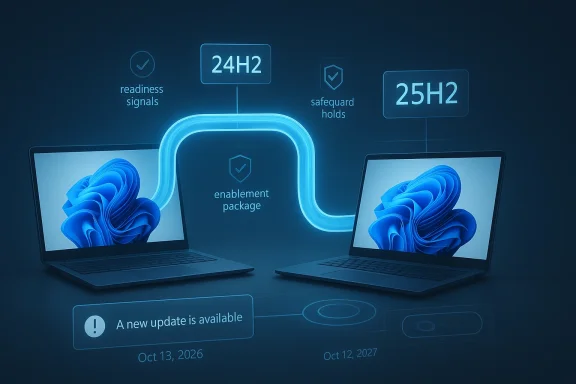
“Automatic” does not mean every device gets 25H2 at the same time. Microsoft still uses readiness signals, safeguard holds, and staged deployment logic to keep risky combinations from receiving the update too early. Its release-health page explicitly says the update is offered when the device is ready, which implies a gating system that weighs compatibility data before release.That distinction matters because it reduces the odds of a mass compatibility mess. Windows has a long history of update failures that were not always caused by Microsoft alone; drivers, OEM customizations, and third-party software often play a part. By delaying the rollout on suspicious devices, Microsoft is trying to keep 25H2 from becoming another cautionary tale.
The user experience is still fairly constrained, though. Home and Pro users can postpone the restart or delay the install briefly, but they cannot realistically opt out forever if the device remains eligible and unmanaged. That is why the rollout feels coercive even when the underlying logic is lifecycle management.
- Eligible consumer devices are the primary target.
- Managed enterprise fleets are treated differently.
- Safeguard holds still matter.
- User postponement exists, but only temporarily.
- Lifecycle dates are the real pressure point.
Why Microsoft Is Accelerating the Move
The obvious reason is support timing, and it is a powerful one. If Microsoft allowed a large portion of consumer PCs to remain on 24H2 indefinitely, it would be left with a huge wave of delayed upgrades right before end of support. That kind of compressed migration is exactly what Windows servicing is trying to avoid.Support deadlines shape behavior
Windows users often ignore version numbers until they become impossible to ignore. Microsoft knows that, and it has been behaving accordingly by moving earlier and more deliberately. In practical terms, the company is trying to prevent an “all at once” scramble in late 2026 by nudging systems forward now, while 24H2 is still supported.The support delta also helps explain the company’s willingness to be more assertive. For Home and Pro editions, 25H2 buys another year of runway beyond 24H2, and that extra time makes the newest version the safer baseline from Microsoft’s point of view. The company gains fewer urgent migrations later, fewer split support paths, and fewer version-specific exceptions.
There is also a quality-control motive. Microsoft’s modern rollout system is designed to use telemetry, partner validation, and staged deployment to identify devices least likely to encounter problems. That approach does not eliminate risk, but it does let Microsoft minimize the blast radius if something goes wrong.
The business logic is straightforward. Fewer branches mean less fragmentation, cleaner support and simpler testing. That is especially important now that Windows sits on top of cloud services, driver ecosystems, security features, and AI-era integration points that all increase the cost of version drift.
- Microsoft wants one current consumer baseline.
- Microsoft wants fewer unsupported holdouts.
- Microsoft wants less emergency migration later.
- Microsoft wants a cleaner servicing funnel.
- Microsoft wants more predictable compatibility work.
The Technology Behind 25H2
The most important technical detail in this rollout is that 25H2 is not a classic reinstall-style feature release. Microsoft’s release information shows that 25H2 is built on the same core branch as 24H2, and that the newer release is enabled rather than rebuilt from scratch. That is why the install path is comparatively fast and why the update can be pushed with less drama than older Windows upgrades.Enablement package versus full upgrade
An enablement package is fundamentally different from a traditional feature update. Instead of moving a machine to a totally new OS image, Microsoft activates functionality that has already been staged through servicing updates. This keeps the process small, short, and less likely to disturb drivers or applications that already work on 24H2.That matters because it changes the risk profile. Users still experience a version change, and enterprises still need to validate compatibility, but the update is much closer to a switch flip than a rebuild. For consumers, that can mean less downtime; for Microsoft, it means fewer moving parts to support.
It also explains why the new version can arrive almost quietly. If the major changes are already in the servicing stream, many users may not notice much beyond the version label and the support horizon. In that sense, 25H2 is a technical upgrade with a psychological downshift.
- Shared codebase lowers install friction.
- Dormant features are activated later.
- Single restart behavior is more likely.
- Smaller payloads reduce bandwidth burden.
- Lower disruption helps consumer adoption.
Consumer Impact: Convenience, Control, and Frustration
For home users, the appeal of this approach is obvious: less hassle. A lightweight enablement update is easier to accept than a full feature upgrade, and most people would rather see a short restart than a long installation sequence. Microsoft is banking on that convenience to make the transition feel routine rather than disruptive.Why some users still resent it
The problem is that convenience is not the same as consent. Even if the update is technically staged and only applied when the device is ready, the practical effect for most unmanaged consumers is that Microsoft is deciding the destination. The user can delay, but only within limits, and that feels like a forced march to anyone who wants to stay on 24H2 longer.That frustration is amplified by memory. Windows users have not forgotten past update problems, and they are understandably wary whenever Microsoft says a major upgrade is safe, smart, and automatic. Trust is hard to earn in a platform that has occasionally broken drivers, apps, and workflows during the servicing process.
At the same time, there is a real consumer benefit in being moved before support pressure becomes urgent. If Microsoft waits too long, users are more likely to procrastinate until the deadline is close, which increases the odds of rushed installs and unnecessary recovery headaches. The company is effectively trying to protect users from their own procrastination.
What this means in practice
For most people, the update will likely arrive in the background, wait for a convenient restart, and then complete without much ceremony. That is good if everything works. It is not good if a user wanted a longer delay to observe early adopter feedback before making the jump.- Home users gain simpler servicing.
- Home users lose some practical control.
- Early adopters get less friction.
- Skeptics get less delay headroom.
- Nervous users will likely seek workarounds.
Enterprise Impact: More Control, but Less Inertia
Enterprise customers are in a different position because Microsoft explicitly separates managed devices from consumer PCs. That means IT departments still have policy tools, rollout rings, and maintenance windows to control adoption. Microsoft’s documentation shows 25H2 is available through enterprise channels such as WSUS, Configuration Manager, and Microsoft 365 admin workflows, which preserves the standard IT playbook.Why IT teams should care anyway
Even though enterprises are not being “forced” in the same way as consumers, the support clock still matters. If a fleet remains on 24H2 too long, IT teams eventually face the same lifecycle deadline, just with more complex operational constraints. In that context, Microsoft’s automatic consumer rollout helps set an ecosystem norm that enterprise planning will eventually need to follow.There is also a testing implication. Because 25H2 is closely related to 24H2, enterprises may see fewer surprises than they would with a traditional major release. That is encouraging, but it should not be confused with zero risk. Even small enablement-style updates can expose app dependencies, driver quirks, or security-tool incompatibilities.
Microsoft’s own guidance stresses validation before broad deployment, which is unsurprising and wise. Enterprises should treat 25H2 as a new baseline, not a cosmetic bump, because version boundaries still matter for support, policy, and compliance.
- Test line-of-business apps early.
- Check driver compatibility on key hardware.
- Validate management tooling and scripts.
- Confirm update rings still behave as expected.
- Watch for policy drift between 24H2 and 25H2.
Compatibility, Safeguards, and Trust
Microsoft’s staged rollout logic exists for a reason: Windows still lives in a messy ecosystem. Drivers, OEM firmware, third-party security software, peripheral utilities, and specialized business apps all create conditions where a perfectly ordinary update on paper can become a problem in practice. That is why Microsoft leans on safeguard holds rather than brute-force universality.Why readiness is more than marketing language
The phrase “when the device is ready” sounds vague because it is vague. Microsoft does not publicly list every criterion it uses, and that opacity naturally breeds suspicion among users who have been burned by past updates. Yet the upside of that discretion is that Microsoft can withhold a feature update from devices that are statistically more likely to fail.This is especially important because update failures are often ecosystem events rather than pure Microsoft bugs. The company has to account for a very large and very uneven hardware base, which means the same update can be uneventful on one machine and disastrous on another. The readiness model is an attempt to make that variability manageable.
Still, the approach has a downside: users are asked to trust a system they cannot fully inspect. That may be acceptable for many people, but power users and administrators tend to dislike black-box rollout logic, especially when it is paired with automatic installation. Transparency would help, but Microsoft has not exactly made “readiness” a fully explained metric.
- Safeguards can be protective.
- Safeguards can also be frustrating.
- Device readiness helps avoid mass failures.
- Opacity can undermine user trust.
- Automatic rollout increases policy tension.
What This Means for Microsoft’s Strategy
25H2 is important because it shows where Microsoft wants Windows to go next. The company is clearly trying to make major version changes feel smaller, more predictable, and less user-controlled in the consumer space, while preserving admin choice in enterprise environments. That dual-track strategy is one of the defining traits of modern Windows.A future built around convergence
The long-term goal looks obvious: reduce fragmentation, shorten upgrade cycles, and keep most devices aligned with the same supported base. If Microsoft can do that without causing widespread problems, it will have taken a meaningful step toward making Windows behave like a mature continuous-service platform.That also changes how feature updates are perceived. Instead of annual “big events,” they become routine state changes with support implications attached. In some ways that is healthier for the platform. In other ways it is more alienating, because it removes the feeling that users are genuinely choosing when to move forward.
Microsoft is betting that most users will prefer safety and convenience over control, especially if the update is small and the system remains stable afterward. That is probably a reasonable bet, but it is also one that depends heavily on execution. One bad rollout can undo a lot of carefully built confidence.
- Convergence is the strategic goal.
- Lifecycle discipline is the method.
- Automation is the delivery mechanism.
- Stability is the make-or-break variable.
- User trust remains the hardest asset to earn.
Strengths and Opportunities
Microsoft’s approach has real advantages, and it is easy to see why the company prefers this model. A lighter enablement-style upgrade reduces friction, narrows the gap between supported releases, and gives Microsoft a cleaner path to manage Windows 11 as a service. It is also a reminder that not every “forced update” is a blunt technical imposition; sometimes it is a structured attempt to prevent a bigger support problem later.- Lower install friction for consumers.
- Shorter downtime than classic feature upgrades.
- Cleaner servicing boundaries for Microsoft.
- Reduced fragmentation across the installed base.
- More predictable enterprise planning.
- Better compatibility gating through staged rollout.
- A longer support runway for devices that move promptly.
Risks and Concerns
The biggest risk is not the technical design of 25H2 itself, but the perception of control. Users who feel updates are being imposed on them can become more suspicious of Windows Update in general, and that distrust can spill over into future feature releases, even when Microsoft is acting prudently. Trust is fragile in the Windows ecosystem, and Microsoft knows it.- User resentment over reduced delay options.
- Compatibility regressions on edge-case hardware.
- Opacity around “readiness” criteria.
- Update fatigue among consumers and admins.
- Overconfidence in machine-learning rollout signals.
- False reassurance if the update appears too small to matter.
- Legacy dependency failures in enterprise environments.
The final risk is reputational. If Microsoft’s rollout logic misfires, critics will not blame the model; they will blame the company. That is the reality of operating a platform this large. When the update system becomes more opinionated, the burden of proving that it is right becomes much heavier.
Looking Ahead
The next few months will show whether Microsoft can make the 25H2 transition feel routine rather than authoritarian. If the rollout stays smooth, most users will likely never think about it beyond the occasional restart prompt. If it stumbles, however, the entire narrative around intelligent rollouts and readiness-based automation will become much harder for Microsoft to defend.For enterprises, the real work is already underway. Administrators should assume the release is part of the normal Windows 11 lifecycle and plan accordingly, especially if they maintain mixed fleets or rely on older scripts and compatibility-sensitive tools. The best case is that 25H2 becomes a quiet baseline shift; the worst case is that organizations discover their blind spots only after the update begins to spread.
What to monitor next:
- Whether Microsoft broadens the rollout to more eligible devices.
- Whether safeguard holds shrink or remain in place for longer than expected.
- Whether consumer feedback stays calm as the update becomes more visible.
- Whether enterprise admins report compatibility issues in managed environments.
- Whether Microsoft uses the same enablement-package model even more aggressively in future releases.
Source: Dataconomy Microsoft to force Windows 11 version 25H2 update
Last edited:
