

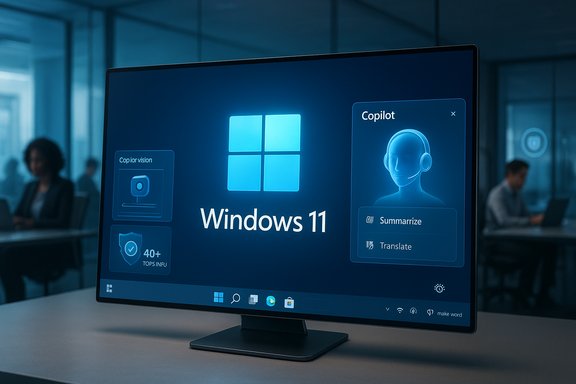
Windows 11’s 25H2 update is less a headline-grabbing reboot and more a deliberate refocusing of the operating system into an intelligent, continuously evolving platform—one that threads generative AI, tighter hardware requirements for advanced on‑device models, and practical reliability and security improvements into the familiar Windows experience. The 25H2 release arrives as an enablement package that flips on a year’s worth of staged features, formalizes Copilot as a system-level partner, and resets support timelines for Windows 11 while closing the chapter on Windows 10 mainstream servicing.
Background
A platform, not a product
Microsoft’s delivery model for Windows has shifted decisively: rather than shipping monolithic, multi‑year OS replacements, Windows 11 now evolves through annual feature updates and frequent cumulative releases. Version 25H2 follows this model as an enablement package that activates features already present in prior monthly updates to 24H2, minimizing download size and reducing reboot overhead for most users. That design reduces disruption for consumers and IT teams while enabling Microsoft to gate features by hardware, licensing, or telemetry.Where 25H2 sits in the lifecycle
Windows 11, version 25H2 was published into general availability in late September 2025 and is supported under the standard Windows 11 servicing timeline: 24 months for Home/Pro and 36 months for Enterprise/Education editions from release. Microsoft’s staged rollout strategy means feature visibility can vary by device, region, and whether a device is marked by a safeguard hold for compatibility. Meanwhile, Windows 10 reached end of mainstream support on October 14, 2025, creating a practical migration moment for organizations still on legacy systems.What’s new in Windows 11 25H2: The essentials
The Copilot‑first desktop
The central story of 25H2 is the deeper integration of Copilot—Microsoft’s generative assistant—into Windows itself. Copilot moves from an app-like sidebar to a context-aware partner woven into multiple system surfaces:- Ask Copilot on the taskbar and selection-based “Click to Do” overlays let users trigger summarization, translation, or extraction flows from selected text or files.
- Copilot Vision can, with explicit permission, analyze screen content (OCR, UI element recognition, contextual summaries) to accelerate troubleshooting and content extraction.
- Voice-first interactions, including the opt‑in wake word “Hey, Copilot,” let users summon Copilot hands‑free for dictation, queries, or conversational workflows.
On‑device AI and Copilot+ PCs
Not all Copilot experiences are created equal. Microsoft formalized a new hardware tier—Copilot+ PCs—devices that include a turbocharged Neural Processing Unit (NPU) capable of 40+ TOPS (trillions of operations per second). These devices deliver low‑latency, privacy-conscious local inference for features such as Recall, Cocreator, Windows Studio Effects, and on‑device image transformations. Expect Copilot+ to be a meaningful differentiator for responsiveness, battery trade-offs, and which AI flows run locally versus in the cloud.Usability, accessibility and polish
25H2 focuses on refinement rather than reinvention. Notable practical changes include:- A refreshed File Explorer with AI‑driven context actions (image edits, summarization of cloud docs).
- Accessibility improvements such as a Braille viewer for Narrator, improved voice access, and more responsive screen readers.
- Usability tweaks to the Start menu, taskbar, and Settings app intended to streamline discovery and reduce clicks.
Performance, reliability and power improvements
Microsoft continues to harden the platform: 25H2 installs faster for systems already on 24H2 because it is largely an enablement package; cumulative update delivery and smaller reboot windows mean less downtime for users. Additionally, new energy and power‑management refinements—Energy Saver, updated default screen/sleep timeouts, and user-interaction‑aware CPU throttling—are designed to extend battery life and lower idle power draw. These engineering refinements are small individually but compound to create a noticeably more efficient and stable baseline.Security, privacy and manageability
Stronger defaults and enterprise controls
25H2 tightens default security postures: Microsoft emphasizes kernel‑level hardening, expanded encryption, and improved identity management controls. For organizations, the feature update is available through the usual management pipelines (Windows Update for Business, WSUS/ConfigMgr from October 14, 2025), and Microsoft has added enterprise controls to manage preinstalled Store apps and model usage. These admin‑facing controls are essential because AI features can entail both cloud calls and elevated access patterns that must be governed at scale.Licensing and feature gates
Many of the most advanced Copilot workflows are gated by licensing or tenant entitlements. Copilot for Microsoft 365 and other paid SKUs enable Graph‑grounded, tenant-aware assistance that can access corporate documents and calendars; generic Copilot features in Windows are more limited without a paid Copilot seat. For IT leaders, this distinction matters: enabling Copilot broadly without proper license planning can result in inconsistent end‑user experiences and compliance risks.Privacy surface and consent models
Microsoft’s implementation attempts to center consent: Vision is session‑bound and wake‑word spotting is designed to run locally before any audio is sent to the cloud. Nevertheless, the proliferation of contextual, screen‑aware AI and cloud fallbacks increases the attack surface and expands telemetry flows, which raises questions about where data is stored, how long it’s retained, and which legal regimes govern processing. Organizations should review data‑handling contracts and configure Copilot controls through M365 admin and Windows policy layers.The practical business case and migration dynamics
Windows 10 end of support: a renewal clock
Microsoft ended mainstream support for Windows 10 on October 14, 2025, which forces choices for many enterprises and consumers: upgrade compatible devices to Windows 11, enroll in the limited ESU (Extended Security Updates) program for short term protection, or replace hardware. That deadline underwrites Microsoft’s push for Windows 11 and the Copilot story, but it also highlights a tension—large installed bases and stringent hardware requirements mean many organizations face meaningful costs to achieve parity with the new AI‑ready device class.Why some organizations will delay
Migration complexity is real:- Hardware incompatibilities (TPM, Secure Boot, or absent NPUs) prevent many PCs from qualifying for Windows 11 or Copilot+ experiences.
- Licensing complexity for Copilot for Microsoft 365 and other paid tiers drives unpredictable TCO.
- Application compatibility and specialized line‑of‑business software require testing and remediation.
Strengths: where 25H2 shines
- Continuity with progress: The enablement‑package model reduces downtime and simplifies rollouts for patched 24H2 devices, delivering the benefits of a feature update without lengthy reimaging cycles.
- Tighter AI integration: Copilot’s pervasiveness across File Explorer, Settings, and the taskbar lowers friction and smooths common tasks—summaries, quick edits, and contextual assistance are faster and more discoverable.
- Hardware + software co‑design: Copilot+ offers a clear local/edge execution path that improves latency and privacy for high‑value AI flows when devices meet the NPU threshold.
- Accessibility and energy wins: The Braille viewer, improved Narrator capabilities, and Energy Saver defaults show meaningful progress toward inclusivity and sustainability, not just feature lipstick.
Risks and unknowns: where caution is warranted
- Fragmented experience across hardware: Because advanced features are gated by the 40+ TOPS NPU threshold and regional rollouts, users on older or budget PCs will receive a diluted Copilot experience. This bifurcation risks a two‑tier Windows experience—fast and feature‑rich on Copilot+ devices, diminished on everything else.
- Licensing complexity and hidden costs: Deep productivity scenarios (Graph‑backed summarization, tenant searches) require paid Copilot licenses or Microsoft 365 Copilot SKUs. Organizations must budget for licenses and operationalize governance to avoid inconsistent user expectations.
- Privacy and governance: Session‑based permissions and local wake‑word spotting are positive, but the expansion of screen‑aware workflows increases exposure. Administrators need clear policies, monitoring, and possibly network controls to manage cloud fallbacks.
- Operational risk from rapid rollouts: A prior October cumulative update introduced a serious regression affecting USB input in WinRE (the recovery environment), requiring an out‑of‑band fix. This episode underscores the potential for regressions even in well‑tested code and flags the need for staged testing and robust rollback plans.
Practical guidance: what users and IT teams should do now
- Inventory and assess compatibility
- Run the Windows PC Health Check and catalog devices that qualify for Windows 11 and for Copilot+ criteria (NPU, RAM, storage).
- Pilot Copilot features deliberately
- Choose a representative pilot group to validate Copilot Vision, Click to Do, and Recall workflows, paying attention to privacy and compliance workflows.
- Plan licensing and governance
- Map workloads that require Copilot for Microsoft 365 or Copilot Pro and budget accordingly; define tenant policy for Copilot Chat and data residency.
- Harden update practices
- Use staged deployment channels (Windows Update for Business, WSUS) and safeguard holds; validate recovery scenarios (WinRE) after each cumulative patch.
- Communicate change to users
- Create clear guidance on Copilot opt‑ins, privacy settings, and how to use new energy or accessibility features to avoid confusion and reduce helpdesk tickets.
A critical assessment: opportunity balanced with responsibility
Windows 11 25H2 is a study in pragmatic evolution. It acknowledges that the OS is infrastructure more than a novelty, and it layers intelligence where it can yield real productivity gains. The enablement-package approach is operationally sensible—it reduces friction for updates while enabling Microsoft to deliver continuous innovations.Yet the update also makes explicit trade‑offs: an AI‑first direction that privileges newer silicon risks deepening hardware inequality for users who cannot upgrade; licensing models fragment the experience between free Copilot features and paid, tenant‑aware Copilot functionality; and the expanding telemetry and cloud dependence call for mature governance practices to preserve user trust.
In short, 25H2 is powerful but not neutral. It amplifies allied benefits (speed, battery, accessibility) while introducing a governance burden that executives and IT architects must plan for.
Final verdict
Windows 11, version 25H2 is not a spectacle—it is a refinement with strategic implications. By embedding Copilot more deeply into the OS, Microsoft is signaling a long‑term vision: Windows as a living, intelligent platform that evolves continuously rather than flipping brands every few years. For users, writers, creators, and organizations, that means access to AI‑assisted workflows that can accelerate routine tasks and improve accessibility. For IT professionals, it means a carefully managed migration, a licensing and governance strategy, and new compatibility tests focused on NPUs and recovery workflows.Adopt 25H2 where it makes operational sense: pilot the Copilot features, evaluate Copilot+ hardware only when the use cases justify procurement costs, and harden update processes to avoid the rare but consequential regressions that can accompany large platform updates. If executed thoughtfully, Windows 11 25H2 delivers a credible step toward intelligent computing—one that amplifies human capability while demanding more disciplined management of privacy, licensing, and device diversity.
Source: Indian Newslink Windows 11 25H2 heralds the dawn of Intelligent Computing
