

Microsoft’s latest Windows 11 refresh arrives as a pragmatic, low‑friction milestone: the 25H2 update is now rolling out broadly as a compact enablement package that flips on a year’s worth of features quietly shipped in 24H2, while a new wave of community tools — led by Winslop — has emerged to strip out the AI, telemetry, and promotional bits many users find intrusive. The technical truth is simple: 25H2 is more housekeeping and security hardening than a visual reboot, and Winslop is a fast‑growing, open‑source utility that gives power users a one‑click way to opt out of on‑device AI and “bloat” — but both moves carry trade‑offs that demand careful consideration. c
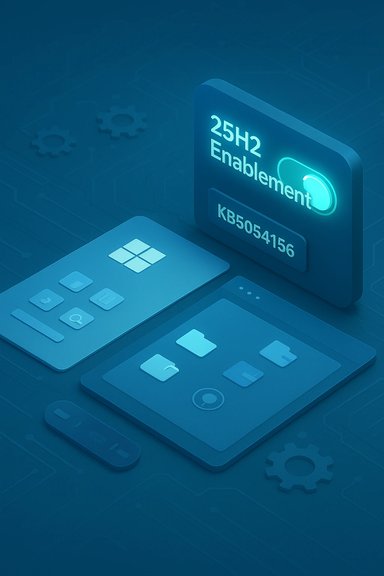
Windows 11, version 25H2 (the “2025 Update”) was released as a staged rollout and is primarily delivered to systems already on Windows 11, version 24H2 via an enablement package (KB5054156). That eKB acts like a “master switch”: the binaries were already shipped across the 24H2 servicing stream, and applying the small package activates dinimal downtime. Microsoft documents the prerequisite cumulative update (August 29, 2025 — KB5064081 or later) that must be present before the enablement package is offered. For many patched 24H2 systems the switch is typically a small download and a single restart. This delivery model is part of Microsoft’s longer-term servicing strategy: smaller, incremental changes acpdates with occasional eKB activations to formalize a new version milestone. The payoff is reduced install time and lower revalidation burdens for admins; the downside is that the version label becomes less of a “feature event” and more of a housekeeping checkpoint. Several outlets and community posts have framed 25H2 as “mostly a switch flip,” which accurately captures the user experience for the majority of eligible machines. At the same time, the 25H2 rollout coincides with growing friction around the volume of AI features, contextual suggestions, and promotional content in Windows. Winslop — a compact, locally executed cleanup tool ported to C# and published openly — aims to give users a simple, reversible interface to remove or disable many of those elements (Copilot, certain UI ads, Edge‑specific shopping assistants, and telemetry tweaks). The tool has quickly attracted attention in international tech outlets.
Key user-facing highlights:
25H2 also delivers improved build‑time and runtime vulnerability detection defenses and new manageability controls (Group Policy/MDM CSPs to remove selected in‑box Microsoft Store apps during provisioning). These are the kind of changes that matter for enterprises more than consumers: improtighter default telemetry settings, and new admin controls.
Finally, the oft‑quoted headline about “hundreds of millions” of PCs that remain on earlier releases appears in industry reporting and vendor commentary; treat that figure as an estimated aggregation rather than an exact census. It’s important context for Microsoft’s push to reduce fragmentation, but it is not a Microsoft‑published device count.
Administrators and IT teams should be mindful:
At the same moment, projects like Winslop show the strength and speed of the Windows community: when users want greater control, open‑source tools appear quickly to fill the gap. Winslop is powerful and useful for many, but it’s not a zero‑risk substitute for managed governance. Whether you flip the 25H2 switch immediately, adopt Winslop, or wait for vendor‑certified drivers is a risk management decision — back up, pilot, and document changes so the benefits don’t come at the cost of interrupted workflows or unsupported configurations.
Source: MSN http://www.msn.com/en-us/news/techn...tps://www.neowin.net/software/winslop-03550/]
 Background / Overview
Windows 11, version 25H2 (the “2025 Update”) was released as a staged rollout and is primarily delivered to systems already on Windows 11, version 24H2 via an enablement package (KB5054156). That eKB acts like a “master switch”: the binaries were already shipped across the 24H2 servicing stream, and applying the small package activates dinimal downtime. Microsoft documents the prerequisite cumulative update (August 29, 2025 — KB5064081 or later) that must be present before the enablement package is offered. For many patched 24H2 systems the switch is typically a small download and a single restart. This delivery model is part of Microsoft’s longer-term servicing strategy: smaller, incremental changes acpdates with occasional eKB activations to formalize a new version milestone. The payoff is reduced install time and lower revalidation burdens for admins; the downside is that the version label becomes less of a “feature event” and more of a housekeeping checkpoint. Several outlets and community posts have framed 25H2 as “mostly a switch flip,” which accurately captures the user experience for the majority of eligible machines. At the same time, the 25H2 rollout coincides with growing friction around the volume of AI features, contextual suggestions, and promotional content in Windows. Winslop — a compact, locally executed cleanup tool ported to C# and published openly — aims to give users a simple, reversible interface to remove or disable many of those elements (Copilot, certain UI ads, Edge‑specific shopping assistants, and telemetry tweaks). The tool has quickly attracted attention in international tech outlets. What 25H2 actually delivers
The practical, user‑visible changes
25H2 is deliberately modest at first‑look. Expect small Start menu and Settings refinements, File Explorer AI actions (contextual AI tasks where licensing and hardware permit), accessibility improvements, and developer/IT conveniences like a compact 64‑bit command line editor and task‑manager polish. Many richer AI experiences remain staged and gated by hardware (Copilot+ PCs with NPUs) or subscriptions (Microsoft 365/Copilot entitlements). In short: visible consumer change is incremental, bug moved a lot.Key user-facing highlights:
- AI context actions in File Explorer for images and documents (local or cloud‑backed depending on entitlements).
- Slight Start menu and shell polish — layout tweaks, full “All apps” list options in some configurations.
- Accessibility gains in Narrator and Braille support.
- Gaming and virtual keyboard tweaks, and general energy/battery optimizations.
Security, hygiene, and legacy cleanup
Perhaps the sharpest operational change in 25H2 is the removal of legacy components that have lingered for years. Most notably, Windows PowerShell 2.0 and the WMIC command‑line tool are no longer included in the shipping images. Microsoft’s intent here is to shrink the attack surface and encourage migration to modern managemen 5.1 / PowerShell 7.x and CIM cmdlets). For organizations with legacy automation, this is the principal compatibility risk and requires immediate inventory and remediation.25H2 also delivers improved build‑time and runtime vulnerability detection defenses and new manageability controls (Group Policy/MDM CSPs to remove selected in‑box Microsoft Store apps during provisioning). These are the kind of changes that matter for enterprises more than consumers: improtighter default telemetry settings, and new admin controls.
The enablement package mechanics (why the upgrade is fast)
The eKB model means the “heavy lifting” was already included in previous cumulative updates; 25H2 primarily toggles feature flags and updates the version string. That approach:- Cuts download size and reduces install time.
- Lowers the risk of broad driver/app incompatibilities for already‑patched 24H2 systems.
- Requires a specific baseline cumulative update (e.g., KB5064081) as a prerequisite.
Upgrade paths and a practical checklist
If you’re considering 25H2, here is a condensed, actionable checklist to minimize pain:- Backup first: full image or reliable file backup.
- Confirm hardware and firmware: TPM 2.0, Secure Boot, afor Windows 11. Update firmware and drivers from OEMs (Intel, AMD, OEM vendor packages).
- Ensure prerequisite updates: install the August 29, 2025 cumulative preview (KB5064081) or later before expecting the eKB offer.
- Pilot in a small ring (7–14 days) with representative devices and apps.
- Use staged deployment controls: Windows Update for Business, WSUS, Intune, or Microsoft Autopatch for enterprise rollouts.
- Inventory scripts and tools: migrate any reliance on PowerShell 2.0 and WMIC to modern cmdlets or supported runtimes.
- Monitor Release Health and safeguard IDs: Microsoft may block the update on known incompatible hardware/driver combinations.
Risks, known issues, and the “be careful” signals
25H2’s enablement model reduces downtime but does nmunity reporting and Microsoft’s Release Health notices registered a handful of troubling patterns during preview and initial rollouts:- Update installation failures and rollback loops (various Windows Update error codes surfaced in community threads).
- Regressions in recent cumulative updates — for example, dark‑mode rendering flashes or other Ubserved after preview builds.
- Driver and firmware incompatibilities that trigger safeguard holds until vendors release fixes.
Finally, the oft‑quoted headline about “hundreds of millions” of PCs that remain on earlier releases appears in industry reporting and vendor commentary; treat that figure as an estimated aggregation rather than an exact census. It’s important context for Microsoft’s push to reduce fragmentation, but it is not a Microsoft‑published device count.
Winslop: what it is, what it does, and why it matters
Origins and purpose
Winslop is a recent, compact utility created by the developer behind FlyOOBE and built as a local, offline tool to let users disable or remove AI features, telemetry, ads, and several bundled Microsoft behaviors that many find intrusive. It evolved from scripts like “Remove Windows AI” and CrapFixer into a more polished C# native application, with a focus on transparency and reversibility. Coverage of Winslop has appeared across multiple outlets and languages, signaling both rapid adoption and broad interest. Winslop’s selling points:- Lightweight: compressed builds reported under 200KB in some outlets.
- Offline operation: no cloud or hidden telemetry in the tool itself.
- Transparent rollback: options to revert changes and a clear list of intended actions.
- Modular UI: categories for AI, Ads, Edge, Privacy, and gaming tweaks.
Core capabilities (typical feature list)
- Disable Copilot and other on‑device AI hooks.
- Strip promotional content and suggesting overlays from Start/Settings.
- Modify Edge behaviors (remove sidebar shopping assistants, sponsored links).
- Tweak privacy settings and remove or disable preinstalled apps.
- Apply game- and performance‑oriented registry and policy tweaks.
- Provide an “undo” or rollback path for changes it makes.
Why Winslop is growing quickly
Two dynamics fuel Winslop’s popularity:- User dissatisfaction with the growing number of AI prompts, context menus, and promotional UI elements in Windows.
- The desire for local control: Winslop runs offline and modifies settings in transparent ways, appealing to privacy‑conscious or minimalistic users who distrust cloud toggles or hidden telemetry.
Practical and security implications of using Winslop
Benefits (why power users try it)
- Immediate control over features many find intrusive without needing deep policy edits or scripting.
- Fast cleanup of ads, recommendations, and AI surface area that some users view as “feature creep.”
- Reversibility: the best implementations include restore points, manifests of changes, and undo flows.
- Works offline — no extra telemetry or cloud linking in the utility itself.
Risks and cautionary notes
- Unsupported modifications: third‑party tools that alter OS behavior can void OEM support or complicate vendor troubleshooting. If a device requires warranty service or vendor diagnostics, a changed footprint can complicate root‑cause work.
- Breakage risk: disabling components that appear optional can still cause unexpected interactions — especially for Edge integrations, enterprise policies, or apps that assume Copilot/APIs are present.
- Security and update interaction: registry and policy changes can interact with Windows Update behavior or Telemetry controls in ways that are non‑obvious; revertability and backups are essential.
- Trust and supply chain: although Winslop is open source and locally run, you must obtain it only from the project’s official repository (GitHub) and validate the integrity of releases.
Practical advice for using Winslop responsibly
- Create a full system backup or at least a system restore point before applying sweeping changes.
- Apply: enable one category (for example, Ads) and observe system behavior for a few days before proceeding.
- Use the tool’s rollback before pursuing more invasive edits; track exactly what it changes.
- Avoid running such tools on production or corporate machines without approval from IT; in managed environments, group policies and Intune should be used instead. Winslop intersect: compatibility and governance
Administrators and IT teams should be mindful:
- Repeated or wide use of third‑party debloat tools can create a management gap between vendor‑supped machines.
- For corporate fleets, Microsoft’s managed controls (Group Policy, Intune CSPs) are safer and auditable alternatives to user‑applied utilities.
- If the goal is to harden privacy and reduce telemetry wupport, favor documented Group Policy/MDM settings and maintain clear change logs rather than ad‑hoc system rewrites.
Independent verification and what’s certain vs. what’s estimated
Verified, high‑confidence items:- 25H2 was published as a staged rollout and is delivered as an eKB (KB5054156) for eligible 24H2 devices; KB5054156 and the prerequisite KB5064081 are documented by Microsoft.
- 25H2 removes legacy in‑box components (PowerShell 2.0, WMIC) and adds manageability and security hardening features.
- Winslop is an open‑source, locally executed utility that has been reported across multiple outlets and is available on GitHub; its capabilities include disabling Copilot and removing UI/Edge promotions.
- Global device counts like “500 million upgrade‑capable PCs that haven’t moved” are widely cited in trade press as aggregated estimates, not a precise Microsoft‑published metric; treat such numbers as illustrative of scale rather than exact.
- The day‑to‑day impact of 25H2 on battery life, performance, or individual AI features will vary by OEM firmware, drivers, and local workload; observed gains in real deployments will differ across device classes.
Bottom line — who should act and how
- Home users on fully patched Windows 11, version 24H2: enabling the 25H2 eKB is low friction and resets your support window. Still, apply the prerequisite updates, back up, and accept that most visible changes will be incremental. Use Winslop only if you understand the risks and keep reliable backups.
- Power users andividuals: Winslop offers a convenient, offline way to declutter Windows and disable AI/ads, but use it incrementally and prefer tools that provide clear manifests and rollback support. Validate behavior and keep recovery points.
- IT administrators and enterprise teams: treat 25H2 as an operational baseline change, not a consumer event. Pilot in representative rings, migrate legacy automation away from PowerShell 2.0/WMIC, and prefer managed policies (Intune/Group Policy/Autopatch) over ad‑hoc third‑party tools. Maintain vendor driver validation and monitor Microsoft’s Release Health and safeguard notices closely.
Conclusion
Windows 11 25H2 is an evolutionary release with strategic significance: it cleans up legacy baggage, formalizes a year of service‑stream work, and primes the OS for staged AI expansions — all while keeping the user disruption minimal through an enablement‑package model. That’s the good news for admins and cautious users. The downside is visibility: because most substantive code already shipped during the servicing year, the 25H2 label won’t deliver a dramatic “wow” at install time.At the same moment, projects like Winslop show the strength and speed of the Windows community: when users want greater control, open‑source tools appear quickly to fill the gap. Winslop is powerful and useful for many, but it’s not a zero‑risk substitute for managed governance. Whether you flip the 25H2 switch immediately, adopt Winslop, or wait for vendor‑certified drivers is a risk management decision — back up, pilot, and document changes so the benefits don’t come at the cost of interrupted workflows or unsupported configurations.
Source: MSN http://www.msn.com/en-us/news/techn...tps://www.neowin.net/software/winslop-03550/]
