

Microsoft is now pushing Windows 11 devices toward newer builds more aggressively, and that shift is less dramatic than it sounds at first glance. The company has long used staged rollout, safeguard holds, and update eligibility rules to balance stability against security, but the latest Windows 11 servicing pattern shows Microsoft tightening the pace. For most users, the practical result is simple: if a device is eligible and running an older Windows 11 release, Windows Update is increasingly the path Microsoft wants you to take. That matters because it affects not just enthusiasts, but also businesses that rely on predictable operating system servicing windows.
The phrase “force-updating” can mean different things in Windows land, and that distinction is important. Microsoft typically does not smash through every barrier indiscriminately; instead, it uses Windows Update policies, feature-update deadlines, compatibility signals, and safeguard holds to determine when an upgrade is offered or accelerated. In other words, the system is usually nudged hard rather than forcibly ripped away from the user. Still, if a machine is eligible and lagging behind, the old comfort of postponing a feature update indefinitely is shrinking.
This is not a sudden departure from Microsoft’s normal practice. Windows 10 and Windows 11 alike have been moving toward a model where feature updates are treated more like recurring maintenance than giant one-time upgrades. Microsoft has been explicit that Windows 11 feature updates now follow an annual cadence, and it has also framed newer releases as delivering ongoing support rather than optional novelty. The modern Windows servicing strategy is designed to keep fleets on current builds, reduce fragmentation, and minimize the number of users running unsupported software. (blogs.windows.com)
What makes the current moment noteworthy is the convergence of several factors. Windows 11 version 25H2 is already available through controlled rollout for eligible devices on 24H2, Microsoft is keeping a close eye on compatibility holds, and the company continues to publish dynamic setup updates and out-of-box updates for 24H2 and 25H2. That means the update machinery is not just active; it is being continuously refined. Microsoft is effectively telling users and admins that the “best” Windows 11 is the newest one their hardware can safely run. (blogs.windows.com)
The current Windows 11 line is especially sensitive because the platform is now in the middle of a support and innovation refresh cycle. Version 24H2 became the base that many newer changes are built upon, while 25H2 arrived as the next annual milestone and, for supported systems, as a relatively quick upgrade delivered with servicing technology. Microsoft has said that 25H2 resets the support clock: 24 months for Home and Pro, 36 months for Enterprise and Education. That alone encourages companies to move sooner rather than later. (blogs.windows.com)
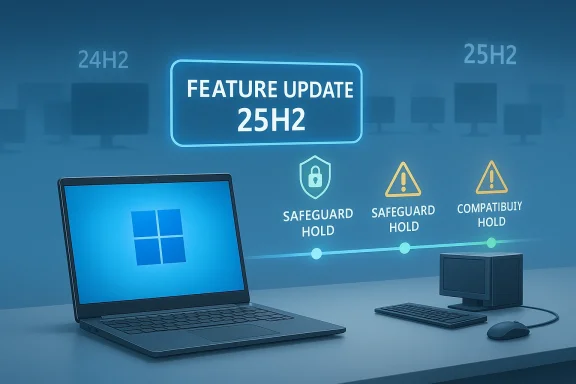
At the same time, Microsoft has expanded the use of safeguard holds to keep problematic driver and app combinations from receiving updates too early. This is a crucial detail because it shows the company is not purely chasing uniformity; it is trying to prevent the ugly support incidents that damage trust. Nvidia display drivers, anti-cheat software, wallpaper apps, and other components have all appeared in Windows 11 compatibility notices, reinforcing the reality that a feature update is not just a Windows issue, but an ecosystem event. (support.microsoft.com)
The user-facing side of this strategy is familiar to anyone who has watched Windows Update over the last few years. Devices that are eligible and healthy receive the upgrade more quickly, while systems with known issues may be held back. That makes the rollout feel inconsistent from one PC to another, but that inconsistency is by design. Microsoft would rather have some users waiting than have everyone break in the same way. In that sense, the new “forcing” narrative is really a story about confidence-based deployment: the better your device looks to Microsoft’s telemetry, the more aggressively the update pipeline advances.
Windows 11 version 25H2 is a good example of this approach. Microsoft says it is delivered using servicing technology similar to monthly updates, which makes installation faster and less disruptive than a full traditional upgrade. For eligible devices on 24H2, availability started as a controlled feature rollout, and Microsoft also reminds commercial customers to run targeted deployments and validate apps, devices, and infrastructure. That is a strong signal that the company wants broad adoption, but not blind adoption. (blogs.windows.com)
That matters because the force-update narrative can be misleading if taken too literally. The company is not ignoring compatibility; it is using compatibility as the reason to move faster on some devices and slower on others. In practice, that means users with clean, supported configurations may see updates arrive sooner, while those with questionable software stacks may continue to wait. That is selective pressure, not a universal hammer.
A few broad rules emerge from the current servicing model:
There is also a support logic behind the pressure. When Microsoft says 25H2 resets the support period, it is not merely encouraging an upgrade for shiny features. It is tying ongoing security, issue resolution, and enterprise servicing to the newest supported release. For Home and Pro users, that means the clock starts over at 24 months. For Enterprise and Education, the runway is even longer, but still finite. (blogs.windows.com)
That is why Windows Update increasingly feels like a corridor instead of a choice. The newer the release, the more clearly Microsoft can say it is the right place to be. This is especially true for users who rely on Microsoft 365 apps, Windows Security, or any other components that assume the platform underneath them remains current. The more tightly those services integrate, the less room there is for “I’ll upgrade later.”
Key implications include:
The Nvidia example is particularly illustrative. Microsoft says some devices with affected Nvidia display drivers may lose display after updating, so it applies a safeguard hold and recommends waiting until the updated driver is offered automatically. The point is not just caution; it is control. Microsoft is effectively teaching users to let the update system manage the sequence in the correct order instead of forcing the sequence themselves. (support.microsoft.com)
That gives Microsoft a way to scale Windows without making support chaos inevitable. It also gives the company plausible deniability when critics call the system “forced”: if the update was offered, the device was judged ready; if it was withheld, there was a documented reason. This is not quite freedom, and it is not quite coercion. It is a managed funnel.
A few examples of safeguard logic now common in Windows 11 include:
The practical consumer impact depends on how well the machine is maintained. A healthy, fairly standard Windows 11 PC is likely to glide through the process with little drama. A heavily tweaked system with legacy utilities, niche hardware drivers, or odd customization software may hit a hold or a compatibility warning, and that is where frustration begins. (support.microsoft.com)
The consumer upside is obvious: better security, cleaner servicing, and newer features without a manual hunt. The downside is equally obvious: less agency, more reboot pressure, and a greater chance that an unfamiliar compatibility issue interrupts normal life. That tension is now built into Windows as a platform, not just into one particular release.
For consumers, the main outcomes are:
The enterprise case also becomes more compelling because support resets carry operational consequences. A newer release resets the servicing window, which is useful for compliance planning, patch cadence, and application certification. Enterprises that delay feature updates too long may end up compressing their validation cycle later, which is often more disruptive than moving in smaller waves.
This is why the current update behavior should not be read simply as “Microsoft is being pushy.” It is also Microsoft standardizing the expectations for modern endpoint management. In a world where security incidents are frequent and endpoint sprawl is real, the vendor wants a narrower set of sanctioned versions. That gives Microsoft a cleaner support model, but it also gives IT departments less room to maintain long tails of old builds.
Enterprise administrators should watch for:
There is also a broader market effect on hardware and software vendors. Driver writers, peripheral makers, game anti-cheat vendors, and niche application developers must now live inside a more disciplined servicing cadence. If they lag, they are not just inconveniencing a few users; they are potentially blocking feature updates across a population of devices. That creates indirect pressure on the ecosystem to keep pace with Microsoft’s preferred rhythm.
The market signal is clear: Windows is becoming more of a governed platform and less of a loosely coordinated one. For some developers, that is good news because the rules are clearer. For others, it is a warning that the era of casual compatibility is ending. That shift is not neutral; it rewards vendors who can test quickly and penalizes those who cannot.
Major market effects include:
We should also watch enterprise guidance closely. Microsoft is already telling commercial organizations to validate 25H2 through targeted deployments, which suggests that the company expects admins to manage this like a living change program rather than a one-time project. That may become the new normal for every annual Windows release.
Source: afterdawn.com AfterDawn - Software downloads, reviews, tech news and guides
 Overview
The phrase “force-updating” can mean different things in Windows land, and that distinction is important. Microsoft typically does not smash through every barrier indiscriminately; instead, it uses Windows Update policies, feature-update deadlines, compatibility signals, and safeguard holds to determine when an upgrade is offered or accelerated. In other words, the system is usually nudged hard rather than forcibly ripped away from the user. Still, if a machine is eligible and lagging behind, the old comfort of postponing a feature update indefinitely is shrinking.This is not a sudden departure from Microsoft’s normal practice. Windows 10 and Windows 11 alike have been moving toward a model where feature updates are treated more like recurring maintenance than giant one-time upgrades. Microsoft has been explicit that Windows 11 feature updates now follow an annual cadence, and it has also framed newer releases as delivering ongoing support rather than optional novelty. The modern Windows servicing strategy is designed to keep fleets on current builds, reduce fragmentation, and minimize the number of users running unsupported software. (blogs.windows.com)
What makes the current moment noteworthy is the convergence of several factors. Windows 11 version 25H2 is already available through controlled rollout for eligible devices on 24H2, Microsoft is keeping a close eye on compatibility holds, and the company continues to publish dynamic setup updates and out-of-box updates for 24H2 and 25H2. That means the update machinery is not just active; it is being continuously refined. Microsoft is effectively telling users and admins that the “best” Windows 11 is the newest one their hardware can safely run. (blogs.windows.com)
Background
Windows feature updates have always been a tug-of-war between convenience, control, and reliability. In the old days, users often associated a new Windows version with a risky reinstall-like event, while Microsoft saw it as the only practical way to deliver large-scale platform changes. Over time, servicing improved, update packages became more incremental, and feature updates became faster to install. Windows 11 pushed that philosophy further by making annual feature releases and controlled rollouts the default rhythm. (blogs.windows.com)The current Windows 11 line is especially sensitive because the platform is now in the middle of a support and innovation refresh cycle. Version 24H2 became the base that many newer changes are built upon, while 25H2 arrived as the next annual milestone and, for supported systems, as a relatively quick upgrade delivered with servicing technology. Microsoft has said that 25H2 resets the support clock: 24 months for Home and Pro, 36 months for Enterprise and Education. That alone encourages companies to move sooner rather than later. (blogs.windows.com)
At the same time, Microsoft has expanded the use of safeguard holds to keep problematic driver and app combinations from receiving updates too early. This is a crucial detail because it shows the company is not purely chasing uniformity; it is trying to prevent the ugly support incidents that damage trust. Nvidia display drivers, anti-cheat software, wallpaper apps, and other components have all appeared in Windows 11 compatibility notices, reinforcing the reality that a feature update is not just a Windows issue, but an ecosystem event. (support.microsoft.com)
The user-facing side of this strategy is familiar to anyone who has watched Windows Update over the last few years. Devices that are eligible and healthy receive the upgrade more quickly, while systems with known issues may be held back. That makes the rollout feel inconsistent from one PC to another, but that inconsistency is by design. Microsoft would rather have some users waiting than have everyone break in the same way. In that sense, the new “forcing” narrative is really a story about confidence-based deployment: the better your device looks to Microsoft’s telemetry, the more aggressively the update pipeline advances.
What Microsoft Is Actually Doing
The key thing to understand is that Microsoft’s update behavior is usually a combination of policy, eligibility, and timing. It can offer feature updates more insistently to devices that are deemed ready, and it can move older installations forward when support or servicing considerations justify it. That does not necessarily mean a machine is rebooted against the user’s will; rather, it means the update is surfaced in Windows Update and increasingly positioned as the default path.Windows 11 version 25H2 is a good example of this approach. Microsoft says it is delivered using servicing technology similar to monthly updates, which makes installation faster and less disruptive than a full traditional upgrade. For eligible devices on 24H2, availability started as a controlled feature rollout, and Microsoft also reminds commercial customers to run targeted deployments and validate apps, devices, and infrastructure. That is a strong signal that the company wants broad adoption, but not blind adoption. (blogs.windows.com)
Offer, hold, and accelerate
Microsoft’s update policy now sits on three rails: offer the update where safe, hold it where risky, and accelerate it where support or servicing demands it. The safeguard hold system is especially important because it is the mechanism that prevents a wave of known-bad installations. If a device has an incompatible driver or app, the update can be withheld until the issue clears. (support.microsoft.com)That matters because the force-update narrative can be misleading if taken too literally. The company is not ignoring compatibility; it is using compatibility as the reason to move faster on some devices and slower on others. In practice, that means users with clean, supported configurations may see updates arrive sooner, while those with questionable software stacks may continue to wait. That is selective pressure, not a universal hammer.
A few broad rules emerge from the current servicing model:
- Eligible devices are prioritized for the newest supported build.
- Compatibility issues can delay or block an offer.
- Commercial environments are expected to validate before broad deployment.
- Security and support timelines increasingly define how long older builds remain comfortable.
- Servicing-based upgrades reduce the friction of moving to the next release.
Why 24H2 and 25H2 Matter
Windows 11 24H2 and 25H2 matter because they are now the center of Microsoft’s feature-update ecosystem. 24H2 is the platform from which 25H2 expands, and Microsoft’s release-health pages show both versions receiving the latest fixes, holds, and issue resolutions. That means the line between “current” and “new” has gotten narrower. The old model of skipping multiple annual releases is becoming harder to justify. (learn.microsoft.com)There is also a support logic behind the pressure. When Microsoft says 25H2 resets the support period, it is not merely encouraging an upgrade for shiny features. It is tying ongoing security, issue resolution, and enterprise servicing to the newest supported release. For Home and Pro users, that means the clock starts over at 24 months. For Enterprise and Education, the runway is even longer, but still finite. (blogs.windows.com)
Support windows drive behavior
Support windows are one of the most underappreciated levers in the Windows ecosystem. Many users think of feature updates as optional, but for Microsoft they are part of the support lifecycle itself. If a machine is stuck on an older release, it is not just missing features; it is sliding closer to the edge of Microsoft’s servicing guarantees.That is why Windows Update increasingly feels like a corridor instead of a choice. The newer the release, the more clearly Microsoft can say it is the right place to be. This is especially true for users who rely on Microsoft 365 apps, Windows Security, or any other components that assume the platform underneath them remains current. The more tightly those services integrate, the less room there is for “I’ll upgrade later.”
Key implications include:
- Security fixes arrive fastest on supported releases.
- Feature continuity improves when the platform is current.
- Business validation cycles are shorter when Microsoft standardizes cadence.
- Delayed upgrades become more of a risk than an inconvenience.
The Role of Safeguard Holds
Microsoft’s willingness to push updates harder is balanced by its equally visible reliance on safeguard holds. These are not cosmetic. They are the company’s formal mechanism for preventing an update from reaching systems likely to fail or malfunction. In the Windows 11 24H2 release-health documentation, Microsoft repeatedly notes issues affecting drivers, apps, and device-specific scenarios, and it makes clear that some affected systems will not be offered the update until the problem is resolved.The Nvidia example is particularly illustrative. Microsoft says some devices with affected Nvidia display drivers may lose display after updating, so it applies a safeguard hold and recommends waiting until the updated driver is offered automatically. The point is not just caution; it is control. Microsoft is effectively teaching users to let the update system manage the sequence in the correct order instead of forcing the sequence themselves. (support.microsoft.com)
Compatibility is now policy
This is a subtle but important change in Windows governance. Compatibility issues used to be treated as unfortunate exceptions. Now they are embedded into the policy logic of rollout itself. If Microsoft knows that a combination of firmware, driver, or application is risky, the software won’t just warn you — it may simply stop offering the upgrade.That gives Microsoft a way to scale Windows without making support chaos inevitable. It also gives the company plausible deniability when critics call the system “forced”: if the update was offered, the device was judged ready; if it was withheld, there was a documented reason. This is not quite freedom, and it is not quite coercion. It is a managed funnel.
A few examples of safeguard logic now common in Windows 11 include:
- Driver-specific blocks for graphics hardware.
- App compatibility holds for known problematic desktop software.
- Game anti-cheat holds when kernel-level dependencies are involved.
- Post-install rollback guidance when a bad interaction slips through anyway.
Consumer Impact
For consumers, the update pressure is both reassuring and annoying. It is reassuring because most people do not want to spend time managing operating system versions, and a more aggressive update model helps keep family PCs secure without much user effort. It is annoying because Windows users have long been trained to expect some degree of control over timing, and forceful feature-update behavior can feel intrusive even when the motive is sensible.The practical consumer impact depends on how well the machine is maintained. A healthy, fairly standard Windows 11 PC is likely to glide through the process with little drama. A heavily tweaked system with legacy utilities, niche hardware drivers, or odd customization software may hit a hold or a compatibility warning, and that is where frustration begins. (support.microsoft.com)
What ordinary users will notice
Most home users will not see an update “forced” in the cinematic sense. Instead, they will notice that Windows Update starts surfacing the newer version sooner, that deferrals are less powerful than before, and that skipping releases feels harder. Some users will also encounter new upgrade prompts tied to the “Get the latest updates as soon as they’re available” setting, which can widen the gap between early adopters and those who ignore the toggle. (blogs.windows.com)The consumer upside is obvious: better security, cleaner servicing, and newer features without a manual hunt. The downside is equally obvious: less agency, more reboot pressure, and a greater chance that an unfamiliar compatibility issue interrupts normal life. That tension is now built into Windows as a platform, not just into one particular release.
For consumers, the main outcomes are:
- Fewer unsupported PCs lingering in the wild.
- More automatic security coverage for mainstream devices.
- Less timing control over when a feature update lands.
- More dependence on Microsoft’s compatibility judgment.
- More visible update prompts on devices Microsoft trusts.
Enterprise Impact
For enterprise administrators, the story is bigger than annoyance. Microsoft’s servicing model pushes organizations toward structured validation, phased deployment, and more disciplined lifecycle management. The company’s own guidance for 25H2 explicitly recommends targeted deployments and says organizations should confirm that apps, devices, and infrastructure work as expected before broad rollout. That is Microsoft speaking the language of enterprise risk management, not consumer convenience. (blogs.windows.com)The enterprise case also becomes more compelling because support resets carry operational consequences. A newer release resets the servicing window, which is useful for compliance planning, patch cadence, and application certification. Enterprises that delay feature updates too long may end up compressing their validation cycle later, which is often more disruptive than moving in smaller waves.
IT policy now matters more than ever
In a managed environment, Windows Update is only part of the story. Administrators also rely on tools such as Windows Autopatch, Microsoft 365 admin center controls, Intune, Group Policy, and reporting around release health. Microsoft’s own messaging around 25H2 reflects that reality by framing feature updates as something to be piloted, measured, and then expanded.This is why the current update behavior should not be read simply as “Microsoft is being pushy.” It is also Microsoft standardizing the expectations for modern endpoint management. In a world where security incidents are frequent and endpoint sprawl is real, the vendor wants a narrower set of sanctioned versions. That gives Microsoft a cleaner support model, but it also gives IT departments less room to maintain long tails of old builds.
Enterprise administrators should watch for:
- Support reset timelines tied to 25H2.
- Targeted deployment needs before broad rollout.
- Driver and app compatibility reviews before release expansion.
- Windows release health notifications that may justify temporary holds.
- Centralized tooling such as Autopatch and Intune to manage pace.
Competitive and Market Implications
Microsoft’s update strategy also has competitive implications beyond Windows itself. A platform that updates more aggressively becomes easier to support, easier to secure, and easier to sell into enterprise environments where IT teams want consistency. That puts pressure on alternative ecosystems to match the balance of convenience and control without the same distribution leverage.There is also a broader market effect on hardware and software vendors. Driver writers, peripheral makers, game anti-cheat vendors, and niche application developers must now live inside a more disciplined servicing cadence. If they lag, they are not just inconveniencing a few users; they are potentially blocking feature updates across a population of devices. That creates indirect pressure on the ecosystem to keep pace with Microsoft’s preferred rhythm.
The ecosystem gets tighter
A tighter ecosystem has advantages. It reduces fragmentation, simplifies support, and makes Windows feel more coherent from one version to the next. But it also means third-party products that once relied on flexibility may now face more scrutiny. That is especially true for software that hooks deeply into the system, such as overlays, customization tools, or security-sensitive drivers.The market signal is clear: Windows is becoming more of a governed platform and less of a loosely coordinated one. For some developers, that is good news because the rules are clearer. For others, it is a warning that the era of casual compatibility is ending. That shift is not neutral; it rewards vendors who can test quickly and penalizes those who cannot.
Major market effects include:
- More pressure on driver and firmware quality.
- Shorter tolerance for lagging software vendors.
- Greater value for managed deployment tools.
- Reduced fragmentation across Windows installations.
- A higher baseline expectation for update readiness.
Strengths and Opportunities
Microsoft’s approach has real strengths, and they matter because they explain why the company keeps doubling down on this model. The update system is more intelligent than the old blunt-force Windows upgrade experience, and it gives Microsoft a way to keep the platform secure while minimizing support pain. It also helps create a more predictable environment for both consumers and enterprises, which is especially valuable as Windows becomes more deeply tied to cloud services and managed endpoints.- Improved security posture across the installed base.
- Faster access to fixes once a release is current.
- Cleaner servicing through faster, smaller feature-update delivery.
- Better supportability for Microsoft and OEM partners.
- Stronger enterprise planning thanks to regular cadence.
- Lower fragmentation across versions and patch levels.
- More reliable rollout controls through safeguard holds and telemetry.
Risks and Concerns
The biggest risk is trust. When users hear “forced updates,” they often think of control being taken away, and that perception can become corrosive even when the underlying update is reasonable. Microsoft must therefore walk a tightrope: move fast enough to keep the ecosystem healthy, but not so fast that users feel steamrolled. That balance becomes harder when update bugs or compatibility holds make the process look arbitrary.- User resentment if updates feel non-optional.
- Compatibility surprises on niche hardware or software stacks.
- Support burden when updates coincide with driver failures.
- Enterprise friction if validation windows are too short.
- Reputation damage from any high-profile broken rollout.
- Overreliance on telemetry that may not capture every edge case.
- False sense of safety if users assume newer automatically means flawless.
What to Watch Next
The next phase will likely be defined by how Microsoft handles the transition from 24H2 to 25H2 and how broadly the company continues to accelerate older eligible devices. If rollout proceeds smoothly, the update pipeline will look increasingly automatic and less visible. If there are major driver or application problems, safeguard holds will once again become the story, because that is where the real tension in Windows servicing shows up.We should also watch enterprise guidance closely. Microsoft is already telling commercial organizations to validate 25H2 through targeted deployments, which suggests that the company expects admins to manage this like a living change program rather than a one-time project. That may become the new normal for every annual Windows release.
Things worth monitoring
- Whether more devices are pushed from older 24H2 builds to newer releases automatically.
- How long compatibility holds remain active for driver- and app-related issues.
- Whether Microsoft expands update deadlines or nudges for lagging systems.
- How enterprises respond to the 25H2 support reset.
- Whether third-party software vendors adapt quickly enough to stay off block lists.
Source: afterdawn.com AfterDawn - Software downloads, reviews, tech news and guides
