

Windows 11 25H2 landed with fewer headline-breaking regressions than its predecessor, but October’s servicing wave still produced a handful of high‑impact problems — from IIS/HTTP.sys loopback failures and a Task Manager lifecycle bug to USB input loss in WinRE and smart‑card authentication breakages — and Microsoft has released targeted fixes and temporary workarounds to address each.
Windows 11 version 25H2 shipped as an enablement-style feature update intended to be low-friction for eligible devices; that model minimizes download and restart time but increases the importance of a consistent servicing stack and compatible drivers. Microsoft’s October cumulative (and related preview packages) introduced security hardenings and kernel-level changes that produced several interoperability regressions affecting developers, administrators and some enterprise workflows. Microsoft acknowledged the problems publicly, rolled Known Issue Rollbacks (KIRs) where appropriate, and issued an out‑of‑band cumulative update to restore critical recovery functionality.
This article summarizes the most common and consequential 25H2 problems reported in the field, explains practical fixes and workarounds, evaluates the trade‑offs, and gives an operational playbook for home users and IT teams to reduce risk while staying patched.
Practical impact: broken Visual Studio debug sessions, failed CI jobs that spin up local servers, and inaccessible vendor web management consoles that rely on kernel‑mode HTTP listeners.
The incident contains three practical lessons for every Windows steward:
Conclusion
Windows 11 25H2’s practical impact on most users has been modest, but specific October servicing changes exposed brittle interactions between kernel networking, Safe OS images and long‑standing cryptographic behaviors. The technical community and Microsoft collaborated quickly to push KIRs, out‑of‑band fixes, and documented mitigations; administrators who followed the recommended verification and rollback guidance were able to protect recoverability and compatibility while keeping devices secure. The best‑practice takeaway is simple: test widely, keep recovery media current, and treat temporary registry workarounds as short, carefully tracked bridges toward definitive vendor fixes.
Source: Guiding Tech Common Issues in 25H2 and How to Fix Them
 Background / Overview
Windows 11 version 25H2 shipped as an enablement-style feature update intended to be low-friction for eligible devices; that model minimizes download and restart time but increases the importance of a consistent servicing stack and compatible drivers. Microsoft’s October cumulative (and related preview packages) introduced security hardenings and kernel-level changes that produced several interoperability regressions affecting developers, administrators and some enterprise workflows. Microsoft acknowledged the problems publicly, rolled Known Issue Rollbacks (KIRs) where appropriate, and issued an out‑of‑band cumulative update to restore critical recovery functionality.This article summarizes the most common and consequential 25H2 problems reported in the field, explains practical fixes and workarounds, evaluates the trade‑offs, and gives an operational playbook for home users and IT teams to reduce risk while staying patched.
What actually went wrong — the headline issues
1) IIS / Localhost (HTTP.sys) connections failing (ERR_HTTP2_PROTOCOL_ERROR / ERR_CONNECTION_RESET)
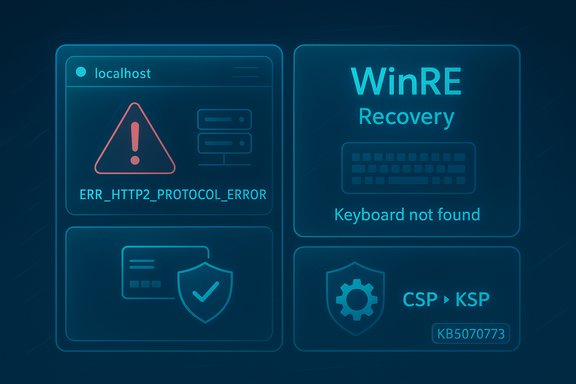
Many developers and admins saw local web servers (IIS, IIS Express, Kestrel-hosted apps) or management UIs become unreachable on the same machine after the October cumulative. The failure typically appears as browser errors like ERR_HTTP2_PROTOCOL_ERROR or ERR_CONNECTION_RESET when connecting to localhost or loopback addresses; root cause traces to a regression in the kernel HTTP listener (HTTP.sys) and HTTP/2 negotiation.Practical impact: broken Visual Studio debug sessions, failed CI jobs that spin up local servers, and inaccessible vendor web management consoles that rely on kernel‑mode HTTP listeners.
2) Recurring Task Manager instances / Task Manager not closing correctly
An optional preview update (distributed as part of some preview channels) introduced a lifecycle regression where closing Task Manager spawned lingering or duplicated background taskmgr.exe instances. Over time this could consume notable RAM on long‑running machines. Microsoft included a fix in subsequent cumulative updates.3) USB keyboard and mouse unresponsive in Windows Recovery Environment (WinRE)
Perhaps the most operationally serious regression: after the October cumulative some systems booted into WinRE but did not respond to USB keyboards or mice, leaving the recovery UI unusable. Because WinRE runs a trimmed “Safe OS” image (winre.wim) with a minimal driver set, a mispackaged SafeOS update or driver variant mismatch can prevent USB HID initialization inside recovery — even though those same devices work normally in the full desktop. Microsoft issued an out‑of‑band cumulative (KB5070773) to restore WinRE input, plus companion SafeOS dynamic updates.4) Smart‑card / certificate authentication failures (CSP → KSP enforcement)
As part of security hardening to address a cryptographic CVE, Microsoft made Windows prefer the modern Key Storage Provider (KSP) for RSA smart‑card certificates rather than the legacy Cryptographic Service Provider (CSP) model. That change caused 32‑bit apps and middleware that expected CSP semantics to fail at signing and authentication operations. Microsoft published a temporary registry mitigation (add/modify DisableCapiOverrideForRSA under HKEY_LOCAL_MACHINE\SOFTWARE\Microsoft\Cryptography\Calais) and warned that the escape hatch would be removed in a future update, making this a short‑term stopgap.5) .msu / network installer failures and other edge cases
Updating with a Windows Update Standalone Installer (.msu) from a network share could fail when multiple versions or network access constraints existed; the practical workaround is to copy the .msu locally and run it from the device. Other smaller issues reported included File Explorer white-flash in dark mode, audio and GPU driver quirks, and installation failures tied to component store corruption — most of which are addressed by standard repair flows (DISM /RestoreHealth, SFC /scannow) or patched in cumulative updates.Fixes and step‑by‑step workarounds (practical)
Below are prioritized, action‑oriented steps for each major problem. Start with the non-destructive options and escalate only if necessary.IIS / HTTP.sys localhost failures — recommended sequence
- Check for Microsoft updates and install them (KIRs or OOB patches may have been pushed). Reboot after updates.
- Install the latest Microsoft Defender Security Intelligence update — some community reports found this resolved symptoms in certain configurations.
- If you must restore local connectivity immediately and no vendor fix is available, apply the temporary registry workaround to force HTTP/1.1 for the HTTP.sys stack:
- Open regedit as Administrator.
- Navigate to HKEY_LOCAL_MACHINE\SYSTEM\CurrentControlSet\Services\HTTP\Parameters.
- Create DWORD (32‑bit) EnableHttp2Tls and set to 0.
- Create DWORD (32‑bit) EnableHttp2Cleartext and set to 0.
- Reboot the system.
This forces HTTP.sys to fall back to HTTP/1.1 and many loopback negotiation problems disappear — but it disables HTTP/2 benefits for the OS layer. - As a last resort, uninstall the offending KB (for example, KB5066835) only if you can accept the temporary security exposure and have compensating controls. Prefer KIR over uninstall where available.
Task Manager duplicate/recurring instances
- Install the November cumulative or the update that includes the Task Manager fix (Microsoft folded the repair into a subsequent cumulative). Confirm your OS build is at or later than the patched build.
- If you encounter lingering instances right now, forcibly stop Task Manager instances:
- Open an elevated Command Prompt and run: taskkill /im taskmgr.exe /f
- Or open Task Manager from an unaffected session (Ctrl+Shift+Esc), find taskmgr.exe in Processes, and click End task.
WinRE USB input failure (keyboard and mouse dead in recovery)
- Immediately check Windows Update and install KB5070773 (the out‑of‑band cumulative that restores WinRE USB functionality) and any companion SafeOS dynamic updates; then reboot. Confirm OS build (example patched builds: 26200.6901 for 25H2).
- If you are already trapped in WinRE with non‑functional USB input:
- If available, use a PS/2 keyboard and mouse (legacy port) or a touchscreen if the device supports it.
- If you have a previously created USB recovery drive, boot from it — recovery media created before the regression typically contains a working WinRE image.
- If none of the above are possible, contact OEM support or use service/repair channels; avoid risky manual edits to winre.wim unless you are an experienced admin with tested runbooks.
- For administrators: validate that the device’s recovery partition has sufficient free space (dynamic SafeOS updates require space on the recovery partition) and consider proactively refreshing winre.wim in imaging pipelines. Keep golden (versioned) winre.wim copies for quick restore.
Smart‑card breakage (DisableCapiOverrideForRSA registry workaround)
- Detection: search System event logs for Smart Card Service / Microsoft‑Windows‑Smartcard‑Server Event ID 624 — presence of this event before updating signals likely exposure.
- If critical smart‑card workflows are broken and vendor updates aren’t available, apply the Microsoft‑documented temporary registry workaround:
- Open regedit (run as admin).
- Navigate to HKEY_LOCAL_MACHINE\SOFTWARE\Microsoft\Cryptography\Calais.
- Create or edit a DWORD named DisableCapiOverrideForRSA and set its value to 0.
- Close regedit and reboot.
This restores legacy CSP behavior for RSA operations as a stopgap. Caution: this reduces the applied cryptographic hardening and should be used only temporarily and with logging/tracking of devices where it is set. - Long term: coordinate with smart‑card middleware and app vendors to migrate to KSP / Key Storage and Retrieval APIs. Microsoft plans to remove the compatibility registry key in a future update (Microsoft documented removal schedules), so plan remediation now — don’t treat the registry hack as a long-term solution.
General update / installation troubleshooting (DISM, SFC, .msu network installs)
- If Windows Update errors appear (e.g., 0x80070306 or 0x800f0983), run Windows Update Troubleshooter, stop update services and rename SoftwareDistribution and catroot2, then run DISM /RestoreHealth and SFC /scannow. If necessary, download the specific KB/.msu from the Microsoft Update Catalog and install it locally (don’t run from a network share). Reboot and re-check update history.
Critical analysis — strengths, trade‑offs, and risks
What Microsoft did well
- Rapid public acknowledgement and remediation: Microsoft used its Release Health / known‑issues channels, published mitigations (registry guidance and KIRs), and shipped an out‑of‑band cumulative (KB5070773) for the WinRE failure within days — a correct operational posture when recoverability is at stake.
- KIR capability: Known Issue Rollback allows Microsoft to reverse specific changes without forcing administrators to uninstall security updates, reducing blast radius while retaining critical CVE fixes.
- Security-first choices: The CSP→KSP hardening addresses a real cryptographic risk (CVE‑related) and aligns Windows with modern key management practices — the change is the right direction for long‑term security.
Notable weaknesses and systemic risks
- WinRE testing gaps: The WinRE regression exposed that SafeOS/recovery image validation across diverse hardware profiles (USB‑C docks, USB‑only laptops, PS/2‑less devices) did not catch the driver set mismatch — a brittle failure mode for a safety-critical component. Restoring WinRE functionality sometimes required manual image replacement or dynamic SafeOS updates, which is complex for many admins.
- Security vs compatibility trade‑offs: The temporary registry workaround for smart cards restores compatibility at the cost of reducing applied cryptographic hardening. That’s a valid emergency measure but increases attack surface on devices where it is set. Microsoft’s planned removal of the escape hatch (timeboxed deprecation) adds urgency.
- Rollback complexity: Combined SSU+LCU packaging and SafeOS dynamic updates can complicate uninstall semantics. In some cases, uninstalling an LCU does not fully restore a previous WinRE image — complicating remediation and increasing operational friction for sysadmins. Prefer KIRs to local uninstalls where possible.
- Economic / communications risk of “estimates”: Market‑scale numbers you’ll see in press (for example, “500 million eligible PCs”) are strategic estimates, not precise inventories; production rollout decisions should be based on your organisation’s device inventory rather than headlines. Treat such figures cautiously.
Recommended deployment and mitigation playbook (for IT and power users)
- Inventory and pilot: validate the update across a diverse pilot ring that mirrors your fleet (chipsets, GPUs, docking stations, USB‑C hubs). Don’t rely on a single test device.
- Test recovery: boot to WinRE on representative hardware and verify USB/touch/WinRE behavior before mass rollout; create and validate bootable recovery USBs and store BitLocker recovery keys offline.
- Use KIR and MSU catalogs: deploy Known Issue Rollback packages or the official out‑of‑band cumulative via managed channels (WSUS/SCCM/Intune) rather than manual registry edits when possible.
- Track exceptions: if you apply the smart‑card registry workaround, document every device where it’s set and assign a remediation deadline to migrate those apps to KSP APIs before the registry escape is removed.
- Preserve golden images: keep a versioned library of known‑good winre.wim images and test your WinRE refresh runbook for each SKU. Restoring winre.wim is advanced — have tested procedures in place.
- Communicate clearly: equip helpdesks with scripts for common recovery steps (check for KBs, how to create a recovery USB, PS/2 fallback options), and discourage untrained users from performing registry edits or image replacements.
When to update, when to wait
- Home users: If you rely on standard consumer hardware, install the OOB fixes and cumulative updates (KB5070773 and follow‑ups) promptly; they restore recoverability and include security fixes. Always keep a recovery USB or installation media and BitLocker keys handy before applying major servicing.
- Developers with local hosts / IIS/IIS Express: Validate the HTTP.sys behavior in your development environment before upgrading broad developer fleets. If you run many local services, prefer to wait for a KIR or confirmed patch, or apply the HTTP/2 registry workaround in controlled test environments.
- Enterprises and regulated orgs: Stage 25H2 in a phased rollout, prioritize WinRE verification for recovery‑critical endpoints (kiosks, thin clients), and use KIR or vendor MSI packages for managed remediation rather than ad‑hoc fixes. Coordinate with hardware and middleware vendors for smart‑card compatibility plans.
Final assessment and key takeaways
Windows 11 25H2 itself wasn’t a broad catastrophe — the enablement model reduced install friction — but October’s cumulative updates revealed how quickly low‑level changes can ripple across the platform and disrupt developer workflows and recoverability. Microsoft’s response — public advisories, KIR, and a targeted out‑of‑band cumulative to fix WinRE — was the right operational approach and limited long‑term impact for most users.The incident contains three practical lessons for every Windows steward:
- Treat recovery paths as first‑class testing targets: validate WinRE / recovery media on representative hardware before mass rollout.
- Prefer managed, reversible mitigations (KIR, MSU catalog packages) over local, manual workarounds wherever possible.
- Use the short window created by temporary registry or KIR mitigations to drive permanent fixes (vendor updates or app rewrites) rather than deferring the inevitable migration. Microsoft has signaled that temporary escapes will be removed on a hard schedule, so treat them as time‑boxed exceptions, not solutions.
Conclusion
Windows 11 25H2’s practical impact on most users has been modest, but specific October servicing changes exposed brittle interactions between kernel networking, Safe OS images and long‑standing cryptographic behaviors. The technical community and Microsoft collaborated quickly to push KIRs, out‑of‑band fixes, and documented mitigations; administrators who followed the recommended verification and rollback guidance were able to protect recoverability and compatibility while keeping devices secure. The best‑practice takeaway is simple: test widely, keep recovery media current, and treat temporary registry workarounds as short, carefully tracked bridges toward definitive vendor fixes.
Source: Guiding Tech Common Issues in 25H2 and How to Fix Them
