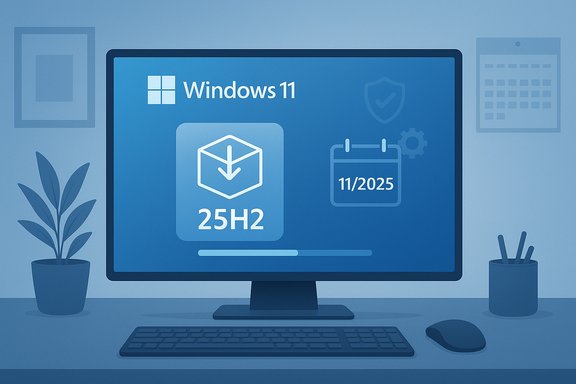
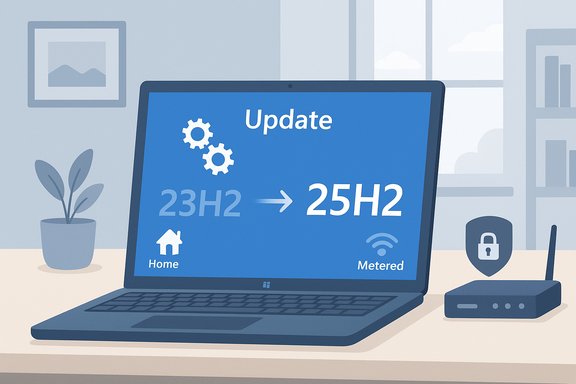
Microsoft has quietly widened the Windows 11 25H2 rollout and begun automatically installing the 2025 feature update on a subset of consumer PCs that are running older, out‑of‑support Windows 11 builds — a move that has reignited the debate over “forced” Windows upgrades and the trade‑offs between security, stability, and user choice. Microsoft’s own release notes now spell out that eligible Home and Pro systems running Windows 11, version 23H2 that are not managed by IT will receive the 25H2 update automatically, while Windows 10 devices remain only offered the upgrade and are not automatically converted to Windows 11.
Microsoft has progressively shifted its Windows servicing model over recent years from large, monolithic annual upgrades toward a cadence of continuous delivery and lightweight annual “version flips.” The 25H2 release is an exemplar of that change: for devices already on Windows 11 version 24H2, Microsoft delivers most of the code as dormant bits in monthly cumulative updates and activates those features with a small enablement package (an “eKB”) that typically installs with a single restart. The enablement approach shortens downtime and simplifies adoption for many users. At the same time, Microsoft enforces lifecycle rules: when a build falls out of consumer support, Home and Pro devices lose the monthly security and quality updates that protect them. That support cutoff is the practical driver behind the more assertive deployment behavior now visible in Windows Update. For example, Windows 11 version 23H2 reached consumer end‑of‑support in November 2025, prompting Microsoft to widen the 25H2 availability and to begin automatic installs for devices still on that release.
Microsoft’s approach to 25H2 reflects a tradeoff: force some movement to supported code in order to preserve security for the majority, while offering tools for those who need more control. For most consumers who keep systems reasonably current, 25H2 will be a short, uneventful step forward. For conservative users and administrators, the current rollout reinforces the need for routine backups, staged testing, and careful timing when applying feature updates — because even small enablement packages interact with a complex ecosystem of drivers, security software, and firmware that can make the difference between a smooth upgrade and an inconvenient weekend of recovery work.
Source: Windows Latest Microsoft begins force upgrading some PCs to Windows 11 25H2, as the roll out expands
 Background / Overview
Microsoft has progressively shifted its Windows servicing model over recent years from large, monolithic annual upgrades toward a cadence of continuous delivery and lightweight annual “version flips.” The 25H2 release is an exemplar of that change: for devices already on Windows 11 version 24H2, Microsoft delivers most of the code as dormant bits in monthly cumulative updates and activates those features with a small enablement package (an “eKB”) that typically installs with a single restart. The enablement approach shortens downtime and simplifies adoption for many users. At the same time, Microsoft enforces lifecycle rules: when a build falls out of consumer support, Home and Pro devices lose the monthly security and quality updates that protect them. That support cutoff is the practical driver behind the more assertive deployment behavior now visible in Windows Update. For example, Windows 11 version 23H2 reached consumer end‑of‑support in November 2025, prompting Microsoft to widen the 25H2 availability and to begin automatic installs for devices still on that release. What Microsoft has announced and what it actually means
The official stance: broader availability, conditional automatic installs
Microsoft’s release‑health pages and support documentation now show two critical points in clear language:- Availability: Windows 11, version 25H2 is available to eligible devices and the phased rollout will expand. Users who turn on the Windows Update toggle “Get the latest updates as soon as they’re available” will be prioritized to see and receive 25H2.
- Automatic delivery for older builds: Devices running Windows 11 Home or Pro edition on 23H2 that are not managed by IT will be moved to 25H2 automatically. Microsoft clarifies that users can still choose the restart time and can briefly postpone installation, but the update is scheduled for delivery.
What Microsoft did not do: Windows 10 is not being auto‑upgraded
Despite alarmist headlines in some corners, Microsoft is not automatically upgrading Windows 10 devices to Windows 11 25H2. For Windows 10 users the company continues to treat Windows 11 as an optional upgrade: the new Windows 11 release will be offered as the destination version if the user elects to upgrade, but the upgrade requires an explicit opt‑in from the user (or an admin) and is not forced automatically. That distinction is important for households and shops that still run Windows 10, including those enrolled in Extended Security Updates (ESU).The enablement package: how 25H2 installs and why it matters
What an enablement package is
The enablement package (eKB) model is central to how 25H2 is being delivered. Microsoft documents the mechanism: the features that constitute 25H2 are already included and dormant in the cumulative updates for 24H2; the enablement package flips the features on and updates the version string, usually requiring only a single restart. This makes the 25H2 update fast and low‑friction on up‑to‑date 24H2 devices.Practical consequences
- For most users on 24H2: installation is often a tiny download and one reboot — negligible downtime and very little disruption.
- For users on 23H2 (or earlier): Microsoft is now automatically delivering 25H2 to Home/Pro devices because 23H2 lost consumer servicing; those upgrades may require a larger download/install flow (a regular feature update) rather than a single tiny eKB flip.
- For Windows 10 users: the upgrade path is optional and remains user‑initiated; the Windows Update UI will offer 25H2 as the destination if the user chooses to upgrade.
Why Microsoft is taking this step: lifecycle and security realities
The decision to auto‑install 25H2 on certain Home/Pro systems is primarily a lifecycle and security decision. Once a consumer build reaches its support cutoff, Microsoft stops shipping monthly security fixes to that consumer SKU. That increases the exposure for devices that remain on unsupported releases because newly discovered vulnerabilities will no longer be patched for them. By moving those devices to a supported branch, Microsoft restores their eligibility for monthly updates and reduces risk to consumers at scale. From Microsoft’s perspective this is responsible stewardship of the Windows ecosystem: fewer devices on unsupported code means fewer attack surfaces for malware and exploits that target unpatched holes. From a user‑choice perspective it can feel heavy‑handed — especially for enthusiasts who prefer long static releases or who deliberately delay upgrades after a problematic cumulative update.Real‑world problems and why timing matters: the WinRE/KB episode
A recent and illustrative example of the risks introduced by patching and version flips arrived in October 2025. Microsoft shipped a monthly update (KB5066835) that introduced a serious regression: USB mice and keyboards stopped working in the Windows Recovery Environment (WinRE) on affected 24H2 and 25H2 systems, effectively making recovery options inaccessible for those users. Microsoft acknowledged the issue and rapidly issued an out‑of‑band fix (KB5070773) to restore functionality. This incident exposes two operational truths:- Even small platform changes or cumulative patches can produce high‑impact regressions in crash/recovery code, and
- Microsoft can — and in this case did — act quickly to issue an emergency fix, but there is a non‑zero window in which users on updated builds may encounter serious problems.
Who will be upgraded automatically — and how long can you delay?
Microsoft’s public documentation and the rollout policy make the conditions explicit:- Automatic installs apply to: Windows 11 Home and Pro devices running 23H2 that are not managed by an IT policy and that meet the usual hardware and compatibility checks. Devices that are domain‑joined or have MDM/GPO controls remain under admin control and will not be auto‑pushed outside of organizational policy.
- You can postpone, but not indefinitely: Windows Update allows users to defer the restart and to pause updates temporarily, but those pauses are limited in duration. In practice, Home and Pro users can delay the visible installation for a short period (a few weeks), but if a device is on an unsupported consumer build the upgrade will eventually proceed unless the device is placed under a managed policy or the user takes other remediation (such as enrolling in ESU where applicable).
- Windows 10 users: If you are running Windows 10, you will not be automatically upgraded to Windows 11 25H2. The upgrade remains an optional installation path presented by Windows Update or the Installation Assistant. Users can opt in, and Microsoft will offer the most current supported Windows 11 release as the destination for eligible machines.
Steps to prepare and reduce upgrade risk
For Home users, enthusiasts, and IT teams alike, sensible preparation reduces the chance of upgrade pain. The following checklist is a practical, sequential plan.- Back up everything. Use a full disk image or a reliable file backup (OneDrive + local backup or image). Don’t rely solely on the built‑in Windows rollback.
- Inventory hardware compatibility. Run the PC Health Check or vendor upgrade tools and confirm TPM, Secure Boot, and firmware requirements.
- Update drivers and firmware. Check OEM support pages for BIOS/UEFI, chipset, GPU, and storage drivers. Install the latest recommended updates before starting the upgrade.
- Defer non‑essential cumulative previews. On production machines, avoid optional preview updates immediately before an enablement package flip — wait for the mainstream cumulative to settle.
- Create a recovery plan. For business environments, stage pilot rings and validate critical apps; for consumers, ensure you have a bootable rescue USB and access to the Windows 11 Installation Assistant or ISO if needed.
- If you need to block the automatic install temporarily: apply a managed policy (for advanced users) or pause updates via Settings > Windows Update — but plan to move to a supported build before the security window closes.
Enterprise and IT considerations
Enterprises and education customers have more time and tools: Windows 11 Enterprise/Education servicing often enjoys longer support windows, and update delivery is controlled through Windows Update for Business, WSUS, or endpoint management platforms. Microsoft’s auto‑push behavior is explicitly targeted at unmanaged Home and Pro devices; managed fleets remain under administrative change control. That said, 25H2 still resets the servicing clock for devices that install it, so organizations should plan their pilot, compatibility testing, and rollout waves with that lifecycle window in mind. Key actions for IT:- Use pilot rings and telemetry. Stage upgrades across validation, pilot, and broad deployment rings.
- Verify third‑party security and anti‑cheat software. These are frequent causes of compatibility holds.
- Coordinate with OEMs. Some firmware and driver updates are distributed by OEM partners and are required for smooth upgrades.
- Validate critical recovery tools. The WinRE episode illustrated how recovery mode regressions can amplify outage impact; ensure backups and recovery plans are tested.
Benefits, risks, and a balanced verdict
Benefits
- Improved security posture: Moving consumer PCs off unsupported releases restores monthly security patching and reduces the attack surface.
- Lower upgrade friction for many devices: The enablement package model makes the transition quick and minimally disruptive for fully patched 24H2 devices.
- Cleaner servicing baseline: A consolidated baseline simplifies support and vendor coordination for OEMs and IT.
Risks and downsides
- Perception of forced upgrades: Automatic installs for Home/Pro devices on out‑of‑support builds can feel invasive to users who prefer to control major platform changes. The UI allows short postponement but not indefinite opt‑out without policy controls.
- Edge‑case regressions: As recent WinRE problems showed, even rapid fixes can’t eliminate the possibility that a delivered update will introduce a high‑impact regression before it’s widely fixed.
- Complex upgrade paths for older builds: Users on 23H2, 22H2, or older may face a larger feature update process (and occasionally a clean install) if drivers or third‑party software prevent an in‑place upgrade. That increases risk and effort for some households and small businesses.
A balanced verdict
Microsoft’s expanded rollout and targeted automatic installs are defensible from a security and ecosystem health perspective: unsupported consumer builds pose a real, measurable risk at scale. The enablement package model minimizes disruption where possible. However, Microsoft would benefit from clearer, earlier communication and persistent UI affordances that let cautious users keep control without being surprised by background installs. The WinRE incident is a reminder that any system that auto‑installs updates must be paired with robust rollback, rapid emergency patching, and transparent status messaging when things go wrong.Final recommendations for readers
- If you rely on your PC for critical work: stage a pilot install on a non‑critical machine, validate backups and app compatibility, and deploy only after the initial servicing wave settles.
- If you’re on Windows 11 24H2 and fully patched: the enablement package to 25H2 is low‑risk and fast, but keep updated drivers and a recent disk image.
- If you’re on Windows 11 23H2 Home/Pro: expect the upgrade to be scheduled automatically — back up now and plan a brief maintenance window to address any driver or app issues.
- If you’re on Windows 10 and want to stay: remember the upgrade to Windows 11 remains optional; ESU is available for devices that need extended protection for a limited time.
Microsoft’s approach to 25H2 reflects a tradeoff: force some movement to supported code in order to preserve security for the majority, while offering tools for those who need more control. For most consumers who keep systems reasonably current, 25H2 will be a short, uneventful step forward. For conservative users and administrators, the current rollout reinforces the need for routine backups, staged testing, and careful timing when applying feature updates — because even small enablement packages interact with a complex ecosystem of drivers, security software, and firmware that can make the difference between a smooth upgrade and an inconvenient weekend of recovery work.
Source: Windows Latest Microsoft begins force upgrading some PCs to Windows 11 25H2, as the roll out expands