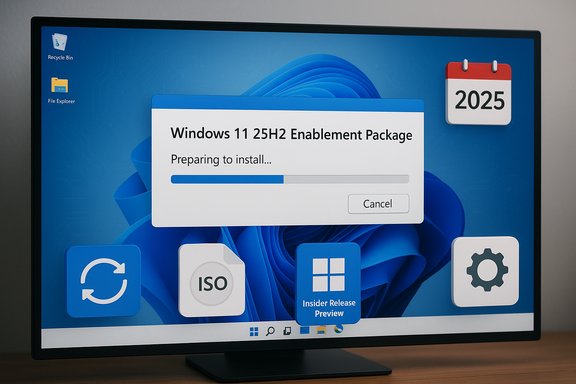
Microsoft’s December patch cycle and holiday merch drop made for an oddly mixed week: Windows 11 version 25H2 widened its rollout to more eligible devices even as the December preview (KB5070311) introduced a jarring dark‑mode regression in File Explorer; Microsoft’s Prism emulator for Windows on Arm is gaining AVX/AVX2 support that widens app compatibility; Valve’s Steam snapshots show Windows 11 continuing to dominate among gamers; and the company’s Microsoft Store Awards and limited‑run “ugly” sweaters underscored how Microsoft is juggling serious platform work and unabashed nostalgia at the same time.
Microsoft’s 25H2 approach continues to emphasize an enablement‑package model: most devices already running 24H2 receive a small “flip‑the‑flag” package rather than a large, monolithic installer. That reduces downtime and simplifies adoption for many users, and Microsoft has been phasing the rollout to prioritize devices that have opted into early updates via the Settings toggle “Get the latest updates as soon as they are available.” This staged plan is deliberate, but it also places a premium on cautious rollout and monitoring for early regressions.
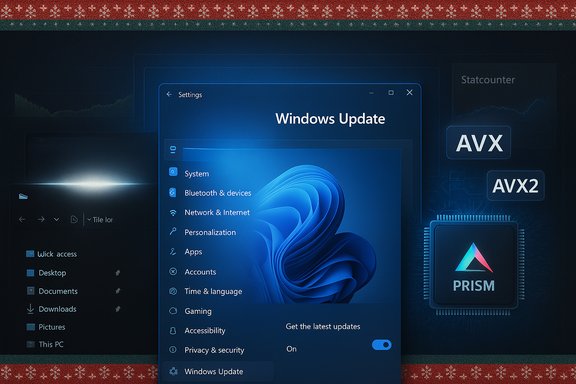
At the same time, the December/early‑December preview cumulative (packaged under KB5070311 for 24H2/25H2 builds) aimed to expand dark‑mode coverage in File Explorer and other UI surfaces — a long‑requested quality‑of‑life improvement — but shipped with a notable and acknowledged regression that briefly displays a bright white window when File Explorer opens under dark mode. Microsoft has recorded the symptom and is working on a fix, while coverage from major outlets and community testers captured the problem in real‑world use. Meanwhile, improvements to the Prism x86‑on‑Arm emulation layer have continued to land across Insider builds and retail updates: Prism now exposes more x86 CPU features (notably AVX and AVX2 plus supporting extensions) to emulated x64 applications, helping previously blocked apps and games run on Arm‑based devices that use Prism. Microsoft previewed the change in Insider builds and gradually rolled it into retail cumulative updates. This is a noteworthy technical milestone for Windows on Arm and for anyone looking to run heavy creative or gaming workloads on Arm hardware. On telemetry and market metrics, StatCounter and Valve’s Steam Hardware & Software Survey tell complementary but distinct stories: StatCounter’s global “desktop Windows version” snapshot shows Windows 11 growing among the general desktop population, while Valve’s Steam survey — a gamer‑heavy sample — reports an even stronger Windows 11 share among gaming PCs. That divergence explains how headlines saying “Windows 11 is both slipping and surging” can be true at the same time, depending on the data source and audience. I’ll unpack both in the sections below. Finally, Microsoft continues to court community goodwill with softer moves: the Microsoft Store Awards were announced to recognize notable apps across nine categories (several winners emphasize AI features), and Microsoft’s seasonal merchandise release returned with three nostalgic “ugly” sweaters tied to the company’s 50th anniversary. Both items are of cultural interest and worth noting because they signal the company’s consumer messaging strategy during an intense year for OS changes.
On the positive side, Prism’s AVX/AVX2 emulation progress is a real technical win that meaningfully expands what Arm devices can run — a welcome development for mobile‑first or battery‑conscious creative workflows. The market signals (StatCounter vs. Steam) underscore that adoption is uneven: gamers and early adopters are moving faster than the general desktop population, and enterprise conservatism remains the dominant migratory force in large fleets.
For most readers, the immediate takeaway is simple: upgrade with intention. Consumers who want the latest features and are comfortable with quick fixes can enable the early‑access toggle and accept staged instability. Enterprises and cautious users should test, stage, and wait for Microsoft’s remediations for known regressions — especially the File Explorer dark‑mode white flash — before broad deployment. Meanwhile, Prism’s gains and Microsoft’s app ecosystem moves (and yes, the predictable seasonal sweater drop) are worth watching because they reveal both the technical realities and the cultural positioning the company is pursuing as it faces the next wave of OS and AI transitions.
Source: Neowin Microsoft Weekly: Windows 11 25H2 for more users and new ugly sweaters
 Background / Overview
Microsoft’s 25H2 approach continues to emphasize an enablement‑package model: most devices already running 24H2 receive a small “flip‑the‑flag” package rather than a large, monolithic installer. That reduces downtime and simplifies adoption for many users, and Microsoft has been phasing the rollout to prioritize devices that have opted into early updates via the Settings toggle “Get the latest updates as soon as they are available.” This staged plan is deliberate, but it also places a premium on cautious rollout and monitoring for early regressions.At the same time, the December/early‑December preview cumulative (packaged under KB5070311 for 24H2/25H2 builds) aimed to expand dark‑mode coverage in File Explorer and other UI surfaces — a long‑requested quality‑of‑life improvement — but shipped with a notable and acknowledged regression that briefly displays a bright white window when File Explorer opens under dark mode. Microsoft has recorded the symptom and is working on a fix, while coverage from major outlets and community testers captured the problem in real‑world use. Meanwhile, improvements to the Prism x86‑on‑Arm emulation layer have continued to land across Insider builds and retail updates: Prism now exposes more x86 CPU features (notably AVX and AVX2 plus supporting extensions) to emulated x64 applications, helping previously blocked apps and games run on Arm‑based devices that use Prism. Microsoft previewed the change in Insider builds and gradually rolled it into retail cumulative updates. This is a noteworthy technical milestone for Windows on Arm and for anyone looking to run heavy creative or gaming workloads on Arm hardware. On telemetry and market metrics, StatCounter and Valve’s Steam Hardware & Software Survey tell complementary but distinct stories: StatCounter’s global “desktop Windows version” snapshot shows Windows 11 growing among the general desktop population, while Valve’s Steam survey — a gamer‑heavy sample — reports an even stronger Windows 11 share among gaming PCs. That divergence explains how headlines saying “Windows 11 is both slipping and surging” can be true at the same time, depending on the data source and audience. I’ll unpack both in the sections below. Finally, Microsoft continues to court community goodwill with softer moves: the Microsoft Store Awards were announced to recognize notable apps across nine categories (several winners emphasize AI features), and Microsoft’s seasonal merchandise release returned with three nostalgic “ugly” sweaters tied to the company’s 50th anniversary. Both items are of cultural interest and worth noting because they signal the company’s consumer messaging strategy during an intense year for OS changes.
Windows 11 25H2: rollout, model, and practical implications
What 25H2 actually is (and what it isn’t)
25H2 is primarily an enablement package for devices already on Windows 11 24H2. That means:- The majority of code is already present on patched 24H2 machines.
- Installing 25H2 for those devices typically means a small download and a single reboot.
- Devices on older baselines (or Windows 10) require the fuller in‑place upgrade flow.
Microsoft’s distribution rules and who gets 25H2 now
Microsoft’s staged rollout prioritizes unmanaged consumer devices that have the Windows Update seeker option enabled — in short, users who explicitly choose “Get the latest updates as soon as they’re available” will see the 25H2 offer sooner. Enterprises are advised to manage rollout through Autopatch, Windows Update for Business, WSUS, or Configuration Manager to preserve control and test compatibility.Practical checklist before you upgrade (recommended sequence)
- Back up critical data and create a system image or restore point.
- Confirm hardware compliance (PC Health Check or vendor tools for TPM/Secure Boot).
- Update BIOS/UEFI and major drivers (GPU, networking, storage).
- Pilot the update on noncritical machines (1–5% of fleet).
- Monitor telemetry and vendor compatibility; stagger the rollout if you manage many devices.
- Hold mission‑critical servers and developer machines until Known Issue Rollouts (KIRs) or hotfixes are confirmed.
KB5070311 and the File Explorer “flashbang” regression
What went wrong
The preview cumulative KB5070311 (builds in the 26200.x / 26100.x families) was intended to expand dark‑mode consistency in File Explorer and related dialogs. Instead, multiple reproduce points (opening Explorer in dark mode, creating a new tab, toggling the Details pane, or clicking “More details” during file operations) can produce a very noticeable white flash before the dark UI repaints. Microsoft has acknowledged the symptom in its support documentation and is working on a repair.How this affects users
- For many users the flash is a nuisance; for others (especially in low‑light conditions or on OLED panels) it is disorienting and potentially harmful.
- The issue undermines the very accessibility/user‑comfort gains the dark‑mode work intended to achieve.
- Microsoft’s immediate guidance has included rolling back the preview or temporarily disabling dark mode while a fix is developed and flighted.
Workarounds and third‑party patches
There are three practical responses right now:- Hold off on installing optional preview packages until Microsoft issues a fix.
- If already affected, roll back the preview update from Settings > Windows Update > Update history.
- In some community threads a few third‑party tweaks and Explorer‑tweaking tools have been used to partially mitigate flicker or to speed overall Explorer performance; those approaches carry risk and should be treated cautiously on production machines.
Prism emulator advances: AVX/AVX2, what it enables, and limits
The technical change and why it matters
Prism’s emulated virtual CPU has been extended to advertise and translate a broader subset of x86 instruction‑set extensions — notably AVX and AVX2 (and supporting sets like BMI, FMA, and F16C). These extensions are widely used by modern creative and gaming applications for SIMD workloads, physics, and heavy math. By emulating these instructions, Prism allows some previously blocked x64 applications to launch and function on Arm64 devices. The change began in Insider preview builds and has been widened to retail via cumulative updates.What this enables in practice
- Creative apps that previously refused to launch because of AVX‑based checks (Adobe Premiere Pro 25 was an early example) can now run under Prism on qualifying hardware.
- Certain modern games that test for AVX/AVX2 at startup may now launch on Arm devices that were previously blocked.
- Users report improved compatibility for a set of CPU‑heavy, x64‑only workloads.
Important caveats and performance realities
- Emulating AVX/AVX2 is not the same as native hardware support. Performance will vary and remains dependent on how efficiently Prism translates instructions on the host Arm CPU.
- Many features remain gated or staged; a 64‑bit x64 app will see the new features, but 32‑bit helpers or legacy 32‑bit apps may still fail detection and thus will not benefit.
- GPU and anti‑cheat support remains an independent factor: some games still need vendor driver changes or explicit anti‑cheat support on Arm to be playable.
Market signals: StatCounter, Steam, and the adoption picture
The numbers (a careful read)
- StatCounter’s global desktop Windows‑version snapshot for November 2025 shows Windows 11 at ~53.8% of Windows desktop market share in the global dataset. That figure represents the broader desktop population that StatCounter samples via pageviews.
- Valve’s Steam Hardware & Software Survey (gamer‑centric) shows a much higher Windows 11 share among Steam users — figures reported from recent Steam snapshots put Windows 11 at well over 60% within the Steam sample, with Windows 10 declining correspondingly. Steam’s sample is not representative of general desktop users; it skews toward enthusiast gamers and more recent hardware.
Reconciling the apparent contradiction
These two datasets target different audiences and use different collection methodologies:- StatCounter measures pageviews across a large network of websites and produces a global desktop snapshot.
- Valve’s Steam survey is an opt‑in hardware snapshot from a gamer population that often refreshes hardware more frequently and is quicker to adopt new OS versions bundled with new PCs.
What IT teams should take from this
- Consumer and gaming segments may adopt Windows 11 faster than conservative enterprise fleets.
- Enterprises should continue to prioritize compatibility testing rather than assuming consumer adoption rates reflect their own environment.
- For developers making build/test decisions, Steam’s trend is meaningful for game support planning; StatCounter’s trend is meaningful for mass desktop deployment outlooks.
Microsoft Store Awards and merch: why they matter beyond PR
Awards: emphasis on AI and controversial picks
Microsoft’s Store Awards highlighted apps across nine categories and skewed heavily toward AI‑enabled apps (Perplexity and ChatGPT tied in AI Assistants; Manus won a “Computer‑Using Agents” category). The official list and Microsoft’s own blog present the awards as recognition for user experience and technical excellence, but industry commentators noted controversy over category choices and the program’s apparent pivot away from community voting. That critique matters because it signals how Microsoft wants to spotlight AI as a differentiator across the Windows ecosystem, even if community sentiment is mixed. Winners (selected categories):- AI Assistants: Perplexity (tie) and ChatGPT (tie).
- Productivity: Notion.
- Game: Castle Craft (controversial to some observers).
- Creativity: n‑Track Studio.
- Music: Moises Live.
Ugly sweaters: merch as cultural positioning
Microsoft’s holiday sweater drop — the Artifact, Zune brown, and Xbox green sweaters — is a small but revealing piece of corporate culture messaging. Priced at tiers ($79.95 for Artifact and Zune, $59.95 for Xbox in early reporting), the designs are overt nostalgia plays tied to Microsoft’s 50th anniversary. These items create goodwill and social buzz, but they also demonstrate how the company uses playful, viral artifacts to normalize product symbols (even the Copilot mark appears as a motif in some coverage). The retail move is marketing, pure and simple — useful for engagement but not relevant to platform stability.Strengths, risks, and recommended response for users and admins
Notable strengths this week
- The enablement‑package model for 25H2 reduces upgrade friction for a large installed base and simplifies enterprise staging.
- Prism’s expanded emulation feature set meaningfully increases the practical compatibility surface for Windows on Arm devices.
- Microsoft’s continued investment in UI polish and accessibility (e.g., expanded dark‑mode coverage, Narrator improvements) is aligned with user comfort and inclusion goals.
- The Microsoft Store Awards and merchandise create cultural momentum and help surface innovative apps to Windows users.
Key risks and trade‑offs
- Quality regressions still slip into preview/preview‑adjacent distribution paths: the KB5070311 File Explorer white‑flash regression is a tangible example that a benign‑sounding cosmetic change can produce user‑facing regressions across many machines. That’s a reminder that small UI changes can have broad visibility.
- Prism improvements do not eliminate the hardware and driver gaps that still limit Windows on Arm for gaming and pro creative workloads; anti‑cheat and GPU driver support remain separate ecosystem problems.
- Market metrics can be selectively quoted; different datasets tell different stories. Be wary of headline numbers that omit sampling scope or methodology. For example, Neowin’s summary suggested a dip below 52% for Windows 11 in one context, but StatCounter’s November snapshot shows Windows 11 at roughly 53.8% globally — a nontrivial difference that highlights the need to verify which metric is being cited. Treat single‑source percentages with caution.
Concrete, practical recommendations
- Home users: If you rely on dark mode or sensitive display conditions, delay applying optional preview updates until Microsoft confirms a fix; otherwise consider routing updates through Windows Update’s default channel (not the early‑access toggle).
- Power users & developers: Test 25H2 and KB5070311 in a sandboxed VM or secondary device first. If your dev tooling uses local network loopbacks, extra caution is warranted; keep known rollback steps handy.
- IT teams & admins:
- Adopt a staged pilot model (canary → pilot → broad), and ensure application vendors have validated critical applications against 25H2 and the latest KBs.
- Hold mission‑critical servers, production images, and developer workstations until Known Issue Rollouts are cleared and vendor compatibility is confirmed.
- For Windows on Arm fleets, treat Prism improvements as an opportunity to re‑test previously blocked apps, but retain conservative expectations for performance and driver support.
Final assessment and conclusion
This week’s round of updates and announcements illustrates a central tension in Microsoft’s current operating model: Microsoft is accelerating feature deliveries (AI integrations, platform hardening, emulation improvements) while maintaining a phased, telemetry‑driven rollout to limit blast radius. That’s the right modern strategy for a sprawling, heterogeneous ecosystem — but it only works if flighting and testing catch the regressions before widespread exposure. The KB5070311 File Explorer flash is a small but visible reminder that even cosmetic changes need careful end‑to‑end regression testing, and the community response shows how quickly a quality problem can dominate the conversation.On the positive side, Prism’s AVX/AVX2 emulation progress is a real technical win that meaningfully expands what Arm devices can run — a welcome development for mobile‑first or battery‑conscious creative workflows. The market signals (StatCounter vs. Steam) underscore that adoption is uneven: gamers and early adopters are moving faster than the general desktop population, and enterprise conservatism remains the dominant migratory force in large fleets.
For most readers, the immediate takeaway is simple: upgrade with intention. Consumers who want the latest features and are comfortable with quick fixes can enable the early‑access toggle and accept staged instability. Enterprises and cautious users should test, stage, and wait for Microsoft’s remediations for known regressions — especially the File Explorer dark‑mode white flash — before broad deployment. Meanwhile, Prism’s gains and Microsoft’s app ecosystem moves (and yes, the predictable seasonal sweater drop) are worth watching because they reveal both the technical realities and the cultural positioning the company is pursuing as it faces the next wave of OS and AI transitions.
Source: Neowin Microsoft Weekly: Windows 11 25H2 for more users and new ugly sweaters