

Microsoft's update cadence is getting more complicated: a Spring-only Windows 11 release aimed at new Arm silicon is on the horizon, while the Windows tinkering community has doubled down on tools that remove or neutralize Microsoft's growing set of AI features. Both moves highlight a tension that will define 2026 — platform specialization versus user control — and they raise practical questions for consumers, IT pros, and enterprises about compatibility, security, and long-term support.
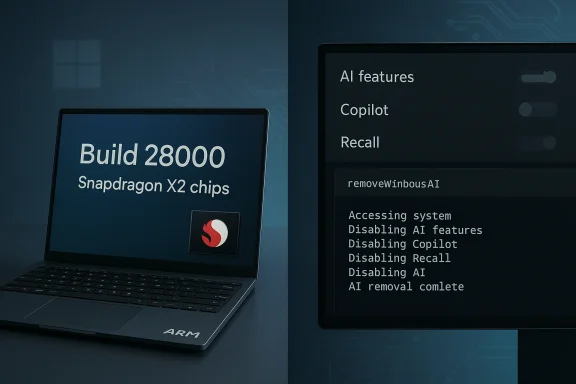
Microsoft’s Windows 11 release strategy has been evolving into a two-track model: frequent platform updates tuned to specific silicon families, and a slower cadence for broad user-facing feature releases. That pattern is visible in the forthcoming Windows 11, version 26H1, a build Microsoft has been testing that primarily exists to enable next‑generation Arm platforms rather than to ship headline user features. The build is identified as Build 28000 and is based on a platform codenamed Bromine. At the same time, the Windows customization community has continued to produce "debloat" and privacy-focused utilities that give users the ability to disable or remove first‑party AI features such as Copilot, Recall, Input Insights, and AI-enabled enhancements in inbox apps. Recent updates to popular tools now include dedicated AI-removal modules and integrations with larger community scripts. These developments are being discussed alongside a public debate over AI quality and utility following prominent Microsoft messaging about the need to move beyond “slop vs sophistication.”
Enterprises and ISVs must plan for platform divergence by segregating validation efforts, clarifying support boundaries, and establishing update gates before adopting new Arm devices or applying aggressive debloat practices fleet‑wide. Microsoft’s choice to ship platform‑specific releases like 26H1 solves an OEM timing problem, but it also raises important questions about compatibility, manageability, and how much control end users should have over an increasingly agentic operating system. The roadmap for 2026 will therefore be shaped as much by how those questions are answered in practice as by the next set of features Microsoft elects to deliver.
Source: Neowin https://www.neowin.net/news/microso...ng-soon-anti-slop-tools-for-windows-and-more/
 Background
Microsoft’s Windows 11 release strategy has been evolving into a two-track model: frequent platform updates tuned to specific silicon families, and a slower cadence for broad user-facing feature releases. That pattern is visible in the forthcoming Windows 11, version 26H1, a build Microsoft has been testing that primarily exists to enable next‑generation Arm platforms rather than to ship headline user features. The build is identified as Build 28000 and is based on a platform codenamed Bromine. At the same time, the Windows customization community has continued to produce "debloat" and privacy-focused utilities that give users the ability to disable or remove first‑party AI features such as Copilot, Recall, Input Insights, and AI-enabled enhancements in inbox apps. Recent updates to popular tools now include dedicated AI-removal modules and integrations with larger community scripts. These developments are being discussed alongside a public debate over AI quality and utility following prominent Microsoft messaging about the need to move beyond “slop vs sophistication.” What is Windows 11 version 26H1?
A platform release, not a mass upgrade
Windows 11 version 26H1 is not the usual consumer-facing half-year feature update. It is a platform-focused release intended to ship on new hardware built around next‑generation Arm silicon (notably Qualcomm’s Snapdragon X2 family) and certain partner platforms. In practical terms, 26H1 is an engineering vehicle — it brings the Bromine platform and Build 28000 into the wild so OEMs and silicon partners can ship devices preloaded with the build and certified against Windows Hardware Compatibility Program guidance for 26H1. Key technical identifiers to remember:- OS label: Windows 11, version 26H1.
- Build baseline: Build 28000.
- Platform codename: Bromine.
Expected timing and carrier devices
Reports from hardware partners and multiple news outlets place an initial public presence for 26H1 on Snapdragon X2 machines shipping in the first quarter of 2026, with broader availability of those devices into April. Microsoft’s own partner guidance and early Canary/Insider drops make clear the release was designed to align to OEM silicon timelines rather than Microsoft’s traditional H2 feature schedule.How 26H1 differs from 25H2 and from normal Windows servicing
- 26H1 is not being pushed as a replacement for Windows 11 25H2; instead, 25H2 remains the mainline release that will receive ongoing feature development for the general installed base. 26H1 is a special-purpose channel for new silicon.
- Device eligibility: early 26H1 shipments will be on new Arm64 machines. Existing Intel/AMD devices will not automatically receive 26H1 as an update; those platforms will continue on the 25H2 trajectory until a later 26H2 release that aims to broaden features.
- Certification: Microsoft has published Hardware Compliance guidance and matching HLK playlists for partners certifying on version 26H1 (Build 28000), underscoring the OEM-centric nature of the release.
Why Microsoft is doing an Arm‑first 26H1
Silicon lifecycles are dictating OS releases
Qualcomm’s Snapdragon X2 family and equivalent next‑generation chips have release windows that don’t neatly align with Microsoft’s traditional H1/H2 feature schedule. The practical consequence is Microsoft shipping a platform variant of Windows 11 tuned for that silicon so OEMs can validate drivers, power management, telemetry, and low‑level platform integration on day‑one. This model mirrors earlier years where Microsoft accepted hardware-driven variations to the Windows release cadence.Under‑the‑hood benefits (and limitations)
For users of the incoming Arm PCs, Bromine/Build 28000 promises optimizations for power, CPU microarchitecture, and potentially better native support for AI-enabled silicon offload. However, as multiple reporting threads emphasize, visible user benefits will be modest at first — 26H1 focuses on platform readiness, not new end‑user features. For the broad installed base, that means few immediate feature changes or UX differences.Practical implications and risks
For consumers and early adopters
- Expect new Arm laptops to ship with 26H1 preinstalled. Early adopters get the latest platform work but must accept early‑stage firmware and driver ecosystems that sometimes produce transient issues.
- Owners of existing Intel/AMD PCs should not expect a forced upgrade to 26H1. For most users there is no immediate action required or recommended.
For IT and enterprise fleet managers
- Image and certification pipelines: enterprises that plan to roll out Snapdragon X2 devices need to validate Bromine‑based images separately. Microsoft’s WHCP guidance explicitly states vendors and partners should use the 26H1 HLK to certify devices against that platform. That means separate test matrices and possibly diverging driver handling for Arm devices in a mixed‑fleet environment.
- Supportability: because 26H1 is platform‑specific, organizations must treat it like a distinct SKU in their lifecycle planning. Driver or management agents compiled only for x86/AMD64 may behave differently or require vendor updates on Arm64.
Fragmentation and future upgrade paths
This Arm-first pattern increases the chance of short‑term fragmentation: multiple simultaneously supported platform baselines (25H2 on x86, 26H1 on new Arm devices, and later 26H2 for a unified feature set). Microsoft has managed similar splits before, but it raises two nontrivial risks:- App compatibility regressions that show up only on one platform.
- Increased complexity for ISVs, driver vendors, and enterprise update policies.
The other headline: anti‑AI / “anti‑slop” tools and what they actually do
What changed in the debloat/cleanup ecosystem
A widely used Windows setup and customization utility — known as FlyOOBE (formerly FlyBy11) — released version 2.4 with an explicit AI‑cleaning module dubbed Slopilot, and optional integration with community tooling such as RemoveWindowsAI. Those tools combine GUI convenience with PowerShell‑level operations that disable registry keys, remove Appx packages (installed and provisioned), clean scheduled tasks, and in some cases attempt to manipulate the Component‑Based Servicing (CBS) store to prevent packages from reappearing. Core technical techniques used by RemoveWindowsAI and similar scripts:- Flip registry and policy keys to hide or turn off UI toggles (e.g., Copilot, Recall).
- Remove or unprovision Appx/MSIX packages for UI components and inbox apps that expose AI features.
- Delete scheduled tasks and local artifacts used by background AI services (Recall indexing, telemetry components).
- Attempt to mark CBS entries or install blocker packages so Windows Update treats the packages as intentionally suppressed. This is an advanced and fragile approach that can cause servicing complexity.
Why users are doing this
- Privacy and telemetry concerns: some users and admins prefer to remove background AI telemetry or on‑device models that collect more contextual signals.
- Performance and bloat: AI components increase disk and memory footprint; for users who never use those features, removing them is a way to reclaim resources.
- Choice: tool authors and many users frame the move as pro‑choice rather than anti‑AI — the desire is to let users opt out of prescriptive OS features.
Safety, stability, and legal considerations
False positives and anti‑malware detection
Tools that remove system packages, modify CBS entries, or flip low‑level registry keys commonly trigger antivirus heuristics. RemoveWindowsAI’s maintainers warn that some security products will flag the script as malicious and recommend running with exclusions or in controlled environments. The project’s GitHub includes explicit guidance and a “backup”/“revert” mode to reduce risk. Still, users should treat these warnings seriously: turning off anti‑virus or ignoring alerts can increase attack surface.Update compatibility and servicing breakage
When a script removes or neutralizes packaged components at the CBS level, future Windows Update packages that expect those components may fail to apply, throw errors, or attempt to reinstall. Community tooling sometimes attempts to block reinstallation by installing custom update packages or markers, but those are brittle long‑term workarounds. Multiple reports and issue threads show that users occasionally see Windows Update errors or unexpected behavior after aggressive debloating. Enterprises should especially avoid blunt, system‑wide removal without rigorous testing.Reversibility
Revert functionality is possible with many community tools, but it is not guaranteed. Reversion relies on accurate backups of registry keys, Appx manifests, and CBS state. If the tool did a full CBS-level purge or removed components that had interdependencies, re‑installing to a pristine, supported state may require recovery media or a full OS repair.Legal and support posture
Using third‑party scripts to alter preinstalled OS components typically voids any vendor assurances about a clean system image. OEMs and Microsoft support may refuse to troubleshoot issues on heavily altered systems. That’s not usually a legal infringement, but it does degrade official supportability and warranty claims for software faults that are caused or exacerbated by modifications. Enterprises should treat such modifications as configuration changes that require change control.Cross‑referenced verification of major claims
- Microsoft’s platform guidance and HLK/WHCP updates explicitly name Build 28000 and the 26H1 release baseline for partner certification, confirming that the release exists and is platform‑focused.
- Independent reporting and platform analysis confirm the Bromine codename and that 26H1 is targeted at Snapdragon X2 and similar Arm64 silicon in early 2026.
- FlyOOBE’s changelog and multiple news outlets document the addition of an AI‑focused module called Slopilot in FlyOOBE 2.4 and the optional integration with the open‑source RemoveWindowsAI project.
- The RemoveWindowsAI repository documents the techniques it uses (registry manipulation, Appx removal, CBS changes), and the repo includes warnings about anti‑virus false positives and the potential need for administrator oversight.
Practical guidance for readers
If you run a consumer PC and value stability
- Defer installing any community scripts that remove system components unless you have a full backup image and can restore easily.
- Use the built‑in Settings toggles to disable features you don’t want first; they are the supported, less risky option.
- If you must use a debloat tool, run it in a virtual machine to validate side effects and test Windows Update behavior before applying to your main device.
If you’re an enterprise admin
- Treat 26H1 devices as a separate hardware class in your deployment plan. Validate management agents, drivers, and compliance tools on Bromine/Build 28000 images before procurement.
- Avoid wholesale removal of Microsoft components on corporate images unless you have a formal rollback and support agreement; document any changes and test patching cycles with your vendor stack.
- Use lab environments (golden images, snapshots) to quantify the impact of removing AI components on performance, compatibility, and user workflows before rolling changes to production.
If you’re an OEM or ISV
- Certify across the platforms your hardware targets. Recognize that Arm devices shipping with 26H1 will need separate validation and may require distinct driver packaging and distribution workflows. Communicate clearly to customers about the differences in platform baselines and update paths.
Strategic analysis: what this all means for Windows’ future
Microsoft’s dual strategy: platform specialization and unified feature planning
By delivering 26H1 as a platform‑tuned release while keeping broader consumer feature rollout on 25H2/26H2 schedules, Microsoft is acknowledging that silicon partners now influence OS timelines in a way that is materially different from the x86 era. This approach can accelerate the arrival of optimized hardware and richer device experiences, but it also places a burden on software vendors and IT pros who must manage multiple baselines in parallel.User backlash and the rise of opt‑out tooling
The growth of community tooling that strips or neutralizes AI components is an indicator of real friction between a product strategy that embeds AI everywhere and a subset of users who prioritize privacy, control, or minimalism. That friction will continue to shape product design conversations: if a significant portion of users actively removes features, Microsoft will either need to make opt‑out more robust and officially supported, or accept that friction as a cost of an AI‑first strategy. The public comments by Microsoft leadership urging better design and less “slop” underline that the company recognizes the reputational and product quality stakes in this debate.Security and support tradeoffs
Third‑party removal of system components introduces defensive risk vectors (e.g., blocking updates, disabling telemetry that signals compromises, triggering AV false positives). On the flip side, some organizations will legitimately want to harden or reduce their attack surface by disabling features that are unnecessary for certain operational profiles. The proper balance requires documented policies, test plans, and a clear understanding of where Microsoft’s supported path ends and community customization begins.Conclusion
Windows 11’s 26H1 rollout and the parallel rise in AI‑removal tools reflect two converging dynamics: hardware partners are pulling the OS forward in platform‑specific ways, and a vocal segment of the Windows community is pushing back against an AI‑first default by building tools that reclaim control. For most users the safe path remains conservative: keep to the supported Windows release for your hardware, use built‑in toggles to disable unwanted features, and treat community scripts as experimental — useful in a lab, risky on a primary machine.Enterprises and ISVs must plan for platform divergence by segregating validation efforts, clarifying support boundaries, and establishing update gates before adopting new Arm devices or applying aggressive debloat practices fleet‑wide. Microsoft’s choice to ship platform‑specific releases like 26H1 solves an OEM timing problem, but it also raises important questions about compatibility, manageability, and how much control end users should have over an increasingly agentic operating system. The roadmap for 2026 will therefore be shaped as much by how those questions are answered in practice as by the next set of features Microsoft elects to deliver.
Source: Neowin https://www.neowin.net/news/microso...ng-soon-anti-slop-tools-for-windows-and-more/
