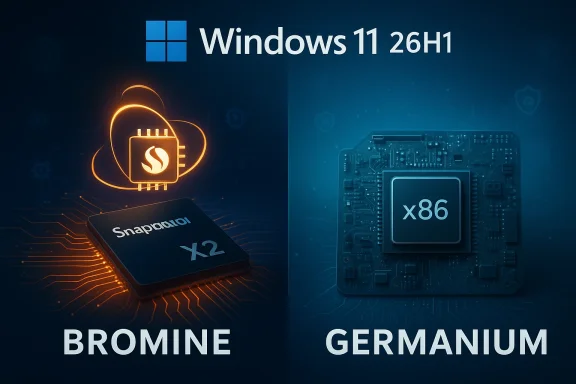
Microsoft’s own update-history page makes a blunt, important point: Windows 11, version 26H1 is not a routine feature update — it is a platform release that will appear only on new devices built around select next‑generation silicon starting in early 2026.
Microsoft’s short official guidance is simple and consequential. Version 26H1 “supports device innovations expected in 2026,” and — critically — it will be available only on new devices with select new silicon as they come to market. Devices currently running earlier Windows 11 releases won’t be offered 26H1 through Windows Update and cannot be upgraded in place from existing installs. The update‑history page also explains that installing the latest update delivers prior cumulative updates and security fixes, but that statement applies within the accepted device boundaries: 26H1 ships with new hardware, not as a broad servicing package for every existing Windows PC.
Why does this matter? Because Microsoft appears to have split Windows 11’s delivery model into two concurrent lanes for 2026: a device‑specific platform release (26H1, based on a new platform) to enable new silicon, and the traditional, broadly distributed annual feature update still scheduled later in the year (26H2) for the general installed base.
For now, expect this pattern:
For end users and enterprises, the path forward is straightforward: treat 26H1 devices as special. Don’t expect the general population of Windows 11 machines to follow the Bromine path immediately, and don’t force unsupported upgrades. For OEMs and partners, the Bromine release is a necessary step to unlock new hardware capabilities — and it will require diligent driver certification and coordinated communication with customers.
The next broad test will be 26H2 later in 2026. That update will reveal whether Microsoft intends to converge platforms quickly or continue supporting multiple platform‑bases for the foreseeable future. Until then, 26H1 is a measured, silicon‑driven detour on the road of Windows 11 evolution — useful for a specific purpose, but not a signal that all users must move immediately.
Source: Microsoft Support Windows 11, version 26H1 update history - Microsoft Support
 Background / Overview
Microsoft’s short official guidance is simple and consequential. Version 26H1 “supports device innovations expected in 2026,” and — critically — it will be available only on new devices with select new silicon as they come to market. Devices currently running earlier Windows 11 releases won’t be offered 26H1 through Windows Update and cannot be upgraded in place from existing installs. The update‑history page also explains that installing the latest update delivers prior cumulative updates and security fixes, but that statement applies within the accepted device boundaries: 26H1 ships with new hardware, not as a broad servicing package for every existing Windows PC.Why does this matter? Because Microsoft appears to have split Windows 11’s delivery model into two concurrent lanes for 2026: a device‑specific platform release (26H1, based on a new platform) to enable new silicon, and the traditional, broadly distributed annual feature update still scheduled later in the year (26H2) for the general installed base.
What 26H1 actually is — under the hood
A platform release, not a feature release
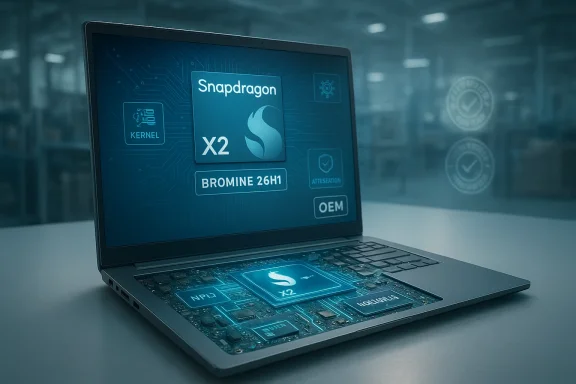
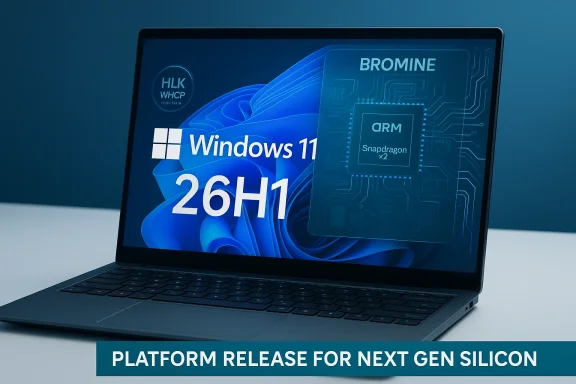
26H1 is built to support new processor families that require changes at the OS platform level. Internally, Microsoft moved the Windows platform forward with a new platform release codenamed Bromine, with the Bromine RTM build identified as build 28000. That platform work is the technical heart of 26H1; visible, end‑user features are minimal because the primary objective is support and optimization for new silicon.Target silicon and scope
Public reporting and OEM information around the 26H1 timeframe point to early Arm‑based platforms — notably Qualcomm’s next‑generation Snapdragon X2 family — as the principal drivers for the release. There has also been industry speculation that other next‑gen platforms could be supported, but those broader claims remain less certain. Microsoft’s official statements emphasize that 26H1 “only includes platform changes to support specific silicon,” underscoring the selective scope.How Microsoft expects the versions to coexist
Microsoft has explicitly said that 26H1 is not a replacement for the existing 25H2 line. Development of mainstream features will continue on top of the established platform release, and a more general Windows 11 update (26H2) is expected later in 2026. In short: 25H2 and 26H1 will coexist in the market — one for today’s installed base and the other for the first wave of hardware that requires the Bromine platform.What the Microsoft support page says (and what it means for users)
- Distribution: 26H1 will be available only as OEM‑shipped software on qualifying new PCs that include the supported silicon. It will not be pushed to existing devices via Windows Update.
- In‑place upgrade: Microsoft warns that 26H1 cannot be installed as an in‑place update on existing, previously shipped devices.
- Checking your version: Standard guidance applies: Settings > System > About or the winver command shows the version string.
- Known issues: At publication, Microsoft’s update‑history page lists no known issues for 26H1; however, platform‑level releases historically can surface driver and compatibility problems once they hit real‑world hardware.
Why Microsoft is taking this approach
Silicon timing and technical necessity
Chip vendors increasingly deliver hardware on timelines that don’t align with a single annual OS rollout. When a new SoC introduces architectural or low‑level requirements that the current Windows platform doesn't fully support, Microsoft faces two options: delay device launches, or ship a targeted platform release that enables the new silicon. 26H1 is the latter: a targeted Bromine platform release that lets OEMs ship new Arm‑based PCs while keeping regular feature development on the established platform.OEM and partner enablement
Microsoft has pushed matching Hardware Lab Kit (HLK) and Windows Hardware Compatibility Program (WHCP) guidance for the Bromine/26H1 release. That reflects the need for coordinated certification, driver testing, and ecosystem readiness. OEMs and silicon partners rely on those platform releases to finish firmware, driver stacks, and power‑management tuning before device launch.A precedent for segmented releases
This is not the first time Microsoft has used a targeted platform release to enable specific silicon. In recent years, early Arm PC launches were similarly supported by targeted platform updates rather than universal updates. That precedent shows Microsoft will prioritize hardware enablement while preserving its annual feature update cadence.Benefits for early devices and users
- Optimized performance and power: A platform designed around new SoCs enables deeper optimizations that can translate to better processor utilization, improved battery life, and thermals tuned specifically for the silicon.
- Out‑of‑the‑box support: Devices shipping with 26H1 will present a validated software stack matched to firmware and drivers, minimizing the out‑of‑box fragmentation that can occur when hardware ships before platform readiness.
- OEM feature enablement: Some hardware‑level features (for instance, NPU acceleration or power islands) may only be fully available when the device ships with the Bromine platform. OEMs can therefore ship devices that advertise specific new capabilities without waiting for a later, broad platform transition.
Risks and downsides — why this matters beyond PR
Fragmentation and customer confusion
The split model increases the risk of user confusion. Typical consumer expectations are simple: buy Windows — get updates via Windows Update. With 26H1 restricted to new hardware, some buyers or enthusiasts may not understand why their otherwise capable PCs won’t receive it. That confusion can compound when OEMs market device capabilities tied to Bromine‑only features, making consumers wonder whether their current machine is “obsolete” sooner than it actually is.Driver and app compatibility
Platform releases can alter low‑level behaviors. That can expose older drivers or niche applications to incompatibilities. Even though Microsoft will push cumulative security and reliability fixes to existing Windows 11 installs, platform‑specific changes may require revalidation of drivers and firmware. IT departments that maintain a mix of new Bromine devices and legacy 25H2 devices can face a support matrix that’s more complex than usual.Manual installations and risk
Some enthusiasts may be tempted to obtain 26H1 media and attempt manual installation on unsupported hardware. Microsoft discourages this, and it’s risky: manual installs can result in missing drivers, degraded performance, or unsupported firmware interactions. Enterprises should be particularly cautious: unsupported installs can break management tooling, security baselines, and regulatory compliance.Update path ambiguity
Although Microsoft insists 26H1 won’t replace 25H2, the long‑term trajectory of platform consolidation is uncertain. Will Bromine eventually supersede Germanium across the entire Windows install base? Microsoft’s prior moves suggest it’s possible, but nothing is guaranteed. For organizations planning multi‑year OS lifecycle strategies, this introduces planning ambiguity.Enterprise and IT admin implications — concrete guidance
IT teams must plan for a small but meaningful change in the Windows update and certification landscape. Here’s a pragmatic set of steps to follow if you manage Windows fleets:- Inventory your hardware. Identify which models in procurement pipelines are slated to ship with next‑gen Arm silicon or with Bromine‑targeted builds.
- Set policy: treat 26H1 devices as distinct classes. Define separate deployment, monitoring, and driver update policies for Bromine devices vs. existing 25H2 devices.
- Delay broad rollouts. Unless you have validated applications and drivers for Bromine devices, avoid deploying new‑silicon PCs into production until the ecosystem proves stable.
- Work with OEMs and ISVs. Ask hardware partners for Bromine‑specific driver certification records and ask ISVs for compatibility confirmation on Bromine builds.
- Test management tooling. Confirm that your endpoint management, security agents, and telemetry work reliably on devices shipped with 26H1.
- Communicate to users. Prepare plain‑language explainers for employees and customers so they understand why some new laptops ship with a different Windows version and what that means for support and updates.
Recommendations for consumers and enthusiasts
- If you plan to buy a new laptop in early 2026, check whether it ships with 26H1 and understand what that implies for driver updates and warranty support.
- If you already own a Windows 11 device, don’t expect 26H1 via Windows Update — and don’t attempt a manual in‑place upgrade unless you are an advanced user who accepts the risks.
- If you enjoy testing and tinkering, consider joining Windows Insider channels (with appropriate hardware) rather than installing 26H1 media willy‑nilly on unsupported machines.
- If you depend on particular peripherals or legacy drivers (printers, audio hardware, custom drivers), be cautious about buying early‑shipping devices until the Bromine driver ecosystem proves robust.
Developer perspective: what needs revalidation
Developers of low‑level software (drivers, hypervisors, device‑side components) and those building system integrations should assume Bromine introduces changes that require revalidation. Key actions:- Rebuild and test kernel‑mode drivers against the Bromine platform and HLK test playlists.
- Validate performance characteristics on Bromine devices, especially for power and scheduler behaviors.
- Confirm that virtualization and container technologies behave consistently; platform changes can affect hypervisor interfaces.
- Use vendor‑provided dev kits and WHCP guidance to ensure that signed drivers meet certification expectations for Bromine devices.
The Windows lifecycle picture: what to expect next
Microsoft’s messaging indicates that feature development for the general Windows 11 install base will continue on the established cadence, with a more universal update expected in the second half of 2026 as 26H2. That release will likely consolidate feature work for all platforms — but whether it adopts Bromine wholesale or maintains multiple platform bases for some time remains an open question.For now, expect this pattern:
- Early 2026: Bromine platform (26H1) appears on new devices built with specific next‑gen silicon.
- Mid‑to‑late 2026: 26H2 arrives as the broader feature update for all compatible devices.
- Ongoing: Microsoft will update HLK/WHCP guidance and OEM certification tools to support Bromine testing and certification workflows.
Real‑world scenarios and examples
- An OEM that launches a thin Arm laptop with Snapdragon X2 can now advertise “ship‑ready” capabilities (AI accelerators, long battery life) because Bromine provides the necessary OS hooks and driver environment.
- An enterprise that purchases a fleet of Bromine devices for a pilot may discover that a niche legacy print driver fails under the new platform. The organization will need to work with the ISV or OEM for a signed Bromine‑compatible driver.
- A PC enthusiast who manually installs 26H1 on a non‑Bromine PC may find they lose certain power‑management features or that warranty/OS support is nonstandard.
Where Microsoft’s support page leaves open questions
Microsoft’s support text is definitive about distribution and in‑place upgrade restrictions, but it is deliberately light on other details. Important open questions include:- Which additional silicon vendors will be supported at launch beyond the confirmed or widely reported ones?
- How long will Bromine and Germanium coexist before Microsoft expects to unify the platform?
- Will Microsoft offer any supported migration path for users who later acquire a Bromine device but wish to standardize on their organization’s existing image?
- How will Windows Update present cumulative fixes for Bromine devices — will they track a separate servicing branch?
Why you should care — succinctly
- If you buy a qualifying new PC in early 2026, it may ship with a Windows platform that’s engineered specifically for that hardware, delivering tangible benefits.
- If you manage fleets, you must treat Bromine devices as a separate category for testing and deployment.
- If you are a developer or ISV, Bromine requires revalidation of drivers and low‑level integrations.
- If you are a typical consumer with an existing Windows 11 laptop or desktop, nothing in your update path changes today — your device will continue to receive security and cumulative updates as before.
Final analysis: practical takeaways and a cautious outlook
Microsoft’s decision to ship Windows 11, version 26H1 as a device‑specific, platform‑level release is a pragmatic response to the realities of silicon innovation. It prioritizes device readiness and OEM enablement over a single‑path OS distribution model. This benefits hardware partners and early purchasers who want fully validated performance on new SoCs, but it also raises short‑term manageability and messaging challenges.For end users and enterprises, the path forward is straightforward: treat 26H1 devices as special. Don’t expect the general population of Windows 11 machines to follow the Bromine path immediately, and don’t force unsupported upgrades. For OEMs and partners, the Bromine release is a necessary step to unlock new hardware capabilities — and it will require diligent driver certification and coordinated communication with customers.
The next broad test will be 26H2 later in 2026. That update will reveal whether Microsoft intends to converge platforms quickly or continue supporting multiple platform‑bases for the foreseeable future. Until then, 26H1 is a measured, silicon‑driven detour on the road of Windows 11 evolution — useful for a specific purpose, but not a signal that all users must move immediately.
Source: Microsoft Support Windows 11, version 26H1 update history - Microsoft Support