Windows 11 26H2 Preview Brings Copilot to Taskbar and File Explorer

  • Thread Author
Microsoft has pushed the first public preview of what it’s calling the Windows 11 26H2 era into the Dev Channel — but don’t expect a single megarelease; what landed is a platform/enablement milestone with deeper Copilot integrations, a handful of practical fixes, and meaningful implications for Insiders, IT pros, and anyone tracking how AI is being woven into the operating system.

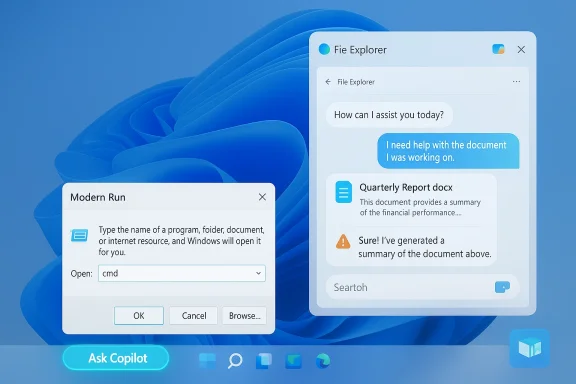
Windows 11 desktop with Copilot, a Run dialog set to cmd, and a File Explorer chat panel.Background / Overview​

Microsoft released Windows 11 Insider Preview Build 26300.7674 (KB5074170) to the Dev Channel on January 27, 2026, marking a jump in the Dev-channel build series and calling attention to a new servicing baseline that’s being prepared for the calendar year’s feature work. The company explicitly notes these builds remain based on Windows 11, version 25H2 and are being delivered via an enablement package model — the same lightweight activation approach Microsoft used to flip on 25H2 features last year.
Why this matters: an enablement package makes the “update” small on-disk and fast to apply because much of the code is already present in cumulative updates; the enablement package simply flips features on or changes the visible version string. But that packaging also means what you see immediately after installing may be just the scaffolding — Microsoft still controls a lot of actual feature exposure server-side (controlled feature rollouts), and many features appear only to targeted devices or entitlement holders.
At the same time Microsoft’s Dev Channel has moved forward to the 26300 series, the company warns that installing this build closes the short window that previously allowed a simple Dev→Beta channel switch; devices that accept the 26300 update may need extra steps to return to Beta later. Microsoft documents a pause-and-switch workaround for Insiders who want to avoid being stuck on the Dev baseline.

What arrived in this preview: the essentials​

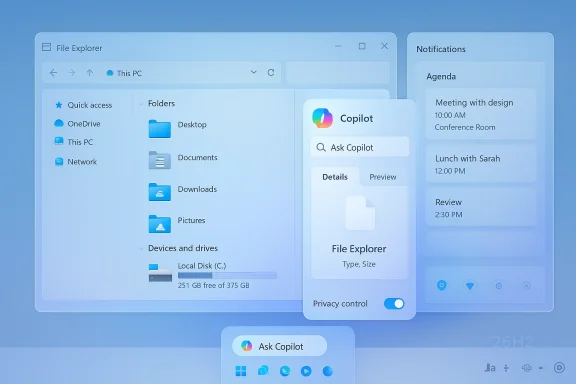
The public-facing changelog for Build 26300.7674 lists targeted quality fixes across File Explorer, Start, Search, Settings, and display/graphics, and reiterates that the build contains the same features and improvements previously seen in the 26220-series Dev previews. But the real headline from the ecosystem isn’t the bug fixes — it’s the way Microsoft is layering and exposing more Copilot-driven experiences across native surfaces. Key visible items being tested include: Ask Copilot on the taskbar, Copilot chat integration inside File Explorer, an updated Modern Run dialog, and an Agenda view inside the notification center — each currently gated, often optional, and delivered gradually to Insiders.
  • Build identifier and delivery: Windows 11 Insider Preview Build 26300.7674 (KB5074170) — Dev Channel.
  • Delivery model: enablement package approach (small activation package that flips features on top of 25H2 binaries).
  • Notable experiments being staged: Copilot in File Explorer (side pane/chat), Ask Copilot taskbar pill, Modern Run (WinUI-based), Agenda (notification center), .webp wallpapers, Xbox Full Screen Experience (FSE), and other UX polishes.
Note: the precise 26H2 label is beginning to appear in some Windows Update metadata for Insiders, but the version string is not yet reliably present in Settings → About or via winver on many machines; Microsoft seems to be deploying the enablement package and additional flags in stages. That matters for how you’ll see version numbers in the wild.

Deep dive: the Copilot integrations you’ll notice first​

Ask Copilot on the taskbar​

Ask Copilot is an opt-in taskbar pill that blends local Windows Search results (apps, files, settings) with generative Copilot responses and multimodal inputs (text, voice, and Vision). Microsoft’s concept is to make the taskbar a low-friction starting point for queries and quick actions — but visibility is being throttled by entitlement checks and server-side gating, so installing the build doesn’t guarantee you’ll see Ask Copilot immediately.
Practical implication: users who enable Ask Copilot can expect faster context switching between local search hits and AI responses, but organizations and privacy-conscious users should treat the feature as optional and review permissions and telemetry behavior before enabling.

Copilot in File Explorer​

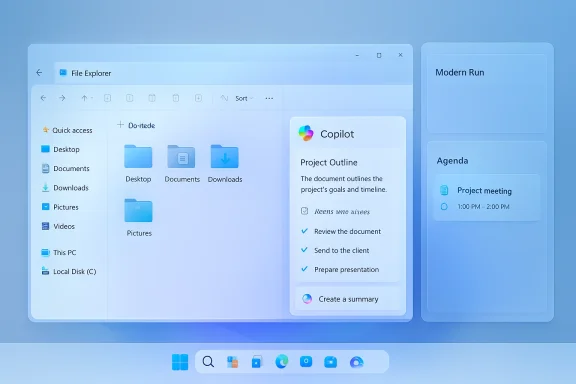
File Explorer experiments indicate a docked Copilot pane alongside Details and Preview, where you can ask Copilot to summarize documents, extract action items, or perform contextual tasks without leaving Explorer. This is a substantial UX shift: instead of jumping to the Copilot app or a web UI, Copilot becomes a right-side, contextual assistant inside the file shell. Early previews show an “Ask Copilot” context-menu item evolving into a full-pane chat experience.
Caveat: this behavior is experimental and will be optional — Microsoft appears to be conscious that embedding an AI chat into a file browser raises both performance and privacy questions, so expect opt-in toggles and per-action consent for file access.

Modern Run and Agenda​

  • Modern Run: a WinUI-built, chromeless Run dialog tested as an optional replacement for the legacy Win+R box. It brings recent commands, dark-mode consistency, and a more modern visual language to a classic power-user tool.
  • Agenda in Notifications: Microsoft is resurfacing an Agenda/Calendar view reminiscent of Windows 10’s feature, rebuilt using WebView2 to show Outlook calendar items directly in the notification center. Early tests suggest a memory tax when Agenda is active — one report cited roughly +100 MB of RAM due to WebView2 processes — so expect tradeoffs on machines constrained for memory.

Fixes, known issues, and the expected reliability tradeoffs​

Build 26300.7674 focuses on pragmatic fixes: the “Extract All” command in some archive contexts was restored, a broken Search icon was corrected, Settings Home slow-load issues were addressed, and subsequent fixes tackled specific secondary-monitor black-screen problems and a rare SYSTEM_SERVICE_EXCEPTION bug check. Microsoft published a list of known issues (Start categories view, File Explorer jumps, Xbox FSE quirks, system tray visibility, and Click-to-Do dependence on Copilot app launch) and reiterated that features are being rolled out gradually.
What this means for testers:
  • Expect a mixture of polish and regressions. New features in early previews can introduce inconsistent behavior across devices.
  • Features you read about may not appear immediately; Microsoft gates exposure by account, hardware (Copilot+ NPUs), and region.
  • Insiders and IT pros should treat these flights as functional experiments — not production releases.

The enablement-package economy: why Windows updates feel smaller but more confusing​

Microsoft’s enablement-package model continues to shape how Windows evolves: cumulative updates drop feature binaries into the system, and a tiny enablement package flips them on later. The practical advantages are clear: faster installs, smaller downloads, and cleaner servicing. But the model creates new complexity for user perception and enterprise validation:
  • Perceived paradox: Your PC may already have the bits for a big feature set, yet nothing appears until Microsoft flips an enablement switch or a server-side flag. This can leave users puzzled and administrators uncertain about what functionality a given device truly has.
  • Validation complexity: Enterprises must validate at the feature level, not just OS version strings, because device state (drivers, cumulative update level, prior preview installs) can change how features behave.
  • Channel mechanics: as Dev moves to build 26300, simple switching to Beta becomes restricted for a short window. If you want to avoid being stuck on the Dev baseline, Microsoft advises pausing updates before the Dev build installs and switching channels; otherwise, you may need a reinstallation or more involved recovery path to switch back.
Practical checklist for Insiders who want to avoid being trapped on the Dev baseline:
  • When Build 26300.7674 appears as an offer, open Settings → Windows Update and pause updates.
  • Change your Insider channel from Dev to Beta in the Windows Insider Program settings.
  • Unpause updates after the channel change.

Enterprise controls and governance: Microsoft responds — cautiously​

If you’re an IT admin worried about Copilot’s presence on managed machines, Microsoft has introduced a narrowly scoped Group Policy to perform a one-time uninstall of the consumer Microsoft Copilot app under strict conditions. The policy, named RemoveMicrosoftCopilotApp, appears in Insider builds (introduced in Build 26220.7535 / KB5072046) and is located under User Configuration → Administrative Templates → Windows AI → Remove Microsoft Copilot App. It will only run when all gating conditions are met: Microsoft 365 Copilot and the consumer Copilot app are both present; the Copilot app was not installed by the user (preinstalled or provisioned); and the app has not been launched in the last 28 days. This is deliberately conservative — it’s a surgical cleanup tool, not a fleet-wide permanent ban.
Why that matters:
  • Enterprise admins get a supported, documented path to remove the consumer Copilot app from provisioned images where it is unused or unwanted.
  • The policy’s conservatism (inactivity window + preinstalled-only condition) is by design: Microsoft wants to avoid surprising active users or breaking tenant-managed Copilot scenarios.
  • For durable blocking, admins still need additional tools (AppLocker, Intune configuration, image customization) if they want a persistent ban.

Privacy and security considerations​

Embedding AI into core system surfaces — particularly a file manager — raises inevitable privacy and security questions. Microsoft’s current preview behavior shows several mitigations and opt-in guardrails:
  • Many Copilot features are opt-in and require explicit permission to access files or to send data to cloud services.
  • Some Copilot experiences can run on-device for Copilot+ PCs (devices with strong NPUs), reducing cloud exposure; other devices will use cloud-backed inference after user consent.
That said, the tradeoffs are real:
  • On-device AI requires capable hardware and on-device model lifecycles; off-device inference raises data-flow and telemetry questions that organizations must understand before enabling Copilot features widely.
  • Features built with WebView2 (e.g., Agenda) bring the Edge runtime into system surfaces and may influence memory and process behavior, something to watch in memory-constrained or densely instrumented environments.
Recommendation for privacy-conscious users and admins:
  • Audit and test Copilot behaviors in a controlled environment before enabling them fleet-wide.
  • Use the new Group Policy options where appropriate and combine them with established app-blocking or provisioning policies if you need durable control.

Strengths: what’s promising about 26H2’s preview​

  • Productivity lift: Copilot woven into taskbar and File Explorer promises to reduce context switching, speed document summarization, and create new low-friction actions like “summarize this folder” or “extract key items” without opening multiple apps. Early previews show real promise for power users and knowledge workers.
  • Faster OEM enablement for new silicon: Microsoft’s split between a platform-focused 26H1 (for new SoCs) and a feature-oriented 26H2 lets OEMs ship validated system images with necessary low-level plumbing for advanced NPUs and drivers without destabilizing the broader Windows ecosystem. That’s important as Arm + NPU platforms proliferate.
  • Manageability controls: Microsoft is listening to enterprise feedback and shipping at least narrow, supported tools (RemoveMicrosoftCopilotApp) to let admins perform targeted remediation on provisioned devices. That’s a practical nod to governance requests.

Risks and open questions​

  • Feature visibility and version confusion: enablement packages and server-side gating mean the visible version number on Settings may not equal the set of features actually enabled. That complicates testing and support.
  • Privacy and telemetry tradeoffs: while Microsoft’s opt-in model and on-device options help, embedding Copilot into File Explorer and core surfaces means more frequent data-access prompts and new telemetry vectors that require clear enterprise policies.
  • Resource cost: features that lean on WebView2, the Copilot app, or cloud inference can increase memory, CPU, and battery usage on thin clients and older hardware. The Agenda/WebView2 memory observation (roughly +100MB in one early test) is a concrete example to monitor.
  • Channel and servicing complexity: Insiders and administrators must pay close attention to channel switching windows, enablement prerequisites, and safeguard holds; these logistics can be operationally expensive if not managed carefully.

How to prepare: practical advice for power users and IT pros​

For enthusiasts and Insiders​

  • If you enjoy early experimentation, install Dev Channel builds but be ready for uneven feature exposure and occasional regressions. Back up data and test on noncritical hardware.
  • If you want to avoid being locked into the Dev baseline, pause updates before the 26300 build installs and switch to Beta; Microsoft documents this pause-and-switch approach in its Dev announcement.

For IT admins and enterprise testers​

  • Treat the new builds as feature labs. Validate at the feature and driver level, not just by OS version. Run pilot groups and record telemetry/compatibility issues thoroughly.
  • Use the new RemoveMicrosoftCopilotApp policy carefully for provisioned images, but don’t rely on it as a persistent enforcement mechanism — combine with AppLocker, Intune configuration profiles, and image customization where necessary.
  • Pay attention to WebView2-dependent features (Agenda) and test memory/cost impact on machines with less RAM.

Cross-check and verification summary​

  • Microsoft’s official Windows Insider Blog confirms Build 26300.7674 was released to the Dev Channel on January 27, 2026, and notes the build is delivered as an enablement-package-style update on top of Windows 11, version 25H2. This official post also documents the channel-switch implications and lists the fixes and known issues.
  • Independent reporting from WindowsLatest and Windows Central confirms the emergence of a 26H2 reference in some Windows Update metadata, highlights Copilot integrations into File Explorer and taskbar, and notes resource considerations for Agenda/WebView2. These independent writes corroborate the ecosystem’s interpretation of what the enablement package and the 26300 series are testing.
  • PCWorld and other outlets have previously described Microsoft’s pattern of shipping enablement packages (e.g., 25H2) and how Microsoft stages features across channels; those prior analyses provide useful historical context for interpreting the current Dev Channel jump.
  • The new RemoveMicrosoftCopilotApp Group Policy and its conservative gating conditions are documented in Insider release notes and have been reproduced by multiple outlets and community testers — confirming Microsoft is taking a cautious, narrowly scoped approach to admin removal of consumer Copilot in managed contexts.
Where coverage diverges or remains uncertain:
  • Final consumer rollout timing for a broadly available “26H2” feature update, and which features will ship universally versus remain entitlement- or hardware-gated, remain fluid. Microsoft’s server-side gating and phased rollout approach means timelines and availability can change, and some preview experiments may never reach general release. Treat specific feature ship dates as provisional.

Final verdict — what to expect next​

This first public 26H2 preview is less about a blockbuster single update and more about a strategic pivot: Microsoft is continuing to stitch Copilot capabilities into the fabric of Windows (taskbar, Explorer, Settings, notifications) while avoiding a one-time disruptive monolithic change. The enablement-package approach keeps installs fast and lets Microsoft and OEM partners manage hardware enablement separately, but it also complicates visibility, validation, and governance.
If you’re an Insiders enthusiast, expect to try genuinely interesting Copilot experiments that could change workflows. If you’re an IT pro, this is the time to tighten pilot programs, exercise the new Group Policy controls, and validate memory/driver behavior for WebView2 and Copilot-related processes. And if you’re a privacy-conscious user, expect opt-ins and explicit consent prompts — but don’t assume “off by default” is permanent unless you validate settings and policies on your devices.
The 26300-series announcement and the early 26H2 references are the opening chapter of a year in which AI will be highly visible inside Windows — useful, potentially transformative, and deserving of cautious, deliberate rollout in production environments.


Source: PCWorld Microsoft's first Windows 11 26H2 preview is here. So far, it's AI and fixes
 

Microsoft’s first public preview of the Windows 11 26H2 era arrived to Insiders at the end of January with a clear, test-driven push: weave Copilot deeper into the shell — File Explorer, taskbar search, and the notification center — while making those touchpoints optional and subject to staged rollout.

Blue desktop UI showing File Explorer and Copilot panels with an Ask Copilot prompt.Background / Overview​

Windows Insiders received Build 26300.7674 (KB5074170) on January 27, 2026, an early Dev‑Channel preview that Microsoft describes as being delivered on top of the existing 25H2 binaries via an enablement package. That packaging flips feature flags and advancthe 26300 series) without shipping a full OS image to every device immediately.
This preview is notable for two simultaneous signals from Microsoft:
  • An aggressive expansion of Copilot into everyday system surfaces — most viilot pane in File Explorer, an Ask Copilot taskbar pill that blends local Windows Search with Copilot responses, and an Agenda/notification center view — all being staged as opt‑in experiences.
  • A tactical retreat in some app-level AI plans after public backlash: reports indicate Microsoft is re-evaluating randing or placements in inbox apps such as Notepad and Paint, even as those apps continue to receive AI feature updates in preview builds. Readers should note this tension: Microsoft is simultaneously expanding and pruning, depending on where the company judges AI improves the experience and where it feels intrusive.
Together these moves paint a picture of a company recalibrating how aggressively to embed generative AI in a widely used OS.

What’s in Build 26300.7674: the visible changes​

Copilot in Fii consequential user-facing experiment is Copilot inside File Explorer. Early Insider strings and hands‑on notes show an "Ask Copilot" context menu evolving into a docked Copilot pane that lives alongside the Details and Preview panes. The pane is intended to let you summarize documents, extract action items, run contextual queries about selected files, and perform quick act apps.​

Why it matters:
  • Reduces context switching: summarise a PDF or extract a table without opening another app.
  • Potential accessibility gains: Copilot can read or summarize content for users who rely on assistive tech.
  • Real technical risk: embedding a conversational model in a file shell raises privacy and memory‑use tradeoffs that Microsoft is explicitly testing as opt‑in.

Ask Copilot on the taskbar: hybrid search + chat​

Build notes and independent reporting confirm a new Ask Copilot taskbar pill that replaces or augments the static search box. The pill mixes local, indexed results (apps, files, settings via Windows Search APIs) with Copilot’s generative outputs and supports multimodal inputs — text, voice (press‑to‑talk or wake‑word), and Copilot Vision (at regions). This panel is designed to be permissioned and opt‑in.
Practiast triage of local files plus one‑tap escalation to Copilot for summarization or follow‑ups.
  • The experience is server‑gated and entitlement‑checked; having the build installed does not guarantee immediate access for all Insiders.

Notification center: Agenda and contextual cards​

A refreshed Agenda (calendar) view inside the notification center is being previewed, rebuilt with WebView2 to show Outlook items inline. Early testing notes warn of a measurable memory footprint when the Agenda view is active — preview builds reported roughly a +100 MB memory tax in some scenarios. Microsoft’s preview messaging shows the feature will be optional.

Modern Run and other interface tweaks​

Power users get a modernized Win+R (Modern Run) dialog updated with WinUI visuals, history, and a cleaner command resolution UX. Misc polish arrives for Start, Settings, and explorer reliability in this build, alongsi display and multi‑monitor issues.

, and the enablement package model
Microsoft has used enablement packages in recent years to reduce install size and speed up activation: the binaries are present in cumulative updates and the enablement package flips features on. Build 26300.7674 is being delivered in that model and marks an internal jump to the 26300 series for Dev Channel devices. The company warns that installing the build closes the short window for a simple Dev→Beta channel switch — the device may be committed to the Dev baseline until you take extra steps.
Key operational points:
  • The OS version string (26H2) may not immediately appear in Settings → About or winver; Windows Update history and installed update entries can reveal the enablement package.
  • Controlled Feature Rollouts (server side flags, entitlement checks) mean not all devices with the same build will see the same features simultaneously.

Why Microsoft is threading this needle: expansion vs. retreat​

Microsoft’s public posture is twofold: push Copilot into system surfaces where it can provide immediate, discoverable value (taskbar, File Explorer) while reducing or rethinking integrations in app surfaces where users pushed back (Notepad, Paint). Independent outlets covering the rollout and the backlash corroborate this duality.
What Microsoft gains by concentrating on system surfaces:
  • Higher leverage: taskbar and Explorer are daily usage points where assistance can save many context switches.
  • Easier governance of permissions: central surfaces can be designed with consistent permission flows and telemetry controls.
  • Measurable telemetry to guide iteration: server-side gating allows Microsoft to collect signals before wider rollout.
What the backlash revealed:
  • Branding everything "Copilot" made some features feel like surface-level marketing instead of useful, task‑focused tools.
  • Users complained about inconsistent behavior across apps and intrusive prompts or memory/performance costs. Industry reporting and community reaction amplified these concerns.

Verified facts and cross‑references​

I verified the most important, load‑bearing claims against multiple independent sources:
  • Microsoft’s official Windows Insider announcement confirms the Dev ld 26300.7674 on January 27, 2026, delivered as an enablement package and warns about the Dev→Beta switch window.
  • Reporting from Windows Central and other Windows news outlets documents the Ask Copilot taskbar experiment and the Coview flows, aligning with Microsoft’s blog and hands‑on analyses.
  • Coverage of app‑level AI features (Notepad and Paint) and the broader user backlash is confirmed by Windows Insider app update posts (which continue to ship AI features in previews) and reporting that Microsoft is reviewing some Copilot placements after negative user reaction. Where articles report Microsoft is “scaling back,” treat those points as company reaction/press reporting rather than a formal, centralized policy change.
Cautionary note: some items in public reports are based on early hands‑on impressions, string discoveries, or insider leaks; Microsoft explicitly cautions that features may change or not ship. When a claim appears in a single outlet without confirmation from Microsoft or another independent outlet, I flag it as tentative below.

Practical analysis — benefits, risks, and what users should do​

Benefits: where Copilot can actually help​

  • Reduced context switching. A Copilot pane in File Explorer that summarizes documents, extracts tables, or drafts messages referencing files could save minutes per task.
  • Faster local search with semantic understanding. The Ask Copilot pill promises to evolve simple keyword search into natural‑language queries that combine local hits with generative summaries.
  • **Better discoverability for new AI capabilitirdances in the taskbar and Explorer makes them discoverable for casual users who don’t open a separate Copilot app.

Risks and costs​

  • Privacy and telemetry ambiguity. Although Microsoft says Copilot’s local access is permissioned and uses existing Windows Search APIs, adding generative analysis of files implies upload/processing boundaries that enterprises and privacy‑sensitive users must evaluate. Always check the Copilot settings and review any organizational telemetry policies before enabling AI features on managed machines.
  • Performance and memory impact. The Agenda WebView2 example showed a non‑trivial memory footprint during previews; Copilot panes and Vision captures can increase process and GPU usage on constrained hardware. Plan pilot deployments accordingly.
  • Fragmentation and servicing complexity for IT. The dual‑stream approach (26H1 for platform/ARM, 26H2 for mainstream features) and enablement packages increase baseline variability across fleets. Driver certification matrices, security tooling, and update policies may need revisiting.
  • UI clutter and feature creep. The backlash underscores a real user expectation: AI should solve a problem clearly, not be a branded overlay applied everywhere. Microsoft’s reconsideration of app-level Copilot placements is evidence of the risk.

Recommended actions for different audiences​

For hobbyists and Insiders:
  • Install the Dev build only on test or secondary devices. Expect inconsistent feature exposure.
  • If you want to preserve the ability to move to Beta easily, pause updates before installing the 26300 build; once installed, the simple Dev→Beta window closes.
For IT professionals and sysadmins:
  • Treat 26H2/enablement packaging as a milestone to track; do not broadly deploy on production machines until features and telemetry behaviors are confirmed in Beta/Release Preview.
  • Revisit update and imaging policies to account for platform branches (26H1 vs 26H2) and to ensure drivers/tools are validated against the expected servicing baseline.
For privacy‑conscious users:
  • Keep AI features turned off by default. When enabling, audit the Copilot settings, which control whether Copilot can access local files, voice, vision inputs, and whether cloud processing is used. Microsoft’s materials emphasize explicit permissioning, but you should validate behavior in your environment.

The enterprise judgment: pilot, audit, and govern​

Integrate Copilot previews into a staged pilot program if you plan to adopt the technology across a fleet:
  • Begin with a small pilot (10–50 machines) that reflects your typical workloads and security posture.
  • Require sign‑in methods and verify whether local vs cloud inference applies; identify whether features like Copilot Vision or agentic Copilot Actions are gated to Copilot+ hardware and licensing.
  • Track telemetry, memory, and CPU behavior with actual workloads and ensure your endpoint protection stacks behave correctly with new processes and WebView2 instances active.
  • Draft a policy for what Copilot may and may not do on managed devices (e.g., disallow vision captures, prevent file uploads without explicit admin consent).
Microsoft’s own documents and community reporting make it clear: the new Copilot surfaces are being rolled out behind toggles and server gates in order to gather exactly this kind of telemetry. Use that staging to your advantage.

The controversy and Microsoft’s response: what’s verified and what isn’t​

  • Verified: Microsoft released Build 26300.7674 to Dev Insiders on January 27, 2026, and documented fixes and known issues in the official Windows Insider blog post. The build is delivered via an enablement package and contains the same feature set as prior 26220‑series previews while moving the Dev baseline forward.
  • Verified: Experimental Copilot integrations in the taskbar and File Explorer are present in preview builds, and Microsoft’s messaging emphasizes opt‑in permission models and server‑gated rollouts. Independent outlets have corroborated the Ask Copilot taskbar behavior.
  • Reported and plausible but still evolving: Microsoft is reviewing and may scale back some Copilot placements inside individual inbox apps (Notepad, Paint) after user backlash. Multiple outlets report this review and show Microsoft continuing to ship app updates with AI features in preview channels; this suggests an internal reassessment rather than an immediate, comprehensive removal. Treat these reports as accurate reflections of iterative strategy rather than final engineering decisions.

Timeline and what to expect next​

Microsoft continues to maintain an annual H2 feature cadence for mainstream Windows feature updates. Public reporting and Microsoft’s own comments indicate Windows 11 26H2 will be the broad, consumer‑facing feature release in the second half of 2026, with a likely broad rollout window around September–October 2026 if Microsoft follows past patterns. Meanwhile, 26H1 (a platform branch for new silicon) will ship earlier in the year for qualifying ARM devices. The enablement package approach means 26H2’s visible label may appear in Windows Update metadata before it is reflected in Settings or winver for all devices.
Microsoft’s nine‑month testing window gives the company (and Insiders) time to iterate on Copilot’s in‑shell behavior, gating, and consent flows before general availability, but it also gives critics time to force changes to the plan if the push remains unpopular. This is a classic product — and governance — pressure test at scale.

Bottom line: measured optimism, not blind adoption​

Windows 11 26H2 previews mark the most aggressive step yet in embedding Copilot into daily Windows workflows. The potential productivity gains — faster document triage, semantic local search, and contextual help inside Explorer — are real. But the path forward hinges on three things:
  • Permission and clarity. Copilot must be explicitly permissioned, clearly explain what it does with files, and offer simple toggles to restore a non‑AI default. Microsoft’s preview docs emphasize opt‑in controls, but real settings must be discoverable and trustworthy.
  • Performance and footprint. The memory and process impact of WebView2, vision captures, and background agent runtimes must be constrained for lower‑spec machines. Early notes show tangible costs that Microsoft will need to trim or mitigate.
  • Product fit over branding. The user backlash taught Microsoft that applying the Copilot brand everywhere is not the same as delivering useful AI. Prioritising task‑specific, low‑friction AI helpers in system surfaces — and making them opt‑in defaults — is the right step.
If Microsoft gets these three areas right, the Copilot integrations in File Explorer and the taskbar could genuinely shorten workflows for millions of users. If not, users and admins will quickly harden their settings and the company will be forced to limit scope further. For now, treat 26H2 as an experimental but important milestone: powerful, permissioned, and testable — and one that will evolve as Insider feedback pours in.

Conclusion
Windows 11’s 26H2 preview crystallizes Microsoft’s current strategy: put Copilot where it’s most likely to help (Explorer, taskbar, notification center), make those features optional and gated, and respond to real‑world user feedback by pruning or rethinking placements that don’t earn user trust. The enablement package model and Dev‑channel jump mean the next nine months of Insider testing will be decisive. Administrators should pilot carefully, privacy‑minded users should default to off, and curious power users can expect impressive but experimental AI helpers that will be shaped heavily by the feedback they — and the broader community — provide.

Source: WinBuzzer Windows 11 26H2 Preview Lands with File Explorer Copilot AI Integration
 

Microsoft has begun public testing of what looks like a significant Windows 11 refresh: Build 26300.7674 (KB5074170) has landed in the Dev Channel and — unlike routine cumulative updates — it is being treated as the first visible milestone for the 26H2 era, bringing both deep platform work and early, more tightly integrated Copilot experiences that change how the operating system surfaces AI assistance.

Blue Windows-style desktop with File Explorer, Copilot panel, and side widgets.Background / Overview​

Microsoft released Windows 11 Insider Preview Build 26300.7674 to Dev Channel Insiders on January 27, 2026; the company explicitly called out a jump to the 26300-series and warned that installing this build closes the simple Dev→Beta switch window for devices that accept the update. That same Insider announcement frames these builds as carrying “behind-the-scenes platform changes” even while many visible features continue to be delivered via the familiar enablement package model.
Why this matters: the 26300-series is shaping up to be the engineering baseline for the 26H2 era (codenamed Germanium in some reporting). Microsoft is using a two-track year for 2026: a spring, device‑gated 26H1 platform release for selected Arm-based hardware (Bromine, shipping with Snapdragon X2 PCs), and a brolease for the wider install base in the second half of 2026. That split is intentional — platform changes for new silicon are isolated to new devices while mainstream PCs receive a feature-focused H2 release.

What landed in Build 26300.7674: a concise inventory​

The public changelog for Build 26300.7674 lists a set of quality and reliability fixes across core shells — File Explorer, Start, Search, S— but independent Insider reports and community telemetry show the flight is testing several structural and AI-linked experiments. The most reported items include: an opt‑in “Ask Copilot” taskbar pill, a docked Copilot pane inside File Explorer, a Modern Run (Win+R) replacement, an Agenda view inside the notification center, and several UX and performance fixes.
Key visible items being staged in preview builds:
  • Ask Copilot on the taskbar — a conversational, multimodal search/composer that blends local results with generative responses.
  • Copilot in File Explorer — a right-hand pane that can summarize documents, extract action items, and perform contextual file queries.
  • Modern Run — a WinUI-based Run dialog with improved command resolution and history.
  • Agenda in Notification Center — calendar items surfaced inline using WebView2, with early reports showing measurable memory cost when active.
Microsoft is das an enablement package — the same lightweight activation approach used for previous H2 releases — which flips features already present in servicing binaries rather than shipping a full-image reinstallation. That design allows Microsoft to ship substantial new surface behavior with minimal on-disk churn, but it also means actual feature exposure is often gated server-side and controlled per device/account.

Copilot moves from app to shell: what to expect and why it matters​

Copilot in Windows is no longer a standalone app experiment: the 26300-series shows Microsoft intentionally embedding contextual AI into system surfaces. Two integrations are the most consequential for everyday workflows.

Copilot inside File Explorer​

Early Insider strings and hands-on notes show an “Ask Copilot” context-menu item evolving into a docked right-hand pane alongside Details and Preview. The pane is designed to let you:
  • Summarize documents and long files without opening them.
  • Extract action items or convert content (for example, pull a table into a quick summary).
  • Run contextual queries limited to selected folders or search results.
If implemented well, this reduces context switching — you can triage a PDF, extract an excerpt, or create a short summary from Explorer itself. The accessibility upside is also real: Copilot can provide concise descriptions for users dependent on assistive tech. But embedding a conversational model in the shell brings real trade-offs: memory footprint, privacy surfaces (what Copilot can access and where that data goes), and increased process complexity. Microsoft’s current testing posture treats these features as opt‑in and server-gated while it evaluates telemetry and user feedback.

Ask Copilot on the taskbar​

The taskbar pill replaces or augments the classic Windows Search entry with a composer that blends:
  • Local indexed results (apps, files, settings).
  • Generative Copilot responses.
  • Multimodal inputs: text, voice, and Copilot Vision for quick region captures.
This is a high-friction-to-low-friction design aim: make the taskbar the fastest place to ask a question or run a lightweight, AI-driven task. But the experience is tightly permissioned in preview: visibility depends on entitlement checks and Microsoft’s controlled rollouts. Expect the feature to be switched off by default for the general population when 26H2 ships — at least until telemetry and consent flows prove reliable.

The enablement package model: mechanics, advantages, and gotchas​

Microsoft’s enablement package approach remains central to how feature trains will be delivered in 2026. The pattern works like this:
  • Microsoft ships cumulative servicing binaries broadly (the code is present on devices).
  • A small enablement package flips feature flags or activates dormant UX elements already embedded in those binaries.
  • Feature exposure beyond that flip can still be controlled server‑side via entitlements and CFR (Controlled Feature Rollouts).
Advantages:
  • Fast activation and small download size.
  • Ability to test server-side gating without re-imaging user devices.
  • Lower rollback complexity compared with full image upgrades.
Risks and operational caveats:
  • Installing the enablement baseline does not guarantee immediate visibility — features are often gated by account, hardware profile, geography, or telemetry.
  • For Insiders: moving from Dev to Beta becomes harder after a jump to the new Dev baseline (Microsoft warns about channel-switch windows). That matters for testers who want to avoid being stuck on a more experimental baseline.

26H1 (Bromine) vs 26H2 (Germanium): platform split explained​

Microsoft is running two related but different tracks in 2026:
  • 26H1 (Bromine) — a spring platform release targeted at new Arm64 hardware, specifically Qualcomm’s Snapdragon X2 family. It’s not an upgrade for existing Intel/AMD PCs; it’s the baseline shipped on qualifying new devices. Expect performance and runtime changes needed for specific SoCs.
  • 26H2 (Germanium) — the broad feature update slated for the second half of 2026 (likely October). This is the mainstream consumer release for the wider Windows install base. The 26300 Dev-series is being tested as the Germanium baseline.
Why the split? New silicon often requires scheduler and runtime changes that increase risk if rolled out to millions of existing PCs. The Bromine/Germanium separation reduces the blast radius for those changes while allowing OEMs to ship devices on their timeline. The trade-off is fragmentation complexity for IT teams: for a period, different devices on the same Windows version family will be running different platform baselines, complicating testing, driver certification, and support matrices.

Performance, reliability, and Microsoft’s “swarming” promise​

Public and community reporting over late 2025 and early 2026 show Microsoft shifting more engineering resources to stability and everyd year of high-visibility feature pushes. The 26H2 previews reinforce that pivot: the company lists targeted fixes for File Explorer lag, Search reliability, UI consistency (dark mode behavior, context menus), and update rollbacks. The aim is to reduce regressions and make the OS feel snappier in common workflows, not merely add shiny surface features.
Insider telemetry and early hands-on notes indicate Microsoft is watching specific SLOs (service-level objectives): context-menu latency, Explorer open/close times, and memory overhead for new WebView2-based surfaces (for example, the Agenda card). There are already reports of modest memory impact when Agenda is active — measurable in the tens or low hundreds of megabytes — and Microsoft will need to tune these costs before broad rollout. Treat these early numbers as indicative rather than final.

Privacy, governance, and enterprise controls: the policy landscape​

Embedding Copilot into system surfaces raises obvious governance questions. Microsoft’s preview behavior shows an emphasis on opt‑in controls and server-side gating, and the company has added Group Policy / MDM controls in prior flights to allow admins to remove or disableapp. Expect enterprise-grade controls for:
  • Disabling in-shell Copilot experiences.
  • Controlling telemetry and data-sharing scopes.
  • Auditing agent-like features that may perform file or UI actions.
Early Insider builds include explicit admin knobs (for example, a Group Policy to remove the Copilot app), and Microsoft is documenting these governance primitives as it rolls previews. Administrators should validate these controls in pilot rings and build clear policies that map to organizational data-flow and compliance requirements.

Risks, trade-offs, and what to watch for​

The 26H2 preview paints a clear picture of ambition but also surfaces real-world trade-offs:
  • Memory and process overhead: Docked Copilot panes, Agenda built on WebView2, and richer taskbar experiences increase runtime memory and process counts. Microsoft will need to trim and optimize to keep the OS usable on low‑spec devices. Early tests note direct memory impacts when new panes are active.
  • Server-side gating confusion: Because features are often controlled server-side, two identical devices with the same binaries might present different behaviors. This complicates testing and helpdesk troubleshooting unless Microsoft provides better telemetry and visibility into feature flags.
  • Privacy surface area: Copilot’s ability to read and summarize files is powerful — and potentially risky in regulated environments. Clear consent flows, per-feature toggles, and managed policies are non-nege adoption. Early preview notes emphasize opt‑in behavior, but IT should validate that opt-outs are both discoverable and effective.
  • Fragmentation for support: The two-track platform approach (Bromine vs Germanium) fragmentation that will complicate driver testing and corporate image rollouts. Administrators should model this risk and validate on both platform baselines where relevant.

Practical guidance: what Insiders, IT pros, and enthusiasts should do now​

  • For Insiders in Dev:
  • Understand that installing Build 26300.7674 closes a simple Dev→Beta switch window. Pause updates if you plan to migrate channels before the build lands.
  • For IT administrators:
  • Treat the early 26300-series as an evaluation baseline, not a production baseline. Pilot in a controlled ring and validate Group Policy / MDM controls for Copilot features.
  • For privacy-conscious users:
  • Wait for the final 26H2 release or validate opt‑in toggles carefully. Don’t assume that installing the enablement package equals immediate AI exposure — feature gating is still common.
  • For developers and OEMs:
  • Track the Bromine vs Germanium split and test builds across both platforms if your software or drivers target upcoming Arm-based devices. Expect some platform-specific runtime differences.

Strengths: where Microsoft gets this right​

  • Reduced context switching: Copilot inside Explorer and an Ask Copilot taskbar promises a streamlined, productivity-first approach for triaging files and quick tasks.
  • Enablement package agility: Flipping dormant features on in-place reduces update friction and simplifies rollout mechanics.
  • Focus on fundamentals: After a period of rapid UI additions, the company is signaling (and early evidence shows) a pragmatic shift toward reliability and performance improvements that will benefit large swathes of users.
These are meaningful wins for users who value efficiency and for admins who need fewer regressions in day-to-day operations.

Weaknesses and open questions​

  • Feature exposure confusion: Server-side gating combined with enablement packages makes it hard to say definitively who will see what and when. That unpredictability is a support and documentation burden.
  • Performance costs: New WebView2 surfaces and AI panes carry resource costs that must be trimmed for older or cheaper hardware.
  • Privacy and telemetry: The integration of an assistant that can read and summarize local files must be accompanied by transparent, auditable controls. The current preview emphasizes opt‑in flows, but enterprise policy maturity will determine acceptance.
When Microsoft balances these weaknesses with robust controls and clear admin tooling, Copilot will be easier to trust — and easier to adopt. Until then, cautious testing and clear policies are essential.

Conclusion​

Build 26300.7674 marks the first public testing milestone for the 26H2 era and — more importantly — signals how Microsoft intends to fuse generative AI into the Windows shell. The company is using an enablement package model to deliver structural platform changes while staging AI experiences like Copilot in Explorer and on the taskbar as opt‑in experiments. That approach delivers genuine productivity potential: faster file triage, contextual search, and inline summarization.
But the work is still early. Microsoft must prove it can keep new AI surfaces performant, privacy-respectful, and administrable at scale. The two-track approach for 2026 — Bromine-based 26H1 for new Arm silicon and Germanium-based 26H2 for the wider population — is a cautious, risk-managed strategy that reduces the blast radius of low-level platform changes while letting the company innovate on hardware-specific optimizations.
If you are an Insider, tester, or IT pro: pilot the new builds carefully, validate policy and telemetry behavior, and treat these early 26H2 previews as a staged, experimental roadmap rather than a finalized shipping plan. For everyday users, the likely outcome is a quieter, more helpful Windows that brings AI to the places where it reduces friction — but only if Microsoft follows through on performance tuning, transparent consent, and robust enterprise governance during the months of testing ahead.

Source: TechSpot Microsoft begins testing Windows 11 26H2 with major fixes and Copilot changes
 

Back
Top