• Thread Author
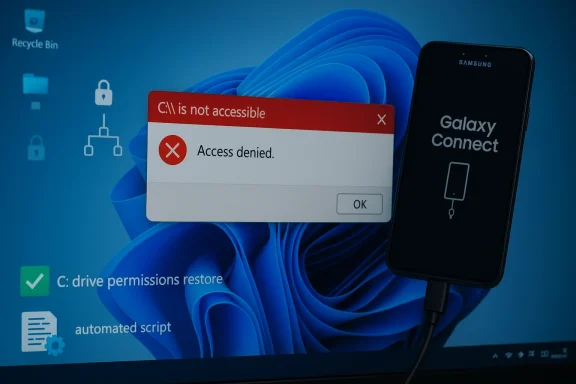
Microsoft and Samsung have confirmed that a buggy version of the Samsung Galaxy Connect application distributed through the Microsoft Store caused a subset of Samsung Galaxy Book 4 and desktop systems running Windows 11 to report the frightening error “C:\ is not accessible – Access denied,” effectively locking users out of their system drive and breaking everyday workflows. dting widespread failures in early March 2026, when machines showed an “Access denied” message for the C: system volume and many standard apps stopped launching. Early troubleshooting pointed at recent servicing activity — March’s Patch Tuesday rollup shipped on March 10, 2026 — but Microsoft and Samsung’s joint investigation concluded the immediate cause was not the Microsoft cumulative update itself, but a problem tied to Samsung’s Galaxy Connect application.
Microsoft’s public guidance states the operations — opening files, launching applications (including Office and browsers), or attempting administrative tasks such as elevating privileges or uninstalling updates — and that, in affected cases, standard recovery actions can fail due to permission failures. To stop new installs, Microsoft temporarily removed the Samsung Galaxy Connect app from the Microsoft Store while Samsung republished a previous (stable) version.
Laptop displays a red “ACCESS DENIED” banner with a shield and lock icon, signaling a security block.What happened, in practical terms​

  • Affected models were concentrated amod desktop SKUs — notably Galaxy Book 4 variants and several DM/NP desktop and notebook models — running Windows 11 versions 24H2 and 25H2. Reports across community forums and vendor channels clustered on the same hardware lines.
  • Symptoms were dramatic and immediate: attempts to open the C: root in File Explorer returned “Access dions failed to launch, elevation requests (UAC) could fail, and in some scenarios uninstalling updates or collecting diagnostic logs was impossible because the operating system itself returned permission failures.
  • Microsoft and Samsung’s coordinated response was to pull the offending app from the Microsoft Store to prevent further msung republished a previously stable build to halt recurrence for systems that had not yet been affected. For systems already impacted, Microsoft cautioned that recovery options remain limited and referred device owners to Samsung’s support channels for device-specific assistance.

Why this is a high-severity problem​

The C: drive is typically the system volume where Windows and user applications live; losing access ables a Windows installation without necessarily damaging data. That makes this incident high-impact for several reasons:
  • Immediate loss of productivity: Outlook, Microsoft Office, browsers, and utilities become unavailable when access to the system volume is denied.
  • Administrative paralysis: If UAC elevation, event log collection, or update uninstallation fail, IT teams have fewer remediation options.
  • Risk of data loss: While no large-scale data corruption was publicly confirmed at the time of reporting, inability to use standard recovery tools raises the risk that poorly executed recovery attempts could lead to data loss.
  • Supply-chain trust erosion: The app was delivered via the Microsoft Store — the trusted distribution channel many users assume is safe — which amplifies questions about vetting and post‑publish monitoring of OEM-supplied utilities.
These factors combine to make a “permissions on the system volume” bug one of the most serious functional failures a consumer can experience short of a full-disk hardWhat Microsoft and Samsung have said
Microsoft framed the incident as a joint investigation with Samsung that identified the Samsung Galaxy Connect application as the root cause for the specific “C:\ is not accessible – Access denied” symptom cluster. Microsoft emphasized that the timing around March’s Patch Tuesday was coincidental in the sense that the Windows update itself was not the direct cause. Microsoft temporarily removed the app from the Microsoft Store and said it is collaborating with Samsung on fixes, while directing affected users to Samsung’s support channels for device-specific recovery guidance.
Samsung’s actions — republishing a prior stable version — indicate the OEM accepted at least a functional regression in the version distributed via the Store; however, the companies proviblicly about the specific internal defect or the mechanism by which the app altered system permissions on the C: volume. That lack of low-level technical detail leaves room for speculation about the precise failure mode.

How a third-party app can cause C: access problems (technical possibilities)​

It’s important to distinguish what is known from what is plausible. Microsoft and Samsung attribute the problem to the Galher vendor published a detailed root-cause technical breakdown at the time of these reports. The following is a technical survey of plausible mechanisms — not confirmed facts — that would explain how an application could trigger “Access denied” on C:. Treat these as diagnostic hypotheses until Microsoft or Samsung publish a formal post‑mortem.
Possible mechanisms:
  • The app modifies the NTFS ACL (Access Control Lists) on the C:\ root or key system folders, either via system calls (SetNamedSecurityInfo, SetFileSecurity) or shell utilities (icacls), and those modifications remove required permissions from built-in accounts like SYSTEM or Administrators. Such a change would instantly cause “Access denied” behavior for many operations.
  • The app installs or modifies a file system filter driver that inadvertently alters access semantics or fails to enumerate ACLs properly during access checks.
  • The app manipulates mount points (repointing C:\ to another mount or to a folder junction) or interferes with volume mount manager behavior so that the OS believes the volume is not the expected system volume.
  • The app interacts with security or encryption layers (e.g., OEM-managed “secure folder” features) and leaves the system in a state where standard accounts can’t access files. Conflicts with device encryption/BitLocker or OEM-provided encryption wrappers could produce similar symptoms.
  • The app writes to critical registry keys governing user capability consent or the Capability Access Manager, causing system services to enforce stricter, erroneous denials across the OS.
  • A poorly implemented service running as Local System could corrupt the Master File Table (MFT) or create file handle contention, causing NTFS to fail access checks; this would more likely result in filesystem errors rather than a straightforward “Access denied” message.
All of the above remain unproven in this specific incident; Microsoft and Samsung’s public statements stopped at attributing the symptom to the Galaxy Connect app and did not publish the low-level artifact trail. Until a formal root-cause report is released, the exact mechanism should be treated as undetermined.

Recovery: what affected users and IT admins can (and should not) do​

Microsoft and Samsung both warned that recovery options for already-impacted devices are limited. That said, IT professionals and power users can follow attempt recovery while minimizing the risk of irreversible data loss.
Before you act: if your device is affected, do not perform destructive operations (such as repartitioning or immediate full-disk formatting) until you have exhausted non-destructive recovery attempts. If you cannot access the C: drive but can still boot to the OS or to recovery tools, follow these steps in order.
  • Document symptoms and capture logs if possible:
  • If any elevated command prompt or PowerShell session can be opened, run basic diagnostics (whoami, icacls C:\, dir C:) and record outputs. Even a screenshot with errors can be valuable when working with support.
  • Boot to Windows Recovery Environment (WinRE) or Safe Mode:
  • If Safe Mode is available, test whether C: becomes accessible there. Safe Mode reduces the number of drivers and third‑party services loaded; if the problem disappears in Safe Mode, a third‑party component is likely the culprit.
  • Use System Restore or uninstall recent app updates:
  • If you can access WinRE, try “Uninstall latest quality update” or use System Restore to revert to a pre‑incident point. This may not always work if permission checks are blocking the operation.
  • Remove the offending app (if possible):
  • If Galaxy Connect appears in Apps & Features and can be uninstalled, remove it. If you cannot uninstall from the running OS, try WinRE → Command Prompt to remove the app package or the installed service CL repair cautiously:
  • Senior admins can try restoring ACLs using icacls or secedit to reset system permissions to defaults, but this is a high-risk operation. Always back up the system state or create disk images before changing ACLs across the system volume.
  • Boot from external recovery media for forensic steps:
  • If the OS cannot be repaired from inside, boot from trustworthy external media (Windows PE, Linux live USB) and mount the disk as a data volume. This approach lets you copy critical files out before attempting in-place repairs. Do not run automated repair tools that format partitions without explicit inspection.
  • Engage Samsung support and, if necessary, scheduled service:
  • Microsoft directed users to Samsung’s support channels for device‑specific assistance because OEMs often include recovery images or dedicated repair steps for their models. Samsung republished a stable Galaxy Connect build to prevent new installs, but systems already affected may require repairs that only Samsung’s service teams can provide.
If you are corporate IT, treat any device with possible C: ACL tampering as high-priority and isolate it from the network until cleared. Preserve images for forensic analysis — especially if you need to demonstrate the chain of events for warranty or liability claims.
--ft Store distribution matters
This incident raises deeper questions about the risk model for vendor-supplied system utilities distributed through platform app stores.
  • Many users assume apps published in the Microsoft Store are vetted against severe failure modes. When an OEM-updated app distributed via the Store causes system-level damage or blocks access to OS resources, it undermines that trust.
  • OEM utilities often run with elevated privileges or install background services and drivers to integrate hardware features. That privilege model increases potential impact when an update contains a regression.
  • The Store’s automatic update behavior means problematic builds can propagate quickly — particularly on consumer machines where users do not routinely block app updates — accelerating the scope of the incident. Microsoft’s immediate removal of the app from the Store is the correct containment step, but it is reactive and does not fix already-affected endpoints.
This incident will likely prompt renewed scrutiny of the vetting and runtime monitoring processes that govern privileged OEM apps in the Microsoft Store.

Vendor responsibility and the supply-chain angle​

The Samsung-Microsoft exchange illustrates a broader supply-chain reality: OS veooperate on app-level quality and distribution policies. Key responsibilities include:
  • OEMs must exercise rigorous QA on utilities that modify system state, especially those granted elevated privileges or drivers.
  • Platform providers must ensure pre-publish checks include scenarios that verify ACL integrity and guardrails against code that can change system volume ACLs or mount behavior.
  • Both parties should have accelerated rollback paths and telemetry to detect and automatically halt distribution of builds that trigger high-severity failures on real devices.
Until we see a formal post‑mortem, questions remain about how the Galaxy Connect build passed Microsoft Store checks and what pre-release testing included for the hardware models affected. Community reports indicate the problem surfaced in a tight cluster on specific Galaxy Book models, suggesting either a model-specific code path or a combination of firmware/driver interactions unique to those SKUs.

Strengths and weaknesses of the response so far​

Strengths
  • Microsoft and Samsung acted quickly to prevent further installs by removing the app from the Store and republishing a previous build. That mitigating step likely stopped new infections and prevented the issue from becoming exponentially worse. een a platform vendor and an OEM was transparent at a high level — Microsoft publicly acknowledged the investigation and directed users to Samsung for device-specific recovery help, rather than leaving users guessing.
Weaknesses / Risks
  • Lack of a clear technical disclosure leaves admins and security professionavel artifacts needed to validate claims or construct robust mitigations. The absence of a published root-cause report increases uncertainty and the potential for repeat incidents.
  • Recovery options are constrained and, for many users, rely on vendor support channels or potentially data-destructive steps. That’s an operational risk for consumers and enterprises alike.
  • The incident highlights a systemic weak point in relying on Store-distributed OEM utilities with elevated privileges; automatic updating increases blast radius and reduces IT control in unmanaged environments.

Practical recommendations (short-term and strategic)​

For affected end users
  • Contact Samsung support immediately and document all symd any recent app updates. Preserve logs and screenshots.
  • If possible, boot to WinRE and remove recent app updates or restore the system to an earlier restore point.
  • If data is critical, prioritize mounting the drive in an external environment and copying files before aggressive repair attempts.
For IT administrators
  • Block automatic updates for Store apps on managed Samsung devices until vendors publish detailed guidance.
  • Isolate affected endpoints from sensitive networks and preserve disk images for forensic review.
  • Consider applying application whitelisting or endpoint controls that prevent OEM utilities from modifying ACLs on system volumes.
For Microsoft and OEMs (strategic)
  • Publish a formal root-cause analysis that explains the exact sequence of operations and the code path that produced the ACL/permission failure.
  • Harden Store vetting and runtime telemetry for privileged OEM apps; add automated checks for suspicious system-volume ACL changes after app installs.
  • Provide a documented rollback mechanism for OEM apps that can be invoked by the platform provider in emergencies to remotely restore a safe prior state when a published app causes systemic harm.

What to watch for next​

  • A formal, technical post‑mortem from Samsung or Microsoft that explains whether the Galaxy Connect app changed ACLs, installed a faulty driver, or invoked another mechanism will be essential to close the investigative loop.
  • If similar incidents appear on other OEMs’ Store apps, that would indicate systemic vetting or runtime-monitoring gaps in the Store pipeline.
  • Enterprise management tooling vendors (MDM, EDR) are likely to release detection signatures or mitigation guidance — watch for those and apply vendor-recommended patches or policies promptly.

Final assessment​

This incident is a painful reminder that even trusted distribution channels are not immune to high-impact regressions when OEM utilities run at system privilege and interact with low-level platform APIs. Microsoft and Samsung took the immediate, necessary containment step by halting distribution and rolling back to a previous app version, but the user impact on already-affected devices — notably administrative impotence and blocked access to the system volume — remains a serious problem for which robust, actionable recovery guidance is still limited.
Until a formal root-cause analysis is released, enterprises should treat privileged vendor-supplied store apps as a potential risk vector, implement tighter controls around automatic updates for such apps on managed endpoints, and insist on transparent post‑incident reporting from OEMs and platform vendors alike. The technical community should push for clearer platform-levevte from taking down core OS functionality — because in a world where an app can revoke access to C:\, the concept of "safe" OS extensions needs urgent reinforcement.

Source: theregister.com Microsoft blames Samsung for C:\ drive problems
 

Microsoft and Samsung have confirmed a dangerous interaction between a Samsung-supplied app and recent Windows 11 systems that in some cases leaves the operating system unable to access the C: system volume — users see the alarming message “C:\ is not accessible — Access denied” and are effectively locked out of files, applications and administrative tasks. The problem clustered on certain Samsung Galaxy Book laptops and Samsung desktop models; Microsoft’s investigation concluded the immediate cause was an issue in the Samsung Galaxy Connect application, and the app was temporarily removed from the Microsoft Store while Samsung republished a stable previous version. (learn.microsoft.com)

Computer screen displays 'C:\ is not accessible — Access denied' with security shields.Background / Overview​

Windows updates and OEM apps live in close partnership on most modern laptops: Microsoft supplies the platform and security servicing, OEMs supply drivers and convenience software that integrates phones, cloud services and hardware features. That tight coupling is normally beneficial, but when an OEM application misbehaves it can have system‑wide consequences. In this incident, Microsoft’s February 10, 2026 cumulative update (tracked as KB5077181) was initially linked in community reports to a range of post‑update problems — boot loops, network/DHCP faults and sign‑in failures — but Microsoft’s public release‑health notes make an important distinction: the C: access failures observed on a subset of Samsung devices were traced to the Samsung Galaxy Connect app rather than a direct bug in the KB5077181 binary itself. (learn.microsoft.com)
Community forums and tech outlets began reporting symptoms in the days and weeks after Patch Tuesday. A variety of device models were repeatedly mentioned by affected users; the official Microsoft advisory lists specific Galaxy Book 4 models and a handful of desktop SKUs as being observed in the field. Users described the same core failure: normal, everyday actions — opening Explser or Office, or attempting to elevate — returned permission errors for core locations on C:, blocking normal operation. (learn.microsoft.com)

What Microsoft and Samsung say (the official record)​

Microsoft’s Windows release‑health entry for Windows 11 version 25H2 explains the timeline and findings in plain language: reports of C: drive access loss arrived in March 2026; Microsoft and Samsung investigated and concluded the root cause was an issue in the Samsung Galaxy Connect application. Microsoft explicitly states the reports coincided with recent Patch Tuesday timing but that the investigation confirmed the problem was not caused by Windows monthly updates themselves. As a mitigation step, Microsoft temporarily removed the affected app from the Microsoft Store and Samsung republished a stable prior version; Microsoft and Samsung continue to collaborate on remediation and guidance for already‑impacted devices. (learn.microsoft.com)
Independent coverage and security news outlets corroborated widespread field reports of KB5077181-related instability and described the larger update wave that preceded these reports, reinforcing that multiple update-related regressions (not only the Samsung app issue) were being tracked by administrators and security journalists. NotebookCheck and BleepingComputer, among others, documented user reports of boot failures, DHCP problems and general post‑update instability tied to the February cumulative and subsequent servicing. Those reports helped push the issue into the public eye and accelerated vendor coordination.

The technical picture: what likely went wrong​

Microsoft’s advisory stops at the high level: the bug originated in the Samsung Galaxy Connect app and the symptom was an inability to access C:, but it does not publish detailed forensic artifacts in that entry. Community investigators and technicians have, separately, observed a consistent fingerprint in affected machines: the app (or an associated Samsung service) appears to modify file system access control entries (ACLs) at the root of the system volume in a way that produces an “unknown” security principal entry (often reported as a S‑1‑15‑3… style SID or “Unknown Account”) that disrupts normal permission inheris and folders. When the OS, user profile or core services lose expected rights, everyday operations fail and attempts to elevate or collect diagnostic logs can themselves be blocked. Those lower‑level findings come primarily from field reports and forum troubleshooting threads rather than a vendor whitepaper, so they should be treated as likely but not definitive until a full post‑mortem is published. (learn.microsoft.com)
Key technical observations assembled from public reports:
  • Affected devices are mainly Samsung Galaxy Book 4 laptops and a few Samsung desktop SKUs running Windows 11 24H2 or 25H2. (learn.microsoft.com)
  • The visible symptom is “C:\ is not accessible — Access denied”, with applications failing to launch and administrative elevation blocked. (learn.microsoft.com)
  • Microsoft and Samsung’s investigation points to a misbehaving Samsung app (Galaxy Connect, and related Samsung storage/share components) that changed permissions in a way that blocked access. (learn.microsoft.com)
  • Community authors have reported ACL corruption, unknown SIDs appearing at C:\ root, and that uninstalling the offending app (or restoring a previous app version) prevents new systems from being affected; recovery for already‑broken systems is inconsistent and sometimes requires a factory recovery.
Because Microsoft’s release‑health entry is the authoritative, vendor‑verified source on the investigation and its mitigation steps, it should serve as the primary reference for administrators and support teams. (learn.microsoft.com)

Who’s affected and how to triage now​

Affected population: the issue appears limited to specific Samsung SKUs and to Windows 11 versions 24H2 and 25H2. That makes the problem highly targeted — not a universal Windows regression — but the practical impact on an affected user is severe: inability to use the machine, potential data loss if recovery fails, and the time and expense of a restore or service visit. Microsoft’s advisory lists model numbers that have been seen in field reports; if you own one of those models, treat this as a higher‑risk scenario. (learn.microsoft.com)
If you are troubleshooting or protecting a fleet, use this short triage checklist:
  • Identify devices that match the affected model list (Samsung Galaxy Book 4 models and listed desktop SKUs). If you manage devices centrally, query inventory for those part numbers. (learn.microsoft.com)
  • Check for the presence of Samsung Galaxy Connect, Samsung Storage Share, or similar Samsung‑branded apps that provide phone/PC inring. Prioritize review of any Samsung OEM utility installed from the Microsoft Store or shipped with the OEM image. (learn.microsoft.com)
  • For unaffected machines, consider preventing the installation of the updated Samsung app by implementing app policies (Block store app, control Store access via device configuration, or deploy an approved previous package). Microsoft’s mitigation — removal of the affected app from the Store and Samsung’s republishing of a stable prior version — reduces new installs, but local policy control is safer for business fleets. (learn.microsoft.com)
  • For machines already showing the “C:\ is not accessible” error, collect diagnostics if possible and escalate to Samsung support. Recovery options are limited; in many reported cases users required a factory recovery, image restore, or manual ACL repairs performed in WinRE or offline environments. Back up any recoverable files before attempting invasive remediation. (learn.microsoft.com)

Practical recovery and mitigation steps (for advanced users and IT teams)​

Important safety note: when the system volume is permission‑broken, wrong commands can make recovery harder. Always back up accessible user data before attempting repairs and, where possible, perform triage under guidance from vendor support.
Recommended steps (general guidance — adapt to your environment):
  • Step 1 — Isolate the device: disconnect network access, especially if it is still partially functional. Prevent any further app updates or Store activity until remediation is decided.
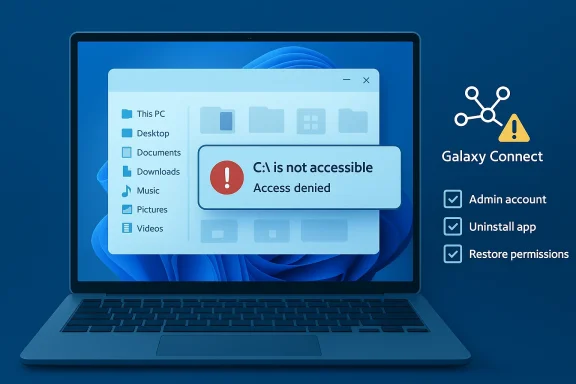
  • Step 2 — Check for offending app: from Settings > Apps, look for Samsung Galaxy Connect, Samsung Storage Share, or Samsung Device Experience/Phone Link related packages. If you can, uninstall the Samsung app from the affected machine; on many broken devices that may not be possible because uninstalling requires access rights. If uninstall completes you may recover normal access. (learn.microsoft.com)
  • Step 3 — Attempt safe restore: use System Restore (if available) to roll back to a restore point created before the app installed or before the update. If System Restore isn’t available, use a full system image restore or vendor recovery media.
  • Step 4 — Offline ACL repair (advanced): boot to Windows Recovery Environment (WinRE) or attach the drive to another Windows machine and use ownership and ACL reset tools. Typical commands used by advanced technicians include:
  • takeown /f C:\ /r /d Y
  • icacls C:\ /reset /t /c /q
    These commands can reassign ownership and reset NTFS permissions to reasonable defaults, but they are blunt instruments and may not exactly restore the original ACLs Microsoft and OEM components expect. Use only when you understand the consequences and have backups. Public troubleshooting posts and tech guides explain these commands as a general remedy for access‑denied errors.
  • Step 5 — Vendor recovery: if manual fixes fail, perform vendor‑recommended recovery — Samsung’s recovery options or a full clean Windows reinstall. Contact Samsung support for device‑specific instruction and, where appropriate, RMA service. Microsoft’s page explicitly directs affected users to Samsung support channels for device‑specific assistance. (learn.microsoft.com)
If you are an administrator working at scale, consider the safer, centrally controlled approach: use group policy, Microsoft Intune or application control solutions to block the offending app package across managed devices and deploy the stable Samsung version only after thorough testing.

Why this matters: a deeper look at supply‑chain and app privilege risks​

This incident is notable for two complementary reasons. First, it shows that OEM applications installed on top of Windows can, if buggy, create conditions that the OS cannot easily detect or correct — ACL corruption at the root of the system volume is an especially pernicious form of regression. Second, it highlights a real‑world friction point in the platform ecosystem: when a third‑party store app is permitted to operate with system‑level effects, the potential for severe user impact grows.
A few implications to consider:
  • Platform trust and update fatigue. When visible failures follow a Patch Tuesday wave, users and administrators may reflexively blame the OS vendor even when the proximate cause is a third‑party component. That reflex degrades confidence in updates and can delay applying important security fixes. Independent outlets and community reporting in this case helped separate correlation from causation; Microsoft’s release‑health entry was essential to correct the narrative.
  • OEM software posture. OEM convenience apps vary widely in quality and in what privileges they require. This episode argues for stricter privilege minieam testing of OEM components that modify system ACLs, and clearer vendor communication about which OEM services touch core system ACLs. (learn.microsoft.com)
  • Enterprise controls matter. Organizations that enforce app whitelisting, control Store access, or stage OEM utilities through IT‑approved packaging will be far less exposed to this class of risk. Enterprises should incorporate vendor app testing into their acceptance criteria for new devices. (learn.microsoft.com)

What vendors did right — and where they can improve​

There are a few positives in how this was handled once the incident went public:
  • Microsoft published a clear release‑health advisory that summarized the investigation, named the implicated third‑party app, and recorded mitigation steps (app removal, Samsung republishing a stable version). That transparency is essential to restore confidence. (learn.microsoft.com)
  • Samsung, per Microsoft’s advisory, republished a prior stable app version and is working with Microsoft on remediation for affected devices, which is the correct operational response for an OEM when systemic issues are found. (learn.microsoft.com)
Areas for improvement:
  • A detailed technical post‑mortem from Samsung (and ideally a joint technical summary from Microsoft and Samsung) would help sysadmins and forensic teams understand precisely how ACL changes were introduced and what exact remediation is both safe and sufficient. Forum posts and community case studies provide hints (unknown SIDs added at C:\ root, ACL inheritance loss) but a vendor‑backed technical report would be invaluable.
  • Stronger pre‑publication testing for OEM apps that interact with file system security and user account controls could have prevented this regression. OEMs should treat any operation that changes permissions on system volumes as high‑risk and subject it to extended compatibility testing across Windows servicing lines.

Guidance for ordinary users​

If you have a Samsung Galaxy Book or Samsung desktop and you’re not experiencing the problem, be cautious but not alarmed:
  • Do not install or update Samsung phone/PC integration apps from the Microsoft Store until your vendor confirms they’re safe; Microsoft’s Store removal reduces exposure but local caution is warranted. (learn.microsoft.com)
  • Ensure you have a current backup of your files. If you can, create a full system image and a file backup before you install optional OEM utilities. That one habit significantly reduces the pain of a recovery.
  • If your machine is already showing the “C:\ is not accessible” error, stop using it for productive work. If you can still access the web, contact Samsung support; otherwise, prepare for a recovery using WinRE or vendor instructions. Microsoft’s advisory notes recovery options remain limited and recommends contacting Samsung for device‑specific help. (learn.microsoft.com)

Broader lessons for the Windows ecosystem​

This incident is a strong reminder that modern OS platforms remain socio‑technical systems: they are products ns from platform engineers, third‑party software vendors, OEMs and distribution channels. A single component — even if it is an apparently lightweight convenience app — can escalate to a system‑level failure when it exercises privileges that intersect with OS security primitives like ACLs.
For policy and product teams at major vendors, this suggests a few concrete measures that would materially reduce future risk:
  • Treat any app that modifies file system ACLs as high‑risk and require extended compatibility and regression testing across the latest servicing arer telemetry and forensics APIs that, when invoked by OEMs and app developers, allow safe rule‑out of update causality without exposing private data.
  • Encourage or require OEMs to adopt a privilege‑minimization design pattern for convenience features: if a feature can be implemented without changing system ACLs, prefer that design.

Conclusion​

The Windows 11 C: drive access failures reported in March 2026 were a painful but instructive incident. Microsoft and Samsung’s joint investigation concluded the immediate cause was a Samsung Galaxy Connect app issue rather than a direct bug in the KB5077181 update, and the app was temporarily removed from the Microsoft Store while Samsung republished a stable version. That official posture matters: it clarifies root cause, points affected customers to vendor support, and reduces the chance of widespread misattribution to Windows updates. (learn.microsoft.com)
For users and administrators, the practical takeaways are straightforward: if you own one of the affected Samsung models, treat recent Samsung Store app updates with caution; keep backups; and if you see the “C:\ is not accessible — Access denied” error, escalate promptly to Samsung support and be prepared for image restore or vendor repair. For the ecosystem, the incident underlines the need for stricter testing, clearer vendor post‑mortems, and stronger app‑control policies to keep convenience software from becoming a single point of catastrophic failure. (learn.microsoft.com)

Quick checklist: what to do right now​

  • If you manage devices: inventory Samsung models and block the updated Galaxy Connect package until vendors confirm stability. (learn.microsoft.com)
  • If you’re a Samsung user: back up immediately and avoid installing Samsung phone‑PC integration apps until you confirm the app version is the republished stable release. (learn.microsoft.com)
  • If you’re already affected: contact Samsung support and prepare for offline recovery; avoid experimental fixes unless guided by a vetted recovery procedure. (learn.microsoft.com)
The incident should be a prompt for all Windows users and administrators to re‑examine where they allow OEM utilities to operate and to harden change control for apps that touch core system resources.

Source: PCWorld New Windows 11 bug breaks Samsung PCs, blocking access to C: drive
Source: Technobezz Microsoft Pulls Samsung App That Blocked Windows 11 C Drive Access
Source: Notebookcheck Windows 11 KB5077181 leaves some Samsung PCs unable to access C: drive, Microsoft confirms
 

A growing number of Windows 11 users—primarily owners of recent Samsung Galaxy Book and Samsung desktop models—have reported being locked out of their own system drive after a software interaction left the root of C: with broken permissions and produced the alarming error “C:\ is not accessible – Access denied.” r2026 a cluster of reports surfaced from users who, after routine updates and app installs, found that everyday operations stalled: File Explorer could not open C:, Office and browser shortcuts failed to launch, and even attempts to elevate to administrative privileges could return permission errors. The incidents have been strongly associated with a Samsung-provided application called Samsung Galaxy Connect and specific Samsung hardware families including the Galaxy Book 4 and several Samsung Desktop SKUs running Windows 11, versions 24H2 and 25H2.
Microsoft and Samsung have acknowledged nrmissions/ACL issue affecting the root volume’s security descriptor on a specific subset of devices. Microsoft notes the symptoms appeared in machines that had combinations of monthly cumulative updates and Samsung Store-distributed app deliveries, but investigation pointed to the Samsung app as the triggering vector rather than the Windows monthly rollups themselves.
This article explains what happened, examines why the interaction between OEM softwa locked drives, lays out practical steps and mitigations for affected users, and evaluates the broader implications for Windows update hygiene, OEM app ecosystems, and enterprise risk management.

A person sits at a computer monitor displaying 'C: is not accessible' and access denied.What happened: a concise timeline​

  • Users began reporting the error in March 2026 after recent Windows servicing activity and Microsoft Store app updates. Initial symptom reports were filed on support forums and community boards describing wide-ranging permission failures centered on C:.
  • Microsoft’s internal investigation linked the behavior to a Samsung app, Samsung Galaxy Connect, which had been distributeore and to some devices via OEM packages. Microsoft and Samsung opened a joint investigation and issued interim mitigation steps.
  • To stem the problem, Samsung temporarily removed the Galaxy Connect app from the Microsoft Store and made an older, stable version available; Micros devices presenting the “Access denied” message were, in observed cases, Samsung hardware running the Galaxy Connect install.
  • Recovery options for already-impacted machines remained limited while both vendors evaluated remediation paths; in some cases users could not uninstall updates, elevatecermission failures prevented normal admin tooling from running.

Technical anatomy: how an OEM app can lock a system volume​

The role of security descriptors and ACLs​

At the heart of the issue are NTFS security descriptors—sets of Access Control Lists (ACLs) that rite, or enumerate a given file system object. The root of the system volume (C:) has a tightly scoped security descriptor that balances user access for daily operations with protections needed for OS integrity and recovery. If that security descriptor is corrupted, overwritten, or replaced by an incorrect template, explorer and most processes can be denied access even though data remains physically present. Several investigator notes and community analyses point to a misapplied or malformed security descriptor on affected devices’ root volume as the proximate cause.

How third‑party code becomes a trigger​

OEM-supplied apps frequently run with elevated privileges, install background services, and interact with device management and sync subsystems. When an app manipulates file-system ACLs (fotyption or device‑linking feature), a bug in that code can accidentally alter root permissions. In this incident, evidence accumulated that the Samsung Galaxy Connect app’s installation/update path could apply an incorrect security configuration to the root volume in specific device + OS states—producing a system-wide permission lock that blocked ordinary administrative operations.

Potential interaction with BitLocker, WinRE and update installers​

While the primary failure mode is permission/ACL corruption, the problem is exacerbated on systems using device encryption features such as BitLocker or when the Windows Recovery Environment (WinRE) ed by earlier servicing work. A broken root ACL can prevent WinRE from mounting or prevent the OS from accessing BitLocker metadata, complicating recovery and forcing manual intervention. Administrators who attempted standard rollback or uninstall operations sometimes found those operations could not run because the servicing stack or the uninstall path could not access the file system as expected. These complicating factors make the problem far worse than a simple app crash.

Who is affected (and how widespread is it)?​

  • Affected models: Samsung Galaxy Book 4 and multiple Samsung Desktop models have been specifically identified in vendor advisories and community reporting. Reported model families include NP750XGJ, NP750XGL, NP754XGJ and others in Samsung’saAffected OS builds: Windows 11 24H2 and 25H2 servicing branches (the mainstream builds current in 2025–2026) have been implicated in reports. The problem appears to be conditional on a combination of a particular OEM app version and those Windows servicing channels, not solely on a single Windows cumulative update.
  • Scope and scalor Samsung has published a device-count metric for the total number of affected PCs. Public statements describe the incident as a subset of Samsung devices; telemetry for such events is typically noisy and conservative public figures are rarely released until remediation completes. Treat any single online anecdote as anecdottion size is unverified in public disclosures.

Symptoms: what users see​

  • Attempting to open C: in File Explorer yields “C:\ is not accessible – Access denied.”
  • Common apps (Office, major browsers) fail to launch or crash on startup because they cannot access files in the system volume.
  • Elevation to Administrator rights fails or returns access errors.
  • Attempts to uninstall updates, collect logs, or run trusted diagnecause the tooling cannot access required paths.
  • In some reports, OneDrive and cloud‑file integrations fail because the underlying file store is inaccessible.
If you see any of these symptoms, treat the machine as partially functional but at risk: the data is usually still on the drive, but normal OS recovery paths may be blocked.

What vendors have done so far​

  • Samsung removed the Galaxy Connect app from the Microsoft Store to prevent new installs or automatic updates from propagating the buggy version. Samsung also republished an older, known‑iestigates and coordinates a fix with Microsoft.
  • Microsoft confirmed it is investigating reports and coordinating with Samsung. Microsoft’s assessment indicates the issue is tied to the Samsung app and not a widespread Windows cumulative update root cause—though the initial wave of reports coincided with recent Patch‑Tuesday activity. Microsoft and Samsung warn that recovery options for already impacted devices remain limited while fixes are developed.

Practical guidance for affec are experiencing the error, here is a pragmatic, prioritized approach. Note: perform these steps only if you understand the risks and ideally after making an image backup if possible.​

  • Remain calm and document symptoms.
  • Photograph or screenshot the exact error messages and collect the Windows build (Win + R → winver) and device model details. That information will help support staff or forums triage theiption status immediately.
  • If your device uses BitLocker or Windows automatic device encryption, locate the 48-digit recovery key now (Microsoft account, Azure AD/Intune portal, or any local printout). If a recovery prompt appears later, you will need that key to access data. Losing the key can make data irrecoverable in some scenarios. Community reports show users who did not have a recovery key faced severe data access problems.
  • Avoid repeated reboots or invasive repaid the state.
  • Reboots in a partially locked state can sometimes change which processes can run and may impede any remaining restore options.
  • If you can still open Settings and uninstall apps:
  • Uninstall Samsung Galaxy Connect or any recent Samsung app installs/updates that match the timing of the failure. On some systems the uninstall path is available; on others permissions will block it.
  • If normal UI tools fail, try Safe Mode or WinRE.
  • Bothe Windows Recovery Environment (WinRE) and attempt an uninstall from there, or perform a system restore if a restore point exists. Note that some admins reported WinRE or the recovery image had been impacted on related servicing incidents—this may not always be available.
  • As a last resort, consider offline file extraction.
  • If the device cannot be recovered and data is critical, you can boot from a Linux live USB or a Windows installation USB and attempt to coprive. BEWARE: if BitLocker is enabled and you do not possess the recovery key, the drive will appear encrypted and the data will not be accessible.
  • Contact Samsung support and Microsoft support.
  • Because the failure involves OEM-supplied software and the OS, both vendors will need to coordinate for remediation options. Keep serial numbers and error scortant caveat: multiple community threads show some affected machines could not perform uninstalls, rollback, or even log collection due to permission failures—so these steps may not succeed on every impacted device.

Why this matters to IT departments and power users​

  • Update trust erosion: OEM apps distributed through centralized stores blur lines n an OEM background app alters system-level permissions badly enough to render the system unusable, the single-supplier model for updates (OS vendor vs OEM vs store) becomes a liability.
  • Recovery fragility: Modern recovery reing uninstall paths, and intact ACLs. If any of those pieces fail, standard enterprise recovery playbooks (uninstall the update, roll back) may fail, increasing mean time to repair (MTTR).
  • Endpoint encryption risks: Biton is a security best practice, but it also raises the stakes: if you cannot locate the recovery key, offline remediation becomes impossible. This incident highlights the importance of recovery‑key escrow policies for managed devices.
  • Third‑party privilege management: OEM utilities that run with elevated privileges must be treated as high-risk software in enterprise imaging and update pipelines. Organizations should vet OEM apps before broad deployment and consider blocking automatic Store app installs via policy in sensitive environments.

What vendors should have done differently (analysitrengths in the vendor response​

  • Microsoft quickly categorized the incident and opened a joint investigation with Samsung rather than leaving customers to community triage alone. A coordinated approach helps avoid contradictory guidance and enables a unified mitigation path.
  • Samsung’s deciending Galaxy Connect package from the Store and republish a known-good build is a practical short‑term containment move that will halt fresh infections through automatic store updates.

Weaknesses and risks​

  • Reactive mitigation instead of proactive validation: The incident demonstrates a gap in validation for OEM apps that are granted elevated permissions or deep system integrations. The Microsoft Store vetting process and OEM QA must better simulate edge cases (device encryption, recent servicing states) before enabling high‑privilege behavior.
  • Inadequate recovery guidance for affected users: Public guidance has so far been limited and emphasizes co providing step-by-step recovery scripts usable by average users locked out of C:. That conservatism is understandable but leaves many end users and small IT teams in limbo.
  • Unclear telemetry and impact metrics: The lad-device count and a timeline for a permanent fix leaves risk managers unable to quantify exposure and prioritize remediation across fleets. Vendors should publish quantifiable metrics in incidents that can materially impact data access.

Longer-term implications and recommended controls​

  • Treat any OEM app that interacts with file system security or device managemgh‑impact supply‑chain risk.
  • Enforce recovery-key escrow for all BitLocker‑enabled devices in enterprise settings (Azure AD, Intune, or local Active Directory storage) to ensure recoverability independent of third‑party software failures.
  • Use group policy or Microsoft Endpoint Manager to block nonessentis in managed environments; control which OEM utilities are permitted to install and run. This reduces the attack/bug surface for permission‑altering code.
  • Tighten pre‑release testing for combined states: vendors should validate OEM software behaviors not just on a clean install, but on machines with cumulatnRE states, and with device encryption turned on.
  • Build routine image backups or filesystem images into device provisioning so that if ACL corruption occurs, IT can restore the machine image without data loss.

What to watch next​

  • Vendor patch cadence: monitor for a Samsung-supplied micro‑update to Galaxy Connect and for any Microsoft servicing patches that harden the OS against misapplied ACL changes. Keep an eye on vendor bulletins and official recovery documentation.
  • Guidance updates: watch for prescriptive recovery guides that provide validated steps for removing the offending app from a locked machine (for example, WinRE-based removals or offline uninstalls).
  • Post‑mortems: once the immediate crisis is addressed, expect a joint post‑mortem explaining how an OEM app was able to alter root-level permissions and what checks will be implemented to prevent recurrence.

Step‑by‑step quick checklist for users (summary)​

  • Verify whether your device is a listed Samsung model (Galaxy Book 4, identified desktop SKUs).
  • If you can use Settings, attempt to uninstall recent Samsung app updates (Galaxy Connect) that coincide with the failure.
  • Locate your BitLocker recovery key now if you have device encryption enabled.
  • If uninstall via UI fails, try Saftall/restore.
  • If full recovery fails and data is critical, consider professional data recovery services—especially if BitLocker is involved and the recovery key is missing.
  • Contact Samsung andh model, build, and screenshots; retain logs if possible for vendor engineering.
This checklist echoes the practical mitigations reported in vendor advisories and community triage threads. While the steps may not resolve every case because of blocked administrative paths, they capture the highest‑yield actions to attempt first.

Final analysis: risk, responsibility, and lessons​

This incident is a reminder that modern desktop reliability depends not just on the operating system vendor but on an ecosystem of OEMs, store platforms, and third‑party utilities. When a piece of that ecosystem can alter system-critical security metadata—intentionally or accidentally—the result is not merely an app crash but a catastrophic break in trust: users may be locked out of their own data.
  • Risk: High for affected customers; the inability to collect logs, uninstall offending components, or elevate privileges raises real prospects of prolonged downtime or data loss without correct recovery keys.
  • Responsibility: Shared. Microsoft is responsible for ensuring update and Store ecosystems protect core system invariants. OEMs are responsible for validating their apps against thordination is the right operational posture—what matters now is speed, clarity, and useful recovery guidance.
  • Lesson: Full‑stack testing, transparent telemetry, and enforced recovery key escrow are not optional in 2026. They are mandatory practices for both consumer and enterprise fleets to survive the next cross‑component failure.
If you run one of the affected Samsung machines, act promptly: back up what you can, confirm recovery key availability, and follow vendor guidance as it evolves. For businesses, immediately validate device‑level key escrow and consider temporarily blocking Samsung Store installs until a confirmed remediation is available.
The immediate rs will release updated packages and Microsoft and Samsung will close the incident—but the underlying architecture that allowed an app to exert such destructive effects deserves careful rework. Customers and IT teams should treat this moment as a hard lesson in supply‑chain resilience for the Windows desktop era.

Conclusion: this is not merely an app bug; it is a systems‑level failure that exposed weak spots in update distribution, OEM app privileges, and recovery preparedness. Until vendors publish a tested remediation and clear, reproducible recovery steps, affected users must proceed cautiously and prioritize recovery key preservation, data backups, and vendor engagement.

Source: PC Gamer Some Windows 11 users are finding themselves locked out of their own C: drive due to major bug
 

Microsoft and Samsung are investigating a series of alarming reports from March 2026 in which a Samsung-supplied application can leave Windows 11 systems unable to access their system volume — users seeing “C:\ is not accessible — Access denied” and, in some cases, effectively locked out of normal operation. Early symptom reports clustered on Samsung Galaxy Book notebooks running Windows 11 24H2 and 25H2, surfaced after February and March cumulative servicing, and prompted Microsoft and Samsung to take the offending app down from the Microsoft Store while they investigate. :dotech/comments/1rtqh4a/microsoft_confirms_windows_11_bug_crippling_pcs/)

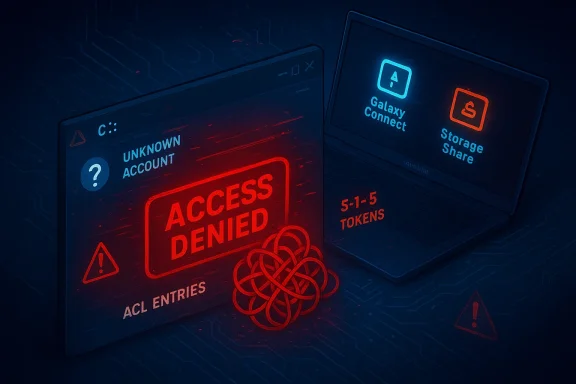
Red 'ACCESS DENIED' alert for an unknown account, with blue screens showing Galaxy Connect and Storage Share.Background / Overview​

The issue traces to a narrow but disruptive interaction between a Samsung-supplied application and recent Windows 11 installs. Community reports began to spike in March 2026 after multiple users reported receiving the message “C:\ is not accessible — Access denied,” followed by failure to launch everyday applications and difficulty elevating privileges. Early public tracking ties many of the incidents to Samsung Galaxy Book models and to machines runningd 24H2/25H2 servicing lines.
A short timeline of the public events is useful:
  • February 10, 2026 — Microsoft released a February cumulative servicing update tracked publicly as KB5077181; community triage later implicated that timeframchines.
  • March 10, 2026 — Microsoft shipped the March cumulative update (KB5079473) for Windows 11; its rollout briefly intensified attention on system instability reports, though Microsoft later clarified the causal picture was more ch 2026 — Microsoft and Samsung were publicly coordinating an investigation; the Samsung Galaxy Connect / Samsung-supplied app was pulled or temporarily delisted from the Microsoft Store while both companies worked to identify and remediate the issue. ([reddit.comcom/r/pwnhub/comments/1rvajvf/microsoft_removes_samsung_app_after_access_issues/)
Because the public discussion included conflicting attributions (some threads initially blamed the Microsoft patch while later work pointed to a Samsung app), the story is best understood as an interaction problem where an OEM app and recent Windows sered a severe permission/ACL regression on certain devices.

What users saw: symptoms and immediate impacts​

The common symptom reported across multiple threads and firsthand accounts is a direct denial of access to the system root:
  • The File Explorer or command prompt shows the message: “C:\ is not accessible — Access denied.”
  • Administrative elevation fails for typical operations, and applications such as eyfuse to start.
  • In many cases users reported the presence of an unknown or malformed account/SID entry in the ACL for the root of C:, which effectively displaces normal system and administrative entries and causes the access denial. Community triage called out suspicious root ACL entries (SIDs that resolve to “Unknown Account” or S-1-15-series tokens) appearing after the appmptoms ranged from inconvenient (some files inaccessible) to effectively crippling (OS features and apps failing, requiring system restore or reinstall for recovery).
Theeneric “file corruption” errors; they match an ACL/permission corruption model where the system’s access control entries for the root volume are changed in ways that prevent normal logon sessions and system processes from exercising required privileges.

Technical anatomy: why a broken ACL at C: is catastrophic​

Understanding why this issue is so disruptive requires a short refresher on Windows file-system permissions.
  • Windows uses NTFS access control lists (ACLs) to grant or deny rights to files and folders, including the system volume root. If the ACL on C:\ is modified so that essential accounts (SYSTEM, Administrators, Authenticated Users) lose necessary permissions, many OS functions will be blocked. Critical services, shell components, installer engines, and everyday apps depend on being able to read, write, and enumerate files beneath C:. Removing or corrupting those entries can thus make the machine appear “bricked” even though the disk remains intact.
  • OEM-supplied apps someor background services with elevated privileges to integrate hardware features. If such software writes ACLs incorrectly (for example, inserting a malformed SID or a non-resolvable security principal at the root), the result can be an immediate loss of access for legitimate principals. That appears to be the failure mode reported by multiple affected users.
  • Because Windows resolves SIDs to account naunknown or non-existent SID in an ACL can show up as “Unknown Account” and still carry a deny or overly-restrictive grant. Troubleshooting often requires recovery-mode tools or offline edits to correct the ACL, and careless changes can make recovery harder. Several community-traced fixes involved carefully restoring ownership and ACLs from an administrator-level repair environment.

Root cause (what the investigation shows so far)​

Public aation — and Microsoft’s own servicing notes and public messaging — point to a Samsung-distributed app as the proximate cause in many incidents. The app names reported by affected users and testers include Samsung Galaxy Connect and components bundled via the Galaxy Book Experience app, notably Samsung’s file- and device-sharing utilities (sometimes referred to in posts as “Samsung Storage Share” or Galaxy Connect/Share variants). Multiple community threads and Microsoft’s operational notes implicate a recent version of the Samsung-supplied software that altered ACLs at the root of C:.
What we can say with reasonable confidence:
  • The phenomenon is *predominantly observek series) and a small number of Samsung desktop systems, though not every Samsung machine is affected. Reports span several countries. ([reddit.com]( installer or app update can introduce malformed ACL entries at the root of the system drive, producing the access-denied symptom profile. Several community posts describe the same sequence: Samsung app installed/updated → reboot or service start → C:\ access denied.
  • Microsoft and Samsung engaged in rosoft temporarily removed or blocked the problematic app from the Store while the vendors investigated. The removal/delisting step is an important mitigation to prevent more devices from receiving the offending installer.

Important caveat: while the Samsung app behavior is the proximate trigger in many of the widely reported cases, there were initially overlapping timelines with Microsoft servicing (Feb/March cumulatives), which prompted first-pass confusion and finger‑pointing. At the time of writing, Microsoft’s messaging and community triage indicate the problem is an app–OS interaction rather than a direct systemic regression in the Windows patch. Nevertheless, because troubleshooting and remediation sometimes involves uninstalling patches or restoring system state, the patch/OS timeline remassessment.

How to tell if you’re affected (quick checklist)​

  • Did you install a Samsung-supplied app (Galaxy Connect / Storage Share / Galaxy Book Experience) or accept an automatic OEM app update in the days before you sawyou running Windows 11 feature update 24H2 or 25H2 on a Galaxy Book or recent Samsung machine? Early clusters are concentrated there, though other configurations could be impacted.
  • Do yge: “C:\ is not accessible — Access denied” and notice that apps or system features won’t start? That symptom set is the core indicator.
If the answer to all three isne as high-priority for backup and recovery actions.

Practical mitigations and recovery options (what admins and users can do now)​

Every recovery path for an ACL-rooted failure carries risk. Back up data before attempting aggressive repairs. If the machine is part of an enterprise fleet, bring affected endpoints into a controlled remediation workflow rather than ad-hoc user fixes.
Recommended, ordered steps:
  • Back up first. If you can still read files via alternate accounts or through a WinPE/rescue environment, copy critical data to external media immediately. Do not rely on a damaged OS to perform the backup.
  • Attempt a safe-mode/repair-mode fix: reboot tonvironment (WinRE) and use System Restore** if a restore point exists prior to the offender’s install. This is the lowest-risk remediation.
  • If System Restore is unavailable, consider offline repair from WinRws PE image. Use built-in tools first: sfc /scannow and DISM may help where system files are affected, but they won’t fix root ACLs.
  • Carefully restore ownership and ACLs only if you are experienced and have a tested plan: repair prompt, administrators have successfully used commands such as:
  • takeown /f C:\ /r /d Y
  • icacls C:\ /reset /T /C
    These commands can change ownership and reset ACLs recursively — but they also risk nesting permission regressions or unintended exposure. Use with caution and only when you fully understand the implications.
  • If the machine remains non-functional, consider reinstalling Windows after ensuring you’ve safely extracted and ta. A clean reinstall removes corrupted ACLs at the cost of time and configuration. Several affected users reported that a reinstall was the only practical route in their environment.
Warnings and best practice notes:
  • Do not try random ACL fixes suggested in forums unless you understand Windows security identifieronsequences. A mistaken recursive icacls change can expose system files or make them permanently inaccessible to critical services.
  • If the device is under warranty or managed by an IT team, escalate to vendor support first; Samsung and Microsoft were coordinating remediation and may py steps for affected serial ranges.

Vendor response, store action, and what to expect next​

Both vendors moved into coordinated response mode as reports accumulated:
  • Microsoft publicly labeled the situain official messaging and service notes, and updates to release-health messaging clarified that the March cumulative was not solely responsible for all failures; they pointed to the interaction with Samsung’s app as the likely proximate cause in many cases.
  • Samsung’s Galaxy Connect / Storage Share components were identiage as the likely trigger on many machines, and Microsoft temporarily delisted the app from the Microsoft Store to stop further installs and updates while the companies worked on a patch or safer rollback. Removing the package from the Store is a standard mitigation that prevents the Store pipeline from delivering the offending installer to machines. (reddit.com)
Expectations going forward:
  • Samsung will likely prepare a corrected build of the app that fixes the ACL-writing behavior, and Microsoft will re-allow the package once both vendors validate the fix. In enterprise contexts, IT admins should treat the app as blocked until a vendor-supplied safe version is available.
  • Microsoft me for recovery steps and possibly publish a targeted remediation for affected systems if the problem proves to be wide or reproducible at scale. At the time of reporting, Microsoft and Samsung were jointly triaging impacted serials and installer versions.

Risk analysis: why this mcted machines​

This incident is significant for several overlapping reasons:
  • OEM Application Privilege Risk. OEM apps that run with system or elevated privileges can cause more damage than ordinary user software. A misbehaving installer that alters system-level ACLs can cascade into a platform-level outage. The risk is not hypothetical — this incident demonstrates the real-world impact when vendor-supplied integration code has bugs.
  • Update/patch attribution confusion. When OS servipdates overlap, attribution becomes difficult. Initial reports blamed Microsoft patches, creating customer confusion and raising the stakes for coordinated vendor communication. Clear, timestamped vendor advisories and transparent triage notes help prevent misattribution and enable safer recovery choices.
  • Supply-chain and store vetting. The Microsoft Store and OEM packaging user convenience with the risk that an update distributed at scale can harm devices. App review rules and runtime security restrictions (e.g., limiting how Store-distributed apps can modify system ACLs) are design levers that may get revisited after this incident.
  • Operational cost for IT. For enterprises, a small cluster of affected endpoints can force la: isolating affected models, staging recovery, and validating restored images. The time and resource cost of such remediation is non-trivial.

Practical guidance for IT administrators (quick checklist)​

  • Block or remove the Samsung Galaxy Connect / Storfrom images and software catalogs until vendors confirm a fix.
  • Use Intune, SCCM, or your EDR’s software inventory feature to detect presence of the offending packages and mark them as High Risk.
  • Isolate affected devices from domain control or critical networks until recovery is confirmed; avoid applying sweeping automated fixes thh damaged ACLs.
  • Ensure backups are recent and test restore procedures for impacted models; prioritize data extraction before attempting ACL repair.
  • Communicate transparently with users: explain that the vendor app is the likely cause, recommend against reinstalling or updating the Galaxy Book Experience software, and offer support for data backup or imaging.

What this incident should teach vendors and platform maintainers​

  • Vendors should keep privileged integration code narrowly scoped and instrumented. Ins alter high-risk objects (like root ACLs) must be subject to additional code review, automated tests, and staged rollouts on representative hardware.
  • Platform providers should consider stronger runtime guardrails for store-distributed apps that request or are granted elevated installation privileges. Vetting installers for dangend providing clearer telemetry to quickly identify such regressions will reduce time-to-remediation.
  • Finally, coordinated public messaging matters. The overlap between Microsoft servicing and an OEM app update created confusion in the early reporting window. Clear vendor advisories that include exact ns, and explicit recovery guidance help both consumers and IT teams react safely.

Conclusion — what Windows users should take away now​

This is a high-impact but narrowly scoped failure: privileged OEM software behaving incorrectly can render a Windows system unusable by corrupting the ACLs at theently reported cluster concentrates on Samsung Galaxy Book hardware with recent Windows 11 24H2/25H2 servicing, and community and vendor triage point to Samsung-supplied apps (Galaxy Connect / Storage Share) as the proximate trigger in many incidents. Microsoft and Samsung removed the offending Store package while they investigate and work toward a corrective release.
Practical next steps for users: back up data immediately if you can; do not reinstall or update Samsung sharing apps until vendors confirm a safe version; and if you’re already affected, pursue recovery via System Restore or controlled offline Ayckup and, if possible, vendor assistance. Enterprises should block the offending package in their deployment tooling, treat affected endpoints as priority incidents, and coordinate with Samsung and Microsoft for remediation guidance.
Finally, expect follow-up advisories and a corrected app release from Samsung; once a validated fix is available, vendors will likely provide step-by-step and a safe update path. Until then, the best defense is caution: treat OEM app updates as a change-control event and keep backups and recovery processes current.

Source: Mix Vale https://www.mixvale.com.br/2026/03/...-disk-c-on-notebooks-with-windows-11-24h2-en/
 

Microsoft and Samsung moved quickly this week after a small-but-dangerous software interaction left some Galaxy Book notebooks and Samsung desktop PCs unable to access their Windows system volume, delivering the chilling error dialog: “C:\ is not accessible — Access denied.” The incident prompted Microsoft to temporarily remove the Samsung Galaxy Connect app from the Microsoft Store while both companies investigate, and has forced urgent remediation guidance for impacted users and IT administrators. erview
What began as scattered reports of users losing access to the system drive on a handful of Samsung machines quickly coalesced into a reproducible pattern: devices primarily in the Galaxy Book family, after receiving updates to OEM-supplied software, began refusing access to the root of the Windows partition. Affected systems displayed the standard Windows error when attempting to open C:\ and many ordinary tasks — launching Office, opening browsers, or even elevating to perform administrative work — failed because the OS could not read or enforce the expected NTFS Access Control Lists (ACLs) for the volume.
Microsoft confirmed that, after tria the immediate trigger was a problematic version of Samsung Galaxy Connect (the tool that ties Galaxy phones to Samsung PCs for mirroring, file sharing and more). To stop further installs of the problematic package, Microsoft pulled the app from the Store while Samsung republished an earlier, known‑good build as an interim mitigation. Both vendors continue to work on fixes for already‑affected machines.

Laptop screen shows an Access Denied dialog over Windows file explorer.Timeline: How the incident unfolded​

  • Early repopport channels began registering sudden reports of “C:\ is not accessible — Access denied” across Galaxy Book devices in early March 2026. Initial posts frequently mentioned Windows updates and OEM software changes in the same time window.
  • Rapid clustering: The failure clustered on several Galaxy Book 4 models and a handful of Samsung desktop SKUs; users observed the issue after routine OEM app updates delivered via the Microsoft Store.
  • Vendor response: Microsoft investigated, worked with Samsung, and temporarily removed Galaxy Cooft Store to prevent further installations of the problematic version. Samsung republished a previous stable release as an immediate guardrail.
  • Community remediation guidance: Power users and enterprise sysadmins began sharing recovery recipes — from using Samto boot repairs and ownership/ACL adjustments with takeown/icacls — but warned that not every machine could be recovered without a full restore in some cases.

Which devices were affected​

Public and community reporting pointed to a limited set of Samsung models rather than a generic Windows problem. The models repeatedly named in triage and vendor statements include several Galaxy Book 4 SKUs and specific desktop models:
  • NP750XGJ, NP750XGL, NP754XGJ, NP754XFG, NP754XGK
  • DM500SGA, DM500TDA, DM500TGA, DM501SGA
These model identifiers have appeared in multiple community threads and vendor investigations as the most commonly affected hardware. If your device is not one of these SKUs, your risk appears lower, though the underlying class of problem (an app altering ACLs/permissions) is not inherently limited to one OEM if a similar app were to misbehave on other hardware.

Technical anatomy: what likely went wrong (and what is still uncertain)​

From the available vendor notes and community diagnostics, the visible failure mode was broken or altered ACLs on the root of the system volume. When Windows cannot read or enforce ACLs for the root of C:, Explorer and many system services are unable to enumerate directories, launch executables stored under Program Files or Windows, or write logs — effectively producing a partial or total lockout.
Important technical observations:
  • Symptom set: users reported the error when opening C:\ in File Explorer, inability to launch apps with user privileges, and even failure of administrative operations such as uninstalling updates or collecting diagnostic logs. These symptoms are consistent with missing or corrupted NTFS permissions on the system volume.
  • Trigger: Microsoft’s investigation pointed to a Galaxy Connect release that performed actions which, in some configurations on certain Samsung devices, left C:\ with permission states that preveicrosoft and Samsung paired diagnostics to reach this conclusion; Microsoft removed the offending Store package to halt new installs.
  • Probable mechanism: community forensics and administrator recoveries pointed at a Samsung service or storage‑sharing component (sometimes referenced as “Samsung Storage Share” or an app in the Galaxy Book Experience famith files and storage permissions. When paired with recent Windows servicing changes that tighten how system ACLs are validated, a buggy interaction could have written restrictive ACL entries at the wrong scope (the root of C:), effectively locking standard accounts, and in some cases even administrators, out. This account remains a working hypothesis and some low‑level details (the exact code path, which service call misapplied the ACLs) are not publicly disclosed as of writing. Flag: root cause specifics remain partially unverifiable until Samsung publishes the package-level change log or Microsoft releases an in-depth post‑mortem.

How the problem presented in the real world​

  • Immediate user experience: attempts to open C:\ returned the standard Windows dialog “C:\ is not accessible — Access denied.” Once the root was inaccessible, many userland apps failed — Outlook, Office apps, browsers, and even some system utilities failed to start because their binaries or supporting files live under C:\Program Files or C:\Windows.
  • Administrative friction: in multiple reports, administrators found that even attempts to take ownership or change permissions from an elevated prompt were blocked or unreliable, making remote recovery and automated remediation difficult in enterprise environments. This elrom a user nuisance to an urgent operational problem for IT teams with clusters of Galaxy Book hardware.
  • Data risk: while there is no broad public evidence that user files were maliciously deleted, the inability to access C:\ and to run typical repair tools increased the risk of data loss during recovery (for example, incomplete restore attempts or forced system resets). Community guidance emphasiefore any attempted remediation where possible.

What Microsoft and Samsung did (and what that means)​

  • Microsoft removed the offending Galaxy Connect package from the Microsoft Store to prevent new devices from receiving the problematic version. This is a standard containment move: stop the distribution vector while the vendor produces a patched or rollesung reportedly republished an earlier stable build of Galaxy Connect as a precautionary measure to prevent further installations of the buggy release while a definitive fix is developed and vetted.
  • Both companies indicated they are working with affected users and with partners to remediate already‑impacted devices. Microsoft emows and Samsung software up to date once the safe fixes are available.
Practical implication: the distribution platform (Microsoft Store) can be a fast conduit for OEM updates, but that speed can magnify t update has an unexpected system‑level effect. The takedown prevented further spread; however, it does not automatically repair devices that already applied the bad update.

Recovery and mitigation — what worked for usnity-sourced and vendor-aligned steps coalesced into a pragmatic recovery playbook. These are rescue options reported by technicians, sysadmins and users; their success varied by the severity of the permission corruption.​

  • Immediate triage (do this first)
  • If you see the error, take a full disk image if possible before attempting aggressive repairs. Imaging preserves recoverable data and makes later forensic analysis easier.
  • Boot into Safe Mode, or use a recovery environment, to minimize the number of modules the OS loads. Some recoveries were easier from WinRE.
  • Ownership and ACL repair (expert only)
  • From an elevated command prompt or recovery prompt, technicians attempted to repair ACLs using takeown and icacls:
  • takeown /F C:\ /A /R /D Y
  • icacls C:\ /reset /T /C /L
  • These commands attempt to reclaim ownership and reset permissions recursively. They can work when ACLs are writeable by the admin context from a recovery shell; they can fail if the ACL corruption prevents writes at the root. Proceed only if you have verified backups.
  • Samsung Recovery (OEM fallback)
  • Several users reported Samsung Recovery (accessed via F4 during boot on many Galaxy Books) restored access for machines where ACL repairs failed. This may perform a factory restore or repair using OEM images — effective, but it can wipe user-installed apps and data if not previously backed up.
  • Full restore / clean installation
  • If ACL repairs and Recovery do not restore a usable system, some administrators performed a full OS reinstall and restore from backups. This is time-consuming but can be the only reliable path for machines whose system volume metadata has been irrecoverably modified.
  • Preventive steps
  • Disable Microsoft Store auto-updates (enterprise may enforce this via MDM or Group Policy) to prevent reinstallation of problematic OEM apps during recovery.
  • Block the offending app family using application control policies until vendors confirm a safe update.
Caveat: the success of these steps depended on how destructive the ACL mutation was and whether the recovery environment had write access to the affected volume. There are documented reports where recovery required imaging and manual ACL reconstruction on a separate host.

Risks and consequences​

  • Data loss: the biggest immediate risk for end users is partial or complete data loss during recovery, especially where local backups were not present. Imaging prior to attempting repairs mitigates this risk.
  • Enterprise impact: IT departments with large Samsung fleets faced operational downtime, especially if automatic updates were allowed to deliver the buggy package at scale. Restoring dozens or hundreds of machines strains support resources and can impair critical business processes.
  • Trust and supply chain concerns: OEM utilities (even those provided as convenience apps) run with elevated trust and are typically granted broad local privileges. This incident highlights how a single OEM update, shipped through a trusted distribution channel, can create outsized reliability or security problems.

Why this matters beyond Samsung and Galaxy Connect​

This episode is a useful case study in three broader areas that administrators and consumers should watch closely:
  • The expanded attack surface of preinstalled and OEM-supplied apps: Modern OEM apps often includd storage hooks. That elevated privilege makes them useful, but also increases risk if a bug touches the wrong system boundary.
  • The speed of modern app distribution: The Microsoft Store and similar platforms allow fast delivery of updates. That’s beneficial — until an update contains a system‑level defect that propagates quickly. A single bad push can create widespread breakage.
  • The need for robust rollback and emers must maintain reliable rollback builds and a rapid distribution path to allow customers to revert to known‑good states without heavy manual intervention. Both Microsoft’s takedown and Samsung’s republishing of an earlier build were positive, reactive stepdations: what users and administrators should do now
  • Stop automatic installs for OEM apps during remediation
  • Temporarily disable Microsoft Store auto-updates, particularly on managed Samsung machines, until vendors confirm the fix. This prevents reinfection while you remediate impacted devices.
  • Create backups arecovery attempt
  • If you see the “Access denied” error, create a full disk image or copy critical user data via a booted recovery environment before applying any fixes. That preserves evidence and prevents accidental data loss.
  • Follow vendor guidance and wait for official fixes if possible
  • Apply updates only asoft publish a vetted fix or rollback and explicitly state that the issue is resolved. Rushing to reinstall patched apps before confirmation risks reintroducing the problem.
  • Enterprise controls: prioritize app vetting and staged rollout
  • Organizations should stage h pilot rings, enforce application allowlists, and delay automatic updates on mission-critical systems. Use MDM and Group Policy to control when Store updates are applied.
  • If you are already impacted: contact vendor support
  • Report the issue to Samsung and Microsoft support channtransport/recovery advice. In high-severity cases, vendors may provide specialized recovery tooling or escalation paths.

Critical analysis: strengths and weaknesses of the vendor response​

Strengths
  • Rapid containment: Microsoft’s decision to remove the Galaxy Connect package frofurther spread and was the correct immediate containment step. Samsung’s rollback to a previous stable version also reduced risk for users seeking to reinstall the functionality.
  • Joint vendor cooperation: Microsoft and Samsung coordinated investigation is crucial in supply‑chain incidents where responsibilities overlap.
Weaknesses and risks
  • Incomplete public technical detail: Neither vendor has published a full, granular post‑mortem with exact package changes, logs, or the precise code path responsible for the ACL mutation. That opacity slows community-driven remediation and enterprise decision‑making. Until a sure is available, some root cause assertions remain partially unverifiable.
  • Surface area of OEM software: This incident reinforces the risk of deeply integrated OEact with storage or security subsystems. Vendors need stronger pre‑release testing on major servicing channels like the Microsoft Store to catch system‑level regressions.
  • Recovery complexity: The variation in recovery success — from simple ACL repairs to full factory restores — indicates incomplete mitigations for less experienced end users and small IT shops. Vendors should provide clear, steping or scripts that non-experts can safely apply.

Longer‑term implications and lessons learned​

  • Reassessment of OEM privilege models: Vendors and platform owners should revisit the privilege and capability model for OEM apps. Fine‑grained capability gating and more aggreon‑core OEM utilities could reduce blast radius for future defects.
  • Better Store governance for system‑level apps: The Microsoft Store’s vetting processes may need hardening for apps that install services, drivers, or otherwise touch system volumes. Faster rollback and safer rollouts (e.g., canary channels, staged publishing) would limit mass impact.
  • Enterprise patch posture: For IT teams, this is a reminder to avoid “set and forget” update policies. Pilot groups, phased rollouts, and immutable backups are non‑negotiable when OEM updates intersect with core OS health.

Closing assessment​

The Galaxy Connect incident is a sharp reminder that modern device ecosystems — where OEM apps, platform updates and cloud distribution channels intersect — can produce high‑impact failure modes when assumptions break. Microsoft’s removal of the problematic app from the Store and Samsung’s rollback were appropriate containment steps, ry outcomes and the lack of a detailed technical post‑mortem leave outstanding questions that users, administrators and the broader Windows ecosystem will want answered.
If you own an affected Galaxy Book model or a Samsung ges discussed, take these practical steps now: image the device if it shows the error, avoid reinstalling the Galaxy Connect build that triggered the problem, and follow vendor guidance for recovery. Enterprises should quarantine affected models from automatic Store updates and initiate staged remediation with backups and support escalation. Finally, expect both vendors to publish more technical detail as investigations mature — and, until that disclosure appears, treat claims about exact root‑cause code paths as provisional.
The immediate containment has limited new installs; the bigger test will be how transparently Samsung and Microsoft share a post‑mortem and how the industry hardens distribution and vetting practices so a single app update cannot leave users locked out of their own system volumes again.

Source: SammyGuru Microsoft Pulls Samsung App that Blocked the Windows "C" Drive
 

Microsoft and Samsung moved quickly this week after reports that a Samsung-supplied app could leave some Windows 11 systems unable to access the C: system volume — users saw the alarming dialog “C:\ is not accessible — Access denied,” and in a number of cases were effectively locked out of files, apps and administrative tools. Microsoft temporarily removed the Samsung Galaxy Connect app from the Microsoft Store while the two companies investigated, and has published (and validated with Samsung) a step‑by‑step recovery method to restore default C: permissions for affected machines. s://www.techradar.com/computing/windows/a-critical-windows-11-bug-has-locked-some-users-out-of-the-c-drive-microsoft-admits-heres-what-you-can-do-if-youre-affected)

Windows error: C:\ is not accessible — Access denied, with a Galaxy phone connected.Background / Overview​

Early reports of the failure clustered on recent Samsung Galaxy Book notebooks and a small set of Samsung desktop PCs running Windows 11. Affected users encountered a sudden inability to open the root system volume, with File Explorer and even core applications refusing to run because Windows returned access‑denied errors for the C: drive. Community triage and vetermined the common factor in many of those incidents was a version of the Samsung Galaxy Connect app distributed through the Microsoft Store.
Galaxy Connect is an OEM utility that bridges Galaxy phones and Windows PCs: it enables screen mirroring, file sharing and certain device management features between a Galaxy phone and a Windows machine. When the app’s interaction with the Windows permission model went wrong on some machines, the result was not an app crash but a change to NTFS access control lists (ACLs) on the system volume that prevented normal processes and users from enumerating or opening files. Microsoft and Samsung performed a joint ed to stop further installs by pulling the problematic version from the Store while distributing a validated older build.

How the failure presented itself — symptoms and immediate impact​

  • The most visible symptom was the dialog “C:\ is not accessible — Access denied.” That message appmpted to open C:\ in File Explorer or when apps tried to access system components.
  • Affected machines often failed to launch core user apps — web browsers, mail clients, and even parts of the Start menu and system tools were rnal because processes could not access files on the C: root.
  • Administrative elevation (UAC prompts), Safe Mode attempts and some recovery actions proved difficult or impossible for non‑technical users, because the underlying file‑system ACLs blocked common repair paths. Community responders warned that improperly executed fixes could strip required system groups (for example ALL APPLICATION Paller), producing further instability.
These symptoms are notable because they affect the operating system’s basic capability to read and execute files; they’re not merely per‑app crashes. That’s why affected systems could appear “bricked” even though the disk itself and the OS image remained physically intact.

Timeline: from reports to vendor action​

  • Users began reporting “C:\ is not accessible — Access denied” errors in community forums and support channels. Reports clustered around certain Galaxy Book models and a handful of Samsung desktop SKUs. Early triage flagged a temporal correlation with app updates that Samsung hMicrosoft Store.
  • Microsoft and Samsung launched a joint investigation after multiple independent reports pointed to the same OEM app. Internal analysis and community evidence directed the companies to Galaxy Connect as a likely trigger rather than a Windows monthly servicinMicrosoft temporarily removed the Samsung Galaxy Connect app from the Microsoft Store to prevent new installs and updates to unpatched devices, and the vendors validated a recovery procedure to restore standard C: permissions. Microsoft also republished a previously stable version to reduce exposure while a permanent fix is prepared.
Noeads initially suggested Windows cumulative updates might be the root cause. Vendor investigation narrowed the root cause to Galaxy Connect’s behavior on affected Samsung hardware, though the timeline included the rollout of recent monthly updates that coincide with when many users first observed the fault. For readers: when incident timelines overlap (app update + OS servicing), the causal chain can be subtle — vendors frequently need telemetry and crash artifacts to differentiate coincidence from cause.

What Microsoft’sethod requires​

Microsoft posted a recovery method for affected users that restores default permissions on the C: system volume. The key steps, as summarized from the vendor guidance and community validation, are:
  • Sign in to Windows using an Administrator account (either the built‑in Administrator or another account with elevation rights).
  • Uninstall the Samsung Galaxy Connect app from the machine to prevent the problematic behavior from reoccurring.
  • Allow Windows to attempt an automatic repair of drive permissions where the system offers it (this is sometimes presented by system repair tools).
  • Create and run a supplied batch file that reassigns default ACLs on C: — in practice this uses Windows command‑line tools (for example icacls) to restore expected entries like SYSTEM, Administrators and TrustedInstaller and to reset inheritance. Microsoft and Samsung validated the specific script to be run to reduce the chances of further damage.
Microsoft explicitly warned that these steps require Administrator access and are not trivial for less technical users; it recommended that users who are uncomfortable performing the procedure contact Samsung Support and ask them to perform the “C: drive permissions restore” steps on their behalf. The vendornded to give owners a supported path rather than leaving them to ad hoc community workarounds.
Caveat: running scripts that change ACLs on the system volume is potentially dangerous. If run incorrectly, scripts can remove required service or system group permissions and leave a machine in an even worse state. Microsoft’s published script is intended to restore defaults; do not substitute homemade ACL edits unless you fully understannce semantics and the role of special accounts such as TrustedInstaller.

Technical anatomy: why an app can lock a PC out of its own drive​

At a high level, Windows implements access control to files and folders using NTFS ACLs (Access Control Lists). The ACL at a folder or volume root governs which users and groups can list, read, write or execute contained files. Several special and high‑privilege accounts — SYSTEM, Administrators, TrustedInstaller and specific Windows service accounts — must retain access to the root and to system directories for the OS to operate correctly.
If an application or update script erroneously overwrites or removes those required ACEs (Access Control Entries) at C:\ or otherwise changes inheritance flags, normal processes and user contexts can be denied even if the underlying disk, partitions and file contents are intact. Restoring service requires reintroducing the necessary ACEs and repaie OS can again enumerate and execute system files.
What makes the Galaxy Connect incident more hazardous than a single‑app crash is that the app’s behavior — when it misapplies ACL changes — can modify the system volume’s global ACLs rather than only application data folders. That’s why affected devices showed broad failures instead of isolated app errors. Community analysis and vendor statements have described the failure as arruption tied to the OEM app.

Who was affected — scope and distribution​

  • Devices: Reports concentrated on Samsung Galaxy Book models (notably Galaxy Book 4 families) and certain Samsung desktop PCs that included Galaxy Connect in their preinstalled software set. The problem appears concentrated on Samsung hardware wstalled.
  • Windows versions: Community signals show the issue surfaced on Windows 11 24H2 and 25H2 machines, though the precise Windows build numbers vary across reports. Vendors are treating the issue as hardware/app interaction rather than a universal Windows patch ultiple regions reported cases, including Brazil and others called out in various community logs; vendor telemetry typically provides a fuller geographic picture but Microsoft’s public guidance noted multiple regional incidents.
Be mindful that community reports are anecdotal and cluster on the most visible devices — enterprise fleets and users with aggressive telemetry quickly generate signal, but the absolute scale of affected devices is only known to the vendors.

Strengths of Microsoft and Samsung’s response — what they did well​

  • Rapid joint investigation: Microsoft and Samsung coordinated quickly, prioritized a joint technical analysis and communicated a common mitigation path — removing the suspect app from thea rollback/recovery script with Samsung. That kind of vendor collaboration reduces confusion and avoids “he said / she said” between platform and OEM.
  • Proactive removal from the Store: Pulling the problematic build prevents further automatic installationsrosoft Store’s auto‑update model, an unsafe app can spread widely; removal is the right short‑term mitigation to limit exposure.
  • Published recovery guidance: By publishing a validated recovery procedure and confirming it with Samsung, the vendors provided a supported, repeatable path to restore access for administrators and service techs rather than leaving users to community scripts of uncertain provenance.
These actions align with incident‑response best practice: isolate the vector, stop new infections, provide validated fixes and help users or service teams apply them safely.

Risks, outstanding questions and areas of concern​

  • High‑risk remediation for non‑technical users: The official recorator sign‑in and running a permissions‑restoration script. Restoring ACLs on C: is a high‑impact change; if performed incorrectly it can remove essential groups and render the system less usable or more insecure. Microsoft’s own guidance urges contacting Samsung Support if you’re uncertain.
  • Supply‑chain and OEM‑app trust: OEM apps distributed through app stores blur the lines between OS updates and vendor utilities. This incident highlights the danger when a widely distributed OEM utility has privileged filesystem interactions and auto‑updates without adequate staging across models and Windows builds.
  • Detection gaps in pre‑release testing: The fact that a Galaxy Connect release could reach store distribution and then cause systemic ACL changes suggests gaps in pre‑release automated tests for harmful side effects on the system volume. Robust testing, including ACL/privilege stress tests and staged rollouts, could reduce recurrence.
  • Unverified community claims: Online threads floated other possible triggers (different Samsung utilities, interaction with icing), and some users reported inconsistent symptoms across models. Vendor telemetry and debug symbols are the authoritative sources; community troubleshooting remains valuable but occasionally misattributes cause. Treat community claims as leads, not final attribution.

Practical guidance — what to do if you’re affected (safe, prioritized steps)​

If you see “C:\ is not accessible — Access denied,” follow this prioritized pattern. If you are uncomfortable performing these actions, contact Samsung Support or a qualified technician and do not execute random scripts from forums.
  • Back up data first (if possible). If you can still copy files from an external environment (for example, by booting from Windows Recovery or a rescue USB and mounting the drive), back up any persor changes.
  • Contact Samsung Support. Because the app is an OEM offering and Samsung helped validate the recovery, their support teams can perform the validated steps centrally for you. Microsoft’s guidance recommends this for less‑technical users.
  • Sign in with an Administrator account (local Administrator or a domain account with local admin) and uninstall Samsung Galaxy Connect via Settings → Apps if you can.
  • If you are comfortable and can follow vendor instructions: run the Microsoft/Samsung verified recovery script to restore default ACLs on C:. Only run scripts from official vendor guidance or support personnel; do not run community‑posted ACL scripts unless they are explicitly vetted.
  • If the system is unusable, consider a recovery environment: boot to Windows Recovery Environment (WinRE) or a Windows installation USB to extract files, then either run recovery scripts or perform an in‑place repair/reset as advised by support.
  • For business IT teendpoints, block the app via your management stack (Intune, Group Policy, or Microsoft Store for Business policies), and coordinate a staged remediation for the fleet. Validate recovery on a test machine before mass deployment.
For administrators who must deploy the fix themselves, follow Microsoft’s validated steps exactly and test on a spare machine first. If you do not have a spare, consider engaging with Samsung for a support visit or remote remediation session.

Enterprise implications — policy and hardening recommendations​

  • Tighten app update policies for OEM utilities: For managed fleets, restrict automatic Store updates for OEM apps until your QA team has tested a vendor release on representative hardware.
  • Enforce staged rollouts and telemetry: OEMs should be required (by contract or operational practice) to stage app updates and to publish change logs and telemetry thresholds for rollbacks.
  • Prepare emergency rollback playbooks: Enterprises should document recovery paths — including bootable recovery media, data‑backup protocols and delegated vendor support contacts — for scenarios where ACLs or boot components become inaccessible.
  • Audit and visibility: Increase monitoring on ACL changes to key volumes. File system change tracking (where feasible) can surface anomalous modifications before they lock out users.
  • Device‑specific preflight testing: OEMs that bundle privileged utilities should test across the full range of supported OS builds and common enterprise configurations (disk encryption, EDR tools, driver stacks) prior to Store publication.

What vendors should learn — design and testing takeaways​

  • Least privilege: Utilities that interact with the file system or device management should avoid touching root ACLs whenever feasible. Design APIs to operate entirely within user or application data paths.
  • Safe defaults: Prevent automated tools from making sweeping changes to system ACEs unless explicitly requested by a signed, user‑consented, and supervised action.
  • Telemetry and rapid rollback: Implement automatic rollbacks when a sudden spike of errors or permission changes is detected across a representative population.
  • Transparent communication: Vendors should publish clear, machine‑readable change logs and safety notes for utilities that interact with system security primitives, to help enterprise admins triage quickly.
This incident underlines the fragility of system trust boundaries: an apparently benign consumer‑facing feature (phone‑to‑PC bridging and file sharing) can have system‑wide implications when implementation mistakes touch ACLs and inheritance.

Final assessment — practical verdict for everyday users​

If you own a Samsung Galaxy Book or a Samsung desktop that had Galaxy Connect installed and you encounter the acn C:, treat the problem seriously but methodically:
  • Do not panic; the disk and files are typically still present — this is permissions corruption, not a guaranteed data losed cases.
  • Follow vendor guidance: uninstall the suspect app, run the validated permission‑restore procedure (or ask Samsung Support to do it), and restore fry.
  • If you are a business admin, block the app across your fleet and coordinate remediation centrally; verify the fix on a test device before mass application.
Finally, treat this incident as a reminder to maintain regular, offline backups and to have recovery media and a tested incident playbook. When filesystem ACLs and OS privileges are involved, careful, validated steps beat ad hoc forum workarounds every time — and vendor‑validated scripts are the safest route.

Conclusion​

The Samsung Galaxy Connect incident is a cautionary example of how tightly coupled the modern PC ecosystem has become: an OEM utility meant to improve cross‑device convenience can, when misbehaving, disrupt the fundamental ability of a Windows system to access its own files. Microsoft and Samsung’s rapid investigation, removal of the suspect Store package, and publication of a validated recovery process were the correct immediate steps; the longer‑term lessons are about hardened testing, staged rollouts, least‑privilege design, and clearer management of OEM apps on consumer and enterprise fleets. For affected users, the ery — back up first, then follow the vendor‑validated steps or get Samsung support to run the “C: drive permissions restore” on your behalf.

Source: Digital Trends Locked out of C drive on your Windows PC? Microsoft outlines fix for Samsung app bug
 

Microsoft and Samsung this week confirmed a serious Windows 11 incident that, in a small but impactful slice of recent devices, can leave the system volume effectively locked with the message "C:\ is not accessible – Access denied", blocking File Explorer, many everyday apps, and even administrative tasks for affected users. ([windowscentral.coscentral.com/microsoft/windows-11/samsung-laptop-owners-lose-their-c-drive-access-denied-galaxy-connect)

A computer screen displays 'C:\ is not accessible; Access denied' with a red padlock icon.Background​

The problem surfaced broadly in mid‑March 2026 after routine security servicing. Reports cluster on Windows 11 devices running the current servicing branches (versions 24H2 and 25H2) following February/March cumulative updates; affected machines have been predominantly Samsung Galaxy Book laptops and several Samsung desktop models. Microsoft’s investigation concluded the immediate trigger is a Samsung-supplied application — Samsung Galaxy Connect (also referred to in coverage as Samsung’s continuity/Share tooling) — and Microsoft moved to temporarom the Microsoft Store while Samsung publishes a stable previous build.
This incident is notable because it is not a classic file-system corruption or hardware failure; affected users typically boot into Windows normally, but routine actions (opening C:, starting Outlook or Office apps, launching browsers or system tools) fail because NTFS permission checks on the root volume are reporting access denied. In many cases those permission failures also block the very administrative tools that normally would be used to roll back updates or run repairs.

What’s happening: symptoms and scale​

How the failure presents​

  • Users see "C:\ is not accessible – Access denied" when attempting to open the system drive in File Explorer.
  • Many standard applications (Outlook, Office suite, browsers) fail to launch because executables and user profiles live under C:.
  • Administrative operations — uninstalling updates, collecting logs, elevating privileges — may fail due to permission errors on the system root.

Affected hardware and Windows versions​

  • The public reporting and vendor notices point to a limited set of Samsung hardware: Galaxy Book 4 series and several Samsung desktop SKUs. Affected Windows servicing branches are Windows 11 24H2 and 25H2. Community lists of impacted models circulated quickly after the first reports.

How many systems are affected?​

Microsoft described the incident as limited in scope but impactful for those hit. Community reporting shows multiple geographically diverse incidents and many independent confirmations from owners of the same Samsung models; that said, the problem does not appear to be universally reproducible across all Samsung devices and Windows configurations. The immediate mitigation — removal of the Galaxy Connect package from the Microsoft Store — was intended to prevent additional installs and limit spread while Samsung and Microsoft work on a resolution.

Root cause: app interaction, not core Windows code (what vendors say)​

Microsoft says the fault is not a direct bug in the Windows security updates themselves; after joint analysis with Samsung, the vendor pair concluded the malfunction stems from the Samsung Galaxy Connect application interacting with Windows permissions during normal operations. In short: a third‑party vendor app, distributed through the Microsoft Store, appears to be changing or interfering with access control on the system root under certain conditions that coincide with recent servicing.
This vendor‑app interaction model explains why:
  • The failure is concentrated on Samsung hardware that ships with Galaxy Connect and similar preinstalled utilities.
  • Microsoft’s stop‑gap measure was to pull the Galaxy Connect listing from the Microsoft Store and encourage Samsung to publish a known‑good version while they investigate.
Caveat: while vendor statements and Microsoft’s advisory converge on the app as the immediate cause, the precise code path that corrupts root ACLs has not been publicly disclosed by either company at a level of line‑by‑line forensic detail. That means a degree of caution is warranted when interpreting the root cause until vendors publish a technical postmortem or CVE‑style advisory.

What vendors have done so far​

  • Microsoft: publicly acknowledged the reports, posted guidance for mitigations and recovery, and temporarily removed the Galaxy Connect app from the Microsoft Store to halt further installs/updates. Microsoft’s support guidance includes steps to remove suspect Samsung software and run a permissions repair. (windowscentral.com)
  • Samsung: reportedly republished a previous stable version and is coordinating with Microsoft on remediation. The Microsoft Store listing for Galaxy Connect was pulled around March 14, 2026 while Samsung prepared a rollback/stable release.
Community and forum threads show users sharing recovery steps and workarounds while waiting for an official patch. The vendor response (app removal + rollback) is the correct immediate containment action: stop further installations and push users t app version while the engineering teams complete a fix.

Recovery: what affected users should know​

Microsoft Support and community responders have published recovery techniques intended to restore default Windows access controls on the C: drive without touching personal files. These steps generally follow the same pattern:
  • Uninstall Samsung Galaxy Connect (or related Samsung continuity/share packages) if possible. In many cases the Store listing removal prevents clean reinstallation/updates.
  • Temporarily adjust the C: drive ACL owner to a Winccount so repair utilities can run. This often involves booting to Safe Mode or enabling the built‑in Administrator account.
  • Run automated permission reset/repair scripts or use icacls to reset NTFS permissions to Windows defaults (for example: icacls C:\ /reset /T /C /Q, or a vendor‑provided script that Microsoft validates). Microsoft’s published guidance walks users through these operations and stresses backing up data first.
Important cautions and realities:
  • Some users reported they could not uninstall updates or even run PowerShell/Command Prompt from normal login because binaries live under C:\ and are blocked by the access denial. In those cases, recovery required booting to Safe Mode or Move/Enable the built‑in Administrator account via WinRE or a recovery environment.
  • Experienced community responders have produced step‑by‑step videos and scripts, but Microsoft and Samsung strongly recommend following vendor‑approved instructions rather than ad‑hoc community scripts to avoid data loss or further corruption.
  • If users cannot regain access or if they lack confidence to run permission repairs, imaging critical data (from outside the running OS) and performing a factory restore or clean Windows image may be the safest route. Several community threads stressed that once root ACLs are modified in certain ways, complete trust in the system’s integrity can be lost — and a clean install or vendor recovery image may be the only fully reliable restoration path.

Technical analysis: how a user‑level app can break the system root​

NTFS implements access control using security descriptors attached to file system objects, including the volume root. On Windows, the operating system and built‑in system services expect certain default ACLs on C:\; changing those descriptors can prevent LocalSystem, built‑in Administrators, oreading or executing files. A vendor app can interact with these elements in several ways:
  • Installing services or drivers that run with elevated privileges and programmatically modify ACLs or create protected folders which change inheritance at the root.
  • Registering shell extensions or filter drivers that intercept file operations and, when combined with a recent Windows security hardening update, create unexpected failure modes where access checks fail.
  • Packaging components that try to provide “secure folders” or “protected storage” functionality (common in phone‑to‑PC continuity features) but that make sweeping ACL changes rather than scoped protections.
Why this is pernicious: the root volume is not an ordinary folder — it contains system binaries, user profiles, registry hives, and more. If ACLs on C:\ become restrictive or inconsistent with Windows’ expected defaults, the system can appear to be “partially broken”: some components still run (because cached or in memory), but many standard operations fail — including the very tools that would normally repair the problem. This explains many reports where users could still boot but could not run apps or collect logs.

Risks and broader implications​

For consumers​

  • Data access and productivity loss. A locked system root can prevent mail, office apps, browsers and other productivity tools from launching, potentially interrupting work with no immediate, non‑technical fix.
  • Recovery complexity. Not all users can safely run ACL repair steps. Attempting manual fixes without proper backup risks losing data or misconfiguring the system further. Community guidance ranges from careful diagnosis to aggressive resets; vendor instructions should be followed when available.

For IT and enterprise customers​

  • Supply‑chain trust and OEM software. This incident highlights the operational risk of OEM/partner software that ships preinstalled or is pushed through managed update channels. Enterprises that accept vendor images or allow vendor apps via the Microsoft Store on managed devices must re‑evaluate the balance between convenience features and operational stability.
  • Patch management tradeoffs. Blockio avoid regressions is often unwise, but organizations should have robust testing and phased deployment (pilot rings, WSUS, Intune staging) to catch vendor app interactions before broad rollouts. The incident is a reminder that security updates can interact with third‑party components in complex ways.

For the platform​

  • App distribution model and code review. The Microsoft Store enabled distribution and automatic updates of Galaxy Connect; the ability to quickly remove the offending package from the Store was a useful containment tool. However, the incident raises questions about review and testing of apps that request elevated capabilities or interact with core system surfaces. Careful vetting of apps that modify file system permissions or install kernel‑mode components should be mandatory.

Practical recommendations — what to do now​

If you’re a consumer with a Samsung Galaxy Book (or similar Samsung model):
  • Do not install or update Samsung-branded system utilities from the Microsoft Store until vendors confirm a safe version. Microsoft’s temporary removal is a containment step; avoid sideloading unknown builds.
  • If your machine is unaffected: maintain current Windows security updates but consider blocking auto‑updates for Microsoft Store apps (or at least for Samsung apps) until vendors confirm a fix. Thf a harmful app update landing automatically.
  • If you are affected: follow Microsoft Support’s published recovery steps (uninstall Galaxy Connect if possible, use Safe Mode or WinRE to enable an Administrator account, run the permission repair guidance). Back up user data before attempting fixes. If unsure, contact Samsung or Microsoft support for guided recovery or consider imaging the drive and doing a clean reinstall.
If you manage fleets of Windowsiately identify devices with Samsung preinstalled utilities and place them into a pilot/hold group for further testing.
2. Use your management tooling (WSUS/Intune/SCCM) to prevent Store-based auto-updates for suspicious vendor apps while triage is ongoing.
3. Expand monitoring for “access denied” patterns on endpoints (Event ID anomalies, application launch failures) and prepare a recovery playbook including imaging and Restore‑from‑backup options.
Technical operators should prepare these tools and approaches:
  • Boot to Windows Recovery Environment (WinRE) when in‑OS repair is blocked.
  • Use Safe Mode or the built‑in Administrator account to run icacls and other ACL reset tools.
  • Prioritize data exfiltration/backups before aggressive ACL changes if critical files are at risk.

What vendors should do (and what to watch for)​

  • Samsung should publish a clear technical postmortem detailing the code path in Galaxy Connect that altered root ACLs and provide a verified remediation script. Users and admins need a reproducible, tested path to restore Windows defaults. Microsoft’s removal of the Store package buys time, but full transparency is necessary for trust.
  • Microsoft should review Store app vetting policies for apps that request broad file‑system access or install privileged drivers/services, and consider additional runtime protections that prevent apps from making sweeping root‑ACL changes without explicit user confirmation and safeguards.
  • Both vendors should provide enterprise guidance (Intune/MDM configuration snippets, WSUS rules) enabling IT teams to block or rollback the app at scale.

Final analysis — strengths, weaknesses, and lessons​

Strengths exposed by the response:
  • Rapid containment: Microsoft’s ability to remove the suspected package from the Microsoft Store is a meaningful defensive capability that halted new exposures quickly.
  • Vendor cooperation: Microsoft and Samsung collaborated publicly and moved to roll back the app while investigating — cooperation reduced uncertainty and gave administrators a clear mitigation path.
Weaknesses and risks highlighted:
  • Preinstalled vendor software remains an operational Achilles’ heel. When OEM apps carry elevated capabilities and ship widely, a bug in that code can convert a small defect into a system‑wide outage. The attack surface is not limited to security vulnerabilities but includes availability and integrity risks from well‑intentioned features.
  • Automatic app distribution channels (Store auto‑update) can propagate regressions quickly across millions of devices. Enterprises and cautious consumers need better, straightforward controls to block Store updates for apps that touch system surfaces.
  • The incident demonstrates how third‑party code interacting with deep OS security primitives (ACLs, drivers, services) can create recovery scenarios where even administrative recovery is hamstrung — a worst‑case scenario for support desks.
Lessons to act on now:
  • Treat preinstalled vendor utilities as part of the attack surface and include them in update‑validation pipelines.
  • Maintain robust backup and imaging strategies so recovery does not rely on fragile in‑OS fixes.
  • Advocate for transparency and technical postmortems from OEMs when their software causes platform disruptions.

Microsoft’s and Samsung’s rapid acknowledgment and the removal of Galaxy Connect from the Microsoft Store have contained the immediate risk, but this incident should be a wake‑up call for users, IT administrators, and platform maintainers: convenience features that run with elevated privileges can create outsized availability risks when they interact with platform hardening updates. The safest posture for users who care about reliability is to treat OEM utilities as optional, keep backups current, and apply security updates on a staged basis in managed environments. For now, follow vendor guidance for removal and repair, back up your data, and avoid updating Samsung system apps from the Store until vendors confirm a safe release.

Source: TechRepublic Microsoft Confirms Windows 11 Bug Crippling PCs, Blocking Access to Core Drive
 

A newly surfaced Windows 11 compatibility bug is leaving some Samsung PCs unable to open the C: drive, and the fallout is severe enough to break everyday apps, administrative tools, and even some recovery actions. The issue affects select Samsung Galaxy Book 4 laptops and Samsung desktop models running Windows 11 24H2 and 25H2, and Microsoft says the problem is tied to the Samsung Galaxy Connect app rather than the latest monthly Windows update initial user reports are easy to recognize because the failure mode is so blunt: “C:\ is not accessible – Access denied.” According to the forum material, affected users saw File Explorer lose access to the system volume, while apps such as Office, browsers, and Quick Assist stopped behaving normally because they could no longer reach the root of the drive
That detail mattersa garden-variety permissions complaint. The reports described a machine-wide disruption that affected not only file browsing, but also key administrative functions such as uninstalling updates, viewing certain logs, and elevating privileges. In practical terms, users were no longer dealing with a single broken folder; they were dealing with a workstation that had effectively locked itself out of its own operating system partition
Microsoft’s own release-health material nd 25H2 also reinforces the broader point that this family of servicing issues is being tracked carefully, with Microsoft maintaining issue pages and remediation notes for problems that affect only those two Windows 11 branches

A laptop shows a Windows “C:\ is not accessible, Access denied” permission error for Galaxy Connect.What appears to be causing the failure​

The important twist is that Microsoft says the problem is not caused by the current or previous Windows monthly updates. Instead, the root cause has been traced to the Samsung Galaxy Connect app, which is installed on some Samsung devices and has been temporarily removed from the Microsoft Stls back to a stable version
That distinction is critical. It shifts the incident from “Windows Update broke my PC” to a more complicated and less predictable interaction between OEM software and Windows security or storage permissions. Microsoft and Samsung are treating it as a vendor-specific compatibility issue, not a generic Windows regression, which helps explain why the problem appears concentrated on a relatively narrow set of Samsung models rather than across the entl base
The devices named in the forum material include Samsung Galaxy Book 4 models and Samsung desktops such as NP750XGJ, NP750XGL, NP754XGJ, NP754XFG, NP754XGK, DM500SGA, DM500TDA, DM500TGA, and DM501SGA. That kind of model-specific list is a good sign that the issue is tied to a software package or configuration path present on these systems, rather than something that can be reproduced universally on any Windows 11 mbug is especially disruptive
Windows users see “access denied” errors often enough that the phrase can sound routine. This one is different because it strikes the system drive itself, and that changes everything. If C: is blocked, then a user may lose access to installed programs, personal files, admin utilities, event logs, and repair tools all at once

The pracd users may find that they cannot:​

  • launch ordinary desktop apps,
  • browse files on the C: drive,
  • run elevated tools,
  • remove problematic updates,
  • inspect some diagnostic logs,
  • or complete normal remediation steps from inside Windows
This is one of those bugs that tufunctional shell. Even when the operating system remains technically bootable, the machine may be too impaired to be useful until permissions or the offending app are repaired.

Microsoft and Samsung’s response​

Microsoft’s response is notable because it combines containment and recovery guidance. On the containment side, Microsoft has removed the affected Samsung app from the Microsoft Store, while Samsung has reportedly rolled the app back to a previous stable version to stop additional systems from being impacted
That is the right immediate move. When an OEM app is i-level lockout, the first priority is to stop the spread before spending too much time on theory. The fact that both companies acted quickly suggests the diagnosis became credible enough to warrant a public workaround instead of a longer silent investigation.
Microsoft also published a detailed recovery process for already affected PCs. The steps described in the forum material include signing in with an administrator account, uninstalling the Samsung app, temporarily changing drive permissions, and running a batch repair file to restore Windows’ default security settings

The recovery process: why it is harder than it should be​

The recovery pk fix, and that is part of what makes this incident so annoying for end users. If the machine is already locked down, the user may need to perform the repair from an account with administrative access, which is precisely the kind of access the problem can interfere with in the first place

Why the workaround is fragile​

The process described by Microsoft is operationally complex binvolve:
  • removing the Samsung app,
  • modifying permissions on the affected drive,
  • running a repair batch file,
  • and then restoring Windows’ default security posture
That is a lot to ask of a typical consumer who just wants the laptop to work. It also reveals how deeply Windows permendor-installed utilities can intersect in ways that are difficult to unwind without careful guidance.
For users who cannot complete the process, Microsoft’s advice is to contact Samsung Support and reference the C: drive access issue linked to Galaxy Connect

What makes this incident different from a normal Windows Update scare​

At first glance, the timing makes the problem look like another r. The error appeared after the February 2026 security update KB5077181, which naturally led people to blame Windows itself. But Microsoft’s guidance says the correlation is misleading, and the true trigger is the Samsung app on specific devices
That distinction is important for IT teams because it changes both the remediation strategy and the risk model. If the root cause were the update, admins wouldlocklists, and servicing guardrails. If the root cause is OEM software, the fix is more likely to involve app governance, driver/app validation, and stricter predeployment testing on branded hardware

The broader lesson for Windows PC owners​

This episode is another reminder that modern Windows stability is no longer determined by Windows alone. OEM utilities, cross-device cotem-integrated storefront packages can all influence how the machine behaves once they are installed and granted broad privileges.
Microsoft’s own support guidance on app permissions shows how much access certain apps can have, including access to files, registry settings, peripheral devices, and even elevation capabilities. That framework helps explain why a misbehaving OEM app can have consequences far beyond a simple user-level crash
Microsoft also documents file-system privacy controls in Windows 11, but those controls do not always cover every desktop application in the same way. Some installed programs are handled outside the standard privacy toggle model, which means consumer assumptions about “just turning access off” may not be enough to prevent or reverse a vendor-specific failure

Why IT admins should pay attention​

Even though the current reports are concentrated on Samsung hardware, the underlying lesson applies broadly to fleet management. OEM software that ships preinstalled or is delivered through a store can become part of the system’s trust chain, and if it misbehaves, the resulting fa Windows platform issue even when it is not

Best practices for administrators​

Administrators managing Samsung Windows 11 devices should consider:
  • auditing which companion apps are installed by default,
  • restricting unneeded OEM utilities on managed images,
  • validating app behavior before broad rollout,
  • and keeping an eye on vendor-specific advisories during Patch Tuesday cycles.
Those steps are especially important for machines that are expected to support both business productivity apps and device-management suites, because that combination increases the chance of permission conflicts and hard-to-diagnose side effects.

The reputational risk for Samsung and Microsoft​

For Samsung, the reputational risk is obvious: a companion app associated with device integration appears to have caused a frightening lockout on select PCs. Even if the scope remains limited, the optics are poor because the affected machines are premium consumer and business lity is a selling point
For Microsoft, the risk is more subtle. The company has to support the ecosystem and help users recover, but it also has to avoid unfairly taking the blame for a bug rooted in an OEM app. That balancing act is why the wording around “not caused by current or previous Windows monthly uph

What users should do now​

For anyone on a Samsung Galaxy Book 4 or a related Samsung desktop model running Windows 11 24H2 or 25H2, the safest path is to follow the official recovery instructions if the C: drive is already inaccessible. If the device is not yet affected, removing or updating the Samsung Galaxy Connect app is the key preventive step described in the available materia be cautious about assuming the February 2026 update itself is the direct cause. The evidence in the supplied material points to a Samsung software interaction rather than a broad Windows patch failure, and that matters when deciding whether to roll back Windows, wait for a fix, or target the OEM app instead

The bigger Winug lands at a time when Windows 11 users are already dealing with a steady drumbeat of update-related troubleshooting, including other recent servicing issues discussed across Microsoft’s support and community channels. That broader context makes it easy for users to assume the latest cumulative update is always guilty, but this case is a reminder that the real culprit can sit one layer higher or lower in the software stack​

The deeper concern is not just that this happened, but that it happened in a way that could mimic a catastrophic system failure. When a companion app can sever access to the operating system’s root volume, the line between “helpful OEM utility” and “single point of failure” becomes uncomfortably thin.

Bottom line​

The Windows 11 C: drive access problem affecting some Samsung PCs is serious, but it is also relatively well bounded. Current evidence points to the Samsung Galaxy Connect app as the trigger, not the February 2026 Windows security update itself, andy moved to contain the issue and publish recovery guidance
That said, the user experience is brutal for anyone caught by it. A locked C: drive is the kind of failure that can make a modern PC feel broken at the foundation, and the repair process is complicated enough that some users will need Samsung Support to get back on their feet. For Windows 11 owners, the lesson is simple: on branded PCs, the real stability story often lives at the intersection of Windows updates, OEM apps, and system permissions.

Source: Petri IT Knowledgebase Windows 11 Bug Blocks Access to C: Drive on Select Samsung PCs
 

Back
Top