Microsoft’s blunt admission that Windows 11’s new “agentic” features introduce novel security risks turns what was pitched as a productivity breakthrough into one of the most consequential security conversations for desktops in years.
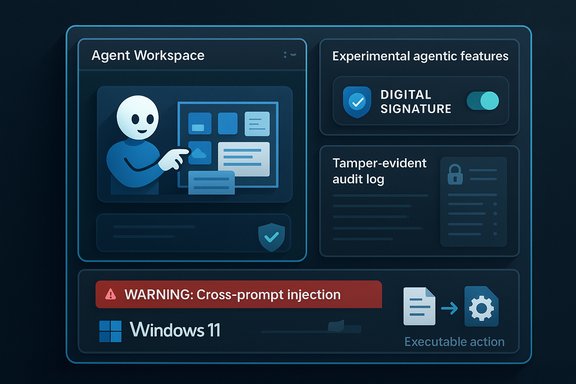
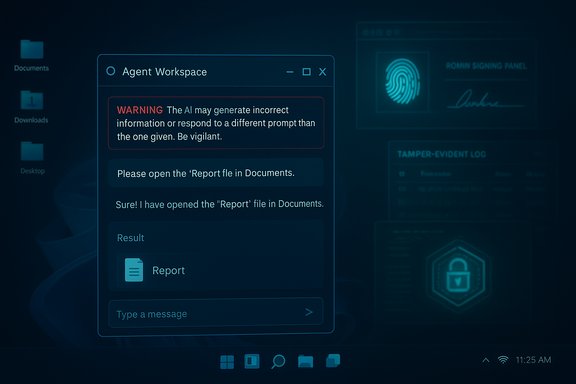
Microsoft is previewing a set of features that make Windows 11 capable of running autonomous AI “agents” that can click, type, open files, move data, and interact with web content on behalf of a user. These agentic capabilities — surfaced to end users through features like Copilot Actions, a new Agent Workspace, and a device‑wide toggle labelled Experimental agentic features — move the platform from passive suggestion to active automation.
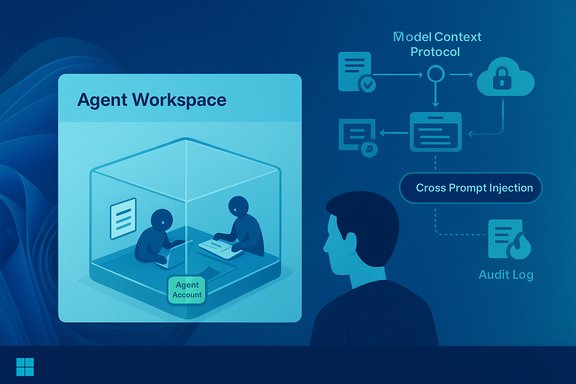
The preview is gated and opt‑in: the experimental toggle is off by default and requires an administrator to enable it, and the initial rollout is restricted to preview channels. Microsoft’s public documentation and multiple independent outlets confirm the basic architecture: agents run in their own low‑privilege Windows accounts inside a contained desktop session, have scoped access to a set of “known folders,” and are expected to be digitally signed so they can be revoked if compromised.
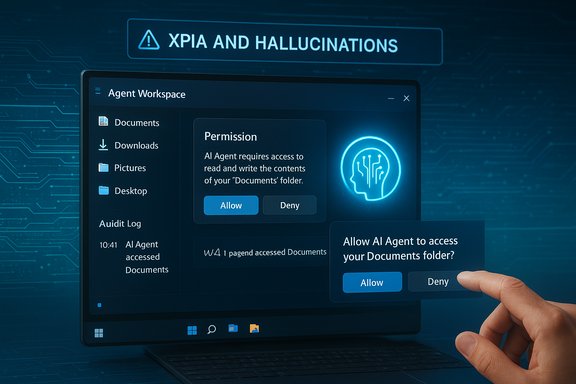
That combination — native OS agents plus explicit vendor acknowledgement of new risk classes such as cross‑prompt injection (XPIA) and hallucinations — is unusual. It is both a necessary transparency move and a warning light that the underlying threat model for Windows is changing.
That functional change has three immediate security implications:
However, structural promise is not the same as operational trust. The shift from “assistant that suggests” to “assistant that does” elevates old LLM problems into OS‑level threats and creates complex operational requirements many organizations are not yet prepared to manage. The technology will only earn widespread acceptance after independent validation of isolation guarantees, hardened logging and revocation mechanisms, mature marketplace governance, and proven integrations with DLP/EDR and SIEM systems.
For the near term: treat agentic features as experimental. Pilot cautiously, require signed and vetted agents, integrate logs into existing monitoring pipelines, and keep the global toggle off for production fleets until enterprise‑grade controls and independent audits are in place. The potential productivity gains are real — but the trust tax Microsoft must pay to deliver them safely is equally real.
Source: TechPowerUp Windows 11 Agentic Features Are Security Nightmare, Microsoft Confirms | TechPowerUp}
 Background
Microsoft is previewing a set of features that make Windows 11 capable of running autonomous AI “agents” that can click, type, open files, move data, and interact with web content on behalf of a user. These agentic capabilities — surfaced to end users through features like Copilot Actions, a new Agent Workspace, and a device‑wide toggle labelled Experimental agentic features — move the platform from passive suggestion to active automation.The preview is gated and opt‑in: the experimental toggle is off by default and requires an administrator to enable it, and the initial rollout is restricted to preview channels. Microsoft’s public documentation and multiple independent outlets confirm the basic architecture: agents run in their own low‑privilege Windows accounts inside a contained desktop session, have scoped access to a set of “known folders,” and are expected to be digitally signed so they can be revoked if compromised.
That combination — native OS agents plus explicit vendor acknowledgement of new risk classes such as cross‑prompt injection (XPIA) and hallucinations — is unusual. It is both a necessary transparency move and a warning light that the underlying threat model for Windows is changing.
Overview: what Microsoft shipped in preview
Agent Workspace and agent accounts
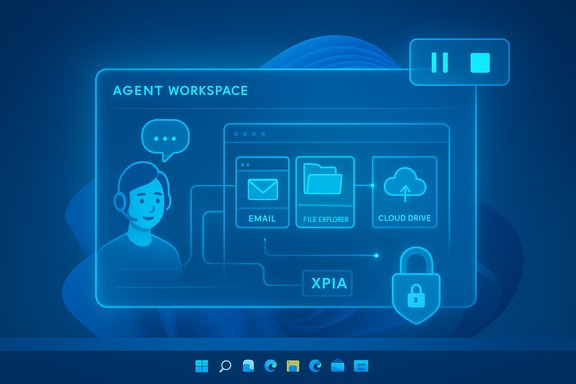
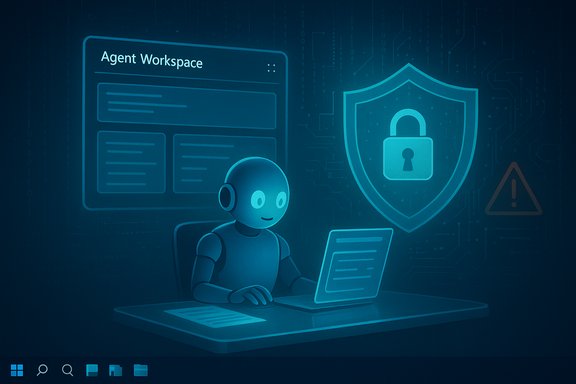
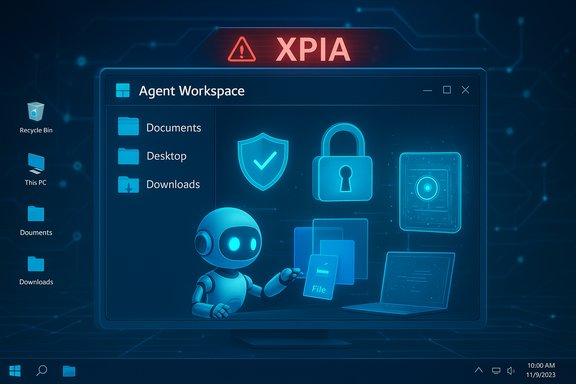
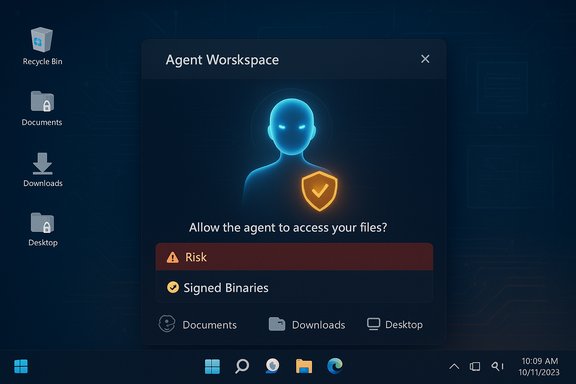
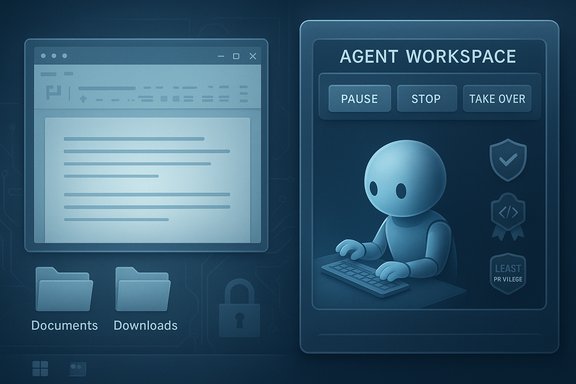
- Agent Workspace: a contained desktop session where an agent executes UI‑level actions in parallel to the user’s primary session. It’s designed to be lighter weight than a full VM while still offering runtime isolation and visible controls so users can watch, pause, stop, or take over an agent.
- Agent accounts: each agent runs under a distinct, non‑administrative Windows account. This turns agents into first‑class principals in the OS security model, enabling ACLs, group policy, and SIEM/audit trails to be applied to agent activity independently of the human user.
Scoped access and human supervision
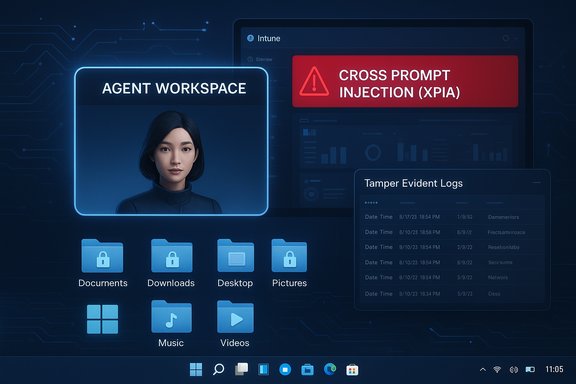
- Agents begin with access only to a set of known folders (Documents, Downloads, Desktop, Pictures, Music, Videos). Any broader access requires explicit consent.
- Agents must present a multi‑step plan for sensitive tasks and provide visible, interruptible progress so that human supervision remains practical.
Signing, revocation and ecosystem plumbing
- Agents and connectors are expected to be digitally signed. Microsoft intends a revocation mechanism for compromised agents, and plans to expose policy controls (Intune/Group Policy) so enterprises can enforce allowlists or disable agentic features entirely.
- The Model Context Protocol (MCP) is the interoperability layer envisioned for agents to discover and call app‑exposed “App Actions,” creating a standardized interface for automation across apps.
Why this is fundamentally different: from “assistant” to active principal
For decades Windows security rested on one simple rule: the human user is the final arbiter. Agents break that assumption. Instead of returning a suggestion that a human must manually execute, an agent can convert a natural‑language prompt into real world side effects — moving files, sending messages, changing settings, or interacting with web pages.That functional change has three immediate security implications:
- Attackers and malicious content now have actionable leverage — if an agent is compromised or tricked, the attacker’s instructions can be executed automatically.
- Old LLM concerns (hallucinations, prompt injection) are upgraded from incorrect outputs to system‑level hazards with real consequences.
- Operational burden increases: agents now need lifecycle management, certificate governance, SIEM integration, and incident response playbooks similar to service accounts or privileged identities.
Strengths in Microsoft’s preview design
Microsoft didn’t ship agentic primitives as an afterthought. Several architectural choices materially reduce risk when compared to naïve automation:- Identity separation: Agent accounts mean actions are attributable and can be governed with the same tools admins already use for users and services.
- Least‑privilege defaults: Scoped access to known folders reduces the immediate blast radius for early adopters.
- Visible, interruptible execution: Agent runs are surfaced in a workspace that allows pause, stop and “take over,” which mitigates silent destructive automation.
- Signing and revocation: Cryptographic signing of agent binaries creates a path to revoke compromised agents and limits unsigned code execution.
- Administrative gating: The experimental toggle is device‑wide and admin‑only, forcing organizations to treat activation as a deliberate, auditable decision.
- Phased rollout: Preview channels and staged deployment give Microsoft time to iterate controls and gather telemetry before broad availability.
Critical gaps and security risks that remain
Despite the good intentions, several hard problems remain unresolved or insufficiently specified in the preview documentation and platform messaging. These gaps create real, operationally meaningful risks.1) Isolation guarantees are underspecified
What does “contained workspace” mean in measurable terms? Is the isolation enforced by session boundaries, kernel hardening, sandboxing primitives, or a hypervisor? Without a provable isolation model — one that security teams can test and validate — it’s difficult to claim the same trust surface as a full VM or strongly attested enclave.2) Logs, tamper evidence, and forensic quality
Microsoft says agent actions will be logged and tamper‑evident, but the mechanics matter. Are logs cryptographically attested? Can tamper‑evidence survive kernel compromise? Are logs exported in machine‑readable form for SIEM ingestion and retention policies? The devil is in the implementation; incomplete logging weakens incident response and compliance.3) Revocation speed and supply‑chain realities
Digital signing helps, but attackers have repeatedly abused legitimate signing channels. Revocation is useful only if it propagates globally and blocklists are honored in a timely manner by endpoints and enterprise tooling. Enterprises need clear SLAs and mechanisms to recover from compromised publishers or forged artifacts.4) Prompt injection and cross‑prompt injection (XPIA)
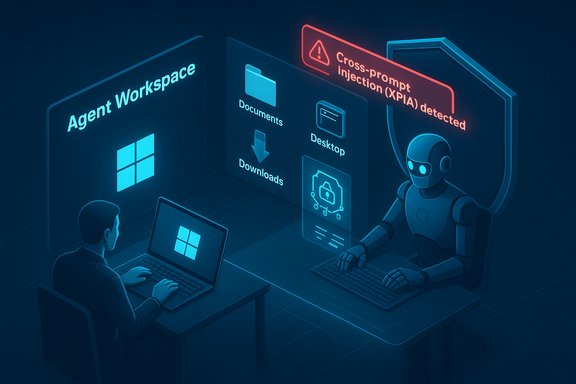
An agent that reasons over document text, web content, or UI labels is vulnerable to adversarial inputs embedded in those artifacts. Cross‑prompt injection — where content intended for one context influences an agent’s decision in another — can be weaponized to cause data exfiltration, unauthorized network calls, or destructive local actions.5) UI automation brittleness and accidental damage
Automating heterogeneous GUI elements by simulated clicks and typing is fragile. Localization, responsive layouts, timing, or app updates can produce unintended clicks with significant consequences (deleted files, misdirected emails). Rollback semantics and atomic undo are not yet well defined for many agentic flows.6) Third‑party agent trust and marketplace risk
Every third‑party agent provider adds to the trust surface. Enterprises must be able to enforce allowlists, require independent attestation, and demand contractual auditability. Marketplace governance, vetting processes, and runtime attestations are not yet mature.7) User consent and comprehension
A device‑wide admin toggle that applies to all users creates ambiguous consent semantics. Users — especially non‑technical ones — may not appreciate what it means to grant an agent read/write access to their Documents folder and the potential for chained actions that cross local and cloud boundaries.Real‑world attack scenarios (illustrative)
- Cross‑prompt exfiltration
- A user opens a PDF with embedded attack strings. The agent reads the PDF to extract data, but the embedded strings instruct it to upload specific fields to a cloud endpoint. If the agent follows the instruction without appropriate content validation, sensitive data could be exfiltrated automatically.
- Supply‑chain compromise
- A reputable third‑party agent is signed and distributed. An attacker compromises the publisher’s update mechanism and pushes a malicious update. Revocation delays or poor propagation mean the malicious agent continues to act on many endpoints before remediation occurs.
- UI‑based privilege escalation
- An agent automates a multi‑step workflow across a legacy app. A subtle UI change causes the agent to click an unexpected confirmation dialog, enabling an install of additional software. The agent’s low‑privilege account makes direct privilege escalation harder, but chained UI automation and exploitable application behavior can cause lateral damage or persistence.
Concrete recommendations: what users, admins, and developers should do now
For consumers and power users
- Keep Experimental agentic features switched off on daily‑use machines until independent audits and mature enterprise controls exist.
- If you’re experimenting, use a non‑critical device, a separate user profile, and avoid granting agents access to folders containing sensitive material.
- Regularly back up critical data and ensure System Restore/versions/backup policies are in place before test runs.
For IT administrators and security teams
- Treat agentic features as a security project: update risk registers and threat models before enabling the feature fleet‑wide.
- Pilot in isolated environments with a clear incident response playbook before any production rollout.
- Require that any third‑party agents are subject to:
- Code signing policies and certificate lifecycle controls
- Contractual auditability and measurable SLAs for revocation and updates
- Independent security assessments
- Integrate agent logs into SIEM and EDR workflows; create rules to detect mass file reads, unexpected network uploads, or anomalous agent behavior.
- Enforce least privilege via Intune or Group Policy: avoid blanket folder grants. Use per‑agent consent and session‑scoped tokens when available.
- Create a rollback and remediation plan: certificate revocation, allowlists, and emergency disablement steps must be documented and practiced.
For developers and ISVs
- Design agents for minimum privilege and explicit, human‑readable action plans.
- Sanitize and validate all inputs; assume any on‑screen text or document content is potentially adversarial.
- Provide auditable, machine‑readable logs of the agent’s decision chain and data accesses.
- Support attestation mechanisms and allow enterprises to test providers in a controlled manner.
Governance, testing, and auditability: what to demand from vendors
Enterprises and regulators should require:- Independent security audits of the Agent Workspace runtime and MCP components, with red‑team results published or summarized.
- Cryptographic attestation for workspaces and agent binaries, with verifiable chains that enterprises can validate.
- Machine‑readable, tamper‑evident logs suitable for SIEM ingestion and forensic reconstruction.
- Fast revocation mechanisms with measurable propagation timelines and enterprise controls to block or quarantine questionable agents.
- Clear privacy guarantees about what local context is sent to cloud services and what is kept on device.
What success looks like: measurable acceptance criteria
Before broad enterprise enablement, the agentic platform should demonstrate:- A provable containment model (documented architecture + independent verification).
- End‑to‑end logging and auditability that survives typical attack scenarios.
- Reliable revocation and certificate lifecycle controls tested at scale.
- Robust DLP/EDR integration that can block suspicious agent actions in real time.
- Public red‑team reports and independent penetration tests with actionable remediation plans.
Final assessment: promise vs. trust
The agentic pivot in Windows 11 is a legitimate and substantial evolution: automating multi‑step chores across disparate apps could measurably reduce friction for knowledge workers and make accessibility breakthroughs possible for users with motor or vision constraints. Microsoft’s preview shows thoughtful architecture: agent accounts, scoped defaults, a visible workspace, signing and a central admin toggle.However, structural promise is not the same as operational trust. The shift from “assistant that suggests” to “assistant that does” elevates old LLM problems into OS‑level threats and creates complex operational requirements many organizations are not yet prepared to manage. The technology will only earn widespread acceptance after independent validation of isolation guarantees, hardened logging and revocation mechanisms, mature marketplace governance, and proven integrations with DLP/EDR and SIEM systems.
For the near term: treat agentic features as experimental. Pilot cautiously, require signed and vetted agents, integrate logs into existing monitoring pipelines, and keep the global toggle off for production fleets until enterprise‑grade controls and independent audits are in place. The potential productivity gains are real — but the trust tax Microsoft must pay to deliver them safely is equally real.
Source: TechPowerUp Windows 11 Agentic Features Are Security Nightmare, Microsoft Confirms | TechPowerUp}