

Microsoft’s AI ambitions for Windows 11 are colliding with a vocal, technically capable user base—and the fallout is no longer just headlines: community tools like Winslop and RemoveWindowsAI are giving users straightforward ways to excise Copilot and other on‑device AI surfaces, enterprises are asking hard questions about Copilot+ hardware and rollout strategy, and a separate UI change to Windows Update labels has stirred confusion among admins at the exact moment Microsoft is pushing deeper AI integration.
Microsoft has repositioned Windows 11 as an “AI PC” platform, folding branded features such as Copilot, Recall, and a broad set of AI Actions into the shell and first‑party apps. The company argues these features improve productivity and accessibility while keeping many operations local on capable devices. For administrators and privacy‑minded users, the change is less tidy: AI features are delivered via a mix of UI elements, Appx/MSIX packages, servicing inventory (WinSxS/CBS), and management policies, creating a surface that is both deep and distributed across the OS stack.
At the same time, Microsoft is pushing Copilot+ PCs—hardware SKUs that pair new silicon (NPUs and power‑efficient AI cores) with platform features that unlock low‑latency, on‑device inference. Early device-focused enablement and specialized images promise richer local AI experiences for buyers of those machines, but they risk fragmentation and confusing messaging for the broader installed base.
A newer utility, Winslop, positions itself as a more surgical debloat tool: detect hidden or provisioned components, present modular controls to remove them, and provide rollback mechanisms. Community write‑ups show Winslop is publicly distributed and discussed; however key technical claims—particularly whether Winslop touches the Component‑Based Servicing (CBS) store or installs blocker packages—require explicit audit of its releases and code. That detail matters because touching CBS is the single biggest source of upgrade and servicing risk for modified machines.
The pragmatic path forward is twofold: Microsoft should continue the engineering work to make update metadata and admin controls robust and discoverable; IT and advanced users should prefer supported policy routes or carefully vetted removal methods that avoid servicing edits. Until both sides converge, expect more heated debates, creative community tooling, and ongoing operational friction as Windows balances ambition with user choice.
Source: Windows Report https://windowsreport.com/windows-1...inslop-offers-way-to-remove-copilot-features/
Source: Windows Report https://windowsreport.com/microsoft-doubles-down-on-copilot-pcs-as-users-question-the-ai-push/
Source: Windows Report https://windowsreport.com/windows-11s-new-driver-update-labels-are-confusing-users-and-admins/
 Background
Microsoft has repositioned Windows 11 as an “AI PC” platform, folding branded features such as Copilot, Recall, and a broad set of AI Actions into the shell and first‑party apps. The company argues these features improve productivity and accessibility while keeping many operations local on capable devices. For administrators and privacy‑minded users, the change is less tidy: AI features are delivered via a mix of UI elements, Appx/MSIX packages, servicing inventory (WinSxS/CBS), and management policies, creating a surface that is both deep and distributed across the OS stack.At the same time, Microsoft is pushing Copilot+ PCs—hardware SKUs that pair new silicon (NPUs and power‑efficient AI cores) with platform features that unlock low‑latency, on‑device inference. Early device-focused enablement and specialized images promise richer local AI experiences for buyers of those machines, but they risk fragmentation and confusing messaging for the broader installed base.
The AI backlash: why users and admins are pushing back
A spectrum of concerns
The resistance to Windows 11’s AI push is not monolithic. It clusters around a few recurring, understandable themes:- Privacy and telemetry anxiety, especially around features like Recall that capture and index screen content for searchable history. While Microsoft documents local‑first processing and Windows Hello safeguards, the mere capability to index on‑screen content triggered concern.
- Loss of control and permanence: Many users want more durable opt‑outs than toggles buried in Settings. When updates re‑provision removed features or when components are baked into servicing metadata, casual removal becomes brittle.
- Performance and resource tradeoffs: On older hardware, background AI services and new UI surfaces can add startup or runtime overhead, prompting users to prefer a lean, deterministic desktop.
- Enterprise operational risk: IT teams worry about update stability, auditability, and automation fragility as features move across user‑facing packages and the servicing store. That worry deepened when Microsoft temporarily changed how Windows Update labels appear (see later section).
Community response: scripts, GUI tools, and one‑click removals
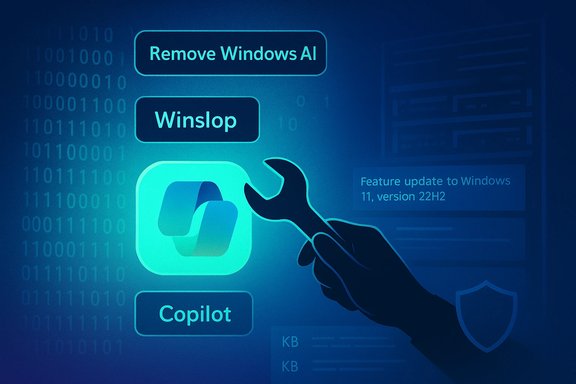
Where official opt‑outs feel inadequate, community projects have filled the void. RemoveWindowsAI, a widely discussed PowerShell project, bundles registry edits, Appx removals, scheduled‑task cleanups and, importantly, attempts to prevent re‑provisioning by altering servicing metadata or installing “blocker” packages. Its rapid uptake—hundreds then thousands of stars and forks—shows there’s an active constituency demanding durable removal. Independent testing confirms the script can hide or remove Copilot and Recall UI elements on tested builds, though the authors caution about build differences and the need for backups.A newer utility, Winslop, positions itself as a more surgical debloat tool: detect hidden or provisioned components, present modular controls to remove them, and provide rollback mechanisms. Community write‑ups show Winslop is publicly distributed and discussed; however key technical claims—particularly whether Winslop touches the Component‑Based Servicing (CBS) store or installs blocker packages—require explicit audit of its releases and code. That detail matters because touching CBS is the single biggest source of upgrade and servicing risk for modified machines.
What these removal tools actually do — and the real risks
Typical removal patterns
Community debloat tools generally implement a layered approach:- Flip registry keys or set Group Policy equivalents to hide Copilot UI affordances and disable feature gates.
- Uninstall user‑level Appx/MSIX packages for the Copilot app, Recall UI, and AI components in Paint, Notepad, Edge, etc.
- Remove provisioned Appx manifests so new profiles don’t receive the packages.
- Delete scheduled tasks and local data (Recall indexes or snapshots).
- In aggressive modes, attempt to purge or neutralize servicing‑store entries and install blocker packages intended to prevent Windows Update from reprovisioning components.
Why touching servicing metadata matters
Windows’ servicing inventory (WinSxS/CBS) is the authoritative store the OS uses for features and provisioning. When a tool modifies the servicing store—or inserts spoofed “blocker” packages—Windows Update and the built‑in provisioning logic can behave unpredictably on future cumulative updates or feature upgrades. Community testing and incident reports show:- Machines altered at the servicing level can enter broken servicing states, causing failed updates, repair loops, or difficult recovery scenarios.
- OEM images and feature updates may reintroduce modified components or detect inconsistencies that require an offline repair.
- Enterprise supportability and warranty/managed‑device SLAs are at risk when devices are altered outside supported channels.
Real‑world tradeoffs
For many enthusiasts and home users the apparent gains are immediate: a cleaner taskbar, fewer AI popups, and an environment that matches expectations. For organizations and less technical end users, the downsides can be costly and time consuming: longer remediation windows, elevated ticket volumes, and lost audit fidelity. The prudent approach is to treat any servicing‑level removal as an operational posture that requires piloting, backups, documented rollback steps, and ideally an approval path from the device owner or IT team.Microsoft’s response and admin controls
Supported admin controls exist — but they’re partial
Microsoft provides Group Policy/MDM policy keys intended to disable Copilot in managed environments and, in some Insider preview channels, a narrowly scoped admin policy to remove the consumer Copilot app from managed devices. These are the supported paths enterprises should prefer because they don’t rely on servicing‑store surgery. However, policies vary by edition and build, and Microsoft’s delivery method for Copilot has changed over time (sometimes an app, sometimes provisioned packages), which complicates enforcement.The Copilot+ device story: hardware gating and messaging risk
Microsoft is pushing Copilot+ PCs—devices with on‑board AI acceleration to enable low‑latency, privacy‑friendly on‑device experiences. Early enablement on specialized device images (examples referenced as device‑gated 26H1 experiments in reporting) gives new hardware buyers the best local Copilot experience, but also risks:- Fragmentation, where headline features arrive on a subset of devices first and cause user confusion about availability.
- Messaging gaps, as consumers might expect a feature labeled “Windows 26H1” to appear on all machines when it’s initially limited to X2/AI‑accelerated SKUs.
- Compatibility pain for enterprises that must pilot device images and validate drivers and security agents on new silicon.
What Microsoft could do differently
To reduce friction, Microsoft could tighten three operational areas:- Publish a single, clear admin‑facing roadmap and per‑feature opt‑out matrix mapped to build numbers and SKU types.
- Provide a durable, supported “global AI opt‑out” policy for managed fleets that covers Copilot, Recall and AI content provisioning comprehensively.
- Improve servicing transparency: make it easy for admins to see which packages are provisioned at the servicing level versus user‑installable apps, and provide safe unsupported but documented maintenance scripts for recovery after removals.
Windows Update label changes: poor timing and operational fallout
What changed
Microsoft recently simplified the visible titles shown in Settings → Windows Update and Update history. The new short format leads with a classification (Security Update, Preview Update, Driver Update), shows the KB number up front, and includes a compact build or component token when relevant—trading the old verbose string for a scannable, consistent UI. Microsoft’s stated goal was to reduce noise and make updates easier for ordinary users to understand.Why admins pushed back
For help desks and sysadmins the removed tokens (YYYY‑MM date prefixes, “Cumulative Update” wording, architecture hints) were valuable at‑a‑glance signals for triage. The simplified strings increased reliance on extra lookups by KB number, broke brittle scripts that parsed old titles, and created confusion when Preview now maps to both optional cumulative previews and Insider Preview semantics. The backlash was strong enough that Microsoft has indicated it will restore some date tokens in titles to aid triage.Practical impact for driver updates
Driver updates were a particular flashpoint. Short driver titles and nonmonotonic vendor versioning make it easy for users and admins to misread which driver a device received. Microsoft’s guidance reiterates that driver selection uses metadata and file‑level comparisons—not the visible label—so “old‑looking” DriverVer dates do not necessarily mean an incorrect package. Nonetheless, mixed UI signals and condensed labels increased support calls and pushed admins to migrate away from display‑string parsing to API‑driven KB/package checks.Practical recommendations: safe options for users and IT pros
For everyday Windows 11 users
- Prefer the built‑in toggles first: hide Copilot’s taskbar button, disable keyboard shortcuts, and toggle privacy settings for features like Recall before running third‑party scripts. These are low‑risk and reversible.
- If you are curious about community tools, test them on a non‑critical machine or VM and ensure you have a full image backup you can restore from. Avoid servicing edits unless you fully understand recovery steps.
For power users and hobbyists
- Document your target state and test a full image restore workflow before applying tools that touch CBS or the servicing store.
- Prefer solutions that keep removals at the Appx/provisioning level and avoid “blocker” packages unless you can validate them by reviewing the code or package contents.
- Keep a live, versioned record of the scripts you run and store them with checksums so you can audit or revert operations later.
For sysadmins and enterprise teams
- Use policies and supported administrative controls to disable or manage Copilot where possible; rely on Group Policy/MDM preferences rather than unsupported servicing edits.
- Update automation and reporting to rely on KB numbers, package GUIDs and catalog metadata (Windows Update for Business / Microsoft Graph API) rather than screen‑scraping display strings. This will future‑proof tooling against UI changes like the recent label simplification.
- If fleet changes are desired (for privacy or compliance), engage Microsoft support channels and plan a staged roll‑out with pilot rings, clear rollback plans, and endpoint backup procedures. Consider managed imaging and AppLocker/WDAC to prevent reinstallation where required.
Strengths, weaknesses, and where this landscape goes next
Notable strengths
- Microsoft’s ambition to make Windows an AI‑enabled platform unlocks genuine productivity and accessibility gains when implemented thoughtfully. Local Copilot experiences on Copilot+ hardware can offer lower latency and stronger privacy guarantees than cloud‑only agents.
- The company is improving the servicing catalog and metadata—actions such as surfacing KBs and classifications first are useful for end users and help desks once the tooling and documentation align.
Potential risks and weaknesses
- Policy and delivery inconsistency. Copilot and related AI surfaces are delivered through multiple mechanisms. Without a single, durable opt‑out that covers both UI and servicing levels, users will continue seeking third‑party workarounds, increasing support risk.
- Servicing fragility from community tooling. Tools that modify the servicing store or install blocker packages promise permanence but can break upgrades and supportability—an unacceptable risk for managed fleets.
- Messaging and fragmentation around Copilot+ devices. Hardware‑gated experiences risk confusing consumers and enterprises if Microsoft does not clearly label availability and expected timelines for broader rollouts.
Predictions and what to watch
- Expect continued iteration: Microsoft will refine admin controls and update labels in response to feedback, and community tools will evolve to track new builds and delivery changes.
- Watch for a supported “global AI opt‑out” policy or an enterprise‑grade management artifact from Microsoft—this would be the single most effective way to address the root cause of the removal tool trend.
- Device vendor behavior will matter. OEMs that publish clear driver notes and maintain disciplined INF versioning will reduce confusion when Windows Update offers driver packages.
Conclusion
Windows 11’s AI era brings obvious value but also a predictable set of governance, transparency and support challenges. Community projects like RemoveWindowsAI and Winslop are a clear market signal: a significant portion of Windows users want straightforward, durable control over AI surfaces on their devices. Microsoft’s challenge is to deliver the productivity gains of Copilot, Recall and on‑device agents without forcing users into risky, servicing‑level hacks or leaving enterprises with brittle management experiences.The pragmatic path forward is twofold: Microsoft should continue the engineering work to make update metadata and admin controls robust and discoverable; IT and advanced users should prefer supported policy routes or carefully vetted removal methods that avoid servicing edits. Until both sides converge, expect more heated debates, creative community tooling, and ongoing operational friction as Windows balances ambition with user choice.
Source: Windows Report https://windowsreport.com/windows-1...inslop-offers-way-to-remove-copilot-features/
Source: Windows Report https://windowsreport.com/microsoft-doubles-down-on-copilot-pcs-as-users-question-the-ai-push/
Source: Windows Report https://windowsreport.com/windows-11s-new-driver-update-labels-are-confusing-users-and-admins/
