

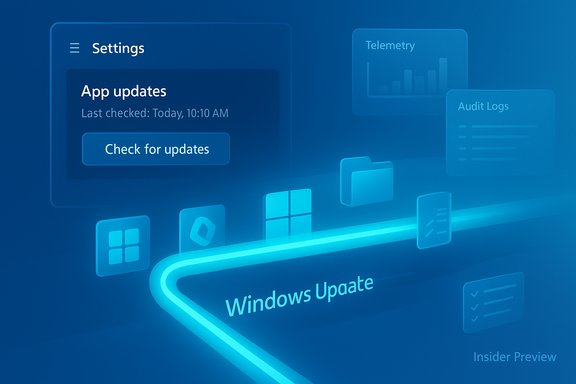
Microsoft has quietly started surfacing a new "App updates" page in Windows 11 Settings and is testing a mechanism that lets Microsoft Store–managed apps delegate update checks and installs to the Windows Update service — a change that signals Microsoft is moving toward a single, OS‑level update orchestration for apps, drivers and system updates.
Background
Windows has long struggled with a fractured update model: Windows Update for OS and drivers, the Microsoft Store for store‑distributed apps, and a legion of standalone updaters and bespoke installers for Win32 applications. That fragmentation complicates management, auditing and security, especially in enterprise environments where compliance and patch visibility matter. Microsoft’s recent technical and UI changes are a visible manifestation of a broader strategy to consolidate those update flows under one orchestration system. In May 2025, Microsoft product management publicly outlined a vision for a “unified, intelligent update orchestration platform” intended to allow updates for any component — apps, drivers, and the OS — to be orchestrated together, driven by signals such as idle state, battery, network conditions and admin policy. That vision is now starting to show up in Insider preview bits and Settings surfaces.What the preview builds show
A new Settings surface: Apps → App updates
Insider preview builds of Windows 11 now include an App updates page under Settings → Apps. The UI is intentionally simple: a Last checked timestamp and a Check for updates button that aims to discover and install updates for apps that the Microsoft Store can manage — without launching the full Store experience. Early reports note the page is visible on devices even when the Microsoft Store app is inaccessible due to admin policy or is uninstalled. Key points about the preview UI:- The page lists eligible Store‑managed apps and shows the last time Windows queried update status.
- A Check for updates control exists to trigger discovery, but in early builds the button sometimes does not perform a visible or functional update flow.
- The feature is being flighted in Insiders and appears to be gated by backend orchestration services that are still in private preview.
Who can use it today
The backend orchestration platform and the Settings front end are currently in private or Insider previews. Microsoft has invited developers and product teams to sign up for early access to the orchestration APIs while the initial Settings surface is being tested with Insiders. This means the public rollout timetable remains unclear and components may be disabled or partially functional during the preview window.The architecture Microsoft is proposing
Unified update orchestration: APIs, WinRT and PowerShell
Microsoft’s plan is not simply to rebrand Windows Update; it’s to provide a platform where update providers can register with Windows Update so the OS can coordinate downloads, installs, reboots and logging. The orchestration layer exposes integration points for developers using WinRT APIs and PowerShell tooling, allowing apps to specify:- How updates are discovered (metadata, versioning).
- Installation logic and command semantics.
- Reboot and post‑install behaviors.
- Deadline windows or maintenance preferences.
Supported packaging and update types
Microsoft has said the orchestration layer will support modern package formats (MSIX / APPX) and also accommodate Win32 apps that adopt the platform’s integration APIs. That means the platform is intended to be broad, but not universal on day one — legacy installers and programs with tightly coupled custom updaters (for example, some Adobe or Steam components) will continue to operate outside the orchestration flow until publishers adopt the platform.What this means for users and administrators
Benefits (what Microsoft and early coverage highlight)
- Centralized update discovery: Users and admins get a single place to check app update status alongside OS updates, reducing friction and context switching.
- Resilience when Store is blocked: Devices that cannot run the Microsoft Store (kiosk scenarios, locked‑down environments, or systems where the Store is uninstalled) can still receive Store‑managed updates via Windows Update surfaces.
- Intelligent scheduling: Microsoft intends to apply Windows Update‑style scheduling (idle detection, AC power, metered connection handling) to app updates to reduce disruptions.
- Better auditability: Unified logs and diagnostic traces make it easier for IT to verify update status for compliance and incident response.
Realistic limitations and caveats
- Not a blanket solution yet: The experience is currently limited to apps that integrate with Microsoft’s Store or the orchestration APIs. Standalone installers, package managers and apps with proprietary update mechanisms will remain outside the unified flow until publishers opt-in.
- Early preview instability: The Settings UI exists in preview builds but backend functionality may be only partially enabled. Early testers reported the “Check for updates” button not working reliably in some builds. That inconsistency is expected in Canary/Beta channels.
- Policy and control differences: Enterprise-grade management via Group Policy and Intune remains the authoritative control plane. The Settings surface is a user‑level convenience and a fallback surface; admins will still want to control update timing and scope centrally.
Security and reliability implications — tradeoffs to weigh
Centralizing update delivery has strong security upside: fewer missed security patches and a consolidated audit trail. However, it also changes the risk profile.- Single‑pipeline risk: A centralized orchestrator means that a misbehaving update or a platform outage could affect many apps simultaneously. The blast radius of a bad update increases if many publishers rely on the same pipeline.
- Supply chain considerations: App publishers that use their own distribution servers will need to expose metadata and interact with Windows Update. That expands the trust surface and increases the importance of verifying publisher identities, signing, and integrity checks.
- Potential for less user control in consumer UI: Early signs suggest Microsoft is leaning toward managed auto‑updates for apps (short pause windows instead of infinite “off” toggles). That improves security for the majority, but power users and labs that test compatibility may find less UI-level control.
Developer and publisher implications
What developers must plan for
- Integration work: To reap the benefits of centralized orchestration, publishers will need to adopt the WinRT APIs / PowerShell integration points, package with MSIX where feasible, and provide update metadata compatible with Microsoft’s orchestration rules.
- Change in update cadence and UX expectations: When apps are capable of being scheduled by Windows Update, publishers may need to reconsider forced restarts, in‑app update prompts, and in‑place migration behaviors to avoid poor UX.
- Signatures and trust: Publishers must ensure update binaries are properly signed and that their distribution endpoints meet integrity and availability expectations demanded by a centralized orchestration model.
Opportunity and friction
The orchestration platform lowers friction for reaching more devices if publishers opt in; for small dev teams that already maintain update servers, it’s a path to broader reach with less bespoke work in each client. For large independent software vendors, the benefits include a more reliable delivery pipeline and OS‑level telemetry for deploy success rates. However, moving legacy Win32 installers into a managed flow requires development effort and testing.How this compares to other ecosystems
- iOS / Android: Mobile platforms have long centralized app updates through their respective app stores. Microsoft’s architecture is conceptually similar: a single trusted channel that controls distribution and update notifications.
- Linux package managers: Desktop Linux users are used to a single update manager handling OS, drivers and apps. Microsoft’s orchestration platform is moving Windows in a similar direction for managed software, while retaining the ability for specialized updaters where needed.
- Existing Windows experience: Historically, Windows favored decentralized app updates (Win32 updaters, vendor‑managed installers). This change is a material step toward reducing that fragmentation for store‑listed workloads.
Timeline and rollout expectations
Microsoft has placed the orchestration platform and associated APIs into private preview for developers, and the Settings UI is appearing in Windows Insider preview builds. There is no firm public date for general availability; Microsoft typically uses Insiders and private developer previews to stabilize APIs, gather telemetry and iterate prior to broad releases. The expectation is that:- Developers and management vendors will test with the private preview.
- Microsoft will progressively enable backend services to public Insiders.
- A public rollout will follow when integration patterns and admin controls are validated.
How to experiment with the feature now (for enthusiasts and IT testers)
- Join the Windows Insider Program and enroll a test device in the Canary or Dev channel to surface early bits.
- Keep the Microsoft Store app updated to the latest test SKU; some orchestration behaviors are gated by Store version.
- Watch Settings → Apps → App updates for a Last checked timestamp and a Check for updates control.
- If testing enterprise scenarios, coordinate with the private preview process Microsoft surfaced for orchestration APIs (developer signup or outreach per Microsoft program details).
Practical recommendations for IT administrators
- Treat the orchestration platform as a tool to augment — not immediately replace — existing update controls. Maintain staging rings and phased rollouts.
- Validate rollback mechanisms and known‑good snapshots before enabling broad automatic app updates.
- Use Intune and Group Policy to retain control of update windows and enforcement policies; test how these controls interplay with the new orchestration signals.
- Prioritize onboarding of critical in‑house apps that can be packaged in MSIX and integrated early to gain the benefits of centralized auditing.
- Monitor the Insider releases and Microsoft’s API documentation closely; early adoption will require dev and ops coordination.
Strengths, weaknesses and a balanced assessment
Strengths
- Simplifies patch hygiene for a large swath of Windows apps and reduces the number of missed updates.
- Improves auditability for admins by centralizing logs and update telemetry.
- Reduces user friction by surfacing app updates in Settings when the Store is unavailable or undesirable.
Weaknesses / Risks
- Concentration risk: more apps relying on a single orchestration channel increases potential blast radius from a bad update or outage.
- Transition cost: publishers must invest to integrate, and legacy apps will lag behind.
- Consumer control: UI changes may reduce ad hoc control over when and how updates install, which some users will dislike.
Closing analysis and next steps
Microsoft’s test of letting Store‑managed apps check for updates via Windows Update is a meaningful step toward a single, coordinated update story for Windows. The immediate practical impact for consumers will be modest while the feature is in preview, but for enterprises and developers the implications are large: better auditing, centralized scheduling and consistent delivery policies.Key things to watch in the coming months:
- How Microsoft broadens developer onboarding and what packaging formats are mandatory or recommended.
- Whether Windows Update will eventually host update binaries or continue to orchestrate updates fetched from publisher servers.
- The interplay between admin controls (Intune / Group Policy) and the user‑visible Settings surface.
- Microsoft’s timeline for broader availability beyond Insiders and private previews.
Microsoft’s orchestration work promises to make Windows updates more coherent and manageable; the Settings App updates page is an early, visible step toward that future — but the feature remains a work in progress, and prudent testing and staged deployment will be essential for organizations that plan to rely on it heavily.
Source: Neowin Microsoft working on adding Microsoft Store app updates to Windows Update
