

Microsoft’s late-April Windows 11 updates and Insider builds show a deliberate shift toward reducing everyday friction, with Xbox mode, File Explorer fixes, quieter Widgets, a redesigned Run dialog, stronger admin controls, and reported “K2” quality work arriving as Windows 10’s deadline looms. That is the news in plain English. The more interesting story is that Microsoft appears to have rediscovered something Windows users have been saying for years: polish is not a luxury feature. It is the product.
For much of the Windows 11 era, Microsoft’s operating system strategy has felt split between two incompatible instincts. One side wanted Windows to be the familiar, universal workbench for PCs. The other wanted it to be a billboard for Microsoft’s next strategic bet, whether that meant Teams, Edge, Widgets, Microsoft Store apps, or, more recently, Copilot.
This week’s Windows news matters because the balance looks a little different. The April 2026 non-security preview update for Windows 11 version 24H2 and 25H2 is not merely a bundle of fixes. It is a collection of small admissions: File Explorer should not flash white in dark mode, startup apps should launch faster, the taskbar should be more reliable, archive support should not require a third-party utility, and Windows should stop creating tiny daily irritations that users learn to route around.
That is not glamorous engineering, but it is exactly the work Windows 11 needs. Microsoft can talk about AI agents, Copilot+ PCs, and full-screen gaming modes all it wants; none of that lands if the Start menu hesitates, Explorer stumbles, Widgets shout over the desktop, or an update turns into an unexpected support ticket.
The reported “K2” effort, described as a broader internal push to improve Windows 11’s fundamentals, gives this week’s scattered changes a larger shape. Whether K2 becomes a real cultural shift or just another codename with a slide deck will depend on whether Microsoft keeps shipping less annoying Windows updates after the marketing moment passes.
On paper, this is a gaming feature. In practice, it is Microsoft acknowledging that the traditional Windows desktop is a poor living-room interface and a mediocre handheld interface. A system designed around tiny window controls, tray icons, background processes, notifications, and mouse-first assumptions does not become console-friendly simply because Steam, Game Pass, and a controller are installed.
That matters more in 2026 than it did in the Windows 8 or Steam Machine eras. Handheld gaming PCs have trained users to expect a device that wakes quickly, opens into a game-first shell, and does not require them to babysit the desktop before reaching a library. Valve’s SteamOS may not threaten Windows on the corporate laptop, but it has already exposed how clumsy Windows can feel when the PC is not sitting under a keyboard and mouse.
Xbox mode is Microsoft’s answer, but it is also an implicit critique of Windows itself. The company is not saying the desktop is bad; it is saying the desktop is not universal. That is a healthy correction from a company that has often tried to make one Windows experience stretch across every posture, every input method, and every screen size.
The open question is whether Xbox mode becomes a serious operating environment or another surface-level launcher. If it merely hides Windows until something breaks, users will still collide with driver prompts, update nags, authentication dialogs, and background services. If Microsoft gives it the same kind of ruthless focus that console interfaces require, it could make Windows gaming PCs feel less like compromised laptops and more like purpose-built devices.
More important are the fixes around Explorer reliability and visual polish. The update preserves View and Sort preferences in common folders when apps launch File Explorer directly. It removes a white flash in dark mode when opening This PC or resizing the Details pane. It improves the behavior of explorer.exe processes after File Explorer windows close.
These are the sorts of changes that sound small until they are absent. Explorer is not just an app; it is the nervous system of Windows. When it flickers, forgets preferences, leaks reliability, or feels visually stitched together from different eras, users do not blame a component. They blame Windows.
Microsoft has spent years modernizing the shell in uneven layers. Windows 11 brought rounded corners, a centered taskbar, a simplified context menu, and a more controlled visual language, but the old machinery remained visible everywhere. A modern Settings page would lead to a legacy dialog. A Fluent surface would sit beside a Win32 artifact. Dark mode would mostly work, then suddenly illuminate a panel like a fluorescent tube in a basement.
The latest File Explorer work suggests Microsoft is attacking some of that accumulated grime. It is not the same as rewriting Windows, and users should be skeptical of any promise that the operating system will suddenly feel coherent from top to bottom. But fixing the places people touch every day is the difference between “new design language” and a system that actually feels cared for.
Nobody should pretend the Run dialog is the most important part of Windows 11. It is a small utility, beloved by power users and invisible to many casual users. But that is precisely why the redesign is revealing.
For years, Microsoft’s modernization strategy often seemed to prioritize the highly visible and the strategically useful. The Start menu could be redesigned. Widgets could be pushed. Search could be web-connected. Copilot could be inserted into the taskbar. Meanwhile, small legacy surfaces remained as time capsules, tolerated because they were functional and ignored because they were not narratively useful.
Modernizing Run says something different. It suggests Microsoft is willing to spend engineering calories on the quiet corners of Windows, not just the areas that support a quarterly keynote. The fact that the new Run dialog is optional in preview also shows some restraint; Microsoft is testing rather than detonating a familiar tool overnight.
There is a danger here, of course. Power users often prefer old dialogs not because they are pretty but because they are fast, predictable, and scriptable. If the new Run dialog trades instant utility for animated chrome, Microsoft will have learned the wrong lesson. A modernized Windows component should feel like the old one after a good night’s sleep, not like a web app wearing a system costume.
This is a major philosophical correction. Windows Widgets have long embodied the worst tension inside modern Windows: a feature that could be useful as a glanceable personal dashboard, warped by engagement logic into a feed surface. Weather, calendar, stocks, tasks, and system widgets make sense. A constantly refreshed news panel bolted to the desktop feels like a portal strategy that wandered into an operating system.
The problem was not merely that Widgets included news. It was that the feature behaved as if attention were inventory. Open-on-hover patterns, noisy prompts, and feed-first defaults made the desktop feel less like a user-controlled workspace and more like a Microsoft-controlled content surface.
If Microsoft really follows through, Widgets could become something Windows users wanted in the first place: a quiet, customizable panel for information they choose. That would still leave obvious unfinished business, including the inability to freely pin widgets to the desktop in the way many users imagine when they hear the word. But making the feature quiet by default is the right first move.
The lesson extends beyond Widgets. Windows earns trust when it assumes the user’s attention is valuable. It loses trust when every surface becomes a funnel.
That second part is the one to watch. Windows 11’s reputation problem is not caused by a single missing feature. It is caused by inconsistency: a polished animation here, a regressed update there, a modernized Settings page beside an ancient dialog, a useful feature bundled with an unwanted promotion, a security improvement that generates an avoidable admin headache.
K2, if it is real in practice and not just in name, has to be about systems rather than slogans. It needs to make reliability, performance, coherence, and user respect part of the release machinery. The operating system cannot be “fixed” by one annual release if the pipeline that produces it keeps shipping papercuts.
Microsoft appears to understand that Windows brand damage is not contained inside Windows. When Windows feels sloppy, it weakens the credibility of Microsoft’s broader pitch around AI PCs, enterprise management, security, and productivity. A Copilot+ PC still boots into Windows. A Microsoft 365 workflow still depends on Windows being a stable place to work. A gaming handheld running Windows still inherits Windows’ update model, shell assumptions, and background complexity.
That is why this week’s small fixes are more important than their individual changelogs. They imply that Microsoft knows Windows 11 does not need another grand reinvention as much as it needs sustained maintenance with taste.
For most home users, this should be invisible. For IT departments, it is a reminder that Windows servicing is never just about the visible interface. Firmware, boot managers, BitLocker policy, driver trust, certificate chains, and update telemetry are all part of the platform whether users see them or not.
The known issue around certain BitLocker Group Policy configurations is a perfect example. A limited set of managed systems may prompt for a BitLocker recovery key on the first restart after installing the update if specific PCR7-related conditions are present. Microsoft has a workaround, and the issue is narrowly scoped, but it is exactly the kind of thing that turns “optional preview update” into “wait for the pilot ring.”
This is not a reason to dismiss the Secure Boot work. Updating trust anchors before certificate expiration is necessary platform hygiene. The alternative is worse: a fragmented estate of devices with aging boot trust, uncertain future compatibility, and a growing gap between supported security posture and real-world firmware state.
But it does complicate Microsoft’s “Windows is getting less annoying” story. To consumers, annoyance is a flash in File Explorer or a noisy widget feed. To admins, annoyance is a recovery-key prompt caused by a policy edge case, a blocked legacy driver, or a backup product that suddenly depends on a workaround after a driver policy change.
Windows has to solve both. It must become smoother at the surface without becoming more surprising underneath.
This is security work with real operational consequences. Kernel drivers are among the most powerful pieces of code on a Windows system, and Microsoft has spent years trying to reduce the blast radius of vulnerable or poorly maintained drivers. Attackers understand that old drivers can become privileged footholds. Security teams understand that driver compatibility is one of the reasons Windows estates age badly.
The difficulty is that Windows’ strength has always been its hardware and software breadth. That breadth includes specialized peripherals, industrial systems, backup tools, security agents, audio interfaces, lab equipment, and niche devices whose vendors may not move quickly through modern signing and certification paths. Tightening trust improves the platform, but it also exposes every neglected dependency.
That is why the driver policy change belongs in the same conversation as K2. A more reliable Windows is not simply one that crashes less. It is one that gives administrators clear signals before enforcement, sensible tools for exceptions, and enough runway to discover which business process still depends on a driver from a forgotten vendor portal.
The consumer version of this story is simpler: Windows should be safer by default. The enterprise version is messier: Windows should be safer without turning hidden technical debt into Monday morning outages. Microsoft’s credibility depends on managing that transition with transparency.
PowerToys has become a fascinating pressure valve for Windows. It ships tools that feel native, useful, and enthusiast-friendly without forcing them into the base operating system before they are ready. It also reveals how many everyday desktop problems remain unsolved in Windows proper.
Power Display is a good example. Multi-monitor setups are common among developers, creators, traders, support technicians, and office workers. Yet monitor control in Windows can still feel fragmented across Settings, hardware buttons, vendor utilities, and Display Data Channel support that may or may not behave. A simple flyout that understands real-world monitor management is exactly the kind of feature that makes a PC feel less hostile.
Grab and Move is smaller but similarly revealing. Window management is one of the oldest desktop metaphors, and Windows still leaves room for tiny improvements that immediately change how fluid the system feels. Holding Alt and dragging from anywhere is not revolutionary. It is just humane.
The lesson for Windows 11 is not that every PowerToys feature should be absorbed into the OS. It is that Microsoft still has people building for users who care deeply about workflow, speed, and control. Windows needs more of that sensibility in the box.
Microsoft’s security argument for Windows 11 has always had substance. TPM requirements, virtualization-based security, Secure Boot expectations, and modern CPU baselines are not arbitrary from a platform-hardening perspective. The company is trying to move the Windows ecosystem to a stronger default security posture.
But users experience that policy through hardware reality. A PC that browses, writes documents, edits photos, manages accounts, or runs a small business perfectly well on Windows 10 does not feel obsolete to its owner. It feels abandoned by policy.
That makes Windows 11’s quality problem more politically charged. If Microsoft is going to tell users that the supported future requires new hardware, the future has to feel better, not merely newer. A Start menu with compromises, a taskbar with missing historical affordances, noisy Widgets, inconsistent UI, and update anxiety are harder to tolerate when the user has been forced across the bridge.
This is where the “less annoying” turn becomes strategically important. Microsoft cannot undo the Windows 11 hardware line without undermining years of security positioning. But it can make Windows 11 feel like an upgrade worthy of the disruption. That means speed, stability, coherence, fewer ads, quieter defaults, and fewer moments where the operating system appears to serve Microsoft’s priorities before the user’s.
This is one of the more plausible ways AI belongs in Windows. It is not a cartoon assistant barging into every context. It is an operating-system-level affordance for background work. If agents are going to perform multi-step tasks across apps and services, users need a way to see what they are doing, interrupt them, and return to the result.
The risk is that Microsoft will confuse agent infrastructure with another opportunity to occupy attention. A taskbar progress surface can be useful. A taskbar nag surface will be hated. The distinction is not technical; it is editorial.
Windows users have already shown limited patience for AI clutter in places where they did not ask for it. The best AI integration in Windows may be the kind that behaves like a system service: available, observable, permissioned, and quiet until needed. That is why the same week that tones down Widgets should also be read as a warning for Copilot. Utility earns placement. Strategy does not.
Microsoft’s challenge is to make AI feel like a capability of the PC rather than a campaign running on top of it. The former could be valuable. The latter will make even good hardware feel sponsored.
If Microsoft keeps that argument at the center of K2, Xbox mode, Widgets, File Explorer, PowerToys, Secure Boot, and whatever AI comes next, Windows 11 may finally begin to feel less like a negotiation and more like an operating system again. The next year will show whether this was a genuine course correction or merely a good week in the changelog.
Source: Neowin Microsoft Weekly: Windows 11 is getting less annoying, new Xbox mode, and more
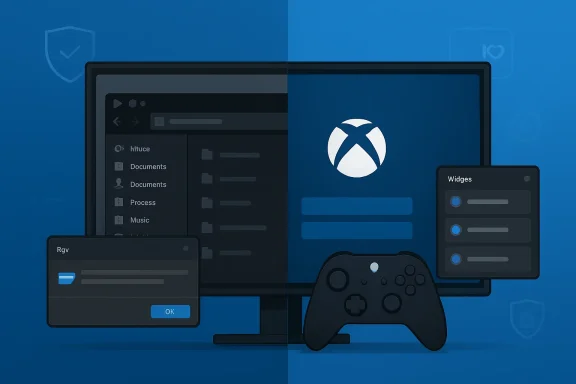 Microsoft Finally Treats Annoyance as a Platform Bug
For much of the Windows 11 era, Microsoft’s operating system strategy has felt split between two incompatible instincts. One side wanted Windows to be the familiar, universal workbench for PCs. The other wanted it to be a billboard for Microsoft’s next strategic bet, whether that meant Teams, Edge, Widgets, Microsoft Store apps, or, more recently, Copilot.This week’s Windows news matters because the balance looks a little different. The April 2026 non-security preview update for Windows 11 version 24H2 and 25H2 is not merely a bundle of fixes. It is a collection of small admissions: File Explorer should not flash white in dark mode, startup apps should launch faster, the taskbar should be more reliable, archive support should not require a third-party utility, and Windows should stop creating tiny daily irritations that users learn to route around.
That is not glamorous engineering, but it is exactly the work Windows 11 needs. Microsoft can talk about AI agents, Copilot+ PCs, and full-screen gaming modes all it wants; none of that lands if the Start menu hesitates, Explorer stumbles, Widgets shout over the desktop, or an update turns into an unexpected support ticket.
The reported “K2” effort, described as a broader internal push to improve Windows 11’s fundamentals, gives this week’s scattered changes a larger shape. Whether K2 becomes a real cultural shift or just another codename with a slide deck will depend on whether Microsoft keeps shipping less annoying Windows updates after the marketing moment passes.
Xbox Mode Is a Confession That the Desktop Is Not Always the Right Shell
The most visible addition in the April preview update is Xbox mode for Windows 11 PCs. It brings a streamlined, full-screen, console-like interface to laptops, desktops, and tablets, accessible from the Xbox app, Game Bar settings, or the Windows key plus F11 shortcut.On paper, this is a gaming feature. In practice, it is Microsoft acknowledging that the traditional Windows desktop is a poor living-room interface and a mediocre handheld interface. A system designed around tiny window controls, tray icons, background processes, notifications, and mouse-first assumptions does not become console-friendly simply because Steam, Game Pass, and a controller are installed.
That matters more in 2026 than it did in the Windows 8 or Steam Machine eras. Handheld gaming PCs have trained users to expect a device that wakes quickly, opens into a game-first shell, and does not require them to babysit the desktop before reaching a library. Valve’s SteamOS may not threaten Windows on the corporate laptop, but it has already exposed how clumsy Windows can feel when the PC is not sitting under a keyboard and mouse.
Xbox mode is Microsoft’s answer, but it is also an implicit critique of Windows itself. The company is not saying the desktop is bad; it is saying the desktop is not universal. That is a healthy correction from a company that has often tried to make one Windows experience stretch across every posture, every input method, and every screen size.
The open question is whether Xbox mode becomes a serious operating environment or another surface-level launcher. If it merely hides Windows until something breaks, users will still collide with driver prompts, update nags, authentication dialogs, and background services. If Microsoft gives it the same kind of ruthless focus that console interfaces require, it could make Windows gaming PCs feel less like compromised laptops and more like purpose-built devices.
File Explorer Gets the Kind of Work Users Actually Notice
The April preview update also expands File Explorer archive support to include formats such as uu, cpio, xar, and NuGet packages. That will not make a splash in consumer advertising, but it continues a useful trend: Windows is slowly absorbing the baseline utilities that power users have installed reflexively for decades.More important are the fixes around Explorer reliability and visual polish. The update preserves View and Sort preferences in common folders when apps launch File Explorer directly. It removes a white flash in dark mode when opening This PC or resizing the Details pane. It improves the behavior of explorer.exe processes after File Explorer windows close.
These are the sorts of changes that sound small until they are absent. Explorer is not just an app; it is the nervous system of Windows. When it flickers, forgets preferences, leaks reliability, or feels visually stitched together from different eras, users do not blame a component. They blame Windows.
Microsoft has spent years modernizing the shell in uneven layers. Windows 11 brought rounded corners, a centered taskbar, a simplified context menu, and a more controlled visual language, but the old machinery remained visible everywhere. A modern Settings page would lead to a legacy dialog. A Fluent surface would sit beside a Win32 artifact. Dark mode would mostly work, then suddenly illuminate a panel like a fluorescent tube in a basement.
The latest File Explorer work suggests Microsoft is attacking some of that accumulated grime. It is not the same as rewriting Windows, and users should be skeptical of any promise that the operating system will suddenly feel coherent from top to bottom. But fixing the places people touch every day is the difference between “new design language” and a system that actually feels cared for.
The Redesigned Run Dialog Is Symbolic Because It Is So Small
The Insider builds this week gave Windows watchers a particularly Windows kind of headline: the Run dialog is being redesigned. The Win+R box, one of the oldest and most durable shortcuts in the operating system, is being rebuilt with a more modern interface, dark theme support, better performance, and easier access to the user folder.Nobody should pretend the Run dialog is the most important part of Windows 11. It is a small utility, beloved by power users and invisible to many casual users. But that is precisely why the redesign is revealing.
For years, Microsoft’s modernization strategy often seemed to prioritize the highly visible and the strategically useful. The Start menu could be redesigned. Widgets could be pushed. Search could be web-connected. Copilot could be inserted into the taskbar. Meanwhile, small legacy surfaces remained as time capsules, tolerated because they were functional and ignored because they were not narratively useful.
Modernizing Run says something different. It suggests Microsoft is willing to spend engineering calories on the quiet corners of Windows, not just the areas that support a quarterly keynote. The fact that the new Run dialog is optional in preview also shows some restraint; Microsoft is testing rather than detonating a familiar tool overnight.
There is a danger here, of course. Power users often prefer old dialogs not because they are pretty but because they are fast, predictable, and scriptable. If the new Run dialog trades instant utility for animated chrome, Microsoft will have learned the wrong lesson. A modernized Windows component should feel like the old one after a good night’s sleep, not like a web app wearing a system costume.
Widgets Back Away From the Engagement Trap
The most encouraging Insider change may be the quietest: Microsoft is reworking Widgets so they are less distracting and overwhelming. The newer preview behavior moves toward a quieter default, with less emphasis on news feeds, hover-triggered openings, nudges, and notifications.This is a major philosophical correction. Windows Widgets have long embodied the worst tension inside modern Windows: a feature that could be useful as a glanceable personal dashboard, warped by engagement logic into a feed surface. Weather, calendar, stocks, tasks, and system widgets make sense. A constantly refreshed news panel bolted to the desktop feels like a portal strategy that wandered into an operating system.
The problem was not merely that Widgets included news. It was that the feature behaved as if attention were inventory. Open-on-hover patterns, noisy prompts, and feed-first defaults made the desktop feel less like a user-controlled workspace and more like a Microsoft-controlled content surface.
If Microsoft really follows through, Widgets could become something Windows users wanted in the first place: a quiet, customizable panel for information they choose. That would still leave obvious unfinished business, including the inability to freely pin widgets to the desktop in the way many users imagine when they hear the word. But making the feature quiet by default is the right first move.
The lesson extends beyond Widgets. Windows earns trust when it assumes the user’s attention is valuable. It loses trust when every surface becomes a funnel.
K2 Sounds Like a Trust Campaign Disguised as Engineering
The reported K2 initiative is the connective tissue behind this week’s Windows 11 mood shift. According to reporting, Microsoft began shaping the effort in the second half of 2025 as a plan to improve not only Windows 11 itself but also the internal way teams build and ship the operating system.That second part is the one to watch. Windows 11’s reputation problem is not caused by a single missing feature. It is caused by inconsistency: a polished animation here, a regressed update there, a modernized Settings page beside an ancient dialog, a useful feature bundled with an unwanted promotion, a security improvement that generates an avoidable admin headache.
K2, if it is real in practice and not just in name, has to be about systems rather than slogans. It needs to make reliability, performance, coherence, and user respect part of the release machinery. The operating system cannot be “fixed” by one annual release if the pipeline that produces it keeps shipping papercuts.
Microsoft appears to understand that Windows brand damage is not contained inside Windows. When Windows feels sloppy, it weakens the credibility of Microsoft’s broader pitch around AI PCs, enterprise management, security, and productivity. A Copilot+ PC still boots into Windows. A Microsoft 365 workflow still depends on Windows being a stable place to work. A gaming handheld running Windows still inherits Windows’ update model, shell assumptions, and background complexity.
That is why this week’s small fixes are more important than their individual changelogs. They imply that Microsoft knows Windows 11 does not need another grand reinvention as much as it needs sustained maintenance with taste.
Secure Boot Is the Reminder That Less Annoying Does Not Mean Less Complex
The same April update that makes Windows 11 feel more polished also carries a very different kind of story: Secure Boot certificate updates. Microsoft is moving devices away from older Secure Boot certificates that expire starting in June 2026, and some systems may experience an additional restart during update installation.For most home users, this should be invisible. For IT departments, it is a reminder that Windows servicing is never just about the visible interface. Firmware, boot managers, BitLocker policy, driver trust, certificate chains, and update telemetry are all part of the platform whether users see them or not.
The known issue around certain BitLocker Group Policy configurations is a perfect example. A limited set of managed systems may prompt for a BitLocker recovery key on the first restart after installing the update if specific PCR7-related conditions are present. Microsoft has a workaround, and the issue is narrowly scoped, but it is exactly the kind of thing that turns “optional preview update” into “wait for the pilot ring.”
This is not a reason to dismiss the Secure Boot work. Updating trust anchors before certificate expiration is necessary platform hygiene. The alternative is worse: a fragmented estate of devices with aging boot trust, uncertain future compatibility, and a growing gap between supported security posture and real-world firmware state.
But it does complicate Microsoft’s “Windows is getting less annoying” story. To consumers, annoyance is a flash in File Explorer or a noisy widget feed. To admins, annoyance is a recovery-key prompt caused by a policy edge case, a blocked legacy driver, or a backup product that suddenly depends on a workaround after a driver policy change.
Windows has to solve both. It must become smoother at the surface without becoming more surprising underneath.
Driver Trust Tightens While Legacy Assumptions Lose Ground
The April preview update also changes how Windows trusts third-party drivers, removing default trust for cross-signed drivers while continuing to allow drivers from the Windows Hardware Compatibility Program and a trusted legacy allow list. Microsoft says Windows audits compatibility before enforcement, but the direction is clear: the old driver ecosystem is being narrowed.This is security work with real operational consequences. Kernel drivers are among the most powerful pieces of code on a Windows system, and Microsoft has spent years trying to reduce the blast radius of vulnerable or poorly maintained drivers. Attackers understand that old drivers can become privileged footholds. Security teams understand that driver compatibility is one of the reasons Windows estates age badly.
The difficulty is that Windows’ strength has always been its hardware and software breadth. That breadth includes specialized peripherals, industrial systems, backup tools, security agents, audio interfaces, lab equipment, and niche devices whose vendors may not move quickly through modern signing and certification paths. Tightening trust improves the platform, but it also exposes every neglected dependency.
That is why the driver policy change belongs in the same conversation as K2. A more reliable Windows is not simply one that crashes less. It is one that gives administrators clear signals before enforcement, sensible tools for exceptions, and enough runway to discover which business process still depends on a driver from a forgotten vendor portal.
The consumer version of this story is simpler: Windows should be safer by default. The enterprise version is messier: Windows should be safer without turning hidden technical debt into Monday morning outages. Microsoft’s credibility depends on managing that transition with transparency.
PowerToys Shows the Other Windows Microsoft Could Be Building
While Windows itself inches toward polish, PowerToys continues to show a more agile version of Microsoft’s desktop imagination. Version 0.99 added Power Display, a monitor-control flyout for brightness, contrast, volume, color temperature, and related settings, along with Grab and Move, a window-management tool that lets users drag windows without aiming for the title bar.PowerToys has become a fascinating pressure valve for Windows. It ships tools that feel native, useful, and enthusiast-friendly without forcing them into the base operating system before they are ready. It also reveals how many everyday desktop problems remain unsolved in Windows proper.
Power Display is a good example. Multi-monitor setups are common among developers, creators, traders, support technicians, and office workers. Yet monitor control in Windows can still feel fragmented across Settings, hardware buttons, vendor utilities, and Display Data Channel support that may or may not behave. A simple flyout that understands real-world monitor management is exactly the kind of feature that makes a PC feel less hostile.
Grab and Move is smaller but similarly revealing. Window management is one of the oldest desktop metaphors, and Windows still leaves room for tiny improvements that immediately change how fluid the system feels. Holding Alt and dragging from anywhere is not revolutionary. It is just humane.
The lesson for Windows 11 is not that every PowerToys feature should be absorbed into the OS. It is that Microsoft still has people building for users who care deeply about workflow, speed, and control. Windows needs more of that sensibility in the box.
Windows 10’s Funeral Makes Windows 11’s Manners More Urgent
The broader backdrop is impossible to ignore: Windows 10 is nearing the end of its security road for many users. Public protests, including the symbolic “funeral” staged by French activists, are theatrical, but the grievance is real. Millions of PCs that still function well are not eligible for Windows 11 under Microsoft’s hardware requirements.Microsoft’s security argument for Windows 11 has always had substance. TPM requirements, virtualization-based security, Secure Boot expectations, and modern CPU baselines are not arbitrary from a platform-hardening perspective. The company is trying to move the Windows ecosystem to a stronger default security posture.
But users experience that policy through hardware reality. A PC that browses, writes documents, edits photos, manages accounts, or runs a small business perfectly well on Windows 10 does not feel obsolete to its owner. It feels abandoned by policy.
That makes Windows 11’s quality problem more politically charged. If Microsoft is going to tell users that the supported future requires new hardware, the future has to feel better, not merely newer. A Start menu with compromises, a taskbar with missing historical affordances, noisy Widgets, inconsistent UI, and update anxiety are harder to tolerate when the user has been forced across the bridge.
This is where the “less annoying” turn becomes strategically important. Microsoft cannot undo the Windows 11 hardware line without undermining years of security positioning. But it can make Windows 11 feel like an upgrade worthy of the disruption. That means speed, stability, coherence, fewer ads, quieter defaults, and fewer moments where the operating system appears to serve Microsoft’s priorities before the user’s.
AI Still Hovers Over a Week About Restraint
Even in a week defined by polish, AI is still present. The April update includes AI component updates for Copilot+ PCs and introduces taskbar monitoring for agents, with Microsoft 365 Copilot’s Researcher agent as an early example. The idea is that Windows can show progress for long-running agent tasks from the taskbar, then notify users when the work is ready.This is one of the more plausible ways AI belongs in Windows. It is not a cartoon assistant barging into every context. It is an operating-system-level affordance for background work. If agents are going to perform multi-step tasks across apps and services, users need a way to see what they are doing, interrupt them, and return to the result.
The risk is that Microsoft will confuse agent infrastructure with another opportunity to occupy attention. A taskbar progress surface can be useful. A taskbar nag surface will be hated. The distinction is not technical; it is editorial.
Windows users have already shown limited patience for AI clutter in places where they did not ask for it. The best AI integration in Windows may be the kind that behaves like a system service: available, observable, permissioned, and quiet until needed. That is why the same week that tones down Widgets should also be read as a warning for Copilot. Utility earns placement. Strategy does not.
Microsoft’s challenge is to make AI feel like a capability of the PC rather than a campaign running on top of it. The former could be valuable. The latter will make even good hardware feel sponsored.
The Week Windows Remembered the User Has a Pulse
The concrete story from this week is not one giant release but a cluster of directional signals. Windows 11 is gaining gaming posture, old UI is being refreshed, noisy surfaces are being quieted, admins are getting stronger controls, and the servicing stack is carrying serious security modernization underneath.- Windows 11’s April 2026 preview update brings Xbox mode to ordinary PCs, signaling that Microsoft knows the desktop shell does not fit every gaming device or living-room setup.
- File Explorer improvements, dark-mode fixes, startup performance work, and taskbar reliability changes matter because they attack daily friction rather than chasing novelty.
- Insider builds that quiet Widgets and modernize the Run dialog suggest Microsoft is finally willing to improve small, familiar surfaces instead of only promoting strategic ones.
- Secure Boot certificate updates and driver trust changes are necessary security work, but they also create the kind of edge cases that make enterprise pilot rings essential.
- The reported K2 initiative will only matter if it changes Windows’ shipping culture, not just its branding, because user trust is rebuilt through repetition.
- Windows 10’s approaching support cliff raises the stakes: Windows 11 must feel like a worthy destination for users being pushed off a platform they still like.
If Microsoft keeps that argument at the center of K2, Xbox mode, Widgets, File Explorer, PowerToys, Secure Boot, and whatever AI comes next, Windows 11 may finally begin to feel less like a negotiation and more like an operating system again. The next year will show whether this was a genuine course correction or merely a good week in the changelog.
Source: Neowin Microsoft Weekly: Windows 11 is getting less annoying, new Xbox mode, and more
