

Microsoft is repositioning Windows 11 from an “open but hopeful” platform to a secure-by-default operating system with two tightly linked changes: Windows Baseline Security Mode (BSM), which shifts runtime integrity protections to a default-deny posture that blocks unsigned or improperly signed apps, services, and drivers unless explicitly approved, and User Transparency and Consent (UTC), a mobile-style permission and audit model that surfaces clearer, revocable prompts when software tries to access files, camera, microphone, or attempts to install bundled software. These measures, announced by Microsoft as part of its broader Secure Future Initiative, are designed to make it substantially harder for unwanted or malicious code to embed in low-level parts of the OS while giving users and administrators auditable control over exceptions. ([blogs.windows.com]s.com/windowsexperience/2026/02/09/strengthening-windows-trust-and-security-through-user-transparency-and-consent/)
Windows has long balanced openness and compatibility with layered, optional hardening features—Windows Defender Application Control (WDAC), Device Guard, Hypervisor‑Protected Code Integrity (HVCI), and Smart App Control among them. Those components have been effective in the right settings, but adoption has been uneven: many protections are opt‑in, require administrative work, or are absent from consumer images. Microsoft’s new baseline consolidates these defenses under a consistent runtime posture that it intends to enable broadly—moving from a model where strong protections are niche to one where the default system posture actively enforces runtime trust.
Why now? Threats have evolved. Attackers exploit legacy unsigned installers, permissive driver-althy background services to persist, escalate privileges, and survive reboots. The rise of agentic and AI-driven tooling also increases the risk surface because an agent with broad permissions can autonomously cause harm. Microsoft frames Baseline Security Mode and UTC as targeted fixes to these blind spots—making persistence channels harder to abuse while restoring transparency around runtime decisions.
For any organization or power user planning for the change: start an inventory now, test BSM in simulation, and push vendors to provide signed driver updates. Microsoft’s stated roadmap promises time to adapt; how smoothly the transition goes will depend on the quality of the supporting documentation, the clarity of prompts, and how well the industry adopts signing and attestation practices.
Microsoft’s announcement aims to protect over a billion Windows 11 devices by making the OS harder to misuse rather than assuming users or third‑party tools will make the right choices—a necessary step in a landscape where attackers exploit permissive defaults and complex toolchains. The tradeoffs are real, but for many environments the balance—stronger defaults with structured, auditable exceptions—is likely to be the right one.
Source: Moneycontrol https://www.moneycontrol.com/techno...software-before-it-runs-article-13827919.html
 Background
Windows has long balanced openness and compatibility with layered, optional hardening features—Windows Defender Application Control (WDAC), Device Guard, Hypervisor‑Protected Code Integrity (HVCI), and Smart App Control among them. Those components have been effective in the right settings, but adoption has been uneven: many protections are opt‑in, require administrative work, or are absent from consumer images. Microsoft’s new baseline consolidates these defenses under a consistent runtime posture that it intends to enable broadly—moving from a model where strong protections are niche to one where the default system posture actively enforces runtime trust.Why now? Threats have evolved. Attackers exploit legacy unsigned installers, permissive driver-althy background services to persist, escalate privileges, and survive reboots. The rise of agentic and AI-driven tooling also increases the risk surface because an agent with broad permissions can autonomously cause harm. Microsoft frames Baseline Security Mode and UTC as targeted fixes to these blind spots—making persistence channels harder to abuse while restoring transparency around runtime decisions.
What Windows Baseline Security Mode actually changes
Core concept: runtime integrity by default
At its heart, BSM turns signature and attestation checks from an optional defense into the default runtime policy. When active:- Kernel drivers, background services, and installers are evaluated against code‑signing and attestation policies at load time and, in some cases, at runtime.
- Unsigned or improperly signed binaries are blocked from executing unless they are placed on an xception list.
- Administrators can pre-authorize applications across fleets; unmanaged users can request exceptions that are logged and reversible.
- Microsoft exposes developer-facing APIs so apps and installers can detect whether BSM is active and whether particular binaries are permitted, enabling more transparent failure modes and remediation guidance.
How BSM compares to current defenses
Today, enterprise admins rely on WDAC or reputation-based protections; home users may have Smart App Control. BSM’s difference is scope and default behavior: it consolidates those defenses into a single, auditable baseline that ship-level and admin policies can simulate before enforcement is turned on. In other words, rather than leaving strong protections to specialist configurations, Microsoft aims to make a secure posture the starting point for most Windows 11 installations while preserving escape hatches where absolutely necessary.User Transparency and Consent: mobile-style permissions for desktop
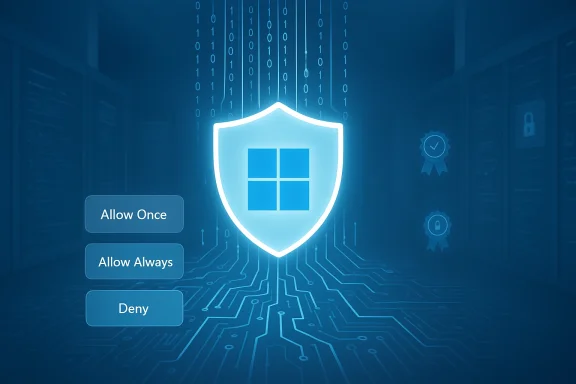
Windows’ second major change—User Transparency and Consent (UTC)—brings smartphone-style, human‑readable permission prompts to desktop Windows. Key elements:- Standardized runtime prompts when apps or agents attempt to access sensitive resources (files, camera, microphone) or try to install bundled software. such as Allow once, Allow always, or Deny, plus time‑boxed permissions that expire when an app closes to prevent permission creep.
- Revocation and auditing, with decisions logged and surfaced in a central settings area so users and administrators can review and revoke permissions later.
- Agent accountability: Autonomous agents are treated as distinct principals with logged identities and provenance so their actions are visible and attributable.
The practical mechanics: exceptions, APIs, and rollout
Exceptions and audibility
Microsoft recognizes that Windows’ openness matters—line‑of‑business (LOB) apps, specialized peripherals, and niche tools sometimes require unsigned components. To balance security with compatibility:- Exceptions are explicit, auditable, and revocable. Administrators can pre‑authorize apps via management tools; end users on unmanaged devices can create per‑app exceptions with logs that administrators can later review.
- Exception flows are designed to be discoverable: apps should be able to detect when they’re blocked and present guided remediation steps (e.g., provide a signed update or instructions to ask an admin for approval).
Developer-facing APIs and guidance
Microsoft will provide APIs for apps and installers to:- Query whether BSM is active on the device.
- Detect whether a given binary or component is blocked and whether an exception exists.
- Surface remediation guidance to users, such as links to signed versions or corporate approval workflows.
Phased rollout, simulation-first approach
Enforcement will be phased. Microsoft emphasizes an initial focus on visibility—new settings, telemetry, and APIs—followed by incremental enforcement of runtime blocks. Administrators will be able to run simulations and impact reports to discover likely incompatibilities and stage approvals before strict enforcement is applied broadly. This staged approach is intended to reduce operational shock while giving ISVs and enterprises time to prepare.What this means for businesses and IT
Benefits
- Reduced attack surface: Blocking unsigned drivers and services prevents a well-known class of persistence and escalation techniques.
- Centralized control and auditability: Admins gain clearer ways to preauthorize apps and review permission/audit logs across fleets.
- Predictable security posture: Standardizing runtime integrity simplifies compliance posture and incident response playbooks, because the baseline is more uniform across devices.
Operational costs and planning
- Inventory and remediation: Enterprises will need to inventory legacy LOB apps and drivers that lack signatures and either sign, repackage, or plan exceptions.
- Certificate lifecycle management: Organizations must manage code-signing certificates, including renewal, revocation, and secure storage—processes that are nontrivial at scale.
- Testing and simulation: Admins should run BSM in simulation mode across test environments to spot compatibility issues before enabling enforcement.
- Helpdesk impact: Expect an initial uptick in support tickets for blocked tools, installers, or peripherals until exceptions and signed replacements are in place.
What this means for consumers, power users and hobbyists
The trade-offs
- Improved security and privacy come with occasional friction: older hardware, DIY drivers (e.g., bespoke audio or niche peripherals), and hobbyist apps may be blocked until signed or explicitly approved.
- Clearer prompts should reduce stealthy installs and abusive bundling, but poorly designed prompts risk prompt fatigue—users clicking “Allow” without reading. Microsoft’s design decisions around granularity (Allow once vs Allow always) and revocability are therefore critical.
How to prepare (consumer checklist)
- Keep Windows and drivers up to date—OEMs will publish signed driver updates to reduce compatibility friction.
- For legacy devices, check vendor support pages for signed driver packages or firmware updates.
- If you run niche or unsigned software, consider asking vendors to provide signed versions or signing their installer with a certificate.
- Learn where Windows will surface permission settings and audit logs so you can revoke access if a prompt was allowed accidentally.
Developer and ISV impact: signing, attestation, and developer workflows
Independent developers and small ISVs are the group most likely to feel short-term pain. The new baseline brings three main requirements:- Code signing becomes essential. Whether via EV code-signing certificates or modern attestation mechanisms, developers must maintain certificate hygiene—secure storage, rotation, and revocation capabilities.
- Installer design changes. Installers that bundle secondary software or modify system settings may now trigger explicit consent prompts; vendors should design unobtrusive, transparent installers and avoid sneaky bundling.
- API integration. Use the BSM and UTC APIs to detect enforcement state and present meaningful remediation to users rather than leaving them with cryptic errors.
Hardware vendors and drivers: why this matters for OEMs
Drivers are a central vector for privilege and persistence, so tighter driver signing and attestation policies matter deeply to OEMs and peripheral vendors.- Modern driver signing and attestation reduces the chance that low-level code can be exploited or used for stealthy persistence, but OEMs must ensure firmware and driver packages are signed, up-to-date, and available for older devices where possible.
- Microsof refreshed Secure Boot certificates and recommended firmware updates for legacy devices; tighter runtime enforcement makes those updates more important, because expired or unsigned platform components may be blocked. Vendors should coordinate driver updates with their customers to avoid sudden compatibility breakages.
Risks, downsides, and areas that need watching
No security change is risk-free. The main concerns:- Compatibility shocks: Even with a simulation-first rollout, there will be edge cases—specialized scientific instruments, bespoke LOB apps, or legacy gaming mods—that depend on unsigned drivers or low-level hooks.
- Administrative burden: Certificate lifecycle management and exception governance create real operational overhead for IT teams.
- Prompt fatigue: Poorly designed permission prompts will reduce effectiveness; users may simply grant access to avoid interruption, undercutting UTC’s benefits.
- False sense of invulnerability: BSM raises the bar but does not eliminate risk—signed software can still be malicious or compromised. Organizations should maintain defense-in-depth: endpoint detectiond robust incident response.
How to prepare your organization: an actionable playbook
- Inventory: Catalog all kernel-mode drivers, background services, installers, and LOB apps. Tag items without valid signing.
- Prioritize: Identify high-risk unsigned code used widely across the fleet—replace or plan exceptions for those first.
- Acquire signing capability: For internal tools, set up code-signing with appropriate controls (HSMs/Key Vault) and establish rotation policies.
- Test with simulation: Run BSM in simulation mode across pilot groups and capture impact reports.
- Update management policies: Work with MDM/endpoint management teams to prepare pre-authorization workflows and audit reporting.
- Train helpdesk and users: Prepare messaging about prompts and revocation steps to reduce support load when BSM begins enforcement.
What to watch next
- Official Microsoft documentation and the Windows Experience Blog will publish detailed developer and IT guidance—watch for the full technical specs on signing and attestation, the APIs for BSM/UTC, and enterprise management controls.
- OEMs and hardware vendors should post driver updates for older devices; check vendor portals if you rely on specialty peripherals.
- Independent testing and early adopter reports will reveal the first real-world compatibility issues—those reports will be the fastest signal of where BSM enforcement will cause friction. Industry outlets are already cataloging the announcement and initial reactions.
Bottom line Security Mode and User Transparency and Consent represent one of the most consequential security posture changes for Windows in recent memory. The shift to default runtime integrity and mobile-style permissions promises meaningful reductions in common persistence and privacy abuses, while the provision of APIs, auditable exceptions, and a simulation-first rollout reflect a pragmatic approach to the compatibility pain this will cause.
That said, the change reallocates the burden: developers, IT teams, and hardware vendors must adapt processes—signing, attestation, packaging and exception governance—to preserve functionality. For individual users, the immediate effect should be safer defaults and clearer permission prompts, at the cost of occasional friction with older drivers and niche tools.For any organization or power user planning for the change: start an inventory now, test BSM in simulation, and push vendors to provide signed driver updates. Microsoft’s stated roadmap promises time to adapt; how smoothly the transition goes will depend on the quality of the supporting documentation, the clarity of prompts, and how well the industry adopts signing and attestation practices.
Microsoft’s announcement aims to protect over a billion Windows 11 devices by making the OS harder to misuse rather than assuming users or third‑party tools will make the right choices—a necessary step in a landscape where attackers exploit permissive defaults and complex toolchains. The tradeoffs are real, but for many environments the balance—stronger defaults with structured, auditable exceptions—is likely to be the right one.
Source: Moneycontrol https://www.moneycontrol.com/techno...software-before-it-runs-article-13827919.html
