

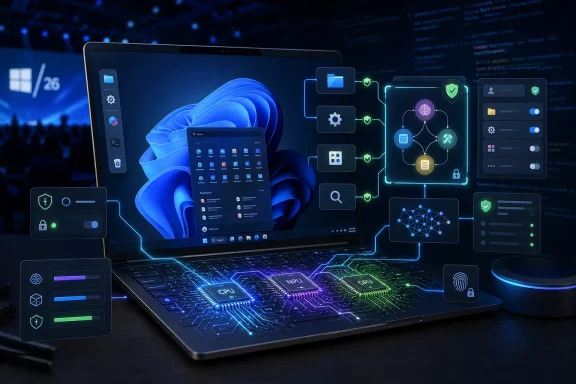
Microsoft is using Windows 11, Windows ML, Foundry Local, Copilot agents, and new developer tooling announced around Build 2026 to move AI from a cloud add-on into the operating system’s local runtime, security model, application APIs, and everyday user interface. The change is bigger than another Copilot button, and more consequential than a few demo features in Paint or File Explorer. Microsoft is trying to make Windows the place where AI work happens, not merely the place where an AI chatbot is opened. That ambition could make PCs more useful, cheaper to run, and more private — but it also turns the operating system itself into a much larger trust boundary.
For most of the Windows 11 era, Microsoft’s AI pitch has felt oddly external to Windows. Copilot arrived as a panel, then an app, then a brand umbrella, but it often behaved like a web service wearing native clothes. The operating system was still recognizably Windows, with AI bolted onto the side like the weather widget, the Store, or Teams Chat before it.
The Build 2026 message is different. Microsoft is now talking about Windows as an AI runtime, a local execution layer for models and agents that can run without sending every prompt to a remote data center. That does not mean Windows is suddenly a sentient assistant, and it does not mean the cloud disappears. It means Microsoft wants developers to assume that a modern Windows 11 PC has AI primitives available in the same way they assume it has graphics, networking, storage, authentication, and accessibility APIs.
That shift matters because operating systems win by making difficult things boring. Windows did not become dominant merely because it had a graphical shell; it became dominant because it gave software makers stable assumptions about drivers, input, memory, files, identity, and eventually enterprise management. Microsoft’s AI strategy is now trying to do the same thing for inference, agents, model selection, local acceleration, and policy control.
The phrase that should make IT departments pay attention is “unmetered intelligence.” It is marketing, but it is also a real architectural argument. If AI inference can happen locally, there is no per-token cloud bill, less round-trip latency, and a clearer story around sensitive data that should not leave the device. That is the kind of pitch that moves AI from executive keynote theater into procurement spreadsheets.
Windows ML is the boring name attached to a potentially important idea: giving developers a standard way to run machine-learning models efficiently across CPUs, GPUs, and NPUs. That abstraction is vital because the PC hardware market is messy. Qualcomm, Intel, AMD, Nvidia, and others all want a piece of the AI PC story, but developers do not want to hand-optimize every feature for every silicon vendor’s preferred stack.
If Microsoft can make Windows the compatibility layer for local AI, it gives developers a reason to target Windows first again. That is a subtle but meaningful reversal. Over the last decade, much of the developer mindshare shifted toward web apps, Linux servers, containers, mobile platforms, and cloud APIs. Microsoft’s new pitch is that Windows can be both the user’s everyday desktop and the edge node where AI workloads run safely and cheaply.
Foundry Local extends that argument beyond the OS boundary. It gives developers a way to bring models closer to the user, including offline or low-latency scenarios where a cloud-only assistant would be too slow, too expensive, or too risky. The important part is not that every PC will suddenly run frontier-class models. It is that a growing class of smaller, task-specific models can live where the files, applications, and user context already are.
This is why the “AI operating system” phrase is less silly than it first sounds. An OS is not just a shell. It is a broker of resources, permissions, identity, hardware acceleration, app communication, and user intent. Once AI becomes another resource to broker, the operating system naturally becomes one of the most contested layers in the stack.
Local inference changes that equation for a subset of tasks. A model running on a user’s PC does not need to ask Azure for permission every time it summarizes a document, labels an image, transcribes audio, rewrites a sentence, or extracts intent from a command. The PC has already been bought, the electricity is local, and the hardware accelerator is otherwise sitting idle much of the time.
That does not make AI “free” in an absolute sense. Local models consume power, memory, storage, and engineering effort. They also need updates, evaluation, safety controls, and graceful fallback when the hardware is not capable enough. But from a product-design perspective, the difference between a metered API call and a local capability is enormous.
It changes what developers are willing to build. A feature that would be too expensive if every click triggered a cloud model can become plausible if inference runs on-device. That opens the door to ambient AI features that do not feel like premium events: smarter search, semantic file organization, local transcription, image cleanup, command interpretation, app automation, and accessibility improvements.
It also changes the privacy conversation. “No sensitive data leaves the device” is one of the strongest arguments Microsoft can make to regulated industries, government customers, legal departments, health care providers, and security-conscious consumers. The difficulty is that Microsoft must make that sentence operationally true, not merely rhetorically comforting.
Microsoft now appears to be broadening the target. Windows AI APIs reaching beyond Copilot+ PCs, local models using CPUs and GPUs as well as NPUs, and development tools that abstract hardware differences all point in the same direction. Microsoft still wants to sell the premium AI PC, but it cannot afford to make the AI operating system dependent on a narrow hardware class.
That is a practical concession to the installed base. Enterprises do not replace fleets overnight because a keynote says “NPU.” Schools, small businesses, home users, and public-sector organizations may keep Windows 11 machines for years. If AI features only work on the newest devices, the platform fragments before the ecosystem matures.
At the same time, the hardware story still matters. Running AI locally is only compelling if it is fast enough, quiet enough, and battery-efficient enough to fade into the background. A laptop that spins up fans every time an assistant parses a folder is not an AI PC; it is a reminder that software ambition has exceeded thermal reality.
The most likely near-term result is a tiered Windows AI experience. Some features will run almost anywhere, some will require a modern GPU or NPU, and the best experiences will be reserved for newer systems. Microsoft will try to hide that complexity behind APIs and branding, but IT departments will still have to test which machines can do what, under which policies, and with what performance trade-offs.
Microsoft knows this, which is why its agent story is wrapped in language about trust, containment, permissions, and enterprise governance. Agent workspaces, execution containers, connector registries, and policy controls are not decorative technicalities. They are the difference between a useful assistant and a roaming automation process with a charming voice and too much access.
The security problem is not hypothetical. If an AI agent can read files, click buttons, invoke app capabilities, or chain together tasks, then attackers will try to manipulate it. Prompt injection, malicious documents, poisoned web pages, misleading UI text, and overbroad permissions all become part of the Windows threat model. The old advice of “do not run unknown executables” becomes harder to apply when the system itself is interpreting natural-language intent across trusted and untrusted content.
This is where Microsoft’s enterprise heritage may help. Windows already has decades of machinery for identity, policy, auditing, device management, application control, and least-privilege access. If Microsoft can make AI agents fit into those models rather than bypass them, Windows could become a more credible place to run agentic workflows than a random browser extension or SaaS plug-in.
But the burden of proof is high. Windows users have been trained by experience to distrust features that arrive enabled by default, collect context opaquely, or blur the line between local control and cloud dependency. Microsoft’s Recall controversy demonstrated how quickly an AI productivity feature can become a privacy flashpoint when users believe the operating system is recording too much of their activity. Agents will invite the same scrutiny, only with the added fear that the system may not just remember what happened, but do something about it.
The Settings app did not solve that problem. Control Panel still lurks. Legacy dialogs persist. Enterprise policies override consumer-friendly toggles. Drivers add their own panels. Apps install background components. Windows is powerful, but it is not simple, and natural language offers Microsoft a way to paper over that complexity without actually removing it.
That is also the danger. A natural-language interface can make a system feel simpler while making its behavior harder to predict. Menus are annoying, but they are inspectable. A command typed into an AI box depends on model interpretation, available tools, permissions, context, and sometimes cloud-side changes the user cannot see.
For accessibility and novice users, the upside is real. A PC that can understand plain-English instructions could reduce the penalty for not knowing Windows vocabulary. For power users and administrators, the value depends on determinism. They will not tolerate an assistant that “probably” changed the right setting, “usually” found the right file, or “seemed” to apply the intended policy.
The best version of this future is not a magical chatbox replacing Windows. It is a layered interface where natural language proposes, explains, previews, and automates — while the underlying system remains auditable. Microsoft should be judged less by how impressive its demos look and more by whether users can see what an agent plans to do before it does it.
This is a major platform move. In the traditional Windows model, an app presents windows, menus, files, protocols, and maybe command-line options. In the agentic model, the app also advertises what it can do: send a message, create a calendar item, resize an image, convert a document, query a database, open a project, run a build, or generate a report.
That could be powerful. It could also become another compatibility burden in a platform already full of them. Developers will have to decide whether the additional work is worth it, which will depend on user demand, Microsoft’s tooling, documentation, Store incentives, and whether agent integration becomes table stakes in enterprise procurement.
The risk is that Microsoft creates a two-tier Windows ecosystem: apps that participate in the AI substrate and apps that remain old-fashioned GUI islands. The former become easier for agents to manipulate and therefore more useful in Microsoft’s future vision. The latter may continue to work perfectly well for humans but feel increasingly invisible to the OS-level assistant layer.
This has echoes of earlier platform transitions. Search indexing, jump lists, notifications, share contracts, file associations, and accessibility APIs all rewarded apps that integrated with the operating system’s conventions. AI capabilities may become the next such convention, except the stakes are higher because the integrating party is not just the shell — it is a decision-making system.
Local AI complicates asset management. Organizations will need to know which devices have NPUs, which can fall back to GPUs, which features run acceptably on CPUs, and which machines should be excluded. The traditional Windows compatibility matrix expands to include model performance, memory pressure, driver quality, and silicon-specific execution providers.
It also complicates security baselines. If agents can interact with files and apps, administrators need policies that distinguish between reading, writing, executing, sharing, and invoking external services. A blanket enable-or-disable switch may be too crude, but overly granular controls may become unmanageable. Microsoft’s challenge is to expose enough policy surface for regulated environments without turning AI governance into Group Policy archaeology.
Support desks will also inherit a new class of tickets. Users will ask why an AI feature is unavailable, why it produced a different result on another machine, why it cannot access a file, why it changed the wrong setting, or why it refuses to perform a task. Many of these issues will sit awkwardly between help desk, security, app owner, and vendor support.
The economics may still be attractive. If local AI reduces cloud consumption, improves accessibility, automates repetitive tasks, and keeps sensitive data on-device, enterprises will listen. But they will not adopt the AI OS on trust. They will demand logs, controls, documentation, rollback paths, and proof that the new intelligence does not become a new shadow IT layer blessed by the operating system vendor.
That last question is politically important for Windows. Microsoft has a long history of pushing features users did not ask for, from browser prompts to account nudges to Start menu recommendations. Even useful AI features can be poisoned by aggressive promotion. If Windows 11 becomes an AI operating system by constantly interrupting the user to announce that fact, the backlash will be immediate and deserved.
The company has to resist the temptation to treat every surface as an upsell opportunity. The best AI in Windows may be the kind users barely notice: better search, cleaner dictation, smarter image handling, improved captions, more capable accessibility tools, faster local automation, and context-aware help that does not require surrendering the desktop to a chatbot.
There is also a trust gap between “runs locally” and “feels private.” Users have become accustomed to software that says one thing in the product pitch and another in the settings maze. If Microsoft wants credit for on-device AI, it needs clear indicators of when data stays local, when cloud services are used, and what is retained.
The consumer version of the AI OS will succeed only if it feels like an upgrade to personal computing rather than another layer of Microsoft telling users how they should work. People do not want an operating system that performs intelligence at them. They want one that makes the machine less tedious.
If Microsoft gets this right, Windows 11 could become the most practical AI platform in everyday computing. Not the most glamorous, not the most powerful, and not the purest expression of frontier-model research, but the place where AI tools meet files, apps, peripherals, enterprise policy, and users who just need work done. That would be a defensible future for the PC in an era when much of computing has moved into browsers and phones.
If Microsoft gets it wrong, the AI OS becomes another chapter in Windows feature bloat. Users will see more background processes, more confusing settings, more branding, more privacy anxiety, and more reasons to distrust updates. Developers will ignore the APIs, enterprises will disable the agents, and Copilot will remain a product name in search of a daily habit.
The next year or two will reveal which version Microsoft is building. The company has the pieces: local inference, developer APIs, model tooling, agent containment, management hooks, and a massive installed base. What it does not yet have is broad user permission to make AI part of the operating system’s center of gravity.
 Microsoft Finally Stops Treating AI as a Sidebar
For most of the Windows 11 era, Microsoft’s AI pitch has felt oddly external to Windows. Copilot arrived as a panel, then an app, then a brand umbrella, but it often behaved like a web service wearing native clothes. The operating system was still recognizably Windows, with AI bolted onto the side like the weather widget, the Store, or Teams Chat before it.The Build 2026 message is different. Microsoft is now talking about Windows as an AI runtime, a local execution layer for models and agents that can run without sending every prompt to a remote data center. That does not mean Windows is suddenly a sentient assistant, and it does not mean the cloud disappears. It means Microsoft wants developers to assume that a modern Windows 11 PC has AI primitives available in the same way they assume it has graphics, networking, storage, authentication, and accessibility APIs.
That shift matters because operating systems win by making difficult things boring. Windows did not become dominant merely because it had a graphical shell; it became dominant because it gave software makers stable assumptions about drivers, input, memory, files, identity, and eventually enterprise management. Microsoft’s AI strategy is now trying to do the same thing for inference, agents, model selection, local acceleration, and policy control.
The phrase that should make IT departments pay attention is “unmetered intelligence.” It is marketing, but it is also a real architectural argument. If AI inference can happen locally, there is no per-token cloud bill, less round-trip latency, and a clearer story around sensitive data that should not leave the device. That is the kind of pitch that moves AI from executive keynote theater into procurement spreadsheets.
The Real Product Is Not Copilot, It Is the Runtime
Microsoft would probably prefer users to associate all of this with Copilot, because Copilot is the brand it has spent years stapling onto Windows, Microsoft 365, Edge, GitHub, Security, and nearly everything else in Redmond’s orbit. But for Windows itself, Copilot is only the visible layer. The more important work is happening underneath, in Windows ML, Foundry Local, Windows AI APIs, and the agent infrastructure that lets software expose capabilities to AI systems.Windows ML is the boring name attached to a potentially important idea: giving developers a standard way to run machine-learning models efficiently across CPUs, GPUs, and NPUs. That abstraction is vital because the PC hardware market is messy. Qualcomm, Intel, AMD, Nvidia, and others all want a piece of the AI PC story, but developers do not want to hand-optimize every feature for every silicon vendor’s preferred stack.
If Microsoft can make Windows the compatibility layer for local AI, it gives developers a reason to target Windows first again. That is a subtle but meaningful reversal. Over the last decade, much of the developer mindshare shifted toward web apps, Linux servers, containers, mobile platforms, and cloud APIs. Microsoft’s new pitch is that Windows can be both the user’s everyday desktop and the edge node where AI workloads run safely and cheaply.
Foundry Local extends that argument beyond the OS boundary. It gives developers a way to bring models closer to the user, including offline or low-latency scenarios where a cloud-only assistant would be too slow, too expensive, or too risky. The important part is not that every PC will suddenly run frontier-class models. It is that a growing class of smaller, task-specific models can live where the files, applications, and user context already are.
This is why the “AI operating system” phrase is less silly than it first sounds. An OS is not just a shell. It is a broker of resources, permissions, identity, hardware acceleration, app communication, and user intent. Once AI becomes another resource to broker, the operating system naturally becomes one of the most contested layers in the stack.
Local AI Is Microsoft’s Answer to the Token Meter
The cloud made generative AI mainstream, but it also made the economics painfully visible. Every prompt costs somebody something. The user may not see the meter, but the vendor does, and the bill eventually reappears as subscription pricing, usage caps, enterprise licensing complexity, or quiet feature degradation.Local inference changes that equation for a subset of tasks. A model running on a user’s PC does not need to ask Azure for permission every time it summarizes a document, labels an image, transcribes audio, rewrites a sentence, or extracts intent from a command. The PC has already been bought, the electricity is local, and the hardware accelerator is otherwise sitting idle much of the time.
That does not make AI “free” in an absolute sense. Local models consume power, memory, storage, and engineering effort. They also need updates, evaluation, safety controls, and graceful fallback when the hardware is not capable enough. But from a product-design perspective, the difference between a metered API call and a local capability is enormous.
It changes what developers are willing to build. A feature that would be too expensive if every click triggered a cloud model can become plausible if inference runs on-device. That opens the door to ambient AI features that do not feel like premium events: smarter search, semantic file organization, local transcription, image cleanup, command interpretation, app automation, and accessibility improvements.
It also changes the privacy conversation. “No sensitive data leaves the device” is one of the strongest arguments Microsoft can make to regulated industries, government customers, legal departments, health care providers, and security-conscious consumers. The difficulty is that Microsoft must make that sentence operationally true, not merely rhetorically comforting.
The AI PC Was Only the Opening Bid
The first wave of Copilot+ PCs made the AI future look like a hardware refresh cycle. Buy a machine with a sufficiently powerful NPU, Microsoft said, and you would get special AI experiences that ordinary PCs could not run. That was a clean story for OEMs and chipmakers, but it also narrowed the pitch: AI in Windows became something associated with new laptops, premium silicon, and a handful of showcase features.Microsoft now appears to be broadening the target. Windows AI APIs reaching beyond Copilot+ PCs, local models using CPUs and GPUs as well as NPUs, and development tools that abstract hardware differences all point in the same direction. Microsoft still wants to sell the premium AI PC, but it cannot afford to make the AI operating system dependent on a narrow hardware class.
That is a practical concession to the installed base. Enterprises do not replace fleets overnight because a keynote says “NPU.” Schools, small businesses, home users, and public-sector organizations may keep Windows 11 machines for years. If AI features only work on the newest devices, the platform fragments before the ecosystem matures.
At the same time, the hardware story still matters. Running AI locally is only compelling if it is fast enough, quiet enough, and battery-efficient enough to fade into the background. A laptop that spins up fans every time an assistant parses a folder is not an AI PC; it is a reminder that software ambition has exceeded thermal reality.
The most likely near-term result is a tiered Windows AI experience. Some features will run almost anywhere, some will require a modern GPU or NPU, and the best experiences will be reserved for newer systems. Microsoft will try to hide that complexity behind APIs and branding, but IT departments will still have to test which machines can do what, under which policies, and with what performance trade-offs.
Agents Turn Convenience Into a Security Boundary
The most controversial part of Microsoft’s plan is not local inference. It is agents. A model that summarizes text is one thing; an agent that can act on files, applications, settings, browser sessions, and enterprise data is something else entirely.Microsoft knows this, which is why its agent story is wrapped in language about trust, containment, permissions, and enterprise governance. Agent workspaces, execution containers, connector registries, and policy controls are not decorative technicalities. They are the difference between a useful assistant and a roaming automation process with a charming voice and too much access.
The security problem is not hypothetical. If an AI agent can read files, click buttons, invoke app capabilities, or chain together tasks, then attackers will try to manipulate it. Prompt injection, malicious documents, poisoned web pages, misleading UI text, and overbroad permissions all become part of the Windows threat model. The old advice of “do not run unknown executables” becomes harder to apply when the system itself is interpreting natural-language intent across trusted and untrusted content.
This is where Microsoft’s enterprise heritage may help. Windows already has decades of machinery for identity, policy, auditing, device management, application control, and least-privilege access. If Microsoft can make AI agents fit into those models rather than bypass them, Windows could become a more credible place to run agentic workflows than a random browser extension or SaaS plug-in.
But the burden of proof is high. Windows users have been trained by experience to distrust features that arrive enabled by default, collect context opaquely, or blur the line between local control and cloud dependency. Microsoft’s Recall controversy demonstrated how quickly an AI productivity feature can become a privacy flashpoint when users believe the operating system is recording too much of their activity. Agents will invite the same scrutiny, only with the added fear that the system may not just remember what happened, but do something about it.
Natural Language Is the New Control Panel
Microsoft’s demos increasingly suggest a Windows where users express intent rather than navigate settings. Instead of hunting through menus, a user might ask the PC to change a configuration, find a buried document, prepare files for a meeting, clean up a desktop, or perform a multi-step workflow across apps. That is an attractive vision because Windows has accumulated four decades of interface sediment.The Settings app did not solve that problem. Control Panel still lurks. Legacy dialogs persist. Enterprise policies override consumer-friendly toggles. Drivers add their own panels. Apps install background components. Windows is powerful, but it is not simple, and natural language offers Microsoft a way to paper over that complexity without actually removing it.
That is also the danger. A natural-language interface can make a system feel simpler while making its behavior harder to predict. Menus are annoying, but they are inspectable. A command typed into an AI box depends on model interpretation, available tools, permissions, context, and sometimes cloud-side changes the user cannot see.
For accessibility and novice users, the upside is real. A PC that can understand plain-English instructions could reduce the penalty for not knowing Windows vocabulary. For power users and administrators, the value depends on determinism. They will not tolerate an assistant that “probably” changed the right setting, “usually” found the right file, or “seemed” to apply the intended policy.
The best version of this future is not a magical chatbox replacing Windows. It is a layered interface where natural language proposes, explains, previews, and automates — while the underlying system remains auditable. Microsoft should be judged less by how impressive its demos look and more by whether users can see what an agent plans to do before it does it.
Developers Are Being Asked to Make Their Apps Legible to Machines
An AI operating system cannot work if applications remain opaque islands. For agents to perform useful tasks, apps need to expose capabilities in structured ways. That means Windows developers may increasingly be asked not just to build interfaces for humans, but to describe actions, permissions, and data flows for AI systems.This is a major platform move. In the traditional Windows model, an app presents windows, menus, files, protocols, and maybe command-line options. In the agentic model, the app also advertises what it can do: send a message, create a calendar item, resize an image, convert a document, query a database, open a project, run a build, or generate a report.
That could be powerful. It could also become another compatibility burden in a platform already full of them. Developers will have to decide whether the additional work is worth it, which will depend on user demand, Microsoft’s tooling, documentation, Store incentives, and whether agent integration becomes table stakes in enterprise procurement.
The risk is that Microsoft creates a two-tier Windows ecosystem: apps that participate in the AI substrate and apps that remain old-fashioned GUI islands. The former become easier for agents to manipulate and therefore more useful in Microsoft’s future vision. The latter may continue to work perfectly well for humans but feel increasingly invisible to the OS-level assistant layer.
This has echoes of earlier platform transitions. Search indexing, jump lists, notifications, share contracts, file associations, and accessibility APIs all rewarded apps that integrated with the operating system’s conventions. AI capabilities may become the next such convention, except the stakes are higher because the integrating party is not just the shell — it is a decision-making system.
Enterprise IT Gets the Bill After the Keynote
For IT departments, Microsoft’s AI Windows push is not simply a productivity story. It is a governance story, a hardware lifecycle story, a data-classification story, and a support story. The most interesting question is not whether a demo can summarize a meeting. It is whether an administrator can explain, restrict, monitor, and troubleshoot that behavior across thousands of endpoints.Local AI complicates asset management. Organizations will need to know which devices have NPUs, which can fall back to GPUs, which features run acceptably on CPUs, and which machines should be excluded. The traditional Windows compatibility matrix expands to include model performance, memory pressure, driver quality, and silicon-specific execution providers.
It also complicates security baselines. If agents can interact with files and apps, administrators need policies that distinguish between reading, writing, executing, sharing, and invoking external services. A blanket enable-or-disable switch may be too crude, but overly granular controls may become unmanageable. Microsoft’s challenge is to expose enough policy surface for regulated environments without turning AI governance into Group Policy archaeology.
Support desks will also inherit a new class of tickets. Users will ask why an AI feature is unavailable, why it produced a different result on another machine, why it cannot access a file, why it changed the wrong setting, or why it refuses to perform a task. Many of these issues will sit awkwardly between help desk, security, app owner, and vendor support.
The economics may still be attractive. If local AI reduces cloud consumption, improves accessibility, automates repetitive tasks, and keeps sensitive data on-device, enterprises will listen. But they will not adopt the AI OS on trust. They will demand logs, controls, documentation, rollback paths, and proof that the new intelligence does not become a new shadow IT layer blessed by the operating system vendor.
Consumers Will Judge the AI OS by Annoyance, Not Architecture
Home users are not going to evaluate Windows ML execution providers or agent containment models. They will judge Microsoft’s AI push by simpler measures: Does it help? Does it get in the way? Does it respect privacy? Does it slow the PC down? Can it be turned off?That last question is politically important for Windows. Microsoft has a long history of pushing features users did not ask for, from browser prompts to account nudges to Start menu recommendations. Even useful AI features can be poisoned by aggressive promotion. If Windows 11 becomes an AI operating system by constantly interrupting the user to announce that fact, the backlash will be immediate and deserved.
The company has to resist the temptation to treat every surface as an upsell opportunity. The best AI in Windows may be the kind users barely notice: better search, cleaner dictation, smarter image handling, improved captions, more capable accessibility tools, faster local automation, and context-aware help that does not require surrendering the desktop to a chatbot.
There is also a trust gap between “runs locally” and “feels private.” Users have become accustomed to software that says one thing in the product pitch and another in the settings maze. If Microsoft wants credit for on-device AI, it needs clear indicators of when data stays local, when cloud services are used, and what is retained.
The consumer version of the AI OS will succeed only if it feels like an upgrade to personal computing rather than another layer of Microsoft telling users how they should work. People do not want an operating system that performs intelligence at them. They want one that makes the machine less tedious.
The Windows AI Bet Comes Down to Control
Microsoft’s argument is that AI belongs in the operating system because the operating system is where context, hardware, applications, identity, and policy meet. That is a strong argument. It is also self-serving, because the company that controls the OS gains enormous leverage over how AI features are distributed, governed, monetized, and measured.If Microsoft gets this right, Windows 11 could become the most practical AI platform in everyday computing. Not the most glamorous, not the most powerful, and not the purest expression of frontier-model research, but the place where AI tools meet files, apps, peripherals, enterprise policy, and users who just need work done. That would be a defensible future for the PC in an era when much of computing has moved into browsers and phones.
If Microsoft gets it wrong, the AI OS becomes another chapter in Windows feature bloat. Users will see more background processes, more confusing settings, more branding, more privacy anxiety, and more reasons to distrust updates. Developers will ignore the APIs, enterprises will disable the agents, and Copilot will remain a product name in search of a daily habit.
The next year or two will reveal which version Microsoft is building. The company has the pieces: local inference, developer APIs, model tooling, agent containment, management hooks, and a massive installed base. What it does not yet have is broad user permission to make AI part of the operating system’s center of gravity.
The New Windows Contract Is Written in Models, Policies, and Silicon
The practical takeaway is that Microsoft’s AI push is no longer just a branding exercise. Windows 11 is being reshaped around local model execution, agentic workflows, and developer-facing AI infrastructure, and that will affect everyone from enthusiasts choosing a laptop to administrators writing endpoint policy.- Windows 11’s AI future depends less on the Copilot app than on Windows ML, Foundry Local, Windows AI APIs, and the system services that let models run locally.
- Local inference gives Microsoft a credible answer to cloud cost, latency, and data-residency concerns, but it shifts complexity onto device hardware, drivers, power use, and support.
- Copilot+ PCs remain important, but Microsoft appears to be building an AI layer that can reach more Windows 11 machines through CPUs, GPUs, and NPUs rather than only premium AI laptops.
- Agents are the highest-risk part of the strategy because they turn AI from a feature that answers into a feature that acts.
- Enterprise adoption will depend on governance, auditability, policy controls, and predictable behavior more than on keynote demos.
- Consumer acceptance will depend on whether Microsoft makes AI useful and optional-feeling, not merely unavoidable.
References
- Primary source: Computerworld
Published: Fri, 26 Jun 2026 11:03:25 GMT
Microsoft is turning Windows 11 into an AI operating system – Computerworld
Bit by bit, the company is weaving AI throughout its desktop OS. www.computerworld.com
- Official source: developer.microsoft.com
Windows AI | Microsoft Developer
A unified, reliable and secure platform supporting the AI developer lifecycle from model selection, fine-tuning, optimizing and deployment across CPU, GPU, NPU and cloud.developer.microsoft.com - Related coverage: windowslatest.com
Microsoft pledges to make Windows 11 the OS for building AI, after years of Copilot backlash
Microsoft is turning Windows 11 into agent-native at Build 2026, adding local AI models and OS-level security to fix its developer platform. www.windowslatest.com
- Related coverage: techspot.com
Windows ML debuts for all developers, enabling AI apps to run directly on local hardware | TechSpot
After its original introduction at Build 2025, Microsoft has now made Windows ML generally available to all developers targeting Windows 11 24H2. The technology provides a runtime...www.techspot.com - Related coverage: techcrunch.com
Microsoft wants to make Windows an AI operating system, launches Copilot+ PCs | TechCrunch
Microsoft unveiled a new lineup of Windows machines it's calling Copilot+ PCs, plus generative AI-powered features. And new Microsoft Surface devices are on the way.techcrunch.com - Related coverage: pcworld.com
Every Windows 11 PC is becoming an AI PC. What does that mean for Copilot+? | PCWorld
Virtually none of Microsoft's new Copilot features requires a Copilot+ PC or an NPU, as Microsoft sets out to make every PC an AI PC. So what does that mean for local AI and NPUs?www.pcworld.com
- Official source: blogs.microsoft.com
Microsoft Build 2026: Be yourself at work - The Official Microsoft Blog
Platforms shift when developers build. We explore, choose tools, dream, create. This platform shift comes with more information than ever, ready at your fingertips. This shift, it’s about building fast AND THEN: it’s about building, operating, optimizing and observing. Securing your...blogs.microsoft.com - Official source: blogs.windows.com
Build 2026: Furthering Windows as the trusted platform for development
Build is one of our favorite moments each year - a chance to connect with the global developer community and share what we’ve been building. Over the past year, we have connected with many developers pushing the boundaries of what’s possible onblogs.windows.com - Related coverage: venturebeat.com
Microsoft remakes Windows for an era of autonomous AI agents | VentureBeat
Microsoft is transforming Windows 11 into an AI-native operating system with built-in agent infrastructure, enabling autonomous AI agents to securely perform tasks across 1.4 billion devices.venturebeat.com - Related coverage: visualstudiomagazine.com
At Build 2026, Microsoft Sets Up Windows as an OS for AI Agents -- Visual Studio Magazine
Microsoft's Build 2026 Windows developer announcements point to a broader platform strategy for agentic AI, spanning terminal workflows, local models, app-building skills, Cloud PCs and operating system-level containment.visualstudiomagazine.com - Official source: devblogs.microsoft.com
Foundry Local is now Generally Available | Microsoft Foundry Blog
Ship local AI to millions of devices - fast, private on-device inference with no per-token costs.devblogs.microsoft.com - Related coverage: tomshardware.com
Microsoft unveils Project Solara AI, a chip-to-cloud platform built to power a new generation of 'agent-first' enterprise devices — hardware designed to run AI agents instead of traditional apps | Tom's Hardware
Microsoft ditches Windows to build OS on Androidwww.tomshardware.com - Related coverage: techradar.com
Windows 11 users rebel as top Microsoft exec says operating system is 'evolving into an agentic OS' | TechRadar
Or alternatively, it's evolving into an OS that's driving people to macOS or Linux, if you listen to some of the angry feedbackwww.techradar.com - Official source: cdn-dynmedia-1.microsoft.com
- Related coverage: windowscentral.com
Microsoft is adding an 'experimental agentic features' toggle to Windows 11 as it gears up for AI OS future | Windows Central
The latest Windows 11 preview builds now include a new toggle dubbed 'experimental agentic features' which Microsoft says is designed to allow AI agents to take control of your PCwww.windowscentral.com - Official source: download.microsoft.com
- Official source: microsoft.com
- Official source: news.microsoft.com
