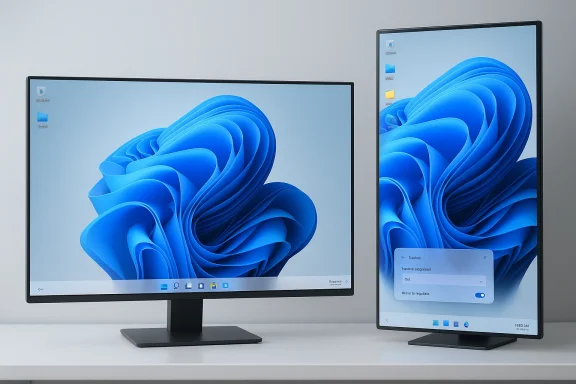
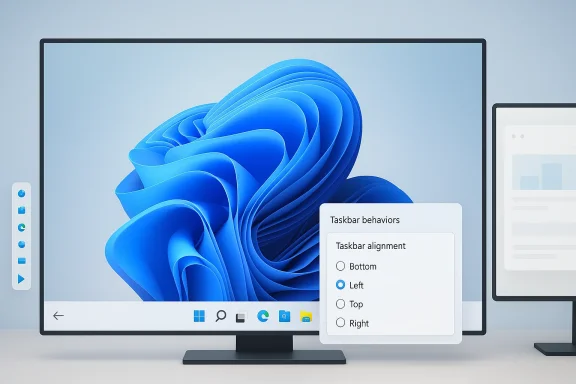
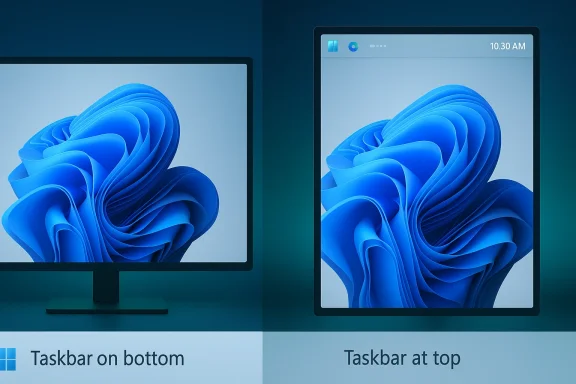
It took almost five years, but Microsoft is finally preparing to give Windows 11 users back one of Windows’ most familiar desktop behaviors: the ability to move the taskbar to the top or sides of the screen. The timing matters because this is not just a cosmetic tweak; it is part of a broader course correction for an operating system that has drawn steady criticism for trimming away power-user features while failing to deliver a fully convincing replacement. Microsoft’s own Windows chief, Pavan Davuluri, framed the change as a direct response to a top user request, signaling that the company is now treating long-standing taskbar flexibility as a priority rather than an afterthought.
Windows 11 launched in 2021 with a taskbar that looked modern but behaved more like a prototype than a mature desktop control strip. It centered Start and pinned icons, removed several configuration options, and locked the bar to the bottom edge of the display. For many users, that felt less like refinement and more like regression, especially because Windows had offered movable taskbars for decades.
Microsoft’s decision was not accidental. The Windows 11 taskbar was rebuilt on a new architecture associated with Windows 10X, the now-canceled effort that was originally intended for dual-screen hardware before its ideas were folded into Windows 11. That heritage explains a lot: the design was cleaner, but the feature set was thinner, and the taskbar lost capabilities that many people considered essential.
What makes the current reversal notable is that Microsoft is not merely restoring one setting. It is slowly rebuilding trust with users who felt the company had optimized for visual polish at the expense of workflow. Over the past year, Microsoft has also been reintroducing things like a bigger clock with seconds, small taskbar icon behavior, and agenda-style calendar features that recall Windows 10’s more flexible desktop experience.
This is also happening against a competitive backdrop that has changed materially. Windows 10 support ended in October 2025, which means many holdouts who preferred the older taskbar model have had to migrate whether they wanted to or not. That gives Microsoft more leverage, but it also raises the stakes: when users have fewer escape routes, every missing feature becomes more visible.
That is why the missing movable taskbar became a lightning rod. For some, it was about ergonomics on ultrawide monitors. For others, it was about multi-display setups, vertical screen orientation, or simply muscle memory built over years of using Windows 10 and earlier versions. A “minor” preference in a settings menu can still be a major workflow dependency.
Microsoft’s broader challenge was that Windows 11 appeared to trade productivity flexibility for design consistency. The centered taskbar and simplified shell were easier to present as a consumer-friendly refresh, but they also made the platform feel less configurable than the Windows lineage users had come to expect. That tension has lingered ever since launch.
The result was a taskbar that felt designed around constrained form factors and touch-first thinking rather than the broad flexibility that defines classic Windows. The system could look polished on a presentation slide while still frustrating the users who spend eight or more hours a day inside the shell. That is the paradox Microsoft is now trying to unwind.
This matters because UI architecture is not just superficial skin. When a shell is rebuilt around different assumptions, restoring old behavior can become genuinely hard. Microsoft has previously hinted, indirectly through support responses and the evolution of the shell, that some Windows 10 taskbar behaviors were removed because the new framework was not built to support them cleanly.
That pattern suggests a broader internal rethink. Microsoft is not simply restoring legacy features in a one-off fashion; it is testing which pieces of the old interaction model still make sense in the new shell. That is a safer rollout strategy, but it is also a tacit admission that the launch version of Windows 11 was too restrictive.
The newly discussed movable taskbar fits neatly into that story. According to the reporting, the setting will arrive first for Windows Insiders before making its way to the general Windows 11 audience later this year. Microsoft is also said to be working on a smaller taskbar option, which would further increase the density and flexibility of the desktop.
That sort of control is often underestimated. Small UI decisions can reduce friction in dozens of tiny daily moments, and those moments compound over time. Even people who never actively think about the taskbar notice when the desktop feels less adaptable than it used to.
There is also a psychological element. When an operating system removes familiar options, users often interpret it as a message that their habits no longer matter. Reversing that message can do more to soften Windows 11’s reputation than a flashy new AI feature ever will. Trust, in desktop computing, is often built from unglamorous concessions.
Microsoft’s partial retreat on taskbar restrictions may therefore be less about appeasing a loud minority and more about preserving the credibility of Windows as a professional desktop platform. The company cannot rely indefinitely on “newer” being a sufficient selling point if the older environment still feels more capable. That is especially true now that Windows 10’s end-of-support date has passed.
The power-user argument also reaches into enterprise deployment. Organizations that standardize desktops want predictability, but they also need support for a wide range of workflows, display types, and accessibility needs. A rigid shell can become a hidden productivity tax when scaled across thousands of employees.
The broader market implication is that Windows still has to earn loyalty. The company can no longer assume that its installed base will accept feature regressions simply because the platform is dominant. That is especially important in a post-Windows 10 world, where upgrading is less optional and users are more likely to notice when upgrades are accompanied by losses.
There is also a third-party ecosystem angle. When Microsoft leaves basic shell customization out of the box, users tend to turn to tools such as StartAllBack or ExplorerPatcher. That creates a shadow market for desktop repair and enhancement. Bringing more of that functionality back natively reduces user dependence on unsupported solutions and improves platform coherence.
There is also a danger in promising restoration while offering only partial support. Windows users have long memories, and they can tell the difference between a full return and a constrained imitation. A feature that exists in name but fails in edge cases becomes a fresh source of complaints. Incomplete restoration is often worse than a clean no.
Finally, Microsoft must manage the visual coherence of a redesigned shell. Windows 11’s centered design language was built around certain assumptions, and moving the taskbar may require UI adjustments elsewhere. The challenge is to reintroduce flexibility without making the entire desktop feel stitched together from incompatible eras.
That timing also suggests Microsoft now views the taskbar less as a branding statement and more as a user-experience platform. In other words, the company seems willing to retreat from rigid design if the benefit is stronger satisfaction and lower friction. That is a healthy shift, even if it arrives later than many users would have liked.
It is worth noting that Microsoft has repeatedly talked about feedback loops, and the taskbar story is a textbook example of feedback eventually winning. The lesson is not that every complaint becomes a product change, but that sustained, specific, high-signal feedback can move even a big platform roadmap.
If Microsoft continues on this path, the next logical steps would be to revisit more of the Windows 10 desktop model where it still makes sense, while keeping the clean visual language that Windows 11 introduced. That means balancing restraint with configurability, which is difficult but not impossible. The company’s recent feature pattern suggests it understands that the old “simplify everything” era had real costs.
What happens next will likely depend on Insider feedback and on how cleanly the feature scales across hardware. If the implementation is solid, Microsoft can turn a years-long complaint into a case study in responsiveness. If it is messy, the company will have added one more reminder that Windows’ hardest problems are often the ones hidden in plain sight.
Source: The Verge Windows 11 is finally getting a movable taskbar
 Overview
Windows 11 launched in 2021 with a taskbar that looked modern but behaved more like a prototype than a mature desktop control strip. It centered Start and pinned icons, removed several configuration options, and locked the bar to the bottom edge of the display. For many users, that felt less like refinement and more like regression, especially because Windows had offered movable taskbars for decades.Microsoft’s decision was not accidental. The Windows 11 taskbar was rebuilt on a new architecture associated with Windows 10X, the now-canceled effort that was originally intended for dual-screen hardware before its ideas were folded into Windows 11. That heritage explains a lot: the design was cleaner, but the feature set was thinner, and the taskbar lost capabilities that many people considered essential.
What makes the current reversal notable is that Microsoft is not merely restoring one setting. It is slowly rebuilding trust with users who felt the company had optimized for visual polish at the expense of workflow. Over the past year, Microsoft has also been reintroducing things like a bigger clock with seconds, small taskbar icon behavior, and agenda-style calendar features that recall Windows 10’s more flexible desktop experience.
This is also happening against a competitive backdrop that has changed materially. Windows 10 support ended in October 2025, which means many holdouts who preferred the older taskbar model have had to migrate whether they wanted to or not. That gives Microsoft more leverage, but it also raises the stakes: when users have fewer escape routes, every missing feature becomes more visible.
Why the Taskbar Became a Symbol
The taskbar sounds mundane, but in Windows it is a daily-use control center. It anchors Start, app switching, system notifications, time, and window management. When Microsoft removes a familiar control from that layer, it changes the feel of the entire operating system more than many people expect.That is why the missing movable taskbar became a lightning rod. For some, it was about ergonomics on ultrawide monitors. For others, it was about multi-display setups, vertical screen orientation, or simply muscle memory built over years of using Windows 10 and earlier versions. A “minor” preference in a settings menu can still be a major workflow dependency.
Microsoft’s broader challenge was that Windows 11 appeared to trade productivity flexibility for design consistency. The centered taskbar and simplified shell were easier to present as a consumer-friendly refresh, but they also made the platform feel less configurable than the Windows lineage users had come to expect. That tension has lingered ever since launch.
Why users cared so much
A movable taskbar is not just about aesthetics. It can improve reachability, accommodate different display geometries, and fit specialized workflows in business, development, and creative environments. For users working in remote desktops, dense enterprise app layouts, or multiple monitor configurations, the feature is practical, not decorative.- It supports muscle memory built over decades.
- It helps with ultrawide and multi-monitor setups.
- It can improve accessibility and comfort.
- It matters more to power users than casual users.
- It reduces the sense of forced uniformity in the OS.
The Windows 10X Legacy
Windows 11’s taskbar problems make more sense when viewed through the lens of Windows 10X. Microsoft had originally been building a simplified shell for dual-screen devices, and many of those ideas resurfaced in Windows 11 when the company reoriented its desktop strategy. That reorientation delivered a more modern appearance, but it also imported assumptions that did not fully fit traditional desktop use.The result was a taskbar that felt designed around constrained form factors and touch-first thinking rather than the broad flexibility that defines classic Windows. The system could look polished on a presentation slide while still frustrating the users who spend eight or more hours a day inside the shell. That is the paradox Microsoft is now trying to unwind.
This matters because UI architecture is not just superficial skin. When a shell is rebuilt around different assumptions, restoring old behavior can become genuinely hard. Microsoft has previously hinted, indirectly through support responses and the evolution of the shell, that some Windows 10 taskbar behaviors were removed because the new framework was not built to support them cleanly.
Architecture over appearance
A key lesson from Windows 11 is that visual modernity is not the same as functional completeness. Users do not evaluate the shell by abstract design principles; they evaluate it by how quickly and reliably it gets out of the way. If the new architecture cannot support familiar use cases, then the modernization feels incomplete, even if it looks better.- Windows 10X influenced the shell direction.
- The initial taskbar removed long-established controls.
- Restoring those controls requires engineering work, not just a checkbox.
- Power users notice architecture trade-offs first.
- Aesthetic simplification can hide functional loss until launch day.
Microsoft’s Slow Rebuild of the Taskbar
The good news for Windows loyalists is that Microsoft has already been backpedaling in measured steps. The company has tested taskbar icon scaling, so the bar can show smaller icons when crowded. It has also brought back a larger clock display with seconds and resumed work on calendar and notification-center elements that resemble Windows 10’s behavior.That pattern suggests a broader internal rethink. Microsoft is not simply restoring legacy features in a one-off fashion; it is testing which pieces of the old interaction model still make sense in the new shell. That is a safer rollout strategy, but it is also a tacit admission that the launch version of Windows 11 was too restrictive.
The newly discussed movable taskbar fits neatly into that story. According to the reporting, the setting will arrive first for Windows Insiders before making its way to the general Windows 11 audience later this year. Microsoft is also said to be working on a smaller taskbar option, which would further increase the density and flexibility of the desktop.
Why the Insider channel matters
The Windows Insider program is where Microsoft now validates how much of Windows 10-era behavior users still want back. That is important because the company can test not just whether a feature works, but whether it survives modern shell constraints and display scenarios. It is a safer place to reintroduce old-new behavior before the company commits it to the full stable channel.- Insiders serve as a real-world compatibility lab.
- Microsoft can catch edge cases before broad rollout.
- Legacy features can be gated behind options instead of defaults.
- The company can gauge actual user demand.
- Rollout timing signals confidence, or lack of it.
What Changes for Everyday Users
For consumers, the ability to move the taskbar is mostly about comfort and personal preference. If you have grown used to a bottom-docked centered taskbar, you may never touch it. But if you prefer a top-docked bar, or you like putting it vertically to free up horizontal space, this restores a bit of control that Windows 11 had taken away.That sort of control is often underestimated. Small UI decisions can reduce friction in dozens of tiny daily moments, and those moments compound over time. Even people who never actively think about the taskbar notice when the desktop feels less adaptable than it used to.
There is also a psychological element. When an operating system removes familiar options, users often interpret it as a message that their habits no longer matter. Reversing that message can do more to soften Windows 11’s reputation than a flashy new AI feature ever will. Trust, in desktop computing, is often built from unglamorous concessions.
Consumer value in simple terms
The consumer case is straightforward. This feature expands choice without forcing a new behavior on anyone who likes the current layout. In that sense, it is one of the best kinds of software change: visible, optional, and low-drama when implemented correctly.- More layout flexibility for home users.
- Better fit for large or oddly shaped displays.
- Easier adaptation to personal habits.
- Less dependence on third-party tools.
- A clearer sense that Microsoft is listening.
Why Power Users Still Matter
It is easy to dismiss the taskbar debate as nostalgia, but that misses the scale of Windows’ professional user base. Developers, designers, analysts, admins, traders, and support teams live in the shell all day, and they often value precision over visual novelty. For them, the taskbar is not a decoration; it is an efficiency layer.Microsoft’s partial retreat on taskbar restrictions may therefore be less about appeasing a loud minority and more about preserving the credibility of Windows as a professional desktop platform. The company cannot rely indefinitely on “newer” being a sufficient selling point if the older environment still feels more capable. That is especially true now that Windows 10’s end-of-support date has passed.
The power-user argument also reaches into enterprise deployment. Organizations that standardize desktops want predictability, but they also need support for a wide range of workflows, display types, and accessibility needs. A rigid shell can become a hidden productivity tax when scaled across thousands of employees.
Enterprise impact versus consumer impact
The enterprise impact is more subtle than the consumer impact, but potentially more important. A company may not care whether the taskbar can sit at the top of the screen in the abstract, yet it may care a great deal when a group of analysts or engineers claims a measurable productivity gain from that configuration. The user-experience delta becomes an operational question.- Enterprises care about workflow consistency.
- Consumer users care more about personal preference.
- Accessibility requirements can justify nonstandard layouts.
- Multi-monitor and vertical-monitor users benefit disproportionately.
- Third-party shell tools complicate managed environments.
The Competitive Implications
On the surface, this is a Windows housekeeping story. In practice, it is a competitive signal. Every feature Microsoft removes from Windows 11 creates an opening for alternative platforms to market themselves as more adaptable, and every feature it restores narrows that gap. Desktop operating systems compete as much on familiarity and trust as they do on raw technical merit.The broader market implication is that Windows still has to earn loyalty. The company can no longer assume that its installed base will accept feature regressions simply because the platform is dominant. That is especially important in a post-Windows 10 world, where upgrading is less optional and users are more likely to notice when upgrades are accompanied by losses.
There is also a third-party ecosystem angle. When Microsoft leaves basic shell customization out of the box, users tend to turn to tools such as StartAllBack or ExplorerPatcher. That creates a shadow market for desktop repair and enhancement. Bringing more of that functionality back natively reduces user dependence on unsupported solutions and improves platform coherence.
The ecosystem ripple effect
This kind of change can influence how independent utilities are perceived. If Microsoft restores enough of the old taskbar behavior, some shell-modification tools become less necessary for mainstream users, even if they remain useful for edge cases. That could reduce one small but meaningful pressure point around Windows stability and supportability.- Native support reduces reliance on hacks.
- Third-party tools may lose some appeal.
- Microsoft can present Windows 11 as maturing.
- The platform becomes easier to explain to new users.
- Feature parity with Windows 10 improves public perception.
The Risks of Reintroducing Old Flexibility
Restoring a movable taskbar is not simply a matter of toggling a hidden option back on. It may have implications for touch behavior, scaling, multi-monitor interaction, auto-hide logic, Start menu placement, and notification positioning. If Microsoft ships the feature with rough edges, it could generate the same kind of frustration that removing it created in the first place.There is also a danger in promising restoration while offering only partial support. Windows users have long memories, and they can tell the difference between a full return and a constrained imitation. A feature that exists in name but fails in edge cases becomes a fresh source of complaints. Incomplete restoration is often worse than a clean no.
Finally, Microsoft must manage the visual coherence of a redesigned shell. Windows 11’s centered design language was built around certain assumptions, and moving the taskbar may require UI adjustments elsewhere. The challenge is to reintroduce flexibility without making the entire desktop feel stitched together from incompatible eras.
Where Microsoft could stumble
The most obvious failure mode is inconsistency across display configurations. If top-docked or side-docked taskbars behave differently on multiple monitors, high-DPI screens, or tablet-oriented devices, the feature could become more trouble than it is worth. That is the sort of bug that only appears after broad adoption.- Edge cases may break faster than mainstream ones.
- Touch and pen workflows could need special handling.
- Notifications may need repositioning logic.
- Start menu behavior must stay predictable.
- Auto-hide and snapping rules may require rework.
What Microsoft’s Timing Tells Us
The timing of this change says almost as much as the change itself. Microsoft is not acting immediately after launch; it is moving after years of criticism, after Windows 10 support has ended, and after a series of smaller restorations that signal a deliberate reassessment. That is the cadence of a company responding to sustained pressure, not one acting from surprise.That timing also suggests Microsoft now views the taskbar less as a branding statement and more as a user-experience platform. In other words, the company seems willing to retreat from rigid design if the benefit is stronger satisfaction and lower friction. That is a healthy shift, even if it arrives later than many users would have liked.
It is worth noting that Microsoft has repeatedly talked about feedback loops, and the taskbar story is a textbook example of feedback eventually winning. The lesson is not that every complaint becomes a product change, but that sustained, specific, high-signal feedback can move even a big platform roadmap.
Timeline perspective
A clear timeline helps explain the reversal. Windows 11 arrived in 2021 with a simplified taskbar. Windows 10 support ended in October 2025. In 2026, Microsoft is now preparing to restore taskbar repositioning for Insiders and then for the broader audience later in the year. Those dates matter because they show just how long users have waited for a basic desktop option to return.- 2021: Windows 11 removes taskbar movement.
- 2022-2025: Users keep requesting restoration.
- October 2025: Windows 10 support ends.
- Early 2026: Microsoft signals a rollback.
- Later 2026: broad rollout is expected.
Strengths and Opportunities
The strongest aspect of this change is that it restores choice without forcing change. That is rare in modern operating system design, where platform vendors often assume more control than users would like. If Microsoft executes well, the taskbar update could become a small but meaningful symbol of a more user-respectful Windows 11. That symbolism matters.- Restores a long-requested Windows 10-era capability.
- Improves adaptability for multi-monitor and ultrawide setups.
- Helps Microsoft rebuild goodwill with power users.
- Reduces dependence on unsupported customization tools.
- Fits a broader pattern of feature restoration.
- Gives the Insider program a visibly useful role.
- Improves Windows 11’s credibility as a mature desktop OS.
Risks and Concerns
The main risk is that Microsoft reintroduces the feature only partially or inconsistently, creating a new class of bugs around the taskbar, Start, and notifications. Another concern is that the company may still prioritize surface-level modernity over deep configurability, leaving users with a compromise rather than a true return to form. A bad restoration can be as frustrating as a removal.- Edge cases could remain broken on certain displays.
- Touch and tablet modes may need special treatment.
- Third-party shell tools may still be required for niche needs.
- Users may see the change as overdue rather than generous.
- Microsoft could ship one option while withholding others.
- Visual coherence might suffer if the shell is only partly reworked.
- Enterprise admins may need to test the change carefully before broad deployment.
Looking Ahead
The real question is not whether Microsoft can move the taskbar again. It is whether the company can prove that Windows 11 is evolving into a more flexible platform instead of a more rigid one wearing a modern coat of paint. The taskbar is a small test with outsized meaning, because it touches both daily convenience and long-term trust.If Microsoft continues on this path, the next logical steps would be to revisit more of the Windows 10 desktop model where it still makes sense, while keeping the clean visual language that Windows 11 introduced. That means balancing restraint with configurability, which is difficult but not impossible. The company’s recent feature pattern suggests it understands that the old “simplify everything” era had real costs.
What happens next will likely depend on Insider feedback and on how cleanly the feature scales across hardware. If the implementation is solid, Microsoft can turn a years-long complaint into a case study in responsiveness. If it is messy, the company will have added one more reminder that Windows’ hardest problems are often the ones hidden in plain sight.
- Watch for Insider build notes confirming the rollout scope.
- Watch for whether the option works on all supported display positions.
- Watch for related taskbar features, including compact sizing.
- Watch for any changes to Start, notifications, or auto-hide behavior.
- Watch for enterprise guidance if the feature becomes broadly available.
Source: The Verge Windows 11 is finally getting a movable taskbar
Last edited: