

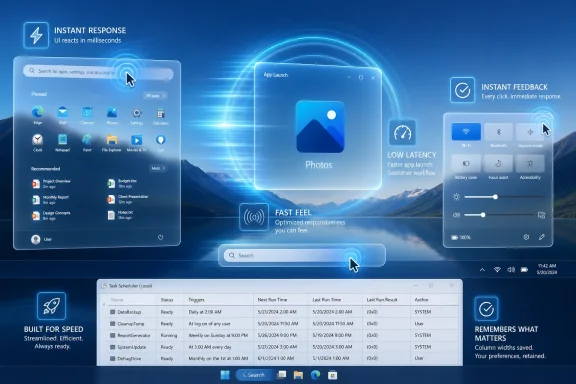
Microsoft released Windows 11 Insider Experimental 26H1 Preview Build 28120.2302 on June 12, 2026, for testers in the Experimental channel, delivering no headline features but promising faster app launches, snappier Start, Search, and Action Center behavior, and a small Task Scheduler usability fix. The build is not a showcase release; it is a feel release. That matters because Windows 11’s biggest performance problem has rarely been benchmark throughput. It has been the lingering impression that the shell sometimes hesitates before doing the ordinary things users ask of it all day.
Build 28120.2302 is easy to underestimate because it does not arrive with a redesigned app, a new AI surface, or a settings page that can be screenshotted into a product blog. Its most important line is almost aggressively plain: app launch and core shell experiences are faster. In Windows terms, that is both modest and enormous.
For years, Microsoft has treated Windows responsiveness as a background virtue rather than a front-stage feature. The company would talk about boot times, battery life, gaming optimizations, update efficiency, and silicon partnerships, while users judged the operating system by smaller rituals: how quickly Start opens, whether Search feels awake, whether a notification panel appears instantly or after a beat too long. Those moments do not usually define a spec sheet, but they define trust.
That is why this build lands differently from a typical Insider maintenance flight. It suggests Microsoft is again paying attention to the latency of intent — the gap between a user action and the operating system’s visible response. Windows can be technically capable and still feel tired if that gap widens in the places people touch most often.
The company has not published deep technical notes for Build 28120.2302, and that silence should keep the hype in check. But the chosen targets are revealing. Microsoft is not merely optimizing a single app; it is pointing at the shell, the place where Windows either feels cohesive or reminds users that decades of components are still negotiating with one another behind the glass.
The recent reshaping of Insider channels matters here. Microsoft’s 26H1 testing is not simply a branding exercise; it is a staging area for platform work that may or may not arrive in the exact same shape for mainstream users. When a build in this channel focuses on responsiveness rather than features, it tells us the company is treating performance as a platform concern, not a post-launch cleanup task.
That distinction is important for administrators and enthusiasts who have watched Windows 11 grow more layered over time. The OS now carries Win32 history, UWP remnants, WebView-powered interfaces, cloud-connected services, Copilot-era integration points, virtualization-based security, modern driver models, and a constantly evolving update stack. Some of those layers are necessary. Some are strategic. All of them compete for the user’s patience when a simple click does not feel simple.
Experimental builds are where Microsoft can afford to disturb those assumptions. The reward is a more responsive desktop. The risk is that the fixes reveal dependencies, regressions, or hardware-specific behaviors that never show up in a polished announcement.
If that is the underlying direction, Microsoft is effectively trying to make Windows more aggressive in the first seconds after user intent is detected. That is not the same thing as making every workload faster. It is about prioritizing the moments that make a PC feel either modern or sluggish.
There is an elegance to that idea. Most users do not care whether a background maintenance task finishes three seconds sooner. They do care whether Start appears instantly after pressing the Windows key. They do care whether an app opens with confidence instead of producing a spinner, a blank frame, or a pause that feels longer than it measures.
There is also a danger. Boosting responsiveness through scheduler and power behavior can become a performance credit card if it is not handled carefully. Short bursts may be cheap on a desktop plugged into a wall, but they mean something different on a thin laptop already balancing heat, fan noise, and battery life.
Microsoft’s challenge is to make the machine feel quicker without making it feel more frantic. A laptop that opens apps faster but spins its fans more often has not obviously improved. A desktop shell that prioritizes foreground intent while starving background stability has merely moved the complaint elsewhere.
On modern hardware, users expect this to be invisible. NVMe storage, fast CPUs, and large memory pools have trained people to treat waiting as a bug. When Windows hesitates on a machine that looks powerful on paper, the user does not diagnose the scheduler, the shell, or the app framework. The user blames Windows.
That is why Microsoft’s performance work has to focus on perception as much as raw duration. A launch that displays a usable window quickly feels better than one that does all its initialization invisibly and then appears all at once. A Start menu that responds immediately but fills secondary content a fraction later feels more alive than a menu that waits for everything before acknowledging the click.
The difficult part is that Windows does not control every app equally. Microsoft can tune the operating system, but it cannot magically fix every Electron app, every legacy Win32 utility, every vendor updater, or every shell extension installed by hardware makers. The OS can, however, improve the runway. It can reduce its own contribution to the delay.
Build 28120.2302 should be judged on that basis. It is not a promise that every application will suddenly feel native and lean. It is a promise that Windows itself is trying to get out of the way faster.
Start has become a recurring battleground because it carries application discovery, pinned workflows, recommendations, account integration, and Microsoft’s own ideas about what the user might want next. Search is similarly complicated, straddling local files, settings, apps, web results, and cloud-connected indexing behavior. Action Center, meanwhile, is the modern notification and quick-control layer that needs to feel instantaneous because it is often invoked while the user is already doing something else.
When these surfaces lag, the delay feels ideological even when the cause is technical. Users assume the shell is slow because Microsoft overloaded it with services, recommendations, web hooks, or design abstractions. Sometimes that complaint is too broad. Sometimes it is not broad enough.
The lesson for Microsoft is clear: the more strategic weight it places on the shell, the more ruthlessly responsive the shell has to become. If Start is going to be a launcher, search surface, recommendation panel, and gateway to Microsoft services, it cannot behave like a committee meeting. It has to open like a tool.
That is why performance work in these components is more significant than the size of the changelog suggests. Microsoft is not just shaving milliseconds. It is trying to restore the presumption that the shell is local, immediate, and obedient.
For administrators, support technicians, and power users, it means Microsoft fixed a small paper cut in a tool that often appears during larger troubleshooting sessions. Task Scheduler is where Windows exposes part of its hidden choreography: update tasks, vendor utilities, maintenance routines, telemetry jobs, backup triggers, scripts, and enterprise automation. When you are in that console, you are usually trying to understand why something happened or make sure it happens again.
Column widths matter because administrative tools are reading tools. Names are long. Paths are long. Trigger details are long. Last-run results and status fields need to be compared quickly. Having to resize the same columns repeatedly is not a catastrophic defect, but it is the kind of needless friction that makes old Microsoft Management Console-era utilities feel neglected.
The fix also sends a useful message. Microsoft does not need to reinvent every administrative surface overnight to improve Windows for IT pros. Sometimes the right move is to preserve state, respect layout choices, and stop making experts repeat themselves.
That said, the modesty of the change also highlights how much of Windows administration still depends on tools from another era. Task Scheduler remains powerful, but it sits in a world where Microsoft is also pushing Windows Admin Center, Intune, PowerShell, cloud policy, and modern management surfaces. The old consoles survive because they work. They frustrate because they often work like nobody has watched an admin use them in years.
That matters because Windows development often appears fragmented from the outside. A Beta build gets one fix, an Experimental build gets another, release notes overlap, channel names change, and users try to infer a roadmap from scattered clues. In that fog, repeated references to responsiveness are more meaningful than any single changelog item.
The emerging story is that Microsoft is trying to improve the feel of Windows before the next wave of hardware and platform changes lands. That is sensible. AI PCs, NPUs, new silicon generations, and heavier local services all raise the baseline expectation for what the OS should handle gracefully. If the shell cannot feel fast during ordinary actions, no amount of futuristic branding will save the experience.
There is also a competitive backdrop. macOS has long benefited from the perception that its interface is coherent and immediate, even when individual workflows are not objectively faster. ChromeOS, for all its limitations, often feels quick because it is narrow and disciplined. Windows has the harder job: it must support nearly everything. That makes responsiveness harder, but it also makes it more important.
The best version of this work would make Windows 11 feel less like a stack of eras and more like a single instrument. The worst version would add another clever optimization layer that works well in demos, inconsistently across hardware, and opaquely for administrators trying to explain battery drain or thermal behavior.
That means Build 28120.2302 is mainly a watch item for now. Organizations are not going to move fleets onto an Experimental channel build because Start feels quicker. They will, however, pay attention if the same work later appears in Beta, Release Preview, or production builds with measurable improvements and few regressions.
The enterprise angle is especially important because Windows performance is often shaped by the very controls businesses require. Endpoint detection and response agents, data loss prevention tools, VPN clients, device management agents, script runners, update rings, virtualization-based security, credential protections, and storage encryption all add overhead. Microsoft can optimize the base OS, but real-world business PCs are rarely clean-room test systems.
If Low Latency Profile-style behavior becomes part of mainstream Windows, administrators will need visibility. They will want policy controls, documentation, eventing, and performance counters that explain what is happening. If foreground actions trigger CPU bursts, IT should be able to distinguish that from malware behavior, runaway startup tasks, or vendor software misbehaving.
Microsoft has learned this lesson before. Features that are invisible to consumers often need to be legible to administrators. A black-box performance trick can delight home users and irritate enterprise teams at the same time.
If Microsoft’s approach relies partly on short CPU bursts, the company must prove that the bursts are brief enough, targeted enough, and rare enough not to tax mobile devices disproportionately. The promise is plausible. A one- to three-second boost during a user-initiated action can be more efficient than letting a task drag through a lower-performance state while the user waits. Finishing quickly can sometimes save energy.
But “sometimes” is doing a lot of work. A user who launches one app and settles in may benefit cleanly. A user who bounces through Start, Search, Settings, Teams, Outlook, browser tabs, notifications, and File Explorer all morning may create a near-constant rhythm of foreground urgency. On a corporate laptop with security agents and collaboration apps already waking the system, those bursts could become part of a larger power story.
This is where Microsoft’s hardware diversity becomes a curse and a moat. Apple tunes macOS for a narrow set of devices. Microsoft has to make Windows behave on premium Snapdragon laptops, Intel ultrabooks, AMD gaming notebooks, budget Celeron-class hardware, desktops, virtual machines, and enterprise images with years of accumulated policy. A performance idea that looks elegant in one slice of that ecosystem can become messy elsewhere.
The encouraging sign is that Microsoft appears to be targeting responsiveness rather than brute benchmark wins. The caution is that user-perceived speed is easy to market and hard to guarantee.
A PC can wake quickly but open Search sluggishly. File Explorer can feel fine one day and sticky the next. Start can appear instantly on a clean install but hesitate on a machine with years of apps, accounts, indexing, and background services. These inconsistencies are maddening because they undermine the user’s mental model. The machine feels powerful until it suddenly does not.
That is why shell responsiveness is such a high-leverage target. The shell is the operating system’s handshake. If that handshake is firm, users are more forgiving of deeper delays. If it is limp, they start noticing every other flaw.
Microsoft’s broader challenge is that Windows has accumulated too many moments where the user is left wondering whether a click registered. That uncertainty is poison for an interface. Good UI does not merely complete tasks; it reassures the user that the system is awake.
Build 28120.2302 appears aimed squarely at that reassurance. It may not transform Windows, but it targets the places where small delays become daily grievances.
That vagueness is frustrating, but it is not necessarily evasive. Performance work often involves many small changes whose individual descriptions would be meaningless outside the engineering team. The user-facing outcome is what matters: apps launch faster, shell surfaces respond quicker, the system feels less delayed.
Still, Microsoft should be careful. Windows users have heard broad performance promises before. Without technical documentation, benchmarks, or clear scope, “accelerates app launch” can sound like marketing copy wearing an engineering badge. Insider testers will fill that gap with measurements, anecdotes, and complaints.
That feedback loop is exactly why the Experimental channel exists. If testers can show that Start opens faster on low-end systems, that app launches improve without battery harm, or that Search feels less sticky under load, Microsoft gets useful validation. If testers instead find regressions, thermal weirdness, or inconsistent gains, the company has time to adjust before the work reaches mainstream channels.
The real ambition may be buried below the changelog, but the burden of proof will eventually surface.
For everyone else, this is not a build to chase. Experimental means experimental. It may include unfinished work, changing behavior, incomplete localization, visible desktop watermarks, and regressions that make sense only if you accept your PC as part of Microsoft’s test apparatus. Enthusiasts know this. Production users should not have to learn it the hard way.
The more interesting audience is not the person deciding whether to install this build today. It is the administrator, developer, or power user watching for signs that Microsoft is prioritizing the right layer of the OS. On that front, Build 28120.2302 is encouraging. It suggests the company understands that Windows 11 does not need only new capabilities; it needs less hesitation in the capabilities it already has.
Developers should also pay attention. If Microsoft improves foreground responsiveness at the OS level, poorly behaved apps will stand out more, not less. Users may become less tolerant of bloated startup paths, sluggish first-run experiences, and unnecessary background initialization when the shell itself starts feeling sharper.
 Microsoft Stops Selling Speed as a Feature and Starts Shipping It as Texture
Build 28120.2302 is easy to underestimate because it does not arrive with a redesigned app, a new AI surface, or a settings page that can be screenshotted into a product blog. Its most important line is almost aggressively plain: app launch and core shell experiences are faster. In Windows terms, that is both modest and enormous.For years, Microsoft has treated Windows responsiveness as a background virtue rather than a front-stage feature. The company would talk about boot times, battery life, gaming optimizations, update efficiency, and silicon partnerships, while users judged the operating system by smaller rituals: how quickly Start opens, whether Search feels awake, whether a notification panel appears instantly or after a beat too long. Those moments do not usually define a spec sheet, but they define trust.
That is why this build lands differently from a typical Insider maintenance flight. It suggests Microsoft is again paying attention to the latency of intent — the gap between a user action and the operating system’s visible response. Windows can be technically capable and still feel tired if that gap widens in the places people touch most often.
The company has not published deep technical notes for Build 28120.2302, and that silence should keep the hype in check. But the chosen targets are revealing. Microsoft is not merely optimizing a single app; it is pointing at the shell, the place where Windows either feels cohesive or reminds users that decades of components are still negotiating with one another behind the glass.
The Experimental Channel Is Where Microsoft Lets Windows Behave Badly Before It Behaves Better
The Experimental channel is not where cautious users should go looking for a quieter life. It exists so Microsoft can try system-level work earlier, with fewer promises about polish and permanence. That makes Build 28120.2302 less a consumer recommendation than a signal about where Windows engineering energy is moving.The recent reshaping of Insider channels matters here. Microsoft’s 26H1 testing is not simply a branding exercise; it is a staging area for platform work that may or may not arrive in the exact same shape for mainstream users. When a build in this channel focuses on responsiveness rather than features, it tells us the company is treating performance as a platform concern, not a post-launch cleanup task.
That distinction is important for administrators and enthusiasts who have watched Windows 11 grow more layered over time. The OS now carries Win32 history, UWP remnants, WebView-powered interfaces, cloud-connected services, Copilot-era integration points, virtualization-based security, modern driver models, and a constantly evolving update stack. Some of those layers are necessary. Some are strategic. All of them compete for the user’s patience when a simple click does not feel simple.
Experimental builds are where Microsoft can afford to disturb those assumptions. The reward is a more responsive desktop. The risk is that the fixes reveal dependencies, regressions, or hardware-specific behaviors that never show up in a polished announcement.
The Low Latency Profile Shadow Hangs Over This Build
The most interesting unresolved question around Build 28120.2302 is how closely it relates to Microsoft’s recently observed Low Latency Profile work. Reports from Insider testing have described a mechanism that briefly boosts CPU responsiveness during high-priority user actions such as launching apps or opening shell elements. Microsoft has not fully documented the feature as a mainstream Windows capability, but the timing and targets line up neatly with the language in this build.If that is the underlying direction, Microsoft is effectively trying to make Windows more aggressive in the first seconds after user intent is detected. That is not the same thing as making every workload faster. It is about prioritizing the moments that make a PC feel either modern or sluggish.
There is an elegance to that idea. Most users do not care whether a background maintenance task finishes three seconds sooner. They do care whether Start appears instantly after pressing the Windows key. They do care whether an app opens with confidence instead of producing a spinner, a blank frame, or a pause that feels longer than it measures.
There is also a danger. Boosting responsiveness through scheduler and power behavior can become a performance credit card if it is not handled carefully. Short bursts may be cheap on a desktop plugged into a wall, but they mean something different on a thin laptop already balancing heat, fan noise, and battery life.
Microsoft’s challenge is to make the machine feel quicker without making it feel more frantic. A laptop that opens apps faster but spins its fans more often has not obviously improved. A desktop shell that prioritizes foreground intent while starving background stability has merely moved the complaint elsewhere.
App Launches Are the Front Door to the Whole Windows Experience
The emphasis on app launch performance is not accidental. App launches are the most visible boundary between expectation and execution. They are also where Windows has to coordinate storage, memory, process creation, security checks, graphics initialization, cloud account state, and whatever framework stack the application brings with it.On modern hardware, users expect this to be invisible. NVMe storage, fast CPUs, and large memory pools have trained people to treat waiting as a bug. When Windows hesitates on a machine that looks powerful on paper, the user does not diagnose the scheduler, the shell, or the app framework. The user blames Windows.
That is why Microsoft’s performance work has to focus on perception as much as raw duration. A launch that displays a usable window quickly feels better than one that does all its initialization invisibly and then appears all at once. A Start menu that responds immediately but fills secondary content a fraction later feels more alive than a menu that waits for everything before acknowledging the click.
The difficult part is that Windows does not control every app equally. Microsoft can tune the operating system, but it cannot magically fix every Electron app, every legacy Win32 utility, every vendor updater, or every shell extension installed by hardware makers. The OS can, however, improve the runway. It can reduce its own contribution to the delay.
Build 28120.2302 should be judged on that basis. It is not a promise that every application will suddenly feel native and lean. It is a promise that Windows itself is trying to get out of the way faster.
Start, Search, and Action Center Are Small Surfaces With Outsized Political Weight
Microsoft’s release note names Start, Search, and Action Center as core shell experiences receiving acceleration. That trio is politically loaded inside Windows. They are not merely interface components; they are the places where Microsoft’s platform ambitions meet user muscle memory.Start has become a recurring battleground because it carries application discovery, pinned workflows, recommendations, account integration, and Microsoft’s own ideas about what the user might want next. Search is similarly complicated, straddling local files, settings, apps, web results, and cloud-connected indexing behavior. Action Center, meanwhile, is the modern notification and quick-control layer that needs to feel instantaneous because it is often invoked while the user is already doing something else.
When these surfaces lag, the delay feels ideological even when the cause is technical. Users assume the shell is slow because Microsoft overloaded it with services, recommendations, web hooks, or design abstractions. Sometimes that complaint is too broad. Sometimes it is not broad enough.
The lesson for Microsoft is clear: the more strategic weight it places on the shell, the more ruthlessly responsive the shell has to become. If Start is going to be a launcher, search surface, recommendation panel, and gateway to Microsoft services, it cannot behave like a committee meeting. It has to open like a tool.
That is why performance work in these components is more significant than the size of the changelog suggests. Microsoft is not just shaving milliseconds. It is trying to restore the presumption that the shell is local, immediate, and obedient.
The Task Scheduler Fix Is Tiny Until You Live in Administrative Tools
The Task Scheduler change in Build 28120.2302 is almost comically small beside the performance claims. The tool now remembers column width adjustments in the task list view across sessions. For most home users, that sentence will mean nothing.For administrators, support technicians, and power users, it means Microsoft fixed a small paper cut in a tool that often appears during larger troubleshooting sessions. Task Scheduler is where Windows exposes part of its hidden choreography: update tasks, vendor utilities, maintenance routines, telemetry jobs, backup triggers, scripts, and enterprise automation. When you are in that console, you are usually trying to understand why something happened or make sure it happens again.
Column widths matter because administrative tools are reading tools. Names are long. Paths are long. Trigger details are long. Last-run results and status fields need to be compared quickly. Having to resize the same columns repeatedly is not a catastrophic defect, but it is the kind of needless friction that makes old Microsoft Management Console-era utilities feel neglected.
The fix also sends a useful message. Microsoft does not need to reinvent every administrative surface overnight to improve Windows for IT pros. Sometimes the right move is to preserve state, respect layout choices, and stop making experts repeat themselves.
That said, the modesty of the change also highlights how much of Windows administration still depends on tools from another era. Task Scheduler remains powerful, but it sits in a world where Microsoft is also pushing Windows Admin Center, Intune, PowerShell, cloud policy, and modern management surfaces. The old consoles survive because they work. They frustrate because they often work like nobody has watched an admin use them in years.
Insider Builds Are Becoming a Performance Diary
Build 28120.2302 did not arrive alone. Microsoft also pushed other Insider builds across the Experimental and Beta tracks, including 26H1 and related preview releases. Taken together, the week’s releases look less like a feature parade and more like a performance diary.That matters because Windows development often appears fragmented from the outside. A Beta build gets one fix, an Experimental build gets another, release notes overlap, channel names change, and users try to infer a roadmap from scattered clues. In that fog, repeated references to responsiveness are more meaningful than any single changelog item.
The emerging story is that Microsoft is trying to improve the feel of Windows before the next wave of hardware and platform changes lands. That is sensible. AI PCs, NPUs, new silicon generations, and heavier local services all raise the baseline expectation for what the OS should handle gracefully. If the shell cannot feel fast during ordinary actions, no amount of futuristic branding will save the experience.
There is also a competitive backdrop. macOS has long benefited from the perception that its interface is coherent and immediate, even when individual workflows are not objectively faster. ChromeOS, for all its limitations, often feels quick because it is narrow and disciplined. Windows has the harder job: it must support nearly everything. That makes responsiveness harder, but it also makes it more important.
The best version of this work would make Windows 11 feel less like a stack of eras and more like a single instrument. The worst version would add another clever optimization layer that works well in demos, inconsistently across hardware, and opaquely for administrators trying to explain battery drain or thermal behavior.
Enterprise IT Will Ask for Proof, Not Adjectives
For enterprise administrators, the phrase “faster app launch” is not enough. They will want to know which apps, under what conditions, on which hardware, with which security baselines, and at what cost. A consumer may feel the improvement and move on. IT has to operationalize it.That means Build 28120.2302 is mainly a watch item for now. Organizations are not going to move fleets onto an Experimental channel build because Start feels quicker. They will, however, pay attention if the same work later appears in Beta, Release Preview, or production builds with measurable improvements and few regressions.
The enterprise angle is especially important because Windows performance is often shaped by the very controls businesses require. Endpoint detection and response agents, data loss prevention tools, VPN clients, device management agents, script runners, update rings, virtualization-based security, credential protections, and storage encryption all add overhead. Microsoft can optimize the base OS, but real-world business PCs are rarely clean-room test systems.
If Low Latency Profile-style behavior becomes part of mainstream Windows, administrators will need visibility. They will want policy controls, documentation, eventing, and performance counters that explain what is happening. If foreground actions trigger CPU bursts, IT should be able to distinguish that from malware behavior, runaway startup tasks, or vendor software misbehaving.
Microsoft has learned this lesson before. Features that are invisible to consumers often need to be legible to administrators. A black-box performance trick can delight home users and irritate enterprise teams at the same time.
The Battery Question Will Decide Whether This Feels Like Engineering or Sleight of Hand
Any responsiveness work that touches CPU behavior eventually runs into the battery question. Desktop users may not care. Laptop users absolutely will. The Windows ecosystem is full of machines that already live close to their thermal limits, particularly thin-and-light systems configured for silence, long battery life, or aggressive standby behavior.If Microsoft’s approach relies partly on short CPU bursts, the company must prove that the bursts are brief enough, targeted enough, and rare enough not to tax mobile devices disproportionately. The promise is plausible. A one- to three-second boost during a user-initiated action can be more efficient than letting a task drag through a lower-performance state while the user waits. Finishing quickly can sometimes save energy.
But “sometimes” is doing a lot of work. A user who launches one app and settles in may benefit cleanly. A user who bounces through Start, Search, Settings, Teams, Outlook, browser tabs, notifications, and File Explorer all morning may create a near-constant rhythm of foreground urgency. On a corporate laptop with security agents and collaboration apps already waking the system, those bursts could become part of a larger power story.
This is where Microsoft’s hardware diversity becomes a curse and a moat. Apple tunes macOS for a narrow set of devices. Microsoft has to make Windows behave on premium Snapdragon laptops, Intel ultrabooks, AMD gaming notebooks, budget Celeron-class hardware, desktops, virtual machines, and enterprise images with years of accumulated policy. A performance idea that looks elegant in one slice of that ecosystem can become messy elsewhere.
The encouraging sign is that Microsoft appears to be targeting responsiveness rather than brute benchmark wins. The caution is that user-perceived speed is easy to market and hard to guarantee.
Windows 11’s Real Problem Was Never That It Was Slow Everywhere
The most useful way to understand Build 28120.2302 is to reject the lazy claim that Windows 11 is simply slow. On modern hardware, Windows 11 can be fast, stable, and capable. Its problem is inconsistency.A PC can wake quickly but open Search sluggishly. File Explorer can feel fine one day and sticky the next. Start can appear instantly on a clean install but hesitate on a machine with years of apps, accounts, indexing, and background services. These inconsistencies are maddening because they undermine the user’s mental model. The machine feels powerful until it suddenly does not.
That is why shell responsiveness is such a high-leverage target. The shell is the operating system’s handshake. If that handshake is firm, users are more forgiving of deeper delays. If it is limp, they start noticing every other flaw.
Microsoft’s broader challenge is that Windows has accumulated too many moments where the user is left wondering whether a click registered. That uncertainty is poison for an interface. Good UI does not merely complete tasks; it reassures the user that the system is awake.
Build 28120.2302 appears aimed squarely at that reassurance. It may not transform Windows, but it targets the places where small delays become daily grievances.
The Changelog Is Small Because the Ambition Is Buried Lower
One reason this build reads as minor is that performance work rarely describes itself well in release notes. A new button can be named. A new setting can be photographed. A scheduler tweak, cache adjustment, shell optimization, or prioritization change tends to collapse into vague language about responsiveness.That vagueness is frustrating, but it is not necessarily evasive. Performance work often involves many small changes whose individual descriptions would be meaningless outside the engineering team. The user-facing outcome is what matters: apps launch faster, shell surfaces respond quicker, the system feels less delayed.
Still, Microsoft should be careful. Windows users have heard broad performance promises before. Without technical documentation, benchmarks, or clear scope, “accelerates app launch” can sound like marketing copy wearing an engineering badge. Insider testers will fill that gap with measurements, anecdotes, and complaints.
That feedback loop is exactly why the Experimental channel exists. If testers can show that Start opens faster on low-end systems, that app launches improve without battery harm, or that Search feels less sticky under load, Microsoft gets useful validation. If testers instead find regressions, thermal weirdness, or inconsistent gains, the company has time to adjust before the work reaches mainstream channels.
The real ambition may be buried below the changelog, but the burden of proof will eventually surface.
The Practical Read for Insiders Is Hopeful but Unspectacular
For Windows Insiders already running Experimental 26H1 builds, Build 28120.2302 looks worth installing for the same reason many small performance builds are worth installing: the downside is part of the bargain, and the upside affects daily use. If the shell really is quicker, testers will feel it immediately.For everyone else, this is not a build to chase. Experimental means experimental. It may include unfinished work, changing behavior, incomplete localization, visible desktop watermarks, and regressions that make sense only if you accept your PC as part of Microsoft’s test apparatus. Enthusiasts know this. Production users should not have to learn it the hard way.
The more interesting audience is not the person deciding whether to install this build today. It is the administrator, developer, or power user watching for signs that Microsoft is prioritizing the right layer of the OS. On that front, Build 28120.2302 is encouraging. It suggests the company understands that Windows 11 does not need only new capabilities; it needs less hesitation in the capabilities it already has.
Developers should also pay attention. If Microsoft improves foreground responsiveness at the OS level, poorly behaved apps will stand out more, not less. Users may become less tolerant of bloated startup paths, sluggish first-run experiences, and unnecessary background initialization when the shell itself starts feeling sharper.
The 28120.2302 Signal Hidden in a Quiet Flight
This build’s concrete lessons are narrow, but they point toward a broader Windows 11 priority: Microsoft wants the operating system to feel faster in the places users touch constantly, not merely score better in places reviewers measure occasionally.- Build 28120.2302 is an Experimental 26H1 release for Windows Insiders, not a production update for mainstream Windows 11 users.
- Microsoft says the update improves app launch performance and accelerates core shell experiences including Start, Search, and Action Center.
- The release appears aligned with Microsoft’s broader responsiveness work, though the company has not fully detailed the underlying mechanics in this build’s notes.
- Task Scheduler now remembers task list column width adjustments across sessions, a small but welcome fix for administrators and power users.
- The build should be treated as a signpost for future Windows performance work rather than a reason to move important machines onto Experimental builds.
- The biggest unanswered questions are battery impact, hardware consistency, enterprise visibility, and whether these gains survive the trip to stable Windows releases.
References
- Primary source: Windows Report
Published: 2026-06-13T15:10:07.250904
Windows 11 Experimental 26H1 Build Improves App Launch Performance
Windows 11 Experimental 26H1 Build 28120.2302 brings performance improvements and Task Scheduler enhancements for Insiders. windowsreport.com
- Official source: learn.microsoft.com
Experimental (26H1) Preview Build 28020.1921 - Windows Insider Program | Microsoft Learn
Release notes for Experimental (26H1) Preview Build 28020.1921learn.microsoft.com - Related coverage: elevenforum.com
KB5095091 Windows 11 Insider Experimental (26H1) build 28120.2302 - June 12 | Windows 11 Forum
UPDATE 6/19: https://www.elevenforum.com/t/windows-11-insider-experimental-26h1-build-28120-2315-june-19.47650/ Windows Insider Blog: [Update 6/15/2026...www.elevenforum.com - Related coverage: windowslatest.com
What actually happens to your CPU when Windows 11's Low Latency Profile is working
Windows 11 Low Latency Profile triggers real-time CPU spikes for smoother Start menu and Search experiences after KB5089573. www.windowslatest.com
- Official source: blogs.windows.com
Announcing new builds for 12 June 2026
Hello Windows Insiders, We have a number of releases today with new builds across Beta, Experimental and Release Preview. Release notes for inbox Windows 11 apps Windows 11 inbox apps are now getting their own release notes sectioblogs.windows.com - Related coverage: talkesport.com
Windows 11's "Low Latency Profile" Could Make App Launches Up to 70% Faster
Microsoft is testing a Windows 11 feature called Low Latency Profile that boosts CPU frequency for 1 to 3 seconds to speed up app launches by up to 40% and system menus by up to 70%.www.talkesport.com
- Related coverage: techspot.com
Microsoft begins testing Windows 11 26H1 as it retools the OS for next-gen chips | TechSpot
Microsoft's latest Windows 11 test build is not about eye-catching features, it's about engineering. With the release of Insider Preview Build 28000, Microsoft has begun seeding Windows...www.techspot.com - Related coverage: pcworld.com
Microsoft's new CPU trick might finally fix Windows 11's app stutters | PCWorld
Microsoft is testing a CPU trick in Windows 11 that cuts app launch times by up to 40% and speeds up the Start menu by up to 70%.www.pcworld.com - Related coverage: winbuzzer.com
Windows 11 Tests Low Latency Profile to Speed Up App Launches and Context Menu Actions
Microsoft is testing a Low Latency Profile in Windows 11 that briefly maxes the CPU on key actions, with potential 40% faster app launches and snappier menus. winbuzzer.com
- Related coverage: digitbin.com
Windows 11 Low Latency Profile: Faster App Launches in June 2026
Windows 11 Low Latency Profile boosts CPU to max frequency for 1 to 3 seconds when you launch apps or open the Start menu. It rolls out in June 2026.www.digitbin.com - Related coverage: windowsforum.com
Windows 11 Low Latency Profile: CPU Bursts for Snappier Start and App Launches | Windows Forum
Microsoft is testing a Windows 11 “Low Latency Profile” in Insider builds in May 2026 that briefly drives CPU frequency higher when users launch apps, open...windowsforum.com - Related coverage: windowsnews.ai
Windows 11’s Low Latency Profile Boosts App Launches and Start Menu Speed: Insider Hands-On - Windows News
Windows 11’s Low Latency Profile, spotted in Insider builds, temporarily boosts CPU speed to make app launches, Start Menu, and flyouts feel faster. Learn...windowsnews.ai
