

Microsoft has confirmed that a Windows 11 Release Preview update published on May 14, 2026 adds performance work that accelerates app launches and core shell experiences such as Start, Search, and Action Center, with broader rollout expected through the next optional update and June Patch Tuesday. The company is not selling this as a flashy new feature, and that is part of the story. Windows 11’s next meaningful improvement may arrive not as a button, app, or Copilot-branded surface, but as a hidden policy that makes the operating system feel less hesitant. For a platform that has spent years asking users to tolerate friction in exchange for “modern” design, that is a revealing pivot.
Windows 11’s reputation problem has never been only about crashes, failed updates, or controversial hardware requirements. It has also been about the tiny pauses: the Start menu that arrives a beat late, the context menu that feels heavier than it should, the app launch that makes a fast PC feel strangely unconvinced of itself. Those are not benchmark problems in the traditional enthusiast sense, but they are the daily texture of an operating system.
The newly confirmed performance work appears to target exactly that layer. Microsoft’s changelog says the update “accelerates app launch and core shell experiences such as Start menu, Search, and Action Center.” Windows Central reports that this corresponds to the previously revealed Low Latency Profile, a system behavior that briefly boosts CPU frequency during high-priority user interactions.
That matters because Windows performance is not only about maximum throughput. A PC can render video quickly, compile code efficiently, and still feel sluggish if the shell takes too long to respond after a click. Responsiveness is psychological as much as computational: users judge an OS by whether it reacts when summoned.
Microsoft’s old answer to that problem was often design abstraction. Windows 11 moved toward modern UI frameworks, softer animation, more web-connected surfaces, and a more layered shell. The result could look polished in screenshots while feeling less immediate in use. Low Latency Profile is a tacit admission that the user’s finger, mouse, and eyes are the real performance benchmark.
Windows Central says the profile is not user-toggleable and is designed to be invisible. That is the right instinct if the implementation is solid. Nobody should need to enable “make my Start menu not lag” in Settings, and no administrator wants another consumer-grade switch that users can misunderstand, disable, or demand an explanation for.
But invisibility cuts both ways. Microsoft wants credit for making Windows smoother without inviting a debate over whether the system is papering over deeper inefficiencies. The company can point to measurable launch and flyout gains; critics can point to the uncomfortable fact that a desktop OS in 2026 needs a special burst policy to make its own shell feel timely.
Both sides have a point. Modern operating systems already use aggressive scheduling, boosting, and foreground prioritization to make interactions feel instant. The controversy is not that Windows would do this; the controversy is that Windows 11 has trained its most technical users to assume that every improvement is compensating for a self-inflicted wound.
A brief boost during app launch or shell interaction is not inherently wasteful. In fact, a short burst can be more efficient than letting a task drag out at a lower frequency while the user waits. The question is not whether boosting is philosophically pure; the question is whether Microsoft can apply it narrowly enough that it improves responsiveness without damaging battery life, thermals, fan noise, or predictability.
That distinction matters for laptops, handheld gaming PCs, thin-and-light devices, and corporate fleets. A desktop workstation with a large cooler may never notice the power side of the equation. A compact notebook on battery might. A gaming handheld already juggling heat, clocks, and background services could experience the change differently from a business ultrabook.
This is why the absence of a user toggle will be watched closely. If the profile is conservative, invisible is good. If it is too eager, invisible becomes paternalistic. Microsoft has to prove that it can tune the system better than power users can second-guess it.
For much of Windows 11’s life, Microsoft has asked users to accept change as progress. The taskbar changed. Context menus changed. Search became more cloud-connected. Copilot arrived, then spread, then was adjusted. Settings absorbed more of Control Panel, though not all of it. New surfaces appeared faster than old irritations disappeared.
K2 is different in tone. It says, in effect, that the platform’s fundamentals need attention. Faster Start, better File Explorer, fewer update failures, lower memory surprises, clearer Insider channels, and more consistent app responsiveness are not speculative AI features. They are the kind of work Windows users have been asking for while the marketing machine talked about reinvention.
That makes Low Latency Profile symbolically important. It is a small mechanism inside a bigger reset. Microsoft is not just trying to win a benchmark chart; it is trying to win back the right to say Windows 11 is finished enough to trust.
That does not mean every Windows 11 PC will wake up on June 10 feeling transformed. Microsoft now routinely stages features through controlled rollouts, enablement packages, server-side switches, and phased deployment logic. Two machines on the same build number can behave differently depending on rollout state, hardware, region, or account configuration.
This ambiguity is one of the quiet frustrations of modern Windows servicing. The model gives Microsoft a safety valve when something goes wrong, but it makes it harder for users and administrators to know what they actually have. Release notes increasingly describe a destination, not a universal state.
For IT pros, that means the proper response is not celebration or panic. It is validation. Test the Release Preview build on representative hardware, measure launch behavior, monitor power and thermals, and watch for shell regressions. A responsiveness improvement that behaves beautifully on a developer laptop may still deserve caution in a managed fleet with security agents, legacy shell extensions, VDI constraints, and background compliance tooling.
If a $1,800 laptop opens Start a little faster, enthusiasts will notice. If a $500 laptop stops feeling like it is thinking before every common action, ordinary users will notice. That distinction matters because Windows lives at scale in hardware diversity that macOS and ChromeOS do not have to match in the same way.
The hard part is that low-end systems are also the place where boost behavior is most constrained. Thermal headroom is smaller. Battery budgets are tighter. OEM power profiles vary. Background software can be uglier. A one-to-three-second CPU burst may help a budget chip jump through a launch path faster, but it can also run into the physical reality of thin chassis design.
This is where Microsoft’s partnership with silicon vendors and OEMs becomes more than boilerplate. A latency policy is only as good as the platform signals it receives. If Windows knows when to boost, how hard to boost, and when to back off, the result feels elegant. If it guesses poorly, the user hears a fan.
That is why this update’s focus on “core shell experiences” is more important than a generic app benchmark. Windows 11 has often felt like a system with strong underlying capability wrapped in an interface that occasionally gets in its own way. The OS can run demanding games, professional apps, Hyper-V workloads, WSL environments, and complex driver stacks, then still stumble on a right-click menu.
Some of that is the cost of compatibility. Windows carries decades of APIs, extension models, management hooks, and third-party integrations. The shell is not a clean-room UI sitting above a tidy app model; it is a traffic intersection for legacy behavior and modern design.
But compatibility can become an excuse. Users do not experience history; they experience delay. If Microsoft wants Windows 11 to feel modern, the shell must stop behaving like a negotiation between generations of platform decisions.
This is where Microsoft has to be careful. Users will tolerate a tactical performance trick if they believe the deeper work is happening. They will be less forgiving if Low Latency Profile becomes the substitute for making Windows UI code leaner, more consistent, and less dependent on layers that add overhead.
Windows 11’s visual modernization has always been uneven. Some surfaces look current; others expose older plumbing. Some dialogs have been refreshed; others feel transported from another era. Some animations are smooth; some interactions feel delayed by design. The OS is not one interface so much as an archaeological site with rounded corners.
A hidden boost profile can make that site easier to walk through. It cannot turn it into a coherent city. Microsoft’s credibility depends on whether K2 continues beyond the easy wins and into the tedious, unglamorous work of making the shell and app platform behave consistently across the whole system.
But administrators are trained to distrust invisible behavior changes. A new latency policy touches CPU scheduling, power response, foreground prioritization, and possibly the interaction between Windows and firmware power management. Even if the change is benign, it belongs in a category of update that deserves observation before broad deployment.
The rollout model also complicates communication. If a performance change is phased, some users may report improvement while others see no difference. If the same cumulative update contains unrelated fixes, regressions, or feature changes, isolating cause and effect becomes messy. This is the familiar Windows servicing problem: one package, many consequences.
The best enterprise stance is pragmatic. Let Microsoft ship the improvement, but test it like any other behavioral change. Watch laptops on battery, shared workstations, devices with aggressive endpoint security, and machines with old shell extensions. Performance is not only about speed; it is about whether the speed arrives without new surprises.
The company’s defenders are right that CPU boosting is normal. Its critics are right that Windows 11 has too often made normal interactions feel heavier than they should. The argument is not really about processor frequency. It is about trust.
Trust is rebuilt through boring competence. A Start menu that opens quickly every time does more for Windows than a dozen promotional videos. A File Explorer that launches promptly and does not hang under common workloads matters more than another AI pane. An update that installs cleanly and explains itself clearly is worth more than another vaguely named experience pack.
This is the opportunity Microsoft has in 2026. If K2 becomes a year of tangible repairs, users may forgive some of Windows 11’s accumulated irritations. If it becomes another brand attached to scattered tweaks, the skepticism will harden.
The performance work may also arrive in waves after the update is installed. That means the calendar gives us a window, not a switch. Enthusiasts will likely use ViveTool-style spelunking, Insider comparisons, and video benchmarks to prove what is enabled where. Most users will simply notice, or fail to notice, that Windows feels a little more immediate.
Microsoft should resist the urge to overclaim. Windows Central’s reported figures of up to 40 percent faster app launches and up to 70 percent faster system flyouts are attention-grabbing, but “up to” numbers are always scenario-dependent. Hardware, app type, thermal state, background load, storage speed, and rollout status will all shape the result.
The better claim is simpler: Windows 11 should respond faster to common actions. If Microsoft can make that true across enough machines, the exact percentage matters less. Users do not live in charts; they live between clicks.
Windows cannot compete by pretending that latency is a niche concern. It runs on too many kinds of hardware and supports too many kinds of work to match every rival’s simplicity, but it cannot allow its everyday shell to feel like a tax on that flexibility. The more Microsoft positions Windows as the home of AI PCs, gaming handhelds, creator laptops, and enterprise productivity, the less patience users will have for basic UI delay.
That is why Low Latency Profile is more consequential than its mechanism suggests. It is Microsoft acknowledging that perceived performance is product quality. Not an enhancement. Not a premium feature. Quality.
The danger is that Microsoft treats the symptom as the story. If the company ships a CPU burst policy and then declares victory, the improvement will age poorly. If it uses the policy as one layer in a broader campaign to simplify, modernize, and stabilize Windows, it may become one of those invisible changes users never name but would miss if removed.
For Windows enthusiasts, this is a welcome reason to test the Release Preview channel on non-critical hardware. For administrators, it is a reason to add responsiveness, power behavior, and shell stability to update validation notes. For ordinary users, it may simply mean that Windows 11 starts to feel less like it is pausing before agreeing to do basic things.
That last point is the whole game. Windows 11 does not need another identity campaign. It needs fewer moments where users wonder why a modern PC feels slow.
Source: Windows Central Microsoft confirms next Windows 11 update will "accelerate app launch and core shell experiences"
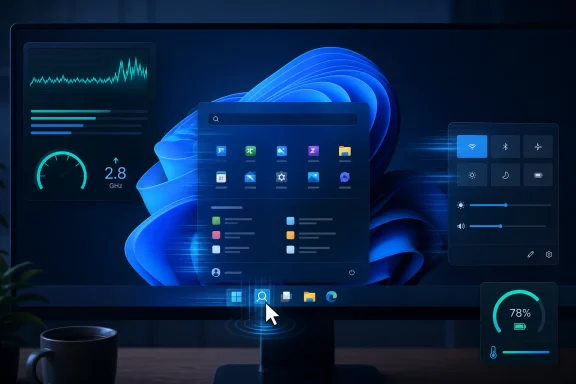 Microsoft Finally Admits the Milliseconds Matter
Windows 11’s reputation problem has never been only about crashes, failed updates, or controversial hardware requirements. It has also been about the tiny pauses: the Start menu that arrives a beat late, the context menu that feels heavier than it should, the app launch that makes a fast PC feel strangely unconvinced of itself. Those are not benchmark problems in the traditional enthusiast sense, but they are the daily texture of an operating system.The newly confirmed performance work appears to target exactly that layer. Microsoft’s changelog says the update “accelerates app launch and core shell experiences such as Start menu, Search, and Action Center.” Windows Central reports that this corresponds to the previously revealed Low Latency Profile, a system behavior that briefly boosts CPU frequency during high-priority user interactions.
That matters because Windows performance is not only about maximum throughput. A PC can render video quickly, compile code efficiently, and still feel sluggish if the shell takes too long to respond after a click. Responsiveness is psychological as much as computational: users judge an OS by whether it reacts when summoned.
Microsoft’s old answer to that problem was often design abstraction. Windows 11 moved toward modern UI frameworks, softer animation, more web-connected surfaces, and a more layered shell. The result could look polished in screenshots while feeling less immediate in use. Low Latency Profile is a tacit admission that the user’s finger, mouse, and eyes are the real performance benchmark.
The Feature Microsoft Won’t Name Is the One Users May Notice
The curious part is that Microsoft is not calling out Low Latency Profile by name in the Release Preview notes. Instead, it describes the effect: faster app launch and faster core shell experiences. That is likely deliberate. A feature that briefly pushes a CPU harder to make Windows feel quicker is easy to misread as a gimmick, especially among users already suspicious of Windows 11’s architectural choices.Windows Central says the profile is not user-toggleable and is designed to be invisible. That is the right instinct if the implementation is solid. Nobody should need to enable “make my Start menu not lag” in Settings, and no administrator wants another consumer-grade switch that users can misunderstand, disable, or demand an explanation for.
But invisibility cuts both ways. Microsoft wants credit for making Windows smoother without inviting a debate over whether the system is papering over deeper inefficiencies. The company can point to measurable launch and flyout gains; critics can point to the uncomfortable fact that a desktop OS in 2026 needs a special burst policy to make its own shell feel timely.
Both sides have a point. Modern operating systems already use aggressive scheduling, boosting, and foreground prioritization to make interactions feel instant. The controversy is not that Windows would do this; the controversy is that Windows 11 has trained its most technical users to assume that every improvement is compensating for a self-inflicted wound.
The CPU Burst Is Not Cheating, but It Is a Confession
The backlash to Low Latency Profile has been predictable: if Windows needs to spike CPU clocks to open menus faster, then Microsoft must have failed at optimization. That argument is emotionally satisfying but technically incomplete. Contemporary CPUs are built around dynamic frequency scaling, and modern operating systems routinely make short-lived performance decisions to reduce perceived latency.A brief boost during app launch or shell interaction is not inherently wasteful. In fact, a short burst can be more efficient than letting a task drag out at a lower frequency while the user waits. The question is not whether boosting is philosophically pure; the question is whether Microsoft can apply it narrowly enough that it improves responsiveness without damaging battery life, thermals, fan noise, or predictability.
That distinction matters for laptops, handheld gaming PCs, thin-and-light devices, and corporate fleets. A desktop workstation with a large cooler may never notice the power side of the equation. A compact notebook on battery might. A gaming handheld already juggling heat, clocks, and background services could experience the change differently from a business ultrabook.
This is why the absence of a user toggle will be watched closely. If the profile is conservative, invisible is good. If it is too eager, invisible becomes paternalistic. Microsoft has to prove that it can tune the system better than power users can second-guess it.
Windows K2 Is a Repair Campaign, Not a Victory Lap
The Low Latency Profile story sits inside a larger Microsoft push sometimes described as Windows K2: a broad effort to improve Windows 11 performance, reliability, update behavior, and core experience quality. Microsoft has been unusually explicit this year that Windows needs craft work, not just new features. That message is notable because it runs against the company’s recent product rhythm.For much of Windows 11’s life, Microsoft has asked users to accept change as progress. The taskbar changed. Context menus changed. Search became more cloud-connected. Copilot arrived, then spread, then was adjusted. Settings absorbed more of Control Panel, though not all of it. New surfaces appeared faster than old irritations disappeared.
K2 is different in tone. It says, in effect, that the platform’s fundamentals need attention. Faster Start, better File Explorer, fewer update failures, lower memory surprises, clearer Insider channels, and more consistent app responsiveness are not speculative AI features. They are the kind of work Windows users have been asking for while the marketing machine talked about reinvention.
That makes Low Latency Profile symbolically important. It is a small mechanism inside a bigger reset. Microsoft is not just trying to win a benchmark chart; it is trying to win back the right to say Windows 11 is finished enough to trust.
Release Preview Means Soon, Not Guaranteed Tomorrow
The timing is important but should not be overstated. Release Preview is often the last public testing stop before general availability, especially for changes headed into optional non-security preview updates and then monthly cumulative security releases. Windows Central expects the performance work to arrive first in the next optional preview update and then begin broader rollout with the June 9, 2026 Patch Tuesday update.That does not mean every Windows 11 PC will wake up on June 10 feeling transformed. Microsoft now routinely stages features through controlled rollouts, enablement packages, server-side switches, and phased deployment logic. Two machines on the same build number can behave differently depending on rollout state, hardware, region, or account configuration.
This ambiguity is one of the quiet frustrations of modern Windows servicing. The model gives Microsoft a safety valve when something goes wrong, but it makes it harder for users and administrators to know what they actually have. Release notes increasingly describe a destination, not a universal state.
For IT pros, that means the proper response is not celebration or panic. It is validation. Test the Release Preview build on representative hardware, measure launch behavior, monitor power and thermals, and watch for shell regressions. A responsiveness improvement that behaves beautifully on a developer laptop may still deserve caution in a managed fleet with security agents, legacy shell extensions, VDI constraints, and background compliance tooling.
The Real Test Is the Cheap Laptop, Not the Flagship PC
High-end desktops and premium laptops will probably benefit from Low Latency Profile, but they are not the most important audience. Windows 11’s performance reputation is built in large part on midrange and low-end machines: budget laptops with modest cooling, older supported CPUs, limited RAM, and vendor images loaded with utilities. That is where shell latency becomes most visible.If a $1,800 laptop opens Start a little faster, enthusiasts will notice. If a $500 laptop stops feeling like it is thinking before every common action, ordinary users will notice. That distinction matters because Windows lives at scale in hardware diversity that macOS and ChromeOS do not have to match in the same way.
The hard part is that low-end systems are also the place where boost behavior is most constrained. Thermal headroom is smaller. Battery budgets are tighter. OEM power profiles vary. Background software can be uglier. A one-to-three-second CPU burst may help a budget chip jump through a launch path faster, but it can also run into the physical reality of thin chassis design.
This is where Microsoft’s partnership with silicon vendors and OEMs becomes more than boilerplate. A latency policy is only as good as the platform signals it receives. If Windows knows when to boost, how hard to boost, and when to back off, the result feels elegant. If it guesses poorly, the user hears a fan.
The Shell Has Become Windows’ Credibility Problem
The Start menu, Search, Action Center, taskbar, File Explorer, Settings, and context menus are not just components. They are the public face of Windows. When they hesitate, users do not blame a framework, a scheduler, or a background service. They blame Windows.That is why this update’s focus on “core shell experiences” is more important than a generic app benchmark. Windows 11 has often felt like a system with strong underlying capability wrapped in an interface that occasionally gets in its own way. The OS can run demanding games, professional apps, Hyper-V workloads, WSL environments, and complex driver stacks, then still stumble on a right-click menu.
Some of that is the cost of compatibility. Windows carries decades of APIs, extension models, management hooks, and third-party integrations. The shell is not a clean-room UI sitting above a tidy app model; it is a traffic intersection for legacy behavior and modern design.
But compatibility can become an excuse. Users do not experience history; they experience delay. If Microsoft wants Windows 11 to feel modern, the shell must stop behaving like a negotiation between generations of platform decisions.
The WinUI Question Still Hangs Over the Room
Low Latency Profile is arriving alongside broader work to improve Microsoft’s app platform and move more experiences toward WinUI 3. That is a separate but related thread. If the CPU burst is the immediate response to latency, framework and shell modernization are supposed to be the structural fix.This is where Microsoft has to be careful. Users will tolerate a tactical performance trick if they believe the deeper work is happening. They will be less forgiving if Low Latency Profile becomes the substitute for making Windows UI code leaner, more consistent, and less dependent on layers that add overhead.
Windows 11’s visual modernization has always been uneven. Some surfaces look current; others expose older plumbing. Some dialogs have been refreshed; others feel transported from another era. Some animations are smooth; some interactions feel delayed by design. The OS is not one interface so much as an archaeological site with rounded corners.
A hidden boost profile can make that site easier to walk through. It cannot turn it into a coherent city. Microsoft’s credibility depends on whether K2 continues beyond the easy wins and into the tedious, unglamorous work of making the shell and app platform behave consistently across the whole system.
Administrators Should Welcome the Goal and Distrust the Mystery
Enterprise IT will probably like the idea of Windows becoming more responsive. Nobody wants help-desk tickets that begin with “my computer feels slow,” especially when the device is technically healthy. Faster app launches and snappier shell transitions can reduce user frustration in ways that never show up cleanly in endpoint dashboards.But administrators are trained to distrust invisible behavior changes. A new latency policy touches CPU scheduling, power response, foreground prioritization, and possibly the interaction between Windows and firmware power management. Even if the change is benign, it belongs in a category of update that deserves observation before broad deployment.
The rollout model also complicates communication. If a performance change is phased, some users may report improvement while others see no difference. If the same cumulative update contains unrelated fixes, regressions, or feature changes, isolating cause and effect becomes messy. This is the familiar Windows servicing problem: one package, many consequences.
The best enterprise stance is pragmatic. Let Microsoft ship the improvement, but test it like any other behavioral change. Watch laptops on battery, shared workstations, devices with aggressive endpoint security, and machines with old shell extensions. Performance is not only about speed; it is about whether the speed arrives without new surprises.
Microsoft’s Messaging Has to Survive Its Own History
One reason Low Latency Profile triggered such a strong reaction is that Windows users are tired of being told that annoyances are features. Microsoft has spent years pushing account integration, recommendations, web results, Copilot surfaces, Teams-adjacent experiences, and Store pathways into places users expected to remain simple. Against that background, “we made Start faster by boosting the CPU” lands in a skeptical room.The company’s defenders are right that CPU boosting is normal. Its critics are right that Windows 11 has too often made normal interactions feel heavier than they should. The argument is not really about processor frequency. It is about trust.
Trust is rebuilt through boring competence. A Start menu that opens quickly every time does more for Windows than a dozen promotional videos. A File Explorer that launches promptly and does not hang under common workloads matters more than another AI pane. An update that installs cleanly and explains itself clearly is worth more than another vaguely named experience pack.
This is the opportunity Microsoft has in 2026. If K2 becomes a year of tangible repairs, users may forgive some of Windows 11’s accumulated irritations. If it becomes another brand attached to scattered tweaks, the skepticism will harden.
The Patch Tuesday Calendar Is Now a Performance Story
Assuming Microsoft keeps the current trajectory, the next practical waypoint is the optional non-security preview update expected late in May, followed by the June 9 Patch Tuesday security update. That sequence matters because optional previews are where many production administrators look but do not necessarily leap. Patch Tuesday is where the broader Windows population begins to receive the payload.The performance work may also arrive in waves after the update is installed. That means the calendar gives us a window, not a switch. Enthusiasts will likely use ViveTool-style spelunking, Insider comparisons, and video benchmarks to prove what is enabled where. Most users will simply notice, or fail to notice, that Windows feels a little more immediate.
Microsoft should resist the urge to overclaim. Windows Central’s reported figures of up to 40 percent faster app launches and up to 70 percent faster system flyouts are attention-grabbing, but “up to” numbers are always scenario-dependent. Hardware, app type, thermal state, background load, storage speed, and rollout status will all shape the result.
The better claim is simpler: Windows 11 should respond faster to common actions. If Microsoft can make that true across enough machines, the exact percentage matters less. Users do not live in charts; they live between clicks.
The Small Delay Microsoft Can No Longer Afford
There is a broader industry backdrop here. Apple Silicon Macs have made instant-feeling responsiveness a default expectation for many users. Chromebooks, despite their limitations, often feel quick in their intended workflows because the system is narrower and more controlled. Smartphones have trained everyone to expect interface surfaces to appear the moment they are requested.Windows cannot compete by pretending that latency is a niche concern. It runs on too many kinds of hardware and supports too many kinds of work to match every rival’s simplicity, but it cannot allow its everyday shell to feel like a tax on that flexibility. The more Microsoft positions Windows as the home of AI PCs, gaming handhelds, creator laptops, and enterprise productivity, the less patience users will have for basic UI delay.
That is why Low Latency Profile is more consequential than its mechanism suggests. It is Microsoft acknowledging that perceived performance is product quality. Not an enhancement. Not a premium feature. Quality.
The danger is that Microsoft treats the symptom as the story. If the company ships a CPU burst policy and then declares victory, the improvement will age poorly. If it uses the policy as one layer in a broader campaign to simplify, modernize, and stabilize Windows, it may become one of those invisible changes users never name but would miss if removed.
The June Build Will Tell Us Whether K2 Has Teeth
The most concrete reading of this moment is neither cynical nor celebratory. Microsoft has a real performance improvement moving through Release Preview. It appears tied to a hidden Low Latency Profile that briefly increases CPU responsiveness during app launches and shell interactions. It is expected to begin broader rollout through the normal Windows update train, but staged enablement means not every PC will see it at once.For Windows enthusiasts, this is a welcome reason to test the Release Preview channel on non-critical hardware. For administrators, it is a reason to add responsiveness, power behavior, and shell stability to update validation notes. For ordinary users, it may simply mean that Windows 11 starts to feel less like it is pausing before agreeing to do basic things.
That last point is the whole game. Windows 11 does not need another identity campaign. It needs fewer moments where users wonder why a modern PC feels slow.
The Clicks That Will Decide This Update’s Reputation
Microsoft’s next Windows 11 performance update is not important because it has a dramatic name. It is important because it targets the small delays that make users distrust the operating system.- Microsoft has confirmed Release Preview performance work that speeds up app launches and core shell surfaces including Start, Search, and Action Center.
- The change is reportedly tied to Low Latency Profile, a hidden policy that briefly boosts CPU frequency during high-priority user interactions.
- The likely public path runs through a late-May optional preview update and the June 9, 2026 Patch Tuesday release, though staged rollout means availability will vary.
- The biggest real-world gains may appear on lower-end and thermally constrained PCs, but those are also the systems where power and heat behavior deserve scrutiny.
- Enterprise administrators should test the update on representative hardware rather than assuming a shell responsiveness improvement is automatically risk-free.
- The feature will matter most if it is paired with deeper Windows K2 work on shell reliability, WinUI performance, File Explorer responsiveness, and update quality.
Source: Windows Central Microsoft confirms next Windows 11 update will "accelerate app launch and core shell experiences"
