

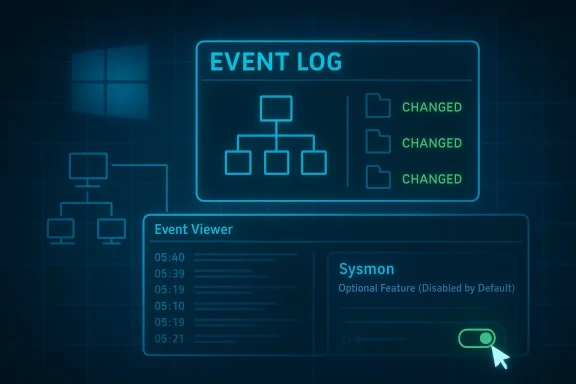
Windows 11’s Sysmon is one of those rare hidden tools that looks niche at first glance but turns out to say a lot about where Microsoft is taking the platform. What began as a Sysinternals utility for security teams is now a built-in optional feature on Windows 11, and Microsoft’s own documentation makes the pitch plainly: it records process creation, network connections, and file creation-time changes, then writes them into the Windows event log for later inspection (learn.microsoft.com). That matters because the modern Windows experience is increasingly split between what the UI shows you and what the OS quietly records in the background.
The bigger story is not just that Sysmon exists, but that Microsoft has started treating it as a first-party part of the Windows security stack. In February 2026, Microsoft says Sysmon became available as a built-in optional feature for Windows 11, while still remaining disabled by default and requiring explicit installation and configuration before it produces events (learn.microsoft.com). For power users, IT admins, and even curious enthusiasts, that moves Sysmon from “advanced download” territory into the realm of something that can be deployed, monitored, and updated alongside the rest of Windows.
Sysmon comes from the long-running Sysinternals tradition: utilities designed to expose how Windows actually behaves, not how the polished shell makes it appear. Microsoft’s own overview says the tool remains resident across reboots and logs detailed telemetry to the Windows event log, including process creation, network activity, and file creation-time changes (learn.microsoft.com). That is a very different mission from Task Manager or the Settings app, which are intended to help users manage systems in the moment rather than build a forensic record.
Historically, Sysmon’s audience was security analysts and incident responders. Microsoft says its events help detect malicious or unusual behavior and understand how intruders or malware move through an environment, while the tool itself does not analyze events or attempt to conceal its presence from attackers (learn.microsoft.com). That distinction is important: Sysmon is not an antivirus product and not a live blocker. It is a high-fidelity recorder, which means its value appears when you correlate behavior over time.
The March 2026 move to make Sysmon built-in on Windows 11 changes the distribution model, not the core philosophy. Microsoft’s overview says built-in Sysmon is an optional feature, delivered through the standard Windows quality update process, and that coexistence with standalone Sysmon is not supported (learn.microsoft.com). In other words, Microsoft is folding the capability into the platform while preserving the expectation that it will still be operated deliberately, not casually.
That design choice says a lot about Windows 11 itself. Microsoft has been steadily pushing more advanced functions closer to the OS layer while leaving them hidden from average users. The company seems to understand that visibility is now a security feature, and that a modern desktop needs more than pretty surfaces and AI prompts. Sysmon fits that trend because it reveals the execution chains, network calls, and file events that ordinary consumers rarely see.
For enterprises, the significance is even greater. Microsoft notes that Sysmon events can be collected through Windows Event Collection, SIEM agents, Microsoft Defender for Endpoint, and other log pipelines, which makes it a natural fit for endpoint detection and response workflows (learn.microsoft.com). That means the feature is not just a troubleshooting aid; it is infrastructure for modern detection.
At the consumer level, however, Sysmon has a different appeal. It is a tool for answering the question, what actually happened? If a machine is sluggish, if a browser is misbehaving, or if a suspicious process keeps returning after you close it, Sysmon can provide the timeline that Task Manager cannot. That is why this “hidden” tool feels so powerful: it records reality instead of presenting a simplified snapshot.
At its most basic, Sysmon records process creation with the full command line for both the current and parent processes, which is exactly the sort of detail that reveals how software is launched rather than just that it launched (learn.microsoft.com). It also captures process GUIDs, session GUIDs, and hashes of executable images, giving investigators a way to tie one action to another even when Windows recycles process IDs.
Microsoft also says Sysmon can log drivers and DLL loads, raw disk or volume access, and changes to file creation time, which is a common anti-forensic trick used to make files appear older or less suspicious (learn.microsoft.com). In practice, that means Sysmon can illuminate patterns that standard logs frequently miss. What changed, who changed it, and what chain of events led there become answerable questions.
A useful way to summarize the tool is this:
Microsoft is careful to position Sysmon as a logging and visibility layer, not a prevention layer. The enablement guide says Sysmon records system activity and writes to the Windows Event Log, but it does not analyze or block activity, and users must forward events to Event Collection or a SIEM if they want automated analysis (learn.microsoft.com). That is an important caveat because casual readers may assume that “security tool” means “automatic protection.”
At the same time, Microsoft notes that standalone Sysmon and built-in Sysmon cannot coexist on the same device, and standalone installations must be removed before enabling the built-in feature (learn.microsoft.com). That is a practical limitation, but it also reflects an intent to avoid duplicate telemetry, configuration conflicts, and confusion over which component is authoritative.
For end users, the main implication is simple: Windows 11 now contains a serious observability tool that is no longer reserved for people who routinely download utilities from Sysinternals. It is still hidden, still command-line oriented, and still aimed at users who are comfortable reading logs. But it is also no longer “third-party” in the everyday sense.
The practical setup remains very close to Sysinternals tradition. Microsoft’s command reference shows the typical syntax for installation and configuration, including
A second important detail is where the logs land. Microsoft says built-in Sysmon writes events to
There is also a real operational benefit to the built-in model. Microsoft says updates preserve configuration when Sysmon is enabled, and that no restart is required during feature updates (learn.microsoft.com). That is a small sentence in the documentation, but a big deal in enterprise environments where reboot windows are precious.
Microsoft explicitly calls out the value of process creation, network connections, and file creation time changes as core telemetry categories (learn.microsoft.com). Those categories are enough to build a surprisingly rich picture of activity. They do not tell the entire story, but they tell more than most default Windows tools.
A few examples stand out:
For privacy-conscious users, there is a tradeoff. More logging means more visibility, but also more data to store, review, and potentially centralize. That is not a flaw so much as the cost of better instrumentation. You cannot inspect a machine deeply without producing a deep log trail.
That boot-time visibility is one reason Sysmon is so respected by defenders. Threats that load early can hide from user-mode tools or establish persistence before conventional monitors start collecting. Sysmon’s design attempts to narrow that window.
The sequence matters. A process creation event can be followed by a DNS query, then a network connection, then a file write, then a persistence mechanism. Alone, each event may look normal. Together, the chain becomes much more revealing.
That is also why Sysmon integrates so well with enterprise tooling. Microsoft says it works with Windows Event Forwarding, Defender for Endpoint, and SIEM platforms that can consume and correlate the telemetry (learn.microsoft.com). In a mature security stack, Sysmon is one of the sources that makes detection rules smarter and incident response faster.
It is worth stressing that Sysmon does not replace EDR. Instead, it enriches it. Endpoint security products can detect and respond, but Sysmon provides the raw storyline they often need to do so well.
Enterprises also benefit from the fact that Sysmon data is structured, centralized, and language-independent at the XML level. Microsoft notes that built-in events are localized in rendered text, but the underlying XML data is not, which matters for collection pipelines and global environments (learn.microsoft.com). That distinction may sound minor, but it is crucial for multi-region deployments and automation scripts.
That said, it is not a beginner-friendly feature. You need to know where to look, what to filter, and how to interpret the results. If you expect a friendly GUI with friendly prompts, Sysmon will disappoint you. If you want evidence, it is excellent.
The consumer angle becomes stronger on machines used for creative work, gaming, or remote access, where mysterious background behavior can be disruptive. In those cases, Sysmon can help determine whether the slowdown is a legitimate app update, a misbehaving service, or something worth deeper investigation.
This is one reason the move matters strategically. Microsoft is effectively saying that deeper observability should be a native part of Windows, not something that only enterprises can justify purchasing. That is a subtle but meaningful shift.
Security vendors will not be threatened in the simple sense. Sysmon does not alert, block, remediate, or provide the full orchestration layer that endpoint security suites sell. But it does make Windows a better source of rich telemetry, which benefits Microsoft’s own security ecosystem and the partners that integrate with it.
There is also a broader platform signal here. Microsoft is continuing a pattern of moving formerly niche utilities into the OS, then layering them with built-in servicing. That is part simplification, part retention strategy, and part ecosystem control. If Windows can satisfy more power-user needs natively, then Microsoft keeps more of the experience under its own umbrella.
It is an especially interesting move in a Windows 11 era defined by mixed reactions to UI changes and AI integration. Sysmon is the opposite of a flashy consumer feature. It is utilitarian, technical, and deeply practical. That contrast may help Microsoft reassure enthusiasts that the platform still has room for serious admin tools, not just consumer polish.
The competitive message is simple: Windows is not only becoming more visually modern. It is also getting more inspectable.
The opportunity is larger than one tool. If Microsoft keeps folding advanced telemetry and admin features into the operating system, Windows 11 becomes more valuable to power users who want first-party depth rather than app-store simplicity.
There are also operational risks. Built-in Sysmon does not coexist with the standalone version, event text is localized even though XML is stable, and organizations need to review configuration after updates (learn.microsoft.com). Those are manageable issues, but they are the sort of details that can trip up anyone expecting a turnkey experience.
The next question is adoption. If more users discover that they can inspect their PC’s behavior in this level of detail, Sysmon could quietly become one of the most respected “hidden” Windows tools around. The irony is that the more ordinary it becomes to view system telemetry, the less hidden it will feel.
Source: How-To Geek This hidden Windows 11 tool shows what your PC is really doing
The bigger story is not just that Sysmon exists, but that Microsoft has started treating it as a first-party part of the Windows security stack. In February 2026, Microsoft says Sysmon became available as a built-in optional feature for Windows 11, while still remaining disabled by default and requiring explicit installation and configuration before it produces events (learn.microsoft.com). For power users, IT admins, and even curious enthusiasts, that moves Sysmon from “advanced download” territory into the realm of something that can be deployed, monitored, and updated alongside the rest of Windows.
 Background
Sysmon comes from the long-running Sysinternals tradition: utilities designed to expose how Windows actually behaves, not how the polished shell makes it appear. Microsoft’s own overview says the tool remains resident across reboots and logs detailed telemetry to the Windows event log, including process creation, network activity, and file creation-time changes (learn.microsoft.com). That is a very different mission from Task Manager or the Settings app, which are intended to help users manage systems in the moment rather than build a forensic record.Historically, Sysmon’s audience was security analysts and incident responders. Microsoft says its events help detect malicious or unusual behavior and understand how intruders or malware move through an environment, while the tool itself does not analyze events or attempt to conceal its presence from attackers (learn.microsoft.com). That distinction is important: Sysmon is not an antivirus product and not a live blocker. It is a high-fidelity recorder, which means its value appears when you correlate behavior over time.
The March 2026 move to make Sysmon built-in on Windows 11 changes the distribution model, not the core philosophy. Microsoft’s overview says built-in Sysmon is an optional feature, delivered through the standard Windows quality update process, and that coexistence with standalone Sysmon is not supported (learn.microsoft.com). In other words, Microsoft is folding the capability into the platform while preserving the expectation that it will still be operated deliberately, not casually.
That design choice says a lot about Windows 11 itself. Microsoft has been steadily pushing more advanced functions closer to the OS layer while leaving them hidden from average users. The company seems to understand that visibility is now a security feature, and that a modern desktop needs more than pretty surfaces and AI prompts. Sysmon fits that trend because it reveals the execution chains, network calls, and file events that ordinary consumers rarely see.
For enterprises, the significance is even greater. Microsoft notes that Sysmon events can be collected through Windows Event Collection, SIEM agents, Microsoft Defender for Endpoint, and other log pipelines, which makes it a natural fit for endpoint detection and response workflows (learn.microsoft.com). That means the feature is not just a troubleshooting aid; it is infrastructure for modern detection.
At the consumer level, however, Sysmon has a different appeal. It is a tool for answering the question, what actually happened? If a machine is sluggish, if a browser is misbehaving, or if a suspicious process keeps returning after you close it, Sysmon can provide the timeline that Task Manager cannot. That is why this “hidden” tool feels so powerful: it records reality instead of presenting a simplified snapshot.
What Sysmon Actually Does
The easiest way to understand Sysmon is to stop thinking of it as a dashboard and start thinking of it as a behavioral log. Microsoft describes Sysmon events as structured records of observed system actions, each showing what happened, when it happened, which process was involved, and what context surrounded the action (learn.microsoft.com). That makes it a very different class of tool from the normal Windows diagnostics most users know.At its most basic, Sysmon records process creation with the full command line for both the current and parent processes, which is exactly the sort of detail that reveals how software is launched rather than just that it launched (learn.microsoft.com). It also captures process GUIDs, session GUIDs, and hashes of executable images, giving investigators a way to tie one action to another even when Windows recycles process IDs.
Why the extra context matters
That extra context is what turns a log into an investigative tool. A simple process list can tell you that something namedpowershell.exe is running; Sysmon can tell you how it was started, what invoked it, and what arguments were used. In the age of living-off-the-land attacks, those details matter because malicious activity often hides behind legitimate binaries.Microsoft also says Sysmon can log drivers and DLL loads, raw disk or volume access, and changes to file creation time, which is a common anti-forensic trick used to make files appear older or less suspicious (learn.microsoft.com). In practice, that means Sysmon can illuminate patterns that standard logs frequently miss. What changed, who changed it, and what chain of events led there become answerable questions.
A useful way to summarize the tool is this:
- Process creation tells you what started.
- Command lines tell you how it started.
- Network connections tell you where it talked.
- File and timestamp changes tell you what it touched.
- Hashes and signatures tell you what it really was.
Where Sysmon Fits in Windows 11
Sysmon’s arrival as a built-in optional feature is a very Windows 11 kind of move. Instead of advertising the tool as a flagship consumer feature, Microsoft folded it into the operating system and left discovery to the people who know where to look (learn.microsoft.com). That keeps the experience uncluttered while making a powerful capability available to those who want it.Microsoft is careful to position Sysmon as a logging and visibility layer, not a prevention layer. The enablement guide says Sysmon records system activity and writes to the Windows Event Log, but it does not analyze or block activity, and users must forward events to Event Collection or a SIEM if they want automated analysis (learn.microsoft.com). That is an important caveat because casual readers may assume that “security tool” means “automatic protection.”
Optional, built-in, but still deliberate
The built-in model also changes the support story. Microsoft says enhancements and non-security improvements are delivered via regular Windows quality updates, while critical fixes arrive through the monthly security release process (learn.microsoft.com). That means Sysmon now participates in the same servicing rhythm as the rest of Windows, which should make it easier for organizations to test and deploy.At the same time, Microsoft notes that standalone Sysmon and built-in Sysmon cannot coexist on the same device, and standalone installations must be removed before enabling the built-in feature (learn.microsoft.com). That is a practical limitation, but it also reflects an intent to avoid duplicate telemetry, configuration conflicts, and confusion over which component is authoritative.
For end users, the main implication is simple: Windows 11 now contains a serious observability tool that is no longer reserved for people who routinely download utilities from Sysinternals. It is still hidden, still command-line oriented, and still aimed at users who are comfortable reading logs. But it is also no longer “third-party” in the everyday sense.
How to Enable It
Sysmon is not something you stumble into by clicking around the Start menu. Microsoft’s documentation says the built-in feature is disabled by default and must be explicitly installed and configured before it will produce events (learn.microsoft.com). That preserves the tool’s usefulness without forcing telemetry-heavy logging onto every Windows 11 user.The practical setup remains very close to Sysinternals tradition. Microsoft’s command reference shows the typical syntax for installation and configuration, including
sysmon -i, sysmon -c, sysmon -s, and sysmon -u, with an optional -accepteula flag (learn.microsoft.com). The key point is that Sysmon is still managed like an advanced utility, not a consumer app.A basic setup flow
A straightforward deployment usually looks like this:- Open an elevated terminal or command prompt.
- Install Sysmon with the
-ioption. - Add a configuration file if you want tailored event filtering.
- Open Event Viewer and navigate to the Sysmon Operational log.
- Review the output and adjust rules as needed.
A second important detail is where the logs land. Microsoft says built-in Sysmon writes events to
Applications and Services Logs -> Microsoft -> Windows -> Sysmon -> Operational, and that event timestamps are recorded in UTC (learn.microsoft.com). If you are used to local-time Event Viewer entries, that UTC detail matters when correlating activity with other logs or incidents.There is also a real operational benefit to the built-in model. Microsoft says updates preserve configuration when Sysmon is enabled, and that no restart is required during feature updates (learn.microsoft.com). That is a small sentence in the documentation, but a big deal in enterprise environments where reboot windows are precious.
What You Can Learn From the Logs
The appeal of Sysmon is that it turns vague suspicion into traceable evidence. If your system suddenly feels slow, you can inspect process creation events and identify whether a background task is respawning repeatedly. If a browser starts behaving oddly, you can trace the processes it spawned and examine related network connections. If a file changes unexpectedly, Sysmon may tell you when that happened and what process made it happen.Microsoft explicitly calls out the value of process creation, network connections, and file creation time changes as core telemetry categories (learn.microsoft.com). Those categories are enough to build a surprisingly rich picture of activity. They do not tell the entire story, but they tell more than most default Windows tools.
Practical examples for real-world troubleshooting
The strongest use case is not abstract security hunting; it is everyday “what just happened?” troubleshooting. Sysmon can help answer why a machine woke from idle, which executable launched a suspicious child process, or whether a background app made an outbound connection at the same time performance dropped.A few examples stand out:
- A process starts at boot, then launches a script with obscure arguments.
- A file timestamp changes unexpectedly after a download or extraction.
- A network connection occurs from a process you did not expect to talk online.
- A child process appears repeatedly after being terminated.
- A DLL load or driver event lines up with instability or latency.
For privacy-conscious users, there is a tradeoff. More logging means more visibility, but also more data to store, review, and potentially centralize. That is not a flaw so much as the cost of better instrumentation. You cannot inspect a machine deeply without producing a deep log trail.
Security Use Cases and the Microsoft Rationale
Microsoft’s security rationale for Sysmon is obvious and well documented. The company says the tool helps detect malicious or unusual behavior and reveals how intruders or malware operate within an environment (learn.microsoft.com). It also says Sysmon generates events from early in the boot process, which helps capture activity that sophisticated kernel-mode malware might otherwise evade (learn.microsoft.com).That boot-time visibility is one reason Sysmon is so respected by defenders. Threats that load early can hide from user-mode tools or establish persistence before conventional monitors start collecting. Sysmon’s design attempts to narrow that window.
Why defenders care about process chains
Defenders care less about one isolated event and more about the chain of events. Microsoft’s event guidance says Sysmon events are observational, deterministic, and most useful when correlated over time, not interpreted one by one (learn.microsoft.com). That framing is key because a single event rarely proves maliciousness on its own.The sequence matters. A process creation event can be followed by a DNS query, then a network connection, then a file write, then a persistence mechanism. Alone, each event may look normal. Together, the chain becomes much more revealing.
That is also why Sysmon integrates so well with enterprise tooling. Microsoft says it works with Windows Event Forwarding, Defender for Endpoint, and SIEM platforms that can consume and correlate the telemetry (learn.microsoft.com). In a mature security stack, Sysmon is one of the sources that makes detection rules smarter and incident response faster.
It is worth stressing that Sysmon does not replace EDR. Instead, it enriches it. Endpoint security products can detect and respond, but Sysmon provides the raw storyline they often need to do so well.
Enterprise vs. Consumer Impact
For enterprises, the arrival of built-in Sysmon is a governance and deployment story. Microsoft says organizations should test optional preview updates in pilot environments, review event output, and adjust configuration before broad rollout (learn.microsoft.com). That is classic IT practice, but now it applies to a feature that used to feel like a special-purpose add-on.Enterprises also benefit from the fact that Sysmon data is structured, centralized, and language-independent at the XML level. Microsoft notes that built-in events are localized in rendered text, but the underlying XML data is not, which matters for collection pipelines and global environments (learn.microsoft.com). That distinction may sound minor, but it is crucial for multi-region deployments and automation scripts.
Why consumers should care too
For consumers and enthusiasts, the value is different but still real. A home user is unlikely to forward logs to a SIEM, but a curious power user may want answers when a PC behaves strangely. Sysmon is one of the few built-in tools that can help connect symptoms to causes without requiring a separate monitoring suite.That said, it is not a beginner-friendly feature. You need to know where to look, what to filter, and how to interpret the results. If you expect a friendly GUI with friendly prompts, Sysmon will disappoint you. If you want evidence, it is excellent.
The consumer angle becomes stronger on machines used for creative work, gaming, or remote access, where mysterious background behavior can be disruptive. In those cases, Sysmon can help determine whether the slowdown is a legitimate app update, a misbehaving service, or something worth deeper investigation.
This is one reason the move matters strategically. Microsoft is effectively saying that deeper observability should be a native part of Windows, not something that only enterprises can justify purchasing. That is a subtle but meaningful shift.
The Competitive and Market Implications
Microsoft’s decision to make Sysmon built-in on Windows 11 also has market implications. It brings a respected security telemetry tool closer to the default Windows experience, reducing the need for third-party utilities in some workflows. That does not eliminate competitors, but it raises the baseline for what users expect from the operating system itself.Security vendors will not be threatened in the simple sense. Sysmon does not alert, block, remediate, or provide the full orchestration layer that endpoint security suites sell. But it does make Windows a better source of rich telemetry, which benefits Microsoft’s own security ecosystem and the partners that integrate with it.
What it means for third-party tools
The most immediate effect is on visibility tooling. If built-in Sysmon becomes common enough, some lightweight monitoring utilities may lose relevance for users who only wanted process and network history. More advanced products will still differentiate themselves through analytics, dashboards, automation, and response actions.There is also a broader platform signal here. Microsoft is continuing a pattern of moving formerly niche utilities into the OS, then layering them with built-in servicing. That is part simplification, part retention strategy, and part ecosystem control. If Windows can satisfy more power-user needs natively, then Microsoft keeps more of the experience under its own umbrella.
It is an especially interesting move in a Windows 11 era defined by mixed reactions to UI changes and AI integration. Sysmon is the opposite of a flashy consumer feature. It is utilitarian, technical, and deeply practical. That contrast may help Microsoft reassure enthusiasts that the platform still has room for serious admin tools, not just consumer polish.
The competitive message is simple: Windows is not only becoming more visually modern. It is also getting more inspectable.
Strengths and Opportunities
The strongest argument for built-in Sysmon is that it raises the level of observability available to Windows 11 users without forcing them into a third-party ecosystem. Microsoft’s documentation makes clear that the tool is rich in detail, integrates with existing logging systems, and supports both consumer curiosity and enterprise security needs (learn.microsoft.com). That combination creates room for more thoughtful troubleshooting and better detection.The opportunity is larger than one tool. If Microsoft keeps folding advanced telemetry and admin features into the operating system, Windows 11 becomes more valuable to power users who want first-party depth rather than app-store simplicity.
- Better forensic visibility for process, network, and file activity.
- Native Windows servicing for updates and fixes.
- Lower dependency on separate Sysinternals downloads for common deployments.
- Improved correlation across logs using GUIDs and structured events.
- Useful for both home and enterprise troubleshooting scenarios.
- Stronger integration with Defender, Event Forwarding, and SIEM platforms.
- Preserved configuration during updates when enabled. (learn.microsoft.com)
Risks and Concerns
The downside is that Sysmon’s power comes with complexity. Microsoft is explicit that the tool does not analyze or block anything, and users must interpret or forward the data elsewhere if they want alerts (learn.microsoft.com). That means inexperienced users can easily create noise without gaining clarity, especially if they enable broad logging without a plan.There are also operational risks. Built-in Sysmon does not coexist with the standalone version, event text is localized even though XML is stable, and organizations need to review configuration after updates (learn.microsoft.com). Those are manageable issues, but they are the sort of details that can trip up anyone expecting a turnkey experience.
- Steep learning curve for casual users.
- Potential log volume if filtering is not tuned.
- No blocking or alerting by design.
- Localization issues if scripts rely on rendered text.
- Standalone conflicts with built-in Sysmon.
- False confidence if users treat logging as protection.
- Administrative overhead for testing and maintaining config files. (learn.microsoft.com)
Looking Ahead
What happens next will depend on how Microsoft continues to package Sysmon inside Windows 11. The most important signal so far is that the feature is being serviced like a core platform component, with optional preview updates, broad release updates, and compatibility guidance for enterprise deployment (learn.microsoft.com). That suggests Microsoft sees it as a long-term part of Windows rather than a one-off experiment.The next question is adoption. If more users discover that they can inspect their PC’s behavior in this level of detail, Sysmon could quietly become one of the most respected “hidden” Windows tools around. The irony is that the more ordinary it becomes to view system telemetry, the less hidden it will feel.
- Expect more documentation and guidance around built-in Sysmon adoption.
- Watch for third-party tools to lean harder into analytics and visualization.
- Look for enterprise teams to standardize on pilot testing before rollout.
- Monitor whether Microsoft expands related observability features in Windows 11.
- Pay attention to how Windows Update handles future Sysmon enhancements. (learn.microsoft.com)
Source: How-To Geek This hidden Windows 11 tool shows what your PC is really doing
