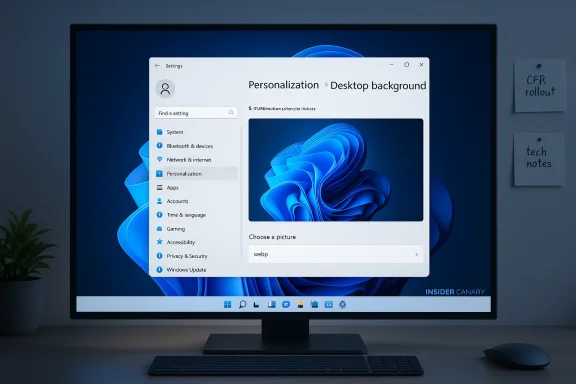
Today’s Canary-channel flight from Microsoft delivers a compact but practical update: Windows 11 Insider Preview Build 28020.1495 (KB 5074168) ships with a handful of fixes, a continuation of recent desktop background improvements (notably .webp wallpaper support), and a single noteworthy known issue affecting File Explorer windows and tabs. The release is light on headline features but important for Insiders tracking platform stability and desktop UX polish in the Canary Channel.
The Canary Channel is Microsoft’s earliest preview lane for Windows 11, intended for rapid experimentation with platform-level changes that may be long‑lead or never ship to production. Unlike Dev or Beta, Canary builds are allowed to be more volatile; they’re often used to validate kernel-level changes, driver behavior, and new plumbing that may later propagate across other channels.
Build 28020.1495 continues that posture. The official announcement from the Windows Insider team identifies the release by build number and servicing KB (KB 5074168), and lists a short set of fixes and a single open known issue. I verified the release notes against Microsoft’s Windows Insider blog post and cross-checked the most notable user-facing change — native WebP wallpaper support — with independent coverage from mainstream Windows outlets and community forums to confirm the change is surfacing across channels and platforms.
To set expectations: releases to Canary are often incremental and sometimes undocumented beyond the release note. Microsoft still uses Control Feature Rollout to gate features, so what you see may differ by device, account, or server-side toggles. Because of that, this build is best read as a maintenance flight with a UI nicety carried forward from earlier Insider work rather than a major functional milestone.
Why this matters:
What that looks like in practice:
A word on independent verification:
Expect the following patterns to persist:
If you rely on your PC for critical work, exercise caution: Canary builds can and do introduce new issues. If you’re an Insider who enjoys living on the bleeding edge and feeding feedback to Microsoft, this build is worth installing if you’re testing WebP behavior or want to confirm the small fixes. Regardless of your channel choice, keep backups, stay current with drivers, and use the Feedback Hub to report problems so Microsoft can triage and prioritize the next round of fixes.
Source: Microsoft - Windows Insiders Blog Announcing Windows 11 Insider Preview Build 28020.1495 (Canary Channel)
 Background / Overview
The Canary Channel is Microsoft’s earliest preview lane for Windows 11, intended for rapid experimentation with platform-level changes that may be long‑lead or never ship to production. Unlike Dev or Beta, Canary builds are allowed to be more volatile; they’re often used to validate kernel-level changes, driver behavior, and new plumbing that may later propagate across other channels.Build 28020.1495 continues that posture. The official announcement from the Windows Insider team identifies the release by build number and servicing KB (KB 5074168), and lists a short set of fixes and a single open known issue. I verified the release notes against Microsoft’s Windows Insider blog post and cross-checked the most notable user-facing change — native WebP wallpaper support — with independent coverage from mainstream Windows outlets and community forums to confirm the change is surfacing across channels and platforms.
To set expectations: releases to Canary are often incremental and sometimes undocumented beyond the release note. Microsoft still uses Control Feature Rollout to gate features, so what you see may differ by device, account, or server-side toggles. Because of that, this build is best read as a maintenance flight with a UI nicety carried forward from earlier Insider work rather than a major functional milestone.
What shipped in Build 28020.1495
Quick summary of the headline items
- Release: Windows 11 Insider Preview Build 28020.1495 for the Canary Channel (KB 5074168).
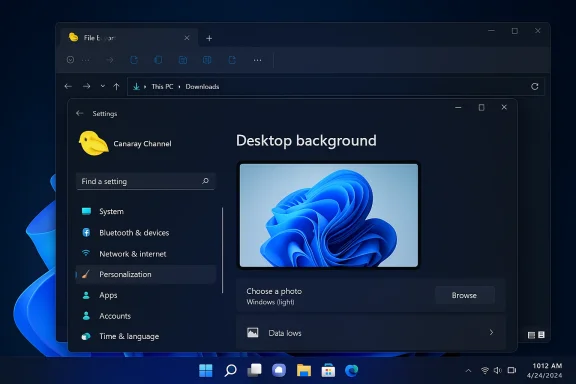
- Most visible user change called out: .webp images can be used as desktop backgrounds (surfaceable via Settings > Personalization > Desktop Background).
- Several stability and UX fixes across Start, Input, Power, Settings, and an obscure kernel bug tied to some smart card readers.
- Known issue: an underlying File Explorer problem that can make windows and tabs jump to Desktop or Home unexpectedly.
WebP wallpaper support (what changed and why it matters)
Microsoft’s release notes state that recent Canary builds now support setting .webp images for desktop backgrounds via Settings > Personalization > Desktop Background. This is a small but practical modernization of the personalization path: WebP is a modern raster image format widely used on the web because it offers better compression at similar visual quality compared to JPEG and PNG.Why this matters:
- WebP reduces the friction of using web-sourced wallpapers. Users who save wallpapers from the web no longer need to convert files to JPG or PNG before applying them.
- Lower file sizes for high-resolution images can reduce disk and sync footprints for wallpaper galleries and theme packs.
- Theme creators and IT teams distributing branded wallpapers gain the convenience of deploying a single WebP asset rather than multiple legacy formats.
Fixes and improvements in this build
Microsoft describes this build as a small package of general improvements with several targeted fixes. The main fixes include:- General
- The desktop watermark (lower-right corner of the desktop) should now display the correct build number. This fixes a cosmetic but common annoyance for Insiders who check winver or rely on the watermark for quick identification of flighted builds.
- Start menu
- Fixed a problem where the edge of the shutdown-warning dialog (shown when other users are signed in) could be truncated by the Start menu edge. This was a visual clipping/regression in the shell UX.
- Input
- Resolved an issue that could produce a noticeable black flash when using a pen to ink inside Snipping Tool. For stylus users and tablet surfaces, that improves the inking transition experience and reduces flicker.
- Power
- Fixed a bug in recent Canary builds that caused shutdown to appear to restart on some devices. This is likely a UX/boot-state reflection issue rather than a full hardware reboot loop, but it’s good to see it addressed given how discouraging perceived restart loops can be for testers.
- Settings
- Fixed an issue causing the Windows Update settings page to hang when loading.
- Resolved a problem where language features under Settings > Time & Language > Language & Region for English — Australia would not download when the button was clicked. That’s a targeted localization/servicing bug fix for a specific locale.
- Other
- Fixed a bug that resulted in a small number of Insiders encountering bugchecks with IRQL_NOT_LESS_OR_EQUAL tied to some smart card readers. Kernel-level bugchecks of this type are serious and often driver- or hardware-interaction related; the fix suggests Microsoft identified and corrected a scenario that triggered a high‑IRQL memory access path.
Known issues: File Explorer windows and tabs jumping
The single documented known issue in this flight is new: some open File Explorer windows and tabs may unexpectedly jump to Desktop or Home within File Explorer. Microsoft lists this as a new known issue they’re working on.What that looks like in practice:
- You have multiple File Explorer windows or tab groups open. When switching between windows or performing certain actions, Explorer may re-focus or re-navigate an open window to Desktop (the Desktop folder view) or the Home location — effectively losing your previous folder context.
- Because it affects both windows and tabs, the disruption can be more visible for heavy file managers, power users, and developers who keep many folders open.
- This issue impacts productivity: losing the current folder context interrupts workflows that rely on multiple Explorer windows or persistent tabs.
- It’s not a data-loss problem, but it’s a nuisance and can be a showstopper for testers who use Explorer heavily.
Critical analysis — strengths and risks
Strengths: small, meaningful UX polish
- The addition of WebP wallpaper support is a pragmatic, user-visible improvement. It modernizes the Settings personalization picker and aligns Windows with web-first image practices.
- The fixes address a mix of cosmetic and functional problems: from clipping dialogs to inking flicker, each fix improves the daily feel of the OS for testers.
- The smart card bugcheck fix is particularly important for affected users and enterprise scenarios where smart-card authentication is used. Eliminating an IRQL bugcheck improves platform robustness.
Risks and cautions: Canary’s instability and regression potential
- Canary builds are inherently experimental. Even this small release includes a new File Explorer regression, underscoring that fixes in Canary can introduce other problems. Insiders should be prepared for instability.
- The smart card bugfix suggests a previous regression may have been device/driver specific. That implies other device-specific regressions could exist in the stack, particularly with third-party drivers (storage, NICs, GPU).
- The note that some features are gradually rolled out using feature-gating means your mileage will vary. Insiders may see inconsistent behavior across devices (e.g., WebP wallpapers visible on one machine, not another).
- To leave the Canary Channel, Microsoft still requires a clean install of Windows 11. That’s an operational risk for testers who need to revert to Beta or Retail channels without re-installing.
For enterprise and IT admins
- This build is not meant for production. Even small fixes can interact unpredictably with corporate images, group policy settings, or managed drivers.
- The referenced smart-card bugchecks could be particularly concerning in environments that use physical authentication tokens. Admins should avoid exposing business-critical test environments to Canary unless they’re explicitly performing driver/hardware validation.
How I verified the release and what I checked
I cross-checked the release note verbatim against Microsoft’s Windows Insider blog entry for January 28, 2026. To validate the WebP wallpaper claim and put it into historical context, I compared Microsoft’s note with reporting from major Windows-focused outlets and active Insider community forums that tracked WebP wallpaper support as it moved through earlier Insider builds. For the IRQL bug and Explorer regressions I inspected multiple community threads and prior Canary/Dev release notes that referenced related issues to ensure the pattern aligns.A word on independent verification:
- The official Windows Insider blog is the canonical source for this flight.
- Independent reporting from mainstream Windows news outlets and active community forums corroborated the WebP wallpaper detail and amplified earlier sightings of related bugs. Those second sources are useful for practical testing notes and real-world observations beyond the terse official release note.
- Open Settings > System > About or run winver to check your build number; the watermark should match the build where applicable.
- Go to Settings > Personalization > Desktop Background and try browsing to a .webp file to confirm whether WebP wallpaper support is active on your device.
- If you’re experiencing the File Explorer jump, reproduce the steps that trigger it and file feedback via Feedback Hub with repro steps and a time-stamped problem report.
Practical recommendations for Insiders
If you’re a casual Insider or depend on your PC daily
- Skip Canary unless you explicitly want to test platform edge cases. The file-explorer jumping issue and other unforeseen regressions make Canary unsuitable for everyday tasks.
- If you already run Canary and want to keep it for mess-around testing, ensure you take full system backups or create a system image before installing new flights.
If you’re a power user or developer who tests across channels
- Install this build if you’re tracking Explorer regressions or WebP behavior specifically. Report any anomalies via Feedback Hub with reproduction steps.
- Keep current GPU, chipset, and smart-card drivers from OEMs. Because some kernel bugchecks trace back to drivers, staying current helps reduce false positives that are driver-caused.
If you’re an IT admin or manage corporate images
- Do not use Canary builds in production or in staging images that feed production. Use controlled lab hardware for any Canary testing, and only when you need to validate new platform behavior.
- If your environment uses smart card authentication, monitor Insider announcements and community reports before testing Canary builds that might have hardware or driver interactions.
How to validate and report problems
- Confirm build: open Settings > System > About or run winver to see the installed Windows build. The blog lists Build 28020.1495 (KB 5074168).
- Check the watermark: the build watermark appears at the lower-right on Insider pre-release builds; the release states it should now display the correct build number.
- Verify WebP wallpaper support: Settings > Personalization > Desktop Background > Browse and select a .webp file. If the OS accepts and applies it like a PNG or JPG, the feature is enabled on your device.
- Reproduce bugs: if you hit the File Explorer jump or IRQL bugcheck, document exact steps, attach system logs and a minidump if you get a bugcheck.
- Report via Feedback Hub: use the Feedback Hub (WIN + F), categorize appropriately (File Explorer, Input, Power, Windows Update, Hardware and Drivers), and attach repro steps and logs. Tag the report so Microsoft’s engineering teams can triage quickly.
Looking ahead — what this build signals
This flight suggests Microsoft is focused on incremental desktop polish and stability improvements while continuing to field experiments in Canary. The WebP wallpaper support demonstrates continued alignment with modern web formats and user workflows, which is a subtle but meaningful usability win. The presence of targeted kernel fixes (IRQL bug) and immediate known issues (File Explorer) highlights the trade-offs of Canary: you get early access to platform changes but also shoulder the burden of instability.Expect the following patterns to persist:
- Small, user-visible enhancements (like WebP support) will appear across channels on a staggered timetable.
- Canary will continue to be the place where potentially risky kernel and driver interactions are validated, so occasional bugchecks and regressions should be expected.
- Microsoft will continue to use server-side gating and Control Feature Rollout to smooth the experience, meaning not every Insider sees the same behavior at the same time.
Final thoughts and bottom line
Windows 11 Insider Preview Build 28020.1495 (KB 5074168) won’t change the world, but it is an example of the steady, iterative work Microsoft does across the OS — small practical improvements, driver and kernel hardening, and the ongoing churn of fixes and regressions you expect in the Canary Channel. The addition of .webp wallpaper support makes the personalization UI friendlier to modern web-sourced assets, while the targeted fixes improve everyday interactions like inking and shutdown behavior.If you rely on your PC for critical work, exercise caution: Canary builds can and do introduce new issues. If you’re an Insider who enjoys living on the bleeding edge and feeding feedback to Microsoft, this build is worth installing if you’re testing WebP behavior or want to confirm the small fixes. Regardless of your channel choice, keep backups, stay current with drivers, and use the Feedback Hub to report problems so Microsoft can triage and prioritize the next round of fixes.
Source: Microsoft - Windows Insiders Blog Announcing Windows 11 Insider Preview Build 28020.1495 (Canary Channel)