

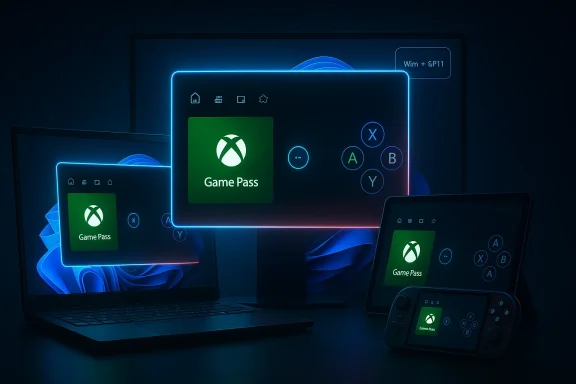
The latest Windows 11 Canary build is doing more than just moving numbers around. In Build 29570.1000, Microsoft has widened access to the Xbox mode preview so it can run on Windows 11 PCs, including laptops, desktops, and tablets, not just the handheld-shaped devices where the feature first mattered most. That may sound like a small expansion, but it is a revealing signal: Microsoft is no longer treating the Xbox Full-screen Experience as a niche handheld experiment. It is now positioning it as a broader gaming layer for the entire Windows ecosystem.
Microsoft has been slowly tightening the connection between Windows gaming and Xbox-style navigation for years, but the current push is different because it is more deliberate and more visible. The company’s long-standing challenge has been obvious: Windows is flexible, powerful, and indispensable for PC gaming, yet it often feels busy, mouse-first, and a little too general-purpose when the user just wants to launch a game and play. The Xbox mode concept is the latest attempt to solve that problem without abandoning the openness that makes Windows valuable.
The idea gained real momentum through handheld PCs, especially devices like the ASUS ROG Ally family and the newer Xbox-branded handheld efforts. Microsoft leaned into a console-like interface because handheld users are the ones who feel Windows friction most acutely: tiny screens, controller-first input, and a strong need to reduce distractions. In that context, a full-screen launcher is not cosmetic, but foundational. It changes how fast users get into games, how they switch tasks, and how much of the classic desktop they ever need to see.
From there, the feature started escaping the handheld box. Microsoft’s November 2025 messaging already described the full screen experience as expanding beyond handhelds into laptops, desktops, and tablets, initially for preview users. That was a quiet but important clue that the company viewed the interface as a broader Windows gaming layer rather than a handheld-only skin. The April 2026 Canary build simply makes that earlier direction more explicit and more accessible to more devices.
There is also a deeper architectural implication. Microsoft’s support documentation now treats the feature as a formal gaming full screen experience that can be enabled through Settings > Gaming > Full screen experience, with a chosen gaming home app acting as the launcher. That means the feature is not merely a splashy mode layered on top of Windows; it is becoming a defined part of the operating system’s gaming stack. In other words, the launcher is the product, and the desktop is increasingly just one possible entry point.
That short list of entry points matters more than it looks. Microsoft is trying to make the mode feel like a native part of Windows rather than a third-party launcher overlay. It is also making the feature discoverable across multiple Windows surfaces, which suggests a serious attempt to normalize the experience for everyday users, not just enthusiasts willing to hunt through hidden settings. A gaming mode that is hard to find is a demo; a gaming mode that is one shortcut away is a platform strategy.
The rename also hints at a bigger identity question. Is this a mode inside Windows, or is it the first layer of something that behaves more like an Xbox UI on PC? Microsoft’s wording suggests it wants both answers to be true. That ambiguity is intentional, because it gives the company room to evolve the feature without having to promise a finished end state too early. Preview builds are where Microsoft tests not just software, but vocabulary.
The significance is even greater for casual players who do not want to manage a desktop environment just to start a game. The typical Windows desktop assumes a certain level of familiarity, attention, and precision. Xbox mode is a concession that gaming should sometimes feel like a living-room appliance instead of a workstation. That is a major philosophical shift for Windows, and one Microsoft has been circling for a long time.
This is especially important because Microsoft has increasingly framed Windows not just as an operating system, but as an ecosystem where gaming, cloud services, controllers, and handheld devices all intersect. The company has already shown that it is willing to adapt Xbox software ideas to Windows hardware, and vice versa. Xbox mode is the clearest proof yet that Microsoft sees value in making the PC feel more like an Xbox when it needs to, without actually turning Windows into a closed console OS.
This also helps Microsoft compete on a different axis from raw hardware. Valve’s Steam ecosystem has long made a strong case for “Big Picture” style gaming navigation, and community projects like Playnite have shown how powerful a unified launcher can be. Microsoft’s answer is not just a launcher; it is a first-party, OS-integrated mode tied to the Xbox identity and the Windows gaming stack. That integration could become the company’s real advantage if it continues to mature.
It also gives the company more room to tune the experience in future builds. The preview phase lets Microsoft refine controller interaction, launcher behavior, default app selection, and system-level performance tuning before anything hits mainstream Windows Update channels. In a world where user expectations for gaming UX are rising fast, that sort of controlled rollout is a smart hedge.
For handhelds, this kind of tuning can be especially noticeable. Battery life, thermals, and sustained frame times are all more sensitive on smaller devices, and even small improvements in background resource management can change the feel of a session. On desktops, the gains may be less dramatic, but the psychological effect still matters. A gaming mode that claims to suppress distractions must also behave like it means it.
That’s important because gamer skepticism is high when OS vendors promise performance wins. Players are used to toggles that feel meaningful but deliver little more than cleaner menu text. Microsoft will need to prove that Xbox mode does not merely look like a console interface, but actually behaves like one under load. The credibility of the feature depends on whether users can notice the difference in everyday play.
There is also a broader platform lesson here. The best OS-level gaming features are often the ones that disappear into the experience. If Xbox mode can quietly reduce friction without asking users to understand arcane tuning settings, Microsoft will have built something that finally earns the word “mode” instead of “feature.” That distinction may sound semantic, but in software design it is everything.
The original rollout on the ASUS ROG Ally family established the concept in a practical environment. From there, Microsoft and its partners began demonstrating that the experience could scale beyond one device line and into a broader handheld strategy. The expansion to more Windows 11 form factors is therefore less a change in direction than a confirmation that the handheld test succeeded well enough to justify broader use.
That said, desktop users will expect more flexibility. They are more likely to multitask, keep multiple launchers open, and shift between gaming and productivity without wanting to fully exit the mode. Xbox mode will need to balance convenience with control, or else power users may see it as an overly opinionated layer. Microsoft’s challenge is not just portability, but adaptability.
In that sense, Xbox mode is an ecosystem defense mechanism as much as an innovation. The more seamlessly Windows can deliver a console-style experience, the harder it becomes for rival launchers and alternative gaming platforms to claim ease-of-use superiority. Microsoft is clearly paying attention to the growing expectation that gaming on PC should feel curated, not chaotic.
For enterprises, the impact is more indirect, but not irrelevant. Most business users will never touch Xbox mode, yet Microsoft’s broader work on dual-purpose device experiences can influence how flexible Windows appears in mixed-use environments. If one laptop can behave like a productivity machine during the day and a game device at night, that reinforces the long-term value of Windows as a universal platform.
It may also help users who already live inside the Xbox ecosystem. The integration of the Xbox app as a launch path suggests that Microsoft wants the mode to feel like a natural extension of existing Xbox services, not a competing launcher. That could increase engagement across the company’s gaming stack, especially if the mode continues to work well with library aggregation and controller-first navigation.
There is a caution, though. The more user-facing modes Windows accumulates, the more complex support and documentation become. IT teams may not need to manage Xbox mode often, but they will need to understand how it behaves, how users enable it, and whether it interferes with device policies or user expectations. Every additional mode is also an additional concept to explain.
That puts pressure on alternative gaming environments and launchers. Tools like Steam Big Picture and Playnite remain powerful because they offer a focused interface for large game libraries and controller control. Microsoft’s advantage is that it can integrate similar behavior directly into Windows itself, potentially reducing the need for third-party workarounds.
The downside is that Microsoft must now meet the expectations of users who are accustomed to more polished launcher ecosystems. If Xbox mode feels sluggish, incomplete, or awkwardly bolted onto Windows, it will be judged harshly because it comes from the platform owner. First-party features do not get the benefit of the doubt for long.
In the long run, that could create more pressure for competitors to improve their own simplified interfaces. When a platform giant starts shipping a gaming shell that is built into the OS rather than layered on top, everyone else has to explain why their solution is more elegant, more customizable, or more stable. That is a difficult argument to win if the native option is already “good enough” for most users.
The next stage will likely depend on polish, not just availability. Users will want to know whether the mode behaves predictably across hardware, whether it truly streamlines navigation, and whether it improves the playing experience enough to justify enabling it. If Microsoft gets those details right, Xbox mode could quietly become one of the most practical gaming additions Windows has received in years.
Source: eTeknix Xbox Mode on Windows 11 Reaches All PCs in Latest Preview Build
 Background
Microsoft has been slowly tightening the connection between Windows gaming and Xbox-style navigation for years, but the current push is different because it is more deliberate and more visible. The company’s long-standing challenge has been obvious: Windows is flexible, powerful, and indispensable for PC gaming, yet it often feels busy, mouse-first, and a little too general-purpose when the user just wants to launch a game and play. The Xbox mode concept is the latest attempt to solve that problem without abandoning the openness that makes Windows valuable.The idea gained real momentum through handheld PCs, especially devices like the ASUS ROG Ally family and the newer Xbox-branded handheld efforts. Microsoft leaned into a console-like interface because handheld users are the ones who feel Windows friction most acutely: tiny screens, controller-first input, and a strong need to reduce distractions. In that context, a full-screen launcher is not cosmetic, but foundational. It changes how fast users get into games, how they switch tasks, and how much of the classic desktop they ever need to see.
From there, the feature started escaping the handheld box. Microsoft’s November 2025 messaging already described the full screen experience as expanding beyond handhelds into laptops, desktops, and tablets, initially for preview users. That was a quiet but important clue that the company viewed the interface as a broader Windows gaming layer rather than a handheld-only skin. The April 2026 Canary build simply makes that earlier direction more explicit and more accessible to more devices.
There is also a deeper architectural implication. Microsoft’s support documentation now treats the feature as a formal gaming full screen experience that can be enabled through Settings > Gaming > Full screen experience, with a chosen gaming home app acting as the launcher. That means the feature is not merely a splashy mode layered on top of Windows; it is becoming a defined part of the operating system’s gaming stack. In other words, the launcher is the product, and the desktop is increasingly just one possible entry point.
What Microsoft Actually Changed
The headline change in Build 29570.1000 is straightforward: Xbox mode is now available on Windows 11 PCs, including traditional form factors like desktops, laptops, and tablets. Microsoft says the experience is inspired by the Xbox console and aims to provide a streamlined, full-screen interface that keeps games front and center while reducing background distractions. The feature can be entered from the Xbox app, Game Bar settings, or by pressing Win + F11.That short list of entry points matters more than it looks. Microsoft is trying to make the mode feel like a native part of Windows rather than a third-party launcher overlay. It is also making the feature discoverable across multiple Windows surfaces, which suggests a serious attempt to normalize the experience for everyday users, not just enthusiasts willing to hunt through hidden settings. A gaming mode that is hard to find is a demo; a gaming mode that is one shortcut away is a platform strategy.
Why the rename matters
Microsoft has also shifted the branding from Xbox Full-screen Experience to Xbox mode in its latest messaging. That rename is subtle, but branding changes in platform features usually signal an ambition to simplify the user story. “Xbox mode” is easier to understand, easier to market, and easier to remember than a longer technical phrase. It also better matches the company’s broader effort to make Windows gaming feel cohesive across devices.The rename also hints at a bigger identity question. Is this a mode inside Windows, or is it the first layer of something that behaves more like an Xbox UI on PC? Microsoft’s wording suggests it wants both answers to be true. That ambiguity is intentional, because it gives the company room to evolve the feature without having to promise a finished end state too early. Preview builds are where Microsoft tests not just software, but vocabulary.
The practical user experience
Functionally, the mode is designed to simplify the entire path from boot or login to gameplay. Microsoft describes it as a controller-friendly interface that minimizes clutter and emphasizes a game-centric home app. On supported systems, the feature is intended to make task switching smoother, navigation easier, and game launching faster. For players who use a controller more often than a keyboard and mouse, that is a material usability improvement rather than a cosmetic tweak.The significance is even greater for casual players who do not want to manage a desktop environment just to start a game. The typical Windows desktop assumes a certain level of familiarity, attention, and precision. Xbox mode is a concession that gaming should sometimes feel like a living-room appliance instead of a workstation. That is a major philosophical shift for Windows, and one Microsoft has been circling for a long time.
Why This Matters for Windows Strategy
Microsoft’s move says as much about the future of Windows as it does about gaming. Windows has spent years trying to be both a universal productivity OS and a first-class gaming platform. Those goals often coexist, but they also create tension because the interface that helps a knowledge worker can be the exact interface that gets in the way of a player. Xbox mode is Microsoft’s answer to that conflict: keep Windows intact, but add a higher-priority gaming layer that can temporarily take over the experience.This is especially important because Microsoft has increasingly framed Windows not just as an operating system, but as an ecosystem where gaming, cloud services, controllers, and handheld devices all intersect. The company has already shown that it is willing to adapt Xbox software ideas to Windows hardware, and vice versa. Xbox mode is the clearest proof yet that Microsoft sees value in making the PC feel more like an Xbox when it needs to, without actually turning Windows into a closed console OS.
The console-PC convergence play
The Xbox strategy here is less about replacing the desktop and more about abstracting it away. If users can boot into a simpler gaming shell that still has access to the broader Windows world when needed, Microsoft can preserve the openness of PC gaming while gaining some of the ease-of-use advantages that consoles have traditionally owned. That is a compelling proposition, especially for players who want the flexibility of a PC but the frictionless feel of a console.This also helps Microsoft compete on a different axis from raw hardware. Valve’s Steam ecosystem has long made a strong case for “Big Picture” style gaming navigation, and community projects like Playnite have shown how powerful a unified launcher can be. Microsoft’s answer is not just a launcher; it is a first-party, OS-integrated mode tied to the Xbox identity and the Windows gaming stack. That integration could become the company’s real advantage if it continues to mature.
A platform play, not a feature checkbox
The real strategic value lies in the fact that Microsoft is now spreading the mode across form factors. Once a feature works on handhelds, desktops, laptops, and tablets, it stops being a hardware accessory and starts becoming part of the platform narrative. That broadness matters because it lets Microsoft position Windows 11 as the flexible gaming OS for almost any device category.It also gives the company more room to tune the experience in future builds. The preview phase lets Microsoft refine controller interaction, launcher behavior, default app selection, and system-level performance tuning before anything hits mainstream Windows Update channels. In a world where user expectations for gaming UX are rising fast, that sort of controlled rollout is a smart hedge.
The Performance Angle
Microsoft is not presenting Xbox mode as a skin alone. It is also tying the feature to a broader promise of better gaming performance by reducing the impact of background processes and prioritizing games while they are running. That matters because Windows’ biggest weakness in gaming has never been raw compatibility; it has been the overhead and variability introduced by a general-purpose desktop system.For handhelds, this kind of tuning can be especially noticeable. Battery life, thermals, and sustained frame times are all more sensitive on smaller devices, and even small improvements in background resource management can change the feel of a session. On desktops, the gains may be less dramatic, but the psychological effect still matters. A gaming mode that claims to suppress distractions must also behave like it means it.
What “reducing distractions” really means
The phrase sounds polished, but it carries real technical implications. A mode like this can potentially influence app switching behavior, launcher focus, visual surface complexity, and the way Windows allocates attention to foreground tasks. Even if Microsoft is not yet describing every underlying mechanism, the feature’s performance narrative depends on more than just aesthetics. It has to feel measurably leaner.That’s important because gamer skepticism is high when OS vendors promise performance wins. Players are used to toggles that feel meaningful but deliver little more than cleaner menu text. Microsoft will need to prove that Xbox mode does not merely look like a console interface, but actually behaves like one under load. The credibility of the feature depends on whether users can notice the difference in everyday play.
Why this could help frame-time consistency
The most meaningful upside may not be average FPS but stability. By limiting what else is vying for attention in the foreground and background, Microsoft can potentially improve responsiveness and reduce the weird interruptions that make Windows sometimes feel less deterministic than a console. That kind of improvement can be more valuable than a benchmark headline because it affects how the game feels minute to minute.There is also a broader platform lesson here. The best OS-level gaming features are often the ones that disappear into the experience. If Xbox mode can quietly reduce friction without asking users to understand arcane tuning settings, Microsoft will have built something that finally earns the word “mode” instead of “feature.” That distinction may sound semantic, but in software design it is everything.
The Handheld Influence
It would be a mistake to think this expansion is really about desktop PCs first. The handheld gaming PC market is what forced Microsoft to take this idea seriously, because those devices exposed how awkward a traditional Windows UI can be when the mouse is gone and the screen is small. Once that pressure existed, a controller-first full-screen shell became a necessity rather than a nice-to-have.The original rollout on the ASUS ROG Ally family established the concept in a practical environment. From there, Microsoft and its partners began demonstrating that the experience could scale beyond one device line and into a broader handheld strategy. The expansion to more Windows 11 form factors is therefore less a change in direction than a confirmation that the handheld test succeeded well enough to justify broader use.
Why handheld lessons matter on desktops too
The strange thing about UI innovation is that the constraints of small screens often produce better software for big screens too. If Microsoft learns to make Windows easier to navigate with a controller and fewer visible distractions, those lessons can benefit desktop users who want a clean launch surface for gaming. Good UX patterns do not stay trapped in one device class for long.That said, desktop users will expect more flexibility. They are more likely to multitask, keep multiple launchers open, and shift between gaming and productivity without wanting to fully exit the mode. Xbox mode will need to balance convenience with control, or else power users may see it as an overly opinionated layer. Microsoft’s challenge is not just portability, but adaptability.
The bigger ecosystem effect
The handheld story has already made Windows gaming more competitive, partly because it pushed Microsoft to improve how the OS behaves in living-room-style use cases. That is good news for the market because it forces platform owners to compete on usability, not only content libraries. It also means the Windows ecosystem can no longer rely on being “good enough” by default; it has to become pleasant in addition to powerful.In that sense, Xbox mode is an ecosystem defense mechanism as much as an innovation. The more seamlessly Windows can deliver a console-style experience, the harder it becomes for rival launchers and alternative gaming platforms to claim ease-of-use superiority. Microsoft is clearly paying attention to the growing expectation that gaming on PC should feel curated, not chaotic.
Enterprise vs Consumer Impact
For consumers, the appeal is obvious: a simpler way to jump into games, especially on devices that already spend much of their life doing entertainment duty. The mode is likely to resonate with players who use a controller, maintain large game libraries, or want a console-like front end without buying another console. It also makes Windows look more approachable to people who have historically found PC gaming intimidating.For enterprises, the impact is more indirect, but not irrelevant. Most business users will never touch Xbox mode, yet Microsoft’s broader work on dual-purpose device experiences can influence how flexible Windows appears in mixed-use environments. If one laptop can behave like a productivity machine during the day and a game device at night, that reinforces the long-term value of Windows as a universal platform.
Consumer upside in plain terms
The consumer benefit is really about reducing friction. Instead of launching into a cluttered desktop and navigating several layers of UI, users can move into a gaming-focused environment more directly. That is especially attractive for families, younger users, and casual gamers who do not want a PC to feel like a technical project every time they press the power button.It may also help users who already live inside the Xbox ecosystem. The integration of the Xbox app as a launch path suggests that Microsoft wants the mode to feel like a natural extension of existing Xbox services, not a competing launcher. That could increase engagement across the company’s gaming stack, especially if the mode continues to work well with library aggregation and controller-first navigation.
Enterprise side effects, even if unintended
Enterprises may care less about the mode itself and more about what it says about Windows’ modularity. If Microsoft can carve out a highly specialized experience for one use case without destabilizing the rest of the system, that is a useful signal for administrators who rely on Windows being both adaptable and manageable. A flexible shell model can be a strength in organizations that deploy the same hardware for multiple roles.There is a caution, though. The more user-facing modes Windows accumulates, the more complex support and documentation become. IT teams may not need to manage Xbox mode often, but they will need to understand how it behaves, how users enable it, and whether it interferes with device policies or user expectations. Every additional mode is also an additional concept to explain.
Competitive Pressure on SteamOS and Launchers
Microsoft’s move is not happening in a vacuum. The rise of SteamOS-style experiences and launcher-centric gaming interfaces has made it clear that many users value a cleaner front end more than a perfect desktop. Windows has long had the widest compatibility, but compatibility alone is no longer enough to guarantee preference. The operating system also has to feel like it was designed with play in mind.That puts pressure on alternative gaming environments and launchers. Tools like Steam Big Picture and Playnite remain powerful because they offer a focused interface for large game libraries and controller control. Microsoft’s advantage is that it can integrate similar behavior directly into Windows itself, potentially reducing the need for third-party workarounds.
Why first-party integration matters
First-party integration usually wins on consistency. If the OS itself knows when a device should be in a gaming shell, how to switch into it, and how to prioritize the foreground experience, users do not have to glue together launcher apps, custom scripts, and startup tweaks. That lowers the barrier for mainstream adoption, which is where Microsoft can still outmuscle smaller competitors.The downside is that Microsoft must now meet the expectations of users who are accustomed to more polished launcher ecosystems. If Xbox mode feels sluggish, incomplete, or awkwardly bolted onto Windows, it will be judged harshly because it comes from the platform owner. First-party features do not get the benefit of the doubt for long.
The hardware ecosystem ripple effect
There is also an OEM angle. Device makers can now imagine shipping laptops, desktops, and tablets with a clearer story for gaming. That may matter most on premium or enthusiast devices where a customer wants both work and play from the same machine. A well-supported gaming mode can become a differentiator in hardware marketing, especially if it remains easy to discover and simple to enable.In the long run, that could create more pressure for competitors to improve their own simplified interfaces. When a platform giant starts shipping a gaming shell that is built into the OS rather than layered on top, everyone else has to explain why their solution is more elegant, more customizable, or more stable. That is a difficult argument to win if the native option is already “good enough” for most users.
Strengths and Opportunities
Microsoft’s latest expansion has real upside because it addresses a genuine pain point, fits the company’s strategic direction, and arrives at a moment when PC gaming interfaces are being rethought across the market. If the rollout stays disciplined, Xbox mode could become one of the more meaningful Windows gaming improvements in years. It is not just a new toggle; it is a sign that Microsoft wants Windows to behave more like a gaming appliance when users ask it to.- Broader device support makes the feature relevant beyond handhelds.
- Controller-first design fits how many people actually play on Windows.
- Simple entry points like Win + F11 improve usability and discoverability.
- OS-level integration reduces dependence on third-party launcher hacks.
- Performance prioritization could improve responsiveness and stability.
- OEM marketing potential gives device makers a fresh gaming story.
- Ecosystem alignment strengthens Microsoft’s wider Xbox and Windows gaming narrative.
Risks and Concerns
The feature’s promise is real, but so are the risks. Microsoft is trying to unify diverse device categories, user habits, and expectations under one gaming mode, and that is never trivial. If the experience feels half-finished or too opinionated, users could dismiss it as another preview novelty rather than adopt it as a routine part of Windows.- Preview instability could limit trust until the feature matures.
- Inconsistent performance gains may make claims harder to verify.
- Discoverability gaps could keep mainstream users from finding it.
- Mode complexity may confuse users who already struggle with Windows settings.
- Desktop multitasking friction could irritate power users.
- Brand ambiguity around Xbox mode versus full-screen experience may dilute messaging.
- Competitive response from alternative launchers and gaming shells could narrow Microsoft’s lead.
Looking Ahead
The biggest question is whether Microsoft treats Xbox mode as a one-off interface experiment or as the beginning of a deeper rethinking of Windows gaming. The signs point toward the latter. The broad device rollout, the formal documentation, and the growing emphasis on gaming home apps all suggest that Microsoft wants this to become a stable part of the Windows 11 story, not a seasonal test feature.The next stage will likely depend on polish, not just availability. Users will want to know whether the mode behaves predictably across hardware, whether it truly streamlines navigation, and whether it improves the playing experience enough to justify enabling it. If Microsoft gets those details right, Xbox mode could quietly become one of the most practical gaming additions Windows has received in years.
- Insider feedback will determine whether the UI feels ready for broader rollout.
- Performance tuning will be judged by real-world gaming behavior, not marketing language.
- Launcher integration may expand as Microsoft sharpens the gaming home app model.
- Branding clarity will matter if Microsoft wants casual users to understand the feature quickly.
- Cross-device consistency will decide whether Xbox mode becomes a core Windows capability or a niche option.
Source: eTeknix Xbox Mode on Windows 11 Reaches All PCs in Latest Preview Build
Last edited:
