

Microsoft began rolling out Xbox mode on April 30, 2026, to Windows 11 PCs in select markets, bringing a controller-first, full-screen gaming interface to laptops, desktops, tablets, and handhelds through Windows Update. The move is not just another Xbox app refresh. It is Microsoft’s clearest admission yet that Windows, as a desktop operating system, has become both the company’s greatest gaming asset and its most awkward gaming interface. Xbox mode is Microsoft’s attempt to make the PC feel less like a PC precisely when players least want one.
For decades, Windows gaming has carried a strange bargain: unmatched compatibility in exchange for an interface built for keyboards, mice, overlapping windows, notification trays, driver utilities, launchers, anti-cheat services, RGB control panels, and the occasional update prompt barging into the room at the worst possible time. That bargain made sense on a desk. It makes much less sense on a couch, a handheld, or a living-room PC connected to a television.
Xbox mode is Microsoft’s answer to that mismatch. It gives Windows 11 a console-inspired shell where the game library, recently played titles, Game Pass catalog, and installed games from major PC storefronts are surfaced in a controller-friendly environment. Users can still jump back to the regular Windows desktop, but the pitch is obvious: when you are playing, Windows should get out of the way.
That is a more radical idea than it first appears. Microsoft is not launching a new console UI beside Windows; it is putting a game-first layer on top of Windows and asking players to treat the desktop as optional. In practice, Xbox mode is a launcher. Strategically, it is a beachhead.
The old PC-versus-console divide was clean enough to explain in a sentence. PCs were open, flexible, messy, powerful, and expensive; consoles were closed, simple, predictable, and subsidized. Xbox mode deliberately muddies that line. It says the same Windows machine can be both.
Valve understood this before Microsoft did. SteamOS works on Steam Deck not merely because it launches games, but because it treats the device as an appliance first and a Linux PC second. The Deck still has a desktop mode, but most users can ignore it. That inversion — game machine first, computer second — is what Windows handheld vendors have been trying to fake with overlays, vendor launchers, and boot-time utilities.
The ROG Ally, Lenovo Legion Go, MSI Claw, and their successors have all been trapped in the same contradiction. They sell the promise of PC freedom but ship with an operating system that often expects a pointer, a taskbar, and the patience of someone troubleshooting a printer. The hardware has been racing ahead of the software experience.
Microsoft’s rollout to all Windows 11 PC form factors suggests the company now sees the handheld problem as a preview of a broader shift. The issue was never just small screens. It was that gaming increasingly happens in contexts where the desktop metaphor is a burden: handhelds, TVs, docking stations, tablets, convertible laptops, and couch setups.
Xbox mode is therefore less about copying a console dashboard and more about acknowledging that Windows needs modes for different postures. Productivity Windows and gaming Windows are not the same experience, and Microsoft is finally treating that distinction as a product problem rather than a marketing slide.
Xbox mode gives that strategy an operating-system surface. It is the difference between saying “you can play Xbox games on PC” and making a Windows PC behave, at least briefly, like an Xbox. That distinction matters because experience is where platform identity is formed.
A subscription catalog alone does not make a platform. A storefront alone does not make a platform. A controller overlay alone does not make a platform. But a recognizable, repeatable interface that follows players across devices starts to feel like one.
That is why this rollout matters beyond the people who will actually enable it this week. Microsoft is laying down the interface language for a future Xbox ecosystem in which the dedicated console may be only one expression of Xbox hardware. A Windows-based living-room device, a handheld, a mini PC, a laptop with a controller, and a traditional Xbox console could all share enough of the same surface to feel related.
This is also why the timing feels pointed. The traditional console business is under pressure from longer hardware cycles, rising development costs, subscription economics, and increasingly platform-agnostic players. Microsoft does not need to abandon consoles to hedge against that future. It needs Xbox to survive even if the console becomes less central. Xbox mode is part of that hedge.
PC gamers do not merely tolerate multiple storefronts, mods, emulators, launch options, driver panels, overlays, fan utilities, and strange little GitHub tools. Many depend on them. The chaos is part of the appeal. Steam, Battle.net, Epic Games Store, GOG, itch.io, EA, Ubisoft Connect, and standalone launchers coexist on Windows because Windows has historically been indifferent to how users acquire and run software.
Xbox mode tries to tame that sprawl without eliminating it. Microsoft says the interface can aggregate installed games from leading PC storefronts alongside Game Pass. That is the correct instinct. A console-like shell that only foregrounded Microsoft’s own catalog would be a sales funnel, not a serious PC gaming mode.
But aggregation is hard, and PC gamers are unforgiving when a launcher lies by omission. If Xbox mode fails to reliably detect games, mishandles non-Microsoft storefronts, obscures modded installs, or pushes Game Pass too aggressively, users will retreat to Steam Big Picture or the desktop. Microsoft does not need Xbox mode to replace Steam, but it does need it to avoid feeling like a branded skin over a subscription upsell.
There is also a deeper tension. The more Xbox mode optimizes away background processes and startup clutter, the more it must decide what counts as clutter. That question is simple on a console. It is politically loaded on a PC.
But PC gamers have heard versions of this promise before. “Game Mode” in Windows 10 and Windows 11 was supposed to prioritize gaming resources, and while it has value, it never became the transformative switch its name implied. Xbox mode will face similar skepticism unless its benefits are visible in the places players actually feel them: faster boot-to-game flow, less stutter when returning from sleep, fewer surprise background interruptions, cleaner controller navigation, and more predictable launcher behavior.
The challenge is that performance in modern PC gaming is messy. A snappier shell is welcome, but it will not fix shader compilation stutter, bad ports, intrusive anti-cheat, GPU driver regressions, storefront update storms, or the battery realities of handheld APUs. Microsoft can make Windows a better host, but it cannot single-handedly make the PC ecosystem behave like a console.
That does not make Xbox mode pointless. It simply means the success metric should not be “does this add frames?” so much as “does this remove friction?” On a gaming handheld, the difference between a machine that boots into a usable library and one that dumps you at a desktop full of update prompts is enormous, even if the average FPS is unchanged.
For desktop users, the case is narrower but still real. A living-room gaming PC has always been a compromise, usually requiring Steam Big Picture, a wireless keyboard nearby, and a tolerance for Windows choosing the least convenient moment to demand attention. Xbox mode gives Microsoft a native answer to that living-room problem.
Microsoft’s advantage is lower-level integration. Xbox mode can live closer to Windows settings, Task View, Game Bar, startup behavior, and system-level switching between desktop and gaming environments. Valve can build an excellent launcher; Microsoft can alter the host operating system beneath the launcher.
That is also Microsoft’s burden. If Xbox mode feels half-integrated, users will judge it more harshly because Microsoft owns the stack. Steam Big Picture is allowed to be a clever application. Xbox mode will be expected to behave like a coherent Windows feature.
The competitive question is not whether Xbox mode kills Steam Big Picture. It will not. Steam’s library gravity is too strong, and Valve’s trust with PC gamers is too deep. The real question is whether Microsoft can make Xbox mode the default outer shell for controller-first Windows gaming while Steam remains one of the most important libraries inside it.
That would be a meaningful shift. It would let Microsoft reclaim the first screen players see without needing to win every storefront battle. In platform terms, the first screen is power.
For enthusiasts, that is merely annoying. For IT departments, it is a reminder that consumer-facing Windows features increasingly arrive as serviced experiences rather than monolithic operating-system releases. The Xbox app, Game Bar, Microsoft Store components, Windows feature flags, and cumulative updates can all shape what a Windows 11 machine feels like without the drama of a major version launch.
In managed environments, Xbox mode will be irrelevant on most corporate PCs and potentially undesirable on some. Schools, labs, shared workstations, and enterprise fleets already wrestle with consumer components in Windows. A more visible Xbox surface will prompt some administrators to ask whether Microsoft’s consumer and business priorities are too intertwined in the same client OS.
That concern should not be overstated. Xbox mode is not replacing the Windows desktop, and it appears designed as an opt-in gaming posture rather than a hostile takeover. But the larger pattern is real: Windows is becoming a container for multiple first-party experiences, each updated on its own cadence and each nudging the OS toward a service identity.
For home users, that may be convenient. For admins, it is one more thing to inventory, suppress, document, or explain.
That naming does two things. First, it makes the feature legible to normal users. Nobody wants to explain to a friend that they should enable the Windows Gaming Full Screen Experience, set a gaming home app, configure startup behavior, and then invoke it from Game Bar or Task View. “Turn on Xbox mode” is the kind of instruction that can survive outside a support document.
Second, it expands the Xbox brand beyond hardware without requiring Microsoft to declare the console dead. This has been the company’s delicate dance for years. Say too loudly that every screen is an Xbox, and console loyalists hear that their hardware is being devalued. Say too little, and investors and developers wonder whether Xbox is still trapped in a box under the TV.
“Xbox mode” is a useful compromise. It does not claim your PC is an Xbox. It claims your PC can behave like one when you want it to. That is subtle, but it is the kind of subtlety platform transitions often need.
It also lets Microsoft prepare users for more Windows-based Xbox hardware without forcing the conversation today. If a future Xbox device is closer to a locked-down Windows gaming appliance than a traditional console, Xbox mode will have helped normalize the idea that Xbox is an experience layer, not merely a hardware lineage.
Xbox mode cannot afford to feel like another almost-there shell. Controller navigation must be consistent. Sleep and resume must be boring. Storefront aggregation must be trustworthy. The path back to desktop must be obvious. The interface must not feel like a giant advertisement for Game Pass, even though Game Pass will plainly benefit from it.
The bar is particularly high because the competition is not theoretical. Steam Deck owners know what a handheld-first interface can feel like when the platform owner sweats the details. Console players know what instant-on living-room simplicity feels like. Windows users know how quickly a promising mode can be undone by a single dialog box that demands a mouse.
Microsoft has one advantage Valve does not: it can fix Windows itself. But that advantage only matters if the company is willing to sand down the old assumptions of the desktop. Xbox mode will succeed to the extent that it is not merely a launcher, but a coordinated reduction of Windows’ worst gaming interruptions.
That chaos is Windows’ superpower. It is also where polished experiences go to die.
If Xbox mode handles that chaos gracefully, it could become one of the most important gaming additions to Windows in years. Not because it invents a new way to play, but because it gives the existing Windows gaming universe a more coherent front door. A good front door matters. It changes whether a machine feels like a hobby project or an appliance.
The rollout to laptops, desktops, tablets, and handhelds is therefore both ambitious and risky. Handheld users have the clearest need. Desktop users have the least patience for anything that smells like bloat. Tablet users may appreciate the touch and controller simplification. Living-room PC users may finally get a native Microsoft answer to a problem they have been solving with Steam for years.
Microsoft does not need all of them to adopt Xbox mode. It needs enough of them to make the mode a credible platform surface for developers, OEMs, and future hardware. Once that happens, the interface can become a target rather than an experiment.
That matters because input defines expectations. If you pick up a controller and press the Xbox button, you expect the system to respond with a game-aware interface, not a desktop that reluctantly accepts gamepad focus. If you dock a handheld to a TV, you expect the UI to scale into the room. If you switch from a game to a launcher, you expect the transition to be navigable without reaching for a keyboard.
Windows has supported controllers for ages, but support is not the same as design. Xbox mode is the difference between “this input device works” and “this operating system understands why you are using it.” That is a philosophical shift.
It also makes the Xbox button a bridge between ecosystems. On a console, it opens the Xbox guide. On Windows, it has long invoked Game Bar or related overlays. In Xbox mode, it becomes part of a broader attempt to make system navigation controller-native. The more consistent that becomes, the less the user has to care whether the underlying device is a console, handheld, or PC.
That is the future Microsoft wants: not one device, but one muscle memory.
Reports and industry chatter have pointed for some time toward a future in which Xbox hardware could include more PC-like devices, handhelds, or living-room systems that blur the old boundaries. Microsoft has not needed to confirm every detail for the direction to be visible. The company is putting Xbox on more screens, making PC purchases more Xbox-aware, and trying to solve the controller-first Windows problem in public.
Xbox mode is infrastructure for that future. It teaches users that Windows can have a console posture. It teaches OEMs that Microsoft has a first-party gaming shell they can build around. It teaches developers that Xbox identity on PC is not confined to an app window. It teaches Microsoft where the Windows desktop still resists being domesticated.
If there is a Windows-based Xbox set-top box someday, or a more open next-generation console that runs closer to PC architecture in user-visible ways, Xbox mode will look less like a side feature and more like an early rehearsal. The line between rehearsal and rollout is already getting blurry.
Source: Wccftech Microsoft Rolls Out Xbox Mode to All Windows 11 PCs, Blurring the Line Between Console and Desktop Gaming
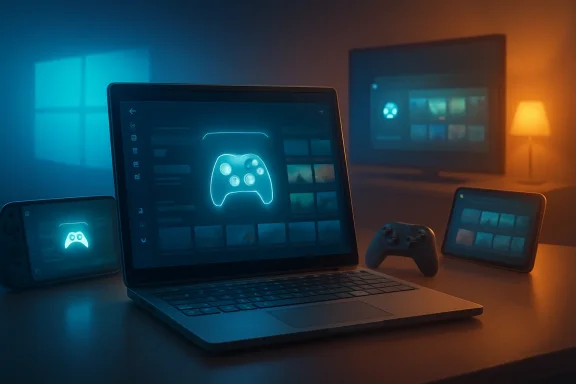 Microsoft Is Turning the Desktop Into a Disappearing Act
For decades, Windows gaming has carried a strange bargain: unmatched compatibility in exchange for an interface built for keyboards, mice, overlapping windows, notification trays, driver utilities, launchers, anti-cheat services, RGB control panels, and the occasional update prompt barging into the room at the worst possible time. That bargain made sense on a desk. It makes much less sense on a couch, a handheld, or a living-room PC connected to a television.Xbox mode is Microsoft’s answer to that mismatch. It gives Windows 11 a console-inspired shell where the game library, recently played titles, Game Pass catalog, and installed games from major PC storefronts are surfaced in a controller-friendly environment. Users can still jump back to the regular Windows desktop, but the pitch is obvious: when you are playing, Windows should get out of the way.
That is a more radical idea than it first appears. Microsoft is not launching a new console UI beside Windows; it is putting a game-first layer on top of Windows and asking players to treat the desktop as optional. In practice, Xbox mode is a launcher. Strategically, it is a beachhead.
The old PC-versus-console divide was clean enough to explain in a sentence. PCs were open, flexible, messy, powerful, and expensive; consoles were closed, simple, predictable, and subsidized. Xbox mode deliberately muddies that line. It says the same Windows machine can be both.
The Handheld Problem Forced Microsoft’s Hand
Xbox mode did not arrive from nowhere. It grew out of the full screen experience Microsoft first pushed for Windows gaming handhelds, where the shortcomings of desktop Windows are hardest to ignore. On a seven- or eight-inch screen, the Start menu, taskbar, desktop icons, modal dialogs, and tiny system prompts are not just inelegant. They are hostile.Valve understood this before Microsoft did. SteamOS works on Steam Deck not merely because it launches games, but because it treats the device as an appliance first and a Linux PC second. The Deck still has a desktop mode, but most users can ignore it. That inversion — game machine first, computer second — is what Windows handheld vendors have been trying to fake with overlays, vendor launchers, and boot-time utilities.
The ROG Ally, Lenovo Legion Go, MSI Claw, and their successors have all been trapped in the same contradiction. They sell the promise of PC freedom but ship with an operating system that often expects a pointer, a taskbar, and the patience of someone troubleshooting a printer. The hardware has been racing ahead of the software experience.
Microsoft’s rollout to all Windows 11 PC form factors suggests the company now sees the handheld problem as a preview of a broader shift. The issue was never just small screens. It was that gaming increasingly happens in contexts where the desktop metaphor is a burden: handhelds, TVs, docking stations, tablets, convertible laptops, and couch setups.
Xbox mode is therefore less about copying a console dashboard and more about acknowledging that Windows needs modes for different postures. Productivity Windows and gaming Windows are not the same experience, and Microsoft is finally treating that distinction as a product problem rather than a marketing slide.
The Console Is Becoming a Software Posture
The most interesting thing about Xbox mode is that it makes “Xbox” feel less like a box and more like a state Windows can enter. That has been Microsoft’s direction for years, but the company has often said it more clearly than it has built it. Game Pass, cloud gaming, Xbox Play Anywhere, the Xbox app on PC, and Xbox streaming on TVs all pointed toward a world where Xbox is a service layer across screens.Xbox mode gives that strategy an operating-system surface. It is the difference between saying “you can play Xbox games on PC” and making a Windows PC behave, at least briefly, like an Xbox. That distinction matters because experience is where platform identity is formed.
A subscription catalog alone does not make a platform. A storefront alone does not make a platform. A controller overlay alone does not make a platform. But a recognizable, repeatable interface that follows players across devices starts to feel like one.
That is why this rollout matters beyond the people who will actually enable it this week. Microsoft is laying down the interface language for a future Xbox ecosystem in which the dedicated console may be only one expression of Xbox hardware. A Windows-based living-room device, a handheld, a mini PC, a laptop with a controller, and a traditional Xbox console could all share enough of the same surface to feel related.
This is also why the timing feels pointed. The traditional console business is under pressure from longer hardware cycles, rising development costs, subscription economics, and increasingly platform-agnostic players. Microsoft does not need to abandon consoles to hedge against that future. It needs Xbox to survive even if the console becomes less central. Xbox mode is part of that hedge.
The Openness of PC Gaming Is Both Feature and Friction
Microsoft is careful to emphasize that Xbox mode is built on Windows and preserves the openness of PC gaming. That is the line it has to walk. The company cannot make Windows gaming feel too much like a locked console without angering the very audience that values Windows for its unruliness.PC gamers do not merely tolerate multiple storefronts, mods, emulators, launch options, driver panels, overlays, fan utilities, and strange little GitHub tools. Many depend on them. The chaos is part of the appeal. Steam, Battle.net, Epic Games Store, GOG, itch.io, EA, Ubisoft Connect, and standalone launchers coexist on Windows because Windows has historically been indifferent to how users acquire and run software.
Xbox mode tries to tame that sprawl without eliminating it. Microsoft says the interface can aggregate installed games from leading PC storefronts alongside Game Pass. That is the correct instinct. A console-like shell that only foregrounded Microsoft’s own catalog would be a sales funnel, not a serious PC gaming mode.
But aggregation is hard, and PC gamers are unforgiving when a launcher lies by omission. If Xbox mode fails to reliably detect games, mishandles non-Microsoft storefronts, obscures modded installs, or pushes Game Pass too aggressively, users will retreat to Steam Big Picture or the desktop. Microsoft does not need Xbox mode to replace Steam, but it does need it to avoid feeling like a branded skin over a subscription upsell.
There is also a deeper tension. The more Xbox mode optimizes away background processes and startup clutter, the more it must decide what counts as clutter. That question is simple on a console. It is politically loaded on a PC.
Performance Gains Will Be Judged in Frame Times, Not Press Copy
Microsoft says the full-screen gaming experience can reduce background distractions and, when configured to start at login, avoid loading some processes that are not required for that mode until the user switches back to the desktop. That is a sensible approach, especially on handhelds where memory, battery life, and thermal headroom are finite.But PC gamers have heard versions of this promise before. “Game Mode” in Windows 10 and Windows 11 was supposed to prioritize gaming resources, and while it has value, it never became the transformative switch its name implied. Xbox mode will face similar skepticism unless its benefits are visible in the places players actually feel them: faster boot-to-game flow, less stutter when returning from sleep, fewer surprise background interruptions, cleaner controller navigation, and more predictable launcher behavior.
The challenge is that performance in modern PC gaming is messy. A snappier shell is welcome, but it will not fix shader compilation stutter, bad ports, intrusive anti-cheat, GPU driver regressions, storefront update storms, or the battery realities of handheld APUs. Microsoft can make Windows a better host, but it cannot single-handedly make the PC ecosystem behave like a console.
That does not make Xbox mode pointless. It simply means the success metric should not be “does this add frames?” so much as “does this remove friction?” On a gaming handheld, the difference between a machine that boots into a usable library and one that dumps you at a desktop full of update prompts is enormous, even if the average FPS is unchanged.
For desktop users, the case is narrower but still real. A living-room gaming PC has always been a compromise, usually requiring Steam Big Picture, a wireless keyboard nearby, and a tolerance for Windows choosing the least convenient moment to demand attention. Xbox mode gives Microsoft a native answer to that living-room problem.
Steam Big Picture Now Has a First-Party Rival
The obvious comparison is Steam Big Picture, especially in its modern Steam Deck-influenced form. Valve has spent years refining a controller-first PC gaming interface, and for many users, Steam already is the console layer on Windows. It launches games, manages controller profiles, handles cloud saves, supports overlays, and increasingly serves as the default library view even for non-Steam titles.Microsoft’s advantage is lower-level integration. Xbox mode can live closer to Windows settings, Task View, Game Bar, startup behavior, and system-level switching between desktop and gaming environments. Valve can build an excellent launcher; Microsoft can alter the host operating system beneath the launcher.
That is also Microsoft’s burden. If Xbox mode feels half-integrated, users will judge it more harshly because Microsoft owns the stack. Steam Big Picture is allowed to be a clever application. Xbox mode will be expected to behave like a coherent Windows feature.
The competitive question is not whether Xbox mode kills Steam Big Picture. It will not. Steam’s library gravity is too strong, and Valve’s trust with PC gamers is too deep. The real question is whether Microsoft can make Xbox mode the default outer shell for controller-first Windows gaming while Steam remains one of the most important libraries inside it.
That would be a meaningful shift. It would let Microsoft reclaim the first screen players see without needing to win every storefront battle. In platform terms, the first screen is power.
This Is Also a Windows Update Story
The rollout mechanism matters. Microsoft is delivering Xbox mode gradually through Windows Update in select markets, with users encouraged to enable “Get the latest updates as soon as they are available.” That phrasing will be familiar to anyone who tracks Windows feature rollouts: staged availability, eligibility checks, regional sequencing, and a certain amount of waiting.For enthusiasts, that is merely annoying. For IT departments, it is a reminder that consumer-facing Windows features increasingly arrive as serviced experiences rather than monolithic operating-system releases. The Xbox app, Game Bar, Microsoft Store components, Windows feature flags, and cumulative updates can all shape what a Windows 11 machine feels like without the drama of a major version launch.
In managed environments, Xbox mode will be irrelevant on most corporate PCs and potentially undesirable on some. Schools, labs, shared workstations, and enterprise fleets already wrestle with consumer components in Windows. A more visible Xbox surface will prompt some administrators to ask whether Microsoft’s consumer and business priorities are too intertwined in the same client OS.
That concern should not be overstated. Xbox mode is not replacing the Windows desktop, and it appears designed as an opt-in gaming posture rather than a hostile takeover. But the larger pattern is real: Windows is becoming a container for multiple first-party experiences, each updated on its own cadence and each nudging the OS toward a service identity.
For home users, that may be convenient. For admins, it is one more thing to inventory, suppress, document, or explain.
The Name Change Is Doing Strategic Work
Microsoft’s shift from “full screen experience” to “Xbox mode” is not cosmetic. “Full screen experience” sounds like a display setting. “Xbox mode” sounds like a destination.That naming does two things. First, it makes the feature legible to normal users. Nobody wants to explain to a friend that they should enable the Windows Gaming Full Screen Experience, set a gaming home app, configure startup behavior, and then invoke it from Game Bar or Task View. “Turn on Xbox mode” is the kind of instruction that can survive outside a support document.
Second, it expands the Xbox brand beyond hardware without requiring Microsoft to declare the console dead. This has been the company’s delicate dance for years. Say too loudly that every screen is an Xbox, and console loyalists hear that their hardware is being devalued. Say too little, and investors and developers wonder whether Xbox is still trapped in a box under the TV.
“Xbox mode” is a useful compromise. It does not claim your PC is an Xbox. It claims your PC can behave like one when you want it to. That is subtle, but it is the kind of subtlety platform transitions often need.
It also lets Microsoft prepare users for more Windows-based Xbox hardware without forcing the conversation today. If a future Xbox device is closer to a locked-down Windows gaming appliance than a traditional console, Xbox mode will have helped normalize the idea that Xbox is an experience layer, not merely a hardware lineage.
The Risk Is That Microsoft Builds Another Almost-There Interface
The danger for Microsoft is not that Xbox mode is a bad idea. It is that the company has a long history of building promising consumer experiences that stop just short of feeling inevitable. Windows Media Center saw the living room before most of the industry did. The Microsoft Store was supposed to simplify software discovery. Game Bar has useful features but remains something many users forget until it appears accidentally. The Xbox app on PC has improved, but it still carries years of baggage.Xbox mode cannot afford to feel like another almost-there shell. Controller navigation must be consistent. Sleep and resume must be boring. Storefront aggregation must be trustworthy. The path back to desktop must be obvious. The interface must not feel like a giant advertisement for Game Pass, even though Game Pass will plainly benefit from it.
The bar is particularly high because the competition is not theoretical. Steam Deck owners know what a handheld-first interface can feel like when the platform owner sweats the details. Console players know what instant-on living-room simplicity feels like. Windows users know how quickly a promising mode can be undone by a single dialog box that demands a mouse.
Microsoft has one advantage Valve does not: it can fix Windows itself. But that advantage only matters if the company is willing to sand down the old assumptions of the desktop. Xbox mode will succeed to the extent that it is not merely a launcher, but a coordinated reduction of Windows’ worst gaming interruptions.
The Real Test Will Happen on Devices Microsoft Does Not Control
On Microsoft’s own preferred hardware and partner showcases, Xbox mode can be tuned, demonstrated, and explained. The harder test will be the wild Windows ecosystem: old gaming laptops with vendor utilities, desktops with three storefronts and five overlays, handhelds with custom buttons, tablets with detachable keyboards, and living-room PCs running through HDMI switches and wireless controllers.That chaos is Windows’ superpower. It is also where polished experiences go to die.
If Xbox mode handles that chaos gracefully, it could become one of the most important gaming additions to Windows in years. Not because it invents a new way to play, but because it gives the existing Windows gaming universe a more coherent front door. A good front door matters. It changes whether a machine feels like a hobby project or an appliance.
The rollout to laptops, desktops, tablets, and handhelds is therefore both ambitious and risky. Handheld users have the clearest need. Desktop users have the least patience for anything that smells like bloat. Tablet users may appreciate the touch and controller simplification. Living-room PC users may finally get a native Microsoft answer to a problem they have been solving with Steam for years.
Microsoft does not need all of them to adopt Xbox mode. It needs enough of them to make the mode a credible platform surface for developers, OEMs, and future hardware. Once that happens, the interface can become a target rather than an experiment.
The Xbox Button Is Becoming a Windows Button
The deeper story is input. A desktop operating system assumes a keyboard and pointer. A console assumes a controller. A handheld assumes controller input, touch, sleep states, power limits, and intermittent desktop access. Xbox mode is Microsoft’s attempt to make Windows fluent in that middle language.That matters because input defines expectations. If you pick up a controller and press the Xbox button, you expect the system to respond with a game-aware interface, not a desktop that reluctantly accepts gamepad focus. If you dock a handheld to a TV, you expect the UI to scale into the room. If you switch from a game to a launcher, you expect the transition to be navigable without reaching for a keyboard.
Windows has supported controllers for ages, but support is not the same as design. Xbox mode is the difference between “this input device works” and “this operating system understands why you are using it.” That is a philosophical shift.
It also makes the Xbox button a bridge between ecosystems. On a console, it opens the Xbox guide. On Windows, it has long invoked Game Bar or related overlays. In Xbox mode, it becomes part of a broader attempt to make system navigation controller-native. The more consistent that becomes, the less the user has to care whether the underlying device is a console, handheld, or PC.
That is the future Microsoft wants: not one device, but one muscle memory.
The Rollout Says More About the Next Xbox Than This Windows Update
The temptation is to treat Xbox mode as a Windows 11 quality-of-life feature. It is that, but it is also a clue. Microsoft is building the software vocabulary it will need if the next Xbox generation is more hybrid, more Windows-adjacent, and less defined by a single sealed console.Reports and industry chatter have pointed for some time toward a future in which Xbox hardware could include more PC-like devices, handhelds, or living-room systems that blur the old boundaries. Microsoft has not needed to confirm every detail for the direction to be visible. The company is putting Xbox on more screens, making PC purchases more Xbox-aware, and trying to solve the controller-first Windows problem in public.
Xbox mode is infrastructure for that future. It teaches users that Windows can have a console posture. It teaches OEMs that Microsoft has a first-party gaming shell they can build around. It teaches developers that Xbox identity on PC is not confined to an app window. It teaches Microsoft where the Windows desktop still resists being domesticated.
If there is a Windows-based Xbox set-top box someday, or a more open next-generation console that runs closer to PC architecture in user-visible ways, Xbox mode will look less like a side feature and more like an early rehearsal. The line between rehearsal and rollout is already getting blurry.
The Few Things Windows Gamers Should Actually Remember
For all the strategy talk, the immediate user impact is practical: some Windows 11 PCs in select markets will see Xbox mode become available first, with broader availability following gradually. The feature is worth watching even for users who never plan to enable it, because it shows where Microsoft wants Windows gaming to go next.- Xbox mode is rolling out gradually through Windows Update for Windows 11 PCs, including desktops, laptops, tablets, and handhelds.
- The interface is designed around controller-first, full-screen navigation rather than the traditional Windows desktop.
- Microsoft is positioning Xbox mode as an optional gaming posture, not a replacement for the normal Windows desktop.
- The feature can aggregate Game Pass titles and installed games from major PC storefronts, which will be essential if it is to be taken seriously by PC gamers.
- Its biggest early value is likely to be on handhelds and living-room PCs, where the standard Windows interface is most awkward.
- The long-term significance is that Microsoft is making “Xbox” feel more like a software experience that Windows devices can enter, not just a console brand.
Source: Wccftech Microsoft Rolls Out Xbox Mode to All Windows 11 PCs, Blurring the Line Between Console and Desktop Gaming
