

Copilot+ PCs are Windows 11 computers that meet Microsoft’s on-device AI standard, most importantly a compatible AMD, Intel, or Qualcomm processor with an NPU rated at 40 TOPS or more, plus at least 16GB of memory and 256GB of solid-state storage while running supported Windows updates. The badge does not mean the machine includes a superior Copilot subscription, nor does it guarantee that every advertised Windows AI feature works on every qualifying processor. It is best understood as a hardware eligibility mark for Microsoft’s emerging local-AI layer—one that is becoming common across mainstream laptops even though the software experience remains fragmented.
That distinction matters because Microsoft has attached one brand to three separate ideas: a class of modern PC hardware, a collection of Windows features, and the broader Copilot product family. The resulting confusion is not accidental background noise. It is the central problem with Copilot+ PCs, a technically defensible platform whose marketing promises more consistency than Microsoft currently delivers.
The first Copilot+ laptops arrived in June 2024, initially making the category look almost synonymous with Qualcomm’s Snapdragon X processors and Windows on Arm. Microsoft’s pitch was that a new generation of Windows machines could run persistent AI workloads locally rather than sending every request to a cloud service or tying up the CPU and GPU.
That premise is more substantial than the branding suggests. A neural processing unit, or NPU, is designed to perform workloads such as image analysis, speech processing, background effects, semantic indexing, and model inference while using less power than a general-purpose processor might consume doing the same work. For a battery-powered laptop, efficiency and sustained background operation are often more important than finishing one AI benchmark as quickly as possible.
Microsoft converted that engineering concept into a certification threshold. A Copilot+ PC needs a compatible processor or system-on-chip with an NPU capable of at least 40 TOPS, meaning 40 trillion operations per second, as well as 16GB of DDR5 or LPDDR5 memory and 256GB of SSD or UFS storage. It must run Windows 11, and individual Copilot+ experiences may require supported Windows updates before they become available.
The definition is therefore narrower than “AI PC,” a phrase hardware companies use with considerable flexibility. A laptop can contain an NPU, advertise AI acceleration, and still fail to qualify as a Copilot+ PC because it does not meet Microsoft’s NPU threshold or lacks access to the corresponding Windows feature set. Every Copilot+ PC is an AI PC in the industry’s loose sense, but not every AI PC is a Copilot+ PC.
Microsoft’s official material presents the category as a distinct tier of Windows hardware. Digital Trends reaches the more useful formulation: Copilot+ is a certification, not simply a description of a computer that can run AI software.
That also means the ordinary Copilot app is not the dividing line. A regular Windows 11 PC can use the internet-connected Copilot experience without a 40-TOPS NPU. Buying a Copilot+ PC does not automatically include a premium Copilot plan or a Microsoft 365 subscription, and some actions exposed through Windows features may still require an account, an internet connection, or a paid service.
The badge buys eligibility, not an all-inclusive AI package.
Different NPUs can reach similar nominal throughput while behaving differently across models, data types, software frameworks, thermal limits, and sustained workloads. The 40-TOPS figure also says nothing about CPU responsiveness, GPU performance, memory bandwidth, display quality, cooling, wireless hardware, repairability, or battery capacity. It cannot tell a buyer whether a laptop will compile code quickly, run a demanding game smoothly, or remain quiet under load.
That is why two Copilot+ PCs can feel like entirely different classes of machine. One may be a thin efficiency-focused notebook; another may emphasize multi-core processing or integrated graphics. Both can cross Microsoft’s NPU threshold while delivering sharply different results in the work people already buy computers to perform.
The threshold is useful as a platform baseline. Developers and Microsoft can assume that qualifying machines have a certain amount of local inference capacity, memory, and storage instead of trying to scale the same background experience across every Windows 11 device ever sold. What the threshold cannot legitimately become is a substitute for comparing the rest of the specifications.
This is where Microsoft’s marketing language invites an overreading. The company has promoted Copilot+ systems as exceptionally fast and long-lasting Windows PCs, but those qualities come from the processors, system designs, batteries, displays, and power profiles manufacturers choose—not from the certification sticker itself. The badge may correlate with newer, better-equipped laptops because its minimums exclude much of the low end. Correlation is not a performance guarantee.
The minimum memory requirement is particularly revealing. Sixteen gigabytes is a reasonable baseline for a modern upper-midrange Windows laptop, especially one expected to run local models and maintain AI indexes in the background. Yet entry-level 8GB machines continue to exist, reinforcing that Copilot+ remains as much a market segment as an operating-system capability.
A budget buyer comparing an 8GB conventional laptop against a 16GB Copilot+ system may see a meaningful difference in multitasking long before any AI feature enters the discussion. Microsoft gets to associate that improvement with the Copilot+ brand even though the extra memory would have helped Windows, browsers, office applications, and creative tools regardless of the NPU.
That expansion gives buyers a real choice between Arm and x86 Windows systems, but it has also exposed the weakness in treating Copilot+ as a single, uniform experience. A processor family name alone does not guarantee that every configuration qualifies or that every feature is available. Buyers still need to confirm the actual Copilot+ badge, the manufacturer’s specifications, and Microsoft’s current feature requirements.
Qualcomm systems carry the additional question of Windows on Arm compatibility. Windows 11 uses Microsoft’s Prism emulator to run many x86 and x64 applications that have not been rebuilt for Arm. Microsoft describes this emulation as transparent to applications, and Prism is intended to improve performance and reduce the processor overhead associated with translated code.
For many ordinary productivity applications, that arrangement can make architecture nearly invisible. It becomes less invisible around specialized drivers, low-level security software, older peripherals, niche professional utilities, and applications whose behavior or performance depends on native components. An Arm machine can be the right choice for battery life and responsiveness, but business buyers should not interpret “Windows 11” as proof that every component in an established x86 deployment will behave identically.
AMD and Intel avoid that architectural migration, but they do not automatically receive perfect parity with Snapdragon. Microsoft introduced the category on Qualcomm hardware, and some features have continued to list Snapdragon X requirements even after AMD and Intel joined the broader platform. Windows Central has repeatedly highlighted this staggered feature delivery, while Microsoft’s own documentation warns that experiences vary by processor, market, language, device, account, and update status.
The practical result is a certification with two levels. The first level asks whether a machine qualifies as Copilot+. The second, less visible level asks which part of the Copilot+ feature catalog it can run today.
That second question is the one buyers and administrators must answer before procurement.
Improved Windows Search is the clearest example. Instead of requiring an exact filename, semantic indexing can interpret a description such as “team at the conference” and use it to locate a supported image or file. The capability appears across File Explorer, the Windows search box, and supported Settings searches.
That is a genuine quality-of-life improvement because file retrieval is a recurring failure of modern desktops. Users remember what a document contained, what a picture looked like, or why they opened it; they often do not remember the exact name, folder, or date. Natural-language retrieval maps Windows Search more closely to human memory.
The Agent in Settings follows a similar logic. A user can describe a setting or problem in ordinary language, and Windows can surface the relevant control or help apply a supported change. Microsoft expanded the agent’s language support in 2026, an important step for a feature whose value depends on understanding how ordinary people describe technical problems rather than how Microsoft labels control-panel options.
Live Captions translation may be more consequential for accessibility and multilingual work than many of the more conspicuous generative tools. Copilot+ systems can translate speech locally from more than 40 languages into English, as well as from supported languages into Simplified Chinese. Local processing can reduce dependence on connectivity while keeping the feature responsive during calls, recordings, and in-person conversations.
Click to Do tries to turn whatever is already visible on the screen into an actionable object. It can identify selected text and images, then offer operations such as copying, summarizing, rewriting, searching, removing or blurring a background, or opening the selection in another application. Microsoft’s support material makes clear that some advanced actions depend on language, region, account status, connected services, or subscriptions.
The feature is conceptually useful because it reduces the distance between recognition and action. Instead of copying an address, opening another application, pasting it, and choosing a command, Windows can try to infer the next step. But the menu of available actions is also where the supposedly local Copilot+ experience starts to blur into cloud Copilot services, web search, Microsoft 365, and account-dependent integrations.
Creative features spread the same model across Paint, Photos, Snipping Tool, Narrator, Voice Access, and Windows Studio Effects. Microsoft lists capabilities including Cocreator, image generation, image restyling, super resolution, improved screenshots, richer image descriptions, flexible voice commands, background blur, automatic framing, eye contact, and voice focus.
These features are not all equally important, mature, or broadly available. Automatic Super Resolution, Paint Generative Fill, and Photos Relight currently list Snapdragon X requirements on Microsoft’s feature page. That is a substantial qualification for AMD or Intel buyers who could reasonably assume the same badge meant access to the same Windows tools.
There is a broader lesson in the mismatch. The more ambitious Microsoft makes the Copilot+ umbrella, the harder it becomes to maintain feature parity across processor architectures, model deployments, languages, regions, and Windows servicing stages. A narrow certification could have guaranteed a small, dependable set of local capabilities. Microsoft instead chose a growing brand whose boundaries move after the machine has been purchased.
The feature creates an optional, searchable history from snapshots of activity displayed on the screen. A user can describe a document, image, application, or webpage they remember encountering, and Recall attempts to retrieve the relevant moment from the saved timeline.
In theory, it solves an enormous information-management problem. Modern work is scattered across browser tabs, chat applications, office documents, remote sessions, dashboards, PDFs, and cloud services. Conventional search is organized around file locations and application boundaries, while human memory is organized around partial scenes: the chart seen during a meeting, the sentence read on a website, or the window open before an interruption.
Recall tries to index that visual past. It is semantic search applied not merely to files but to the experience of using the computer.
The security implications are correspondingly serious. A searchable archive of screen activity can contain corporate information, private messages, health data, financial records, authentication details, customer information, and material that was never intended to become part of a persistent local history.
As reported by Ars Technica during the original launch period, Microsoft delayed Recall after security criticism disrupted its plan to ship the feature alongside the first Copilot+ systems. The company subsequently redesigned important controls, yet it continues to label Recall as a preview. That label is more than the usual software disclaimer: it acknowledges that Microsoft is still asking users and administrators to evaluate the trust model of a fundamentally new form of local data collection.
The current design is opt-in and requires Windows Hello Enhanced Sign-in Security with biometric authentication. Snapshots are encrypted, stored locally, and associated with the individual Windows profile. According to Microsoft, it cannot access the snapshots, and other applications cannot simply retrieve the Recall database.
Sensitive-information filtering is enabled by default to reduce the capture of passwords, payment information, and identification numbers. Users can pause capture, delete snapshots, limit storage use, exclude applications or websites, and remove Recall as an optional Windows component.
These controls make Recall substantially more defensible than the version originally perceived by critics. They do not turn it into a routine feature that organizations should enable without analysis.
Filtering systems can fail. Sensitive data can appear in unexpected application windows, remote desktops, images, internal tools, or workflows that do not resemble familiar password and payment forms. Local encryption limits exposure, but it does not erase endpoint risk when an authorized user, compromised session, or improperly controlled device can unlock the relevant data.
The question is therefore not whether Recall is “private” in the abstract. The question is whether its collection model fits the device’s purpose, data classification, threat model, retention policy, regulatory obligations, and incident-response plan.
A personal laptop and a healthcare workstation should not receive the same default answer.
Those numbers expose a second side of the feature that marketing demonstrations tend to conceal. Recall is not only an AI search tool; it is a rolling data-retention system whose behavior depends on local disk capacity.
On an entry-level 256GB laptop, 25GB is a meaningful reservation before accounting for Windows, recovery data, applications, update staging, cloud-sync caches, user files, and manufacturer software. The requirement for 50GB of free space also means Recall can become unavailable precisely on the lower-capacity systems where storage pressure is already common.
Administrators should treat the allocation as a policy decision rather than a cosmetic preference. A larger archive can improve retrieval while increasing the amount of historical activity present on an endpoint. A smaller archive reduces retention but may make the feature less useful. Automatic deletion after the allocation fills is capacity management, not necessarily compliance-grade retention enforcement.
The estimated three-month history is also an estimate, not a fixed guarantee. Snapshot volume will vary with use, settings, and the density of captured activity. Organizations that care about exact retention periods should not infer them from Microsoft’s capacity estimate.
This is a recurring theme across Copilot+: local AI shifts work away from cloud servers, but it does not eliminate operational costs. It consumes memory, storage, model packages, update bandwidth, management attention, and endpoint-security capacity instead.
Cloud AI is powerful, but it carries latency, connectivity, privacy, capacity, and cost constraints. Every request sent to a remote service consumes network resources and data-center computation. It may also require an account and introduce questions about where data is processed and retained.
An NPU allows Windows and applications to run certain models continuously without monopolizing the CPU or GPU. Background effects can remain active during a video call. Captions can be translated without depending entirely on a remote service. Images and documents can be indexed semantically while the user continues working. Accessibility features can respond with lower latency and remain useful when connectivity is poor.
This is the strongest strategic case for Copilot+ PCs. Microsoft is not merely trying to place a chatbot on a laptop; it is creating a hardware floor for ambient inference throughout Windows.
The distinction between cloud Copilot and Copilot+ is crucial here. The Copilot app remains largely a connected service available beyond Copilot+ hardware. The local platform is intended for repeated, context-sensitive jobs that benefit from efficiency, privacy, or responsiveness.
Microsoft’s challenge is that infrastructure is difficult to market. “This laptop has hardware that can run sustained inference more efficiently” is technically meaningful but emotionally weak. Features such as Recall and generative image tools give the NPU a visible purpose, even when semantic search, captions, camera effects, and accessibility improvements may represent the more durable uses.
That dynamic also explains why early owners can reasonably conclude that they seldom use the headline features while still owning a better class of laptop. The processors powering Copilot+ systems can deliver improvements in efficiency, responsiveness, graphics, and battery behavior that exist independently of Recall or Click to Do.
The hardware may be ahead of the software, but that is not the same as useless hardware. It means the buying decision should be based first on the machine’s conventional qualities and second on Microsoft’s evolving AI layer.
They are not universal promises. Battery life depends on the processor, display resolution and technology, battery size, wireless conditions, brightness, background software, workload, performance mode, and manufacturer tuning. A Copilot+ badge cannot normalize all of those variables.
Local video playback is also a controlled workload that can benefit from efficient hardware decoding and limited interaction. Real working days involve browsers with many tabs, video conferences, cloud synchronization, security agents, development tools, external displays, and applications that may not behave like a test loop.
Qualcomm systems often emphasize efficiency. AMD systems may distinguish themselves through integrated graphics and multi-core performance. Intel’s qualifying processors can appear in designs tuned for portability or higher conventional performance. These are broad tendencies rather than promises, and the laptop manufacturer’s implementation remains decisive.
A useful buying process therefore starts with independent testing of the exact model, not Microsoft’s platform-level claim. Display quality, fan behavior, port selection, keyboard and trackpad design, webcam quality, repair options, and workload-specific benchmarks still determine whether a notebook is good.
Copilot+ did not abolish laptop reviews. If anything, it made them more necessary by adding another layer of eligibility and feature variation to an already complicated market.
That normalization would be a success for Microsoft’s platform strategy but a problem for its marketing. If nearly every desirable laptop qualifies, Copilot+ stops telling buyers which machine is better. It becomes closer to a generational baseline, much like support for a modern wireless or security feature.
At the lower end, the distinction remains more visible. Systems built around older architectures or only 8GB of memory can avoid the cost associated with Copilot+ requirements. A price-sensitive buyer may reasonably choose one, particularly if the machine is intended for basic browsing, office work, or education and the Copilot+ feature set carries little value.
The risk is that today’s inexpensive configuration becomes tomorrow’s constrained Windows machine. Sixteen gigabytes of memory offers practical headroom beyond AI, and newer processors may receive better support for future local features. A buyer keeping a laptop for several years should weigh those advantages against the immediate savings of an 8GB model.
Still, future-proofing has limits. Nobody can guarantee that a current 40-TOPS NPU will support every model or Windows experience Microsoft introduces later. Copilot+ certifies compatibility with a defined platform and supported experiences; it is not a permanent entitlement to all future Windows AI capabilities.
That makes the badge a modest hedge, not an insurance policy. It is sensible to prefer a qualifying system when two otherwise comparable laptops cost roughly the same. It is much less sensible to accept a worse display, smaller battery, poor keyboard, weaker CPU, or unsuitable architecture merely to obtain the logo.
Architecture is the first branch. Qualcomm’s Arm systems may offer compelling mobility, but organizations must validate business applications, security products, VPN components, device drivers, peripherals, browser extensions, and management agents. Prism broadens compatibility for conventional applications, but emulation cannot replace testing of software that interacts deeply with Windows or relies on architecture-specific components.
AMD and Intel systems preserve the familiar x86 environment, although administrators still need to verify each model’s Copilot+ status and feature availability. A broad processor family designation is not enough, and a qualifying NPU does not prove that the device has the ports, memory capacity, storage, serviceability, or enterprise features required for a standard image.
The second branch is feature governance. Recall deserves an explicit organizational decision, not an assumption based on the consumer setup experience. Click to Do, connected Copilot actions, semantic indexing, generative tools, and agent-assisted settings may also intersect with account policy, regional availability, data-loss prevention, and support procedures.
The third branch is operational consistency. If Snapdragon systems receive certain experiences while Intel and AMD systems do not, a mixed fleet may present different menus and capabilities to users with otherwise similar Windows builds. That difference complicates documentation, training, troubleshooting, and help-desk scripts.
Microsoft’s warning that features vary by processor, device, market, language, account type, and update is not small print an enterprise can ignore. It is a description of the test matrix IT departments inherit.
Microsoft has established clear hardware minimums, and that is an achievement. The 40-TOPS threshold, 16GB memory floor, and 256GB storage requirement give Windows developers a more predictable target than the sprawling conventional PC installed base.
The experience layered on top is less coherent. A buyer can satisfy the certification and still encounter processor-specific tools, region-specific actions, subscription-dependent commands, staggered updates, or a flagship feature that remains in preview. Each caveat may be defensible individually, but together they weaken the promise of a unified platform.
There is precedent for evolving capabilities in Windows, especially where hardware acceleration is involved. What makes Copilot+ different is that Microsoft sells the evolving capability itself as the identity of the computer. If feature parity arrives late or never, the certification begins to resemble an admission ticket to a rolling experiment.
Microsoft should narrow the guaranteed core. Search, captions, accessibility functions, baseline creative acceleration, and other local experiences could form a stable feature set available across every qualifying processor. Experimental, processor-specific, regional, or connected additions could then be labeled separately instead of being allowed to define expectations for the entire badge.
The company also needs to separate Copilot branding more clearly. Copilot the connected assistant, Copilot+ the hardware class, Microsoft 365 Copilot the subscription service, and Windows features that sometimes hand content to those services are related products, not interchangeable names. Making users decode that taxonomy at the point of purchase undermines the simplicity a certification is supposed to provide.
That distinction matters because Microsoft has attached one brand to three separate ideas: a class of modern PC hardware, a collection of Windows features, and the broader Copilot product family. The resulting confusion is not accidental background noise. It is the central problem with Copilot+ PCs, a technically defensible platform whose marketing promises more consistency than Microsoft currently delivers.
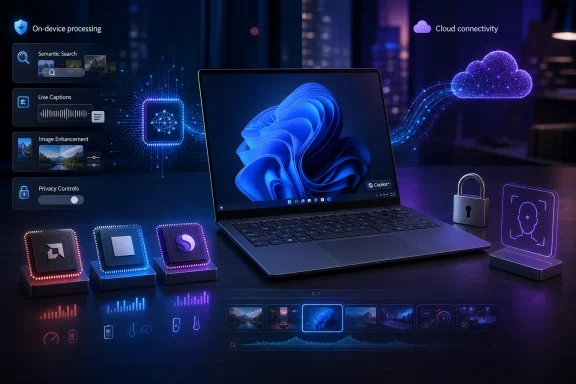 Microsoft Turned an AI Slogan Into a Hardware Gate
The first Copilot+ laptops arrived in June 2024, initially making the category look almost synonymous with Qualcomm’s Snapdragon X processors and Windows on Arm. Microsoft’s pitch was that a new generation of Windows machines could run persistent AI workloads locally rather than sending every request to a cloud service or tying up the CPU and GPU.That premise is more substantial than the branding suggests. A neural processing unit, or NPU, is designed to perform workloads such as image analysis, speech processing, background effects, semantic indexing, and model inference while using less power than a general-purpose processor might consume doing the same work. For a battery-powered laptop, efficiency and sustained background operation are often more important than finishing one AI benchmark as quickly as possible.
Microsoft converted that engineering concept into a certification threshold. A Copilot+ PC needs a compatible processor or system-on-chip with an NPU capable of at least 40 TOPS, meaning 40 trillion operations per second, as well as 16GB of DDR5 or LPDDR5 memory and 256GB of SSD or UFS storage. It must run Windows 11, and individual Copilot+ experiences may require supported Windows updates before they become available.
The definition is therefore narrower than “AI PC,” a phrase hardware companies use with considerable flexibility. A laptop can contain an NPU, advertise AI acceleration, and still fail to qualify as a Copilot+ PC because it does not meet Microsoft’s NPU threshold or lacks access to the corresponding Windows feature set. Every Copilot+ PC is an AI PC in the industry’s loose sense, but not every AI PC is a Copilot+ PC.
Microsoft’s official material presents the category as a distinct tier of Windows hardware. Digital Trends reaches the more useful formulation: Copilot+ is a certification, not simply a description of a computer that can run AI software.
That also means the ordinary Copilot app is not the dividing line. A regular Windows 11 PC can use the internet-connected Copilot experience without a 40-TOPS NPU. Buying a Copilot+ PC does not automatically include a premium Copilot plan or a Microsoft 365 subscription, and some actions exposed through Windows features may still require an account, an internet connection, or a paid service.
The badge buys eligibility, not an all-inclusive AI package.
Forty TOPS Says Almost Nothing About the Rest of the Laptop
TOPS has become the headline number because it gives Microsoft a convenient gate. It does not provide a complete description of AI performance, much less overall PC performance.Different NPUs can reach similar nominal throughput while behaving differently across models, data types, software frameworks, thermal limits, and sustained workloads. The 40-TOPS figure also says nothing about CPU responsiveness, GPU performance, memory bandwidth, display quality, cooling, wireless hardware, repairability, or battery capacity. It cannot tell a buyer whether a laptop will compile code quickly, run a demanding game smoothly, or remain quiet under load.
That is why two Copilot+ PCs can feel like entirely different classes of machine. One may be a thin efficiency-focused notebook; another may emphasize multi-core processing or integrated graphics. Both can cross Microsoft’s NPU threshold while delivering sharply different results in the work people already buy computers to perform.
The threshold is useful as a platform baseline. Developers and Microsoft can assume that qualifying machines have a certain amount of local inference capacity, memory, and storage instead of trying to scale the same background experience across every Windows 11 device ever sold. What the threshold cannot legitimately become is a substitute for comparing the rest of the specifications.
This is where Microsoft’s marketing language invites an overreading. The company has promoted Copilot+ systems as exceptionally fast and long-lasting Windows PCs, but those qualities come from the processors, system designs, batteries, displays, and power profiles manufacturers choose—not from the certification sticker itself. The badge may correlate with newer, better-equipped laptops because its minimums exclude much of the low end. Correlation is not a performance guarantee.
The minimum memory requirement is particularly revealing. Sixteen gigabytes is a reasonable baseline for a modern upper-midrange Windows laptop, especially one expected to run local models and maintain AI indexes in the background. Yet entry-level 8GB machines continue to exist, reinforcing that Copilot+ remains as much a market segment as an operating-system capability.
A budget buyer comparing an 8GB conventional laptop against a 16GB Copilot+ system may see a meaningful difference in multitasking long before any AI feature enters the discussion. Microsoft gets to associate that improvement with the Copilot+ brand even though the extra memory would have helped Windows, browsers, office applications, and creative tools regardless of the NPU.
Three Processor Roads Now Lead to an Uneven Platform
The category has expanded beyond its Qualcomm-first launch. Microsoft now lists AMD Ryzen AI 300 and 400 series, Intel Core Ultra 200 and 300 series, and Qualcomm Snapdragon X series processors among the compatible families.That expansion gives buyers a real choice between Arm and x86 Windows systems, but it has also exposed the weakness in treating Copilot+ as a single, uniform experience. A processor family name alone does not guarantee that every configuration qualifies or that every feature is available. Buyers still need to confirm the actual Copilot+ badge, the manufacturer’s specifications, and Microsoft’s current feature requirements.
| Processor family | Architecture | Copilot+ status | Application consideration | Current feature caveat |
|---|---|---|---|---|
| AMD Ryzen AI 300 and 400 series | x86 | Compatible qualifying systems | Conventional x86 Windows environment | Feature availability can vary by device and update |
| Intel Core Ultra 200 and 300 series | x86 | Compatible qualifying systems | Conventional x86 Windows environment | Feature availability can vary by device and update |
| Qualcomm Snapdragon X series | Arm | Compatible qualifying systems | Prism runs many non-native x86 and x64 applications | Currently listed for Automatic Super Resolution, Paint Generative Fill, and Photos Relight |
For many ordinary productivity applications, that arrangement can make architecture nearly invisible. It becomes less invisible around specialized drivers, low-level security software, older peripherals, niche professional utilities, and applications whose behavior or performance depends on native components. An Arm machine can be the right choice for battery life and responsiveness, but business buyers should not interpret “Windows 11” as proof that every component in an established x86 deployment will behave identically.
AMD and Intel avoid that architectural migration, but they do not automatically receive perfect parity with Snapdragon. Microsoft introduced the category on Qualcomm hardware, and some features have continued to list Snapdragon X requirements even after AMD and Intel joined the broader platform. Windows Central has repeatedly highlighted this staggered feature delivery, while Microsoft’s own documentation warns that experiences vary by processor, market, language, device, account, and update status.
The practical result is a certification with two levels. The first level asks whether a machine qualifies as Copilot+. The second, less visible level asks which part of the Copilot+ feature catalog it can run today.
That second question is the one buyers and administrators must answer before procurement.
The Best Copilot+ Features Are the Least Spectacular Ones
Microsoft’s feature list is broad enough to sound like a reinvention of Windows. In practice, its strongest additions are quieter improvements that reduce friction in existing workflows.Improved Windows Search is the clearest example. Instead of requiring an exact filename, semantic indexing can interpret a description such as “team at the conference” and use it to locate a supported image or file. The capability appears across File Explorer, the Windows search box, and supported Settings searches.
That is a genuine quality-of-life improvement because file retrieval is a recurring failure of modern desktops. Users remember what a document contained, what a picture looked like, or why they opened it; they often do not remember the exact name, folder, or date. Natural-language retrieval maps Windows Search more closely to human memory.
The Agent in Settings follows a similar logic. A user can describe a setting or problem in ordinary language, and Windows can surface the relevant control or help apply a supported change. Microsoft expanded the agent’s language support in 2026, an important step for a feature whose value depends on understanding how ordinary people describe technical problems rather than how Microsoft labels control-panel options.
Live Captions translation may be more consequential for accessibility and multilingual work than many of the more conspicuous generative tools. Copilot+ systems can translate speech locally from more than 40 languages into English, as well as from supported languages into Simplified Chinese. Local processing can reduce dependence on connectivity while keeping the feature responsive during calls, recordings, and in-person conversations.
Click to Do tries to turn whatever is already visible on the screen into an actionable object. It can identify selected text and images, then offer operations such as copying, summarizing, rewriting, searching, removing or blurring a background, or opening the selection in another application. Microsoft’s support material makes clear that some advanced actions depend on language, region, account status, connected services, or subscriptions.
The feature is conceptually useful because it reduces the distance between recognition and action. Instead of copying an address, opening another application, pasting it, and choosing a command, Windows can try to infer the next step. But the menu of available actions is also where the supposedly local Copilot+ experience starts to blur into cloud Copilot services, web search, Microsoft 365, and account-dependent integrations.
Creative features spread the same model across Paint, Photos, Snipping Tool, Narrator, Voice Access, and Windows Studio Effects. Microsoft lists capabilities including Cocreator, image generation, image restyling, super resolution, improved screenshots, richer image descriptions, flexible voice commands, background blur, automatic framing, eye contact, and voice focus.
These features are not all equally important, mature, or broadly available. Automatic Super Resolution, Paint Generative Fill, and Photos Relight currently list Snapdragon X requirements on Microsoft’s feature page. That is a substantial qualification for AMD or Intel buyers who could reasonably assume the same badge meant access to the same Windows tools.
There is a broader lesson in the mismatch. The more ambitious Microsoft makes the Copilot+ umbrella, the harder it becomes to maintain feature parity across processor architectures, model deployments, languages, regions, and Windows servicing stages. A narrow certification could have guaranteed a small, dependable set of local capabilities. Microsoft instead chose a growing brand whose boundaries move after the machine has been purchased.
Recall Is Still the Feature That Defines the Risk
Recall remains Microsoft’s boldest attempt to prove that an NPU can change the relationship between a user and a personal computer. It is also the reason Copilot+ arrived under a cloud of distrust.The feature creates an optional, searchable history from snapshots of activity displayed on the screen. A user can describe a document, image, application, or webpage they remember encountering, and Recall attempts to retrieve the relevant moment from the saved timeline.
In theory, it solves an enormous information-management problem. Modern work is scattered across browser tabs, chat applications, office documents, remote sessions, dashboards, PDFs, and cloud services. Conventional search is organized around file locations and application boundaries, while human memory is organized around partial scenes: the chart seen during a meeting, the sentence read on a website, or the window open before an interruption.
Recall tries to index that visual past. It is semantic search applied not merely to files but to the experience of using the computer.
The security implications are correspondingly serious. A searchable archive of screen activity can contain corporate information, private messages, health data, financial records, authentication details, customer information, and material that was never intended to become part of a persistent local history.
As reported by Ars Technica during the original launch period, Microsoft delayed Recall after security criticism disrupted its plan to ship the feature alongside the first Copilot+ systems. The company subsequently redesigned important controls, yet it continues to label Recall as a preview. That label is more than the usual software disclaimer: it acknowledges that Microsoft is still asking users and administrators to evaluate the trust model of a fundamentally new form of local data collection.
The current design is opt-in and requires Windows Hello Enhanced Sign-in Security with biometric authentication. Snapshots are encrypted, stored locally, and associated with the individual Windows profile. According to Microsoft, it cannot access the snapshots, and other applications cannot simply retrieve the Recall database.
Sensitive-information filtering is enabled by default to reduce the capture of passwords, payment information, and identification numbers. Users can pause capture, delete snapshots, limit storage use, exclude applications or websites, and remove Recall as an optional Windows component.
These controls make Recall substantially more defensible than the version originally perceived by critics. They do not turn it into a routine feature that organizations should enable without analysis.
Filtering systems can fail. Sensitive data can appear in unexpected application windows, remote desktops, images, internal tools, or workflows that do not resemble familiar password and payment forms. Local encryption limits exposure, but it does not erase endpoint risk when an authorized user, compromised session, or improperly controlled device can unlock the relevant data.
The question is therefore not whether Recall is “private” in the abstract. The question is whether its collection model fits the device’s purpose, data classification, threat model, retention policy, regulatory obligations, and incident-response plan.
A personal laptop and a healthcare workstation should not receive the same default answer.
Recall Also Turns Storage Into a Retention Policy
Recall needs at least 50GB of free space to operate. On a 256GB system, the default snapshot allocation is 25GB, which Microsoft estimates can retain about three months of activity before older snapshots are deleted as the allocation fills.Those numbers expose a second side of the feature that marketing demonstrations tend to conceal. Recall is not only an AI search tool; it is a rolling data-retention system whose behavior depends on local disk capacity.
On an entry-level 256GB laptop, 25GB is a meaningful reservation before accounting for Windows, recovery data, applications, update staging, cloud-sync caches, user files, and manufacturer software. The requirement for 50GB of free space also means Recall can become unavailable precisely on the lower-capacity systems where storage pressure is already common.
Administrators should treat the allocation as a policy decision rather than a cosmetic preference. A larger archive can improve retrieval while increasing the amount of historical activity present on an endpoint. A smaller archive reduces retention but may make the feature less useful. Automatic deletion after the allocation fills is capacity management, not necessarily compliance-grade retention enforcement.
The estimated three-month history is also an estimate, not a fixed guarantee. Snapshot volume will vary with use, settings, and the density of captured activity. Organizations that care about exact retention periods should not infer them from Microsoft’s capacity estimate.
This is a recurring theme across Copilot+: local AI shifts work away from cloud servers, but it does not eliminate operational costs. It consumes memory, storage, model packages, update bandwidth, management attention, and endpoint-security capacity instead.
Local AI Solves a Real Engineering Problem
It would be easy to dismiss Copilot+ as a branding exercise built around features many owners rarely open. That would miss the platform-level change underneath it.Cloud AI is powerful, but it carries latency, connectivity, privacy, capacity, and cost constraints. Every request sent to a remote service consumes network resources and data-center computation. It may also require an account and introduce questions about where data is processed and retained.
An NPU allows Windows and applications to run certain models continuously without monopolizing the CPU or GPU. Background effects can remain active during a video call. Captions can be translated without depending entirely on a remote service. Images and documents can be indexed semantically while the user continues working. Accessibility features can respond with lower latency and remain useful when connectivity is poor.
This is the strongest strategic case for Copilot+ PCs. Microsoft is not merely trying to place a chatbot on a laptop; it is creating a hardware floor for ambient inference throughout Windows.
The distinction between cloud Copilot and Copilot+ is crucial here. The Copilot app remains largely a connected service available beyond Copilot+ hardware. The local platform is intended for repeated, context-sensitive jobs that benefit from efficiency, privacy, or responsiveness.
Microsoft’s challenge is that infrastructure is difficult to market. “This laptop has hardware that can run sustained inference more efficiently” is technically meaningful but emotionally weak. Features such as Recall and generative image tools give the NPU a visible purpose, even when semantic search, captions, camera effects, and accessibility improvements may represent the more durable uses.
That dynamic also explains why early owners can reasonably conclude that they seldom use the headline features while still owning a better class of laptop. The processors powering Copilot+ systems can deliver improvements in efficiency, responsiveness, graphics, and battery behavior that exist independently of Recall or Click to Do.
The hardware may be ahead of the software, but that is not the same as useless hardware. It means the buying decision should be based first on the machine’s conventional qualities and second on Microsoft’s evolving AI layer.
Battery Claims Belong to Tested Devices, Not the Logo
Microsoft-commissioned testing has claimed up to 22 hours of local video playback and 15 hours of web browsing on selected systems. Those figures help explain why Copilot+ branding became closely associated with long battery life, particularly during the Qualcomm-led launch.They are not universal promises. Battery life depends on the processor, display resolution and technology, battery size, wireless conditions, brightness, background software, workload, performance mode, and manufacturer tuning. A Copilot+ badge cannot normalize all of those variables.
Local video playback is also a controlled workload that can benefit from efficient hardware decoding and limited interaction. Real working days involve browsers with many tabs, video conferences, cloud synchronization, security agents, development tools, external displays, and applications that may not behave like a test loop.
Qualcomm systems often emphasize efficiency. AMD systems may distinguish themselves through integrated graphics and multi-core performance. Intel’s qualifying processors can appear in designs tuned for portability or higher conventional performance. These are broad tendencies rather than promises, and the laptop manufacturer’s implementation remains decisive.
A useful buying process therefore starts with independent testing of the exact model, not Microsoft’s platform-level claim. Display quality, fan behavior, port selection, keyboard and trackpad design, webcam quality, repair options, and workload-specific benchmarks still determine whether a notebook is good.
Copilot+ did not abolish laptop reviews. If anything, it made them more necessary by adding another layer of eligibility and feature variation to an already complicated market.
The Badge Is Becoming Normal Before It Becomes Essential
For upper-midrange and premium laptop buyers, Copilot+ may soon cease to be a meaningful differentiator because qualifying NPUs are becoming standard components in current processor families. Buyers may receive the badge simply by choosing a recent, adequately equipped Windows notebook.That normalization would be a success for Microsoft’s platform strategy but a problem for its marketing. If nearly every desirable laptop qualifies, Copilot+ stops telling buyers which machine is better. It becomes closer to a generational baseline, much like support for a modern wireless or security feature.
At the lower end, the distinction remains more visible. Systems built around older architectures or only 8GB of memory can avoid the cost associated with Copilot+ requirements. A price-sensitive buyer may reasonably choose one, particularly if the machine is intended for basic browsing, office work, or education and the Copilot+ feature set carries little value.
The risk is that today’s inexpensive configuration becomes tomorrow’s constrained Windows machine. Sixteen gigabytes of memory offers practical headroom beyond AI, and newer processors may receive better support for future local features. A buyer keeping a laptop for several years should weigh those advantages against the immediate savings of an 8GB model.
Still, future-proofing has limits. Nobody can guarantee that a current 40-TOPS NPU will support every model or Windows experience Microsoft introduces later. Copilot+ certifies compatibility with a defined platform and supported experiences; it is not a permanent entitlement to all future Windows AI capabilities.
That makes the badge a modest hedge, not an insurance policy. It is sensible to prefer a qualifying system when two otherwise comparable laptops cost roughly the same. It is much less sensible to accept a worse display, smaller battery, poor keyboard, weaker CPU, or unsuitable architecture merely to obtain the logo.
Enterprise IT Must Evaluate Features, Architecture, and Data Separately
For businesses, Copilot+ procurement should not begin with the AI feature catalog. It should begin with application compatibility, fleet management, security requirements, servicing practices, and the workloads users actually perform.Architecture is the first branch. Qualcomm’s Arm systems may offer compelling mobility, but organizations must validate business applications, security products, VPN components, device drivers, peripherals, browser extensions, and management agents. Prism broadens compatibility for conventional applications, but emulation cannot replace testing of software that interacts deeply with Windows or relies on architecture-specific components.
AMD and Intel systems preserve the familiar x86 environment, although administrators still need to verify each model’s Copilot+ status and feature availability. A broad processor family designation is not enough, and a qualifying NPU does not prove that the device has the ports, memory capacity, storage, serviceability, or enterprise features required for a standard image.
The second branch is feature governance. Recall deserves an explicit organizational decision, not an assumption based on the consumer setup experience. Click to Do, connected Copilot actions, semantic indexing, generative tools, and agent-assisted settings may also intersect with account policy, regional availability, data-loss prevention, and support procedures.
The third branch is operational consistency. If Snapdragon systems receive certain experiences while Intel and AMD systems do not, a mixed fleet may present different menus and capabilities to users with otherwise similar Windows builds. That difference complicates documentation, training, troubleshooting, and help-desk scripts.
Microsoft’s warning that features vary by processor, device, market, language, account type, and update is not small print an enterprise can ignore. It is a description of the test matrix IT departments inherit.
Action checklist for admins
- Inventory critical applications, drivers, VPN software, security agents, peripherals, and browser extensions before approving Windows on Arm devices.
- Verify the Copilot+ badge and exact manufacturer configuration rather than relying only on the processor-family name.
- Document which Copilot+ features are available on each approved AMD, Intel, and Qualcomm model.
- Establish an explicit policy for Recall, including enablement, biometric authentication, excluded applications and websites, storage allocation, and deletion expectations.
- Test semantic search, captions, Click to Do, and connected actions against organizational language, region, account, and data-protection requirements.
- Keep pilot devices on supported Windows and application updates before expanding deployment across the fleet.
Microsoft Must Make the Badge Mean the Same Thing Everywhere
The biggest threat to Copilot+ is not hostility toward AI. It is the possibility that users stop believing the badge conveys dependable information.Microsoft has established clear hardware minimums, and that is an achievement. The 40-TOPS threshold, 16GB memory floor, and 256GB storage requirement give Windows developers a more predictable target than the sprawling conventional PC installed base.
The experience layered on top is less coherent. A buyer can satisfy the certification and still encounter processor-specific tools, region-specific actions, subscription-dependent commands, staggered updates, or a flagship feature that remains in preview. Each caveat may be defensible individually, but together they weaken the promise of a unified platform.
There is precedent for evolving capabilities in Windows, especially where hardware acceleration is involved. What makes Copilot+ different is that Microsoft sells the evolving capability itself as the identity of the computer. If feature parity arrives late or never, the certification begins to resemble an admission ticket to a rolling experiment.
Microsoft should narrow the guaranteed core. Search, captions, accessibility functions, baseline creative acceleration, and other local experiences could form a stable feature set available across every qualifying processor. Experimental, processor-specific, regional, or connected additions could then be labeled separately instead of being allowed to define expectations for the entire badge.
The company also needs to separate Copilot branding more clearly. Copilot the connected assistant, Copilot+ the hardware class, Microsoft 365 Copilot the subscription service, and Windows features that sometimes hand content to those services are related products, not interchangeable names. Making users decode that taxonomy at the point of purchase undermines the simplicity a certification is supposed to provide.
What the Copilot+ Sticker Actually Tells You
The sensible interpretation is narrower than Microsoft’s campaign and more favorable than the harshest dismissal. Copilot+ identifies a modern Windows 11 hardware baseline for local AI, but the sticker cannot tell you whether the computer is fast for your workload, compatible with your software, or equipped with every feature Microsoft advertises.- A qualifying PC needs a compatible 40-TOPS-or-better NPU, at least 16GB of memory, 256GB of storage, and supported Windows 11 updates.
- AMD Ryzen AI 300 and 400, Intel Core Ultra 200 and 300, and Qualcomm Snapdragon X are the listed processor families, but individual configurations still need verification.
- Qualcomm systems run Windows on Arm and use Prism for many non-native x86 and x64 applications; specialized software and hardware should still be tested.
- Recall is opt-in, protected by Windows Hello Enhanced Sign-in Security and biometric authentication, stored locally, and still labeled a preview.
- Some of the most practical features are semantic search, live translation, accessibility enhancements, and background processing rather than the headline generative tools.
- Buy the laptop for its complete hardware, compatibility, battery life, and conventional performance—not merely because Copilot+ appears on the box.
References
- Primary source: Digital Trends
Published: 2026-07-12T20:22:08.337708
What are Copilot+ PCs? Everything you need to know - Digital Trends
Copilot+ PCs promise smarter Windows search, local AI tools, and longer battery life, though the badge comes with strict hardware rules and several important caveats.www.digitaltrends.com - Related coverage: techradar.com
Laptop specs are getting more confusing – here’s what actually matters in 2026 | TechRadar
Look past the marketing hype to get the best Windows laptopwww.techradar.com - Official source: support.microsoft.com
Click to Do: do more with what’s on your screen | Microsoft Support
Click to Do: do more with what’s on your screensupport.microsoft.com - Official source: microsoft.com
Shop High-Performance Laptops, Computers, PCs, and Tablets | Microsoft Windows
Shop high-performance laptops, PCs, and tablets built for multitasking, advanced AI capabilities, powerful graphics, and all-day performance. Explore premium, high-spec Windows devices.www.microsoft.com - Official source: cdn-dynmedia-1.microsoft.com
- Official source: news.microsoft.com
- Related coverage: windowscentral.com
Intel and AMD Copilot+ PCs trail Snapdragon siblings again | Windows Central
Windows Insiders with AMD or Intel-powered PCs need to wait longer to test certain features.www.windowscentral.com - Related coverage: tomsguide.com
I benchmarked the Snapdragon X2 Elite Extreme — here's how it compares to Apple M4, Intel Core Ultra 9 and more | Tom's Guide
Qualcomm's latest Snapdragon X2 Elite Extreme CPU benchmarks are here, and the results impress against its competition.www.tomsguide.com - Related coverage: pcgamer.com
New Arrow Lake refresh rumours confirm addition of NPU to bring Microsoft's Copilot+ AI features to desktop machines | PC Gamer
But with no other improvements, these still aren't looking like a gamer CPU of choice.www.pcgamer.com - Official source: blogs.windows.com
- Related coverage: principledtechnologies.com
