

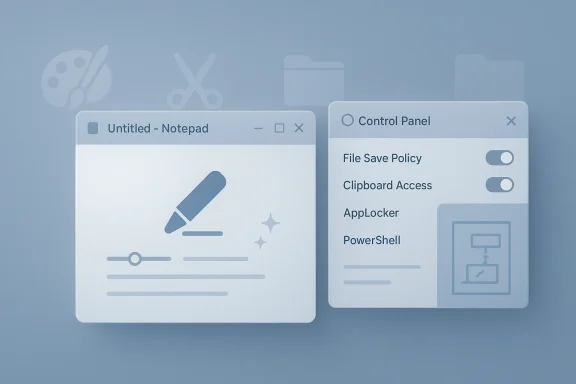
Microsoft’s latest Windows 11 Copilot changes are less a grand retreat from AI and more a branding cleanup designed to make the experience feel calmer without actually removing the underlying features. In Insider builds, Microsoft has been toning down the Copilot label inside apps like Notepad, replacing the obvious AI badge with a more generic writing icon and renaming menu language such as “AI features” to “Advanced features.” At the same time, the company has been giving IT administrators more real control over the standalone Copilot app, including a policy path that can remove it under specific conditions. The result is a familiar Microsoft compromise: less visual noise, some administrative relief, but not the full-scale opt-out many users have been demanding.
Microsoft’s push to weave Copilot into Windows has been moving in layers rather than all at once. First came the Windows Copilot era, then the standalone Copilot app, and then a wave of AI features inside first-party Windows apps such as Notepad, Paint, Snipping Tool, and File Explorer. Over time, those features stopped looking like isolated experiments and started feeling like a design language: a button here, a prompt there, a rewrite option in a place where users once saw a plain editor.
That gradual expansion matters because user backlash was never really about one feature alone. It was about the cumulative effect of AI surfacing everywhere, even in tools that many people use for quick, low-friction tasks. The more Microsoft presented Copilot as a helper, the more some Windows users saw it as an interruption, an upsell, or a distraction from a workflow they wanted to keep simple. That tension has become one of the defining stories of Windows 11’s current identity crisis.
Microsoft has acknowledged the need for more control, but its actual implementation has been cautious and conditional. The company’s documentation now says organizations can remove or block the consumer Copilot app using AppLocker, PowerShell, or targeted policy controls, and a newer Windows AI policy allows uninstalling Microsoft Copilot only when specific conditions are met. Those conditions include both Copilot apps being installed, the consumer app not being user-installed, and the app not having been launched in the last 14 days.
That is the key pattern here: Microsoft is not backing away from AI. It is trying to make AI easier to ignore, easier to manage, and less visually intrusive. The strategy fits a broader corporate playbook where the company softens the presentation while keeping the core feature set intact. In practical terms, that means Windows may look less aggressively AI-branded even as the same capabilities remain under the hood.
This kind of rename is not meaningless, but it is also not the same thing as user choice. A different label can make the UI feel calmer, more conventional, and less sales-driven. Yet when the underlying feature set is still there and still surfaced in the same workflow, many users will correctly perceive the move as branding hygiene rather than product restraint.
The same trend extends beyond Notepad. Microsoft has been spreading AI-adjacent functions through Paint, Snipping Tool, and File Explorer, often with preview-stage experimentation that later graduates into broader Insider rollouts. In other words, the company is not reducing the number of AI touchpoints so much as smoothing their presentation and trying to normalize them.
That disconnect creates a trust problem. When Microsoft says it is making Copilot more “intentional,” many users hear “less intrusive.” When the actual result is a renamed button and some policy options for administrators, the company risks reinforcing the view that it is more concerned with optics than with product philosophy. That is a bad place to be with power users, who tend to remember every perceived retreat.
There is also a deeper cultural issue at work. Users increasingly suspect that AI is being inserted as a default revenue strategy rather than a productivity enhancer. Even when the features are genuinely useful to some people, the feeling of being sold to inside the operating system can overwhelm the utility. Microsoft’s renamed controls may blunt that impression at the margins, but they do not solve it.
Still, the policy is narrower than it first appears. The uninstall path only applies when both Microsoft Copilot and Microsoft 365 Copilot are installed, the consumer app was not user-installed, and the consumer app has not been launched recently. That makes it useful for managed enterprise fleets, but not a universal off switch for every Windows PC.
That distinction matters because consumer and enterprise needs are not the same. Enterprises care about governance, compatibility, and supportability; consumers care about control, clutter, and surprise. Microsoft’s current approach gives IT departments a more workable lever, but it still leaves individual users with less power than they would like over what appears in the operating system.
This cross-app strategy reflects Microsoft’s belief that AI should show up where the user already works. That can be useful in theory because it reduces context switching and makes the assistance feel native rather than bolted on. But it also means that people who just want classic, local, predictable Windows utilities now encounter AI branding as part of normal navigation.
From a product-design perspective, the challenge is obvious. If you add intelligent assistance to an editor, a screenshot tool, and a file manager, you are no longer offering a feature—you are reshaping the identity of the suite. Microsoft may view that as modernization, but many users will interpret it as a takeover. That is especially true when the new elements are presented as default affordances instead of optional add-ons.
At the same time, Microsoft is still committed to a Windows experience that treats AI as a built-in layer rather than a bolt-on. The broader rollout of Copilot-related features across Insider channels shows that the company sees these tools as part of the operating system’s evolution, not a temporary campaign. That is a big bet, and it assumes users will eventually accept AI as ordinary.
That assumption may hold in some segments more than others. Casual users often tolerate change if it is clearly useful and does not disrupt their workflow, while enthusiasts and enterprise admins are far less forgiving. Microsoft’s challenge is to avoid alienating the latter while trying to normalize AI for the former, and that is a delicate balancing act.
For consumers, the story is more frustrating. Most home users do not manage AppLocker rules, write PowerShell scripts, or know the difference between a legacy policy and a current Windows AI policy. They just want the operating system to be less cluttered, more predictable, and easier to ignore when they are not using a feature. That is why branding changes feel especially hollow in the consumer context.
There is also a support implication. Enterprises can standardize around a policy outcome and document exceptions. Consumers get whatever Microsoft decides to surface in the latest build, which means a lot of churn and very little transparency. That difference will likely continue to shape the tone of Windows feedback for the rest of 2026.
That creates an opportunity for rivals in at least two ways. First, they can market simplicity, local control, and lower clutter as a differentiator. Second, they can position themselves as less coercive in their AI strategy, especially for users who are not ready to trust a desktop assistant in every app they open. In a market where AI fatigue is real, restraint can become a feature.
Microsoft’s risk is not that AI features are inherently unpopular. It is that overexposure can turn even useful capabilities into an irritant. If Windows keeps surfacing Copilot in ways that users read as self-promotion, then competitors do not need a superior assistant to win mindshare—they just need to look quieter.
The other thing to watch is whether Microsoft standardizes this approach across more Windows components. If “less branding, same capability” becomes the template, then Windows 11 will increasingly present AI as ambient infrastructure rather than a distinct feature set. That may be good for adoption, but it will also make the platform feel more opinionated and less neutral.
Finally, the enterprise response will matter. If admins quietly adopt the new policy controls and feedback calms down, Microsoft will likely treat that as validation. If consumer frustration remains loud, the company may have to choose between making AI easier to dismiss and doubling down on the argument that these features are now simply part of modern Windows.
Source: Gadget Review You Still Have Copilot, Microsoft Just Renamed It
 Background
Microsoft’s push to weave Copilot into Windows has been moving in layers rather than all at once. First came the Windows Copilot era, then the standalone Copilot app, and then a wave of AI features inside first-party Windows apps such as Notepad, Paint, Snipping Tool, and File Explorer. Over time, those features stopped looking like isolated experiments and started feeling like a design language: a button here, a prompt there, a rewrite option in a place where users once saw a plain editor.That gradual expansion matters because user backlash was never really about one feature alone. It was about the cumulative effect of AI surfacing everywhere, even in tools that many people use for quick, low-friction tasks. The more Microsoft presented Copilot as a helper, the more some Windows users saw it as an interruption, an upsell, or a distraction from a workflow they wanted to keep simple. That tension has become one of the defining stories of Windows 11’s current identity crisis.
Microsoft has acknowledged the need for more control, but its actual implementation has been cautious and conditional. The company’s documentation now says organizations can remove or block the consumer Copilot app using AppLocker, PowerShell, or targeted policy controls, and a newer Windows AI policy allows uninstalling Microsoft Copilot only when specific conditions are met. Those conditions include both Copilot apps being installed, the consumer app not being user-installed, and the app not having been launched in the last 14 days.
That is the key pattern here: Microsoft is not backing away from AI. It is trying to make AI easier to ignore, easier to manage, and less visually intrusive. The strategy fits a broader corporate playbook where the company softens the presentation while keeping the core feature set intact. In practical terms, that means Windows may look less aggressively AI-branded even as the same capabilities remain under the hood.
What Microsoft Actually Changed
The most visible change is cosmetic, and that is exactly why it has generated so much frustration. In recent Insider builds, Microsoft has removed the Copilot branding from parts of Notepad and replaced it with a generic writing icon, while preserving the same rewrite, summarize, and tone-shift tools. The company has also been renaming settings labels from “AI features” to “Advanced features,” which reads like an attempt to reduce the psychological footprint of AI rather than remove it.This kind of rename is not meaningless, but it is also not the same thing as user choice. A different label can make the UI feel calmer, more conventional, and less sales-driven. Yet when the underlying feature set is still there and still surfaced in the same workflow, many users will correctly perceive the move as branding hygiene rather than product restraint.
The same trend extends beyond Notepad. Microsoft has been spreading AI-adjacent functions through Paint, Snipping Tool, and File Explorer, often with preview-stage experimentation that later graduates into broader Insider rollouts. In other words, the company is not reducing the number of AI touchpoints so much as smoothing their presentation and trying to normalize them.
Why the icon swap matters
Small UI changes can have outsized symbolic value in Windows because the platform lives and dies by familiarity. Users who open Notepad expect a minimal text editor, not a miniature AI assistant waiting in the corner. Swapping the icon to “writing” quietly acknowledges that expectation, but it also avoids the harder question of whether the feature belongs there at all.- The feature set remains even when the branding changes.
- The UI becomes less alarming without becoming less capable.
- Microsoft is optimizing for acceptance, not removal.
- The rename helps reduce “AI fatigue” in the interface.
- The underlying controversy is still intact.
Why Users Feel Misled
The backlash is easy to understand because the changes address the appearance of AI overload, not the reality of it. Users who are already irritated by Windows 11’s increasing dependence on cloud-linked and AI-inflected features are not looking for a softer button. They want fewer prompts, fewer bundled capabilities, and less pressure to engage with features they never asked for.That disconnect creates a trust problem. When Microsoft says it is making Copilot more “intentional,” many users hear “less intrusive.” When the actual result is a renamed button and some policy options for administrators, the company risks reinforcing the view that it is more concerned with optics than with product philosophy. That is a bad place to be with power users, who tend to remember every perceived retreat.
There is also a deeper cultural issue at work. Users increasingly suspect that AI is being inserted as a default revenue strategy rather than a productivity enhancer. Even when the features are genuinely useful to some people, the feeling of being sold to inside the operating system can overwhelm the utility. Microsoft’s renamed controls may blunt that impression at the margins, but they do not solve it.
What the forum reaction reveals
The most revealing part of the response is not the anger itself, but its consistency. Complaints about “AI slop” and cosmetic changes instead of real removal show that a meaningful segment of the Windows audience wants a cleaner product boundary, not a prettier interface. That demand is about autonomy as much as aesthetics.- Users want removal, not relabeling.
- Cosmetic changes can feel patronizing.
- AI fatigue is now a real UX problem.
- Trust erodes when “streamlining” does not simplify.
- Power users are especially sensitive to bundled features.
The Admin Angle Is the Real Progress
If there is one genuinely meaningful change here, it is the added administrative control. Microsoft’s current documentation says administrators can remove or prevent installation of the consumer Copilot app, and the Windows AI policy now includes a targeted uninstall option for eligible devices. That is a much more substantial concession than the branding changes inside Notepad, because it addresses deployment control rather than interface taste.Still, the policy is narrower than it first appears. The uninstall path only applies when both Microsoft Copilot and Microsoft 365 Copilot are installed, the consumer app was not user-installed, and the consumer app has not been launched recently. That makes it useful for managed enterprise fleets, but not a universal off switch for every Windows PC.
That distinction matters because consumer and enterprise needs are not the same. Enterprises care about governance, compatibility, and supportability; consumers care about control, clutter, and surprise. Microsoft’s current approach gives IT departments a more workable lever, but it still leaves individual users with less power than they would like over what appears in the operating system.
The 14-day condition and why it matters
The “not launched in the last 14 days” requirement is especially telling. It suggests Microsoft is trying to remove dormant or unused installations while avoiding disruption to active users. In practice, that is a sensible enterprise safeguard, but it also signals that Microsoft is optimizing for risk management rather than a pure user preference model.- Copilot must be present alongside Microsoft 365 Copilot.
- The app must not have been user-installed.
- The app must not have been launched in 14 days.
- The policy can then remove it in a targeted way.
- Users may still reinstall the app themselves in some scenarios.
Notepad, Paint, Snipping Tool, and File Explorer
The biggest story is not a single app, but the pattern across multiple Windows tools. Notepad has become a showcase for AI-assisted drafting and rewriting. Paint has been getting AI-inflected creation and editing features. Snipping Tool has gained smart assistance around screenshots and related workflows. File Explorer has also received feature work that makes the broader shell feel less static and more services-driven.This cross-app strategy reflects Microsoft’s belief that AI should show up where the user already works. That can be useful in theory because it reduces context switching and makes the assistance feel native rather than bolted on. But it also means that people who just want classic, local, predictable Windows utilities now encounter AI branding as part of normal navigation.
From a product-design perspective, the challenge is obvious. If you add intelligent assistance to an editor, a screenshot tool, and a file manager, you are no longer offering a feature—you are reshaping the identity of the suite. Microsoft may view that as modernization, but many users will interpret it as a takeover. That is especially true when the new elements are presented as default affordances instead of optional add-ons.
How the apps differ in practice
Notepad is the clearest example because its purpose is so minimal. Even a small amount of AI in Notepad feels louder than the same capability would in a more complex app like Paint. By contrast, Snipping Tool and File Explorer can absorb more enhancement before users feel the tool has lost its identity.- Notepad feels most affected because it was always the simplest tool.
- Paint has more room for feature growth without total identity loss.
- Snipping Tool benefits from assistive features if they stay lightweight.
- File Explorer risks becoming cluttered if AI surfaces too aggressively.
- The same feature can feel helpful in one app and invasive in another.
Microsoft’s Design Philosophy Is Evolving
Microsoft’s current AI strategy suggests a company that has learned from earlier backlash but has not changed its destination. The company has clearly noticed that explicit Copilot branding can feel too loud, too promotional, or too omnipresent. Renaming controls and toning down icons is an admission that presentation matters, even when the strategic direction remains the same.At the same time, Microsoft is still committed to a Windows experience that treats AI as a built-in layer rather than a bolt-on. The broader rollout of Copilot-related features across Insider channels shows that the company sees these tools as part of the operating system’s evolution, not a temporary campaign. That is a big bet, and it assumes users will eventually accept AI as ordinary.
That assumption may hold in some segments more than others. Casual users often tolerate change if it is clearly useful and does not disrupt their workflow, while enthusiasts and enterprise admins are far less forgiving. Microsoft’s challenge is to avoid alienating the latter while trying to normalize AI for the former, and that is a delicate balancing act.
The difference between intent and perception
Microsoft can say it is being more “intentional,” and in a narrow product sense that may be true. But users judge intent by friction: how many buttons they see, how many prompts they get, and whether they can turn things off. If the visual language changes but the burden remains, intent will not rescue perception.- Microsoft is reducing visual intensity.
- It is not reducing the feature footprint very much.
- User perception depends on friction, not press releases.
- The company is pursuing normalization through familiarity.
- AI is becoming part of Windows’ default grammar.
Enterprise vs Consumer Impact
For enterprises, the changes are mostly about control and policy compliance. IT admins need to know what is installed, what can be blocked, and what can be removed without breaking core workflows. Microsoft’s current documentation gives them more of that than before, especially through targeted uninstall mechanisms and app-blocking strategies.For consumers, the story is more frustrating. Most home users do not manage AppLocker rules, write PowerShell scripts, or know the difference between a legacy policy and a current Windows AI policy. They just want the operating system to be less cluttered, more predictable, and easier to ignore when they are not using a feature. That is why branding changes feel especially hollow in the consumer context.
There is also a support implication. Enterprises can standardize around a policy outcome and document exceptions. Consumers get whatever Microsoft decides to surface in the latest build, which means a lot of churn and very little transparency. That difference will likely continue to shape the tone of Windows feedback for the rest of 2026.
Why admins will tolerate this more than enthusiasts
Enterprise admins can evaluate the changes in terms of governance, not emotion. If the app can be blocked, removed, or contained, the practical problem is solvable. Enthusiasts, on the other hand, are responding to the larger philosophical question of whether Windows is becoming a host platform for Microsoft services first and a general-purpose desktop second.- Enterprises care about policy enforcement.
- Consumers care about interface cleanliness.
- Admin tools are useful but not universally accessible.
- Enthusiasts react to platform direction, not just feature toggles.
- Microsoft is speaking to both audiences with one strategy, and that is hard.
Competitive Implications
Microsoft is not making these changes in a vacuum. Competing desktop ecosystems have their own forms of assistant integration, app-layer intelligence, and service bundling. The difference is that Windows still carries the expectation of being a broad, neutral platform, so every added layer of branded intelligence feels more visible than it might elsewhere.That creates an opportunity for rivals in at least two ways. First, they can market simplicity, local control, and lower clutter as a differentiator. Second, they can position themselves as less coercive in their AI strategy, especially for users who are not ready to trust a desktop assistant in every app they open. In a market where AI fatigue is real, restraint can become a feature.
Microsoft’s risk is not that AI features are inherently unpopular. It is that overexposure can turn even useful capabilities into an irritant. If Windows keeps surfacing Copilot in ways that users read as self-promotion, then competitors do not need a superior assistant to win mindshare—they just need to look quieter.
The branding war is about trust
The deeper competition here is not only technical, but emotional. If one platform feels like it respects your boundaries and another feels like it keeps nudging you toward AI, the quieter platform gains an advantage even if its feature set is thinner. Microsoft appears to understand that, which is why these renames matter more than they might otherwise.- Simplicity can now be a competitive selling point.
- AI overload may push power users toward quieter platforms.
- Windows must balance innovation with restraint.
- Microsoft is defending its AI investment while trying to reduce backlash.
- The battle is increasingly about trust, not only capability.
Strengths and Opportunities
Microsoft’s current approach has a few real strengths. It reduces the visual aggression of Copilot integration, gives administrators stronger control, and preserves the productivity features that some users genuinely want. In short, the company is trying to keep the value while trimming the friction, which is not an unreasonable product strategy even if it is unpopular with purists.- Reduces visual clutter in everyday Windows apps.
- Preserves useful writing and editing assistance.
- Improves admin control over the standalone Copilot app.
- Supports enterprise governance and fleet management.
- Gives Microsoft a way to cool user backlash without abandoning AI.
- Creates room for more contextual, less intrusive AI design.
- Lets Microsoft refine UX language before broader rollout.
Risks and Concerns
The risks are just as clear. If users believe Microsoft is disguising AI rather than listening to feedback, the company could deepen skepticism instead of reducing it. The conditional uninstall rules also mean many people will still feel they do not have true control, and partial control often generates more irritation than no control at all.- Cosmetic renames may feel like misdirection.
- Users may see “Advanced features” as euphemistic branding.
- Conditional removal is not the same as full opt-out.
- AI clutter can continue to erode Windows’ simple-tool identity.
- Too much integration could alienate enthusiasts and admins.
- Microsoft risks confusing calm UI with actual consent.
- Feature creep may keep expanding the AI surface area.
What to Watch Next
The next phase will be about whether Microsoft follows the naming changes with broader default settings or more meaningful off switches. If future builds reduce prompts, move AI behind explicit opt-in flows, or offer clearer app-level controls, the company may begin to recover some trust. If not, the current changes will likely be remembered as cosmetic cleanup before another wave of integration.The other thing to watch is whether Microsoft standardizes this approach across more Windows components. If “less branding, same capability” becomes the template, then Windows 11 will increasingly present AI as ambient infrastructure rather than a distinct feature set. That may be good for adoption, but it will also make the platform feel more opinionated and less neutral.
Finally, the enterprise response will matter. If admins quietly adopt the new policy controls and feedback calms down, Microsoft will likely treat that as validation. If consumer frustration remains loud, the company may have to choose between making AI easier to dismiss and doubling down on the argument that these features are now simply part of modern Windows.
- Watch for more branding-neutral AI labels.
- Watch for additional app-level control toggles.
- Watch whether Notepad’s AI tools remain prominent or recede.
- Watch enterprise policy adoption and feedback trends.
- Watch whether Microsoft offers fuller consumer opt-outs.
Source: Gadget Review You Still Have Copilot, Microsoft Just Renamed It
Last edited:
