

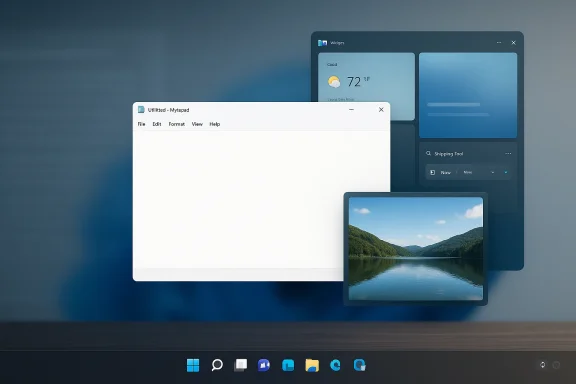
Microsoft is quietly recalibrating one of Windows 11’s most visible AI experiments: the Copilot push inside everyday apps. Instead of spreading the assistant across every corner of the desktop, the company now appears to be trimming back some of those entry points, especially in Notepad, Photos, Snipping Tool, and Widgets, while also revisiting other parts of the Windows shell that users have complained about for years . For many Windows users, this is less about AI disappearing and more about Microsoft finally acknowledging that useful integration and constant interruption are not the same thing. The shift matters because Windows 11 is no longer being judged on ambition alone; it is being judged on restraint, polish, and whether the desktop feels like a tool again.
Windows 11 launched with a clear design thesis: modernize the desktop, simplify the shell, and make Microsoft’s ecosystem feel more coherent across consumer and enterprise devices. That vision included a more centered taskbar, a cleaner visual language, and a stronger connection to Microsoft services. For some users, it felt fresh. For others, it felt like the company had traded away familiar control in exchange for aesthetics and branding.
The introduction of Copilot raised that tension sharply. Microsoft framed Copilot as a broad AI companion spanning Windows, Microsoft 365, Edge, and the wider Microsoft ecosystem. In practice, that meant AI surfaces started showing up in places where users traditionally expected speed and silence, not prompts and overlays . The basic complaint was not anti-AI. It was that Microsoft kept putting AI in the middle of workflows that had been satisfying precisely because they were simple.
That friction became especially visible in inbox apps. Notepad is supposed to be minimal. Snipping Tool is supposed to be fast. Photos is supposed to be direct. Widgets are supposed to be glanceable. When AI branding and Copilot buttons began appearing in those contexts, many users interpreted the move as product marketing disguised as productivity. The more Microsoft tried to normalize Copilot, the more it risked turning the feature into UI noise.
At the same time, Windows 11 was accumulating a second reputation: the operating system seemed to be asking users to accept more change while giving back less control. The taskbar became a symbol of that frustration because Microsoft restricted customization that long-time Windows users had always taken for granted. The result was an emotional mismatch. Microsoft was selling “modernization,” while many users were feeling loss of agency.
The latest reports and community-referenced Insider material suggest that Microsoft has started to internalize that critique. Rather than treating Copilot ubiquity as the goal, the company appears to be moving toward a more selective model where AI shows up only when it is genuinely helpful . That is an important philosophical change, not just a visual one.
The reported changes focus on inbox applications and shell-adjacent surfaces. In practical terms, that means fewer prompts and fewer obvious invitations to use AI in places where users were not asking for it. Microsoft’s internal logic appears to be that not every app needs to become an AI showcase. That is a subtle but meaningful retreat from the broad “Copilot everywhere” era.
A quieter Copilot presence also makes the assistant easier to justify in enterprise environments. IT departments care less about the novelty of AI and more about predictability, support burden, and policy control. A feature that appears in fewer places is easier to document, secure, and explain.
The move also suggests Microsoft has learned something from the backlash: discovery is not the same as value. A button that catches the eye may increase awareness, but it can also create annoyance if it is visible in the wrong context. That is especially true in utilities where users want to move fast.
What the shift suggests:
That perception matters because Windows users have long had a strong sense of what belongs in the shell and what does not. A lightweight note app, a screenshot utility, or a photo browser is not where users expect a persistent AI pitch. When the branding overreaches, the product can feel heavier without becoming more useful.
The problem becomes sharper in desktop software because workflows there are usually task-driven. Users want to finish something quickly, switch windows, and move on. If the assistant becomes another thing to dismiss, it loses the very efficiency it was supposed to create.
This is why the current pullback is notable. Microsoft appears to be admitting that the assistant’s visibility was outpacing its utility in certain contexts. That is not a rejection of AI. It is a recognition that AI needs to earn its place in the workflow.
Key branding lessons:
The current wave of changes reportedly restores some of the flexibility users have wanted since launch, including more placement options and a less constrained shell. That sounds small, but it is one of the few changes that people can feel instantly because the taskbar is central to everything users do on the desktop .
For enterprise users, this matters even more. Standardized layouts are important in corporate environments, but rigidity also creates friction when teams use different monitor sizes, docking stations, or accessibility setups. Flexibility can improve productivity without forcing a redesign of workflow habits.
Microsoft’s reversal here suggests a broader lesson: modernization that removes choices tends to age badly. A cleaner interface is good, but not if it comes at the cost of practical ergonomics. The taskbar story is really about whether Microsoft is willing to let Windows remain a customizable platform rather than a fixed experience.
Notable taskbar implications:
Admins want features that are predictable and manageable. They do not want every update to reshuffle the user experience or introduce new prompts that users have to learn around. A quieter, more controlled AI presence is much easier to document, support, and govern. That is especially true in environments where data handling and compliance matter.
Microsoft seems to understand this better now than it did during the broadest phase of Copilot expansion. A feature that appears less often but more intentionally is easier for IT to approve. That is not just a UX improvement; it is a manageability improvement.
Consumers, meanwhile, are likely to interpret the same change in simpler language: the OS is becoming less annoying. That may sound blunt, but it is exactly the kind of feedback Microsoft has been hearing. Users do not necessarily want fewer features. They want fewer interruptions.
Why enterprises care:
That matters because Microsoft’s long-term bet on AI has not changed. Windows still sits at the center of the PC ecosystem, and Microsoft still wants the platform to be seen as the default place where AI feels native. What is changing is the company’s tolerance for friction. The lesson seems to be that AI can be foundational without being omnipresent.
This also helps explain why the company has increasingly emphasized reliability, performance, and day-to-day quality improvements alongside AI. The message is no longer “Windows 11 will be smarter.” It is “Windows 11 will be smarter without getting in your way.” That is a much more sustainable pitch.
A narrower AI strategy also helps Microsoft if user sentiment keeps shifting. If the market grows more skeptical of AI fatigue, the company can still point to the platform capabilities underneath the branding. In that sense, reducing Copilot’s surface area may protect the broader strategy from overexposure.
Strategic takeaways:
That breadth makes Copilot placement harder than a mobile assistant or a consumer-only AI layer. A noisy system assistant in Windows can feel more intrusive than comparable features elsewhere because it sits inside the core workspace. Microsoft therefore has to balance ambition with credibility in a way rivals do not.
Apple has long benefited from a more curated software experience, even when users criticize its limitations. Google, by contrast, has leaned into AI across its services, but not with the same kind of desktop-shell burden Microsoft faces. Windows has the hardest job because it must be both flexible and modern, both powerful and nonintrusive.
That is why the current correction matters. Microsoft is signaling that it understands the competitive risk of appearing too eager. A platform that wants to be the default work environment cannot afford to feel like it is constantly advertising itself.
Competitive pressures:
The initial promise is usually expansive. The follow-up is usually more practical. That pattern is not necessarily a failure. In fact, it is often how Microsoft eventually lands on something durable. The problem is that the company sometimes has to learn the hard way where the user line really is.
That is why taskbar placement and Copilot visibility became such sensitive issues. They are not only feature requests. They are symbols of whether Microsoft still sees Windows as a user-owned workspace or as a platform for pushing strategic priorities. The current changes suggest the company is leaning back toward the former.
The most plausible reading is not that Microsoft “got it wrong” in a simple sense, but that it pushed visibility further than users were willing to accept. The correction now underway is an attempt to preserve the AI narrative while reducing the sense of imposition.
Historical pattern:
The opportunity is especially strong if Microsoft treats restraint as a product virtue rather than a temporary concession. A cleaner shell, better taskbar behavior, and more deliberate AI surfacing can work together to make Windows feel more mature.
There is also a strategic risk in going too far the other way. Microsoft still wants AI to feel central to Windows, and if the assistant becomes too hidden, discovery could suffer. The company needs to avoid replacing one annoyance with another, less visible but still confusing implementation.
The broader implication is that Microsoft may finally be moving toward a more mature AI posture. That would not mean AI disappears from Windows. It would mean AI becomes more context-aware, less showy, and more aligned with the practical expectations of desktop computing. In a market where users are increasingly sensitive to clutter, that restraint may prove more valuable than another splashy Copilot placement.
What to watch next:
Source: El-Balad.com Windows 11 as Microsoft rethinks Copilot placement
Source: ekhbary.com Microsoft Streamlines Windows 11 Apps, Removes Copilot Buttons
 Background
Windows 11 launched with a clear design thesis: modernize the desktop, simplify the shell, and make Microsoft’s ecosystem feel more coherent across consumer and enterprise devices. That vision included a more centered taskbar, a cleaner visual language, and a stronger connection to Microsoft services. For some users, it felt fresh. For others, it felt like the company had traded away familiar control in exchange for aesthetics and branding.The introduction of Copilot raised that tension sharply. Microsoft framed Copilot as a broad AI companion spanning Windows, Microsoft 365, Edge, and the wider Microsoft ecosystem. In practice, that meant AI surfaces started showing up in places where users traditionally expected speed and silence, not prompts and overlays . The basic complaint was not anti-AI. It was that Microsoft kept putting AI in the middle of workflows that had been satisfying precisely because they were simple.
That friction became especially visible in inbox apps. Notepad is supposed to be minimal. Snipping Tool is supposed to be fast. Photos is supposed to be direct. Widgets are supposed to be glanceable. When AI branding and Copilot buttons began appearing in those contexts, many users interpreted the move as product marketing disguised as productivity. The more Microsoft tried to normalize Copilot, the more it risked turning the feature into UI noise.
At the same time, Windows 11 was accumulating a second reputation: the operating system seemed to be asking users to accept more change while giving back less control. The taskbar became a symbol of that frustration because Microsoft restricted customization that long-time Windows users had always taken for granted. The result was an emotional mismatch. Microsoft was selling “modernization,” while many users were feeling loss of agency.
The latest reports and community-referenced Insider material suggest that Microsoft has started to internalize that critique. Rather than treating Copilot ubiquity as the goal, the company appears to be moving toward a more selective model where AI shows up only when it is genuinely helpful . That is an important philosophical change, not just a visual one.
What Microsoft Is Actually Changing
The most important thing to understand is that Microsoft is not removing Copilot from Windows 11 in any absolute sense. The company is reducing unnecessary entry points and trying to make the assistant feel more intentional. That distinction matters because it changes the story from “Copilot is leaving” to “Copilot is being right-sized” .The reported changes focus on inbox applications and shell-adjacent surfaces. In practical terms, that means fewer prompts and fewer obvious invitations to use AI in places where users were not asking for it. Microsoft’s internal logic appears to be that not every app needs to become an AI showcase. That is a subtle but meaningful retreat from the broad “Copilot everywhere” era.
Why selective placement matters
Selective placement is not a cosmetic detail. It is the difference between a feature that feels embedded and one that feels pushed. In Windows, that difference shapes trust, because users interact with the shell all day long and quickly notice when an OS starts behaving like a sales channel.A quieter Copilot presence also makes the assistant easier to justify in enterprise environments. IT departments care less about the novelty of AI and more about predictability, support burden, and policy control. A feature that appears in fewer places is easier to document, secure, and explain.
The move also suggests Microsoft has learned something from the backlash: discovery is not the same as value. A button that catches the eye may increase awareness, but it can also create annoyance if it is visible in the wrong context. That is especially true in utilities where users want to move fast.
What the shift suggests:
- Fewer prompts in everyday apps.
- Less visual clutter from AI branding.
- More context-aware feature surfacing.
- Better separation between utility and promotion.
- A calmer shell for both consumers and admins.
The Copilot Branding Problem
Microsoft’s branding problem was never just that people disliked AI. The larger issue was that Copilot started to feel like a label the company wanted to stamp on everything. Once that happens, the assistant stops reading as a helper and starts reading as a corporate layer attached to the operating system.That perception matters because Windows users have long had a strong sense of what belongs in the shell and what does not. A lightweight note app, a screenshot utility, or a photo browser is not where users expect a persistent AI pitch. When the branding overreaches, the product can feel heavier without becoming more useful.
When “helpful” starts to feel intrusive
There is a narrow line between surfacing help at the right moment and interrupting the user’s flow. Microsoft crossed that line often enough that some users began to see Copilot as clutter rather than capability. That is a serious branding risk because it reframes the assistant as a distraction.The problem becomes sharper in desktop software because workflows there are usually task-driven. Users want to finish something quickly, switch windows, and move on. If the assistant becomes another thing to dismiss, it loses the very efficiency it was supposed to create.
This is why the current pullback is notable. Microsoft appears to be admitting that the assistant’s visibility was outpacing its utility in certain contexts. That is not a rejection of AI. It is a recognition that AI needs to earn its place in the workflow.
Key branding lessons:
- Visibility without relevance becomes noise.
- Repeated prompts can weaken trust.
- Context matters more than raw feature count.
- Simple tools should stay simple.
- AI must justify itself in seconds, not minutes.
Taskbar Flexibility as a Symbol of Control
If Copilot is the symbol of Microsoft’s AI ambition, the taskbar is the symbol of the company’s relationship with user control. Windows 11’s more rigid taskbar behavior became one of the earliest and loudest complaints about the platform, and that complaint has never really gone away.The current wave of changes reportedly restores some of the flexibility users have wanted since launch, including more placement options and a less constrained shell. That sounds small, but it is one of the few changes that people can feel instantly because the taskbar is central to everything users do on the desktop .
Why the taskbar matters more than it seems
The taskbar is not just a strip of icons. It is the launchpad, the notification center, the window switcher, and often the anchor for multitasking. It also reflects how much trust Microsoft is willing to place in the user. If the taskbar can move, shrink, or adapt, the desktop feels more like yours.For enterprise users, this matters even more. Standardized layouts are important in corporate environments, but rigidity also creates friction when teams use different monitor sizes, docking stations, or accessibility setups. Flexibility can improve productivity without forcing a redesign of workflow habits.
Microsoft’s reversal here suggests a broader lesson: modernization that removes choices tends to age badly. A cleaner interface is good, but not if it comes at the cost of practical ergonomics. The taskbar story is really about whether Microsoft is willing to let Windows remain a customizable platform rather than a fixed experience.
Notable taskbar implications:
- Better ergonomics for multi-monitor setups.
- More choice for vertical-screen users.
- Less friction for power users.
- A stronger sense of ownership over the desktop.
- A correction to one of Windows 11’s earliest missteps.
Enterprise vs Consumer Impact
The consumer story around Copilot is easy to describe: people do not want Windows to feel bloated. But the enterprise story is more important in the long run, because businesses are the group most sensitive to surprises, policy drift, and UI churn. That is why Microsoft’s move toward a more selective Copilot strategy is strategically significant.Admins want features that are predictable and manageable. They do not want every update to reshuffle the user experience or introduce new prompts that users have to learn around. A quieter, more controlled AI presence is much easier to document, support, and govern. That is especially true in environments where data handling and compliance matter.
The support burden angle
Every new AI entry point creates more opportunities for accidental activation, confused users, and support tickets. If a user clicks a Copilot button in Notepad without understanding what it is, the help desk absorbs that confusion. Multiply that across an enterprise deployment and the operational cost becomes real.Microsoft seems to understand this better now than it did during the broadest phase of Copilot expansion. A feature that appears less often but more intentionally is easier for IT to approve. That is not just a UX improvement; it is a manageability improvement.
Consumers, meanwhile, are likely to interpret the same change in simpler language: the OS is becoming less annoying. That may sound blunt, but it is exactly the kind of feedback Microsoft has been hearing. Users do not necessarily want fewer features. They want fewer interruptions.
Why enterprises care:
- Lower support noise.
- Easier policy control.
- Fewer accidental activations.
- More predictable training.
- Better alignment with governance requirements.
The Bigger AI Strategy Behind the Retreat
This is where the story gets more interesting. Microsoft is not retreating from AI; it is changing the shape of AI in Windows. Instead of acting as if every surface must advertise Copilot, the company appears to be moving toward more modular AI capabilities and less branding-heavy delivery .That matters because Microsoft’s long-term bet on AI has not changed. Windows still sits at the center of the PC ecosystem, and Microsoft still wants the platform to be seen as the default place where AI feels native. What is changing is the company’s tolerance for friction. The lesson seems to be that AI can be foundational without being omnipresent.
From “Copilot everywhere” to “Copilot when useful”
That phrase captures the strategic turn. Ubiquity once looked like strength because it made the AI story impossible to miss. But over time, ubiquity began to look like intrusion. Microsoft is now trying to preserve adoption while reducing the sense that Windows has become a marketing vehicle.This also helps explain why the company has increasingly emphasized reliability, performance, and day-to-day quality improvements alongside AI. The message is no longer “Windows 11 will be smarter.” It is “Windows 11 will be smarter without getting in your way.” That is a much more sustainable pitch.
A narrower AI strategy also helps Microsoft if user sentiment keeps shifting. If the market grows more skeptical of AI fatigue, the company can still point to the platform capabilities underneath the branding. In that sense, reducing Copilot’s surface area may protect the broader strategy from overexposure.
Strategic takeaways:
- AI remains central to Microsoft’s roadmap.
- Branding is becoming less aggressive.
- Utility is replacing spectacle.
- Selective placement reduces backlash.
- The platform story is becoming more durable.
Competitive Implications
Microsoft is not making these changes in a vacuum. Apple and Google have taken somewhat different approaches to AI surfacing, and Microsoft’s position is uniquely awkward because Windows is a general-purpose desktop OS that must serve everyone from casual users to enterprise admins to gamers and developers.That breadth makes Copilot placement harder than a mobile assistant or a consumer-only AI layer. A noisy system assistant in Windows can feel more intrusive than comparable features elsewhere because it sits inside the core workspace. Microsoft therefore has to balance ambition with credibility in a way rivals do not.
How rivals benefit if Microsoft overreaches
If Windows becomes too cluttered, competitors gain an easy talking point: their systems feel cleaner, quieter, or more intentional. That does not automatically translate into market share shifts, but it does shape perception. In desktop computing, perception often determines whether users feel loyal or merely trapped.Apple has long benefited from a more curated software experience, even when users criticize its limitations. Google, by contrast, has leaned into AI across its services, but not with the same kind of desktop-shell burden Microsoft faces. Windows has the hardest job because it must be both flexible and modern, both powerful and nonintrusive.
That is why the current correction matters. Microsoft is signaling that it understands the competitive risk of appearing too eager. A platform that wants to be the default work environment cannot afford to feel like it is constantly advertising itself.
Competitive pressures:
- Cleaner rivals gain trust when Windows feels noisy.
- Desktop users notice clutter quickly.
- Enterprise buyers reward stability and restraint.
- AI strategy must not undermine platform goodwill.
- Usability remains a differentiator.
Historical Context: Microsoft’s Familiar Pivot Pattern
This is not the first time Microsoft has rolled out a bold product vision and then adjusted course after user pushback. The company has a long history of launching ambitious interface changes, learning where the friction is, and then revising the execution. Windows 11’s Copilot story fits that pattern almost perfectly.The initial promise is usually expansive. The follow-up is usually more practical. That pattern is not necessarily a failure. In fact, it is often how Microsoft eventually lands on something durable. The problem is that the company sometimes has to learn the hard way where the user line really is.
What this history tells us
When Microsoft overreaches, the backlash tends to be strongest in the desktop environment because that is where people spend hours every day. A feature can be technically good and still feel wrong if it violates workflow expectations. Windows users have always cared about muscle memory, positioning, and control.That is why taskbar placement and Copilot visibility became such sensitive issues. They are not only feature requests. They are symbols of whether Microsoft still sees Windows as a user-owned workspace or as a platform for pushing strategic priorities. The current changes suggest the company is leaning back toward the former.
The most plausible reading is not that Microsoft “got it wrong” in a simple sense, but that it pushed visibility further than users were willing to accept. The correction now underway is an attempt to preserve the AI narrative while reducing the sense of imposition.
Historical pattern:
- Bold launch.
- User backlash.
- Selective rollback.
- Reframed messaging.
- More durable second pass.
Strengths and Opportunities
Microsoft’s recalibration has real upside because it addresses a pain point that users have been voicing for a long time: Windows 11 needs to feel more trustworthy and less performative. If the company executes well, it can preserve its AI ambitions while restoring a sense of calm to the desktop.The opportunity is especially strong if Microsoft treats restraint as a product virtue rather than a temporary concession. A cleaner shell, better taskbar behavior, and more deliberate AI surfacing can work together to make Windows feel more mature.
- Reduced clutter can improve daily usability.
- Better taskbar control restores user agency.
- Selective AI placement increases trust.
- Enterprise admins gain easier governance.
- Consumer frustration may ease quickly.
- Windows 11 can feel more polished without losing momentum.
- Copilot may become more credible if it appears less often.
Risks and Concerns
The risk is that Microsoft makes the right philosophical turn but executes it inconsistently. If Copilot still appears in too many places, users will see the move as cosmetic. If the company removes branding but keeps the same friction, the perception problem will remain.There is also a strategic risk in going too far the other way. Microsoft still wants AI to feel central to Windows, and if the assistant becomes too hidden, discovery could suffer. The company needs to avoid replacing one annoyance with another, less visible but still confusing implementation.
- Half-measures could frustrate users further.
- Inconsistent rollout may weaken trust.
- Too little visibility could slow Copilot adoption.
- Too much branding could revive backlash.
- Enterprise confusion may persist without clear policy guidance.
- Performance complaints could overshadow UI gains.
- User skepticism may remain even after improvements.
Looking Ahead
The next phase of this story will be about execution, not announcements. Microsoft has already signaled a willingness to refine where Copilot appears and to make Windows feel less intrusive, but the real test will be whether those changes arrive consistently across the apps and surfaces people use every day . If the company follows through, Windows 11 could end up looking less like a platform trying to sell a strategy and more like an operating system trying to serve its users.The broader implication is that Microsoft may finally be moving toward a more mature AI posture. That would not mean AI disappears from Windows. It would mean AI becomes more context-aware, less showy, and more aligned with the practical expectations of desktop computing. In a market where users are increasingly sensitive to clutter, that restraint may prove more valuable than another splashy Copilot placement.
What to watch next:
- Whether Copilot branding is further reduced in inbox apps.
- Whether taskbar customization expands in public releases.
- Whether Microsoft continues to soften Windows Update behavior.
- Whether enterprise policy controls become easier to manage.
- Whether Microsoft frames AI as a utility layer rather than a headline feature.
Source: El-Balad.com Windows 11 as Microsoft rethinks Copilot placement
Source: ekhbary.com Microsoft Streamlines Windows 11 Apps, Removes Copilot Buttons
Last edited:
