Windows 11 Cross‑Device Resume Arrives in Release Preview Android to PC Handoff

  • Thread Author
Microsoft’s long‑promised Cross‑Device Resume for Windows 11 has finally moved out of the “nice demo” stage and into the Release Preview channel — and this time it looks a lot closer to the seamless handoff experience Apple users get with Handoff, but for Android phones and Windows PCs.

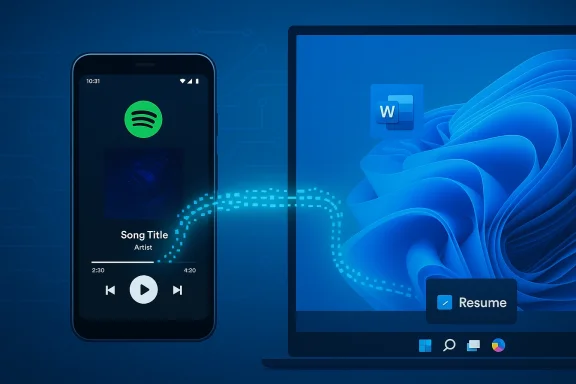
Phone playing Spotify, connected by a dotted data path to a laptop running Word.Background​

For years Microsoft has chipped away at the problem of mobile‑to‑PC continuity. What started as notification mirroring and photo transfer under Your Phone / Phone Link has evolved into a more ambitious metadata‑driven model that promises one‑click activity continuation: begin listening in Spotify on your Android, click a taskbar cue on your PC, and continue playback at the same timestamp. Or open a document in the Microsoft Copilot mobile app on an eligible Android phone and pick up editing in Word on your Windows PC. That capability — marketed internally as Cross‑Device Resume (XDR) — first appeared in a limited form in May 2025, when Microsoft added a OneDrive‑backed resume notification to Windows 11 (KB5058499).
The January 27, 2026 Release Preview announcement marks the most tangible step yet: Windows 11 builds 26100.7701 and 26200.7701 (delivered as KB5074105) explicitly expand Cross‑Device Resume beyond OneDrive to include third‑party apps, browser sessions and Copilot‑driven document flows. Microsoft frames this as a gradual rollout — features are gated and enabled per account/device — but the technical scaffolding and first partner integrations are now visible.

What Microsoft announced (the practical bits)​

New scenarios called out in the Release Preview​

  • Resume Spotify playback you started on an Android phone and continue it on your Windows 11 PC; if the Spotify desktop app isn’t installed, Windows can prompt to install it to keep the experience native.
  • Continue editing Microsoft 365 documents (Word, Excel, PowerPoint) that you opened in the Microsoft Copilot mobile app on eligible Android phones; the PC will open files in the native desktop app if present or fall back to a browser. Offline‑only files stored solely on the phone are explicitly not supported.
  • Restore browsing sessions from supported Android browsers — Microsoft explicitly mentions Vivo Browser for Vivo phones as a resume source that opens in the PC’s default browser.
These scenarios were bundled into the Release Preview builds for versions 24H2 and 25H2, which is typically the last ring before broader distribution — meaning a public rollout is plausible in the coming weeks or months, subject to Microsoft’s controlled feature rollout (CFR) pacing.

Which phones and apps are in the first wave​

Microsoft’s preview materials and external reporting list a small but meaningful set of OEMs and apps that are supported early on: HONOR, OPPO, Samsung, Vivo, and Xiaomi are named for Copilot‑file resume, and vivo’s own browser for tab handoff. Spotify is the headline third‑party example for media resume. Expect that list to grow, but OEM and developer participation — plus Microsoft’s gating decisions — will shape how fast the feature reaches end users.

How Cross‑Device Resume works (technical overview)​

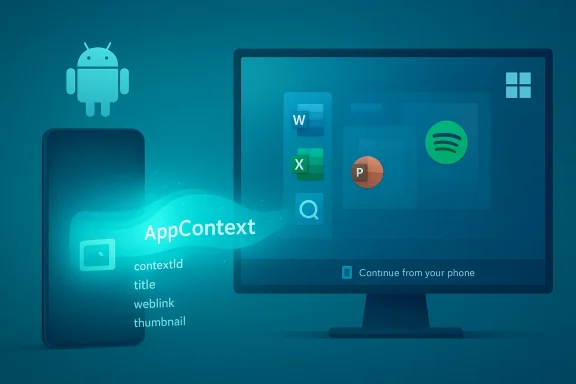
Microsoft adopted a pragmatic, metadata‑first approach: it doesn’t stream or emulate an Android app on the PC. Instead, Android apps (or their cloud backends) publish a compact activity descriptor called an AppContext, which the PC receives and resolves into the best local handler — preferring a native desktop app and falling back to a web link where appropriate. That design lowers bandwidth and latency requirements and keeps the experience native to Windows.
Key technical pieces:
  • AppContext: a lightweight JSON‑like payload that describes what to resume (contextId, title, intentUri or weblink, preview bytes, lifetime). AppContext is intentionally short‑lived (defaults to minutes) to prevent stale resume prompts and reduce exposure.
  • Link to Windows / Phone Link: the pairing and authentication layer that binds a phone and PC. It acts as the conduit for AppContext traffic in SDK‑driven scenarios.
  • Continuity SDK (Android): a Microsoft‑published SDK that Android apps can integrate to send AppContext directly to Link to Windows and enable deep client‑side scenarios. The SDK is a Limited Access Feature — developers must apply and be approved by Microsoft to use it.
  • WNS (server‑driven) route: to reduce friction, Microsoft also supports triggering resume via Windows Push Notification Service (WNS) raw notifications; that lets servers post resume metadata and eliminates the need for the full Continuity SDK in the mobile client. This WNS route is a lower‑friction path for many apps and is critical to third‑party adoption.
Putting it together: when an eligible AppContext is emitted (either from the phone via LTW or from the app’s backend via WNS), Windows surfaces a small taskbar/notification affordance. A single click opens the corresponding desktop app (or the browser) and restores the activity. If a native Windows app is missing, the Microsoft Store can be invoked to install it, preserving a mostly native flow.

Developer and OEM implications​

Two integration paths​

  • Continuity SDK (client) — deeper integration, full AppContext semantics, richer previews and tighter client‑side control. Requires LAF approval from Microsoft and a modest integration effort.
  • WNS (server) — post resume metadata via raw notifications; far less mobile client work required and attractive for cloud‑first apps with existing notification backends. The WNS route includes specific headers and resume metadata requirements.
The dual approach solves a classic adoption problem: high bar for deep SDK integration vs. mass adoption by lowering friction with a server‑side channel. Microsoft’s Limited Access Feature (LAF) gating remains a control mechanism to limit how the continuity surface is used and to prevent abuse.

What OEMs and app developers need to consider​

  • Security reviews and privacy audits will be standard in the LAF onboarding process; Microsoft asks for UX descriptions, package IDs, screenshots and other materials before granting access.
  • App developers must decide whether their resume payloads contain sensitive information. The AppContext model keeps data minimal by design, but metadata can still leak titles, partial previews or URIs. Good hygiene and user consent are critical.
  • OEMs need to ship Link to Windows integrations and coordinate with Microsoft (and sometimes with app vendors) to enable first‑party browsers or companion apps to produce AppContext. That explains why the initial list of supported vendors is limited.

What you need to try Cross‑Device Resume today​

If you’re an enthusiast or admin who wants to test the experience now, here’s a concise checklist:
  • Join Windows Insider and opt into the Release Preview channel. Install KB5074105 (Builds 26100.7701 / 26200.7701).
  • On your PC: go to Settings → Bluetooth & devices → Mobile devices and enable Allow this PC to access your mobile devices (Mobile devices pairing and Resume toggles must be enabled).
  • Pair your Android phone using Link to Windows (or vendor‑packaged LTW). Ensure the companion apps (Spotify, Copilot mobile, Vivo Browser, etc.) are updated and are permitted to send notifications.
  • If you want a truly native handler on the PC, install the corresponding desktop app (Spotify, Microsoft 365 apps). Otherwise the system will fall back to your default browser.
Expect staged availability: even with the update and pairing in place, Microsoft uses server‑side gates so not every Insiders’ device will see resume affordances immediately. That’s deliberate — Microsoft collects feedback and monitors telemetry during CFR.

Strengths: why this matters for Windows users​

  • Real productivity gains: Resuming a partially edited Copilot‑opened Word doc on a PC opens a real workflow improvement for people who routinely switch devices during the workday. This is where the feature moves beyond a novelty into tangible time saved.
  • Native desktop fidelity: By resolving AppContext to native handlers (rather than streaming or emulating Android UI), Microsoft keeps the desktop experience fast and integrated with existing Windows apps. That’s better for performance, UI consistency and interoperability with enterprise tools.
  • Lower developer friction: The WNS integration path is a practical incentive for many third‑party services to adopt resume behavior quickly, broadening the ecosystem without forcing every app to embed a new SDK.
  • Extensible model: AppContext’s generic schema allows many kinds of activities to be resumed — audio, browsing, document editing — which sets the stage for more scenarios as OEMs and apps onboard.

Risks and limitations — what to watch out for​

  • Privacy and leakage risks: Even compact metadata can reveal sensitive information. Titles, preview snippets and URIs might disclose document names or browsing targets on the PC notification surface. Enterprises should treat Cross‑Device Resume as an information‑flow vector and apply governance.
  • Offline files aren’t supported yet: Microsoft explicitly notes the mechanism requires an online endpoint; files that exist only locally on the phone cannot be resumed on the PC. That rules out some offline workflows and means Copilot/OneDrive/cloud ownership is still required.
  • Gated rollouts and OEM dependency: The feature’s utility depends on broad OEM and app adoption. Early support is limited to a handful of vendors and apps; users with unsupported phones or apps won’t benefit until vendors integrate. Microsoft’s server‑side gating amplifies that limitation in the short term.
  • Enterprise control and compliance: IT teams will need MDM controls and clear policies to manage resume affordances, especially in regulated environments where cross‑device handoff might expose confidential material. Microsoft’s rollout implies admins should pilot in a test ring and prepare governance.
  • Security surface area: Any cross‑device feature that accepts metadata from a remote endpoint increases the attack surface. The Continuity SDK and WNS routes include authentication and validation controls, but implementers must follow best practices to avoid spoofed resume cues.

How Cross‑Device Resume compares to Apple’s Handoff​

Apple’s Handoff (part of Continuity) is the long‑standing reference point: it uses local network proximity, iCloud sign‑in and Bluetooth discovery to show Handoff icons in the Dock or App Switcher, and it supports first‑party apps and a growing number of third‑party apps. Handoff is tightly integrated into the Apple ecosystem and works seamlessly when devices share the same Apple Account and are nearby.
Microsoft’s XDR differs in a few important ways:
  • Platform mix: XDR is explicitly about Android ↔ Windows workflows rather than a single‑vendor walled garden. That’s a harder technical and business problem because it requires vendor cooperation across an ecosystem, not just internal integration.
  • Server and cloud centricity: XDR leverages cloud channels and WNS in addition to LTW pairing, enabling resume across broader network conditions but also giving Microsoft and partners more control (and gating) over when and how resume appears. Apple’s Handoff is primarily local and iCloud‑centred.
  • Native handler model vs. device emulation: Both approaches resume activity, but Microsoft’s design prefers opening the best desktop handler (desktop app or browser) using metadata mapping, whereas Apple tends to pass app states directly between native Apple apps. Microsoft’s approach avoids streaming UI and keeps the PC experience feeling native.
In short: functionally the user goal is the same — continue a task on another device with minimum friction — but the engineering and trust models differ because Microsoft must bridge multiple companies, platforms and distribution models.

Practical guidance for users and IT​

  • Users: if you flip between an Android phone and a Windows 11 PC, this feature will likely reduce friction once your phone and favorite apps are supported. Keep your PC and phone updated, pair via Link to Windows, and install corresponding desktop apps for the best experience. Expect a staged rollout: patience pays.
  • Developers: evaluate whether the Continuity SDK (for deep client‑driven scenarios) or the WNS route (for server‑driven resume) best fits your architecture. Request LAF access early if you need richer behaviors; otherwise use WNS to reach Windows quickly.
  • IT and security teams: pilot the feature in a controlled ring. Map which workflows might expose sensitive material via AppContext, and prepare MDM policies and user training. Microsoft’s documentation flags the need for governance and LAF onboarding for trusted partners.

What happens next — and why it matters​

Microsoft has now surfaced the technical and product pieces needed to make cross‑device handoff useful at scale: an SDK for deep integration, a WNS route to lower developer friction, and concrete partner examples (Spotify, Copilot mobile, Vivo Browser) to demonstrate real value. The Release Preview move signals that Microsoft believes the feature is stable enough for final testing, but the rollout will be deliberately staged while Microsoft coordinates partners and monitors usage.
If Microsoft can broaden vendor and app participation and maintain strong privacy controls, Cross‑Device Resume could become an understated but compelling reason for mixed‑ecosystem users to prefer Windows as the productivity hub of their daily workflows. Conversely, if adoption stalls or enterprises block the feature wholesale, it could remain an intermittently useful convenience rather than a platform differentiator. Early adopters will shape the experience by testing scenarios, flagging privacy boundaries and pushing for wider app support.

Verdict​

Cross‑Device Resume is a sensible, technically pragmatic answer to the continuity problem between Android phones and Windows PCs. Microsoft’s use of a compact AppContext model, the decision to resolve to native desktop handlers, and the addition of a WNS server path all reflect lessons learned: heavy SDKs and tight partnerships slow adoption; metadata handoffs scale faster.
The Release Preview rollout (KB5074105) is the clearest sign yet that Microsoft intends to ship this broadly — but shipping and useful everywhere are distinct. Expect a staged, partner‑dependent ramp: useful for people with supported phones and apps, invisible to others. The benefits for everyday multitasking are real, but they come with trade‑offs in governance, privacy and platform coordination that both Microsoft and enterprise teams must address.

By the time Cross‑Device Resume reaches general availability, the most important metric won’t be feature flags or build numbers — it will be whether users can reliably start a task on their phone and finish it on their PC without fiddling. If Microsoft and its partners can make that simple, predictable and safe, Windows 11 may finally have a continuity story that competes with Apple’s long‑standing Handoff — this time across ecosystems rather than within one.

Source: stuff.tv Windows 11 and Android are about to mimic Apple's cool Continuity feature | Stuff
 

Microsoft’s long‑promised cross‑device continuity for Android phones and Windows PCs just took a concrete step toward mainstream usefulness: Windows 11’s Cross‑Device Resume has moved into the Release Preview channel with builds that explicitly broaden the scenarios developers and OEMs can support — from resuming Spotify playback to continuing Microsoft 365 documents opened in the Copilot mobile app, and even restoring active browser tabs from supported Android browsers.

Windows 11 desktop with a Word document and Spotify player, accompanied by an Android phone.Background​

Microsoft has been experimenting with phone‑to‑PC continuity for years under names such as Phone Link and Project Rome. The simplest public incarnation, introduced as a OneDrive‑backed “resume” in 2025, let a recently opened cloud document on your phone appear as a resume prompt on a nearby Windows 11 PC — but it was narrow, time‑limited, and reliant on cloud storage. What’s changed in recent Insider releases is the move from cloud‑only continuations to metadata‑driven app handoffs that let Android apps or their backends signal a small resume payload to Windows; Windows then resolves that payload to the best local handler (native app or browser). This avoids streaming a phone UI to the PC and keeps the desktop experience native.
The latest Release Preview update is delivered as KB5074105 and contains Windows 11 builds 26100.7701 and 26200.7701. Microsoft published the release notes on January 27, 2026, and explicitly lists Cross‑Device Resume as a gradual‑rollout item — the practical signal that the feature is being moved out of experimentation and toward broader availability.

What Microsoft announced (the practical bits)​

Supported scenarios in Release Preview​

Microsoft’s release notes and preview coverage call out three concrete, user‑focused resume scenarios that are live in the Release Preview builds:
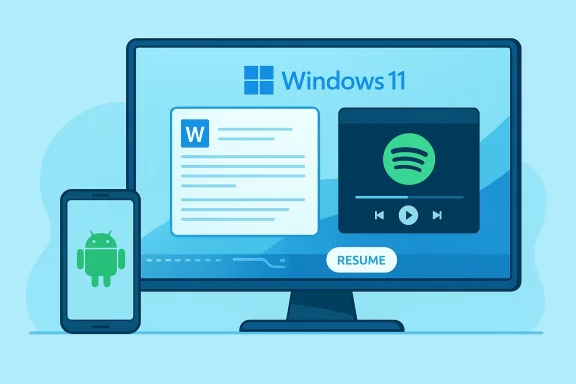
  • Spotify playback — start a track or podcast on your Android phone and continue playback on the PC; if the desktop Spotify app isn’t installed, Windows will suggest a one‑click install from the Microsoft Store.
  • Microsoft 365 documents via Copilot mobile — documents (Word, Excel, PowerPoint) opened in the Microsoft Copilot mobile app on participating OEM phones (HONOR, OPPO, Samsung, Vivo, Xiaomi called out in Microsoft’s notes) can now be resumed on the PC; the OS prefers the native desktop Office app if installed and falls back to the browser otherwise. Offline‑only documents stored only on the phone are explicitly not supported.
  • Browser tab restoration — certain Android browsers (preview notes explicitly mention Vivo Browser on Vivo phones) can hand an active tab to your PC’s default browser so you can continue the browsing session without retyping the URL.
These are not hypothetical: they are the specific experiences Microsoft lists in KB5074105’s gradual rollout section and in related Insider blog posts. Availability is server‑gated, and Microsoft’s Controlled Feature Rollout (CFR) means not every eligible machine will see every scenario immediately.

How it works — the AppContext handshake​

Under the hood the system uses a compact metadata packet Microsoft calls an AppContext (or “app context” in some docs). An Android app — or the app’s server via a notification channel — publishes a tiny resume descriptor that contains a short lifetime, a resource pointer (deep link or public web link), a title/preview, and a context identifier. Windows receives that descriptor and resolves it to the best local handler:
  • If a native desktop app is installed (Spotify, Word, Excel, PowerPoint), Windows launches that app and attempts to restore the logical activity.
  • If a native handler is not present, Windows opens the provided web link in the default browser.
  • The UI surface on the PC is a low‑friction taskbar or shell affordance (a small “Resume” badge or toast). Clicking it continues the activity.
Microsoft deliberately avoided streaming an Android UI to the PC. The AppContext approach minimizes bandwidth, reduces privacy surface area, and keeps the desktop experience native. That tradeoff is central to the product’s technical design and its deployability at scale.

Two integration paths for developers​

Microsoft provides two practical ways for apps to trigger resume affordances:
  • Continuity SDK + Link to Windows: the deeper integration route where an app includes Microsoft’s Continuity SDK and uses Link to Windows to send AppContext payloads. This is treated as a Limited Access Feature (LAF) and requires onboarding for partners.
  • Windows Push Notification Service (WNS): a lower‑friction server‑side option where apps that already use push notifications can post raw WNS notifications containing resume metadata to the Windows channel URI. This path lowers integration cost and could accelerate third‑party adoption. Microsoft still retains gating and approval steps to protect user privacy and system integrity.

Why this matters to Windows users and developers​

For users: fewer context switches, more native continuity​

Cross‑Device Resume promises real user value when it works: pick up your music, continue editing a document, or restore a web tab without fumbling for links or copying content between devices. Because Windows resolves to a native desktop app when available, the resumed activity feels native rather than shoehorned into an emulation layer. This is the product’s most important user‑experience win.
Spotify is an obvious first use case: the streaming service already supports cross‑device synchronization, so the resume affordancconvenience that guides users to the best handler on the PC. For productivity scenarios, Copilot mobile → desktop Office resumption is a meaningful workflow boost for users who draft on their phones and refine on a PC.

For developers and OEMs: low friction, high leverage​

The WNS route is Microsoft’s pragmatic play to accelerate adoption: many apps already use server‑side notifications, so enabling resume becomes a backend change rather than a heavy client SDK integration. That lowers the activation cost and could expand the ecosystem quickly if Microsoft and OEMs support testing and onboarding. OEM partnerships for Copilot mobile and browser integrations are notable early wins because manufacturer cooperation can accelerate device‑level adoption.

For enterprises and admins: new controls to evaluate​

Administrators will need to understand how resume behaves in managed environments. Resume can prompt desktop installs (e.g., Spotify) and surface small metadata previews that might expose information worth controlling in strict enterprise contexts. Microsoft provides toggles — Settings → Apps → Resume — and enterprise teams should pilot the feature and review store/MDM policies before broad deployment.

Critical analysis: strengths, limitations, and risks​

Strengths​

  • Pragmatic architecture — Using AppContext metadata instead of streaming UIs is efficient, lowers latency, and reduces bandwidth and battery costs for devices. That design choice also simplifies security reasoning compared with streaming remote UI.
  • Low‑friction developer path — The WNS option dramatically lowers barriers to entry for third‑party apps and should speed ecosystem growth compared with requiring every app to integrate a new mobile SDK.
  • Native experience — Prioritizing native desktop handlers keeps the PC experience consistent and leverages full desktop app capabilities (e.g., Word’s editing toolset), which is better than reproducing a mobile UI on a big screen.
  • Staged, controlled rollout — Microsoft’s CFR approach reduces blast‑radius risk when enabling broad platform features and lets the company monitor telemetry, privacy signals, and compatibility before a general rollout.

Limitations and friction points​

  • Dependency on app and OEM adoption — The usefulness of Resume is directly proportional to the number and quality of apps/OEMs that implement or support it. Early examples are promising but limited; without broad developer adoption the experience will feel patchy.
  • Online‑only model — Resume relies on reachable content; files stored solely offline on the phone are not supported, which will frustrate users who regularly work with local phone files or in poor connectivity scenarios.
  • Server‑side gating causes inconsistent availability — Controlled rollouts mean even eligible Insiders may not see the feature, complicating public testing and user expectations. That’s good for stability but poor for coordinated testing across large organizations.

Privacy and security risks​

  • Metadata exposure — While AppContext is small, title and preview bytes can leak sensitive information if applications or Microsoft’s UX don’t provide clear consent and visibility controls. Admins and users should be cautious about what data apps expose in resume payloads.
  • Supply‑chain and Store prompts — Resume can trigger one‑click Microsoft Store installs on managed PCs. That behavior needs to be carefully governed in enterprise images and MDM policies to avoid unauthorized software installs or policy violations.
  • Onboarding controls (LAF) — While Limited Access Features and gating reduce misuse risk, they also create a closed approval process that may delay beneficial integrations and creates a single‑point gate. The balance between safety and openness will shape how quickly the ecosystem grows.

How to try Cross‑Device Resume today (practical steps)​

If you want to test the feature on your own hardware, follow a staged approach:
  • Join the Windows Insider Program’s Release Preview channel and install the KB5074105 update (Build 26100.7701 or 26200.7701) on a test PC.
  • On the PC, go to Settings → Bluetooth & devices → Mobile devices and enable “Allow this PC to access your mobile devices.” Ensure Link to Windows / Phone Link pairing is completed.
  • On a supported Android phone, install and sign in to the relevant app (Spotify, Microsoft Copilot mobile, or a supported OEM browser). Make sure notifications are allowed for the app and Link to Windows is active.
  • Trigger the activity (play a Spotify track, open a Copilot mobile document, or open a browser tab) and watch for the small taskbar “Resume” affordance on the PC. Click it to continue the activity on the desktop.
Tip: Start with Spotify and a Copilot mobile Cloud document because those scenarios are explicitly called out in Microsoft’s Release Preview notes and are easier to validate.

Developer and OEM guidance: what to watch​

  • Evaluate whether a backend WNS integration is sufficient for your app’s resume needs, or whether the Continuity SDK’s deeper client integration is necessary for richer state restoration. The WNS path is quicker but may be limited in fidelity; the SDK gives finer control but requires onboarding.
  • Prepare to describe exactly what metadata will be included in AppContext payloads during onboarding to Microsoft’s Limited Access process — screenshots, UX flows, and privacy justifications will likely be required.
  • Consider enterprise impacts: if your app can trigger desktop installs via resume prompts, coordinate with IT to avoid breaking corporate install policies or MDM rules. Provide admin‑friendly controls or opt‑out capabilities where appropriate.

Where this fits in the continuity landscape​

Apple’s Handoff is the well‑known continuity benchmark: it tightly integrates iPhone and Mac experiences and can hand off fine‑grained application state. Microsoft’s approach deliberately differs: rather than emulate or stream Android UIs, it focuses on metadata handoff to native desktop handlers and offers both SDK and WNS approaches so third‑party developers can pick the integration level that suits them. That decision trades perfect parity for broader scalability and lower resource cost — a pragmatic engineering compromise that suits Windows’ heterogeneous ecosystem.
Windows users who rely on both Android phones and PCs gain immediate, practical benefits when common apps adopt resume hooks. But unlike Apple’s tightly controlled hardware‑software stack, Microsoft must convince a wide range of OEMs and app developers to adopt these hooks before the feature feels ubiquitous. That will take time, and the pace will be driven as much by business relationships and SDK onboarding as by technical feasibility.

Unverifiable or evolving claims — cautionary notes​

  • Microsoft’s release notes list specific OEMs and apps in the initial wave; however, the exact device list, timing, and gating rules are subject to change, and Microsoft may add or remove partners as they scale the rollout. Readers should verify device and app compatibility on their own hardware because CFR gating can create differences across accounts and regions. ([blogs.windows.com](Releasing Windows 11 Builds 26100.7701 and 26200.7701 to the Release Preview Channel vary about which specific builds first carried the feature in Dev/Beta versus Release Preview channels, because Microsoft’s Insider cadence moves quickly and notes are updated. If you need absolute certainty for deployment planning, consult the Windows Insider blog entry for KB5074105 and the official Support pages and test directly.

Final assessment and recommendations​

Cross‑Device Resume in Windows 11 has matured into a practical feature rather than an experimental demo. The combination of metadata‑first design, a low‑friction WNS path for developers, and early, visible integrations (Spotify and Copilot mobile‑to‑Office) makes this a meaningful improvement to cross‑device productivity for Android→Windows users. Microsoft’s staged Release Preview rollout — detailed in KB5074105 — signals intent to move toward broader availability while protecting stability.
But the feature’s ultimate value will depend on two factors that remain outside Microsoft’s direct control: how fast app developers add resume hooks and how quickly OEMs and Microsoft scale the partner list. For IT admins and power users, the sensible approach today is a controlled pilot:
  • Test Resume on a small set of devices (Release Preview PC + supported Android phone).
  • Validate behavior for the specific apps and content types you care about (music, docs, browsing).
  • Review privacy and store‑install interactions before enabling it across managed fleets.
If you care about cross‑device continuity and you rely on Android + Windows, resume is worth testing now. If you manage corporate PCs, treat it as an experimental productivity feature that needs governance and pilot validation before wide deployment.
Cross‑Device Resume won’t magically glue every phone and PC together, but it is a pragmatic architectural step in the right direction — one that prioritizes native desktop experiences, lowers developer friction, and acknowledges the messy reality of Android device fragmentation. If Microsoft keeps the momentum — and developers respond to the easy WNS path — Resume could become one of those small, often invisible features that quietly saves users time every day.
Conclusion: Cross‑Device Resume is no longer a conceptual promise — it’s a staged, testable Windows 11 capability that users and organizations should evaluate now, with careful attention to privacy, admin controls, and the realistic limits imposed by app/OEM uptake.

Source: Technobezz Microsoft Expands Windows 11 Cross-Device Resume to Spotify and Office Apps
Source: FindArticles Windows 11 nears resuming Android apps via Cross-Device Resume
 

Microsoft’s Windows 11 is quietly shifting from “phone companion” gimmickry to a real continuity platform: the Cross‑Device Resume feature that lets select Android activities — music, browser tabs, and even Microsoft 365 documents opened on a phone — be picked up on a PC with a single click is rolling through Insider and Release Preview channels and is now being reported more widely as it expands to additional apps and OEM partners.

Teal illustration of AppContext linking an Android phone to a PC, with Word, Excel, PowerPoint and Spotify.Background​

For years Apple’s Handoff has defined what continuity looks like: begin a task on an iPhone and finish it on a Mac, seamlessly. Microsoft’s path has been messier — Phone Link (formerly Your Phone) started as notifications and photo mirroring and later experimented with single‑app demos (Spotify being the canonical one). Over the past year Microsoft has rebuilt the approach into a metadata‑driven model named Cross‑Device Resume (often shortened to Resume or XDR), which transfers compact activity descriptors from a paired Android phone to Windowsick an appropriate native handler rather than emulating the phone UI.
That architectural choice — send metadata, not a streamed UI — is the single most important distinction between Microsoft’s vision and the simplistic “run Android apps on Windows” approach. It reduces compute, simplifies security boundaries, and allows Windows to open the user’s content in the best desktop app available (native Office, desktop Spotify, default browser), or fall back to the browser when necessary. Microsoft’s own documentaata payload an AppContext; the mobile side publishes AppContext objects to Link to Windows (LTW) and Windows resolves them into resume affordances in the taskbar.

What changed — the recent expansions you should know about​

Microsoft’s incremental ret Insider and Release Preview builds call out concrete expansions beyond the initial OneDrive‑centric flows:
  • Resume Spotify playbacoid phone and continue it on the PC (desktop client preferred; Microsoft will prompt to install if missing).
  • Resume browsing sessions from selected vendor browsers (notably vivo Browser) into the PC’s default browser.
  • Resume Microsoft 365 documents that were opened in Copilot or Office mobile apps on supported OEM phones — Honor, Oppo, Samsung, Vivo, and Xiaomi/Huawei in preview notes — launching the desktop Office app when installed or a web fallback otherwise. Offline‑only files stored locally on the phone are explicitly not supported yet.
These expansions have arrived in Insider builds cited as Build 26220.7271 (KB5070307) and Release Preview builds 26100.7701 / 26200.7701 (KB5074105) depending on the rollout wave. Availability is staged and server‑gated: being on Dev, Beta, or Release Preview does not guarantee immediate access. Microsoft typically uses both channel and server flags plus OEM provisioning to limit exposure while monitoring telemetry.

How Cross‑Device Resume works (technical breakdown)​

AppContext: the lightweight handshake​

At the core of Resume is the Continuity SDK and the structured payload called an AppContext. Rather than shipping entire app states or streaming UI, Android apps that integrate the Continuity SDK publish a compact descriptor — fields such as contextId, title, deep link/intentUri or weblink, preview bytes (thumbnail), and a short lifetime. Windows receives the AppContext via the Link to Windows pairing and surfaces a resume affordance in the shell.
This approach has several practical virtues:
  • Security: less sensitive runtime state is transferred and lifetimes are short, lowering replay risks.
  • Performance: metadata is tiny; no continuous streaming or virtualization is needed.
  • Native UX: Windows maps the payload to native desktop handlers (desktop Office, Spotify), preserving the PC experience rather than reproducing Android screens.

Two developer paths: Continuity SDK and WNS​

Microsoft historically required developers to integrate the Continuity SDK on Android and obtain Limited Access Feature (LAF) approval lish AppContext payloads. The Continuity SDK has prerequisites (Android min SDK 24, Kotlin 1.9.x, and a specific Link to Windows LTW baseline) and manifest metadata requirements documented on Microsoft Learn.
More importantly for adoption, Microsoft published an alternate integration route using Windows Push Notification Service (WNS) raw notifications. That means apps with existing server‑side notification infrastructure can trigger Resume prompts without embedding the full Continuity SDK in the mobile client, lowering friction for third‑party apps and enabling faster adoption. This dual‑path model recognizes real‑world developer constraints and reduces the integration cost barrier that stalled previous Phone Link experiments.

Runtime flow — a simple numbered sequence​

  • User performs an activity on a paired Android phone (listening to Spotify, viewing a Copilot file, browsing).
  • The Android app publishes an AppContext to LTW or triggers a WNS raw notification indicating resume readiness.
  • Windows receives the AppContext via Phone Link services and resolves the best handler on the PC.
  • A subtle taskbar badge or toast appears; the user clicks it to resume the activity in the native desktop app or browser fallback.
  • The phone remains the authoritative runtime for complex live state; Windows reconstructs the user’s context using deep links, cloud files, or browser URLs.

What’s supported today — and what isn’t​

The practical list of supported scenarios remains modest but meaningful:
  • Spotify audio resume (first widely visible third‑party example).
  • Microsoft 365/Copilot files opened on supported OEM phones — Word, Excel, PowerPoint — with cloud documents resuming on desktop Office or in the browser. Offline‑only phone files are not supported.
  • Browsing handoffs for partner vendor browsers like vivo Browser to PC default browser.
Missing or limited today:
  • iOS support: Apple devices are not supported by Microsoft's Continuity SDK at present. Microsoft’s XDR is focused on Android.
  • Local phone‑only files: resume currently expects web URLs or cloud‑backed documents; local, offline phone storage is outside the model for now.
  • Universal app coverage: broad third‑party support depends on developer adoption and OEM partnership — Microsoft’s Limited Access gating and OEM provisioning slow universal availability.

Developer and OEM perspective: the adoption playbook​

Microsoft’s early choice to gate continuity functionality is a practical one. The Continuity SDK is a Limited Access Feature; developers must request approval and meet scenario requirements to interoperate with LTW. That gives Microsoft control over which apps and OEMs can publish AppContext payloads and lets it monitor security and reliability before broader exposure. But gating has a cost: it slows the network effects that make continuity features useful.
The WNS integration path changes the calculus:
  • Benefits:
  • Lowers friction for large services that already use server notifications.
  • Avoids shipping extra SDK baggage to mobile clients.
  • Enables server‑side policy, analytics, and targeted rollouts.
    introduces new trust boundaries and requires robust server‑side hygiene to avoid unwanted resume prompts or spammy UX.
  • Apps must still be paired through Link to Windows and the user must grant relevant permissions.
OEM involvement is also critical. Microsoft’s documentation and the rollout notes explicitly mention partnerships with device makers (Samsung, Honor, Oppo, Vivo, Xiaomi/Huawei), because vendor cooperation simplifies preloading LTW packages, ensuring Link to Windows integration works reliably across the device family. Expect OEMs to have a privileged role in the near term.

Privacy and security — the tradeoffs that matter​

Cross‑device continuity is inherently sensitive because it moves user activity between devices and (in some cases) through cloud services. Microsoft’s model mitigates several risks, but not all:
  • Short AppContext lifetimes and metadata‑only payloads reduce exposure compared with streaming full app states. The AppContext schema is deliberately compact.
  • Microsoft’s docs state that data transferred via the API may be processed through Microsoft cloud serviceelivery, though retention is subject to user control. That means cloud processing is part of the chain and requires transparent privacy guarantees.
  • WNS integration means server‑side systems can trigger resume prompts; compromised or misconfigured servers could generate malicious prompts that confuse users. Strong authentication, telemetry, and rate‑limiting are essential.
Practical concerns users should weigh:
  • Accidental handoffs in shared PC environments — Microsoft must ensure resume prompts are scoped only to properly paired, personal devices.
  • Leaked deep links — apps that publish direct intent URIs must avoid exposing sensitive tokens in URLs.
  • OEM/data jurisdiction issues — when data traverses clouds operated in different legal jurisdictions, enterprises will need policy controls.
Microsoft’s Limited Access Feature model and requirement to request LAF approval are responsible safeguards, but they slow adoption and place a burden on small developers — a tradeoff between trust and openness.

UX and reliability: first impressions and user friction​

From early hands‑on and reporting, the UX pattern is intentionally lightweight: a small taskbar badge or toast invites you to “Continue from your phone.” That simplicity minimizes cognitive load and is the right interaction model for quickly resuming an activity. But several UX and reliability concerns remain:
  • Staging and server gating create inconsistent availability: one Insider may see the feature while another with the same build does not. That inconsistency will frustrate testers and early adopters.
  • The model depends on reliable pairing and backgrBattery saver modes, aggressive OEM task killers, or lost connectivity will break the flow.
  • Politeness: Windows must avoid over‑surfacing prompts (spam) from noisy apps. Good defaults and per‑app controls will be critical.
Overall, the design choices aim to keep the desktop experience native rather than emulating Android, which is the correct long‑term UX trade. However, that requires careful handling of the “best handler” decision and robust fallback behavior when desktop apps are absent. Early examples (Spotify prompting to install desktop client) highlight both the convenience and the friction points.

How this stacks up against Apple’s Handoff​

Apples’ Handoff is seamless because Apple controls both ends of the stack: OS, apps, device firmware, and ecosystem policies. Microsoft faces an inherently harder problem integrating with a fragmented Android ecosystem controlled by many OEMs and hundreds of millions of device configurations.
Key differences:
  • Apple: Peer device discovery and state transfer are often local and tightly integrated; cross‑device continuity is platform‑native and wide.
  • Microsoft: Uses a hybrid of device pairing, cloud processing, and OEM partnerships; Android ecosystem fragmentation and app/OS diversity make universal parity with Handoff unlikely anytime soon.
That said, Microsoft’s design — using metadata descriptors and preferring native desktop handlers — arguably fits the Windows model better than trying to emulate Android UIs on the PC. It’s a pragmatic trade: Microsoft cannot (and should not) replicate Apple’s closed verticals, so delivering a reliable, secure metadata handoff is the right engineering choice even if it means slower, more constrained adoption.

Risks, limitations, and who should care​

  • Enterprises: IT teams should evaluate data flow policies before enabling Resume broadly. The cloud processing point and cross‑jurisdiction flow could conflict with corporate data control mandates. Organizations will want administrative controls to disable resume or restrict it to managed apps.
  • Consumers: The feature is compelling for power users who move often between phone and PC. Casual users will get little value until app coverage widens. Expect incremental UX improvements and more visible integrations as Microsoft and partners onboard.
  • Developers: The new WNS path lowers integration cost, but the LAF gating and quality requirements still mean small apps must plan carefully. For high‑value apps (productivity suites, media services), the ROI is real; for niche apps, investment should be measured.
Unverifiable or uncertain claims to watch for:
  • Public rollout timeline: multiple outlets report “near future” public availability, but Microsoft’s staged, server‑gated approach means exact dates remain fluid. Treat claims of immediate wide release as tentative until Microsoft publishes an explicit public rollout schedule.

Practical advice: how to test or prepare now​

  • Join the Windows Insider program (Dev, Beta, or Release Preview) and update to the preview builds that carry Resume notes (build numbers mentioned above). Remember: visibility is server‑gated; update alone does not guarantee access.
  • Pair your Android phone using Link to Windows / Phone Link and ensure Link to Windows is updated to a compatible baseline version. Check app permissions and battery optimization exceptions so background signals are delivered reliably.
  • For developers: review the Continuity SDK documentation and evaluate whether the WNS raw notification path meets your app’s architecture and security posture. Request LAF access only if your scenario requires LTW‑level integration.

Long view: why this matters for the Windows ecosystem​

Cross‑Device Resume signals Microsoft’s continued pivot away from trying to run every Android app natively on Windows toward an ecosystem play that values cross‑device workflows. The company appears to be betting that a small set of high‑value handoffs (media playback, cloud documents, browsing) will provide outsized utility and reinforce Windows as the central productivity device in mixed‑device households.
If Microsoft can scale the model — wider OEM buy‑in, developer adoption via the WNS route, and consistent UX across markets — Resume could become a meaningful competitive differentiator for Windows 11. But the path is long: fragmentation, gating, and privacy constraints mean the feature will mature in steps, not leaps.

Conclusion​

Microsoft’s expanded Cross‑Device Resume is a pragmatic, well‑designed attempt to deliver an Apple‑Handoff‑style convenience to Windows users in a world dominated by Android phones. The company’s metadata‑first strategy, the Continuity SDK plus the lower‑friction WNS path, and OEM partnership model address the hard realities of the Android ecosystem while keeping desktop UX native and performant. Early support for Spotify, vendor browser handoffs, and Microsoft 365 documents is promising, but availability remains gated and the experience will depend heavily on OEM cooperation, developer adoption, and robust privacy safeguards.
For Windows users and IT teams, the immediate takeaway is cautious optimism: the feature is real, technically sound in its design, and expanding in scope — but it’s not yet ubiquitous or fully baked. Test with Insiders, evaluate administrative controls, and watch for Microsoft’s broader public rollout plans. Microsoft has taken another credible swing at Handoff; whether it lands depends on technical polish, partner momentum, and careful governance as the feature scales.

Source: PhoneArena Cell Phone News
 

Back
Top