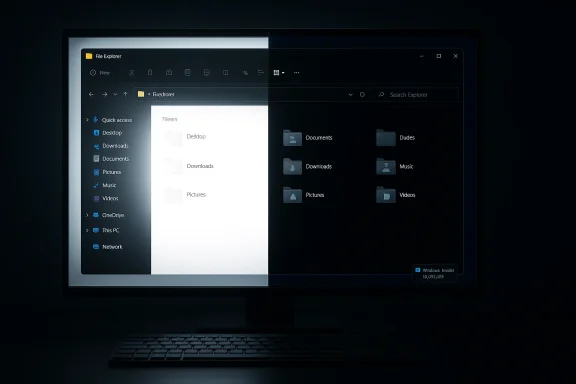
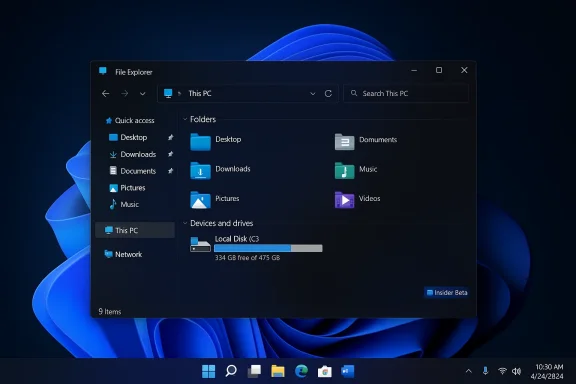
Microsoft has quietly closed one of the most visible and irritating UX regressions to hit Windows 11 in recent months: the jarring white “flash” that could momentarily blank a dark-themed File Explorer window. After weeks of community outcry, Microsoft has documented fixes in its Insider release notes and begun rolling them through the Canary, Beta, and Dev preview channels — a sign that the company prioritized a small but highly disruptive visual bug ahead of more visible feature work.
The problem first surfaced in early December 2025 after Microsoft shipped an optional preview cumulative (packaged as KB5070311) intended to finish dark-mode polish across File Explorer and several other shell surfaces. Instead of delivering a seamless dark experience, that release introduced a regression in which File Explorer — when the system theme was set to Dark — could briefly show a bright white panel when opening new windows, creating tabs, switching views, or resizing Explorer panes. The effect was immediately noticeable, repeatedly reproducible for many users, and widely reported across community forums and mainstream tech outlets.
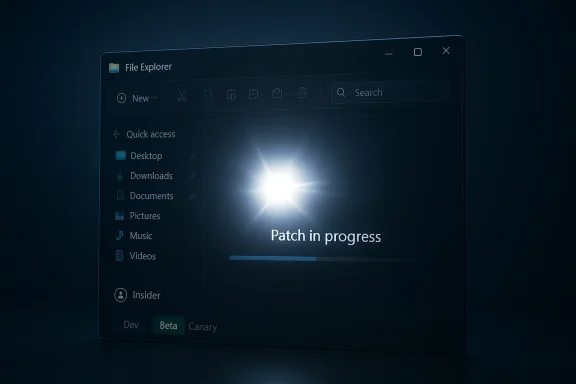
Microsoft acknowledged the regression as a Known Issue in its preview release notes, began triage, and took the expected engineering route: push fixes into Insider-channel preview builds, validate telemetry and feedback, and then widen the roll‑out. On March 6, 2026 Microsoft published Insider announcements showing the white‑flash fixes in multiple channel builds, including Dev Channel Build 26300.7965, Beta Channel Build 26220.7961, and Canary Channel Build 28020.1685. Those release notes explicitly list the visual flash removals alongside other small but practical Explorer improvements such as voice typing support in rename boxes and reliability tweaks for previewing downloaded files.
The March 6, 2026 Insider notes are a reassurance that the company is listening, iterating, and using the Insider telemetry loop to avoid shipping a widespread regression to production devices.
Source: Neowin Microsoft finally fixes File Explorer flashes in new Windows 11 builds
 Background
The problem first surfaced in early December 2025 after Microsoft shipped an optional preview cumulative (packaged as KB5070311) intended to finish dark-mode polish across File Explorer and several other shell surfaces. Instead of delivering a seamless dark experience, that release introduced a regression in which File Explorer — when the system theme was set to Dark — could briefly show a bright white panel when opening new windows, creating tabs, switching views, or resizing Explorer panes. The effect was immediately noticeable, repeatedly reproducible for many users, and widely reported across community forums and mainstream tech outlets.Microsoft acknowledged the regression as a Known Issue in its preview release notes, began triage, and took the expected engineering route: push fixes into Insider-channel preview builds, validate telemetry and feedback, and then widen the roll‑out. On March 6, 2026 Microsoft published Insider announcements showing the white‑flash fixes in multiple channel builds, including Dev Channel Build 26300.7965, Beta Channel Build 26220.7961, and Canary Channel Build 28020.1685. Those release notes explicitly list the visual flash removals alongside other small but practical Explorer improvements such as voice typing support in rename boxes and reliability tweaks for previewing downloaded files.
What happened (short version)
- December 1, 2025: Microsoft publishes an optional preview cumulative (KB5070311) that adds extensive dark‑mode polish to File Explorer but also introduces a bright white flash in Explorer for users on Dark theme.
- December — January 2026: Widespread reports appear on forums and tech sites, Microsoft marks the bug as a Known Issue and begins internal triage.
- March 6, 2026: Microsoft documents removal of white flashes in multiple Insider builds (Dev: Build 26300.7965; Beta: Build 26220.7961; Canary: Build 28020.1685) and begins rolling the fix to testers.
Overview: why the “flash” mattered
At first glance, a brief white flash might look like a purely cosmetic annoyance — but the impact was broader:- User experience and polish: The aim of dark mode is to preserve low-light comfort and reduce visual fatigue. A sudden bright flash defeats that purpose and damages perceived quality.
- Accessibility and safety: For users with certain forms of photosensitivity or migraine disorders, an unexpected bright flash can be harmful. That elevated the bug from cosmetic to a potential accessibility hazard.
- Enterprise risk and deployment friction: Optional preview updates (preview / “C” releases) are sometimes tested in pilot rings. When a visible regression like this appears, IT teams delay deployment, increasing fragmentation in testing and rollout schedules.
- Trust and messaging: High-visibility regressions undermine confidence in the update pipeline; a small regression on a widely used surface like File Explorer gets outsized attention because Explorer is the day‑to‑day interface for almost every Windows user.
Technical anatomy (what likely caused it — and what we can verify)
No single internal Microsoft engineering post has fully disclosed the root‑cause breakdown in public detail, which is normal for patch‑level fixes. However, the observable pattern and common engineering realities suggest the following plausible contributors:- File Explorer remains a hybrid surface composed of modern WinUI components and older Win32 shell bits. Applying a system-wide theme consistently requires careful initialization order, compositor handoff, and painting of legacy controls.
- The flash presented as a brief exposure of a light background or default white render buffer before the dark-theme styles were fully applied. That behavior is consistent with a race condition in theme initialization or with a fallback surface (legacy Win32 background) painting before the modern theme layer completes.
- Hardware and driver differences — especially integrated versus discrete GPUs and vsync/frame-timing differences — amplify the symptom in some configurations and make it harder to reproduce deterministically.
- Microsoft’s Insider release notes specifically state the white-flash fixes were removed in the referenced builds and explicitly note scenarios (launching new windows/tabs and resizing). This is a clear product-side acknowledgement.
- Multiple independent outlets and community reports documented the bug’s presence after KB5070311 and tracked the appearance of fixes in subsequent Insider builds.
- The exact line of code or internal patch that resolved the condition, and whether the fix was a change in paint order, a compositor timeout, or a conditional guard preventing interim white background exposure. Microsoft did not publish a postmortem of the code-level changes at the time of writing; treat any specific attribution as conjecture unless Microsoft releases technical details.
What Microsoft actually shipped (practical changelog)
Across the March 6, 2026 Insider flight announcements the following Explorer-related items were called out:- Removed white flash when launching new File Explorer windows or tabs when Explorer was configured to open to This PC, and removed white flashes when resizing File Explorer elements.
- Voice typing (Win + H) available in File Explorer rename fields, improving accessibility and workflow speed for dictation users.
- Improved reliability for unblocking downloaded files for preview, addressing friction created by a security change introduced in October 2025 that restricted previewing files tagged with the Mark-of-the-Web.
- Additional small refinements to the sharing drag-tray and other UX tidbits were also documented in the same Insider posts.
Why this matters to users and administrators
For everyday users:- If you were seeing the white flash and it annoyed you, the fix in the March 6 Insider builds is the right direction. However, fixes travel from Insider channels into broadly released cumulative updates over time; patience is required before a broad production rollout.
- As a short‑term mitigation, switching File Explorer to light theme (or disabling automatic dark mode) removes the flash symptom, though it defeats the purpose for users who prefer Dark mode.
- Avoid deploying optional preview updates (the “C” / preview cumulative updates) broadly into production until you’ve validated them in a pilot ring. The December packaging clearly shows optional previews can introduce regressions.
- If the white flash is a compliance or accessibility issue for your organization, treat the March 6 fixes as a signal to start validation in your managed pilot environment and track the canonical cumulative update that contains the remediation before wide deployment.
- Use Group Policy, Intune, or update ring controls to stage the fix safely. For organizational compliance, document when you move test machines through Insider (if you use Insider flights internally) and maintain rollback procedures.
Actionable recommendations — what to do right now
- For home users who want the fix now:
- If you’re adventurous: enroll a spare machine in the Beta or Dev Insider channel (with the appropriate toggle enabled) to get the March 6 builds. Use a non-critical device; Insider flights are pre-release.
- If you prefer stability: wait for Microsoft to include the fix in a mainstream cumulative update; keep automatic updates on, but avoid optional preview packages until the fix has been broadly distributed.
- For sensitive users (photosensitivity / accessibility):
- Temporarily switch to Light theme or disable auto-theme switching until your environment receives the patched update.
- If a white flash has medical risk, consider using a browser or third-party file manager as a short-term workaround for file navigation.
- For IT teams:
- Keep KB5070311 and other optional preview KBs out of production rings until validated.
- When ready to test, pilot the March 2026 cumulative or the matching production update on a small set of devices with representative GPU/drivers to verify absence of flashes and confirm there are no regressions.
- Continue to enforce controlled rollouts and monitor telemetry for user-facing regressions on shell surfaces.
The fix — good news, with important caveats
Strengths- Microsoft responded predictably: acknowledged the issue, triaged it, and prioritized a fix for a high-frequency user surface.
- The staged rollout via Canary, Beta, and Dev channels demonstrates a mature validation pipeline. It’s a welcome reminder that the Insider ecosystem still serves its intended purpose: find edge regressions, fix them, and validate before broad release.
- The March updates didn’t only address the flash; they also delivered accessibility improvements (voice typing) and reliability adjustments for previewing downloaded files — a pragmatic set of incremental improvements.
- The public notes do not contain a developer-level root-cause analysis. Without that transparency, it’s impossible to fully know whether the fix closes all permutations of the bug across varied hardware and drivers.
- Because the fix is staged through Controlled Feature Rollout, some users will continue to see the symptom until their specific device receives the flagged bit. That staggered experience can create confusion for support teams and users who expect one consistent behavior from Microsoft updates.
- The episode underscores a deeper engineering trade-off: polishing a modern Fluent UI while preserving consistent behavior in legacy Win32 surfaces is non-trivial, and regressions can emerge when cosmetic work touches widely distributed, long-lived components.
Broader context: what this says about Microsoft’s update posture
The File Explorer flash saga is a microcosm of the broader tensions in Windows engineering today:- Microsoft is actively modernizing UI surfaces (Dark mode, WinUI drift, AI/Co‑pilot integrations) while supporting a massive base of legacy code paths. That dual responsibility increases the chance of visible regressions.
- The company continues to rely on insider channels as a safety net. The March 6 Insider announcements show the model working: telemetry + staged rollout + Insiders provide rapid validation.
- There’s also a clear security-versus-convenience trade-off visible in the October 2025 preview-pane change (blocking previewing of content with Mark‑of‑the‑Web). Microsoft continued to refine those controls (improving reliability for unblocking), rather than reversing the security posture entirely — an engineering posture that prioritizes platform safety while attempting to restore convenience through reliable UI behaviors.
Tests to run (for power users and IT) — quick checklist
- Reproduce the flash:
- On a test device, install the optional preview that originally caused the symptom (if you must reproduce) and observe Explorer behavior in Dark mode. Test: open This PC, open multiple tabs, resize panes, and toggle panels.
- Verify remediation:
- Upgrade the test device to one of the March 6 Insider builds and repeat the same sequence. The white flash should no longer appear in the documented scenarios.
- Validate across GPUs:
- Test on integrated Intel graphics, AMD, and NVIDIA discrete GPUs. Many visual regressions surface only on certain drivers.
- Accessibility verification:
- For users with photosensitivity concerns, simulate reduced-light conditions and confirm there are no brief bright flashes during typical Explorer flows.
- Automation and telemetry:
- For enterprise: include these checks in your automated UI test harnesses to ensure consistent behavior across future updates.
Why the fix matters beyond the visual
Fixing a flash isn’t about vanity; it’s about trust and predictability. File Explorer is the primary surface for interacting with the file system; any regression there is immediately noticed and creates friction that cascades into fleet-wide hesitancy to adopt updates. Microsoft’s decision to elevate this bug — to the extent of placing it in the top-line bullet points of Insider posts — signals the company understands how UX regressions at this level affect user trust and organizational update strategies.The March 6, 2026 Insider notes are a reassurance that the company is listening, iterating, and using the Insider telemetry loop to avoid shipping a widespread regression to production devices.
Final takeaways
- The white‑flash bug was real, repeatable, and harmful to the dark‑mode experience. Microsoft acknowledged it publicly and has included an explicit remediation in the March 6, 2026 Insider builds.
- The fix is now in the testing pipeline across Canary, Beta, and Dev channels; full production rollouts will follow the usual staged path.
- Users who depend on stable visual behavior should delay optional preview updates, or validate fixes in a controlled pilot environment before broad deployment.
- For accessibility-conscious users and IT administrators, the episode is a reminder to treat UI regressions as governance risks and to keep processes in place for swift validation and rollback.
- Microsoft’s approach — fix, stage, validate, document — is the right one. The missing element is a public, technical postmortem; until Microsoft shares the code-level reasoning, some uncertainty about edge cases will remain.
Source: Neowin Microsoft finally fixes File Explorer flashes in new Windows 11 builds