

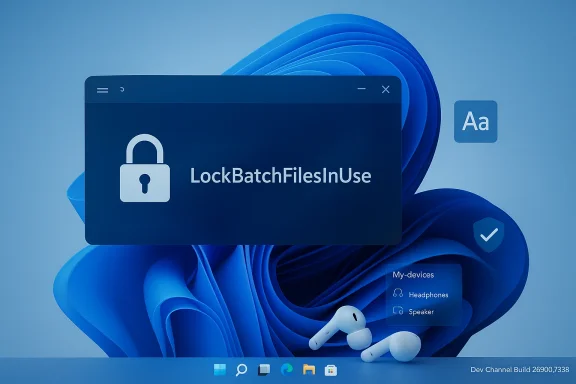
Microsoft is pushing another Dev Channel flight today with Windows 11 Insider Preview Build 26300.7939 (KB 5077243), a small enablement-package update that layers targeted security controls, accessibility improvements, and ongoing experiments with Bluetooth LE Audio sharing for Insiders who have opted in to receive the latest feature toggles. m](https://learn.microsoft.com/en-us/windows-insider/flight-hub/?utm_source=openai))
Background / Overview
Microsoft continues to deliver Dev Channel builds as work-in-progress snapshots of the Windows codebase; these builds are not necessarily matched to the consumer release and are used to trial features, gather feedback, and validate operational behaviors before wider rollouts. The current Dev Channel family is based on Windows 11, version 25H2 and uses an enablement package model that increments Dev-channel build numbers while keeping the underlying servicing baseline consistent. This pattern reduces update friction but also means feature visibility is often controlled by Microsoft’s staged rollout systems and feature toggles.The February 27, 2026 flight — Build 26300.7939 — is notable because it mixes:
- a new administrative control intended for secure batch-file processing,
- incremental accessibility enhancements in Narrator,
- wider availability details and minor improvements for Windows’ experimental Shared audio (preview) powered by Bluetooth LE Audio, and
- several reliability fixes (taskbar autohide animation rollout pause, storage clean-up, and input improvements for the key user-facing descriptions and rollout notes were published in the Insider announcement distributed to Dev Channel testers.
What’s new and rolling out in this build
Enhanced security and performance for batch files (for administrators and App Control authors)
Microsoft added an administrative control that changes how batch files and CMD scripts are processed to make them more predictable under enforcement scenarios such as code integrity and App Control policies. Administrators can set a new registry value:- Path: HKEY_LOCAL_MACHINE\Software\Microsoft\Command Processor
- Value: LockBatchFilesInUse (DWORD — 0 or 1)
Why this matters: legacy batch processing semantics evaluate and re-check the script at multiple points during execution. Under modern enforcement (WDAC/App Control), that per-statement re-validation can be both a performance tax and an attack surface if the on-disk file can change mid-execution. Locking a batch file for the duration of its run simplifies validation logic and prevents tampering, while the manifest option gives application publishers a way to opt-in to the secure semantics.
Verification and documentation: while the Insider blog explains the registry key and the manifest control, the specific LockBatchFilesInUse name and manifest attribute are presently documented only as part of this Insider announcement. Microsoft’s wider App Control and manifest guidance explains the mechanisms for authoring manifest entries and configuring App Control policies, which is the conceptual foundation for this change, but independent, detailed documentation for the exact registry/manifest names was not yet available outside the build notes at the time of this writing. Administrators should therefore treat the new key as Insider-first functionality, validate behavior in test environments, and report feedback via Feedback Hub.
Practical guidance for IT teams:
- Test the new LockBatchFilesInUse behavior on non-production images before enabling it broadly.
- If you deploy App Control policies via Intune or MEMCM, add the manifest setting to installers or wrapper executables where appropriate and validate update scenarios for self-updating applications.
- For scripted deployment pipelines, confirm that installers that spawn batch scripts still behave correctly under the locked semantics (for example, cases where installers write and then immediately execute generated scripts).
Shared audio (preview) — per-listener volume and taskbar indicator
Windows’ Shared audio (preview) feature — the platform’s implementation of streaming the same audio feed to two Bluetooth LE Audio accessories simultaneously — continues to expand in this flight. The update adds per-listener volume sliders so each connected listener can independently control their level without affecting the other listener. A small taskbar indicator appears while audio is being shared, providing a fast path to stop sharing or adjust volumes via Quick Settinncement also listed new accessories that report support for sharing: Samsung Galaxy Buds 4 and Buds 4 Pro, Sony WF‑1000XM6, and the Xbox Wireless Headset.Context and cross-checks: shared audio uses Bluetooth Low Energy (LE) Audio’s modern profiles (TMAP/Auracast and related codecs), which Microsoft and device vendors have been adding platform support for across 2024–2026. Microsoft’s support documentation explains LE Audio requirements (Windows 11 version 22H2 or later, vendor drivers, and codec support), and independent reporting and device vendor notices confirm growing device support and firmware updates that enable LE Audio features. Notably, Xbox’s own communications have described LE Audio support for the Xbox Wireless Headset via firmware updates, while Sony and Samsung product announcements highlight LE Audio readiness for recent earbuds and headphones. Those independent signals match Microsoft’s claim that the LE Audio accessory ecosystem is enlarging and that shared audio in Windows now has broader hardware compatibility.
Implications for users:
- Shared audio is still a preview capability and requires both the Windows device and the accessories to support LE Audio.
- Expect firmware or driver updates from accessory makers to unlock features like Auracast, broadcast modes, and improved LE Audio behavior on PCs.
- The per-listener volume control is a practical UX improvement for real-world shared listening (watching a movie together, audiobooks, assistive listening scenarios).
Narrator: read status bar content with a new command
This build introduces a new Narrator shortcut — Narrator key + backslash — that reads the contents of the status bar in compatible apps (Word, Excel, PowerPoint, etc.). For example, in Word the command can speak the nd in Excel it can speak aggregate information (sum/average) for selected cells without changing focus. This is a clear accessibility-focused improvement that helps users who rely on screen reading to get quick contextual information from documents and spreadsheets.Accessibility context: Microsoft’s published Narrator command lists and “What’s new” guidance show a steady cadence of enhancements to Narrator across Windows releases. The Narrator documentation catalogues existing shortcuts and the Narrator key convention; new commands introduced in Insider builds are often later added to the public support pages after broader rollout. Testers who rely on assistive technologies should validate the new shortcut in their target applications and file concrete feedback if results are inconsistent.
Reliability and polish: taskbar, storage, input fixes
Build 26300.7939 also documents a handful of targeted reliability improvements:- temporary pause of the improved autohide taskbar animation rollout while Microsoft impand reliability in safe mode,
- better reliability when removing Windows Update and windows.old files via Settings > System > Storage, and
- improved typing reliability for the ADLaM keyboard layout.
Deep dive: security, manifests, and the batch-file locking behavior
How batch-file processing historically works (and why this change matters)
Traditional Windows batch processing interprets scripts as sequences of statements; historically, at various points during execution the runtime consults the on-disk file and metadata to execute each statement. Under modern code integrity stacks (WDAC / App Control), every executed binary or script may be subject to signature/origin validation checks. If those validations occur repeatedly on every parsed statement, performance can suffer and race conditions can arise where the file changes between checks.Locking the file while it is executed rindow in which an attacker or an update mechanism could alter the script mid-run. It also allows the platform to do a single signature validation at run-start and treat the rest of the execution as within the verified execution context. For managed or hardened environments — where predictable, auditable execution semantics are necessary — this is a meaningful improvement.
Interaction with App Control for Business and manifests
Microsoft’s App Control documentation explains managed installer heuristics and how administrators can configure policies to balance security and manageability. The manifest-based control referenced in the announcement (LockBatchFilesWhenInUse) is a natural extension — embedding the behavior directly into an executable’s manifest lets ISVs and deployment authors assert intent and keep a consistent behavior across environments without requiring registry changes on each target device. The platform-level manifest schema is the mechanism vendors use to declare compatibility and behavioral hints; the manifest approach is consistent with existing Windows practices for opt-in application behaviors.Risks, failure modes, and what to test
- Self-updating scripts and installers: If an installer writes a script and expects to modify it while the script is running (rare but possible), locking will break that workflow. Test installers that generate and run helper scripts.
- Deployment/patching scenarios: Managed installers that stage temporary scripts during application updates may interact differently under the lock; ensure your deployment tooling handles the locked state or uses the manifest option where appropriate.
- Developer workflows: Developers who use ephemeral scripts in build or CI contexts should validate scripts still run and perform as expected; tooling that patches or edits scripts mid-execution could fail silently.
- Telemetry and diagnostics: When enabling the lock across an estate, collect logs and set a rollback plan. Because this is an Insider-first control, fingerprints and event IDs may change before general release.
Shared audio (LE Audio): what’s different and why to care
Why LE Audio enables shared audio features
Bluetooth LE Audio introduces a new set of profiles and codecs that are more efficient, lower-power, and capable of modern behaviors like Auracast (broadcast/broadcast-like scenarios) and multi-stream topologies. Windows’ Shared audio (preview) leverages these building blocks to stream a single audio source to two compatible receivers and provide per-listener controls. Microsoft’s own compatibility guidance emphasizes that both the PC and headset must support LE Audio with vendor drivers and codecs.Which devices the Insider post calls out (and independent confirmation)
The Insider announcement lists the Samsung Galaxy Buds 4 / Buds 4 Pro, Sony WF‑1000XM6, and Xbox Wireless Headset as accessories with shared-audio support surfaced in this update. Independent signals back that device vendors and platform partners are actively enabling LE Audio:- Samsung’s Galaxy Buds 4 family was announced with Bluetooth 6.1 and LE Audio features in vendor materials and coverage.
- Sony’s WF-1000XM6 and related 1000X-family announcements indicate LE Audio readiness and firmware updates that unlock Auracast-like sharing and other LE Audio behaviors.
- Xbox has pushed firmware for the Xbox Wireless Headset that explicitly adds LE Audio support and notes compatibility with Windows features like shared audio and super wideband stereo voice.
User experience: what changed in this build
- Per-listener volume sliders: Each listener now gets independent volume control in Quick Settings while shared audio is active. This reduces the awkwardness of a single global volume or needing to use headset controls to balance levels.
- Taskbar indicator: a small visual reminder indicates that an audio feed is being shared, making it easier to stop sharing quickly or adjust settings for one or both listeners.
Caveats and deployment notes
- LE Audio support is hardware- and driver-dependent. Many older Bluetooth radios won't support LE Audio even if Windows offers UI elements — vendor drivers and firmware updates are required. Microsoft’s support article explains the device-driver dependencies.
- Expect ongoing firmware updates from audio vendors; features may be incrementally unlocked on headsets/earbuds through vendor updates, not automatically through Windows.
- Shared audio as a preview is gated by Microsoft’s controlled feature rollout; not every Insider machine with the same build will see the feature unless the toggle is enabled in Windows Update settings.
Accessibility improvements: Narrator enhancements explained
The new Narrator command (Narrator key + backslash) that reads the status bar is a small but practical addition for people who use screen readers daily. It reduces friction for tasks like checking word counts, current page, or quick aggregations in Excel — actions that previously required navigation or changing focus. Because accessibility is often an iterative process, this change is consistent with Microsoft’s documented Narrator enhancements across recent months. Testers should check behavior in their most-used apps (Word, Excel, PowerPoint) and verify compatibility with third-party productivity suites that embed their own status bars.Practical tips for assistive-technology users:
- Rehearse the new command in both native Office apps and web-based editors to confirm consistent behavior.
- If the announced shortcut doesn’t behave as expected, file a targeted Feedback Hub report including the app name, exact keystrokes, and a short recording of the behavior to help engineers triage.
- Keep Narrator and OS features on the same Insider track to get matching updates (Narrator improvements often ship in tandem with builds).
What this build signals about Microsoft’s direction
- Security-first incrementalism: The LockBatchFilesInUse control illustrates Microsoft’s focus on tightening operational semantics for legacy surface area in a way that fits enterprise policy models (registry, manifest, App Control policy). The approach attempts to preserve backward compatibility while offering an opt-in hardening path.
- Platform-level audio modernization: Shared audio’s continued expansion is another sign that Auracast/LE Audio is moving from phone-first enthusiasm into PC ecosystems — but vendor collaboration (firmware + drivers) remains the gating factor.
- Continued accessibility investment: Small, high-utility improvements to Narrator and other assistive pathways show Microsoft investing in feature refinements that benefit users who rely on screen reading and assistive workflows.
- Feature gating and Controlled Feature Rollouts: Microsoft is keeping many of these changes behind toggles and staged rollouts, reflecting a conservative, metrics-driven approach to large-scale feature enablement. This reduces blast radius but complicates visibility for end users and IT admins.
Risks, unknowns, and things to watch
- Documentation maturity: The LockBatchFilesInUse registry name and the LockBatchFilesWhenInUse manifest control were published in the Insider notes. At the time of publication, independent technical documentation (detailed schema examples, telemetry IDs, diagnostic guidance) outside the announcement was limited. Administrators should treat these as Insider-first features until broader documentation appears.
- Driver and firmware dependency for LE Audio: Shared audio will remain a usability promise until vendors ship consistent driver and firmware updates across PC Bluetooth radios and accessories. Consumers should expect that some combinations of PC + headset will not work until both sides are updated.
- Enterprise update strategy: Because Dev Channel builds are work-in-progress, they are not appropriate for production fleets. However, the presence of administrative controls in the Dev Channel is a cue for IT teams to begin testing scenarios and influence design choices via Feedback Hub before features reach Broad deployment.
- Localization and accessibility parity: Insider previews sometimes surface features before localized strings and complete assistive-tool integrations are finalized. Expect minor UX gaps and file localization or accessibility bug reports if you encounter translation or navigational issues.
Recommended action plan for IT admins, accessibility teams, and enthusiasts
For IT administrators:- Spin up test VMs or a staging ring with the Dev Channel build and enable the Insider toggle on representative devices.
- Test the LockBatchFilesInUse registry key on a controlled sample, paying special attention to installers, software that generates scripts at runtime, and update workflows.
- If using App Control for Business, evaluate the manifest control in test deployments and update your deployment documentation and runbooks accordingly.
- Monitor event logs and telemetry for denied executions or unusual installer failures and keep rollback procedures ready.
- Validate the new Narrator shortcut across the apps your organization uses (Word, Excel, PowerPoint, third-party editors).
- Report inconsistencies with precise steps and sample documents to Feedback Hub so engineering receives actionable repros.
- Coordinate with end-users who rely on Narrator to ensure training materials and shortcuts lists are kept current.
- If you want to try Shared audio (preview), confirm both your PC and headphones claim LE Audio support and check for firmware updates from the headset vendor.
- Use the new per-listener volume controls and the taskbar indicator to evaluate real-world usability (watching video with a friend, hands-free assistive listening).
- Remember this is a preview experience and may be enabled only for a subset of Insiders; expect incremental improvements and some rough edges.
Final analysis: usefulness vs. caution
Build 26300.7939 houses a mixture of useful operational controls, practical accessibility improvements, and continued experimentation with modern audio features. The LockBatchFilesInUse approach is a pragmatic move that addresses a real security and performance problem with legacy scripting under code-integrity regimes; however, because it changes execution semantics for batch scripts, it must be validated in complex deployment scenarios before broad adoption. The shared audio improvements are a positive user-experience refinement that aligns with broader industry momentum behind LE Audio, but they remain dependent on coordinated vendor firmware and PC driver updates. The Narrator shortcut is a high-value accessibility win that reduces friction for common productivity tasks.Taken together, this flight shows Microsoft’s dual posture: push platform-level hardening and assistive UX improvements while continuing to seed consumer-facing capabilities through controlled previews. For IT and accessibility practitioners the immediate takeaway is pragmatic: test early, collect and file reproducible feedback, and plan rollout paths that include contingencies for vendor-dependent features like LE Audio.
If you want to preview these features, enable the latest Insider toggles, keep your accessory firmware up to date, and use the Feedback Hub to report any behaviors you want Microsoft to prioritize.
Conclusion
Windows 11 Insider Preview Build 26300.7939 is not a flashy consumer refresh — it’s a measured engineering push that tightens security around legacy scripting, refines accessibility tooling, and nudges the platform closer to practical LE Audio scenarios. For administrators, testers, and enthusiasts who care about security, accessibility, or next-gen audio features, this build is worth placing in a lab ring for hands-on validation. For everyone else, the changes show how Microsoft is iterating on the platform in small, testable steps: useful, careful, and increasingly interoperable — provided vendors and administrators collaborate on the details.
Source: Microsoft - Windows Insiders Blog Announcing Windows 11 Insider Preview Build 26300.7939 (Dev Channel)
