

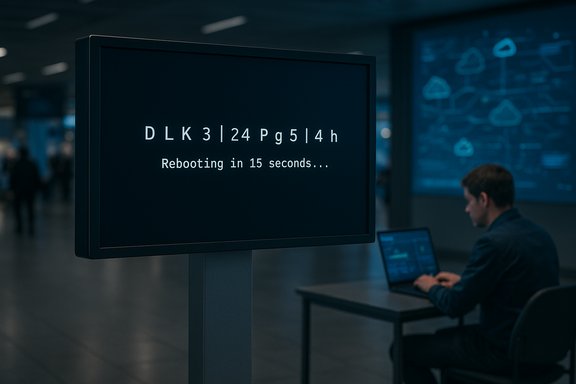
Microsoft’s new Digital Signage mode for Windows 11 will hide Windows error screens on public-facing displays after a brief diagnostic window, showing the error for roughly 15 seconds and then blanking the display until local input returns — a targeted, low-friction change that protects brand appearance but shifts responsibility for diagnostics from visual cues to telemetry and remote recovery tools.
At Microsoft Ignite 2025 the company expanded its Windows Resiliency Initiative with a set of features intended to reduce visible downtime and speed recovery for managed fleets. The plan bundles new recovery tooling — including Quick Machine Recovery (QMR), Point‑in‑Time Restore (PITR), extended WinRE networking and Intune-driven remote recovery — with device-class specific behaviors such as Digital Signage mode, aimed at non-interactive, public displays. Microsoft framed these announcements as part of a broader effort to prevent incidents, manage problems when they occur, and accelerate recovery. Digital Signage mode is succinct: when enabled on a device that drives a public, non-interactive screen, any system error dialog or full-stop error (the classic crash screen) will be visible only for a short interval — reported widely as 15 seconds — after which Windows intentionally turns the display off and waits for keyboard or mouse input to wake it. The mode is explicitly not a replacement for Kiosk mode, which remains the recommended lockdown environment for interactive terminals and point‑of‑sale devices.
Flag for admins: the registry key details circulated in early reports are not official documentation. Plan deployments using the Settings UI or wait for Microsoft’s management guidance and CSP entries if governance and auditing are important for your environment.
Digital Signage mode is therefore a cosmetic mitigation for the public face of failure: it reduces the visible impact while Microsoft’s other resiliency investments improve the behind‑the‑scenes ability to fix the underlying cause without on‑site presence. This is effective only when paired with robust remote recovery and telemetry.
Digital Signage mode removes the most visible symptom of a class of operational failures while leaving the real work — telemetry, recovery and governance — squarely where it belongs: with IT and operations. For organizations that invest in those back-end capabilities first, the change is a net positive. For teams that rely on visible error screens as primary diagnostic signals, the move requires process change and investment in remote observability before flip‑the‑switch rollouts.
Source: Cyber Press https://cyberpress.org/bsod-crash-errors/
 Background
At Microsoft Ignite 2025 the company expanded its Windows Resiliency Initiative with a set of features intended to reduce visible downtime and speed recovery for managed fleets. The plan bundles new recovery tooling — including Quick Machine Recovery (QMR), Point‑in‑Time Restore (PITR), extended WinRE networking and Intune-driven remote recovery — with device-class specific behaviors such as Digital Signage mode, aimed at non-interactive, public displays. Microsoft framed these announcements as part of a broader effort to prevent incidents, manage problems when they occur, and accelerate recovery. Digital Signage mode is succinct: when enabled on a device that drives a public, non-interactive screen, any system error dialog or full-stop error (the classic crash screen) will be visible only for a short interval — reported widely as 15 seconds — after which Windows intentionally turns the display off and waits for keyboard or mouse input to wake it. The mode is explicitly not a replacement for Kiosk mode, which remains the recommended lockdown environment for interactive terminals and point‑of‑sale devices. What Digital Signage mode actually does
Core behavior and user-visible flow
- When an error occurs that would normally present an error dialog or full-screen bugcheck, Windows will still surface the diagnostic information briefly (approximately 15 seconds reported by multiple outlets).
- After the diagnostic window elapses, the OS turns off the display (a blank/black screen) rather than leaving the error visible. The system remains in its crash-handling state and preserves logs and memory dumps as usual.
- The display will not come back on until local human input (keyboard or mouse activity) is detected, preventing unattended screens from remaining frozen on diagnostic UI for long periods.
How administrators enable the mode
Microsoft’s announcement indicates Digital Signage mode can be toggled via the Windows Settings app and is expected to be scriptable via registry configuration so enterprises can deploy at scale through management tooling like Intune. Reporters and early previews list a Settings toggle and registry key as the intended configuration surfaces, but Microsoft had not, at the time of announcement, published a definitive registry path or management CSP for the feature in public documentation. That specific registry key and Group Policy/CSP mapping should be treated as provisional until Microsoft releases formal admin guidance.Flag for admins: the registry key details circulated in early reports are not official documentation. Plan deployments using the Settings UI or wait for Microsoft’s management guidance and CSP entries if governance and auditing are important for your environment.
Why Microsoft built this: context and drivers
Public displays showing system errors are more than a meme; they reveal operational exposure and can rapidly amplify into brand and operational problems. Several high‑profile incidents — notably the widespread boot failures traced to a faulty CrowdStrike kernel update in mid‑2024 — demonstrated how a single systemic fault can create visible outages for millions of endpoints and lead to costly, manual recovery efforts. Microsoft cites these kinds of incidents and the operational friction they create as motivation to harden recoverability and reduce the negative externalities of visible failures.Digital Signage mode is therefore a cosmetic mitigation for the public face of failure: it reduces the visible impact while Microsoft’s other resiliency investments improve the behind‑the‑scenes ability to fix the underlying cause without on‑site presence. This is effective only when paired with robust remote recovery and telemetry.
Benefits: where Digital Signage mode shines
- Protects brand and customer experience: Avoids showing error screens on high-visibility displays such as restaurant menus, retail posters, airport flight boards, and conference-room walls. A blank screen is less alarming than a visible crash.
- Preserves diagnostic artifacts: The OS continues to produce logs and memory dumps; the only change is the visible UI lifetime. This enables remote analysis while minimizing public exposure.
- Low friction to adopt: With a Settings toggle and an anticipated registry/MDM pathway, organizations can pilot quickly without re‑imaging or major architectural changes.
- Complimentary to remote recovery tooling: The value of hiding an error is higher when paired with Quick Machine Recovery and Intune remote recovery, which reduce the need for immediate physical interventions.
Risks, trade‑offs and operational caveats
Digital Signage mode is pragmatic, but it is not without cost. The most important operational trade-offs that IT and operations teams must consider are:1. Diagnostic visibility is reduced
A 15‑second window may not be long enough for a retail clerk or venue operator to photograph the stop code or dialog text. If field teams rely on visual clues for quick triage, that workflow will break. Deployers must ensure centralized telemetry (minidumps, event logs, Windows Error Reporting uploads) are configured and tested.2. Could mask persistent faults from casual inspection
Operations staff who perform walk‑by visual checks on signage may not notice a blanked device — the error disappears — and the device can stay in a failed state longer if monitoring and alerting are not in place. Pair the mode with remote health checks and proactive alerts.3. Forensics and compliance concerns
Some regulated environments require visible error reporting or on-device evidence during incidents. Automatically blanking screens after a crash could impact compliance or legal discovery processes. Engage security, compliance, and legal teams before enabling on regulated displays.4. Safety and accessibility implications
Displays used for emergency notifications, wayfinding, or safety-critical messaging should not be placed into Digital Signage mode. A darkened emergency sign is a safety hazard. Policies must exclude such devices.5. Administrative misconfiguration risk
If enabled indiscriminately, Digital Signage mode can be accidentally applied to interactive kiosks or POS devices, causing support headaches and user-facing failures. Enforce device classification in inventories and use MDM groups or Autopilot profiles to control rollout.How to deploy safely: a practical checklist
Digital Signage mode is a tool — to be effective it must be part of a controlled deployment program. Use this recommended sequence:- Classify devices precisely: Map which endpoints are non‑interactive signage versus interactive kiosks or critical wayfinding screens. Tag them in inventory and MDM.
- Pilot in low-risk locations: Enable the mode on a small group of displays and validate that remote logging, crash dump collection, and alerting function as expected.
- Centralize diagnostics: Configure memory-dump retention, Windows Error Reporting, and event log collection into a SIEM or log store so on‑device screenshots are not the primary diagnostic path.
- Test WinRE and QMR flows: Validate that Quick Machine Recovery and WinRE networking work on representative hardware, including Wi‑Fi driver availability where necessary.
- Integrate monitoring and alerting: Ensure an alert generates when a device blanks unexpectedly (PagerDuty, Teams, or email), and include a remediation playbook.
- Lock down enablement: Use Intune/GPO/Autopilot to control who can enable/disable the mode and maintain an auditable change history.
- Train field staff: Provide a simple SOP so local staff know how to wake the screen and capture diagnostics during the 15‑second window if necessary.
Interactions with other resiliency features
Digital Signage mode is intentionally small in scope; its value compounds when combined with Microsoft’s other recovery investments:- Quick Machine Recovery (QMR) turns WinRE into a cloud-aware repair surface capable of networked remediations and downloading targeted fixes, reducing the need for technicians to visit the device physically. QMR is a core part of the Windows Resiliency Initiative.
- Point‑in‑Time Restore (PITR) provides short‑retention snapshots (configurable cadence/retention in early previews) so devices can roll back to a known-good state from WinRE. PITR reduces the complexity of diagnosing and correcting recent regressions.
- Cloud Rebuild (preview) enables Intune-driven reinstallation and reprovisioning with Autopilot and OneDrive/Windows Backup rehydration, shortening device reprovision windows.
Technical validation and what’s still unclear
Multiple independent outlets and Microsoft’s own blog confirm the principal behaviors (15‑second window, automatic blanking, Settings/UI and registry toggle, non-replacement of Kiosk mode). However, some implementation details remain unverified and require caution:- The exact registry key name, Group Policy or CSP entry for enterprise rollout was not published in the initial announcement; press reports reference a registry toggle but precise syntax and supported policy surfaces are not yet official. Administrators should avoid relying on leaked registry snippets until Microsoft publishes authoritative admin documentation.
- The behavior in corner cases — for instance, devices with multiple attached displays, or hardware that powers external video controllers differently — will need field validation. Early reporting does not fully enumerate multi‑monitor or external AV-chain edge cases. Treat those as test items in pilot phases.
- Interaction with BitLocker-protected systems during WinRE/QMR flows and whether Digital Signage mode affects pre-boot or secure-boot diagnostics is controlled by separate policies; validate with your security and encryption controls team. Microsoft’s recoverability guidance highlights BitLocker as a consideration for remote recovery flows.
Impact on the digital signage ecosystem
Digital Signage mode will nudge hardware vendors, CMS platforms and AV integrators to rethink how they surface device health:- CMS vendors should provide explicit health dashboards and not rely on screen state for verification.
- Media players and signage appliances may expose a “signage-friendly” mode coordinating with Windows’ OS-level behavior.
- AV integrators will need remote-wake options (Wake-on-LAN, keyboard-triggered wake) and in-rack management to interact with blanked devices across displays.
Recommended policy and governance language (template snippets)
- “Digital Signage mode may only be enabled on devices classified as non‑interactive signage. Devices used for emergency messaging, wayfinding, POS, ticketing, or medical/transportation critical information are excluded.”
- “Enable centralized crash dump collection and Windows Error Reporting upload for all devices with Digital Signage mode enabled; configure monitoring to alert the NOC within five minutes of any crash event.”
- “Control the enabling/disabling of Digital Signage mode via Intune or Group Policy with auditing enabled; do not permit local administrative toggles except in controlled maintenance windows.”
Final assessment: practical polish, not a substitute for operational maturity
Digital Signage mode is an elegant, pragmatic response to a real operational pain: public displays stuck on system error screens. It is a small but useful UI-level control that improves customer-facing presentation without preventing the OS from performing diagnostics and telemetry collection. When deployed as part of a mature recoverability stack — Quick Machine Recovery, Point‑in‑Time Restore, WinRE networking and Intune-managed recovery — the mode reduces brand risk and lowers the pressure for immediate on-site intervention. However, it is not a substitute for rigorous device lifecycle management. The biggest risk is organizational: enabling the feature without centralized logging, automated alerting, WinRE network readiness, and clear device classification can increase mean time to repair and complicate compliance, forensics and safety-critical messaging. Administrators should therefore treat Digital Signage mode as a beneficial component of a broader resiliency strategy, not a stand-alone fix. Microsoft intends to deliver Digital Signage mode via Windows Updates and management surfaces; enterprises should begin auditing signage inventories, validating telemetry pipelines, and piloting the feature now so they can adopt it safely when it reaches their servicing ring.Digital Signage mode removes the most visible symptom of a class of operational failures while leaving the real work — telemetry, recovery and governance — squarely where it belongs: with IT and operations. For organizations that invest in those back-end capabilities first, the change is a net positive. For teams that rely on visible error screens as primary diagnostic signals, the move requires process change and investment in remote observability before flip‑the‑switch rollouts.
Source: Cyber Press https://cyberpress.org/bsod-crash-errors/
