• Thread Author
Microsoft’s Windows 11 has reached a turning point: according to public telemetry, it now runs on nearly three out of every four Windows PCs worldwide — a seismic shift that reshapes the desktop landscape for users, IT teams, developers, and the PC hardware market. StatCounter’s February 2026 snapshot shows Windows 11 at roughly 72.7% of desktop Windows pageviews, a dramatic jump from the platform’s low‑to‑mid‑50s just months earlier and a clear signal that the long tail of Windows 10 users is rapidly shrinking.
This metric marks more than a headline — it represents a real inflection in the migration cycle that began with Windows 11’s 2021 launch and accelerated when Microsoft stopped mainstream support for Windows 10 on October 14, 2025. The end‑of‑support deadline, a wave of OEM preloads, and strong PC shipment activity combined to push many organisations and consumers across the upgrade line in late 2025 and early 2026. Microsoft itself has highlighted rapid adoption — Windows 11 passed the one‑billion‑user milestone earlier this year — and public market data now shows how visible that transition has become.
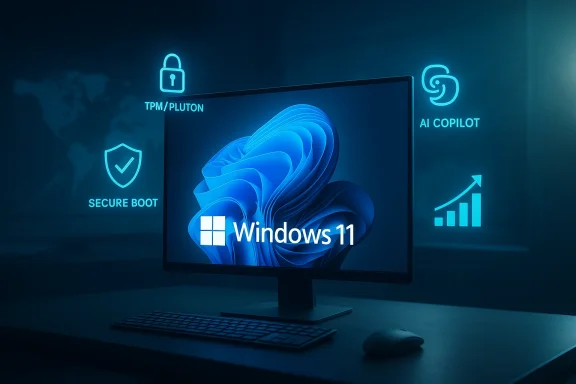
Windows 11 on a monitor, glowing blue with security icons like Secure Boot and AI Copilot.Background / Overview​

Windows 11 debuted in October 2021 with a new visual direction, stricter hardware security baselines, and an explicit focus on integrating AI and cloud services into the OS experience. The platform’s hardware requirements — notably TPM 2.0 and Secure Boot — created an eligibility floor that left a meaningful portion of older devices unable to upgrade without hardware changes or replacement. That constraint, combined with years of conservative enterprise upgrade cycles, produced a long, uneven migration from Windows 10 to Windows 11.
The migration’s calendar inflection came in 2025. Microsoft’s formal end‑of‑support date for Windows 10 (October 14, 2025) created a hard deadline for security patches and mainstream fixes, prompting organisations to accelerate migrations, buy Extended Security Updates (ESUs) for covered machines, or procure Windows 11‑ready hardware. StatCounter and other public trackers began to show large month‑over‑month swings in Windows version pageview share around that time, culminating in the February 2026 figures widely reported across the tech press.

What the numbers actually say​

The headline figure: nearly 73% for Windows 11​

StatCounter’s “Desktop Windows Version Market Share” for February 2026 lists Windows 11 at approximately 72.78%, with Windows 10 accounting for roughly 26–26.5% of desktop Windows pageviews in the same month. Several major outlets picked up the same StatCounter dump and ran similar headlines; the consensus in public reporting is that Windows 11 now represents the majority of active Windows web traffic worldwide.

The path to that figure: rapid month‑to‑month gains​

What makes the February number striking is the speed of the change. StatCounter shows that Windows 11’s share climbed sharply in the first months of 2026 — a double‑digit percentage‑point increase across January–February in some public reports. That pace is unusual for an OS migration at global scale and reflects a concentrated confluence of drivers (detailed below) rather than steady, linear adoption.

Important measurement context​

It’s essential to stress that StatCounter’s figures measure pageviews across its panel of tracked websites, not a device census. That means the values reflect active web traffic by OS rather than an absolute installed base of running devices. Pageview weighting makes these numbers useful for detecting usage trends, but also sensitive to changes in browsing patterns, inclusion of new high‑traffic sites in the panel, bot activity, or regional traffic shifts. Multiple outlets and community analysts have flagged this methodological boundary: the StatCounter series is directional and powerful for trend spotting, but it is not a substitute for telemetry‑level counts from vendors or for shipment‑based installed‑base audits.

Why adoption accelerated — the key drivers​

The February surge wasn’t spontaneous. Four interacting forces composed the momentum that pushed Windows 11 into a dominant position:

1) End of Windows 10 support: a policy hammer​

Microsoft’s October 14, 2025 end‑of‑support (EoS) for Windows 10 removed the free safety blanket of security and quality updates for mainstream Windows 10 devices. That calendar event is the single most consequential policy trigger for enterprise and consumer behaviour: organisations that must meet compliance and security baselines either migrate, pay for Extended Security Updates (ESUs) where eligible, or accept increased exposure. Microsoft’s lifecycle messaging explicitly recommended upgrading to Windows 11 or enrolling devices in ESU programs, and the market responded.

2) OEM preload dynamics: new PCs ship with Windows 11​

New PC shipments over the last 18–24 months have overwhelmingly been preloaded with Windows 11. OEMs use the latest supported OS as the default preload to simplify supply chains and present the newest features to buyers; that means each wave of replacement purchases directly increases the Windows 11 installed base. High holiday‑quarter shipments and commercial refresh programs — many timed around the EoS deadline — added millions of preloaded Windows 11 devices to the market. IDC’s trackers recorded a robust PC shipment cycle in 2025 that helped convert upgrade intent into shipped hardware.

3) Enterprise migration programs and Microsoft incentives​

Large organisations, education programs, and public sector buyers typically run longer, planned refresh projects. The Windows 10 EoS deadline compressed their timelines and pushed some projects forward. Microsoft’s enterprise guidance and integrations with Microsoft 365, Intune, and other management tooling lowered the friction for staged migration. In many cases, IT teams combined hardware refreshes with Windows 11 deployments, which accelerated adoption more than lift‑and‑shift in‑place upgrades would have.

4) Product positioning around security and AI features​

Microsoft has tied several flagship features — stronger hardware‑rooted security (TPM/Pluton), virtualization‑based protections, and an expanding set of AI capabilities built around Copilot and Copilot+ PCs — more tightly to Windows 11. For security‑conscious buyers and those prioritising on‑device AI, Windows 11 was framed as the long‑term supported platform. That repositioning made buying modern hardware a more compelling case during the late‑2025 refresh cycle.

How reliable is this “72%” figure? A closer look at measurement and caveats​

Public trackers like StatCounter are indispensable for seeing trends in near real‑time, but the nature of the data requires careful interpretation.
  • StatCounter’s market series are pageview‑weighted, which privileges browsing behaviour rather than unique device counts. A small set of heavily browsing users (or a single high‑traffic site joining the panel) can shift the percentages. That makes short‑term month‑to‑month swings more volatile than shipment or telemetry‑based series.
  • Other telemetry sources — such as vendor‑reported active device counts or OEM shipment tallies — often show the same directional shift but with different timing and magnitude. Microsoft’s statement that Windows 11 surpassed one billion users is a telemetry figure from the company and is consistent with the broader narrative of rapid late‑2025–early‑2026 growth, even if public trackers disagree on exact percentage points.
  • Analysts and community researchers have repeatedly shown that the same dataset can produce different headlines depending on the segment inspected (desktop vs. all devices vs. regional slices), the window chosen, or how anomalous traffic is treated. In short: the trend toward widespread Windows 11 adoption is real; the precise decimal point for global market share on any single day is less so.
In practical terms for IT decision‑makers, the qualitative takeaway matters more than whether the figure is 68% or 73% today: Windows 11 is the primary target platform now for most new software releases, security baselines, and OEM hardware configurations. That is the strategic reality shaping planning cycles.

What this shift means for users, IT teams, and developers​

For users (home and small business)​

  • Security and compatibility: Upgrading to Windows 11 gives access to the latest security features (hardware‑backed cryptography, Pluton/TPM protections, virtualization‑based security) and future Windows features. Microsoft’s guidance and OS baselines make Windows 11 the recommended choice for continued support.
  • Upgrade eligibility: Not every Windows 10 machine is eligible to upgrade without hardware changes. Users should check device compatibility, backup data before attempting upgrades, and consider device replacement where necessary.
  • Extended Security Updates (ESU): Where upgrade is impossible in the near term, ESU offerings or vendor‑managed update programs can provide a temporary bridge — but these are paid, time‑limited, or administratively complex options. Tech press and community reporting have explained ESU costs and constraints; organisations should treat ESUs as a deliberate, short‑term mitigation rather than a long‑term strategy.

For IT teams and sysadmins​

  • Acceleration of migration planning: If your telemetry still shows a significant Windows 10 footprint, treat the StatCounter headlines as confirmation that the broader market has moved and plan to make Windows 11 the baseline for new deployments, security testing, and user training.
  • Security posture adjustment: Windows 11 enables stronger hardware‑based security patterns (Pluton/TPM, Secure Boot, HVCI/VBS), and many organisations should reorganise compliance baselines and imaging workflows to require or at least prioritise those protections. Microsoft’s platform documentation and security blogs are the authoritative place to map those technical controls.
  • Testing and compatibility gating: Legacy line‑of‑business apps still running on Windows 10 require careful testing; don’t assume binary compatibility guarantees for all behaviours. Plan pilot waves, use virtualization for isolating problematic workloads, and document rollback paths.

For developers and ISVs​

  • Primary target shift: With Windows 11 the dominant active platform for many user segments, developers can increasingly assume Windows 11 APIs, modern UX paradigms, and security defaults when designing new applications. That reduces the amount of legacy OS testing required, but it raises expectations around supporting hardware security primitives and modern authentication workflows (e.g., passkeys, Windows Hello).
  • Opportunities around AI: Microsoft’s Copilot integrations and Copilot+ PC hardware focus open new opportunities for developers to build AI‑enhanced experiences that run locally or hybrid‑cloud on modern devices. Early adopters who tune experiences for the NPU and Pluton‑enabled security posture will find differentiation in enterprise and consumer markets.

Strengths and strategic benefits of the Windows 11‑first world​

  • Security baseline standardisation: Modern hardware security requirements raise the floor for what counts as a secure endpoint. When the majority of devices require TPM/Pluton and Secure Boot, organisations can implement stronger defaults without large exceptions.
  • Faster feature cadence for modern apps: Developers and platform teams can iterate against a smaller set of OS versions, enabling faster adoption of new APIs, Windowing/UX improvements, and AI features.
  • Hardware refresh economics: OEMs benefit from preloaded Windows 11 devices moving through the channel; for enterprises, refresh cycles now deliver both improved performance and stronger built‑in protections.
  • A clearer support horizon: Microsoft’s lifecycle rules and ESU options make timelines predictable. That helps CIOs and procurement teams schedule refreshes with fiscal certainty.

Risks, weaknesses and unanswered questions​

  • Measurement noise and headline risk: As noted earlier, StatCounter and similar trackers are powerful trend signals but can produce large short‑term swings. Relying on a single public tracker for precise installed‑base counts risks over‑reacting to sampling variance, regional anomalies, or filtering changes. Decision‑makers should triangulate with internal telemetry, vendor reports, and shipment data.
  • Hardware eligibility and digital divide: The Windows 11 baseline excludes older hardware. Organisations with constrained budgets or long refresh cycles — and individual users with older machines — face either replacement costs or the security risks of running an unsupported OS. That raises equity issues and sustainability costs (e‑waste).
  • ESU cost and complexity: Extended Security Updates are useful short‑term mitigations but are not free for many enterprise scenarios. They introduce ongoing management overhead and potential financial pressure on organisations delaying migration.
  • User trust and UX friction: Windows 11’s early lifecycle included contentious design and telemetry choices that some users criticized. Rapid forced upgrades, default online‑tied account requirements in certain SKUs, and controversial features can erode trust if not handled transparently. The faster adoption curve increases the risk that systemic UX issues reach more users before fixes are widely available.
  • Operational complexity for specialised workloads: Some verticals (medical devices, industrial controllers, legacy instrumentation) run software certified against Windows 10 or earlier. Migrating those environments safely can require long, painstaking vendor coordination and cert re‑validation that short deadlines do not accommodate.

Practical next steps (a checklist for teams and power users)​

  • Audit device inventory and classify by upgrade eligibility (Windows 11 capable / upgradeable with firmware / requires hardware replacement).
  • Prioritise high‑risk endpoints (exposed RDP servers, user groups handling sensitive data) for immediate migration or ESU coverage.
  • Run compatibility pilots for business‑critical applications — include performance and security validation under Windows 11 settings (HVCI, VBS, BitLocker).
  • Reimagine security baselines to take advantage of Pluton/TPM, Windows Hello, and passkeys; integrate checks into Intune or other MDM tooling.
  • For developers: add Windows 11 as the formal minimum target for new features, and maintain a compatibility policy for legacy customers where necessary.
  • Communicate transparently with end users about benefits, expected UI changes, and rollback procedures to preserve trust during mass migrations.

Looking forward: what to watch in 2026​

  • Will StatCounter and other public trackers stabilise around Windows 11 as the majority platform when smoothing for sampling noise? Early 2026 shows broad convergence that Windows 11 is the headline OS in active browsing metrics, but watchers should look for corroborating telemetry from vendors and internal fleets to confirm the magnitude.
  • How will Microsoft evolve upgrade flows, telemetry choices, and Copilot integration in response to user feedback? The company has publicly committed to addressing pain points and refining the user experience; the next major servicing releases will be telling.
  • Will OEMs sustain strong PC shipment volumes beyond the immediate EoS‑driven refresh window? IDC’s 2025 shipment rebound helped the Windows 11 push; future quarters will reveal whether renewals shift to a new cadence or return to historical norms.
  • How will enterprises balance security gains against certification burdens for specialised systems? That trade‑off will dictate migration pacing in regulated industries for years to come.

Conclusion​

The headline is simple and consequential: Windows 11 is no longer the “new” version in the way it once was — it is now the default experience for a clear majority of active Windows desktop usage, as measured by public pageview‑based trackers. That reality flows from a mix of Microsoft policy (the Windows 10 end‑of‑support date), OEM preload dynamics, enterprise refresh programs, and strategic product positioning around hardware security and AI.
But data nuance matters. StatCounter’s near‑73% figure is a meaningful directional signal rather than an absolute census, and sensible IT and development strategy requires triangulating public trackers with internal telemetry, vendor reports, and shipment data. For users and organisations, the practical upshot is unchanged: Windows 11 is the primary platform for future features, security investments, and developer targeting. The debate now shifts from if to how to migrate safely and responsibly — and how to balance the security, usability, and sustainability trade‑offs that follow when almost three in four PCs worldwide prefer a single, modern Windows experience.

Source: thewincentral.com Windows 11 Now Runs on Nearly 3 in 4 PCs Worldwide
 

Windows 11’s adoption surge in early 2026 is no longer a slow climb—it looks like a tidal shift. Data highlighted by the user-provided Gazeta Express piece shows Windows 11 jumping sharply while Windows 10’s share collapses, a trend confirmed by multiple independent measurements and Microsoft’s own end‑of‑support timeline. The consequences are immediate for consumers, IT teams and OEMs: security posture, upgrade costs, hardware churn and long-term platform strategy are all being reshaped in real time. ]

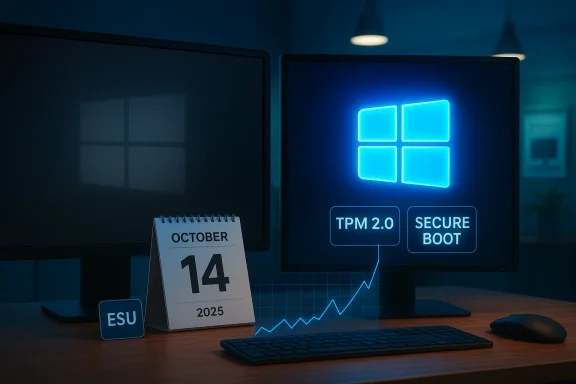
Windows security desk: TPM 2.0 and Secure Boot shown on screen with a rising graph.Background / Overview​

Microsoft launched Windows 11 to the public on October 5, 2021, positioning it as a modern, security-first platform optimized for newer hardware and opportunities such as on-device AI. Over the next four-plus years adoption grew unevenly, constrained by stricter hardware requirements and early skepticism. That changed dramatically as Microsoft approached the scheduled end of mainstream support for Windows 10: the company set October 14, 2025 as the end‑of‑support date for Windows 10, after which normal monthly security updates and patches ceased for most consumers. Microsoft has offered a one‑year Extended Security Updates (ESU) option to bridge remaining customers through mid‑October 2026.
Throughout January–February 2026 a series of web‑analytics snapshots—most prominently StatCounter’s Desktop Windows Version market share—showed a sharp change in the Windows version mix. StatCounter’s data for February 2026 places Windows 11 at roughly 72.7% of desktop Windows pageviews and Windows 10 at about 26.3%, a steep month‑to‑month swing that is echoed in multiple tech outlets’ reporting. Those same outlets note Microsoft’s aggressive push around the end of Windows 10 support and OEM refresh cycles as proximate causes.

What the numbers actually say (and what they don’t)​

Raw figures and corroboration​

  • StatCounter’s monthly snapshot for February 2026 lists Windows 11 at roughly 72.7% of desktop Windows pageviews worldwide, and Windows 10 at ~26.3%. This jump from earlier months was widely reported by outlets including Windows Central, PCWorld and specialist Windows sites.
  • Microsoft’s publicly announced timelines and consumer options are consistent with the observed migration pressure: Windows 10’s official end‑of‑support on October 14, 2025, plus the availability of a paid or account‑linked ESU year, created a clear deadline for many users and organizations.

Important caveat: pageviews ≠ installed base​

StatCounter and similar services estimate market share primarily by measuring web pageviews and other online activity from a large sample of sites and clients. That method produces timely, directional signals but is not an installed‑device census. In plain terms: a platform cohort that browses more or visits StatCounter-instrumented pages more often can register a disproportionate share of pageviews in a given month. That produces month‑to‑month volatility—exactly the sort of swing we saw going into February 2026. Analysts and forum discussions emphasize this limitation when interpreting spikes and drops. Treat pageview market share as a leading, not definitive, indicator of installed devices.

Cross‑checking the signal​

Multiple independent outlets reported the same StatCounter trend for February 2026, which strengthens the confidence that something notable occurred: Windows 11’s share jumped into the 70% range across several datasets referencing StatCounter’s public figures. That convergence—StatCounter’s numbers plus consistent reporting—makes it reasonable to conclude there was a real, rapid movement in visible Windows usage metrics over January–February 2026, even if absolute installed‑device percentages could differ by a few points.

Why the migration accelerated now​

1) End of support as a forcing function​

Microsoft’s decision to end free security updates for Windows 10 on October 14, 2025 created a hard deadline. Organizations and consumers that had been deferring upgrades faced a straightforward risk calculus: remain on an unsupported OS and increase exposure to vulnerabilities, or migrate within a limited window. The ESU program offers another year of security updates in most consumer cases, but it’s a stopgap—not a long‑term solution.

2) OEM refresh cycles and retail promotions​

OEM channels and retailers frequently tie sales and promotions to OS changes. With Windows 10 EOL announced well in advance, channel partners accelerated PC refresh incentives, bundling Windows 11 PCs into student, enterprise and holiday promotions that pushed a wave of new Windows 11‑capable hardware into the market. Enterprise refresh and OS refresh programs that were already budgeted for fiscal 2025–2026 were simply executed near the EOL, magnifying the adoption effect.

3) Free upgrade offers plus account/payment incentives​

Most eligible Windows 10 devices were offered a free upgrade path to Windows 11 where hardware permitted. For devices that can’t be upgraded, Microsoft and OEM messaging nudged users toward new hardware. Microsoft’s ESU program also introduced a consumer angle—an approximately $30 fee (or via Microsoft Rewards redemption) for a one‑year ESU extension—creating an economic choice to upgrade rather than continue paying for temporary support. Recent consumer messaging also requires a Microsoft Account to activate ESU in many cases, increasing the adoption friction for privacy‑conscious users.

4) Enterprise telemetry and prioritization​

Enterprises that manage tens of thousands of devices had accelerated migration schedules. Because enterprise telemetry and support tooling matter for Microsoft’s prioritization, large corporate migrations both influenced and reinforced the public metrics—many enterprises forced faster upgrades in late 2025 to avoid the administrative complexity of running an unsupported fleet. That institutional movement has a magnifier effect on global usage statistics measured via connected web telemetry.

Technical realities: hardware requirements and compatibility​

Windows 11’s stricter hardware baseline—TPM 2.0, secure boot, supported CPUs, and certain UEFI/firmware expectations—means many older Windows 10 PCs are ineligible for a clean upgrade. That created three clear cohorts:
  • Devices that can upgrade in place to Windows 11 with minimal friction.
  • Devices that are technically capable but require BIOS/firmware updates or driver refreshes.
  • Devices that are functionally obsolete and cannot meet the Windows 11 baseline without hardware replacement.
For the third cohort, the only practical route to preserve a supported Windows environment is hardware replacement (new PC) or buying ESU for one year to maintain security while planning a migration. That reality increased replacement demand and pushed the visible market share toward Windows 11 as ineligible devices either disconnected or enrolled temporarily in paid ESU. Independent reporting and vendor notes confirm this dynamic.

Security implications and the ESU program​

What ESU covers (and what it doesn’t)​

Microsoft’s Extended Security Updates (ESU) for Windows 10 provide a one‑year extension of security patches for consumers and specific discounts or programs for qualifying organizations (with more complex options for businesses). The ESU option is explicitly a stopgap: it covers high‑severity security patches but does not restore mainstream feature updates, and Microsoft has stated a defined end for ESU purchases. In many consumer cases the activation requires a Microsoft Account and payment or a Microsoft Rewards redemption, and the ESU window runs until the ESU cut‑off (mid‑October 2026 for the one‑year consumer ESU).

Practical risk management​

Remaining on Windows 10 post‑EOL without ESU increases the attack surface: new vulnerabilities will not be patched, and defenders lose a critical layer of risk mitigation. For enterprises with regulated data, banks or healthcare providers, that exposure often becomes non‑negotiable—compliance and insurance rules force upgrades or formal compensating controls. For home users, the decision is a tradeoff between convenience, privacy concerns about account linkage, and security risk tolerance. Security tooling such as modern browsers, third‑party antivirus, and network isolations can mitigate but not eliminate the risk of an unsupported OS.

Economic and environmental effects​

Direct costs​

  • New PC purchases: For many users the Windows 11 upgrade path required new hardware, generating immediate consumer spending and OEM revenues.
  • ESU fees: The one‑year ESU fee (roughly $30 per PC for consumers in many geographies, though pricing and redemption options vary) provided a predictable but modest revenue stream for Microsoft while nudging users to upgrade later.

Hidden and ongoing costs​

  • IT staff time and project costs for enterprise migrations remain significant—testing, driver validation, application certification and user training add up far beyond the incremental per‑device licensing amount.
  • E‑waste: accelerated hardware replacement cycles cause sustainability concerns. The sudden pulse of PC turnover raises tangible environmental questions that OEM takeback programs and secondary markets cannot absorb instantly.

Opportunity costs​

Some organizations will accelerate Windows‑as‑a‑service modernization, rationalizing apps and rethinking desktop management strategies (VDI, cloud PC solutions, Linux desktops for specific workloads). That modernization yields future efficiencies but requires short‑term investment.

Community reaction and user sentiment​

Online communities have been vocal. Many Windows 10 loyalists reacted negatively to persistent upgrade prompts and the implied pressure to buy new hardware. Others welcomed the improved security baseline and new features in Windows 11. Forum threads often reflect two recurring themes:
  • Frustration with forced upgrade nudges and perceived aggressive marketing.
  • Practical acceptance: businesses and many consumers prioritize security and move on.
It’s worth noting that offline systems—machines intentionally disconnected from the internet—do not appear in StatCounter and similar telemetry. That invisibility means some Windows 10 machines may persist in the wild without registering in public metrics. Analysts caution that the statistical picture is therefore incomplete but directional.

What users and IT teams should do now​

For individual users​

  • Check eligibility: Run Microsoft’s PC Health Check or equivalent to see if your device can upgrade to Windows 11 without replacing hardware.
  • Evaluate the risk: If your PC will be unsupported after any ESU you might purchase or your ESU window closes, weigh the security risk versus cost and privacy tradeoffs.
  • Consider alternatives: If the hardware cannot be upgraded and a new PC is unaffordable, consider a lightweight Linux distribution for non‑Windows‑dependent tasks or isolate the Windows 10 machine from sensitive networks.
  • If paying for ESU: Be aware of the Microsoft Account requirement for consumer ESU activations and the one‑year horizon of the program. Use ESU as a temporary bridge, not a permanent strategy.

For IT managers and enterprise teams​

  • Inventory and prioritize: Identify high‑risk, high‑value and legacy systems that cannot be migrated quickly and enroll them in ESU where necessary.
  • Test and stage: Validate critical applications, drivers and management tooling on Windows 11 in a lab before broad deployment.
  • Budget for churn: Recognize that migration includes hardware, labor and training costs; factor these into capital planning rather than treating EOL as a single event.
  • Explore modern alternatives: Consider Windows 11 modern management, virtual desktops and cloud PC strategies to decouple OS refresh from hardware cycles where possible.

Strengths of the Windows 11 transition—and what’s working​

  • Security baseline improvement: TPM 2.0, secure boot and stricter kernel hardening in practice raise the bar for many classes of attacks when hardware and firmware are compliant.
  • Hardware modernization: Newer devices often bring better battery life, improved performance and capabilities (e.g., integrated AI accelerators) that benefit users beyond Windows alone.
  • Market consistency: Consolidating on a single supported Windows platform simplifies testing and support for ISVs and OEMs.
  • Predictable support lifecycle: Microsoft’s timeline enabled planning and funded a one‑year ESU safety valve for the slowest migrating scenarios.

Risks, weaknesses and unanswered questions​

  • Data‑driven volatility: Reliance on web‑analytics metrics for headline market share numbers introduces uncertainty; short‑term spikes may overstate permanent installed‑base changes. Analysts should avoid overinterpreting single‑month swings.
  • Access and equity: For users in low‑income communities, forced hardware upgrades are a real barrier—ESU is temporary and not a scalable social solution.
  • E‑waste and sustainability: Rapid refresh cycles raise environmental concerns without comprehensive end‑of‑life handling and recycling programs scaled to the surge.
  • Privacy tradeoffs: Requiring a Microsoft Account for consumer ESU or certain enrollment flows introduces privacy and data‑control compromises for some users.
  • Potential fragmentation: If large numbers of users choose alternate OSes (Linux, Chromebooks, macOS workers), there could be new fragmentation in the desktop landscape over the long term.

Forecast: what the next 12–24 months could look like​

  • If the current early‑2026 trend is sustained, Windows 11 will consolidate as the dominant visible Windows platform in public telemetry and enterprise fleets, while Windows 10 declines to a small, largely offline or ESU‑protected tail.
  • OEMs will likely accelerate Windows 11 hardware lines and promotions; refurbished and second‑hand markets may see increased activity for users seeking cost‑effective Windows 11 capable hardware.
  • Microsoft’s long game may shift from driving upgrades to optimizing Windows 11 for cost of ownership and trust restoration—quality, stability and performance improvements will be necessary to retain goodwill.
  • Watch for policy and regulatory scrutiny around e‑waste and consumer protections tied to forced hardware churn; those conversations are already emerging in technical and civic circles.

Practical checklist for readers (quick actions)​

  • Back up important files now: full disk image + cloud or external copy.
  • Run PC Health Check to confirm Windows 11 eligibility.
  • If eligible, schedule a staged upgrade after testing critical apps.
  • If not eligible, decide: buy new hardware, enroll in ESU (temporary), or explore a supported alternative OS.
  • For organizations: finalize migration timelines, budget, and ESU enrollments for exceptions.

Final analysis and verdict​

The February 2026 market‑share spike is a clear, multi‑source signal that the Windows ecosystem is in the middle of a rapid transition. StatCounter’s pageview‑based measures show Windows 11 commanding roughly three quarters of observable desktop Windows activity in that month, while Windows 10 has dropped sharply. Multiple independent tech outlets corroborate StatCounter’s figures, and Microsoft’s end‑of‑support schedule and ESU options explain much of the urgency behind the movement. However, the underlying methodology caveats mean analysts and IT planners should treat the numbers as directional rather than an exact installed‑device census.
For most readers, the practical implication is urgent but straightforward: verify your device’s eligibility, back up data, and plan a migration pathway that balances security, cost and privacy. For enterprises and public institutions, the window narrows to a set of hard choices—funding hardware refreshes, leveraging ESU where necessary, or embracing alternative architectures. Microsoft’s migration push has succeeded in shifting visible usage metrics; now the company and its partners must deliver a stable, trustworthy Windows 11 experience that justifies the cost and disruption of that shift.
The era of parallel, long‑lived Windows versions is drawing to a close—what remains is a critical period of consolidation that will define the PC landscape for years to come.

Source: Gazeta Express https://www.gazetaexpress.com/en/Windows-11-gains-ground-while-Windows-10-declines-significantly/
 

StatCounter’s February 2026 snapshot shows a dramatic shift in the Windows landscape: Windows 11 now accounts for roughly 72.7% of desktop Windows pageviews worldwide, while Windows 10 has plunged to the mid‑20s, a collapse that lines up with Microsoft’s scheduled end of support for Windows 10 and an aggressive migration push.

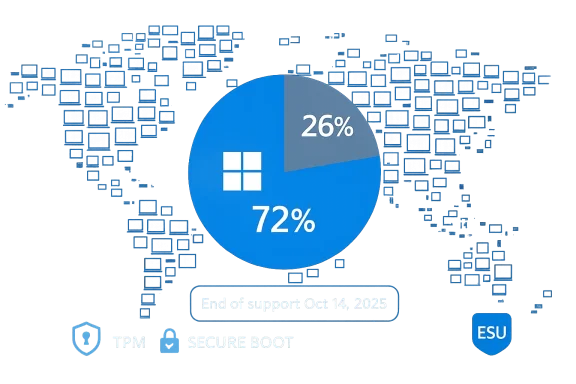
Blue infographic with a pie chart (72%/26%) and Windows logo, marking end of support on Oct 14, 2025.Background / Overview​

Microsoft launched Windows 11 in October 2021 with a focus on a tightened security baseline, modern UX, and a roadmap that folded device security requirements—TPM 2.0, Secure Boot and certified processors—into the platform’s minimum specifications. Adoption was initially gradual, but the pace shifted decisively as Microsoft drew a hard line on Windows 10 support. The October 14, 2025 end‑of‑support date for Windows 10 removed the company’s obligation to provide regular cumulative updates and security patches to that OS, creating a clear deadline for users who rely on vendor updates for keeping systems secure.
The immediate statistical result is plain: in the month of February 2026 StatCounter’s global sample shows Windows 11 with a roughly three‑quarters share of Windows desktop pageviews and Windows 10 with only about one quarter. Several mainstream outlets and specialist Windows sites reported the same StatCounter numbers and contextualized them as an acceleration of a migration that had been building for months.

What the numbers say — and what they don’t​

StatCounter’s headline figures​

StatCounter’s public “Desktop Windows Version Market Share” chart for February 2026 lists Windows 11 at about 72.78% and Windows 10 at 26.27% worldwide. That is the figure that drove headlines and the strong narrative that Windows 11 has “won” the desktop war.

Measurement caveats (critical)​

Two important caveats must be stated up front:
  • StatCounter derives its figures from a large, global panel of web pageviews and client signals. Its “market share” is therefore a measure of activity seen on the web from devices running a given OS — not a literal inventory count of every Windows installation on Earth. This difference matters when interpreting month‑to‑month swings: sudden changes in online behavior, bot traffic, or the sample composition can amplify short‑term movements.
  • Other datasets and telemetry sources — for example internal corporate telemetry, OEM reporting, and alternative market‑share trackers — can show different numbers because they measure different signals (installed base, sales, update requests, etc.). Corroboration across sources reduces the likelihood the move is an artifact; for February 2026, multiple outlets independently reported the StatCounter spike, which strengthens the signal but does not remove the need for caution.
In short: the StatCounter numbers are striking and consistent across mainstream coverage, but analysts must remember they reflect internet‑visible activity rather than a “census” of installed systems.

Why the shift happened: drivers of migration​

The February surge is not a mystery when you line up policy, timing and incentives. Several forces combined to produce the steep migration curve.

1) The end‑of‑support deadline (policy pressure)​

Microsoft’s official end‑of‑support for Windows 10 on October 14, 2025 was the single clearest forcing event. Once Microsoft stops shipping regular security updates for a major OS, many consumers, small businesses and enterprise administrators treat that date as a tipping point for migration (or for purchasing ESU coverage). The prospect of running an internet‑connected PC without vendor security updates motivates upgrade decisions — or device replacement — at scale.

2) The Extended Security Updates (ESU) program: a temporary safety valve​

Microsoft offered an Extended Security Updates (ESU) option that effectively provides a one‑year safety valve for consumers and a longer path for organizations that need extra time to migrate. For consumers the ESU window runs to October 13, 2026, while commercial and education customers have longer, tiered options. The ESU path is not free and, critically for many consumers, imposes process constraints (for example, linking a device to a Microsoft account and meeting update prerequisites) — factors that encourage some users to accept the free Windows 11 upgrade or to replace hardware entirely.

3) OEM refresh cycles and commercial timing​

Hardware refresh cycles — both business and consumer — were already in motion. Many OEMs and retailers timed promotions and inventory around the post‑support deadline, and refresh buying decisions (new laptops, Copilot+ PCs, commercial fleet refreshes) pushed Windows 11 into more devices. Microsoft’s messaging to partners and the public amplified that momentum; as new Windows 11‑capable machines replace older Windows 10 boxes, the installed base shifts even if older systems remain powered on.

4) Microsoft’s promotional nudges and the free‑upgrade window​

Although Microsoft’s free upgrade push to Windows 11 began long before 2025, the combination of persistent upgrade notifications, new‑device promotions, and OEM preloads increased conversion rates around the support deadline. For users whose hardware met the official requirements, the friction to upgrade was low — but for the many PCs that did not meet the TPM, Secure Boot or certified CPU requirement, the choices were messier.

5) Security baseline and feature advantages​

Windows 11’s built‑in security features — hardware‑backed isolation, a modern driver model, virtualization‑based security features reliant on TPM/CPU support — represent a practical security uplift for new hardware. Enterprises planning to reduce attack surface and simplify posture management therefore found Windows 11 an attractive, defensible default; for consumers the marketing around “better security” was persuasive, particularly after high‑profile incidents targeting legacy systems.

The hardware reality: who can and who can’t upgrade​

Windows 11’s minimum system requirements (TPM 2.0, UEFI with Secure Boot, a compatible 64‑bit processor, 4 GB RAM and 64 GB storage as a floor) are a major gating factor for older devices. Microsoft’s PC Health Check tool and the official compatibility lists remain the authoritative way to assess upgrade eligibility. If a machine fails compatibility checks because of CPU or TPM, the officially supported paths to Windows 11 are limited; unofficial bypasses exist, but they produce unsupported configurations that Microsoft does not guarantee to update.
That reality split the installed base into three groups:
  • Devices that meet the requirements and can migrate relatively easily (often via Windows Update or OEM tools).
  • Devices that could be made compatible with firmware or minor hardware updates (e.g., enabling TPM in UEFI, enabling Secure Boot, BIOS/firmware updates).
  • Devices that are effectively end‑of‑life for Windows 11 and require a hardware replacement for an official migration path.
The third group partly explains the spike in new device sales and the stubborn online frustration from users with older but otherwise functional PCs. That frustration has become a repeated theme across Windows communities and consumer press.

What this means for security and risk​

Unpatched devices are attractive targets​

When large numbers of machines stop receiving regular security patches, the risk profile shifts rapidly. Unpatched systems exposed to the internet are useful reconnaissance targets for attackers, who can scan for known, unpatched vulnerabilities and build exploit chains. Microsoft’s ESU program delays that risk for enrolled devices, but it is a financial and operational burden for many home users. The end result: a larger population of potentially vulnerable systems in the wild unless owners either upgrade or purchase ESU coverage.

Real‑world evidence of post‑EOL fragility​

The post‑support period has already seen emergent issues. Security and reliability fixes for recovery and update subsystems were pushed to some devices as emergency measures, illustrating that the post‑EOL environment can produce urgent, out‑of‑band problems that affect user experience and safety. Enterprises with strict uptime or recovery requirements must weigh such incidents when planning migrations. (windowscentral.com)

Enterprise and ISV implications​

Migration costs and complexity​

For enterprises, the migration calculus is not binary. An organization must weigh:
  • Hardware compatibility across thousands of endpoints.
  • Application testing and certification for Windows 11 (line‑of‑business apps, legacy drivers).
  • Training and change management.
  • Licensing, imaging and deployment infrastructure.
Large enterprises often accept a multi‑year phased migration that uses ESU where necessary; smaller organizations and public sector institutions that cannot absorb the expense may face greater short‑term risk. Public sector and healthcare entities, with long certification cycles for medical devices and specialized software, are especially sensitive to compressed migration timelines.

Software vendors and driver support​

Some ISVs and hardware vendors stoppedures or driver support to Windows 10 after the 2025 deadline. That accelerates the business case for migration in certain verticals (drivers, security tooling, endpoint management stacks) where vendortional safety.

Consumer reaction and community pushback​

The migration hasn’t been quiet. In forums, social channels and comment threads, long‑time Windows 10 users have expressed anger about persistent upgrade prompts, Microsoft account requirements for some consumer ESU flows, and the suggestion that hardware replacement is the only “supported” path forward. These discussions are not merely anecdotal; they reflect a broader community sentiment and have been captured in community posts and forum threads across the Windows ecosystem.
That pushback is multi‑faceted:
  • Some users accept the upgrade and welcome Windows 11’s improvements.
  • Some reject the upgrade because of privacy, telemetry, or UI changes.
  • Some cannot upgrade because of hardware and feel forced into costly hardware purchases or into the ESU paywall.

Pros, cons and the strategic picture​

Notable strengths of the migration​

  • Stronger default security baseline: TPM 2.0, Secure Boot and hardware isolation features raise the bar against firmware and boot‑time attacks. Microsoft designed Windows 11 to make certain mitigations standard rather than optional.
  • Modern feature set and performance optimizations: New UX, DirectStorage optimizations for fast NVMe gaming, and evolving AI integrations (particularly on Copilot+ certified devices) are driving value for buyers and enterprises.
  • OEM and ecosystem momentum: The one‑billion device milestone and faster adoption pace give Microsoft and OEMs leverage to push features and integrations that assume Windows 11 as the baseline.

Material risks and downsides​

  • Hardware churn and environmental cost: Replacing older but usable devices contributes to e‑waste and cost for consumers who must buy new hardware to remain on a supported Microsoft OS.
  • Fragmentation and shadow fleets: Systems that remain on Windows 10 (especially if they are offline) will create a “shadow fleet” of unmanaged, vulnerable devices that are invisible to telemetry and hard to secure.
  • Consumer friction and trust erosion: Aggressive nudging, account requirements for ESU and limited options for older hardware can erode trust among long‑time Windows users.
  • Measurement noise: Media narratives that treat StatCounter’s Feb surge as a complete substitution risk oversimplifying the reality that different measurement methodologies produce different pictures; offline devices and web‑invisible systems are not captured.

Practical guidance: options for end users and small IT teams​

If you or your organization are evaluating next steps, here is a practical framework to consider:
  • Audit first
  • Run Microsoft’s PC Health Check or other vetted inventory tools to identify which devices are Windows 11 capable under the official specifications.
  • Backup and test
  • Back up user data and create a small pilot. Test critical apps on a handful of representative devices before broad rollout.
  • Choose the right path
  • If the device is supported: upgrade to Windows 11 via Windows Update or official OEM tools.
  • If unsupported but salvageable: investigate firmware updates, enabling TPM/Secure Boot or minor hardware refresh (RAM/SSD).
  • If unsupported and obsolete: evaluate replacement vs. ESU enrollment vs. migration to another platform.
  • ESU enrollment (if needed)
  • For consumers requiring more time, Microsoft’s ESU program extends security updates for a defined period (consumer ESU window ends in mid‑October 2026). Enrollment and eligibility rules vary; the ESU option is a short‑term bridge, not a long‑term strategy.
  • Avoid risky shortcuts
  • Unsupported workarounds (registry hacks, unsupported installs) may allow Windows 11 to run on incompatible hardware, but those configurations are not covered by Microsoft updates and can complicate future servicing. Use them only where you can accept the operational risk.
  • Consider alternatives
  • In specific cases where a Windows 11 upgrade is impractical, organizations may evaluate lightweight Linux distributions for single‑purpose devices, virtualized desktops, or purpose‑built appliances as part of a longer‑term strategy.

Policy and industry implications​

The migration to Windows 11 raises questions that go beyond product features.
  • Regulators and consumer advocates may scrutinize whether hardware‑driven upgrade requirements and account mandates produce unfair friction for consumers, particularly where ESU is paywalled.
  • Sustainability advocates will continue to question the environmental cost of a forced hardware refresh cycle, and whether Microsoft and OEMs should provide more robust trade‑in or recycling programs.
  • Enterprises and public institutions will need clearer long‑term support roadmaps from vendors of critical hardware and medical/industrial devices that historically ran older Windows builds for certification reasons.

What to watch next​

  • Measurement stability: will StatCounter’s February spike normalize over the coming months, or will Windows 11 maintain anltiple independent datasets? Analysts should watch alternative telemetry and installed‑base measures for confirmation.
  • ESU adoption rates and consumer uptake: the economics and usability constraints of ESU (account linking, per‑device fees in some markets) will determine how many devices remain visible as “supported” through 2026.
  • OEM inventory and pricing signals: if new hardware discounts accelerate, that will sustain the migration; conversely, if supply constraints or price rises occur, migration could slow.
  • Microsoft product response: how the company evolves Windows 11’s update cadence, telemetry surface, and compatibility policies in 2026 will shape both perception and adoption.

Conclusion​

February 2026’s StatCounter snapshot is a clear, datapoint‑heavy signal that the Windows ecosystem has moved decisively toward Windows 11 in visible, internet‑connected activity. The numbers reflect a confluence of Microsoft policy (the October 14, 2025 end‑of‑support), ESU as a limited bridge, OEM refresh cycles, and the real hardware constraints that separate devices able to run Windows 11 from those that cannot.
That said, analysts and system owners should treat the statistic with nuance: StatCounter measures web activity, not an absolute installed‑base census, and shadow fleets of offline or otherwise invisible Windows 10 machines will persist. The migration presents tangible security and operational benefits for those who move, but it also imposes real costs — financial, logistical and environmental — for those who cannot. The right response is pragmatic: audit, pilot, and plan migrations where possible; use ESU only as a measured bridge; and push for clear vendor support commitments for specialized hardware and legacy software. The February numbers tell a strong story — one of consolidation — but the real work now lies in managing a safe, sustainable transition for the long tail of Windows devices.

Source: Gazeta Express https://www.gazetaexpress.com/en/windows-11-fiton-terren-ndersa-windows-10-bie-ndjeshem/
 

Back
Top