

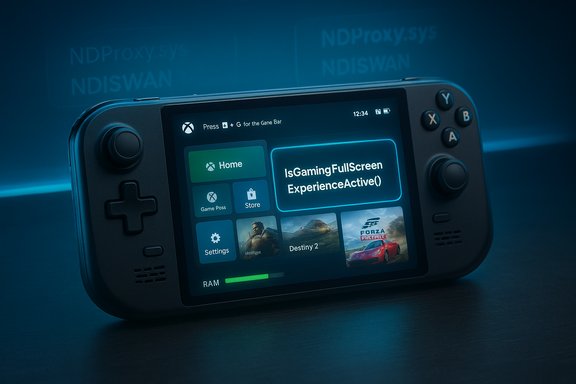
Microsoft’s new Full Screen Experience for Windows 11 is more than a cosmetic “big tiles” makeover — it quietly trims legacy networking drivers, suppresses startup apps and parts of the Explorer shell, and exposes a developer API so games and launchers can detect and adapt to the mode.
Background / Overview
The Full Screen Experience (FSE), commonly described in press as “Xbox mode” or “handheld mode,” is a layered shell that boots a Windows 11 system into a controller‑first launcher (typically the Xbox PC app) and intentionally avoids loading many desktop-oriented UI elements and background services at startup. Microsoft documents FSE as a mode that “optimizes the Windows user interface to make it easier to navigate with a gamepad” and explicitly notes that the option to “Enter full screen experience on startup” will “optimize the performance of your device by not loading background processes that are not required by Windows when using the full screen experience.” Multiple hands‑on writeups and community investigations have shown the same pattern: the visible UX is a single full‑screen launcher and reworked Game Bar mapped to the Xbox button, while most of the practical performance and battery wins come from what Windows chooses not to load when the mode is active. This is not a forked OS — Windows 11 still runs underneath — but the startup behavior and session composition are different in ways that matter for small, thermally constrained handheld PCs.What Microsoft actually changes at boot (the observable facts)
The visible surface: a console‑style launcher
- When FSE is enabled and set as the home app, Windows can launch directly into a single full‑screen gaming home (Xbox app by default). The desktop wallpaper, taskbar and some Explorer ornamentation are omitted from the initial session to preserve memory and reduce background CPU activity.
Startup apps and background services are suppressed
- One of the most consistent, repeatable observations is that FSE disables or defers startup apps by default. That single policy alone frees real memory and prevents numerous background processes (cloud sync, chat clients, overlay services) from waking the CPU and generating I/O on idle. Independent tests repeatedly show that disabling startup apps on the desktop replicates most of the resource gains that FSE produces automatically.
The networking/enterprise RAS stack is not loaded in FSE
- Community boot‑log comparisons revealed that when systems boot into the Full Screen Experience, a number of Remote Access Service (RAS) components are not loaded. The observed kernel drivers omitted in FSE boots include parts of the legacy RAS/NDISWAN/NDProxy stack such as NDProxy.sys, ndiswan.sys and VPN/PPP related drivers (AgileVpn.sys, rassstp.sys, rasl2tp.sys, raspptp.sys, raspppoe.sys). That stack historically provides support for PPPoE, PPTP/L2TP/SSTP VPN transports, TAPI compatibility and WAN miniport behaviors. Disabling or not loading those drivers removes kernel networking hooks and related user‑mode daemons that can consume memory and produce periodic wakeups. These observations came from direct boot‑log diffs run by testers.
- Microsoft’s RAS architecture documentation explains that NDPROXY and NDISWAN are the kernel components that interface WAN/TAPI-style transports to the networking stack; they are designed to sit on top of network drivers and provide legacy VPN/WAN functionality. Removing those components from the running driver set plausibly reduces kernel networking overhead on handheld devices when such legacy features are not needed.
Game Bar and controller integration
- Game Bar is elevated into the primary system overlay for quick power/performance toggles and task switching, and Microsoft maps a physical Xbox button (on Ally devices) to summon it. The Game Development Kit (GDK) describes how launchers and games should behave in FSE environments and provides APIs to detect and respond to FSE state changes.
The measurable impact: memory, boot time, and performance
Memory savings — real but contextual
- Early hands‑on reports and forum tests show consistent reductions in RAM footprint when FSE is used. Some testers and Microsoft briefings quote reclaimed memory figures up to roughly 1–2 GB depending on the device’s installed software and running background services. That range is realistic because startup agents and overlay processes commonly consume hundreds of megabytes each; collectively they add up. However, the exact number will vary dramatically by system configuration and which background clients were present before enabling FSE.
Boot and startup time
- Because FSE defers many services and startup apps, cold boot can be faster when the device is configured to enter FSE on startup. The boot log evidence (drivers not loaded) explains why: fewer kernel drivers and fewer user‑mode services to initialize mean a shorter startup path. OEMs shipping devices that default to FSE can tune that behavior even further. Microsoft’s KB explicitly states that enabling the “Enter full screen experience on startup” option will optimize performance by not loading background processes that are not needed in that mode.
Runtime game performance and battery life
- The observable effect on GPU‑bound framerate is usually modest. Independent benchmarks from early testers report limited FPS upticks in GPU‑bound scenarios; the more noticeable benefits are steadier thermal behavior and longer sustainable clocks when the system is memory constrained or when background CPU wakeups are eliminated. In thermal/power‑limited handheld APUs, every eliminated background thread can translate to slightly higher sustained clocks for the game process. That effect is real but incremental for most titles.
- Put simply: if your desktop configuration already trims startup services and background clients, switching to FSE will mainly change the UX and convenience rather than produce a dramatic raw performance increase.
Why disabling the RAS stack matters (technical explanation)
The RAS/NDISWAN/NDProxy components exist to support legacy WAN protocols (dial‑up, PPPoE) and VPN transports (SSTP/L2TP/PPTP) as well as TAPI compatibility. These components include kernel drivers and user‑mode services that monitor network interfaces, respond to connection events and manage virtual network interfaces. Leaving them loaded on a handheld imposes:- kernel hooks that may increase interrupt handling and Deferred Procedure Call (DPC) latency,
- resident memory usage for driver and service state, and
- periodic background work (timers, polling, event notifications) that wakes CPU cores.
The developer angle: APIs and guidance
Microsoft has shipped developer guidance that explains how launchers and games should behave under FSE. The Game Development Kit (GDK) includes an explicit API, IsGamingFullScreenExperienceActive, that lets applications query whether FSE is active, and a RegisterGamingFullScreenExperienceChangeNotification function developers can use to respond to mode toggles. The GDK notes that the required Windows SDK version is 10.0.26100.3916 or later (an April 2025 SDK release). That means developers can programmatically detect FSE and adapt behavior — for instance, by adjusting UI, deferring background work, or changing fullscreen/windowed policies when running on an FSE device. Key developer points from Microsoft’s guidance:- The default home app for FSE can be chosen by OEMs or users; apps registered as “gaming home apps” can be set as the launcher.
- Launchers should minimize background resource use when running in FSE and consider terminating themselves after launching a game to free memory.
- Developers should register for FSE change notifications and re-query the API after receiving a notification rather than assuming the state.
Practical deployment, user experience and caveats
What users actually see
- On devices like the ROG Xbox Ally family that ship with FSE as the default OOBE, the system will boot into the Xbox‑centric launcher and expect controller input first. That creates a console‑like out of box experience, while Windows remains available if the user switches back to desktop mode.
Ease of enabling and community ports
- Enthusiasts enabled the feature early on existing handhelds using Insider previews and tooling (ViVeTool), which produced a wave of community testing. This accelerated discovery but also surface lots of device‑specific quirks. Some OEM utilities (for example, Armoury Crate on ASUS hardware) clash with FSE, and users have reported mapping and input conflicts that require disabling OEM startup utilities to get a clean FSE session. Community threads document both successful activations and frustrating edge cases.
Known and reported issues
- Mode switching can be inconsistent in early builds. Several testers reported that resources reclaimed when booting into FSE are not always re‑reclaimed automatically when switching back and forth — in some builds, a reboot is required to restore the lean state. That “restart tax” is noted in community reports and is an active area for refinement.
- Suspend/resume behavior has been flagged: early testers found that hibernate/sleep/resume sometimes breaks the FSE session flow and that some apps don’t reliably restore to the same state in the layered shell. Those issues are largely build‑ and driver‑dependent.
- Compatibility with low‑level drivers (anti‑cheat, kernel networking filters) remains an open area. Because FSE deliberately avoids loading some desktop components, interactions with kernels drivers that expect a full desktop shell may be unexpected. Developers and OEMs need to test anti‑cheat and platform security drivers in FSE builds to avoid pitfalls.
Strengths: what FSE gets right
- Pragmatic engineering — FSE achieves meaningful, measurable end‑user wins by trimming what Windows loads rather than attempting to fork the OS. That conserves memory and reduces idle CPU noise on handhelds, which is the right engineering choice for thermal/power‑limited devices.
- Developer support — Microsoft provides an API and GDK guidance, so apps can be FSE‑aware. That reduces the chance of surprising behavior for games and launchers and opens a path for a healthier handheld ecosystem.
- Minimal friction for mainstream users — for most players, FSE offers a console‑like launcher and better controller navigation out of the box without removing desktop access or third‑party storefronts.
Risks and limitations (what to watch out for)
- Not a silver bullet for FPS — FSE’s primary wins are memory and idle‑power savings. If your desktop already trims startup processes, FSE will largely be a UX convenience rather than a performance revolution. Benchmarks show modest FPS changes in GPU‑bound games.
- Driver and OEM interactions — the experience depends on drivers and OEM utilities; early adopters reported conflicts with OEM tools (e.g., Armoury Crate), input mapping issues, and mode‑activation bugs. Full, polished support requires coordinated OEM, driver and Microsoft rollouts.
- Potential security and manageability gaps — community mods that unlock FSE on unsupported devices accelerate testing but also increase the risk of misconfiguration and instability for non‑technical users. Enterprises and managed devices should treat FSE cautiously until it’s fully integrated into their provisioning workflows.
- Unverified claims and inferences — certain claims, such as material reductions in kernel DPC latency directly attributable to disabling the RAS stack, remain plausible but not comprehensively measured by independent labs. Where the evidence is limited to a handful of boot‑log diffs and anecdotal telemetry, those points are flagged as inferences rather than Microsoft‑published facts. Microsoft’s KB and GDK documentation describe the mode’s architecture and API surface but stop short of offering device‑level DPC latency data.
Practical advice for users and enthusiasts
- If you own a Windows handheld and you don’t want the hassle of fiddling with startup apps: enable FSE when it becomes available — it gives a console‑like launcher and will likely free some memory and reduce background noise.
- If you already aggressively trim startup apps and services, treat FSE as a convenience — you’ll get a cleaner UX, but don’t expect order‑of‑magnitude performance jumps.
- Disable conflicting OEM startup utilities (Armoury Crate, third‑party overlays) if you encounter control mapping or overlay issues.
- For developers: adopt the IsGamingFullScreenExperienceActive checks and register for change notifications; adapt your launcher to free resources when it launches a game. The required Windows SDK (10.0.26100.3916) shipped in April 2025.
- Don’t rely on community unlock tools for mission‑critical devices — wait for your OEM and Microsoft’s official rollout if you need stability.
Conclusion
The Full Screen Experience is a smart, realistic adaptation of Windows 11 for handheld gaming: it trades a subset of desktop services and legacy networking baggage for a controller‑first UX and measurably lower background resource usage. The most defensible, repeatable wins are memory reclamation and reduced idle CPU work — the things that matter most for handheld thermals and battery life. Where marketing may oversell “performance” gains, independent testing and boot‑log analysis show that the substantive improvements come from suppressed startup apps, deferred Explorer shell elements, and not loading certain kernel networking drivers that aren’t necessary in a handheld, controller‑first session. Those changes make the experience meaningfully better on constrained hardware while preserving the openness of Windows for games and storefronts. At the same time, limitations remain: driver and OEM tooling interactions can produce rough edges, some behaviors (resource reclamation on mode switches, suspend/resume) need further refinement, and claims about deep kernel latency improvements should be taken cautiously until validated by broader datasets. For now, FSE is best understood as a carefully designed, developer‑friendly shell and policy layer that gives handheld PCs a practical, console‑like front end — not a fundamental rewrite of Windows performance characteristics.Source: XDA Windows 11's Xbox mode is a little more than just a UI improvement
