

Microsoft’s week of Windows and Xbox news, ending May 10, 2026, centered on a blunt performance experiment in Windows 11, a retreat from Copilot on Xbox, new Insider builds, browser privacy arguments, and another reminder that Windows 10’s long tail is still shaping Microsoft’s choices. The through-line is not subtle: Microsoft is trying to make its platforms feel faster, simpler, and more modern without admitting how much user trust it has spent getting here. Windows 11 may be gaining ground, but the company is still fighting the perception that its flagship OS needs tricks, toggles, and apologies to feel polished. Xbox, meanwhile, offered a rare example of Microsoft reading the room before shipping the AI feature nobody asked for.
The most revealing Windows story this week was not that Microsoft is testing a way to make Windows 11 feel faster. It was how the company is reportedly doing it: by briefly pushing the CPU harder during moments when the user is most likely to notice latency, such as launching apps or rendering pieces of the shell.
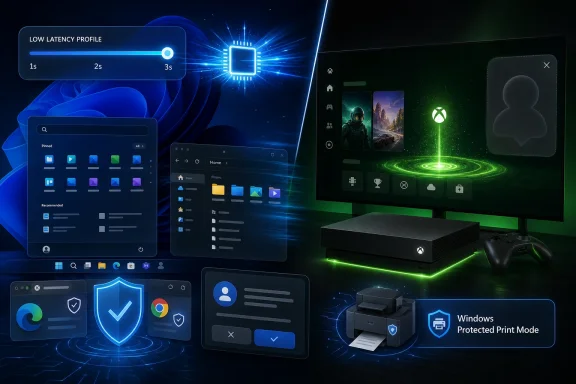
The feature being discussed as a Low Latency Profile is not a grand rewrite of the Windows scheduler, nor a philosophical return to lightweight computing. It is closer to a tactical burst mode: when Windows anticipates a foreground action that should feel immediate, it can raise processor clocks for a short window, reportedly one to three seconds, to cut the dead air between click and response.
That is not inherently scandalous. Modern operating systems and processors already spend their lives negotiating between responsiveness, thermals, battery life, and background workload management. Phones do this constantly. Laptops do this constantly. The controversy comes from the fact that Windows 11 has spent years being accused of feeling heavier than it should, and a CPU-boosting shortcut sounds, to skeptics, less like optimization and more like a confession.
Microsoft’s problem is that users experience performance emotionally before they measure it empirically. If the Start menu appears faster, File Explorer opens more promptly, and built-in apps stop feeling like they are waking from a nap, many people will call that a win. But if the fix is framed as “Windows 11 strains your CPU harder,” the optics are brutal, especially for a desktop OS already associated with stricter hardware requirements, background services, and a growing stack of cloud-connected features.
The less charitable reading is that Microsoft is papering over architectural bloat. When an OS needs to goose the CPU to make routine actions feel crisp, users reasonably ask why those actions became sluggish in the first place. Windows veterans remember eras when the operating system felt local, predictable, and almost boring in the best possible way; Windows 11 often feels like a platform negotiating with itself.
The reported early numbers are still interesting. If short boost windows produce visibly faster app launches or smoother shell interactions without meaningful battery or heat penalties, the feature could be a practical improvement. It may also be one of those changes that disappears into the background if it works, which is exactly where operating-system plumbing belongs.
But the debate around it shows Microsoft’s bind. When Windows 11 improves, users ask why it took this long. When Microsoft explains the improvement, users ask why the explanation sounds like a workaround. The company can win milliseconds and still lose the narrative.
That matters because Steam users are not a perfect proxy for the broader PC installed base, but they are an important proxy for performance-sensitive consumers. These are users who notice drivers, frame pacing, storage speed, overlay behavior, and the difference between a system that feels responsive and one that merely looks modern. If Windows 11 has won this crowd numerically, Microsoft can argue that its platform transition is no longer theoretical.
The catch is that Windows 10’s remaining share is still too large to dismiss. A quarter of Steam users is not a rounding error. It represents machines that may be blocked by hardware requirements, users who dislike Windows 11’s interface changes, or people who simply see no compelling reason to move before they must.
This is the central tension of 2026 Windows. Microsoft can point to adoption curves, security improvements, and modern driver models. Users can point to working PCs, familiar workflows, and the suspicion that every upgrade now arrives with a side order of ads, prompts, defaults, and AI positioning. Both sides have evidence.
For home users, this may sound like administrative dust. For IT departments, print infrastructure is one of those unglamorous corners of computing where ancient assumptions survive because the alternative is disruption. Printers sit at the intersection of drivers, authentication, networks, firmware, document workflows, and user impatience. They are also a security concern that historically received less attention than endpoints, browsers, or identity systems.
Windows Protected Print Mode is part of Microsoft’s broader attempt to narrow the attack surface and reduce dependence on older third-party driver packages. That direction is sensible. The harder part is the transition, because offices do not replace fleets of printers just because Redmond has decided the old model is inelegant.
The new compatibility indicator is therefore more than a small UI nicety. It is a recognition that users and admins need visibility before Microsoft can expect behavioral change. If Windows is going to push people toward a safer print stack, it has to tell them which hardware is ready and which hardware is about to become another procurement problem.
That may not sound dramatic, but it is how Windows actually evolves now. The old service-pack rhythm is gone. The modern Windows roadmap arrives as a rolling negotiation among Insider channels, controlled feature rollouts, servicing updates, and configuration switches that may or may not light up on a given machine.
For enthusiasts, that makes Windows more interesting and more frustrating. There is always something new to test, but there is also less certainty about when a feature becomes real. Two users can install the same build and still have different experiences depending on hardware, region, account state, and Microsoft’s rollout flags.
The new touchpad work is a good example of a feature category that rarely gets big headlines but meaningfully shapes daily experience. Precision input, palm rejection, gestures, haptics, and accessibility are part of whether a laptop feels premium. If Microsoft wants Windows laptops to compete more directly with the coherence of Apple’s trackpads, it has to keep improving the substrate, not just the Settings app around it.
The Edge story involved reports that Microsoft’s browser stores passwords in memory in plain text under certain conditions, with Microsoft reportedly arguing that this is not a vulnerability in the way critics characterize it. Technically, that may be defensible depending on threat model, process access, encryption boundaries, and whether an attacker already has local compromise. Politically, it is a terrible sentence to have to explain to normal users.
The Chrome controversy was more about weight and consent. Reports that Google’s browser was silently installing several gigabytes of AI-related components triggered exactly the kind of backlash one would expect in 2026. Users may accept that browsers are complex platforms, but they are less forgiving when those platforms grow in the background for features they did not knowingly request.
Mozilla, in contrast, had the quietest week of the three. Firefox 150.0.2 arrived with bug fixes and security patches, which is not glamorous but has become something of a brand advantage. In a market where the two biggest browser vendors are also aggressively pushing AI and ecosystem services, “the browser updated and nothing weird happened” is a stronger pitch than it used to be.
This is where Windows users’ frustrations with Microsoft often bleed into broader platform fatigue. The PC is no longer just an operating system plus applications. It is an operating system, a browser, a cloud account, an identity layer, a sync engine, an AI assistant, a store, a telemetry pipeline, and a notification surface. Every quiet background installation makes that stack feel less like the user’s machine.
It is also a smart one. Gamers were never broadly clamoring for an AI assistant on the console dashboard. They want faster downloads, clearer ownership rights, better performance modes, less intrusive advertising, stronger first-party releases, and a user interface that does not feel like a billboard interrupted by a library. A conversational assistant that tells players how to progress through a game may be useful in narrow cases, but it was never the existential feature Xbox needed.
The retreat does not mean AI is gone from Xbox. It almost certainly will remain in developer tools, moderation systems, support workflows, accessibility features, search, and possibly in-game systems where studios choose to use it. But removing the consumer-facing Copilot push from the console roadmap shows a distinction Microsoft has not always respected: AI as infrastructure may be valuable; AI as a mascot is often irritating.
The new boot animation, arriving as part of a broader brand refresh, is smaller but symbolically useful. A glowing green startup sequence will not fix Xbox’s market position, but it does speak to a desire to re-center the console around identity and nostalgia rather than corporate platform synergy. Sometimes the right feature is not the most advanced one. Sometimes it is the one that makes the box feel like it belongs to the people who bought it.
That proposition is still powerful, even as the economics around subscription gaming remain complicated. Xbox has struggled to turn Game Pass into an answer for every strategic question, but it remains one of Microsoft’s strongest consumer-facing differentiators. When the service is anchored by high-profile launches, it feels like the future Microsoft promised. When it is padded by filler or surrounded by price anxiety, it feels more fragile.
Microsoft Flight Simulator’s Australia-focused world update is another example of Microsoft’s best gaming instincts: long-tail platform investment, technical spectacle, and a community that values fidelity. Flight Simulator is not just a game in the ordinary sense. It is a showcase for data, cloud delivery, simulation, and the idea that Microsoft can still build experiences that feel almost absurdly ambitious.
Meanwhile, Activision’s reported decision to leave Xbox One and PlayStation 4 behind for the next Call of Duty installment is the kind of generational cutoff that had to come eventually. The 2013 consoles have had an extraordinarily long afterlife. But every additional year of cross-generation support constrains design, performance, and production choices. At some point, the past becomes a platform tax.
Rufus has become a fixture because Windows installation is still more complicated than it should be for many users, especially those navigating hardware requirements, local-account preferences, and bootable media creation. When changes to Windows setup or silent installation behavior cause friction for Rufus workflows, it reminds us how much of the enthusiast Windows experience depends on unofficial tools smoothing over official complexity.
FluentCleaner fits a different but related need. Windows has built-in cleanup tools, Storage Sense, and various maintenance mechanisms, yet users still reach for community-driven scripts and cleanup utilities because disk bloat feels real. On low-end devices, reclaimed storage is not cosmetic. It can determine whether updates install, apps run, or the machine remains usable.
UniGetUI’s continued polish speaks to another long-standing Windows weakness: software management. Microsoft has made progress with winget, but graphical package management on Windows still lacks the cultural centrality it has on many Linux distributions. A good third-party interface over package sources is useful because Windows software remains scattered across stores, installers, vendor updaters, and command-line tools.
This is one of Windows’ paradoxes. Its openness creates the space for excellent community tooling. But the need for so much tooling also reflects how much everyday friction remains outside Microsoft’s preferred user journey.
That complexity is why Microsoft’s Low Latency Profile debate matters beyond Windows itself. The user does not care whether a stutter originates in the OS scheduler, a GPU driver, a shader compilation issue, a background service, or a storage bottleneck. The user experiences it as “my PC is slow” or “this game stutters.”
Reviews of peripherals like the Akko Dash V9 Ultra also sit in this ecosystem. Lightweight gaming mice, high polling rates, browser-based configuration tools, and low-latency sensors are part of a market where users chase responsiveness at every layer. A Windows shell that hesitates feels increasingly out of step when even budget gaming accessories advertise precision in milliseconds.
The same applies to cloud gaming and GeForce NOW support for titles like Dead as Disco. The PC is no longer a single local box running a local executable. It is a continuum of local hardware, remote rendering, subscription libraries, input devices, and identity systems. Windows remains central to that world, but it no longer controls all of it.
The common thread is trust in defaults. Users want defaults that respect their hardware, their attention, their storage, their security expectations, and their sense of ownership. When a platform vendor changes those defaults without clear consent, the reaction is no longer surprise. It is suspicion.
Microsoft still has enormous advantages. Windows remains the default PC gaming platform. Enterprises remain deeply invested in Microsoft management, identity, productivity, and security stacks. Xbox still has beloved franchises, Game Pass, and technical talent. But advantages are not the same as goodwill.
Goodwill is built when a feature solves a problem users recognize. It is depleted when a feature solves a problem the vendor invented. This week, the Xbox Copilot retreat looked like Microsoft recognizing the difference. The Windows CPU-boost experiment will be judged by whether users feel the same.
Source: Neowin Microsoft Weekly: Windows 11 strains your CPU to work faster, Xbox ditches Copilot, and more
 Microsoft Reaches for the Turbo Button Because Perception Has Become the Product
The most revealing Windows story this week was not that Microsoft is testing a way to make Windows 11 feel faster. It was how the company is reportedly doing it: by briefly pushing the CPU harder during moments when the user is most likely to notice latency, such as launching apps or rendering pieces of the shell.The feature being discussed as a Low Latency Profile is not a grand rewrite of the Windows scheduler, nor a philosophical return to lightweight computing. It is closer to a tactical burst mode: when Windows anticipates a foreground action that should feel immediate, it can raise processor clocks for a short window, reportedly one to three seconds, to cut the dead air between click and response.
That is not inherently scandalous. Modern operating systems and processors already spend their lives negotiating between responsiveness, thermals, battery life, and background workload management. Phones do this constantly. Laptops do this constantly. The controversy comes from the fact that Windows 11 has spent years being accused of feeling heavier than it should, and a CPU-boosting shortcut sounds, to skeptics, less like optimization and more like a confession.
Microsoft’s problem is that users experience performance emotionally before they measure it empirically. If the Start menu appears faster, File Explorer opens more promptly, and built-in apps stop feeling like they are waking from a nap, many people will call that a win. But if the fix is framed as “Windows 11 strains your CPU harder,” the optics are brutal, especially for a desktop OS already associated with stricter hardware requirements, background services, and a growing stack of cloud-connected features.
A Faster Windows 11 Is Still a Windows 11 That Has to Explain Itself
The fair reading is that Microsoft is chasing interactive latency, not benchmark supremacy. A PC can score well in synthetic tests and still feel annoying if the shell stutters, animations miss frames, or common actions wait behind background work. That gap between measured speed and perceived speed is where Windows 11 has often lost the argument.The less charitable reading is that Microsoft is papering over architectural bloat. When an OS needs to goose the CPU to make routine actions feel crisp, users reasonably ask why those actions became sluggish in the first place. Windows veterans remember eras when the operating system felt local, predictable, and almost boring in the best possible way; Windows 11 often feels like a platform negotiating with itself.
The reported early numbers are still interesting. If short boost windows produce visibly faster app launches or smoother shell interactions without meaningful battery or heat penalties, the feature could be a practical improvement. It may also be one of those changes that disappears into the background if it works, which is exactly where operating-system plumbing belongs.
But the debate around it shows Microsoft’s bind. When Windows 11 improves, users ask why it took this long. When Microsoft explains the improvement, users ask why the explanation sounds like a workaround. The company can win milliseconds and still lose the narrative.
The Steam Numbers Say the Migration Is Real, But Not Complete
Valve’s April 2026 Steam Hardware & Software Survey gave Microsoft a headline it badly wants: Windows 11 is now the dominant Windows version among Steam users, reportedly sitting around 67.74 percent, while Windows 10 remains at roughly a quarter of surveyed systems. Among gamers, the migration has clearly happened.That matters because Steam users are not a perfect proxy for the broader PC installed base, but they are an important proxy for performance-sensitive consumers. These are users who notice drivers, frame pacing, storage speed, overlay behavior, and the difference between a system that feels responsive and one that merely looks modern. If Windows 11 has won this crowd numerically, Microsoft can argue that its platform transition is no longer theoretical.
The catch is that Windows 10’s remaining share is still too large to dismiss. A quarter of Steam users is not a rounding error. It represents machines that may be blocked by hardware requirements, users who dislike Windows 11’s interface changes, or people who simply see no compelling reason to move before they must.
This is the central tension of 2026 Windows. Microsoft can point to adoption curves, security improvements, and modern driver models. Users can point to working PCs, familiar workflows, and the suspicion that every upgrade now arrives with a side order of ads, prompts, defaults, and AI positioning. Both sides have evidence.
The Printer Story Is Boring Until It Breaks Your Office
The week’s printer news was easy to overlook, which is exactly why it matters. Microsoft is continuing its long shift away from legacy printer drivers and toward Windows Protected Print Mode, with newer Windows 11 updates adding clearer indicators for printers that support the modern model.For home users, this may sound like administrative dust. For IT departments, print infrastructure is one of those unglamorous corners of computing where ancient assumptions survive because the alternative is disruption. Printers sit at the intersection of drivers, authentication, networks, firmware, document workflows, and user impatience. They are also a security concern that historically received less attention than endpoints, browsers, or identity systems.
Windows Protected Print Mode is part of Microsoft’s broader attempt to narrow the attack surface and reduce dependence on older third-party driver packages. That direction is sensible. The harder part is the transition, because offices do not replace fleets of printers just because Redmond has decided the old model is inelegant.
The new compatibility indicator is therefore more than a small UI nicety. It is a recognition that users and admins need visibility before Microsoft can expect behavioral change. If Windows is going to push people toward a safer print stack, it has to tell them which hardware is ready and which hardware is about to become another procurement problem.
Insider Builds Show the Real Windows 11 Roadmap Is Incremental
This week’s Windows Insider builds continued the familiar pattern: lots of small changes, a few meaningful quality-of-life improvements, and the occasional feature that hints at where Microsoft wants the OS to go next. Canary builds brought changes around print drivers, voice input, Administrator protection, and other plumbing. Dev and Beta builds added new touchpad features for compatible devices, along with File Explorer refinements and broader shell work.That may not sound dramatic, but it is how Windows actually evolves now. The old service-pack rhythm is gone. The modern Windows roadmap arrives as a rolling negotiation among Insider channels, controlled feature rollouts, servicing updates, and configuration switches that may or may not light up on a given machine.
For enthusiasts, that makes Windows more interesting and more frustrating. There is always something new to test, but there is also less certainty about when a feature becomes real. Two users can install the same build and still have different experiences depending on hardware, region, account state, and Microsoft’s rollout flags.
The new touchpad work is a good example of a feature category that rarely gets big headlines but meaningfully shapes daily experience. Precision input, palm rejection, gestures, haptics, and accessibility are part of whether a laptop feels premium. If Microsoft wants Windows laptops to compete more directly with the coherence of Apple’s trackpads, it has to keep improving the substrate, not just the Settings app around it.
Edge and Chrome Remind Users That the Browser Is Now the Operating System’s Front Door
The browser controversies this week cut against Microsoft and Google in different ways, but they share a theme: users increasingly distrust software that makes security or storage decisions without making them legible.The Edge story involved reports that Microsoft’s browser stores passwords in memory in plain text under certain conditions, with Microsoft reportedly arguing that this is not a vulnerability in the way critics characterize it. Technically, that may be defensible depending on threat model, process access, encryption boundaries, and whether an attacker already has local compromise. Politically, it is a terrible sentence to have to explain to normal users.
The Chrome controversy was more about weight and consent. Reports that Google’s browser was silently installing several gigabytes of AI-related components triggered exactly the kind of backlash one would expect in 2026. Users may accept that browsers are complex platforms, but they are less forgiving when those platforms grow in the background for features they did not knowingly request.
Mozilla, in contrast, had the quietest week of the three. Firefox 150.0.2 arrived with bug fixes and security patches, which is not glamorous but has become something of a brand advantage. In a market where the two biggest browser vendors are also aggressively pushing AI and ecosystem services, “the browser updated and nothing weird happened” is a stronger pitch than it used to be.
This is where Windows users’ frustrations with Microsoft often bleed into broader platform fatigue. The PC is no longer just an operating system plus applications. It is an operating system, a browser, a cloud account, an identity layer, a sync engine, an AI assistant, a store, a telemetry pipeline, and a notification surface. Every quiet background installation makes that stack feel less like the user’s machine.
Xbox Learns That Not Every Microsoft Product Needs a Copilot Moment
The Xbox news was unusually clarifying. After earlier plans to bring Copilot-style gaming assistance to consoles, Xbox leadership has now said development for Copilot on console is stopping, while the mobile version is being wound down. For a Microsoft division under pressure to define its future, that is a notable reversal.It is also a smart one. Gamers were never broadly clamoring for an AI assistant on the console dashboard. They want faster downloads, clearer ownership rights, better performance modes, less intrusive advertising, stronger first-party releases, and a user interface that does not feel like a billboard interrupted by a library. A conversational assistant that tells players how to progress through a game may be useful in narrow cases, but it was never the existential feature Xbox needed.
The retreat does not mean AI is gone from Xbox. It almost certainly will remain in developer tools, moderation systems, support workflows, accessibility features, search, and possibly in-game systems where studios choose to use it. But removing the consumer-facing Copilot push from the console roadmap shows a distinction Microsoft has not always respected: AI as infrastructure may be valuable; AI as a mascot is often irritating.
The new boot animation, arriving as part of a broader brand refresh, is smaller but symbolically useful. A glowing green startup sequence will not fix Xbox’s market position, but it does speak to a desire to re-center the console around identity and nostalgia rather than corporate platform synergy. Sometimes the right feature is not the most advanced one. Sometimes it is the one that makes the box feel like it belongs to the people who bought it.
Game Pass Still Carries the Week-to-Week Xbox Argument
The gaming section of the week’s recap had the usual mix of releases, updates, and hardware-side drama, but the larger Xbox story remains Game Pass. Forza Horizon 6 is approaching launch, reportedly arriving on Game Pass at release, and that gives Microsoft one of the few messages that still cuts cleanly through the noise: here is a major game, and subscribers get it on day one.That proposition is still powerful, even as the economics around subscription gaming remain complicated. Xbox has struggled to turn Game Pass into an answer for every strategic question, but it remains one of Microsoft’s strongest consumer-facing differentiators. When the service is anchored by high-profile launches, it feels like the future Microsoft promised. When it is padded by filler or surrounded by price anxiety, it feels more fragile.
Microsoft Flight Simulator’s Australia-focused world update is another example of Microsoft’s best gaming instincts: long-tail platform investment, technical spectacle, and a community that values fidelity. Flight Simulator is not just a game in the ordinary sense. It is a showcase for data, cloud delivery, simulation, and the idea that Microsoft can still build experiences that feel almost absurdly ambitious.
Meanwhile, Activision’s reported decision to leave Xbox One and PlayStation 4 behind for the next Call of Duty installment is the kind of generational cutoff that had to come eventually. The 2013 consoles have had an extraordinarily long afterlife. But every additional year of cross-generation support constrains design, performance, and production choices. At some point, the past becomes a platform tax.
The PC Utility Scene Keeps Fixing the Friction Microsoft Leaves Behind
The mentions of Rufus, FluentCleaner, and UniGetUI are more than a grab bag of enthusiast utilities. They show the shadow ecosystem that grows around Windows whenever Microsoft leaves pain points unresolved.Rufus has become a fixture because Windows installation is still more complicated than it should be for many users, especially those navigating hardware requirements, local-account preferences, and bootable media creation. When changes to Windows setup or silent installation behavior cause friction for Rufus workflows, it reminds us how much of the enthusiast Windows experience depends on unofficial tools smoothing over official complexity.
FluentCleaner fits a different but related need. Windows has built-in cleanup tools, Storage Sense, and various maintenance mechanisms, yet users still reach for community-driven scripts and cleanup utilities because disk bloat feels real. On low-end devices, reclaimed storage is not cosmetic. It can determine whether updates install, apps run, or the machine remains usable.
UniGetUI’s continued polish speaks to another long-standing Windows weakness: software management. Microsoft has made progress with winget, but graphical package management on Windows still lacks the cultural centrality it has on many Linux distributions. A good third-party interface over package sources is useful because Windows software remains scattered across stores, installers, vendor updaters, and command-line tools.
This is one of Windows’ paradoxes. Its openness creates the space for excellent community tooling. But the need for so much tooling also reflects how much everyday friction remains outside Microsoft’s preferred user journey.
Hardware and Drivers Keep Moving Even When Windows Feels Stuck
AMD’s Radeon Software 26.5.1 update, with game-specific support and stutter fixes, is a routine item that nonetheless belongs in the larger story. PC performance is never just the operating system. It is firmware, chipset drivers, GPU drivers, storage controllers, game engines, anti-cheat systems, display stacks, overlays, and power policies all trying to cooperate.That complexity is why Microsoft’s Low Latency Profile debate matters beyond Windows itself. The user does not care whether a stutter originates in the OS scheduler, a GPU driver, a shader compilation issue, a background service, or a storage bottleneck. The user experiences it as “my PC is slow” or “this game stutters.”
Reviews of peripherals like the Akko Dash V9 Ultra also sit in this ecosystem. Lightweight gaming mice, high polling rates, browser-based configuration tools, and low-latency sensors are part of a market where users chase responsiveness at every layer. A Windows shell that hesitates feels increasingly out of step when even budget gaming accessories advertise precision in milliseconds.
The same applies to cloud gaming and GeForce NOW support for titles like Dead as Disco. The PC is no longer a single local box running a local executable. It is a continuum of local hardware, remote rendering, subscription libraries, input devices, and identity systems. Windows remains central to that world, but it no longer controls all of it.
The Week’s Small Stories Point to One Large Trust Deficit
Microsoft’s week can be read as a list of unrelated updates, but the pattern is more interesting. Windows 11 is getting faster through more aggressive CPU behavior. Xbox is stepping back from a disliked AI plan. Edge is defending a controversial security posture. Chrome is absorbing criticism over silent AI-related storage use. Printer modernization is moving forward, but only after years of driver pain made the old model untenable.The common thread is trust in defaults. Users want defaults that respect their hardware, their attention, their storage, their security expectations, and their sense of ownership. When a platform vendor changes those defaults without clear consent, the reaction is no longer surprise. It is suspicion.
Microsoft still has enormous advantages. Windows remains the default PC gaming platform. Enterprises remain deeply invested in Microsoft management, identity, productivity, and security stacks. Xbox still has beloved franchises, Game Pass, and technical talent. But advantages are not the same as goodwill.
Goodwill is built when a feature solves a problem users recognize. It is depleted when a feature solves a problem the vendor invented. This week, the Xbox Copilot retreat looked like Microsoft recognizing the difference. The Windows CPU-boost experiment will be judged by whether users feel the same.
The Signal Hidden in Microsoft’s Noisy Week
The practical lessons from this week are less about any single update than about where Microsoft’s platforms are heading. Windows is becoming more adaptive and more managed. Xbox is trying, at least for the moment, to sound more community-led. Browsers are becoming heavier AI platforms whether users welcome that shift or not.- Windows 11’s reported Low Latency Profile may improve perceived responsiveness, but it also reinforces the belief that Microsoft is compensating for years of accumulated OS weight.
- Steam’s April 2026 numbers suggest Windows 11 has clearly won the PC gaming migration, even though Windows 10 remains too large to ignore.
- Xbox’s decision to stop Copilot development for consoles is a rare and welcome case of Microsoft backing away from AI branding where users saw little benefit.
- Printer modernization through Windows Protected Print Mode is the kind of security work that will matter most when old hardware and old drivers finally become business risks.
- Browser controversies around Edge and Chrome show that users are increasingly sensitive to what software stores, loads, and installs behind the scenes.
- The continued relevance of tools like Rufus, FluentCleaner, and UniGetUI proves that Windows enthusiasts still rely on community utilities to make Microsoft’s platform feel truly under their control.
Source: Neowin Microsoft Weekly: Windows 11 strains your CPU to work faster, Xbox ditches Copilot, and more
